CA-IW-SUZ.004V - Car accessory PIONEER - Free user manual and instructions
Find the device manual for free CA-IW-SUZ.004V PIONEER in PDF.


User questions about CA-IW-SUZ.004V PIONEER
0 question about this device. Answer the ones you know or ask your own.
Ask a new question about this device
Download the instructions for your Car accessory in PDF format for free! Find your manual CA-IW-SUZ.004V - PIONEER and take your electronic device back in hand. On this page are published all the documents necessary for the use of your device. CA-IW-SUZ.004V by PIONEER.
USER MANUAL CA-IW-SUZ.004V PIONEER
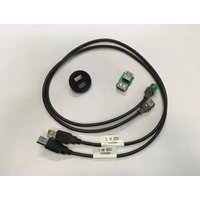
Double USB PCB replacement installation kit for:
SUZUKI
Model: Ignis
Year: 2016>
Kit content: USB interface; Double USB plastic housing; Two cables harnesses;
Customer code: CA-IW-SUZ.004V

natural_image
Close-up of electronic components including a green circuit board, a black circular connector, and two black cables with connectors (no visible text or symbols)INSTALLATION MANUAL
All installation work must be performed by a qualified professional installer only.
The manufacturer / dealer is not liable for any kind of incidental or indirect damages.
09/2016 ALL RIGHTS RESERVED. Technical changes possible. No liability for misprints.R1
All installation work must be performed by a qualified professional installer only.
The manufacturer / dealer is not liable for any kind of incidental or indirect damages.
09/2016 ALL RIGHTS RESERVED. Technical changes possible. No liability for misprints.

1) Remove the original AUX/USB socket from the dashboard and unplug the connectors behind it.
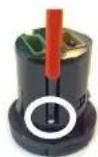
2) Unscrew it by using the screwdriver and save the two screws as shown in the picture.

3) Remove the original front cover and then remove the original jack PCB interface from the AUX/USB socket.
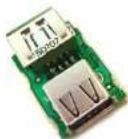

4) Take the supplied USB interface and the double plastic housing.
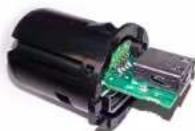
5) Put in place the supplied USB interface, the plastic cover and fix it with the previously saved screws.

natural_image
Close-up of a black mechanical component with two circular ports labeled A and B (no text or symbols beyond labels)6) Plug it into the dashboard with the supplied cable by paying attention to connect the two connectors with the same colors, brown with brown and green with green.
PLEASE NOTE:
A - one dot = shows the hole for the original included USB interface B - two dots = shows the hole for the supplied USB interface



Brand : PIONEER
Model : CA-IW-SUZ.004V
Category : Car accessory