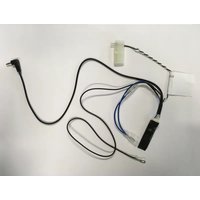
PIONEER CA-R-SMA.001AE - Car accessory

CA-R-SMA.001AE - Car accessory PIONEER - Free user manual and instructions

Find the device manual for free CA-R-SMA.001AE PIONEER in PDF.

📄 2 pages English EN Download 💬 AI Question 10 questions ⚙️ Specs
Notice PIONEER CA-R-SMA.001AE - page 1
Pick your language and provide your email: we'll send you a specifically translated version.
Product Type Car Audio Receiver
Brand Pioneer
Model CA-R-SMA.001AE
Dimensions (W x H x D) Approx. 180 x 50 x 160 mm (Standard DIN)
Weight Approx. 1.5 kg
Power Supply 12V DC (negative ground)
Maximum Power Output 4 x 50W (peak)
Display LCD with multi-color illumination
Connectivity USB, AUX input, Bluetooth (hands-free and audio streaming)
Supported Audio Formats MP3, WMA, WAV
Radio Tuner FM/AM with RDS
Preamp Outputs 2 pairs (front/rear, 2V output)
Security Detachable faceplate
Cleaning and Care Wipe with a soft, dry cloth. Do not use solvents or abrasive cleaners.
Spare Parts and Repairability Contact authorized Pioneer service centers. User-replaceable fuse.
General Information Designed for vehicles with 12V electrical systems. Professional installation recommended.

Frequently Asked Questions - CA-R-SMA.001AE PIONEER

How do I install the Pioneer CA-R-SMA.001AE in my car?
First, disconnect the vehicle's battery. Remove the existing stereo using appropriate tools. Connect the wiring harness: match wire colors (red to ignition, yellow to constant 12V, black to ground). Insert the unit into the DIN slot and secure. Reconnect battery and test.
Does the CA-R-SMA.001AE support Bluetooth?
Yes, it supports Bluetooth for hands-free calling and audio streaming. Pair your phone by enabling Bluetooth on the device and selecting Pioneer from your phone's list.
What is the maximum power output of this receiver?
The maximum power output is 50 watts per channel (4 channels) peak power, with typical RMS output around 20W x 4.
How do I reset the Pioneer CA-R-SMA.001AE to factory settings?
Locate the reset button (usually a small pinhole near the faceplate). Use a paperclip to press and hold for 3 seconds. The unit will reboot with default settings.
Can I connect a subwoofer to this unit?
Yes, it has preamp outputs (2 pairs). Use a RCA cable to connect to an external amplifier and subwoofer. The unit may have a subwoofer level control.
How do I set the clock on the CA-R-SMA.001AE?
Press the Menu button, navigate to Clock settings using the knob, adjust hours and minutes, then press Enter to confirm.
What audio formats are supported?
It supports MP3, WMA, and WAV files played from USB or Bluetooth. For CD playback, this model likely does not include a CD player.
Is the faceplate detachable?
Yes, the faceplate is detachable for security. Press the Release button and pull the faceplate off. Store it in the provided case when not in use.
How should I clean the Pioneer CA-R-SMA.001AE?
Use a soft, dry microfiber cloth to wipe the faceplate and display. Avoid using any liquids or sprays to prevent damage.
Where can I find the serial number of my unit?
The serial number is usually printed on a sticker on the chassis of the unit. You may need to remove the unit from the dashboard to see it.

User questions about CA-R-SMA.001AE PIONEER

0 question about this device. Answer the ones you know or ask your own.

Ask a new question about this device

The email remains private: it is only used to notify you if someone responds to your question.

No questions yet. Be the first to ask one.

Download the instructions for your Car accessory in PDF format for free! Find your manual CA-R-SMA.001AE - PIONEER and take your electronic device back in hand. On this page are published all the documents necessary for the use of your device. CA-R-SMA.001AE by PIONEER.

USER MANUAL CA-R-SMA.001AE PIONEER

In order to prevent ESD damage, the W/R Jack must be connected before plugging the connectors on car side

2 W/R JACK MIC Radio Side

4 Car Connectors

6 Unplug

8 Plug

Installation must be performed by a qualified professional installer only. The manufacturer is not liable for any kind of incidental or indirect damages. 05/2015 - All rights reserved. No liability for misprints.
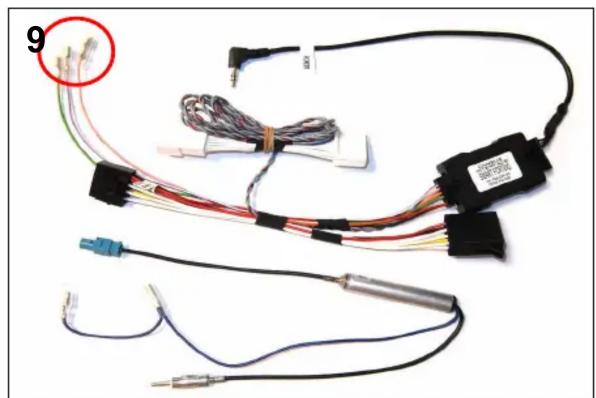
PIONEER CA-R-SMA.001AE - 5

natural_image Electrical wiring harness with multiple wires and sensors, no visible text or symbols
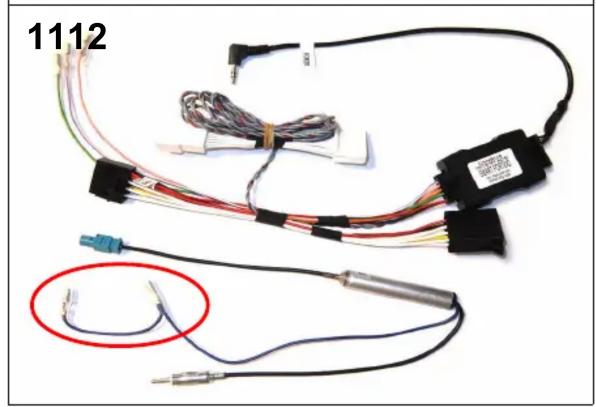
10 Green – Parking Violet – Reverse Pink – Speed

PIONEER CA-R-SMA.001AE - 7

natural_image Electrical wiring harness with multiple connectors and cables, no visible text or symbols

Power antenna

Manual assistant
Powered by Anthropic
Waiting for your message
Product information

Brand : PIONEER

Model : CA-R-SMA.001AE

Category : Car accessory