
Poseidon M2 - Keyboard Gamdias - Free user manual and instructions
Find the device manual for free Poseidon M2 Gamdias in PDF.


User questions about Poseidon M2 Gamdias
0 question about this device. Answer the ones you know or ask your own.
Ask a new question about this device
Download the instructions for your Keyboard in PDF format for free! Find your manual Poseidon M2 - Gamdias and take your electronic device back in hand. On this page are published all the documents necessary for the use of your device. Poseidon M2 by Gamdias.
USER MANUAL Poseidon M2 Gamdias
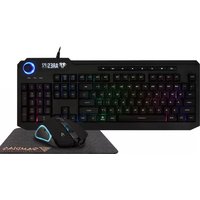
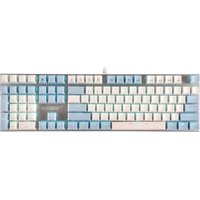
Thank you for purchasing the GAMDIAS™ ARES M1. The GAMDIAS ARES M1 gaming keyboard has a comfortable design and spill resistant structure. The GAMDIAS™ optical gaming mouse employs premium micro-processor complemented by 3,600 DPI precision-perfect optical sensor.
System Requirements
- Windows ^ XP/ Vista / 7 / 8 / 10
• PC with USB ports
Package Contents
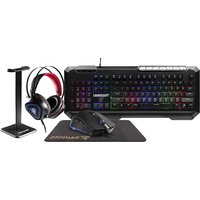
• GAMDIAS™ ARES M1 Gaming Keyboard
• GAMDIAS™ Gaming Headset
• GAMDIAS™ Gaming Mouse
• GAMDIAS™ Gaming Mouse Mat
Hardware Installation
- Insert the USB plug of the GAMDIAS™ ARES M1 keyboard into an available USB port on the computer.
- The "New Hardware Found" notification will be displayed. Follow the instructions on the screen to complete the hardware installation.
- Insert the USB plug of the GAMDIAS™ mouse into an available USB port on the computer.
- The "New Hardware Found" notification will be displayed. Follow the instructions on the screen to complete the hardware installation.
Introduction to ARES M1 Keyboard Configuration
Eight multimedia shortcut keys: My Computer, Home, Email, Search, Play/Pause, Mute, Increase Volume, Decrease Volume

Mouse Default Settings

Headset Default Settings

«Português»
natural_image
Abstract geometric logo design with interlocking black and gold shapes inside a large golden triangle (no text or symbols)GAMDIAS
GAMING ART IN MOTION
Brand : Gamdias
Model : Poseidon M2
Category : Keyboard