
2WDP001 - Doorbell Mercury - Free user manual and instructions
Find the device manual for free 2WDP001 Mercury in PDF.


| Product Type | 2.4GHz Wireless Door Phone |
| Brand | Mercury |
| Model | 2WDP001 |
| External Unit Dimensions | 104mm x 162mm x 70mm |
| Handset Dimensions | 215mm x 99mm x 72mm |
| External Unit Weight | 350g |
| Handset Weight | 468g |
| Power Supply (Handset) | PSU 12VDC 500mA (included) |
| Backup Power (Handset) | 4 x AA batteries (not included) |
| External Unit Power | 4 x AA batteries (not included) |
| Wireless Frequency | 2.4GHz |
| Wireless Range | Up to 150m (clear sight) |
| IP Rating | IP44 (external unit only) |
| Installation | No wiring required; easy DIY setup |
| Ringer Volume | Adjustable |
| Battery Back-up | Yes (handset operates during mains failure) |
| Included Accessories | External call unit, handset & cradle, PSU, fixing kit, user guide |
| Standby LED | Blinks every 3 seconds |
| Call Indication | Handset chimes twice, LED steady; external unit sounds intermittently |
| Battery Low Alert | Steady red LED on handset |
| Out of Range Alert | External unit beeps 4 times when call button pressed |
| Safety | Do not immerse in water; do not use if damaged; no user repair |
| Disposal | WEEE compliant; do not dispose with household waste |
Frequently Asked Questions - 2WDP001 Mercury
- Steady on: call in progress or just pressed.
- Rapid blinking for 10 minutes: call button was pressed but not answered.
- Steady red at all times: batteries need replacement.
User questions about 2WDP001 Mercury
0 question about this device. Answer the ones you know or ask your own.
Ask a new question about this device
Download the instructions for your Doorbell in PDF format for free! Find your manual 2WDP001 - Mercury and take your electronic device back in hand. On this page are published all the documents necessary for the use of your device. 2WDP001 by Mercury.
USER MANUAL 2WDP001 Mercury
natural_image
White mobile phone with attached black and silver device, no visible text or symbols2.4GHz Wireless Door Phone
Order ref: 350.001UK
User Manual
This wireless door phone system allows you to talk to your visitors before opening the door. No wires are required between the external and internal units, making this system very easy to install, and a range of up to 150m makes this useful for security and helpful for the elderly or less mobile.
Features:
- Easy to install; no wiring required
- Battery operated IP44 rated external unit with low power consumption
• Battery back-up feature on internal unit
• Wireless range up to 150m (clear sight) - Adjustable ringer volume
In the box:
• IP44 rated external call unit
- Internal handset & cradle
- Internal handset PSU
- Fixing kit
- User guide
Installation:
External Call Unit
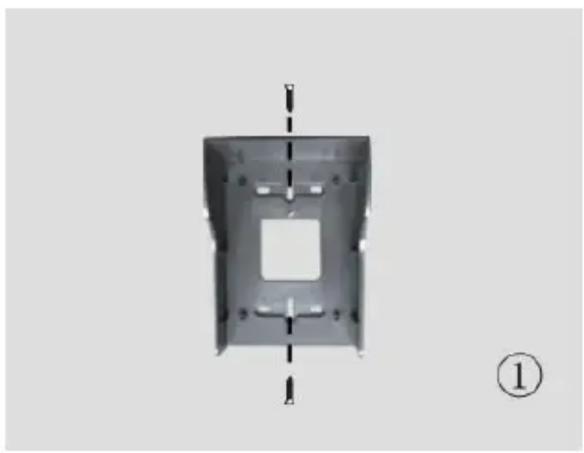
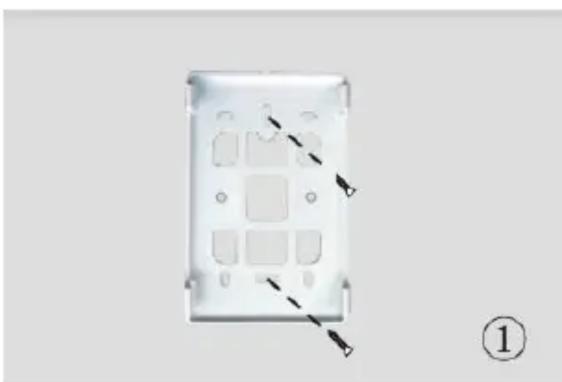
- Fasten the rain shade on the wall 1.4\~1.7m above the ground.
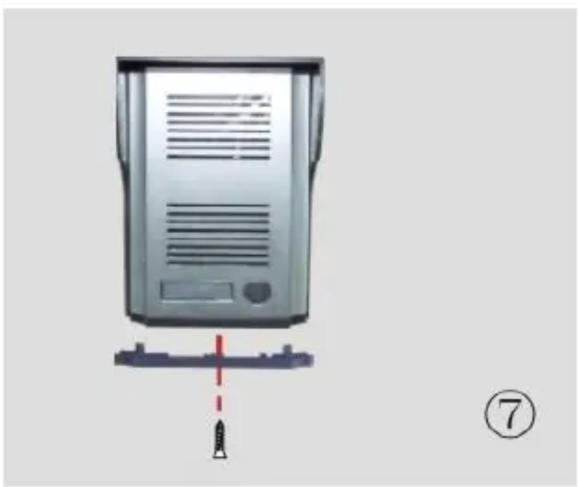
- Remove the screw from the bottom of the external unit and remove the bottom plate.
natural_image
Metal enclosure with central square cutout and side dashed lines, no text or symbols present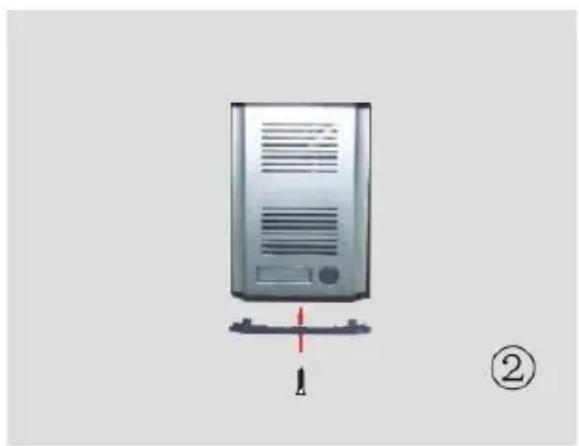
natural_image
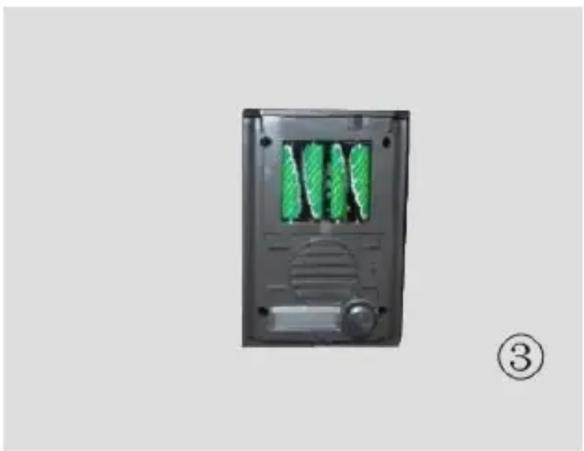
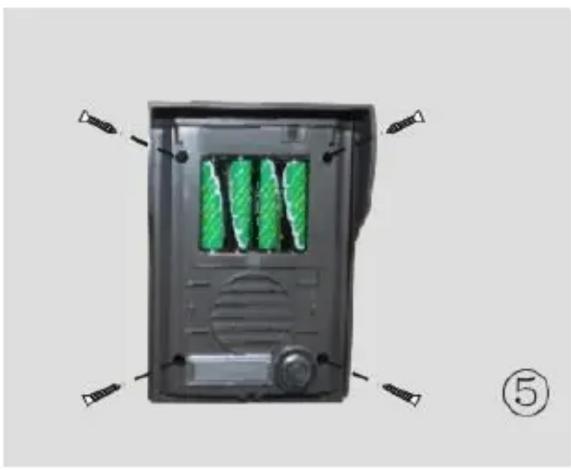
Illustration of a desktop computer tower with a red indicator arrow and a black screw base, labeled with number ② (no text or symbols on the device itself)- Remove the silver cover and install 4 x AA batteries (not supplied) paying attention to the polarity indicators within the battery compartment.
- Remove the name card cover and complete the card as required ie. name, room number, etc.
natural_image
Exterior view of a black electronic device with green internal components and a control knob (no text or symbols visible)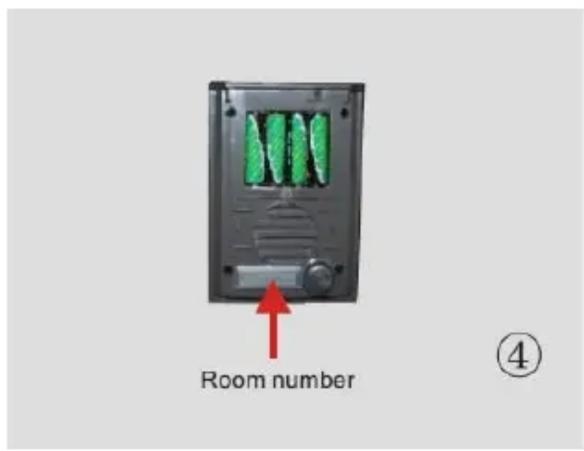
- Attach the unit to the rain shade.
- Replace the cover.
natural_image
Top-down view of a black electronic device casing with green internal compartments and control panel (no text or symbols visible)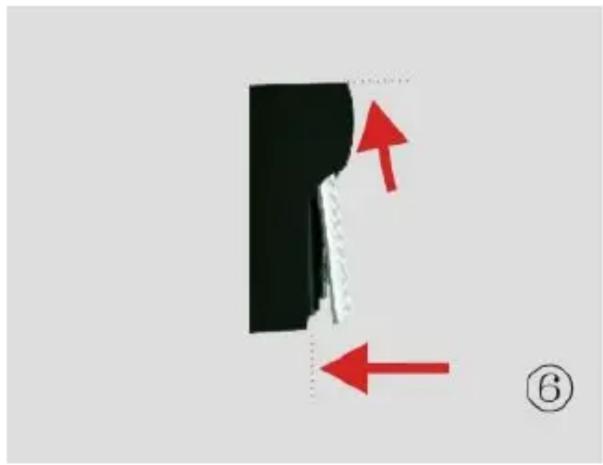
natural_image
Diagram showing a black object with red arrows pointing to a dashed line, labeled (6) in the corner (no text or symbols on the object itself)- Replace the bottom plate.
natural_image
Diagram of a server rack with a red dashed line and a black rocket icon, no text or symbols presentInternal Handset
Ensure that there is a power outlet within reach of the handset and its power supply.
- Remove the cradle from the rear of the handset and attach to the wall.
- Open the battery cover, install 4 x AA batteries (not supplied) and replace the cover.
natural_image
Diagram of a white plastic panel with internal compartments and mounting holes, marked with arrows and a numbered label (1) at bottom right.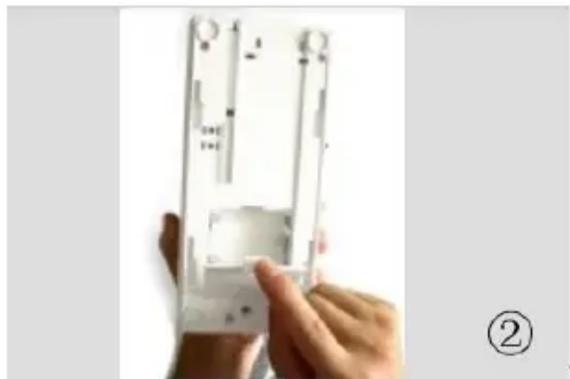
natural_image
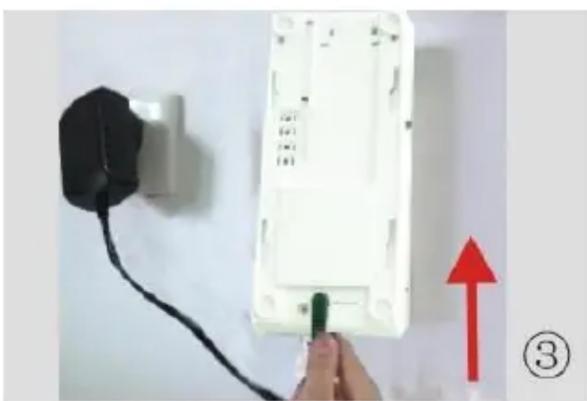
Close-up of hands holding a white electronic device with metal components (no visible text or symbols)- Insert the power supply jack into the socket on the rear of the handset.
- Hook the handset onto the cradle.
natural_image
Close-up of a white electrical wall socket connected to a black power outlet, with a hand holding a green plug and red upward arrow indicating direction (no text or symbols)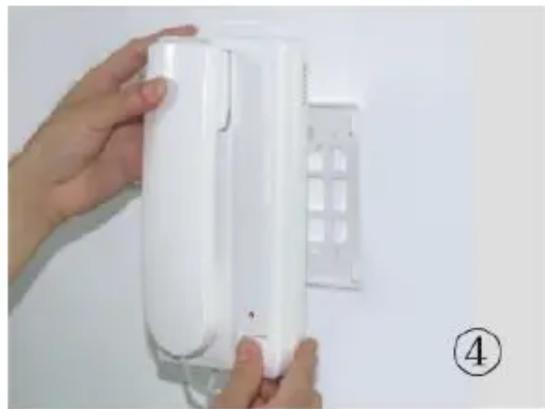
natural_image
Close-up of hands holding a white electronic device with a grid-patterned cover, against a plain background (no text or symbols visible)- Plug the power supply into a power outlet and switch it on. The handset will beep.
The system is now ready for use.
Operation:
In standby mode, the handset LED will blink every 3 seconds.
When the call button is pressed on the external unit, the handset will chime twice and the LED will change from blinking to steady.
The external unit will also sound intermittently for approximately one minute or until the handset is picked up to receive the call.
Lift the handset to speak to the caller.
At the end of the call replace the handset ensuring that it is secure in its cradle. Both units will beep.
If left unanswered, both units will beep after one minute and the system will return to standby mode.
The handset LED will blink rapidly for 10 minutes to indicate that the call button has been pressed after which time it will return to one blink every 3 seconds.
With good quality batteries installed in the handset, the system will operate for several hours during a mains failure.
Please note that the handset is not capable of recharging batteries and only dry cells should be used.
System alerts:
A steady red LED on the handset at all times indicates that the batteries should be replaced.
If the units are out of range or the handset is dead, the external unit will beep four times when the call button is pressed.
Specification:
| Frequency | 2.4GHz |
| Range | Up to 150m |
| IP Rating | IP44 (External unit only) |
| Power: External Unit | 4 x AA batteries (not supplied) |
| Power: Handset | PSU 12VDC 500mA |
| Back-up power: Handset | 4 x AA batteries (not supplied) |
| Dimensions: External Unit | 104mm x 162mm x 70mm |
| Dimensions: Handset | 215mm x 99mm x 72mm |
| Weight: External Unit | 350g |
| Weight: Handset | 468g |
Warning:
- For reasons of electrical safety, this device must never be immersed in water, exposed to damp conditions or excessive force.
- Do not use this device if you find that it is damaged in any way.
- Do not attempt to repair this device or take apart under any circumstances, as this will invalidate your warranty.

This product is classed as Electrical or Electronic equipment and should not be disposed with other household or commercial waste at the end of its useful life. The goods must be disposed of according to your local council guidelines.
Hereby, AVSL Group Ltd. declares that the radio equipment type: 350.001UK complies with Directive 2014/53/EU
The full text of the EU declaration of conformity for 350.001UK is available at the following internet address:
http://www.avsl.com/assets/exportdoc/3/5/350001UK%20CE.pdf

Brand : Mercury
Model : 2WDP001
Category : Doorbell