
EMR5000 - Router ENGENIUS - Free user manual and instructions
Find the device manual for free EMR5000 ENGENIUS in PDF.


| Product Type | AC2200 Tri-Band Mesh Router |
| Wireless Standard | IEEE 802.11a/b/g/n/ac |
| Frequency Bands | 2.4 GHz, 5 GHz (dual 5 GHz radios) |
| Max Speed | AC2200 (up to 2200 Mbps combined) |
| MIMO | 2x2 MU-MIMO with Beamforming |
| Wired Ports | 2x Gigabit Ethernet (1 WAN, 1 LAN) |
| Mesh Technology | EnMesh™ (works with EMD/EMR Series) |
| Roaming | Fast Roaming for seamless connectivity |
| Antenna | 360° high-performance internal antennas |
| Dimensions (W x D x H) | 127 mm x 127 mm x 57 mm (5 x 5 x 2.2 in) |
| Power Supply | DC 12V, 1.5A |
| Security | WPA2 Personal encryption |
| Management App | EnMesh™ App (iOS/Android) |
| Software Features | Band Steering, QoS, Parental Control, Internet Speed Test, Firmware Upgrade |
| USB Port | 1x USB (for external storage with EnFile) |
| Operating Temperature | 0°C to 40°C (32°F to 104°F) |
| Storage Temperature | -20°C to 60°C (-4°F to 140°F) |
| Dry Location Use | Indoor use only |
| Warranty | Limited (check manufacturer) |
Frequently Asked Questions - EMR5000 ENGENIUS
User questions about EMR5000 ENGENIUS
0 question about this device. Answer the ones you know or ask your own.
Ask a new question about this device
Download the instructions for your Router in PDF format for free! Find your manual EMR5000 - ENGENIUS and take your electronic device back in hand. On this page are published all the documents necessary for the use of your device. EMR5000 by ENGENIUS.
USER MANUAL EMR5000 ENGENIUS
Stable, High Performance, Full-Strength Wi-Fi
EMR5000
natural_image
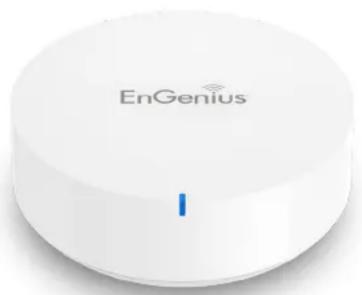
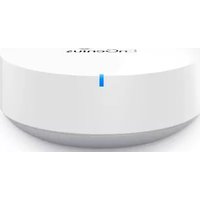
White EnGenius smart home device with a blue indicator light (no text or symbols on the device body)Serve More Clients, More Efficiently
EMR5000 support multiple spatial streams to be allocated to different clients simultaneously (MU-MIMO). Also focus on identifying radio signal to transmit to a particular user more efficiently.
natural_image
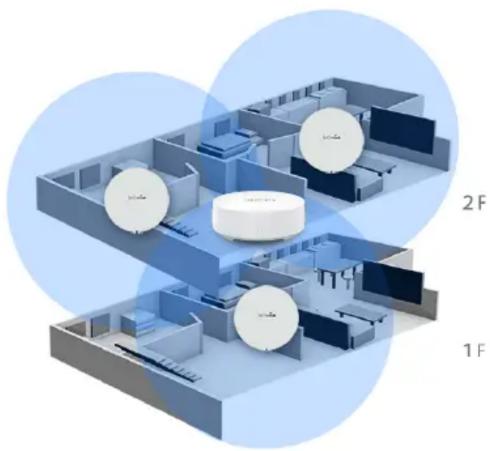
Isometric architectural floor plan with circular components and labeled zones (no text or symbols beyond labels)Seamless Connectivity From Room to
EMR5000 also provides fast roaming, which enables to keep seamless connectivity when moving from room to room along with using voice App or downloading large files.
AC2200 High Performance Mesh Router
EnGenius EMR5000 comes with Tri– band radios and high performance AC2200 to maximize the Internet speeds in your home. The new arrival router which is designed to provide a dedicate radio for Mesh backhaul and dual radios for multiple devices to deliver 100% full-strength Wi-Fi signal in a Mesh Network.

Works Together for Full Coverage
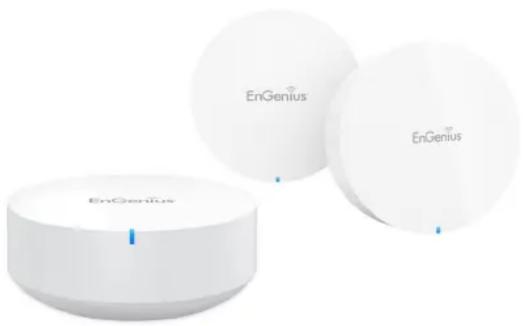
EMR5000 is built-in EnMesh™ wireless link technology, which works with EMD/EMR Series as a Mesh Network. Otherwise, EMR5000 comes with 360° high performance antenna to extend Wi-Fi coverage at entire home.
natural_image
Three white circular devices labeled 'EnGenius' with no visible text or symbols on them, arranged side by side (no additional signage or text)3 Steps to Build Your 1st Home Mesh System
Step1: Download EnMesh™ APP on your phone, and power on the first EMR5000
Step2: Set up your preferred Wi-Fi name
Step3: Power on other devices to join and Done!
Full Control of Your Networks at Your Fingertip
By EnMesh™ App, setting up and managing your Wi-Fi system can be so easy to give you total control and insight of the entire wireless network in your finger.

EnMesh™
EASY Management App


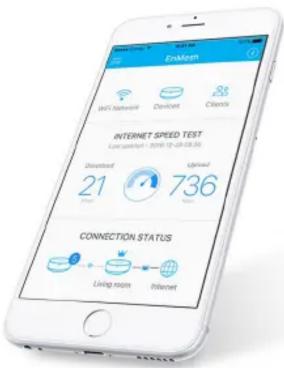
EnMesh Features:
- Easy Setup via EnMesh App
- Deployment Distance Measurement
- Internet Speed Test
-
Firmware Upgrade at a glance
-
Parental Control/ Web Filter
- QoS for Mesh network's Clients
- Monitor Wi-Fi Connection Quality
- Node to Master Throughput Test
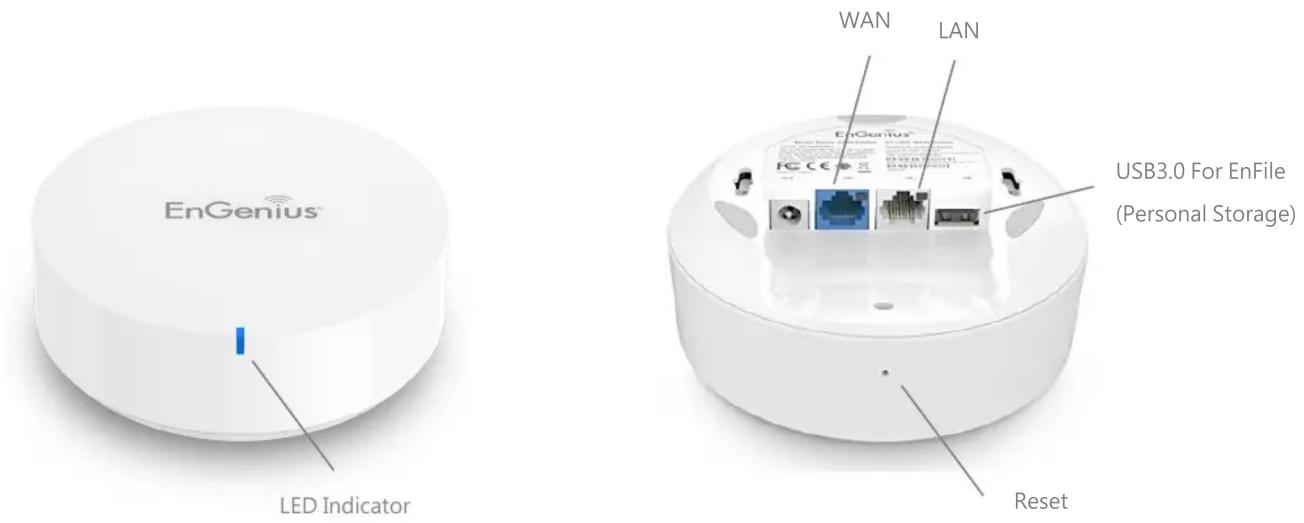
Add USB on Router to access EnFile Management tool
EnFile is designed to organize & manage your files with ease. Easily download and access files from anywhere. Experience a clean user interface that lets you organize, filter, and search saved documents to create more efficiency in your file manage-
EnFile Features:
- Easy to access documents, photos, music and video files
- Customize lists and categories for easy file discovery
- No in-app Ads or carrier data usage
- Plug-in USB drive to mesh router to use external storage.

EnFile
File Management App


Physical Interface
Technical Specifications
Wireless Connectivity
AC2200 Tri-band simultaneous radios 2.4GHz, 5GHz
2x2 MU-MIMO, Beamforming for 2.4GHz and 5GHz
IEEE802.11b/g/n-2.4GHz 256QAM x1
IEEE802.11a/n/ac-5GHz 256QAM x2
Soware Features
Fast Roaming, Band Steering, Internet Speed, QoS Setting, UID/
DDNS Remote Control, Parental Control, Air Print Server, Throughput Test, WPS, Restart/ Reset Setting,
EnMesh App Setup,/Configuration (iOS/Android)
Wired Connectivity
Dual Gigabit Ports for WAN and LAN Connectivity
Security
WPA2 Personal Wireless Encryption
Operation Condition
Operation Temp.: 0^ C \~ 40^ C
Humidity 90% or less (Non-Condensing)
Storage Temp.: -20°C \~ 60°C
Humidity 95% or less (Non-condensing)
Dimensions / Electrical Requirement
Width: 127 mm (5in)
Depth: 127 mm (5in)
Height: 57 mm (2.2in)
DC Input: 12V1.5A
EnGenius®
Features and specifications subject to change without notice. Trademarks and registered trademarks are the property of their respective owners. For United States of America: Copyright ^® 2019 EnGenius Technologies, Inc. These limits are designed to provide reasonable protection against harmful interference in a residential installation. This equipment generates, uses, and can radiate radio frequency energy and, if not installed and used in accordance with the instructions, may cause harmful interference to radio communications. Operation of this equipment in a residential area is likely to cause harmful interference in which case the user will be required to correct the interference at his/her own expense. Prior to installing any surveillance equipment, it is your responsibility to ensure the installation is in compliance with local, state and federal video and audio surveillance and privacy laws.
- Stable, High Performance, Full-Strength Wi-Fi
- EMR5000
- Serve More Clients, More Efficiently
- Seamless Connectivity From Room to
- AC2200 High Performance Mesh Router
- Works Together for Full Coverage
- Steps to Build Your 1st Home Mesh System
- Full Control of Your Networks at Your Fingertip
- EnMesh Features:
- Add USB on Router to access EnFile Management tool
- EnFile Features:
- Technical Specifications
- Wireless Connectivity
- Soware Features
- Wired Connectivity
- Security
- Operation Condition
- Dimensions / Electrical Requirement
- EnGenius®
Brand : ENGENIUS
Model : EMR5000
Category : Router