IM 91MG RFS - Microwaves Cylinda - Free user manual and instructions
Find the device manual for free IM 91MG RFS Cylinda in PDF.


| Product Type | Built-in Microwave with Grill and Convection |
| Brand | Cylinda |
| Model | IM 91MG RFS |
| Capacity | 25 liters |
| Microwave Power Output | 900 W |
| Grill Power | 1000 W |
| Convection Power | 1500 W |
| Power Levels | 5 levels |
| Control Type | Touch control with LED display |
| Timer | Yes, up to 99 minutes |
| Child Lock | Yes |
| Interior Light | Yes |
| Turntable | Yes, 31.5 cm diameter |
| Oven Cavity Dimensions (HxWxD) | 220 x 350 x 350 mm |
| Product Dimensions (HxWxD) | 390 x 595 x 455 mm |
| Weight | 25 kg |
| Voltage / Frequency | 230 V / 50 Hz |
| Power Consumption | 1500 W (microwave mode) |
| Installation Type | Built-in |
| Color | Stainless steel |
| Door Opening | Drop-down with handle |
| Energy Efficiency Class | A |
| Noise Level | 55 dB |
| Safety Features | Overheat protection, child lock, door interlock |
| Cleaning | Easy-clean enamel interior; wipe with damp cloth |
| Spare Parts | Turntable, roller ring, fuse, door handle (available from Cylinda) |
| Warranty | 2 years |
| Manual | Free PDF download available |
Frequently Asked Questions - IM 91MG RFS Cylinda
User questions about IM 91MG RFS Cylinda
0 question about this device. Answer the ones you know or ask your own.
Ask a new question about this device
Download the instructions for your Microwaves in PDF format for free! Find your manual IM 91MG RFS - Cylinda and take your electronic device back in hand. On this page are published all the documents necessary for the use of your device. IM 91MG RFS by Cylinda.
USER MANUAL IM 91MG RFS Cylinda
natural_image
Product lineup of kitchen appliances including washing machine, washing machine, oven, and refrigerator against a pink background (no text or symbols visible)SVENSKA....3
ENGLISH 18
SVENSKA
HÄLSA OCH SÄKERHET, ANVÄNDNING OCH SKÖTSEL OCH INSTALLATIONSANVISNINGAR
Index
Hälsa och säkerhet
SÄKERHETSFÖRESKRIFTER 4
flowchart
graph LR
    A["Circle"] --> B["Square"]
    C["Circle"] --> D["Box Icon"]
    E["Circle"] --> F["Circle Icon"]
    G["Circle"] --> H["Circle Icon"]
    I["Circle"] --> J["Circle Icon"]
    K["Circle"] --> L["Circle Icon"]
    M["Circle"] --> N["Circle Icon"]
    O["Circle"] --> P["Circle Icon"]
    Q["Circle"] --> R["Circle Icon"]
    S["Circle"] --> T["Circle Icon"]
    U["Circle"] --> V["Circle Icon"]
    W["Circle"] --> X["Circle Icon"]
    Y["Circle"] --> Z["Circle Icon"]
1. STOPP
3. MINNETS INSTALLNINGAR
4. GRILL-FUNKTION
5. DISPLAY
6. KNAPPAR + / -
natural_image
Simple concentric oval shape with no text or symbolsnatural_image
Simple line drawing of a triangular structure inside an oval frame (no text or symbols)GALLER
natural_image
Line drawing of a circular metal grate with three legs and a central handle (no text or symbols)natural_image
Line drawing of an open microwave oven with lid removed (no text or symbols)AND INSTALLATION GUIDE
Index
Health and Safety guide
SAFETY INSTRUCTIONS....19
Use and Care guide
PRODUCT DESCRIPTION 21
CONTROL PANEL 21
ACCESSORIES 22
FUNCTIONS 23
HOW TO USE THE MICROWAVE OVEN....24
USING THE APPLIANCE FOR THE FIRST TIME 24
DAILY USE....25
USEFUL TIPS....26
COOKING TABLES....27
TESTED RECIPES....29
CLEANING 30
TROUBLESHOOTING....31
PRODUCT FICHE....32
AFTER-SALES SERVICE....32
Installation guide 33
SAFETY INSTRUCTIONS
IMPORTANT TO BE READ AND OBSERVED
Before using the appliance, read these safety instructions. Keep them nearby for future reference. These instructions and the appliance itself provide important safety warnings, to be observed at all times. The manufacturer declines any liability for failure to observe these safety instructions, for inappropriate use of the appliance or incorrect setting of controls.
⚠️ Very young children (0-3 years) should be kept away from the appliance. Young children (3-8 years) should be kept away from the appliance unless continuously supervised. Children from 8 years old and above and persons with reduced physical, sensory or mental capabilities or lack of experience and knowledge can use this appliance only if they are supervised or have been given instructions on safe use and understand the hazards involved. Children must not play with the appliance. Cleaning and user maintenance must not be carried out by children without supervision.
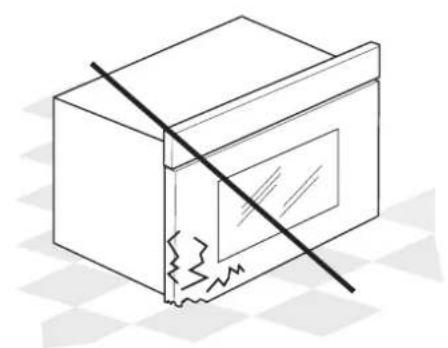
⚠ WARNING: If the door or door seals are damaged, the oven must not be operated until it has been repaired - risk of injury.
⚠ WARNING: Liquids and foods must not be heated in sealed containers - risk of explosion. Heating of beverages can result in delayed eruptive boiling, care must be taken when handling the container - risk of burns.
⚠ Do not dry food or clothing or heat warming pads, slippers, sponges and similar - risk of fire. When heating food in plastic or paper containers, remain vigilant on the oven - risk of fire.
⚠️ Contents of feeding bottles and baby food jars must be stirred or shaken and temperature checked - risk of burns. Do not heat eggs in their shell and whole hard-boiled eggs - risk of explosion.
⚠️ Only use utensils suitable for microwave ovens. Do not use metallic containers - risk of injury.
⚠️ Only use a temperature probe recommended for this oven - risk of fire.
⚠️ If smoke is emitted, switch off or unplug the appliance and keep the door closed in order to stifle any flames.
⚠️ If appliance is installed above 850 mm height from floor, care should be taken not to displace turntable while removing container - risk of injury.
⚠ Do not use your microwave oven for deep-frying, because the oil temperature cannot be controlled.
PERMITTED USE
⚠️ CAUTION: The appliance is not intended to be operated by means of an external switching device, such as a timer, or separate remote controlled system.
This appliance is intended to be used in household
and similar applications such as: staff kitchen areas in shops, offices and other working environments; farm houses; by clients in hotels, motels, bed & breakfast and other residential environments.
⚠ This appliance is not for professional use. Do not use the appliance outdoors.
INSTALLATION
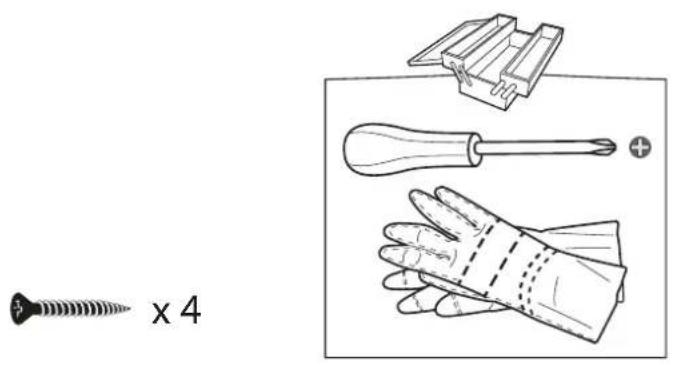
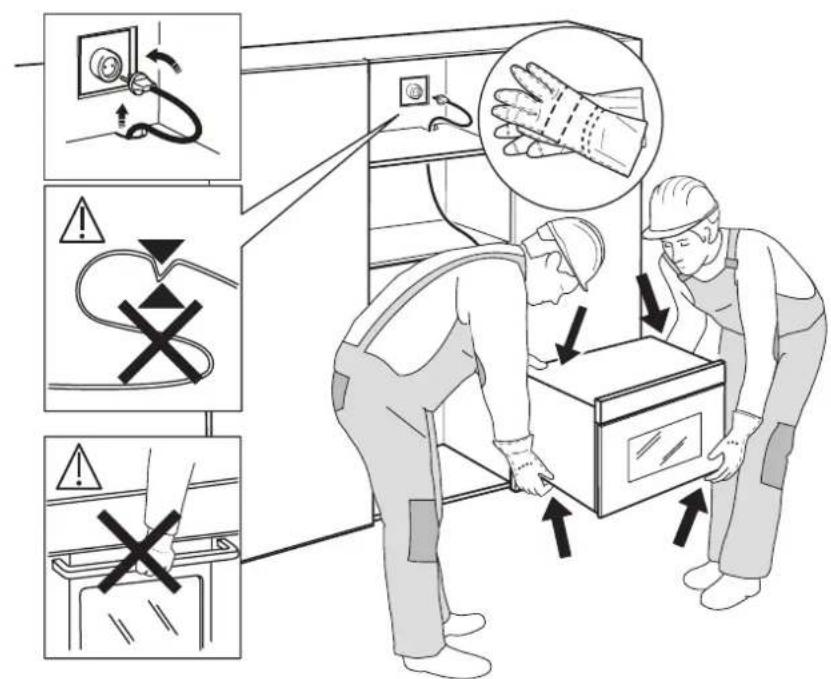
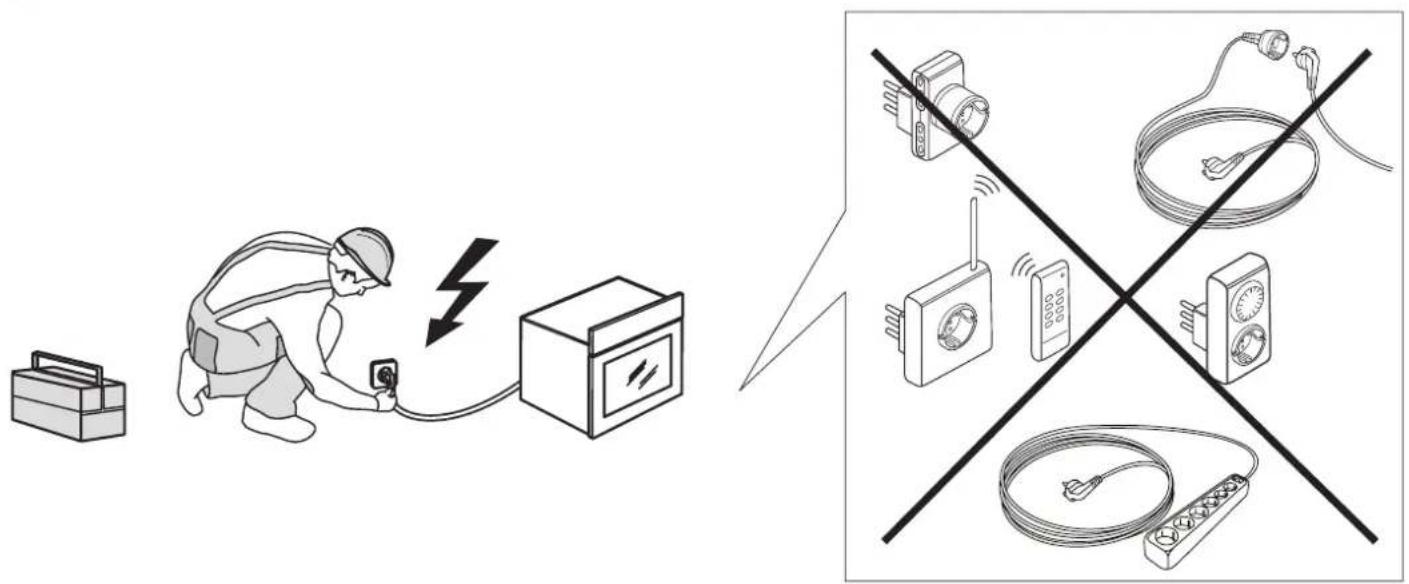
⚠ The appliance must be handled and installed by two or more persons - risk of injury. Use protective gloves to unpack and install - risk of cuts.
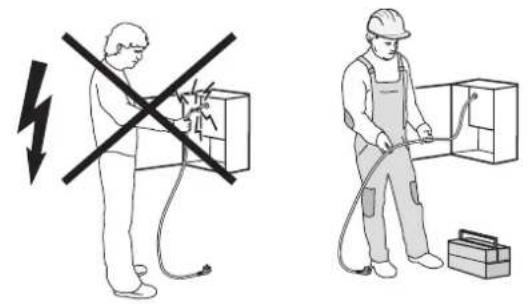
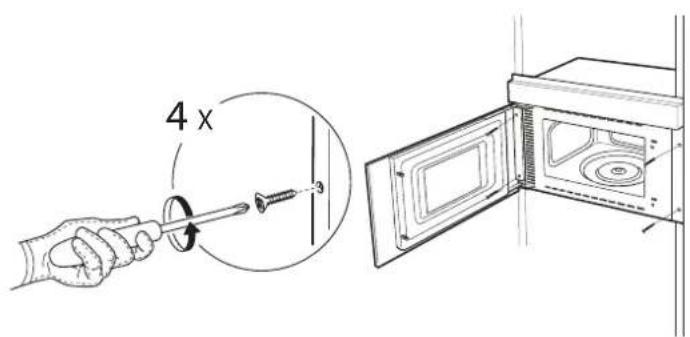
⚠️ Installation, including water supply (if any), electrical connections and repairs must be carried out by a qualified technician. Do not repair or replace any part of the appliance unless specifically stated in the user manual. Keep children away from the installation site. After unpacking the appliance, make sure that it has not been damaged during transport. In the event of problems, contact the dealer or your nearest After-sales Service. Once installed, packaging waste (plastic, styrofoam parts etc.) must be stored out of reach of children - risk of suffocation. The appliance must be disconnected from the power supply before any installation operation - risk of electric shock. During installation, make sure the appliance does not damage the power cable - risk of fire or electric shock. Only activate the appliance when the installation has been completed.
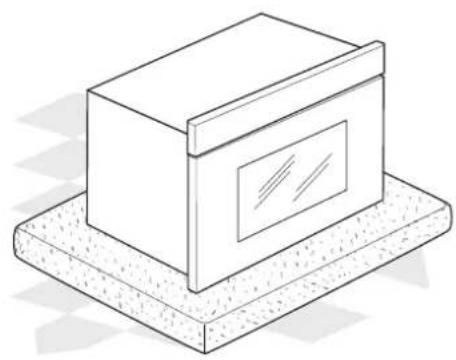
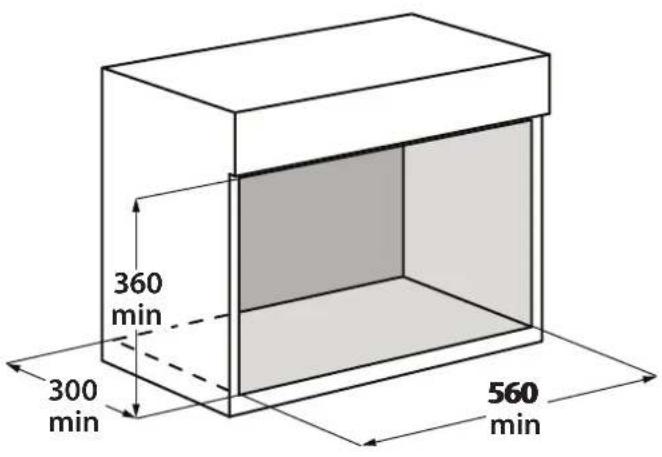
This appliance is intended to be used built-in. Do not use it freestanding or place into a cabinet.
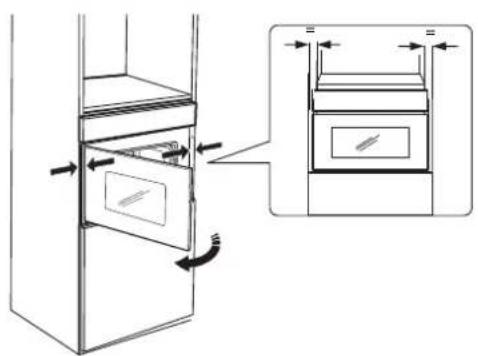
After unpacking the appliance, make sure that the appliance door closes properly.
In the event of problems, contact the dealer or your nearest After-sales Service.
ELECTRICAL WARNINGS
⚠ It must be possible to disconnect the appliance from the power supply by unplugging it if plug is accessible, or by a multi-pole switch installed upstream of the socket in accordance with the wiring rules and the appliance must be earthed in conformity with national electrical safety standards.
⚠ Do not use extension leads, multiple sockets or adapters. The electrical components must not be accessible to the user after installation. Do not use the appliance when you are wet or barefoot. Do not operate this appliance if it has a damaged power cable or plug, if it is not working properly, or if it has been damaged or dropped.
⚠️ If the supply cord is damaged, it must be replaced with an identical one by the manufacturer, its service agent or similarly qualified persons in order to avoid a hazard - risk of electric shock.
CLEANING AND MAINTENANCE
⚠ WARNING: It is hazardous for anyone other than a competent person to carry out any service or repair operation that involves the removal of a cover which give protection against exposure to microwave energy.
⚠️ Failure to maintain the oven in a clean condition could lead to deterioration of the surface that could adversely affect the life of the appliance and possibly result in a hazardous situation.
⚠ The oven must be cleaned regularly and any food deposits removed.
⚠ WARNING: Ensure that the appliance is switched off and disconnected from the power supply before performing any maintenance operation; never use steam cleaning equipment - risk of electric shock.
DISPOSAL OF PACKAGING MATERIALS
The packaging material is 100% recyclable and is marked with the recycle symbol 🌐.
The various parts of the packaging must therefore be disposed of responsibly and in full compliance with local authority regulations governing waste disposal.
DISPOSAL OF HOUSEHOLD APPLIANCES
This appliance is manufactured with recyclable or reusable materials. Dispose of it in accordance with local waste disposal regulations. For further information on the treatment, recovery and recycling of household electrical appliances, contact your local authority, the collection service for household waste or the store where you purchased the appliance. This appliance is marked in compliance with European Directive 2012/19/EU, Waste Electrical and Electronic Equipment (WEEE). By ensuring this product is disposed of correctly, you will help prevent negative consequences for the environment and human health.
The symbol 📄 on the product or on the accompanying documentation indicates that it should not be treated as domestic waste but must be taken to an appropriate collection centre for the recycling of electrical and electronic equipment.
PRODUCT DESCRIPTION
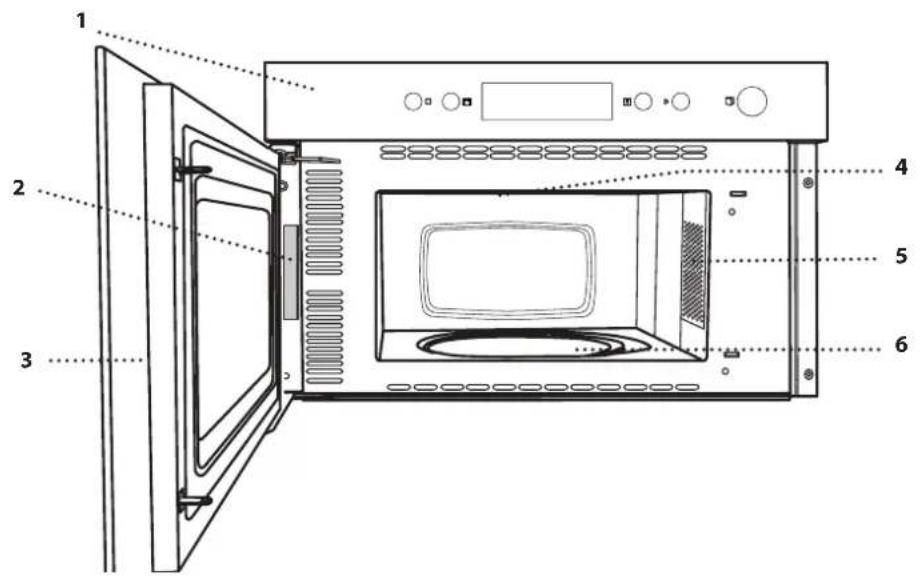
- Control panel
- Identification plate (do not remove)
- Door
- Upper heating element/grill
- Light
- Turntable
Please note: once the cooking is complete and the oven has been switched off, the cooling fan may remain in function for a certain period of time.
CONTROL PANEL
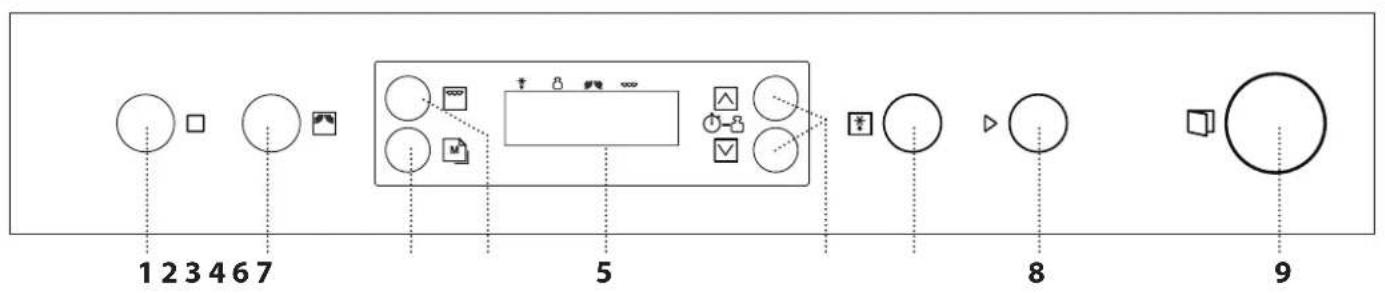
1. STOP
For stopping a function or an audible signal, cancelling the settings and switching off the oven.
2. MICROWAVE FUNCTION/POWER
For selecting the microwaves function and setting the required power level.
3. SETTINGS MEMORY
4. GRILL FUNCTION
5. DISPLAY
6. + / - BUTTONS
For adjusting the settings of a function (e.g. length, weight).
7. DYNAMIC DEFROST
8. START
For starting a function. When the oven is switched off, it activates the "Jet Start" microwave function.
9. DOOR OPENING BUTTON
ACCESSORIES
There are a number of accessories available on the market. Before you buy, ensure they are suitable for microwave use and resistant to oven temperatures.
Metallic containers for food or drink should never be used during microwave cooking.
Always ensure that foods and accessories do not come into contact with the inside walls of the oven.
Always ensure that the turntable is able to turn freely before starting the oven. Take care not to unseat the turntable whilst inserting or removing other accessories.
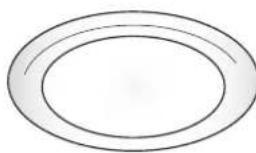
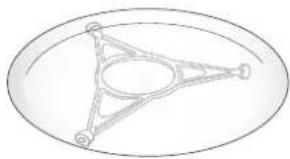
TURNTABLE
natural_image
Simple oval shape with concentric rings, no text or symbols presentPlaced on its support, the glass turntable can be used with all cooking methods.
The turntable must always be used as a base plate for other
containers and accessories.
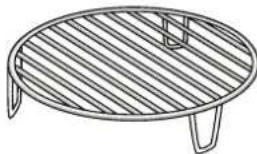
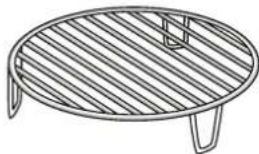
WIRE SHELF
natural_image
Line drawing of a circular metal grate with slatted top and side supports (no text or symbols)This allows you to place food closer to the grill, for perfectly browning your dish. Place the wire shelf on the turntable, making sure that it
does not come into contact with other surfaces.
TURNTABLE SUPPORT
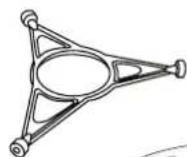
Only use the support for the glass turntable. Do not rest other accessories on the support.
natural_image
Simple line drawing of a triangular structure inside an oval frame (no text or symbols)COVER (IF SUPPLIED)
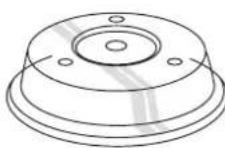
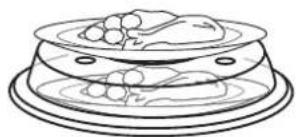
Useful for covering food while it is cooking or heating in the microwave.
The cover reduces splashes, keeps foods moist and can also be used to create two cooking
levels.
It is not suitable for use with convection cooking or with any of the grill functions.
natural_image
Line drawing of a food item on a tray with a bowl and plate (no text or symbols)Other accessories that are not supplied can be purchased separately from the After-sales Service.

MICROWAVES
For quickly cooking and reheating food or drinks.
POWER RECOMMENDED FOR
| 750 W | Quickly reheating drinks or other foods with a high water content or meat and vegetables |
| 500 W | Cooking fish, meaty sauces, or sauces containing cheese or egg. Finishing off meat pies or pasta bakes. |
| 350 W | Slow, gently cooking. Perfect for melting butter or chocolate. |
| 160 W | Defrosting frozen food or softening butter and cheese. |
| 0 W | When using the timer only. |

GRILL
For browning, grilling and gratins. It is recommended to turn the food items during the cooking process.
It is useful for browning foods like cheese on toast, hot sandwiches, potato croquettes, sausages and vegetables. It is recommended to arrange the food items on the wire shelf and to turn them during the cooking process.
Ensure that the utensils utilized are heat resistant and suitable for oven cooking purposes. For best results, preheat the grill for 3-5 minutes.
Recommended accessory: wire shelf
GRILL + MW
After selecting the function, press 📋 to set the microwave power.
For quickly cooking entrées (even au gratin) using both microwaves and the grill. It is useful for cooking food like lasagne, fish and potato gratins.
Place food on the wire shelf, on the glass turntable or in microwave-safe containers suitable for oven use.
Recommended accessory: wire shelf

DYNAMIC DEFROST
For quickly defrosting various different types of food simply by specifying their weight.
Food should be placed directly onto the glass turntable. Turn the food when prompted.
Food should be placed directly onto the glass turntable. Turn the food when prompted.
A standing time always improves the result.
HOW TO USE
THE MICROWAVE OVEN
Read the safety instructions carefully before using the product.
USING THE APPLIANCE FOR THE FIRST TIME
1. SETTING THE TIME
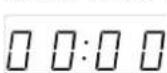
With the oven switched off, press □ until the two digits for the hour (on the left) starting flashing.
Use △ or □ to set the correct hour and press to ▷
confirm: The minutes will flash on the display.
Use □ or □ to set the minutes and press to confirm.
Please note: You may need to set the time again following lengthy power outages.
. SELECT A FUNCTION
Simply press the button for the function you require to select it.
. SET THE LENGTH
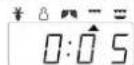
After selecting the function you require, use △ or □ to set the length for it to run.
The time can be changed during cooking by pressing □ or ▼r by increasing the length for 30 seconds each time by pressing ▷
Press ☐ as many times as required to select the power level for the microwave.
To use the microwave in combination with the grill, select the "Grill" function by pressing ☐ and then use ☑ to set the microwave power.
Please note: You can also change this setting during cooking by pressing 📁.
Please note: You can also change this setting during cooking by pressing 📋.
• DYNAMIC DEFROST
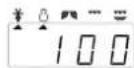
Press * then use or to set the weight of the food.
During defrosting, the function will pause briefly to allow you to turn the food.
Once the operation is complete, close the door and press ▷.
.ACTIVATE A FUNCTION
Once you have applied the settings you require, press ▷ to activate the function.
You can press □ at any time to pause the function that is currently active.
.JET START
When the oven is switched off, press ▷ to activate cooking with the microwave function set at full power (750 W) for 30 seconds.
Every time the ▷ button is pressed again, the cooking time will be increased by a further 30 seconds.
.SAFETY LOCK
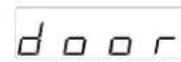
This function is automatically activated to prevent the oven from
being switched on accidentally. Open and close the door, then press ▷ to start the function.
.PAUSE
To pause an active function, for example to stir or turn the food, simply open the door. To resume the cooking process, close the door and press ▷.
. SET THE TIME
☐ ☐:☐ ☐ With the oven switched off, press ☐ until the two digits for the hour (on the left) starting flashing.
Use □ or □ to set the correct hour and press ▷ to confirm: The minutes will flash on the display. Use □ or □ to set the minutes and press to ▷ confirm.
Please note: You may need to set the time again following lengthy power outages.
. TIMER
When the oven is switched off, the display can be used as a timer. To activate the function and set the length of time you require, use △ or □Press ▽ to set the power to 0 W, then press ▷ to activate the countdown.
Please note: The timer does not activate any of the cooking cycles.
To stop the timer at any time, press □
USEFUL TIPS
HOW TO READ THE COOKING TABLE
The table indicates the best functions to use for any given food.
The cooking times refer to the food cooking cycle inside the oven, excluding the pre-heating phase (where required).
The cooking values and times are indicative, and depend upon the amount of food and the types of accessories utilized.
Always cook food for the minimum cooking time given and check that is it cooked through.
In order to obtain optimal results, carefully follow the recommendations contained in the cooking table when selecting the accessories.
Since microwaves penetrate the food to a limited depth, if there are a number of pieces to cook at once, arrange the pieces in a circle to create more outside pieces.
Small pieces cook more quickly than large pieces: in order to ensure uniform cooking, cut the food items into pieces of equal size.
Moisture evaporates during the microwave cooking process: using a microwave-resistant cover helps reduce moisture loss.
When you remove food from a microwave, it will often continue cooking for some time afterwards.
Therefore, always allow for standing time to complete the cooking.
It is recommended to mix the food items during the microwave cooking process. When stirring, bring the cooked portions on the outside edges towards the centre and the less-cooked centre portions towards the outside.
Place thin slices of meat one on top of another or overlapping. Thicker slices, such as meat loaf and sausage, should be placed next to one another.
CLING FILM AND PACKAGING
Remove any wire twist-ties from paper or plastic bags before placing them in the oven for microwave cooking purposes.
Plastic film should be scored or perforated with a fork in order to relieve the pressure and prevent bursting due to the steam building up during the cooking process.
LIQUIDS
Liquids may overheat beyond boiling point without visibly bubbling.
This could cause hot liquids to suddenly boil over. To prevent this possibility:
- Avoid using containers with narrow necks.
- Stir the liquid before placing the container in the microwave oven cavity, and leave the teaspoon in the container.
• After heating, stir again before carefully removing the container from the microwave oven.
FROZEN FOOD
For best results, we recommend defrosting directly on the glass turntable. If needed, it is possible to use a light-plastic container that is suitable for microwave.
Boiled food, stews and meat sauces defrost better if stirred during the defrosting time.
Separate the food items once they begin to defrost: the separated portions will defrost more quickly.
FOOD FOR INFANTS
After heating baby food or liquids in a baby bottle or in a baby food jar, always stir and check the temperature before serving.
This will ensure that the heat is evenly distributed and avoid the risk of scalding or burns.
Ensure the lid and the teat is removed before heating.
MEAT AND FISH
To obtain perfect surface browning quickly while keeping the inside of the meat or fish soft and juicy, we recommend using the "Grill + MW" function. To achieve the best possible cooking results, set the microwave power to 160 - 350 W.
COOKING TABLES
| FOOD QUANTITY | FUNCTION | POWER (W) | TIME (MIN) | STANDING TIME (MIN) | ACCESSORIES | NOTES | |
| Popcorn 1 packet |  | 750 2 - 3 - | - | Fold the packet over. | |||
| Potatoes 4 |  | 500 12 - 15 * 4 | - | Prick with a fork. | |||
| Vegetables (fresh) 300 - 400 g |  | 750 4 - 7 | 2 | - | Cover with lid.Add water. | ||
| Vegetables (frozen) | 250 - 400 g |  | 750 4 - 9 | 2 | - | Cover with lid. | |
| Chicken (fillets or pieces) | 400 - 500 g | [4XAS] | 750 | 8 - 10 | 5 | - | Place on one level only. |
| Bacon | 4 slices |  | 750 3 - 5 | 1 - 2 | - | Cover with lid. | |
| Pieces of meat | 600 - 700 g | [5CTY] | 750 | 10 - 12 | 5 | - | Cover with lid. |
| Fish fillets | 400 g | [YHBY] | 500 | 6 - 8 | 2 | - | Cover with lid. |
| Toast | 1 grill |  | - | 5 | - | ||
| Cheese Toast | 3 | [BAG8] | - | 9 - 11 | - | ||
| Hamburgers/ sausages | 400 g |  | - | 40 - 45 * - | |||
| Hot dog | 4 | [224G] | - | 18 - 20 * | - | ||
| Fish (whole) | 600 g | 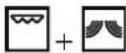 | 500 | 10 - 14 | 2 | Prick the skin. Add lemon juice. | |
| Chicken (whole) | 1 - 1.2 kg | 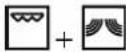 | 500 | 40 - 50 * - | |||
| Potato gratin | 600 - 800 g | 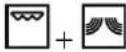 | 500 | - | - | ||
| Fish gratin | 600 g | 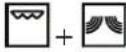 | 350 | 15 - 18 | 5 | ||
| Frozen Fish Fingers | 8 | [DS24] | 500 - 750 | 14 - 20 * | |||
* Turn the food halfway through cooking
| FUNCTIONS | Microwaves | Grill | Grill + MW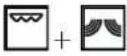 |
| ACCESSORIES | Heatproof plate/container suitable for use in microwaves | Low wire shelf | |
HEATING IN THE MICROWAVE
| FOOD QUANTITY FUNCTION POWER (W) TIME (MIN) | STANDING TIME (MIN) | ACCESSORIES | NOTES | |||
| Ready meal 400 - 500 g |  | 500 6 - 7 1 |  | Cover with lid. | ||
| Hot dog 1 - 2 Pieces |  | 750 1 - 2 2 Prick. |  | |||
| Meat balls 250 g |  | 750 2 - 3 2 |  | |||
| Beverage 2 cups |  | 750 1 - 2 - |  | |||
| Soup 1 bowl 500 4 - 6 2 |  |  | Cover with lid. Stir. | |||
| Sauce 1 bowl |  | 500 4 - 6 2 |  | Do not fill the bowl more than 3/4 full. Stir. | ||
* Turn the food halfway through cooking
| FUNCTIONS | Microwaves | Grill | Grill + MW |
 |  | 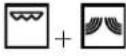 |
| ACCESSORIES | Heatproof plate/container suitable for use in microwaves | Low wire shelf |
Compiled for the certification authorities in accordance with the standards IEC 60705 and IEC 60350.
| FOOD FUNCTION QUANTITY COOK TIME (MIN) | POWER(W) | ACCESSORIES | ||
| Beverage (reheating) |  | 2 cups 1 - 2 750 | Microwave-safe container | |
| Pastry cream |  | 750 g 10 - 11 750 | Microwave-safe container(Pyrex 3.220) | |
| Sponge cake |  | 475 g 6 - 7 750 | Microwave-safe container(Pyrex 3.827) | |
| Meat loaf |  | 900 g 13 - 15 750 | Microwave-safe container(Pyrex 3.838) | |
| Defrosting meat (turnhalfway through thedefrosting process) |  | 500 12 - 13 160 | Turntable | |
| Potato gratin | 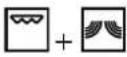 | 1.1 kg 20 - 25 500 | Microwave-safe container(Pyrex 3.827) | |
| Poultry(turn halfway throughcooking) | 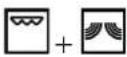 | 1.2 kg 45 - 50 500 | Microwave-safe container(Pyrex 3.220) | |
| Toast | [wwkc] | -5 - 6 - | Wire shelf | |
| Hamburgers | [wgks] | -45 - 50 - | Wire shelf | |
| FUNCTIONS | Microwaves | Grill | Grill + MW |
CLEANING
Make sure that the oven has cooled down before carrying out any maintenance or cleaning.
Do not use steam cleaners.
Do not use wire wool, abrasive scourers or abrasive/corrosive cleaning agents, as these could damage the surfaces of the appliance.
INTERIOR AND EXTERIOR SURFACES
- Clean the surfaces with a damp cloth. If they are very dirty, add a few drops of pH-neutral detergent. Finish off with a dry cloth.
- Clean the door glass with a suitable liquid detergent.
- At regular intervals or in case of spills, remove the turntable and its support to clean the bottom of the oven, removing all food residue.
- The grill does not need to be cleaned as the intense heat burns away any dirt: Use this function on a regular basis.
- In order to remove particularly stubborn food residues, it is recommended to boil a cup of tap water by placing it in the microwave at maximum power for a few minutes: the resulting steam will soften the residues and facilitate their removal.
Please note: Adding lemon juice to the water helps to eliminate cooking odours.
ACCESSORIES
All the accessories can be cleaned in the dishwasher.
Any problems or malfunctions that may occur can often be easily resolved.
Before contacting the After-sales Service, check the following table to see whether you can resolve the problem yourself.
If the problem persists, contact your nearest After-sales Service Centre.

Read the safety instructions carefully before carrying out any of the following work
| Problem Possible cause Solution | ||
| The oven does not work | Power cut.Disconnection from the mains.Fault. | Verify that the mains power supply is functioning and that the oven is connected to the electrical outletTurn the oven off and on again to see whether the fault persists |
| The time of day is flashing Power cut. | You need to reset the time: Follow the instructions given in the “Using the appliance for the first time” section. | |
| “Err” is shown on the display Software fault. | Contact you nearest After-sales Service Centre and state the letter or number that follows “Err”. | |
| The oven makes noise, even when it is switched off | Cooling fan activated. | Open the door or wait until the cooling process has finished. |
PRODUCT FICHE
A complete product specification, including the energy efficiency ratings for this oven, can be consulted at and downloaded from our website www.cylinda.se
AFTER-SALES SERVICE
BEFORE CONTACTING CYLINDA AFTER-SALES SERVICE
-
Check whether you can resolve the problem yourself using any of the measures described in the "Troubleshooting" section.
-
Turn off the oven and restart it to see if the fault persists.
IF THE FAULT PERSISTS AFTER HAVING PERFORMED ALL OF THE NECESSARY CHECKS, CONTACT YOUR NEAREST CYLINDA SERVICE CENTRE.
To receive assistance, call the number given on the warranty leaflet enclosed with the product or follow the instructions on our website. Be prepared to provide:
• A brief description of the fault
• The exact type of model of your product
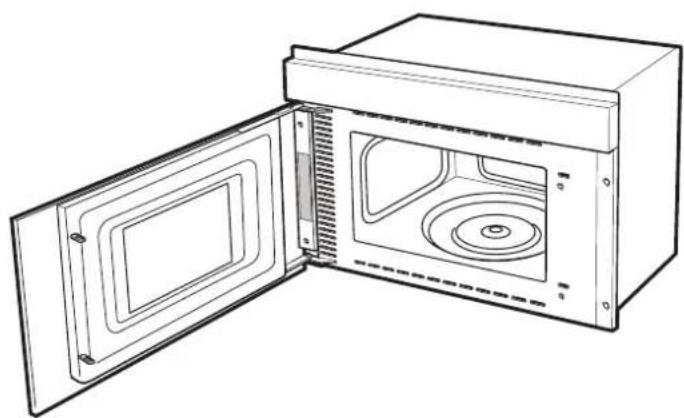
- The assistance code (the number following the word SERVICE on the identification plate attached to the product; this can be seen on the left-hand edge of the cooking compartment when the oven door is open).
- Your full address
• A contact telephone number
natural_image
Line drawing of an open microwave oven with internal compartments and ventilation slots (no text or symbols)Please note: If repairs are required, contact an authorised service centre that is guaranteed to use original spare parts and perform repairs correctly.
Please refer to the enclosed warranty leaflet for more information on the warranty.aflet for more information on the warranty.
natural_image
Illustration of four different types of tools and components: a screw, a screwdriver, a hand with bandage, and a bracket (no text or symbols present)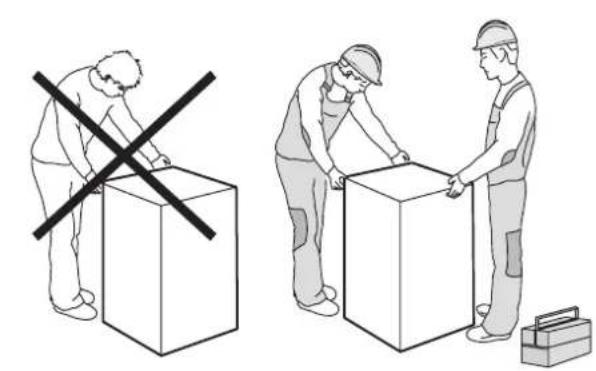
natural_image
Illustration showing two workers handling boxes with a cross symbol, one marked with a crossed-out box and the other with a toolbox (no text or symbols present)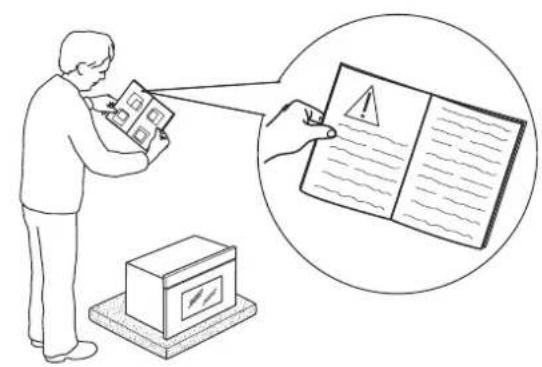
natural_image
Simple line drawing of a box with a diagonal line crossing through it, no text or symbols present.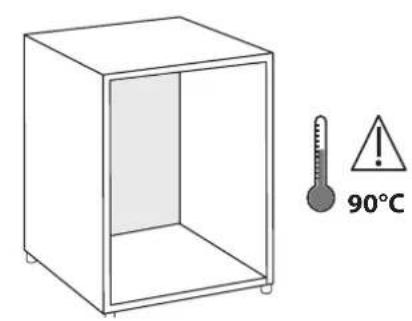
natural_image
Isometric line drawing of a rectangular box mounted on a textured base (no text or symbols)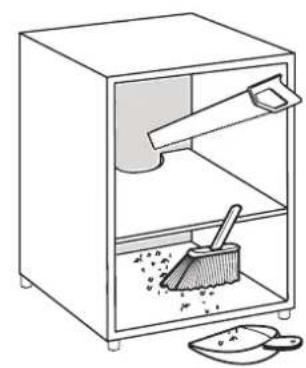
natural_image
Line drawing of a kitchen sink with a broom and spoon, no text or symbols present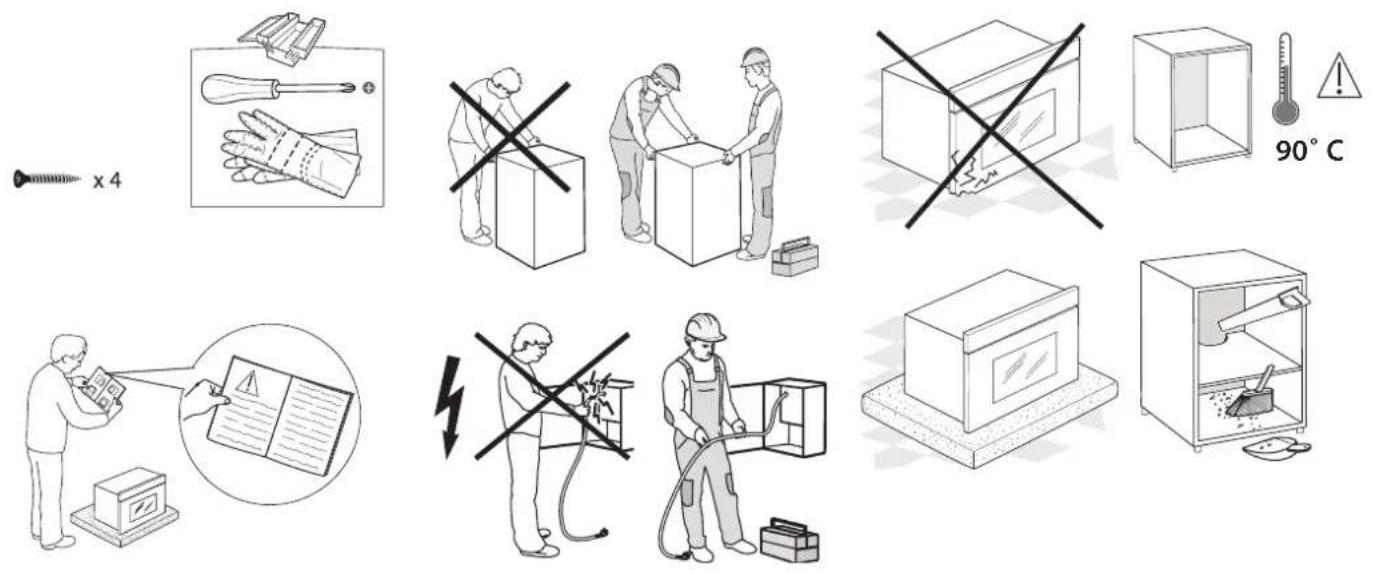
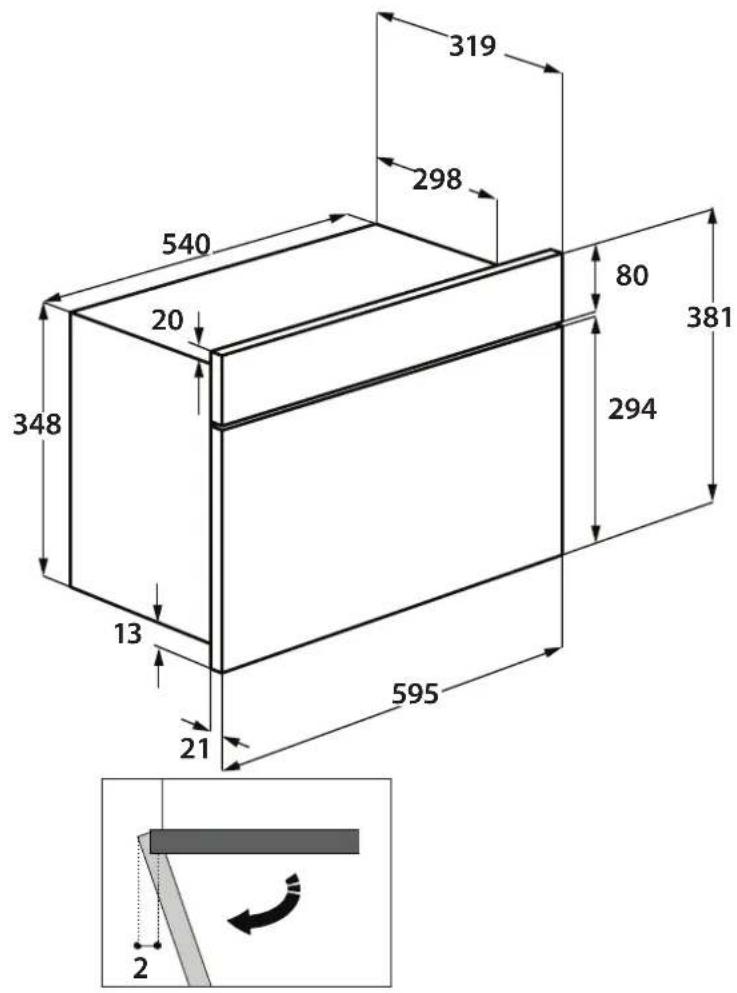
?
service
• Vi har service i hela landet / Nationwide service
• Gå in på www.cylinda.se / Visit www.cylinda.se
• Ring 0771-25 25 00 (endast lokaltaxa) / Call 0771-25 25 00
uppge
- Maskintyp / Model code
- Problembeskrivning / Problem description
- Serienummer / Serial number • Namn och adress / Name and address
- Inköpsdatum / Purchase date
- Ditt telefonnummer / Phone number
- SVENSKA
- HÄLSA OCH SÄKERHET, ANVÄNDNING OCH SKÖTSEL OCH INSTALLATIONSANVISNINGAR
- STOPP
- MINNETS INSTALLNINGAR
- GRILL-FUNKTION
- DISPLAY
- KNAPPAR + / -
- GALLER
- AND INSTALLATION GUIDE
- SAFETY INSTRUCTIONS
- IMPORTANT TO BE READ AND OBSERVED
- PERMITTED USE
- INSTALLATION
- ELECTRICAL WARNINGS
- CLEANING AND MAINTENANCE
- DISPOSAL OF PACKAGING MATERIALS
- DISPOSAL OF HOUSEHOLD APPLIANCES
- PRODUCT DESCRIPTION
- CONTROL PANEL
- STOP
- MICROWAVE FUNCTION/POWER
- SETTINGS MEMORY
- GRILL FUNCTION
- + / - BUTTONS
- DYNAMIC DEFROST
- START
- DOOR OPENING BUTTON
- ACCESSORIES
- MICROWAVES
- GRILL
- GRILL + MW
- DYNAMIC DEFROST
- HOW TO USE
- THE MICROWAVE OVEN
- USING THE APPLIANCE FOR THE FIRST TIME
- SETTING THE TIME
- SELECT A FUNCTION
- SET THE LENGTH
- • DYNAMIC DEFROST
- .ACTIVATE A FUNCTION
- .JET START
- .SAFETY LOCK
- .PAUSE
- SET THE TIME
- TIMER
- USEFUL TIPS
- HOW TO READ THE COOKING TABLE
- CLING FILM AND PACKAGING
- LIQUIDS
- FROZEN FOOD
- FOOD FOR INFANTS
- MEAT AND FISH
- CLEANING
- INTERIOR AND EXTERIOR SURFACES
- PRODUCT FICHE
- AFTER-SALES SERVICE
- ?
- service
- uppge
Brand : Cylinda
Model : IM 91MG RFS
Category : Microwaves