
CAM-WLP - Dash cam EchoMaster - Free user manual and instructions
Find the device manual for free CAM-WLP EchoMaster in PDF.


| Product Type | Wireless Backup Camera |
| Brand | EchoMaster |
| Model | CAM-WLP |
| Sensor Type | 1/3" CMOS |
| Illumination | 0.1 LUX |
| Viewing Angle | 140° |
| Water/Debris-Proof Rating | IP67 |
| Operation Frequency | 2.4 GHz ISM |
| Communication Distance | 150 ft (outdoor, no obstructions) |
| Camera Power Supply | 12V DC, <130 mA |
| Receiver Power Supply | 12V DC, <100 mA |
| Trigger Output Voltage | 12V DC, 200 mA |
| Output Signal | CVBS (480p x 278p) |
| Operating Temperature | -4°F to 149°F (-20°C to 65°C) |
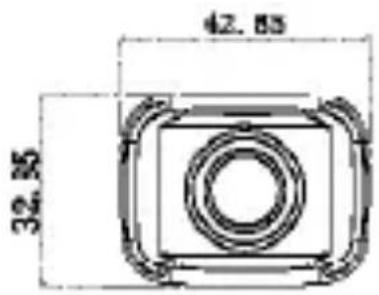
| Camera Dimensions (mm) | 56.35 x 46.35 x 22.0 |
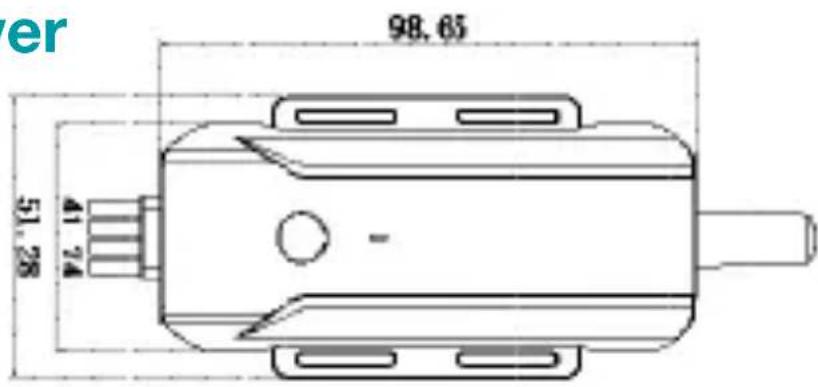
| Receiver Dimensions (mm) | 98.65 x 51.28 x 41.74 |
| Mounting Options | License plate mount, lip mount |
| Included Accessories | Camera, wireless receiver, power harness, mounting brackets, installation hardware, user manual |
| Compatibility | Aftermarket radios, factory radios, rearview mirror monitors |
| Warranty | 1 year or 12,000 miles (limited, non-transferable) |
| Customer Support | Email: support@aampglobal.com, Tel: 866-931-8021 |
Frequently Asked Questions - CAM-WLP EchoMaster
User questions about CAM-WLP EchoMaster
0 question about this device. Answer the ones you know or ask your own.
Ask a new question about this device
Download the instructions for your Dash cam in PDF format for free! Find your manual CAM-WLP - EchoMaster and take your electronic device back in hand. On this page are published all the documents necessary for the use of your device. CAM-WLP by EchoMaster.
USER MANUAL CAM-WLP EchoMaster
Wireless Back-up Camera
User Manual
Installation Guide
Thank you for purchasing the EchoMaster Wireless Back-up Camera
EchoMaster Cameras are designed to improve safety by providing high quality images of surrounding areas and obstacles in the vicinity of the vehicle. This may help improve vehicle maneuvering capabilities by displaying blind spots or areas not normally visible to the driver.
Please ensure you read and understand all aspects of this manual before installing or using your EchoMaster products.
What's Included:
Camera
Wireless Receiver
Power Harness
Mounting Brackets
Installation Hardware
▶ User Manual
Features:
1/3" CMOS sensor
Operates at 0.1 LUX
140° viewing angle
▶ Operation frequency: 2.4GHz
Water/Debris-proof rating: IP67
Installing the Camera:
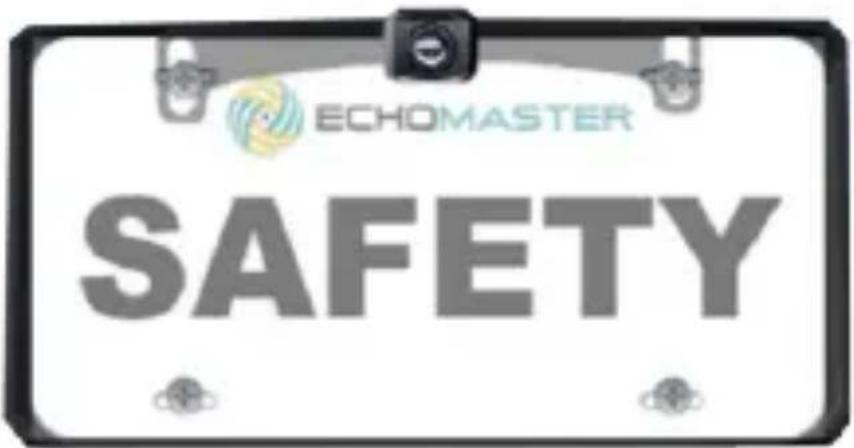
- License Plate Mount
Step 1
Remove the screws that hold the license plate to the vehicle and remove the license plate. (Fig 1)
Step 2
Find an opening (or drill a small hole) to feed the camera cable into the vehicle. (Fig 2)
Installation Guide
Fig 1

natural_image
Close-up of a hand using a screwdriver to adjust or install a component on an electrical panel (no visible text or symbols)Fig 2

natural_image
Close-up of a hand inserting a plug into a car's side panel, with visible wiring and red-lit components (no text or symbols)Installation Guide
Step 3
Position the camera mounting bracket behind the license plate.
Insert the screws to hold the camera and license plate in place. (Fig 3)
Step 4
Secure the license plate to the vehicle using the screws removed in Step 1.
Step 5
Route the camera's power wires to the vehicle's reverse lamp wires and connect using supplied T-Tap connectors.
*See Camera Wiring Diagram
Fig 3
Camera Wiring Diagram:
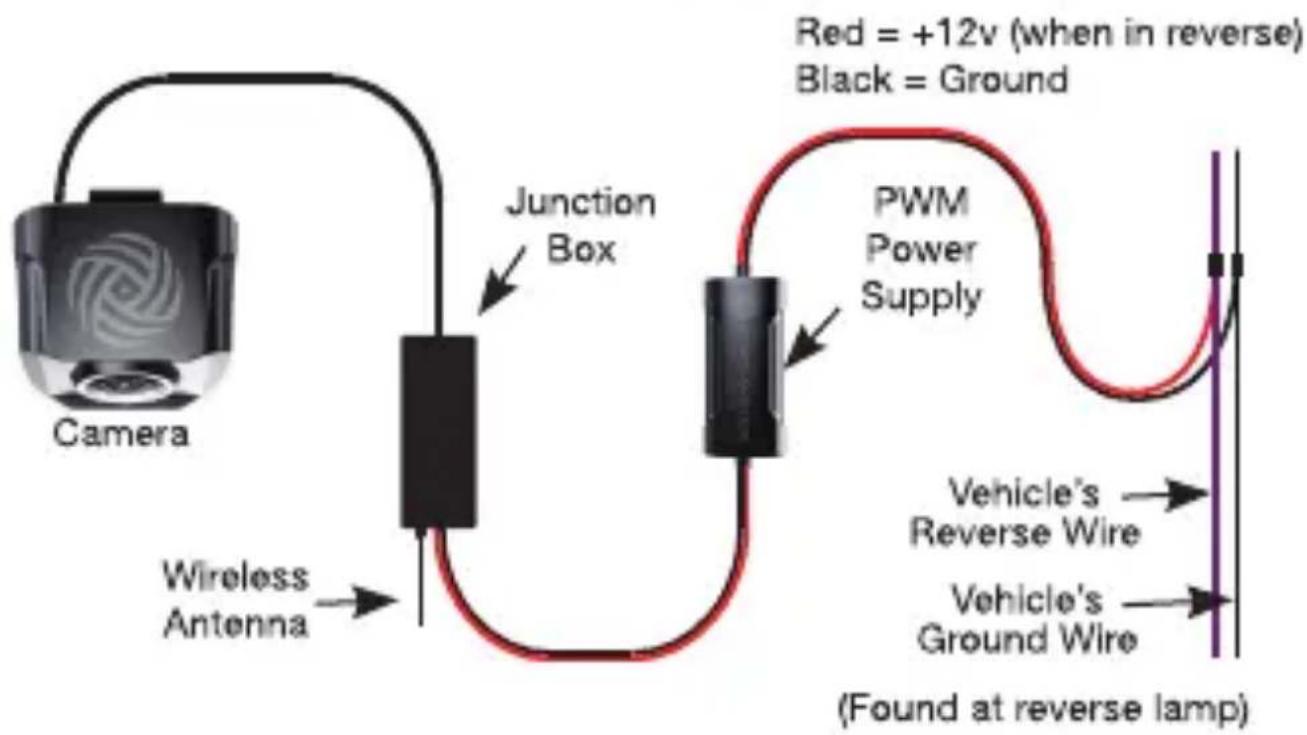
flowchart
graph LR
    A["Camera"] --> B["Wireless Antenna"]
    B --> C["Junction Box"]
    C --> D["PWM Power Supply"]
    D --> E["Vehicle's Ground Wire"]
    D --> F["Vehicle's Reverse Wire"]
    D --> G["Red = +12v (when in reverse) Black = Ground"]
    D --> H["(Found at reverse lamp)"]
Installation Guide
Installing the Camera:
- Lip Mount
Step 1
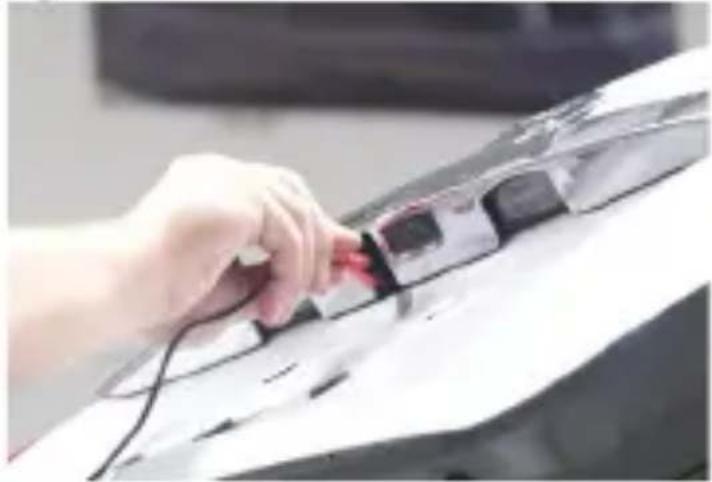
Find an opening (or drill a small hole) to feed the camera cable into the vehicle. (Fig 4)
Step 2
Position the camera mounting bracket on vehicle lip and screw into place.
(Fig 5)
Step 3
Connect to the monitor. (see instructions on page 10)
Installation Guide
Fig 4
natural_image
Hand inserting a red card into a device on a computer keyboard (no visible text or symbols)Fig 5
Mounts to vehicle lip

Installing the Wireless Receiver:
Step 1
Locate a suitable location to mount the wireless receiver - make sure it is mounted away from any moving parts. Secure using double-sided tape or wire ties.
Step 2
Connect the Yellow RCA from the wireless receiver to the camera input of the radio or monitor.
Step 3
Connect the receiver's power wires to an accessory 12V source. The Red wire coming from the receiver's Yellow RCA should only be used to trigger the radio or monitor to show the camera image.
Installation Guide
Compatible with aftermarket radios, factory radios, and rearview mirror monitors.

Installation Guide
Operation:
Step 1
Connect the camera and receiver as explained earlier in the manual.
Step 2
Once powered the receiver will show the startup logo for one second and then enter into waiting mode (red LED flashes slow) for one minute. If the camera image is not detected in that time the receiver will enter into standby mode (LED will turn off).
Step 3
Once the vehicle is shifted into reverse and a video signal is detected (red LED will flash fast), the receiver will automatically turn on (LED will be solid red) and display the image. At this time the 12V trigger output wire will energize to activate the monitor.
Pairing the camera to the receiver:
Note: The camera and receiver have been paired together from the factory. There should be no need to pair the two upon initial installation. Should you need to pair the two please use the following steps to do so.
Step 1
Power on the receiver.
Step 2
Press and hold the button located on the receiver for 3 seconds. The indicator light on the receiver will start flashing red fast, indicating that the receiver is in pairing mode. This indicator will continue to flash for 30 seconds or until it pairs with the camera.
Step 3
Power the camera on by shifting the vehicle into reverse - it will begin the pairing process. When the camera and receiver successfully pair, the LED on the receiver will illuminate solid red and the camera image will be shown on the screen. If the receiver does not detect the camera signal within 30 seconds, the pairing process will end.
Firmware Version:
With the vehicle in reverse and the camera image on the screen press the button on the receiver three times. The firmware version for the camera (TX) and receiver (RX) will be displayed on the screen for 5 seconds.
Installation Guide
| Camera (TX) | |
| Sensor Type | 1.3" CMOS PC1058 |
| Illumination | 0.1 LUX |
| Viewing Angle | 140° |
| Water/Debris-Proof | IP67 |
| Power Supply | 12V DC <130 mA |
| Operating Temp | -4°F~149°F / -20°C~65°C |
| Operation Frequency | 2.4GHz ISM |
| Receiver (RX) | |
| Output Signal CVBS (480p x 278p) | (180p x 272p) |
| Trigger Output Voltage | 12V(200mA) |
| Communication Distance | 150ft (Outdoor, no obstructions) |
| Power Supply 12V DC <100mA | 12V DC <100 mA |
| Operating Temp -4°F~149°F | 4°F~20°C~65°C |
Dimensions (mm)
Camera Power Supply

natural_image
Technical line drawing of a mechanical component with no visible text or symbols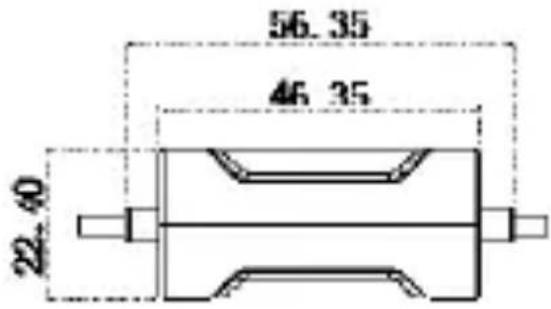

Receiver

natural_image
Technical line drawing of a mechanical component with no visible text or symbolsInstallation Guide
Notes:
Installation Guide
CAM-WLP

ECHOMASTER
email - support@aampglobal.com (US) tel - 866-931-8021

EchoMaster is a Power Brand of AAMP Global.
EchoMaster.com
Warranty Card
ECHOMASTER LIMITED PRODUCT WARRANTY (NON-TRANSFERABLE)
AAMP of Florida, Inc, a Florida corporation (AAMP Global) warrants to the original retail purchaser, that the EchoMaster branded automotive product(s) purchased from an AAMP Global Authorized Dealer and/or new car dealership, and installed in the original vehicle, are free from defects in materials or workmanship under normal use and conditions for a minimum period of 1 Year or 12,000 miles from date of retail purchase, whichever comes first. A sales receipt or vehicle purchase contract, showing the installation date and ECHOMASTER product details are required to verify proof of retail purchase. No warranty registration is required.
Should the product(s) or any part thereof be determined defective during the applicable warranty period, the defective product(s) will be repaired or replaced with equivalent reconditioned product(s), at AAMP Global's sole option. To obtain warranty service, the product(s) must be returned to an AAMP Global authorized dealer along with proof of retail purchase and warranty coverage.
EchoMaster Products purchased from an unauthorized dealer are excluded from warranty coverage.
Exclusions
• Repair or installation labor.
- Elimination of externally generated static or noise, or the correction reception problems or loss of service due to Terrestrial Radio, Satellite Radio, Phone, Bluetooth, TV, or Navigation signals.
- Costs incurred and/or loss of vehicle use for installation, removal or reinstallation of the product(s).
- Damage to, Non-Echomaster cameras, non-Echomaster speakers, non-Echomaster accessories, software or vehicle electrical systems.
- Cosmetic damage or damage due to negligence, misuse, abuse, failure to follow operating instructions, accidental spills or customer applied cleaners.
- Damage or loss due to environmental causes such as floods, airborne fallout, chemicals, salt, hail, windstorms, lightning or extreme temperatures.
- Damage or loss due to accidents, road hazards, fire, theft or vandalism.
- Damage due to improper installation or connection, improper connection to equipment of another manufacturer or modification of existing equipment.
- Product(s) which have been opened or tampered with for any reason or which have been damaged due to alteration or service performed by anyone other than AAMP Global.
- Back-Up Camera (if so equipped): damage or loss due to improper use, failure to clean the camera lens, understanding of the camera's capabilities and limitations
THE EXTENT OF AAMP GLOBAL'S LIABILITY UNDER THIS WARRANTY IS LIMITED TO THE REPAIR OR REPLACEMENT PROVIDED ABOVE AND, IN NO EVENT, SHALL AAMP GLOBAL'S LIABILITY EXCEED THE PURCHASE PRICE PAID BY PURCHASER FOR THE PRODUCT.
EXCEPT AS EXPRESSLY SET FORTH IN THIS LIMITED WARRANTY, AAMP GLOBAL MAKES NO OTHER WARRANTIES, EXPRESSED OR IMPLIED, INCLUDING ANY IMPLIED WARRANTIES OF MERCHANTABILITY AND FITNESS FOR A PARTICULAR PURPOSE. AAMP GLOBAL EXPRESSLY DISCLAIMS ALL WARRANTIES NOT STATED IN THIS LIMITED WARRANTY. ANY IMPLIED WARRANTIES THAT MAY BE IMPOSED BY LAW ARE LIMITED TO THE TERMS OF THIS EXPRESSED LIMITED WARRANTY.
Some states do not allow limitation on how long an implied warranty lasts. In such states, the limitations or exclusions of this Limited Warranty may not apply. Some states do not allow the exclusion or limitation of incidental or consequential damages. In such states, the exclusion or limitation of this Limited Warranty may not apply to you. This Limited Warranty gives you specific legal rights and you may have other rights, which vary from state to state.
Questions? Help us, help you!
Please do not return this item to the store.
Please call our customer support line directly at:
866-931-8021
Monday - Friday 9:00am - 7:00pm EST
Or email us directly at:
support@aampglobal.com


- Wireless Back-up Camera
- Installation Guide
- Thank you for purchasing the EchoMaster Wireless Back-up Camera
- What's Included:
- Features:
- Installing the Camera:
- - License Plate Mount
- Step 1
- Step 2
- Step 3
- Step 4
- Step 5
- - Lip Mount
- Installing the Wireless Receiver:
- Operation:
- Pairing the camera to the receiver:
- Firmware Version:
- Dimensions (mm)
- Camera Power Supply
- Notes:
- CAM-WLP
- ECHOMASTER
- Warranty Card
- ECHOMASTER LIMITED PRODUCT WARRANTY (NON-TRANSFERABLE)
- Exclusions
- Questions? Help us, help you!
- Please do not return this item to the store.
Brand : EchoMaster
Model : CAM-WLP
Category : Dash cam