
ATV-U810-FM - TV Tuner for Computer Advantek Networks - Free user manual and instructions
Find the device manual for free ATV-U810-FM Advantek Networks in PDF.


| Product Type | TV Tuner for Computer |
| Brand | Advantek Networks |
| Model | ATV-U810-FM |
| Interface | USB 2.0 |
| Dimensions (approx.) | 7.5 x 2.5 x 1.2 cm |
| Weight (approx.) | 25 g |
| Power Supply | USB bus-powered |
| TV System | Analog (PAL/NTSC/SECAM) and Digital (DVB-T/T2) |
| FM Radio | Yes |
| Video Capture | Up to 1080i |
| Operating System Compatibility | Windows XP/Vista/7/8/10, Linux (limited support) |
| Included Software | TV viewing and recording software |
| Antenna Connector | MCX or RF (adapter included) |
| Remote Control | Not included |
| Maintenance | Clean with a soft, dry cloth; keep away from moisture |
| Safety | Avoid exposure to liquids; do not disassemble |
| Spare Parts / Repairability | Not user-serviceable; contact support |
Frequently Asked Questions - ATV-U810-FM Advantek Networks
User questions about ATV-U810-FM Advantek Networks
0 question about this device. Answer the ones you know or ask your own.
Ask a new question about this device
Download the instructions for your TV Tuner for Computer in PDF format for free! Find your manual ATV-U810-FM - Advantek Networks and take your electronic device back in hand. On this page are published all the documents necessary for the use of your device. ATV-U810-FM by Advantek Networks.
USER MANUAL ATV-U810-FM Advantek Networks
natural_image
Blue diamond-shaped logo with a vertical 'T' inside, no text or symbols present.Advantek
Networks
USB TV Tuner with FM Radio
Quick Installation Guide
Model # ATV-U810-FM
USB TV Tuner with FM
General
This manual will provide quickly installation information. If you want know more about application software, please refer relative software manual.
Product Features
- With innovated video decode chipset to keep the video quality
• Use active vectors estimate arithmetic to make curve fluent and color nature - High integration and silicon turner II, integrate audio stream multi channels decoder technology with stereo sound output to keep the same speed between video and audio
• 10 Bit Video Decoder enhance image quality
• Worldwide TV standards, support NTSC/PAL - Support FM.
Function
- Watching and recording TV programs.
- Receiving and playing all Analog channel supplement
• Capture Image and turn to MPEG1/2 file.
• Video Optimize technology - Snapshot: Capture program picture living
• Window scaling: Can change between the full screen and in one window - Schedule recording: weekly, daily, monthly, you can set timer and/or recording specific channel at specific time
- Time-Shift function: Time-shifting lets you pause, replay during live TV, without interrupting an ongoing recording session
• Automatic scan channel and delete no signal channel.
Application
- Watch TV on laptop
• Video-audio E-mail
• Video-audio animation record and edit
• VCD/DVD
System Requirements
◆ P4-2.0GHz CPU or higher
◆ 256 MB RAM (minimum), or 512 MB RAM (recommended)
♦ VGA card with 32MB
CD-ROM
◆ Microsoft DIRECTX9.0 or higher
◆ Windows XP Service Pack2/Vista
One free USB2.0 port
Available 50M HDD (install driver and application), add 600M/h-3G/h for recording
Package Contents
- USB TV Tuner w/FM
- Remote Control
- USB2.0 cable
- AV input Cable
- Software CD (Included Manual)
USB TV Tuner Connection:

Driver and Software installation
Driver and Software installation
Step 1: OS will remind a new hardware-- "New Hardware Device" was found. Please choose "Cancel",

Step 2: When CD is inserted, OS will guide you to the setup automatically. Click "Driver Install" or run Driver\Setup.exe,

Step 3: Note whether it is correct to connecting device, If correct connecting, please click "OK".
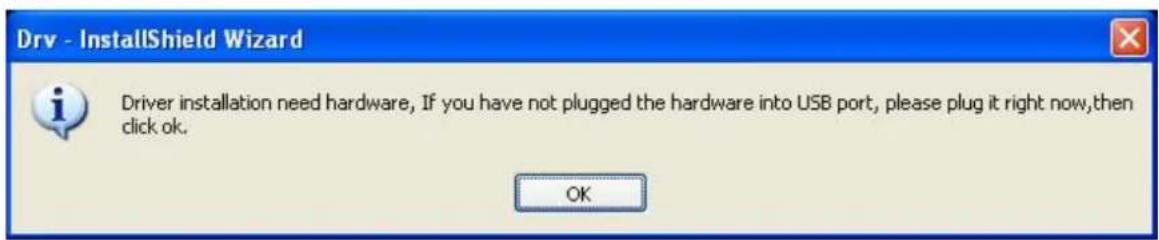
Step 4: Click "next" to continue installation

Step 5: Click "Install" to continue driver installation

Step 6: OS will prompt to install devices, Click "Continue Anyway"
Software Installation

The software you are installing has not passed Windows Logo testing to verify its compatibility with Windows XP. (Tell me why this testing is important.)
Continuing your installation of this software may impair or destabilize the correct operation of your system either immediately or in the future. Microsoft strongly recommends that you stop this installation now and contact the software vendor for software that has passed Windows Logo testing.
Continue Anyway
STOP Installation
Hardware Installation

The software you are installing for this hardware:
IR Transceiver
has not passed Windows Logo testing to verify its compatibility with Windows XP. (Tell me why this testing is important.)
Continuing your installation of this software may impair or destabilize the correct operation of your system either immediately or in the future. Microsoft strongly recommends that you stop this installation now and contact the hardware vendor for software that has passed Windows Logo testing.
Continue Anyway
STOP Installation
Software Installation

The software you are installing has not passed Windows Logo testing to verify its compatibility with Windows XP. (Tell me why this testing is important.)
Continuing your installation of this software may impair or destabilize the correct operation of your system either immediately or in the future. Microsoft strongly recommends that you stop this installation now and contact the software vendor for software that has passed Windows Logo testing.
Continue Anyway
STOP Installation
Hardware Installation

The software you are installing for this hardware:
USB2.0 TV BOX
has not passed Windows Logo testing to verify its compatibility with Windows XP. (Tell me why this testing is important.)
Continuing your installation of this software may impair or destabilize the correct operation of your system either immediately or in the future. Microsoft strongly recommends that you stop this installation now and contact the hardware vendor for software that has passed Windows Logo testing.
Continue Anyway
STOP Installation
Step 7: Click "Finish" to completely install the Driver
Dry - InstallShield Wizard

Dry Setup
Setup has completed installing Drv.
Click Finish to exit Drv setup.
< Back
Finish
Cancel
Installing TotalMedia
Click "Software Install" or run TotalMedia\Setup.exe and TotalMedia Remote\Setup.exe
Step 8: Installation of Total Media, Choose setup language

Step 9: Click "Next" to continue installation

Step 10: Click "Yes" to install "Arcsoft TotalMedia"

Step 11: If you want to change the destination folder, please click "Browse" and click "next" (if not, just click next)
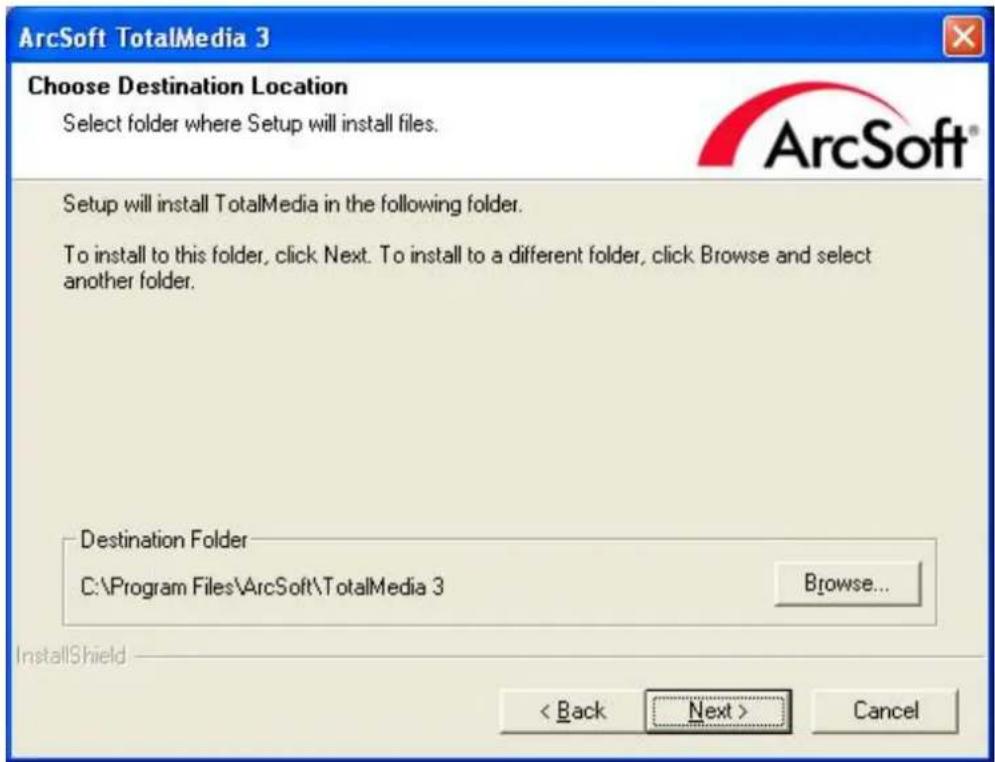
Step 12: Please click "Next"

Step 13: Wait while the fles are copied to your computer.
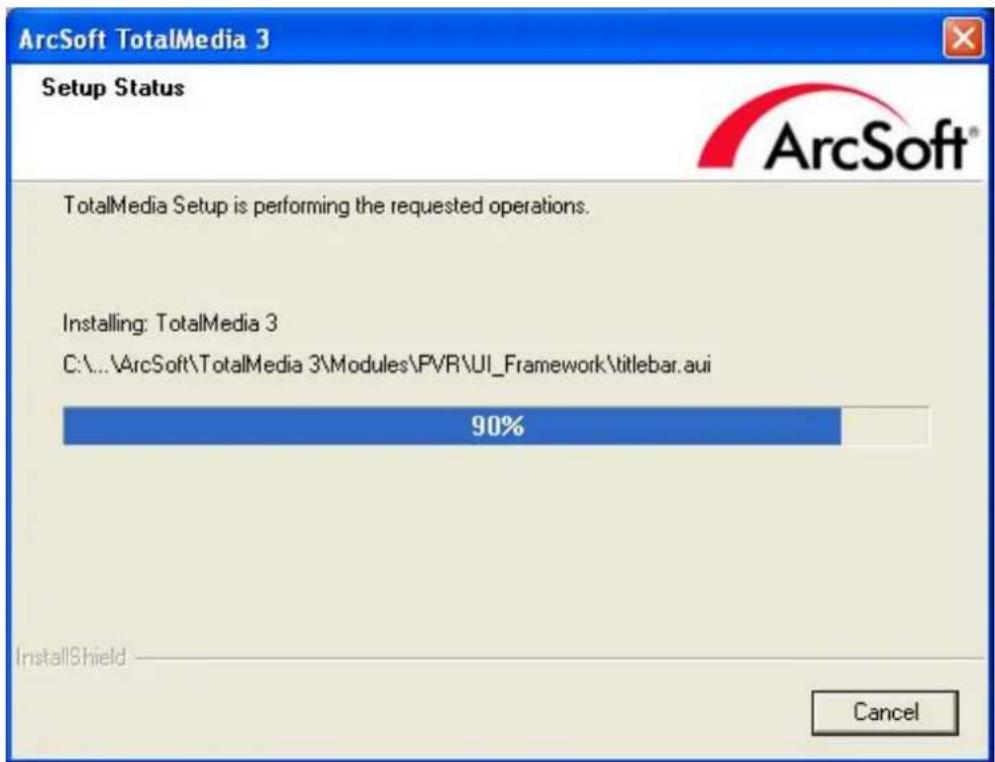
Step 14: Click "Finish", the Arcsoft TotalMedia software is installed on your computer.

Step 15: You will see that application icons will appear on your desktop.

TotalMedia 3
Step 16: When all is finished, please check on Control panel, select "System"—"System properties"—"Device Manager", you can see one device installed.
USB 2.0 TV BOX

Arcsoft Total Media
How to use TotalMedia, you can get online help.
Remote control handset (Total Media)
 | 1 | MUTE: On/Off volume mute |
| 2 | TV/AV: Switch between Composite and TV | |
| 3 | Full Screen/Restore: Switches from full screen to the default screen | |
| 4 | TotalMedia: Open/Close TotalMedia Software | |
| 5 0 | -9: Channel Number Keys | |
| 6 | ESC: Return | |
| 7 | Time-Shifting: Time-Shifting function | |
| 8 Up/ Down / Left / Right OK | ||
| 9 | CH+/CH-: Channel Up/Channel DownVOL+/VOL-: Volume UP/Volume Down | |
| 10 | Record: Record/Stop recording the current programStop: Stops pre-recorded viewing and returns to live TVSnapshot: Takes a picture of what is on screen | |
FAQ:
Q1: Why is the image inconsistent?
A1: 1. Please try others USB slot in your PC.
- Please check If the OS requirement is lower than the minimum request.
- DirectX Show. Please check if the VGA card supports Direct Show.
- Please Upgrade your PC to Windows XP Service pack2.
Q2: Why does the driver doesn't get isntalled?
A2: 1. Please check if the name of Facility Management is USB TV Stick.
- Update DIRECTX9.0C is belonging to CD.
Q3: Why I can not see the image?
A3: 1. Try to pull out reinsert application.
- Try to reinstall driver.
Q4: Why do the color and sound have problem when watching TV?
A4: Please check if the "Country and Zone" is correct.
Remark: The accessories and bundled software may not be the exactly same as this manual. The specifications are subject to change without notice.


- Advantek
- Networks
- USB TV Tuner with FM Radio
- Quick Installation Guide
- USB TV Tuner with FM
- General
- Product Features
- Function
- Application
- System Requirements
- Package Contents
- Driver and Software installation
- Step 6: OS will prompt to install devices, Click "Continue Anyway"
- Software Installation
- Hardware Installation
- Step 7: Click "Finish" to completely install the Driver
- Dry - InstallShield Wizard
- Installing TotalMedia
- USB 2.0 TV BOX
- Arcsoft Total Media
- Remote control handset (Total Media)
- FAQ:
- Q1: Why is the image inconsistent?
- Q2: Why does the driver doesn't get isntalled?
- Q3: Why I can not see the image?
- Q4: Why do the color and sound have problem when watching TV?
Brand : Advantek Networks
Model : ATV-U810-FM
Category : TV Tuner for Computer