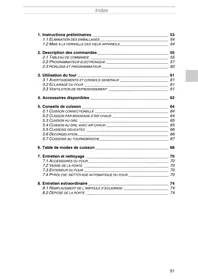


How to change the bulb of the SMEG SE2010MFP built-in oven?
Response Notice-Facile
To change the bulb of your SMEG SE2010MFP built-in oven, follow these simple and safe steps:
Steps to replace the bulb of the SMEG SE2010MFP oven
- Unplug the oven: Make sure the appliance is disconnected from the power supply to avoid any risk of electric shock.
- Open the oven door: Access the inside of the oven where the bulb is located, usually on the ceiling of the cavity.
- Remove the rack if necessary: This may make it easier to access the bulb.
- Remove the bulb cover: Depending on the model, it may be a glass or plastic cover. Unscrew it or gently remove it to avoid breaking it.
- Unscrew the used bulb: Turn the bulb counterclockwise to remove it.
- Install a new compatible bulb: Screw in the new bulb by turning it clockwise. Ensure that the bulb is suitable for the SMEG SE2010MFP model (check the wattage and type).
- Replace the bulb cover: Secure it properly to protect the bulb.
- Plug the oven back in: Connect it to the power supply.
- Test the bulb: Turn on the oven to check that the new bulb is working correctly.
These steps will allow you to replace the bulb safely and effectively, ensuring good lighting inside your SMEG SE2010MFP oven.