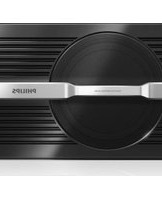
CSM1000 - Receiver PHILIPS - Free user manual and instructions
Find the device manual for free CSM1000 PHILIPS in PDF.


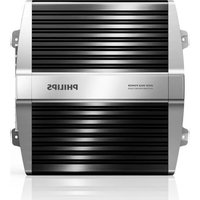
| Type | Car Active Subwoofer |
| Model | CSM1000 |
| Brand | Philips |
| Dimensions (DxWxH) | 240 × 350 × 80 mm |
| Weight (main unit) | 3.9 kg |
| Operating Voltage | 14.4V (10.5V – 16V) |
| Maximum Output Power | 550 Watt |
| Rated Power | 85 Watt |
| Frequency Range (LPF) | 80 Hz – 120 Hz |
| Phase Adjustment | 0° or 180° |
| Signal-to-Noise Ratio | 95 dB |
| Sensitivity | 100 mV (RCA), 1.8 V (speaker level) |
| Speaker Type | Active subwoofer |
| Installation | Under-seat or on rear tray |
| Input Connections | RCA (Ch1/Ch2) or high-level speaker wires |
| Controls | Volume, Frequency, Phase (button) |
| Protection Indicator | Red LED (overheat, DC, voltage, short circuit) |
| In the Box | Main unit, mounting plates, power cable, remote cable, battery cable, speaker wire, screws, washers, Velcro straps, cushions |
| Safety | 12V DC negative ground only; do not expose to water |
| Care | Clean with soft damp cloth; no alcohol or chemicals |
Frequently Asked Questions - CSM1000 PHILIPS
User questions about CSM1000 PHILIPS
0 question about this device. Answer the ones you know or ask your own.
Ask a new question about this device
Download the instructions for your Receiver in PDF format for free! Find your manual CSM1000 - PHILIPS and take your electronic device back in hand. On this page are published all the documents necessary for the use of your device. CSM1000 by PHILIPS.
USER MANUAL CSM1000 PHILIPS
natural_image
Black Philips portable electronic device with a circular lens and silver handle (no visible text or symbols)EN User manual 3
2 Your car active subwoofer 5
Introduction 5
What's in the box 5
Overview of the main unit 6
3 Installation 7
Mount the subwoofer in car 7
Connect wires 7
4 Use your active subwoofer 9
Adjust phase 9
Adjust frequency 9
Adjust volume 9
About the protector indicator 9
5 Product information 10
6 Troubleshooting 11
1 Important
Safety
Read and understand all instructions • before you use the apparatus. If damage is caused by failure to follow instructions, the warranty does not apply.
This unit is designed for negative ground • (earth) 12 V DC operation only.
Use only the supplied mounting hardware • for a safe and secure installation.
Do not connect any active speakers (with • built-in amplifier) to the speaker terminals of the unit. Doing so may damage the active speakers.
To ensure safe driving, adjust the volume • to a safe and comfortable level.
To avoid short circuit, do not expose the • apparatus, remote control or remote control batteries to rain or water.
Never expose the apparatus to direct • sunlight, naked flames or heat.
Clean the apparatus with soft, damp • cloth. Never use substances such as alcohol, chemicals or household cleaners on the apparatus.
Notice
Environmental information
All unnecessary packaging has been omitted. We have tried to make the packaging easy to separate into three materials: cardboard (box), polystyrene foam (buffer) and polyethylene (bags, protective foam sheet.)
Your system consists of materials which can be recycled and reused if disassembled by a specialized company. Please observe the local regulations regarding the disposal of packaging materials, exhausted batteries and old equipment.
Any changes or modifications made to this device that are not expressly approved by Philips Consumer Lifestyle may void the user's authority to operate the equipment.
2010 © Koninklijke Philips Electronics N.V. All rights reserved.
Specifications are subject to change without notice. Trademarks are the property of Koninklijke Philips Electronics N.V. or their respective owners. Philips reserves the right to change products at any time without being obliged to adjust earlier supplies accordingly.
2 Your car active subwoofer
Congratulations on your purchase, and welcome to Philips! To fully benefit from the support that Philips offers, register your product at www.philips.com/welcome.
Introduction
With the active subwoofer, you can enjoy high-quality sound performance with powerful bass and beats.
What's in the box
Check and identify the contents of your package:
①
②

③

④

⑤

⑥
⑦

⑧

⑨

10

11

① Main unit
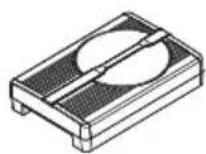
② Mounting plates x 2
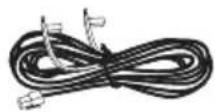
③ Power cable
④ Power control cable
⑤ Battery (+) cable
⑥ Speaker wire
⑦ Tap type screw (M6x8 mm) x 4
⑧ Washer × 4
⑨ Machine screw ( 5×20 mm) x 4
⑩ Velcro straps x 2
⑪ Cushion x 4
Overview of the main unit

① PHASE
Adjust the phase of subwoofer signal.
② FREQUENCY
Set LPF (low-pass-filter) frequency • from 80Hz to 120Hz.
③ VOLUME
Adjust volume from 0 to maximum • level.
④ INPUT (Ch1, Ch2)
To connect car audio with RCA cable.
⑤ POWER
Light in blue when power is turned • on.
⑥ PROTECTED
Lights in red when the protector is activated.
To connect power supply (+12V-• DC power supply, ground wire, and remote control wire) and car audio with bare wires.
3 Installation

Note
Follow all mounting and wiring instructions.
Mount the subwoofer in car
You can mount the subwoofer either under a seat or on the rear tray.

Note
Make sure that the mounting location is safe • for drilling and wiring, and it will not interfere with the mechanical and electrical components of the vehicle.
- For under-seat installation, make sure that it does not obstruct seat mobility.
1 Place the subwoofer on the location for installation.
2 Mark the positions of the four screw holes.
3 Drill the holes with driller of approximately 4mm in diameter.
4 Mount the subwoofer with the supplied screws and brackets.

natural_image
Technical line drawing of a mechanical housing assembly with mounting brackets and internal components (no text or symbols)Connect wires

Caution
Ensure that all loose leads are insulated with electrical tape.
1 Connect the subwoofer to your car audio by:
(option 1) connect to bare speaker • wires from car audio.
(option 2) connect to the car audio • directly via an RCA cable.
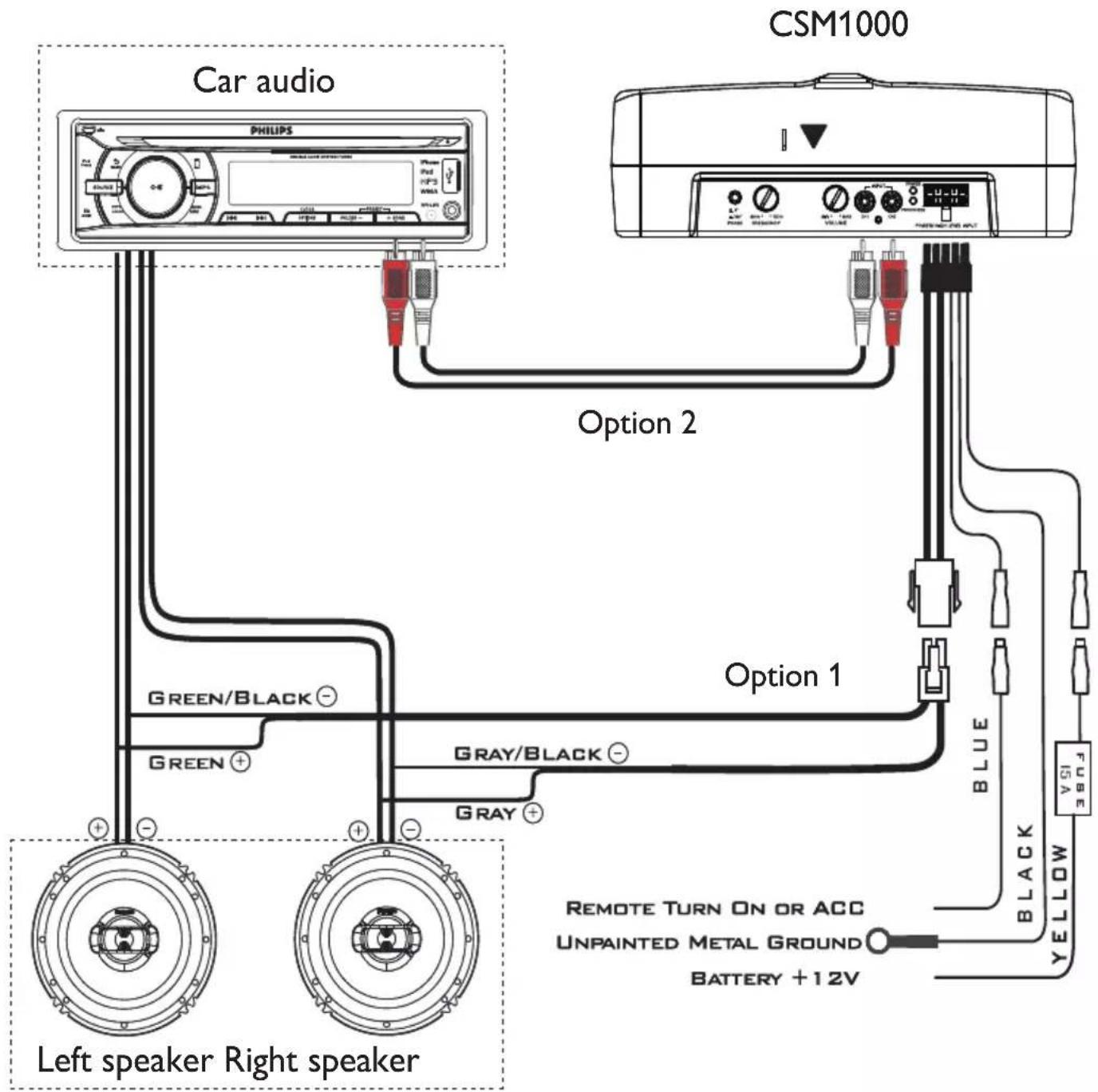
2 Make the power connection by: connect the ground wire from the • car to the GND socket. connect the remote wire from the • car audio to the REM socket. With this connection, you can turn • on/off the subwoofer with the car audio. connect the power wire from the car • battery to the +12V socket

Tip
If your car audio does not have remote output, connect the remote input terminal (REM) to the accessory power supply.
4 Use your active subwoofer

Note
Before playing music, position all knobs at the minimum level.
Adjust phase
The location of the subwoofer determines the overall quality of the music. Even you are seat at sweet spot, the bass effect you heard might not in-phase with the overall music signal, for the subwoofer created a phase difference. In this case, you can change the phase of bass signal to enhance overall bass response, as well as overall feeling of the music.
1 Press down PHASE.
The bass signal is 180 degree out of phase with the original one.
To resume original bass effect, press •
PHASE again to release the button.
Adjust frequency
You can change LPF (low-pass-filter) frequency from 80Hz to 120Hz.
1 Rotate FREQUENCY to adjust frequency.
Adjust volume
You can change volume from minimum level (0) to maximum level.
1 Rotate VOLUME.
About the protector indicator
The subwoofer has a built-in protection circuit to protect the transistors and speakers in following conditions:
The subwoofer is overheated.
A DC current is generated in the • speakers.
The battery voltage is over low or • over high. Or
The speaker terminals are short • circuited.
When the PROTECTED indicator lights up in red, the subwoofer shuts down automatically. In this case, please:
1 Take out the disc or tape and turn off the car audio.
2 Check the cause of the malfunction.
3 If the subwoofer is overheated, let it cool down.
5 Product information

Note
Product information is subject to change • without prior notice.
| Speaker type Active subwoofer | |
| Maximum output power 550Watt | |
| Rated power 85Watt | |
| Operating frequency 80Hz ~ 120Hz | |
| Phase 0°, 180° | |
| S/N ratio (rated power: 4ohms) | 95dB |
| Sensitivity (1% distortion) | 100mV at RCA, 1.8V at speaker level |
| Operating voltage 14.4V (10.5V ~ 16V) | |
| Dimensions (DxWxH) | 240 × 350 × 80mm |
| Weight (main unit) | 3.9 kg |
6 Troubleshooting
To keep the warranty valid, never try to repair the system yourself.
If you encounter problems when using this apparatus, check the following points before requesting service. If the problem remains unsolved, go to the Philips web site (www.philips.com/welcome). When you contact Philips, ensure that the apparatus is nearby and the model number and serial number are available.
The sound is too low.
The volume is not set correctly (see “Adjust volume”).
The sound is interrupted or stopped suddenly.
The thermal protector is activated. • Reduce the volume. The ventilation outlet is blocked. Remove • any obstructions from the outlet.
Alternate noise is heard.
The power connecting wires are installed • too close to the RCA pin cords. The ground wire is not securely • connected to a metal point of the car. Negative speaker wires touch the car • chassis.
Sound is distorted.
Make sure the speaker polarity is correct. • Adjust phase. •
The protector indicator lights up in red.
- The subwoofer is overheated. Cool down the subwoofer.
The unit becomes abnormally hot.
- Place the subwoofer in a well ventilated location.

- Your car active subwoofer 5
- Installation 7
- Use your active subwoofer 9
- Product information 10
- Troubleshooting 11
- Important
- Safety
- Notice
- Environmental information
- Your car active subwoofer
- Introduction
- What's in the box
- Overview of the main unit
- Installation
- Note
- Mount the subwoofer in car
- Connect wires
- Caution
- Tip
- Use your active subwoofer
- Adjust phase
- Adjust frequency
- Adjust volume
- About the protector indicator
- Product information
- Troubleshooting
- The sound is too low.
- The sound is interrupted or stopped suddenly.
- Alternate noise is heard.
- Sound is distorted.
- The protector indicator lights up in red.
- The unit becomes abnormally hot.
Brand : PHILIPS
Model : CSM1000
Category : Receiver