
Soluna 150 RGB - Lighting ROLLEI - Free user manual and instructions
Find the device manual for free Soluna 150 RGB ROLLEI in PDF.


| Product Type | LED Continuous Light for Photo/Video |
| Model | Rollei Soluna 150 RGB |
| Dimensions | 33.5 x 22.5 x 35.0 cm |
| Weight | 3.5 kg |
| Power Output | 150 W |
| Power Supply | AC 100-240 V, 50/60 Hz; DC 12-38 V input; Output DC 32 V / 5.8 A |
| Color Temperature Range | 2,000 K – 7,500 K (CCT mode) |
| Color Rendering Index (CRI) | >97 |
| Television Lighting Consistency Index (TLCI) | >98 |
| Illuminance (without reflector, at 1 m, 5500 K) | >3,856 lx |
| Full Color Mode (HSI) | Hue 0-359°, Saturation 0-100 |
| G/M Adjustment | ±0.5 (Magenta/Green) |
| Beam Angle | >120° (without reflector) |
| Zoom Control | Adjustable via Zoom LED button |
| Mount Type | Bowens S-type bayonet |
| Wireless Control | 2.4 GHz (32 channels, 16 groups) & Bluetooth 4.2 |
| Built-in Light Effects | 19 preset effects (e.g., TV, Fire, Storm, Police) |
| Cooling | Fan (max 30 dB, switchable up to 30% output) |
| Included Accessories | Reflector 70°, protective cap, carrying bag, power supply unit, power cable, user manual |
| Optional Accessories | Soluna V-Mount battery adapter (not included) |
| Intended Use | Photo and video lighting only; not for room illumination |
Frequently Asked Questions - Soluna 150 RGB ROLLEI
User questions about Soluna 150 RGB ROLLEI
0 question about this device. Answer the ones you know or ask your own.
Ask a new question about this device
Download the instructions for your Lighting in PDF format for free! Find your manual Soluna 150 RGB - ROLLEI and take your electronic device back in hand. On this page are published all the documents necessary for the use of your device. Soluna 150 RGB by ROLLEI.
USER MANUAL Soluna 150 RGB ROLLEI
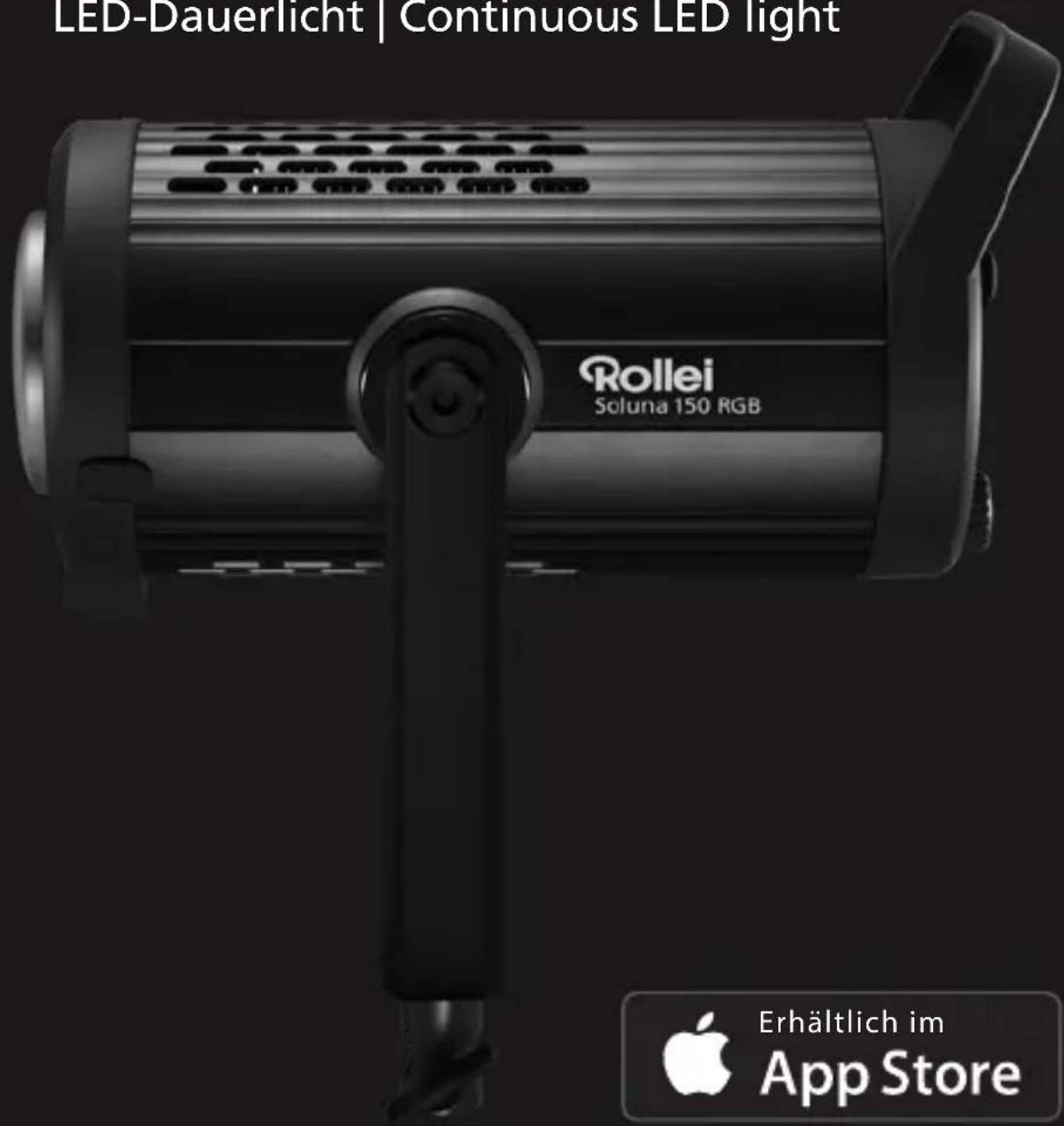
LED-Dauerlicht | Continuous LED light
Available on amazon appstore
Rollei
Inhalt
Before the First Use....20
Intended Use 20
Explanation of Symbols 20
What's in the Box 21
Overview 22
Illuminance Measurement 23
Function Description....24
Rollei Studio App / Studio App / Bluetooth®* ..... 12
Zoom Control 29
Technical Data 30
Safety Instructions. 32
Disposal 35
Conformity....35
natural_image
Simple line drawing of a symmetrical object resembling a bell or funnel shape (no text or symbols)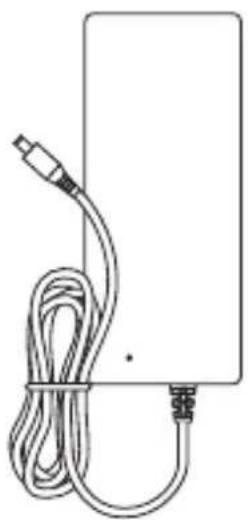
natural_image
Simple line drawing of a rectangular device with a coiled cable and connector (no text or symbols)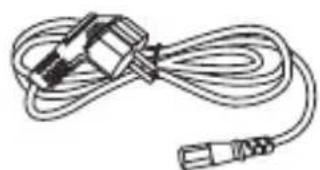
natural_image
Line drawing of a cable with two connectors (no text or symbols)
natural_image
Line drawing of a Rollel Ultramarine 150 RGB light bulb device (no text or symbols on body)
natural_image
Simple line drawing of a cylindrical cooking pot with two side handles (no text or symbols)

natural_image
Line drawing of aRollel branded bag with straps and a zipper (no text or symbols beyond branding)natural_image
Close-up of a hand inserting a small black component into a black digital camera module (no visible text or symbols)
natural_image
Professional lighting setup with a Qolini brand flash unit and attached electronic device (no visible text or symbols)natural_image
Black studio photo of a Rollel 750-82F projector with orange light source and orange arrow indicator (no text or symbols on device body)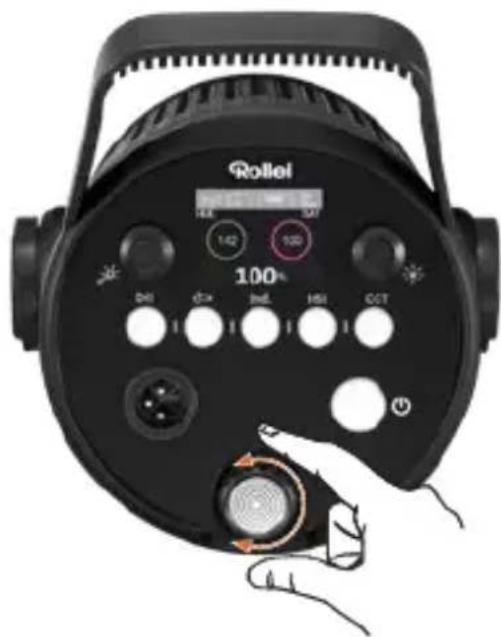
Read the operating instructions and the safety instructions carefully before using the device for the first time.
Keep the operating instructions together with the device for future use. If other people use this device, make this manual available to them. If you pass on the device to a third party, this manual belongs to the device and must be supplied with it.
Intended Use
This unit is designed for use as photo and video lighting only. It must not be used for other purposes and in particular not for domestic room lighting.
Explanation of Symbols
The following symbols are used in this manual, on the LED light or on the packaging.
Products marked with this symbol comply with all relevant community regulations of the European Economic Area.

Products marked with this symbol are operated with direct current.

Products marked with this symbol are operated with alternating current.

Products with this symbol have additional or reinforced insulation and comply with protection class II.

For indoor use only. Devices with this symbol may only be operated indoors (dry environment).
What's in the Box
- Soluna 150 RGB
- Reflector with 70 degree
- Protective cap
- Carrying bag
- Power supply unit
- Power cable for power supply unit
- User manual

natural_image
Simple line drawing of a symmetrical object resembling a bell or funnel shape (no text or symbols)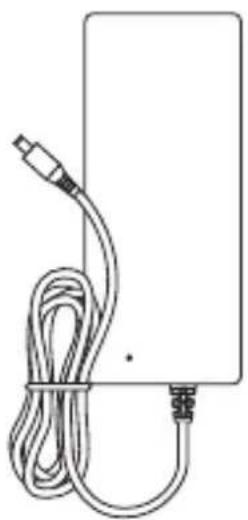
natural_image
Simple line drawing of a rectangular device with a coiled cable and connector (no text or symbols)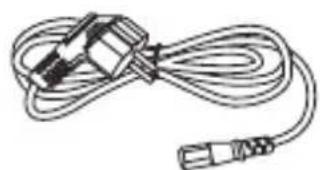
natural_image
Line drawing of a cable with two connectors (no text or symbols)
natural_image
Line drawing of a Rollel Ultramarine 150 RGB light bulb device (no text or symbols on body)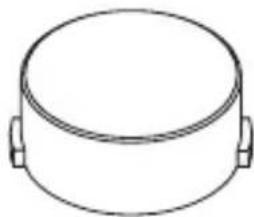
natural_image
Simple line drawing of a cylindrical cooking pot with two side handles (no text or symbols)

natural_image
Line drawing of aRollel branded bag with straps and a zipper (no text or symbols beyond branding)
natural_image
Line drawing of aRollel branded bag with straps and a zipper (no text or symbols beyond branding)Overview
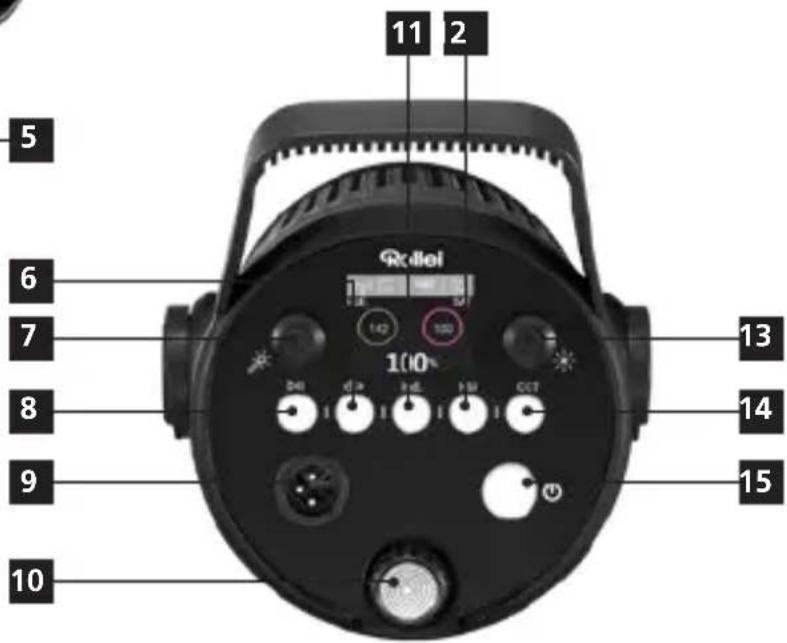
1 Locking button U-bracket
2 U-bracket
3 Zoom LED light
4 Umbrella holder
5 Light stand lock
6 Menu button
7 Light effect knob
8 Light effect pause / light effect replay button
9 Power socket
10 Zoom LED button
11 Custom light effect mode button
12 HSI mode button
13 Function button
14 CCT mode button
15 On/Off switch

ENGLISH
Illuminance Measurement
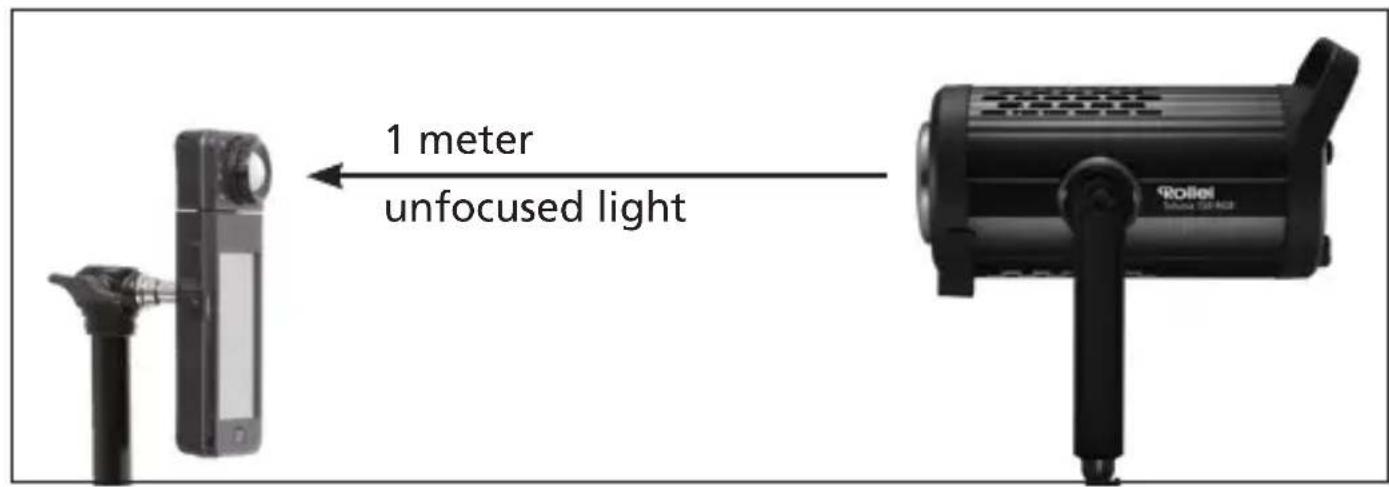
The measurement of unconcentrated light is standard without reflectors, the linear distance from the LED light source to the illuminance meter is 1 meter.
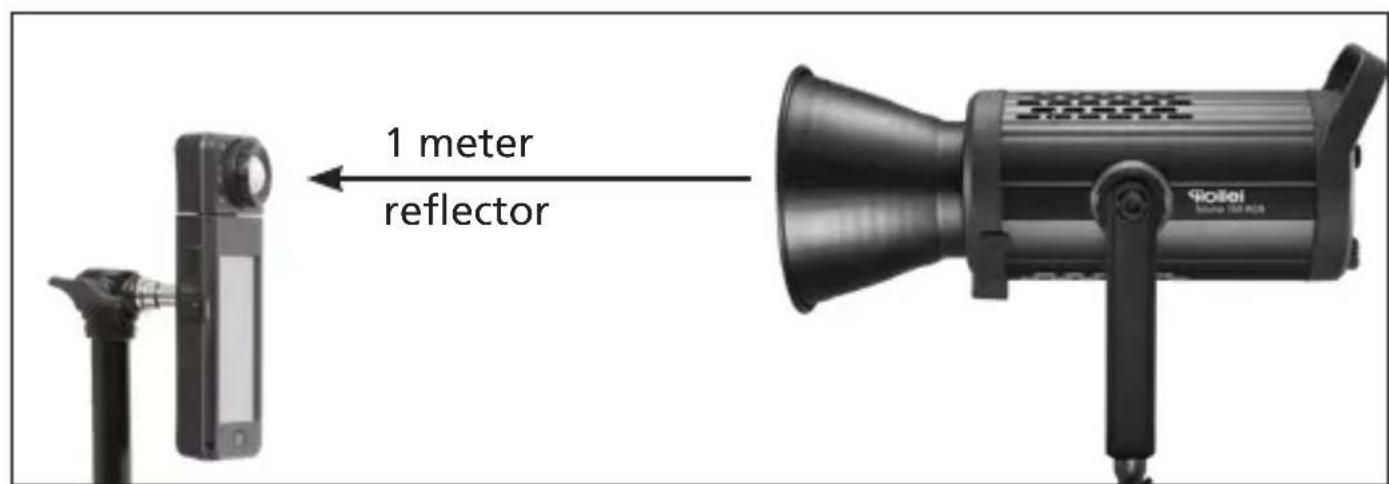
When the angle of incidence of the reflector becomes smaller and its depth deeper, the light is bundled. The centre of the light is very bright, the surrounding glow appears dimmed. The light ratio contrast thus becomes greater and the light at the corresponding centre of the measurement is dimmed. The illuminance increases.
Function Description
Switching on / off
-
AC power: Insert the plug of the power adapter into the power socket [9] and connect the unit to the mains, press and hold the on/off switch [15] for 1.5 seconds to switch on the unit.
-
Optional battery operation*: The Soluna 150 RGB can optionally be operated via the Soluna V-Mount battery adapter. To do this, plug one end of the cable into the battery adapter and the other end into the mains socket [9] and press and hold the on/off switch [15] for 1.5 seconds to start the unit.

natural_image
Close-up of a hand inserting a small black component into a black optical device (no visible text or symbols)
natural_image
Professional setup featuring a black fogler with attached camera and optical equipment, plus an inset showing a connected charger cable (no visible text or symbols)*Batteries and battery adapter not included.
Function Description
CCT mode
Briefly press the CCT mode button [14] to enter CCT mode. Now briefly press the function knob [13], the selected value now lights up green. When the symbol lights up green, you can adjust the setting value with the function knob [13] and confirm by pressing the function knob [13] afterwards.

- CCT colour temperature mode: 2,000K-7,500 K
- G/M Magenta/Green: ±0.5
HSI: Full colour mode
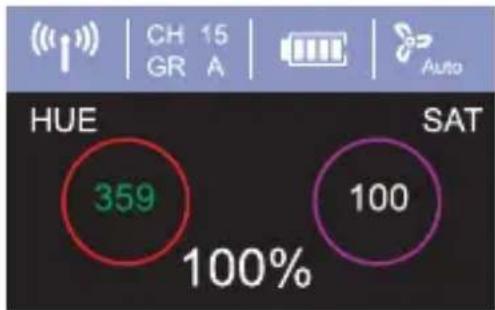
Briefly press the HSI mode button [12] to enter HSI mode, briefly press the function knob [13] and the selected value will now light up green. When the symbol lights up green, you can set the setting value with the function knob [13] and confirm it by pressing the function knob [13] afterwards.
- HSI full colour mode: 0–359
- SAT saturation: 0–100
other
| Metric | Value | | :--- | :--- | | HUE | 359 | | SAT | 100 | | Percentage | 100% |Custom Light Effects
Briefly press the custom light effect mode button [11] to enter the custom light effect mode. Now the selected value lights green. When the symbol lights up green you can adjust the setting value with the function knob [13] and confirm by pressing the function knob [13] afterwards.
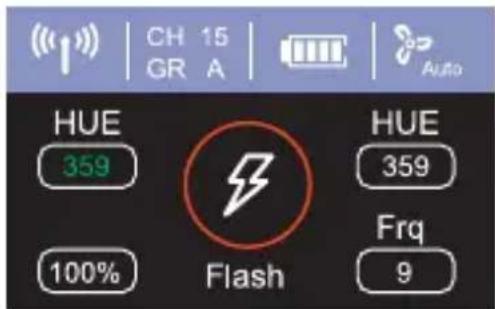
Function Description
- Pulse CCT: 2,700 K–7,500 K / Frq: 1–10
– Pulse HUE: 0–359 / Frq: 1–10 - Flash CCT: 2,700 K–7,500 K / Frq: 1–10
- Flash HUE: 0–359 / Frq: 0–9
- Cycle CCT: 2,700 K–7,500 K / Frq: 1–10
- Cycle HUE: 0–359 / Frq: 1–10

Menu Settings
Briefly press the menu button [6] to enter the settings menu. Now briefly press the function button [13] and the symbol of the value display flashes green. When the desired symbol turns green, set the value with the function knob [13] and press briefly to confirm the setting.
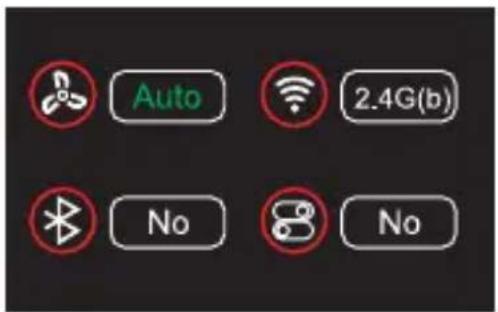
Ventilation (Auto / On / Off)
Wireless settings
2.4 GHz (b) / 2.4 GHz (p) / Bluetooth ^® * / Off
2.4 GHz (b): Remote control / 2.4 GHz (p): Remote control
Bluetooth®* reset [13]
Turn the function knob [13] to reset Bluetooth.
Restore factory settings [13]
Turn the function knob [13] to start the function for restoring the factory settings.
Function Description
Light effect mode
Briefly press the light effect knob [7] to enter light effect mode and alternately switch on different light effect modes. Briefly press the function knob [13] and the selected value now lights up green. When the symbol turns green, set the value with the function knob [13] and press it briefly to confirm.
There are 19 preset light effects, adjustable in a frequency of 1-10. Press the light effect pause / - playback button [8] to pause or to continue playing the light effect.


TV

Broken light bulb

Fire work

Storm

Multi flash

Fire

Pulse

Paparazzi

Spotlight

SOS
Warning

Fire engine

Police

Ambulance

Party

Red multi

Green multi

Blue multi

Colour temperature cycle

Rollei Studio App / Studio App / Bluetooth®\*
Download the "Rollei Studio" app for iOS from the App Store or the „Studio" app from the Amazon App Store for Android (iOS 9.0 or higher, Android 5.0 or higher).
Connection with the smartphone
- Activate Bluetooth®* on your smartphone.
- Switch on the Rollei Soluna 150 RGB and activate Bluetooth®* in the settings menu.
- Open the "Rollei Studio" app, the connection with the smartphone will be established automatically.
Note: If you want to connect the LED light with the app on another smartphone, go to the menu to reset the Bluetooth®* signal.
Note:
- The connection is established using "Bluetooth®* Low Energy" (BLE). A location release of the app is necessary for this. The connection to the LED light is established directly in the app.

*The Bluetooth® word mark and logos are registered trademarks of Bluetooth SIG, Inc. and any use of such marks by Rollei is under licence. Other trademarks and trade names are the property of their respective owners.
Rollei Studio App / Studio App / Bluetooth®\*
Note: If a different smartphone than before is to be used to use the permanent light, the connection to the previous smartphone must first be interrupted and the permanent light must be deleted from the settings in the app on the previous smartphone.
Zoom Control
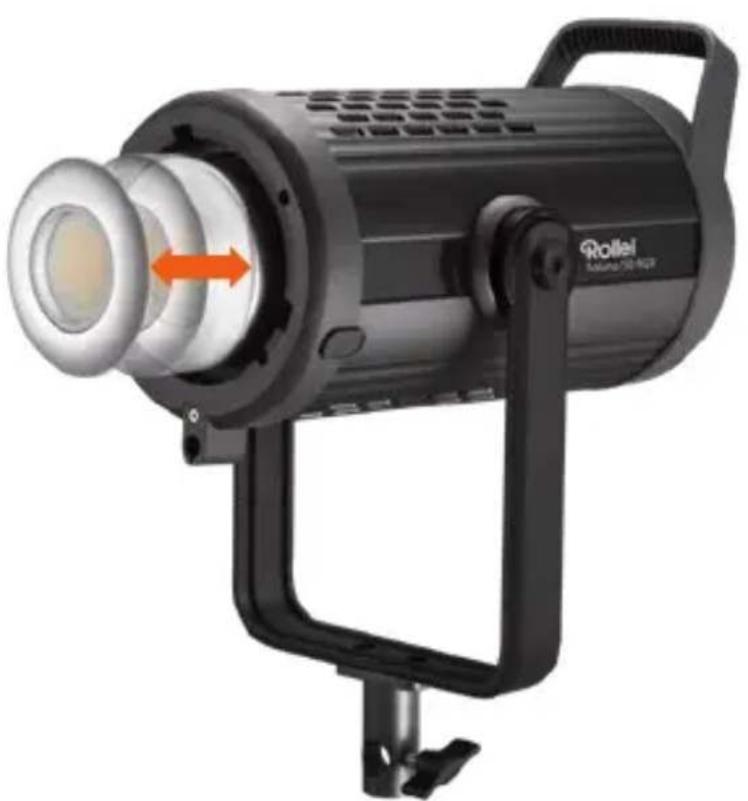
Adjust the Zoom LED button [10] and adjust the position of the LED light head. The zoom light head can improve the light and shadow levels and the expression of details.
natural_image
Black Roille brand studio lighting fixture with orange directional arrow (no text or symbols on body)
| Soluna 150 RGB | |
| Power 150 W | |
| Power control Power 0 – | 100% in 1% stepsFull colour mode (HSI) 0 – 359CCT mode 2 – 700 K – 7,500 K |
| Illuminance 15,400 lx (0.5 m) | > 3856 lx (1 m)(without reflector, measured at 5,500 K) | |
| Colour temperature G/M | Magenta/Green: ±0.52,700 K – 7,500 K |
| Colour rendering index >97 | |
| Television Lighting Consistency Index | TLCI > 98 |
| Radio receiver Integrated | | 2.4 GHz | Range > 100 m |32 channels (00 – 31) |16 groups (A – J / L / O / P / Q / S / U) | |
| Bluetooth®* function App operation | |
| Bluetooth®* version 4.2 | |
| Frequency band 2,402 – 2,480 | |
| Max. radiated transmitting power | 6 dBm |
| Light effects 19 (see page 27) | |
| Other features LC-display | | Bowens S-type bayonet |Umbrella holder | Tripod mount | Carrying handle | U-bracket | Fan (volume max. 30 dB, can be switched off with a maximum output of 30 %) | Beam angle > 120° |
Technical Data
| Soluna 150 RGB | |
| Power supply Input Soluna 150 RGB: DC 12 == 38 V,6.5 A Max. | Input power supply:AC 100 – 240 V, ~ 2.5 A Max. |Output DC: 32 V / 5.8 A / 185.6 W ◇ ◇ ◇ | |
| Dimensions | Weight 33.5 x 22.5 x 35.0 cm | 3.5 kg | |
| Box Content 1x Soluna 150 RGB, 1x protective cap,1x reflector 70°, 1x carrying bag,1x power supply unit, 1x power cable forpower supply unit, 1x user manual | |
Technical details are subject to change without notice. Misprints and errors excepted. Reproduction of these operating instructions – even in part – is not permitted.
*The Bluetooth® word mark and logos are registered trademarks of the Bluetooth SIG, Inc. and any use of such marks by Rollei is under licence. Other trademarks and trade names are the property of their respective owners.
Danger from electric current!
Faulty electrical installations or excessive mains voltage can cause electric shock.
- Only connect the product if the mains voltage of the socket corresponds to the specifications on the type plate.
- Connect the product to an easily accessible power outlet so that you can quickly disconnect it from the mains in case of problems.
- Use only the supplied power cord.
- Do not use the product if it is visibly damaged or if the cable is defective.
- If the product or its accessories are damaged, they must be replaced or repaired by the manufacturer, its service department or a similarly qualified person to prevent hazards.
- The housing must not be opened and repairs must only be carried out by a qualified technician. To do this, contact a specialist workshop. Any liability and all warranty claims are excluded in the event of repairs by the user, improper connection or incorrect operation.
- Do not use the product with an external timer.
- If you do not use the product for a long period of time, always disconnect it from the power source.
- Protect the product from moisture. Do not touch the product with wet/damp hands or immerse it in water.
- This product is not waterproof! Do not use this product in the rain or in wet environments. Never touch the product during a thunderstorm.
- Before disconnecting the power, switch off the unit at the main switch.
Caution!
- Never use the mains cable as a carrying handle.
- Keep the product and accessories away from naked flames, hot surfaces and easily flammable materials.
- Lay the mains cable in such a way that it does not present a tripping hazard.
- Do not bend the power cord or lay it over sharp edges.
Caution!
Danger for children and persons with limited physical, sensory or mental abilities (e.g. partially disabled, elderly persons with limited physical and mental abilities) or lack of experience and know-how (e.g. older children).
- This product may be used by persons with reduced physical, sensory or mental abilities or lack of experience and know-how, provided that they are supervised or have received instructions for the safe use of the product and understand the potential hazards arising from its use. Children must not play with the product. The product must not be cleaned or maintained by children. Keep children under eight years of age away from the product and its accessories.
- Do not insert any objects into the product.
- Do not leave the product unattended during operation.
- The product is not a toy. Keep the product, accessories and packaging materials away from children and pets to prevent accidents and suffocation.
- For photographic lighting purposes only. Not suitable for permanent room lighting.
Safety Instructions
- Do not film car, bus, bicycle, motorbike or train drivers while driving this product. The driver may be blinded and cause an accident. This also applies to unlisted persons or groups if possible glare could cause an accident.
- Do not shine directly into the eyes of people or animals as this may cause damage to the retina, visual disturbances and even blindness.
- Ensure adequate ventilation during operation. Never cover the ventilation slits of the unit.
- Do not use or store the unit in high temperatures or in closed rooms exposed to direct sunlight. The product should not be used in ambient temperatures above 40°C.
Note: Only for lighting for photographic purposes. Not suitable for permanent room lighting.

Dispose of the packaging according to its type. Use the local possibilities for collecting paper, cardboard and other materials. (Applicable in the European Union and other European countries with systems for the separate collection of recyclable materials.)

Devices that are marked with this symbol must not be disposed of with household waste! You are legally obliged to dispose of old devices separately from to dispose of household waste. Information on collection points that accept old appliances free of charge can be obtained from your local authority or town council.
Conformity
Herewith the Rollei GmbH & Co. KG hereby declares that the radio system type "Rollei Soluna 150 RGB" complies with Directive 2014/53/EU.
The complete text of the EU Declaration of Conformity can be downloaded at the following Internet address: www.rollei.com/egk/soluna150rgb


- Rollei
- Inhalt
- Intended Use
- Explanation of Symbols
- What's in the Box
- Overview
- Illuminance Measurement
- Function Description
- Switching on / off
- CCT mode
- HSI: Full colour mode
- Custom Light Effects
- Menu Settings
- Light effect mode
- Rollei Studio App / Studio App / Bluetooth®\*
- Connection with the smartphone
- Note:
- Zoom Control
- Technical Data
- Danger from electric current!
- Caution!
- Safety Instructions
- Conformity
Brand : ROLLEI
Model : Soluna 150 RGB
Category : Lighting