
5606V - Car alarm Viper - Free user manual and instructions
Find the device manual for free 5606V Viper in PDF.


| Product Type | Car Alarm System |
| Brand | Viper |
| Model | 5606V |
| Dimensions (approx.) | 150 x 100 x 30 mm |
| Weight (approx.) | 0.5 kg |
| Power Supply | 12V DC vehicle battery |
| Current Draw | < 50 mA (standby) |
| Main Functions | Remote arming/disarming, shock sensor, door trigger, trunk release, remote start, panic alarm |
| Remote Control Range | Up to 1000 ft (line of sight) |
| Sensor Type | Dual-stage shock sensor (adjustable) |
| Security Features | Starter kill, anti-tamper alarm, battery backup siren, valet mode |
| Siren Output | 130 dB max |
| Wiring | Plug-in harness, color-coded wires |
| Operating Temperature | -40°C to +85°C |
| Maintenance | Clean with dry cloth; avoid moisture |
| Spare Parts Availability | Replacement remotes and sensors available from authorized dealers |
| Warranty | Limited lifetime (details in manual) |
| Certifications | FCC, CE |
| Installation | Professional installation recommended |
Frequently Asked Questions - 5606V Viper
User questions about 5606V Viper
0 question about this device. Answer the ones you know or ask your own.
Ask a new question about this device
Download the instructions for your Car alarm in PDF format for free! Find your manual 5606V - Viper and take your electronic device back in hand. On this page are published all the documents necessary for the use of your device. 5606V by Viper.
USER MANUAL 5606V Viper
natural_image
Close-up illustration of a snake's head with open mouth and large eyes, set against a solid yellow background (no text or symbols)OWNER'S GUIDE
MODEL
5606V
Congratulations
Congratulations on the purchase of your state-of-the-art remote start and security system. Reading this Owner's Guide prior to using your system will help maximize the use of your system and its many features. For any additional questions please contact your authorized Directed dealer, or contact Directed at 1-800-753-0600. (U.S. only) or 1-800-361-7271 (Canada only). Additional support is also available at: http://support.directed.com.
Important information
Government Regulations and Safety information

Read the Government Regulations and Warning! Safety First sections of this manual prior to operating this system.
Warning! Failure to heed this information can result in death, personal injury or property damage and may also result in the illegal use of the system beyond its intended purpose.
Your Warranty
Your system comes with a warranty. The warranty terms are detailed at the end of this guide. Make sure that you receive the proof of purchase from your dealer, indicating the product was installed by an authorized Directed dealer.
G5606 2016-02
Replacement remote controls
Please see your authorized dealer or visit us at www.directedstore.com to order additional remote controls. Remote control RPNs (Replacement Part Numbers) are found on the back of the device.
Contents
Congratulations .... iii
Important information .... iii
Government Regulations and Safety information ....iii
Your Warranty....iii
Replacement remote controls iv
Getting Started....3
Keys to using this manual.... 3
Remote Control 4
Control Center 4
Using your System....5
Commanding the system....5
Performing Commands 5
Remote Control Command Table....6
Basic Commands (Direct Access) 7
Arm 7
Disarm 7
Remote Start....8
AUX/Trunk 8
Advanced Commands: (Level 1) 9
Silent Arm....9
Runtime Reset 9
AUX 1....9
Advanced Commands: (Level 2) 10
Sensor Bypass 10
Remote Valet 10
Timer Start 11
AUX 2....11
Advanced Commands: (Level 3) 12
Sensor Silent Arm 12
Smart Start.... 12
AUX 3....12
Advanced Commands: (Level 4) 13
Full Silent Arm 13
Defogger 13
AUX 4....13
Remote Control Configuration 14
Remote Features 14
Auto Unlocking.... 15
Remote Beep 15
Sensor Adjust 16
Remote Pairing Mode.... 16
Alarm Features 18
Normal Arm Protection.... 18
Sensor Silent Arm Protection.... 18
Sensor Warn Away 19
Full Trigger Output 19
Emergency Override 19
Trigger Zone Fault Report.... 19
Alarm Report....20
NPC (Nuisance Prevention Circuitry) 20
Remote Start Features 21
Key Takeover 21
Remote Start Safelock.... 21
Disabling Remote Start 21
Advanced Start 21
Pit Stop Mode 23
MTS Mode (Manual Transmission Start) 23
Turbo Timer Mode 24
Remote Start Faults 25
Remote and System Operations....26
Passive Arming....26
Auto Re-arming 26
Valet Mode 27
Power Save....27
Rapid Resume 27
Car Select....27
System Expansion Options 28
Battery Information....30
Low Battery Alerts 30
Battery Replacement 30
Battery Disposal 30
Glossary of Terms....31
Patent Information 32
Government Regulations 33
Warning! Safety First....35
Limited lifetime consumer warranty 37
Getting Started
Keys to using this manual
Specific actions (in bold type) and style conventions are used consistently throughout this manual, they are as follows:
- Press: implies pushing in and releasing a button.
- Hold: is used after Press actions when a button needs to be held in position for an extended period of time, typically several seconds.
- Italicized words denote section/sub headings in this guide and can be located through the table of contents.
- An asterisk (*) when used after a word or phrase denotes that additional details can be found in related sections usually noted at the bottom of the page or end of the section.
Remote Control
| Feature Description | |
| Internal Antenna Used for transmitting information | |
| Transmit LED Active when transmitting information | |
Command buttons (4) | Used to perform Arming, Disarming, Auxiliary channel and Remote Start commands |
| Function button f | Used to access function levels for commands, configuration menus for programming and Car Selection |
Control Center

The Control Center, typically located on the upper part of the front windshield. It consists of:
• The In-vehicle system antenna.
- The Status LED, as a visual indicator of the system's status.
- The Control Center button, for placing the system into Valet Mode* and to perform the Emergency Override** operation.
* See "Remote and System Operations" on page 26 for details.
** See "Alarm Features" on page 18 for details.
Using your System
Commanding the system
Commands, Basic or Advanced, are used to activate system features and are performed by pressing one of the Command buttons. Basic commands control the most often used security and remote start features while Advanced commands control more specialized features.
Confirmations for Basic or Advanced commands are indicated by siren chirps and parking light flashes. A description of each feature confirmation is found in the following Basic command and Advanced command sections.
Performing Commands
Perform Basic commands by pressing a Command button.
Perform Advanced Commands by first accessing Levels 1-4 using the f button and then by pressing a Command button while within a level.
Advanced command example: Silent Arm
- Press the f button once to access Function Level 1.
- Press the 📋 button to perform the Silent Arm command.
- The system will arm/lock the doors and flash the parking lights without siren chirps.
Remote Control Command Table
| Basic Commands | Advanced Commands | ||||
| Function Level 1 | Function Level 2 | Function Level 3 | Function Level 4 | ||
| Level Button | Direct Access | f × 1 | f × 2 | f × 3 | f × 4 |
| [SDAA] | Arm/Lock (Panic) | Silent Arm Sensor Bypass | Sensor Silent Arm* | Full Silent Arm* | |
 | Disarm/Unlock | Silent Disarm Remote Valet Car Finder | |||
| [AACH] | Remote Start Runtime Reset | Timer Start Smart Start Defogger | |||
| AUX | AUX/Trunk AUX | 1 AUX 2 AUX 3 AUX 4 | |||
 | Advance Level, Change Car (3 sec.) Enter programming (8 sec.) | ||||
* Only available if a 2-way remote control (sold separately) is programmed to the system.
Basic Commands (Direct Access)
Arm
Press and release

The alarm arms, doors lock (if connected), and the siren chirps and parking lights flash once. If Valet Mode* is On, the doors lock without siren chirps, the alarm is disabled. Exit Valet Mode to arm the alarm normally.
If a Trigger Zone Fault is detected the siren chirps once again and the Control Center LED generates a Trigger Zone Fault report**.
To Arm and Panic
Press and hold

The alarm Arms (or Locks in Valet) and, after two seconds, sounds the siren and flashes the parking lights. Press the 📄 or 🌐 button to stop the panic output.
Disarm
Press and release

The alarm disarms, doors unlock (if connected), and the siren chirps and parking lights flash twice. If Valet Mode* is on, the doors unlock without siren chirps. Exit Valet Mode to control the system normally.
An Alarm Report** alert of four or five siren chirps will replace the normal disarm chirps if the alarm was triggered.
Remote Start
Press and release

Activates (or if On, deactivates) the remote starter. The engine and parking lights turn On, or the engine and parking lights turn Off accordingly. If a Remote start configuration issue prevents the engine from starting, the parking lights flash a Remote Start fault report*** to identify the fault.
AUX/Trunk
Press and hold AUX
The Trunk opens (if connected) when this button is pressed for 2 seconds.
* See "Remote and System Operations" on page 26 for details.
** See "Alarm Features" on page 18 for details.
*** See "Remote Start Faults" on page 25 for details.
For Manual transmission vehicles see "MTS Mode (Manual Transmission Start)" on page 23 for more details.
Advanced Commands: (Level 1)
Press and release the f button one time first, before pressing one of the following command buttons. The transmit LED illuminates in sets of single flashes to indicate Level 1.
Silent Arm
Press and release

The alarm arms, doors lock (if connected), and the parking lights flash once.
Silent Disarm
Press and release

The alarm disarms, doors unlock (if connected), and the parking lights flash twice. The Silent Disarm output may be replaced by the Alarm Report*
Runtime Reset
Press and release

If more time is needed while remote start is active, runtime reset will reset the runtime counter to the pre-programmed setting.
Note Remote Start must be ON to use this feature.
AUX 1
Press and release AUX
Activates (or if On, deactivates) the AUX 1 output.
* See "Alarm Features" on page 18 for details.
Advanced Commands: (Level 2)
Press and release the f button two times first, before pressing one of the following command buttons. The transmit LED illuminates in sets of double flashes to indicate Level 2.
Sensor Bypass
Press and release

Performing the Sensor Bypass command will incrementally bypass sensor operations and be confirmed as follows:
- Warn Away bypass: The Parking lights flash two times. Sensors will be activated for Full Trigger levels of impact only.
- Warn Away & Full trigger bypass: The Parking lights flash three times. Sensors will not be activated for any level of impact.
- Sensor Bypass OFF: The Parking lights flash 1 time. Sensors are fully operational.
Note
System needs to be armed to perform Sensor Bypass.
Perform arm command any time to turn Sensor Bypass OFF.
Remote Valet
Press and release

Enters (or if On, exits) Valet Mode. The Control Center LED turns on and off accordingly.
Timer Start\*
Press and release

Activates (or if On, deactivates) Timer Start. The parking lights flash quickly four times for On and slowly four times for Off.
Note
System needs to be Armed or Timer Start will not start the engine.
AUX 2
Press and release AUX
Activates (or if On, deactivates) the AUX 2 output.
* See "Advanced Start" on page 21 for more details.
Advanced Commands: (Level 3)
Press and release the f button three times first, before pressing one of the following command buttons. The transmit LED illuminates in sets of triple flashes to indicate Level 3.
Sensor Silent Arm\*
Press and release

The alarm arms, doors lock, and the siren chirps and parking lights flash three times.
Car Finder
Press and release

The siren emits one long chirp and the parking lights flash for 10 seconds. The parking light flashes stop if armed or disarmed while Car Finder is in progress.
Smart Start\*\*
Press and release

Activates (or if On, deactivates) Smart Start. The parking lights flash quickly five times for On and slowly five times for Off.
Note
System needs to be Armed or Smart Start will not start the engine.
AUX 3
Press and release AUX
Activates (or if On, deactivates) the AUX 3 output.
* See Alarm Features for more details.
** See Advanced Start under Remote Start Features for more details.
Advanced Commands: (Level 4)
Press and release the f button four times first, before pressing one of the following command buttons. The transmit LED illuminates in sets of quadruple flashes to indicate Level 4.
Full Silent Arm\*
Press and release

The alarm arms, doors lock, and the siren chirps and parking lights flash four times.
Defogger\*\*
Press and release

Activates the vehicle Defogger circuit (if connected) while Remote Start is activated and the parking lights flash three times. For convenience, the Defogger circuit will also automatically activate 10 seconds after remote starting if the temperature is below 55°F.
Note
Remote Start must be active to use this feature.
AUX 4
Press and release AUX
Activates (or if On, deactivates) the AUX 4 output.
* See Alarm Features for more details.
** This feature must be installed and turned on by an authorized Directed dealer.
Remote Control Configuration
The remote controls have operations that can be configured to a user's personal preferences. The following instruction will direct you through the available configuration and programming options for the remote control.
Remote Features
To Enter Programming:
- Press and hold the f button for eight seconds until the transmit LED turns on, then release the f button.
- Within 30 seconds press and hold the button for two seconds until the transmit LED flashes then comes on solid, then release the button.
- The remote is now ready for configuration. Press the buttons indicated in the tables below to set the desired feature options.
- To save the changes once the remote has been configured press the f button once, and then press and hold again, the transmit LED will shut off to confirm exiting.
1-way companion remote control
The 1-way remote flashes the transmit LED to indicate the setting.
Feature Button Press LED single flash LED double flash
| Keypad Lock |  | Auto OFF* | |
| Remote Beeps |  | Beeps ON* Beeps OFF | |
| Car 2 |  | Car 2 ON Car 2 OFF* |
* Indicates default setting.
| Note | The remote control automatically exits the configuration mode if no buttons are pressed within 30 seconds. Feature changes are not saved if programming exits after this lapse. |
Keypad Lock
Options: OFF, Auto
When OFF, the buttons do not lock and always perform a command when pressed. When set to Auto, the remote buttons lock after a 20 second lapse between button presses to prevent unintentional operations.
| Note | If a button is pressed when locked, a fault tone plays as an alert. To unlock the buttons, press the f button followed by the S button, tones are emitted to confirm unlocking. |
Auto Unlocking
After turning the ignition off, a message to the Responder LE will unlock the keypad buttons until the next command is performed. This message can be turned off by an authorized Directed dealer, if Auto Unlocking is not desired.
Remote Beep
Options: ON, OFF, Triggers Only
The Responder LE and companion remotes emit a beep as confirmation of button presses and this also applies to command responses and trigger alerts for the 2-way remote control.
When set to OFF, beeps are not emitted for any operations except programming (including alarm triggers for the 2-way remote control
if applicable).
Triggers Only: beeps will only be emitted for Full Trigger messages on the 2-way remote control if applicable.
Car 2
Options: OFF, ON
The remote controls can control two systems independently. When set to OFF, the Car Select feature is not available. When set to ON the Car Select feature is enabled. See “Car Select” on page 27 for details on using a remote with two systems.
Sensor Adjust
To avoid unintended alarm triggers; it is recommended that an authorized Directed dealer performs all sensor adjustments.
Remote Pairing Mode
The following instructions steps you through remote control pairing to your system.
Prepare the remote for pairing:
-
Press and hold the f button for eight seconds, the transmit LED will turn on, release the f button.
-
Within 30 seconds press and hold the 📋 button for two seconds, the transmit LED flashes then comes on, release the 📋 button.
-
The remote is now ready for pairing.
Prepare the vehicle system for pairing:
-
Open at least one of the vehicle's doors.
-
Tum the key to the ON position.
-
Within five seconds press and release the Control Center button one time.
- Within five seconds, press and hold the Control Center button. The status LED will begin flashing and the siren will sound one time to confirm the system is ready for pairing.
- Release the Control Center button.
- Press and release the 📋 button on the remote. The siren will sound to confirm pairing.
- To exit the Pairing Mode on the remote control, press the button once and then press and hold again, the transmit LED will shut off to confirm exiting.
Pairing on the system will exit if:
- The open door is closed.
• The ignition is turned off.
• There is no activity for 60 seconds. - The Control Center button is pressed too many times.
Alarm Features
Normal Arm Protection
Status LED: The Control Center Status LED flashes as a visual indicator that your vehicle's security system is active.
Failsafe Starter Disable: The Failsafe Starter Disable relay prevents the engine from starting (may require additional parts and installation).
Sensor Triggers: The shock sensor can distinguish minor impacts from major impacts to the vehicle exterior. Minor impacts cause the system to emit a Warn Away output. Major impacts caused for example by a forcible entry attempt, results in a Full Trigger output. The siren sounds and the parking lights flash for 30 seconds or longer.
Point of Entry Triggers: Opening the hood or trunk causes a Full Trigger output, while opening a Door or turning on the Ignition causes the the siren to chirp three seconds before beginning the Full Trigger output. This three second delay allows time to disarm and silence the siren in case of accidental trigger.
Sensor Silent Arm Protection\*
Sensor Warn Away and Sensor Full Trigger activations are defeated. Point of entry triggers will activate the Full Trigger output.
Full Silent Arm Protection\*
Sensor Warn Away, Sensor Full Trigger and Point of Entry activations are defeated. Only the Ignition input will activate the Full Trigger output.
* Only available if a 2-way remote control (sold separately) is programmed to the system.
Sensor Warn Away
When the system sensors detect a Warn Away trigger the siren chirps and parking lights flash for three seconds.
Full Trigger Output
An alarm Full Trigger will sound the siren and flash the parking lights for 30 seconds.
Emergency Override
The following procedure disarms the system when a programmed remote is not available. Number of presses____
- Tum the ignition on.
- Press and release the Control Center button the correct number of times (the default is one press).
- After a few seconds the siren output ceases and the system is disarmed.
Note
As a precaution, if programmed for Passive Arming or Auto re-arming the system should be placed into Valet Mode until a remote is available.
Trigger Zone Fault Report
When armed by remote command the system runs a status check of the alarm trigger zones. Faulty zones (usually caused by dome light delay or open trunk) are bypassed and reported via the control center LED, while all other trigger zones remain active and are monitored to protect the vehicle. Should a faulty zone self correct (dome light turns off) it becomes active and is then monitored normally.
The siren chirps once again a few seconds following the arming chirps as an audible alert, the control center LED flashes in groups to indicate the zone number.
Alarm Report
If the alarm was triggered while armed, it will be reported when the alarm is disarmed via siren chirps, parking light and Control Center LED flashes. The siren chirps four times (or five times if NPC is ON ^* ), the parking lights flash three times, and the control center LED flashes in groups to indicate the last two zones that were triggered (see Table of Zones). The report output will repeat for each disarm operation until the ignition is turned on.
* See NPC (Nuisance Prevention Circuitry) for more details.
Table of Zones
| Zone#(ledflashes) Zone Name | |
| 1 Trunk | |
| 2 Shock Sensor | |
| 3 Door | |
| 4 Sensor 2 | |
| 5 Ignition | |
| 6 Hood | |
NPC (Nuisance Prevention Circuitry)
NPC monitors all alarm zones and, if any are triggered excessively, bypasses them until corrected. If a point of entry (trunk, hood, door) is left open following a forced entry, it is bypassed. It becomes active again only after being closed.
Bypassed sensors automatically reset after one hour and after the vehicle is driven. Disarming then re-arming the alarm does not reset bypassed sensors.
Remote Start Features
Key Takeover
When you are ready to drive.
The system keeps the engine running until the vehicle is ready to be driven. To perform Key Takeover:
- Disarm the system, and enter the vehicle, do not step on the foot brake.
- Insert the key, turn it to the run position, and then step on the foot brake, the remote start then turns off.
- The parking lights turn off to indicate remote start is off.
- The vehicle is ready to drive.
| Note | Some Push-to-Start vehicles do not allow the key takeover feature, check with your installer for more details. |
Remote Start Safelock
Remote Start Safelock makes sure the doors are locked while the engine is running and after, even if they are unlocked when remote start is activated. Door locks may require additional parts and labor.
Disabling Remote Start
Remote start can be disabled by moving the Toggle Switch to the Off position. If remote start is attempted while Off, the engine will not start. (see "Remote Start Faults" on page 25). Move the switch back to the On position to resume normal operation.
Advanced Start
The Advanced start features; Timer Start and Smart Start will automati-
cally start the engine to maintain battery charge or combat extreme cold when parked for an extended period of time.
Precautions for the Advanced Start features:
- Park the vehicle in a well ventilated area away from windows and doors that lead into inhabited spaces.
- Arm/Lock the vehicle, the engine will not start unless the system is armed.
- Only one Advanced start feature can be enabled at any given time.
- For manual transmission vehicles, MTS Mode must be enabled before Timer Start or Smart Start can be activated.
- Timer Start or Smart Start Mode automatically exits when the vehicle is disarmed.
Timer Start operation
Activation begins a countdown timer as set by the installer (default three hours). When the timer expires the engine starts. When the Remote start runtime expires the engine shuts off, and the countdown timer restarts. This will repeat as many times as set by the installer (default is six starts). Timer Start is exited after the final start.
Smart Start operation
Smart Start uses the settings for Timer Start in addition to temperature and battery level to automatically start the engine. Activation begins the countdown timer. When the timer expires the vehicle interior temperature and battery level is checked and, if the Temperature is above 100°F, below 0°F, or the battery level is below 10.5V, the engine will start. When the Remote Start runtime expires, the engine shuts off, and the countdown timer restarts. Smart Start is exited after the final start.
| Note | The temperature and battery thresholds can be changed by an authorized Directed dealer if a higher or lower threshold is desired. |
Pit Stop Mode
To exit vehicle with engine running.
The system keeps the engine running during short trips into the house or convenience store. To perform Pit Stop:
- With the engine running, set the parking brake and release the foot brake.
- Press the 🎨 button, the parking lights will turn on to indicate remote start is on.
- Turn the key to OFF, and remove it from the ignition, the engine continues running for the programmed runtime.
- Exit the vehicle and arm the alarm.
| Note | For Pit Stop Mode on manual transmission vehicles follow the directions in the MTS Mode (Manual Transmission Start) section with the door open. |
MTS Mode (Manual Transmission Start)
When installed into a manual transmission vehicle, the system requires that the MTS Mode is properly set when parking. If MTS Mode is not properly set or is defeated after being properly set the system will not start the engine.
- With the engine running, place gear shifter in neutral position, press the foot brake, then set the parking brake and leave the engine running.
For Pit Stop Mode (to leave the engine running after arming), open the driver door.
- Release the foot brake. As long as the engine is running there is no time limit to perform this step.
- Within 20 seconds of foot brake release, press any command button on the remote, after 20 seconds return to Step 2 (For Turbo Timer Mode, press the optional dash mounted activation button or send the Timer Mode command.
- The parking lights flash several times to confirm MTS Mode is enabled and the remote start activates the ignition outputs.
- Turn Off and remove the key from the ignition switch, the engine remains running.
- Exit the vehicle, close all the doors and arm the system.
- The engine turns off. If the door is opened in Step 1, then the engine continues to run.
Turbo Timer Mode
The system keeps the engine running for the Turbo Timer runtime and can be activated by remote control or optional dash mounted activation button.
- With the engine running, set the parking brake.
- Press the optional dash mounted activation button or perform the Timer Mode command (for manual transmission vehicles see previous MTS Mode section).
- The parking lights turn on and the remote start activates the ignition outputs.
- Turn Off and remove the key from the ignition switch, the engine remains running.
- Exit the vehicle, close all the doors and arm the system.
- The engine runs for the Turbo Mode runtime.
| Note | Turbo Timer must be turned on by an authorized Directed dealer. |
| Note | For Turbo Timer Mode on manual transmission vehicles follow the directions in the MTS Mode (Manual Transmission Start) section with the door open and in step 3 send the Timer Mode command from the remote control. |
Remote Start Faults
For user safety, the system must be properly configured or remote start will not activate. A Remote Start Fault may be caused by any of several configuration issues. If the remote start fails to activate, refer to the table below for the command type and parking light flashes that will identify the configuration issue and solution.
| Flashes * Possible Fault Solution | ||
| 5 Brake ON Release Foot Brake | ||
| 6 Hood Open Close Hood | ||
| 7 After performing Remote Start command - MTS not enabled | Enable MTS Mode | |
| Check all Solutions | ||
| 8 Toggle Switch OFF Turn Switch ON | ||
| None Alarm is Triggered Disarm or Reset Alarm | ||
* Refers to the number of parking light flashes.
Remote and System Operations
Passive Arming\*
Park and exit the vehicle, after the doors are closed the Passive arming countdown begins. The led flashes quickly and upon reaching 20 seconds the siren then chirps once. At 30 seconds the system arms itself. Anytime before the system arms you can re-enter the vehicle or open the trunk to load or unload items and, after closing passive arming resumes.
To stay secure in case of accidental disarming the system, if a door is not opened within 30 seconds the system re-arms itself and locks the doors.
Auto Re-arming\*
Auto re-arm ensures the vehicle stays protected if it is not entered after disarming by remote control. After disarming by remote, the alarm automatically re-arms itself (and locks the doors if programmed on) in 30 seconds. Open any point of entry to stop the re-arm until the next disarm by remote.
Onetime Bypass\*
Tum the ignition on for one to three seconds, and then off. The siren chirps once to confirm one-time bypass is enabled.
One-time bypass can be used to temporarily bypass the Passive arming operation for one cycle. It also bypasses the comfort closure and auxiliary channel outputs if programmed to activate when arming. After the next disarm all operations return to normal.
Valet Mode
Valet Mode can be entered and exited by performing the Remote Valet command or manually using the vehicle key and the control button. When entered, the alarm functions are defeated while the convenience features still operate normally.
Use the following steps to manually enter and exit Valet Mode:
- Tum the ignition switch on, and then off.
- Immediately press and release the Control Center button once.
- The Control Center LED turns on when entering, and off when exiting.
Power Save
To reduce power consumption the control center status LED modifies its output if the vehicle is parked for an extended period. If Armed the flashing is reduced after 24 hours. When Valet Mode is ON, the LED turns off after one hour, and resets each time the ignition is turned off.
Rapid Resume
If power is ever disconnected by a mechanic or thief, the system retains and returns to the last state it was in at the time of disconnection, once power is reconnected.
Car Select
Car 2 remote control option must first be turned ON (see under "Remote Control Configuration" on page 14 to turn on). Press and hold the f button for three seconds. The LED flashes once or twice to indicate the selected Car is 1 or 2, release the button for Car Select, or continue to hold for programming.
Release the f button, then press and release while the LED flashes continue to perform Car Select. Once the car is selected a command can be performed by pressing one of the command buttons.
System Expansion Options
Note: These features must be turned on by an authorized Directed dealer.
Controlling Two Vehicles (Car Select)
The remote controls can control systems in two different vehicles saving the need for multiple remote controls. This feature also allows for customized system configurations on each vehicle that has more than one driver. See Owner Recognition for details.
Owner Recognition
The system can be configured to recognize the remote used when disarming and change selected features to match the remote users preferences. Memory seat adjustment, siren chirps, passive arming, remote button auto unlocking, alarm output duration can all be custom set for each remote user at the time of installation.
Comfort Closure
Comfort Closure emulates turning the key in the door cylinder or holding the lock button of an OEM keyless entry. It will automatically close the windows and sunroof on vehicles with this type of OEM convenience feature.
Siren Output Duration
The length of time the siren sounds can be adjusted from 1 to 180 seconds at the time of installation.
Arming and Warn Away Chirp Control
The system Arm, Disarm and Sensor Warn Away chirps can be configured for those that prefer a custom silent alarm operation.
Driver Door Priority Unlocking
The door unlocking operation can be configured to emulate an OEM
style of driver priority unlocking for added security during disarming.
AUX (Auxiliary) Channels
The AUX channel outputs of this system can activate many of the convenience features found in today's vehicles. The system installer can clarify if any of the following listed features are compatible with your vehicle.
- Trunk Release
- Windows open/close
- Left Sliding door open/close
• Right Sliding door open/close - Rear Hatch open/close
- Sunroof open/close
- Audio System
- Headlights
Battery Information
The remote controls are powered by one coin cell battery (RPN: CR-2032) that can be purchased at most retailers. When the battery begins to weaken, the operating range will be reduced. The information and precautions in this section can help maximize your battery's life and usage in providing you with many years of trouble free operation.
Low Battery Alerts
When disarming the system using a remote with a low battery the siren will emit one additional chirp as an alert. If confirmation chirps are programmed off, the system will still emit one chirp as an alert when disarming.
Battery Replacement
- If present, remove the small screw on the back of the remote.
- Use a small flat blade screwdriver and insert it into the slot located along the bottom of the remote, near the key ring. Carefully pry open the case.
- Gently slide out the used battery to remove it from the holding clip. Orient the new battery for the correct polarity and insert into holding clip.
- Reposition case parts, and snap together by pressing firmly and evenly on the front and back. Reinstall screw (if applicable).
Battery Disposal
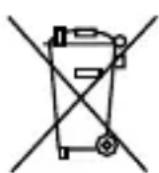
Directed cares about the environment. If you need to dispose of the battery, please do so in accordance with your municipal requirements for battery disposal.
Glossary of Terms
Document Terminology
Control Module The "brain" of your system. Usually hidden underneath the dash area of the vehicle. It houses the microprocessor which monitors your vehicle and controls all of the system's functions.
Remote Control A hand-held, remote control which operates the various functions of your system.
Control Center The Control Center contains the system's radio-frequency antenna, the control button, and the Status LED. For maximum remote-control range, the Control Center is usually located at the top of the windshield, centered near the rear-view mirror.
Status LED A light used to indicate the status of your system. It is located on your system's Control Center.
Control Center Button A small push button located on your system's Control Center. It is used to override (disarm) the alarm when a remote is not available or to enter or exit Valet Mode.
Patent Information
This product is covered by one or more of the following United States patents:
Remote Start Patents:
5,349,931; 5,872,519; 5,914,667; 5,952,933; 5,945,936; 5,990,786; 6,028,372; 6,467,448; 6,561,151; 7,191,053; 7,483,783
Vehicle Security Patents:
5,467,070; 5,532,670; 5,534,845; 5,563,576; 5,646,591; 5,650,774; 5,673,017; 5,712,638; 5,872,519; 5,914,667; 5,952,933; 5,945,936; 5,990,786; 6,028,505; 6,452,484
Other patents pending.
Government Regulations
This device complies with Part 15 of FCC rules. Operation is subject to the following two conditions: (1) This device may not cause harmful interference, and (2) This device must accept any interference received, including interference that may cause undesirable operation.
This equipment has been tested and found to comply with the limits for a class B digital device, pursuant to Part 15 of the FCC Rules. These limits are designed to provide reasonable protection against harmful interference in a residential installation. This equipment generates and can radiate radio frequency energy and, if not installed and used in accordance with the instruction manual, may cause harmful interference to radio communications. However, there is no guarantee that interference will not occur in a particular installation. If this equipment does cause harmful interference to radio or television, which can be determined by turning the equipment OFF and ON, the user is encouraged to try to correct the interference by one or more of the following measures:
• Reorient or relocate the receiving antenna.
- Increase the separation between the equipment and receiver.
- Connect the equipment into an outlet on a circuit different from that to which the receiver is connected.
- Consult the dealer or an experienced radio / TV technician for help.
Remote Controls
To satisfy FCC RF exposure compliance requirements, this device should be used in hand-held, hand operated configurations only. The device and its antenna must maintain a separation distance of 20 cm or more from the person's body, except for the hand and wrists, to satisfy RF exposure compliance. This device is designed to be used in a person's hands and its operating configurations do not support normal transmissions while it is carried in pockets or holsters next to a person's body.
Control Center
To satisfy FCC RF exposure compliance requirements, the device and its antenna must maintain a separation distance of 20 cm or more from the person's body, except for the hand and wrists, to satisfy RF exposure compliance.
This device complies with the Industry Canada Radio Standards Specification RSS 210. Its use is authorized only on a no-interference, no-protection basis; in other words, this device must not be used if it is determined that it causes harmful interference to services authorized by IC. In addition, the user of this device must accept any radio interference that may be received, even if this interference could affect the operation of the device.
WARNING! Changes or modifications not expressly approved by the party responsible for compliance could void the user's authority to operate this device.
Warning! Safety First

Please read the safety warnings below before proceeding. Improper use of the product may be dangerous or illegal.
Installation
Due to the complexity of this system, installation of this product must only be performed by an authorized Directed dealer. If you have any questions, ask your retailer or contact Directed directly at 1-800-753-0600.
Remote Start Capable
When properly installed, this system can start the vehicle via a command signal from the remote control transmitter. Therefore, never operate the system in an enclosed area or partially enclosed area without ventilation (such as a garage). When parking in an enclosed or partially enclosed area or when having the vehicle serviced, the remote start system must be disabled using the installed toggle switch. It is the user's sole responsibility to properly handle and keep out of reach from children all remote control transmitters to assure that the system does not unintentionally remote start the vehicle. THE USER MUST INSTALL A CARBON MONOXIDE DETECTOR IN OR ABOUT THE LIVING AREA ADJACENT TO THE VEHICLE. ALL DOORS LEADING FROM ADJACENT LIVING AREAS TO THE ENCLOSED OR PARTIALLY ENCLOSED VEHICLE STORAGE AREA MUST AT ALL TIMES REMAIN CLOSED. These precautions are the sole responsibility of the user.
Manual Transmission Vehicles
Remote starters on manual transmission vehicles operate differently than those with automatic transmission because you must leave your car in neutral. You must read this Owner's Guide to familiarize yourself with the proper procedures regarding manual transmission remote starters. If you have any questions, ask your authorized Directed dealer or contact Directed at 1-800-753-0600.
Before remote starting a manual transmission vehicle, be sure to:
- Leave the vehicle in neutral and be sure no one is standing in front or behind the vehicle.
- Only remote start on a flat surface.
• Have the parking brake fully engaged.
WARNING! It is the responsibility of the owner to ensure the parking/emergency brake properly functions. Failure to do so can result in personal injury or property damage. We recommend the owner have the parking / emergency brake system inspected and adjusted by a qualified automotive shop biannually.
Use of this product in a manner contrary to its intended mode of operation may result
in property damage, personal injury, or death. (1) Never remotely start the vehicle with the vehicle in gear, and (2) Never remotely start the vehicle with the keys in the ignition. The user must also have the neutral safety feature of the vehicle periodically checked, wherein the vehicle must not remotely start while the car is in gear. This testing should be performed by an authorized Directed dealer in accordance with the Safety Check outlined in the product installation guide. If the vehicle starts in gear, cease remote start operation immediately and consult with the authorized Directed dealer to fix the problem.
After the remote start module has been installed, contact your authorized dealer to have him or her test the remote start module by performing the Safety Check outlined in the product installation guide. If the vehicle starts when performing the Neutral Safety Shutdown Circuit test, the remote start unit has not been properly installed. The remote start module must be removed or the installer must properly reinstall the remote start system so that the vehicle does not start in gear. All installations must be performed by an authorized Directed dealer.
OPERATION OF THE REMOTE START MODULE IF THE VEHICLE STARTS IN GEAR IS CONTRARY TO ITS INTENDED MODE OF OPERATION. OPERATING THE REMOTE START SYSTEM UNDER THESE CONDITIONS MAY RESULT IN PROPERTY DAMAGE OR PERSONAL INJURY. YOU MUST IMMEDIATELY CEASE THE USE OF THE UNIT AND SEEK THE ASSISTANCE OF AN AUTHORIZED Directed DEALER TO REPAIR OR DISCONNECT THE INSTALLED REMOTE START MODULE. DIRECTED WILL NOT BE HELD RESPONSIBLE OR PAY FOR INSTALLATION OR REINSTALLATION COSTS.
This product is designed for fuel injected vehicles only. Use of this product in a standard transmission vehicle must be in strict accordance with this guide. This product should not be installed in any convertible vehicles, soft or hard top with a manual transmission. Installation in such vehicles may pose certain risk.
Interference
All radio devices are subject to interference which could affect proper performance.
Upgrades
Any upgrades to this product must be performed by an authorized Directed dealer. Do not attempt to perform any unauthorized modifications to this product.
Water/Heat Resistance
This product is not designed to be water and/or heat-resistant. Please take care to keep this product dry and away from heat sources. Any damage from water or heat will void the warranty.
Limited lifetime consumer warranty
Directed Electronics. ("Directed") promises to the original purchaser to repair or replace (at Directed's election) with a comparable reconditioned model any Directed unit (hereafter the "unit"), excluding without limitation the siren, the remote transmitters, the associated sensors and accessories, which proves to be defective in workmanship or material under reasonable use during the lifetime of the vehicle provided the following conditions are met: the unit was purchased from an authorized Directed dealer, the unit was professionally installed and serviced by an authorized Directed dealer; the unit will be professionally reinstalled in the vehicle in which it was originally installed by an authorized Directed dealer; and the unit is returned to Directed, shipping prepaid with a legible copy of the bill of sale or other dated proof of purchase bearing the following information: consumer's name, telephone number and address; the authorized dealers name, telephone number and address; complete product description, including accessories; the year, make and model of the vehicle; vehicle license number and vehicle identification number. All components other than the unit, including without limitation the siren, the remote transmitters and the associated sensors and accessories, carry a one-year warranty from the date of purchase of the same. ALL PRODUCTS RECEIVED BY DIRECTED FOR WARRANTY REPAIR WITHOUT PROOF OF PURCHASE FROM AN AUTHORIZED DEALER WILL BE DENIED. This warranty is non-transferable and is automatically void if: the unit's date code or serial number is defaced, missing or altered; the unit has been modified or used in a manner contrary to its intended purpose; the unit has been damaged by accident, unreasonable use, neglect, improper service, installation or other causes not arising out of defects in materials or construction. The warranty does not cover damage to the unit caused by installation or removal of the unit. Directed, in its sole discretion, will determine what constitutes excessive damage and may refuse the return of any unit with excessive damage. TO THE MAXIMUM EXTENT ALLOWED BY LAW, ALL WARRANTIES, INCLUDING BUT NOT LIMITED TO EXPRESS WARRANTY, IMPLIED WARRANTY, WARRANTY OF MERCHANTABILITY, FITNESS FOR PARTICULAR PURPOSE AND WARRANTY OF NON-INFRINGEMENT OF INTELLECTUAL PROPERTY, ARE EXPRESSLY EXCLUDED; AND DIRECTED NEITHER ASSUMES NOR AUTHORIZES ANY PERSON OR ENTITY TO ASSUME FOR IT ANY DUTY, OBLIGATION OR LIABILITY IN CONNECTION WITH ITS PRODUCTS. DIRECTED DISCLAIMS AND HAS ABSOLUTELY NO LIABILITY FOR ANY AND ALL ACTS OF THIRD PARTIES INCLUDING ITS AUTHORIZED DEALERS OR INSTALLERS. DIRECTED SECURITY SYSTEMS, INCLUDING THIS UNIT, ARE DETERRENTS AGAINST POSSIBLE THEFT. DIRECTED IS NOT OFFERING A GUARANTEE OR INSURANCE AGAINST VANDALISM, DAMAGE OR THEFT OF THE AUTOMOBILE, ITS PARTS OR CONTENTS; AND HEREBY EXPRESSLY DISCLAIMS ANY LIABILITY WHATSOEVER, INCLUDING WITHOUT LIMITATION, LIABILITY FOR THEFT, DAMAGE AND/OR VANDALISM. THIS WARRANTY DOES NOT COVER LABOR COSTS FOR MAINTENANCE, REMOVAL OR REINSTALLATION OF THE UNIT OR
ANY CONSEQUENTIAL DAMAGES OF ANY KIND. IN THE EVENT OF A CLAIM OR A DISPUTE INVOLVING DIRECTED OR ITS SUBSIDIARY, THE VENUE SHALL BE SAN DIEGO COUNTY IN THE STATE OF CALIFORNIA. CALIFORNIA STATE LAWS AND APPLICABLE FEDERAL LAWS SHALL APPLY AND GOVERN THE DISPUTE. THE MAXIMUM RECOVERY UNDER ANY CLAIM AGAINST DIRECTED SHALL BE STRICTLY LIMITED TO THE AUTHORIZED DIRECTED DEALER'S PURCHASE PRICE OF THE UNIT. DIRECTED SHALL NOT BE RESPONSIBLE FOR ANY DAMAGES WHATSOEVER, INCLUDING BUT NOT LIMITED TO, ANY CONSEQUENTIAL DAMAGES, INCIDENTAL DAMAGES, DAMAGE TO VEHICLE, DAMAGES FOR THE LOSS OF TIME, LOSS OF EARNINGS, COMMERCIAL LOSS, LOSS OF ECONOMIC OPPORTUNITY AND THE LIKE. NOTWITHSTANDING THE ABOVE, THE MANUFACTURER DOES OFFER A LIMITED WARRANTY TO REPLACE OR REPAIR THE CONTROL MODULE SUBJECT TO THE CONDITIONS AS DESCRIBED HEREIN. THIS WARRANTY IS VOID IF THE UNIT HAS NOT BEEN PURCHASED FROM DIRECTED, OR AN AUTHORIZED DIRECTED DEALER, OR IF THE UNIT HAS BEEN DAMAGED BY ACCIDENT, UNREASONABLE USE, NEGLIGENCE, ACTS OF GOD, NEGLECT, IMPROPER SERVICE, OR OTHER CAUSES NOT ARISING OUT OF DEFECT IN MATERIALS OR CONSTRUCTION.
Some states do not allow limitations on how long an implied warranty will last or the exclusion or limitation of incidental or consequential damages. This warranty gives you specific legal rights and you may also have other rights that vary from State to State.
This warranty is only valid for sale of product(s) within the United States of America and in Canada. Product(s) sold outside of the United States of America or Canada are sold "AS-IS" and shall have NO WARRANTY, express or implied.
For further details relating to warranty information of Directed products, please visit the support section of Directed's website at: www.directed.com
This product may be covered by a Guaranteed Protection Plan ("GPP"). See your authorized Directed dealer for details of the plan or call Directed Customer Service at 1-800-876-0800.


- Congratulations
- Important information
- Government Regulations and Safety information
- Your Warranty
- Replacement remote controls
- Contents
- Alarm Features 18
- Remote Start Features 21
- Remote and System Operations....26
- System Expansion Options 28
- Battery Information....30
- Glossary of Terms....31
- Government Regulations 33
- Warning! Safety First....35
- Limited lifetime consumer warranty 37
- Getting Started
- Keys to using this manual
- Remote Control
- Control Center
- Using your System
- Commanding the system
- Performing Commands
- Advanced command example: Silent Arm
- Basic Commands (Direct Access)
- Arm
- To Arm and Panic
- Disarm
- Remote Start
- AUX/Trunk
- Advanced Commands: (Level 1)
- Silent Arm
- Silent Disarm
- Runtime Reset
- AUX 1
- Advanced Commands: (Level 2)
- Sensor Bypass
- Note
- Remote Valet
- Timer Start\*
- AUX 2
- Advanced Commands: (Level 3)
- Sensor Silent Arm\*
- Car Finder
- Smart Start\*\*
- AUX 3
- Advanced Commands: (Level 4)
- Full Silent Arm\*
- Defogger\*\*
- AUX 4
- Remote Control Configuration
- Remote Features
- To Enter Programming:
- 1-way companion remote control
- Keypad Lock
- Auto Unlocking
- Remote Beep
- Car 2
- Sensor Adjust
- Remote Pairing Mode
- Prepare the remote for pairing:
- Prepare the vehicle system for pairing:
- Pairing on the system will exit if:
- Alarm Features
- Normal Arm Protection
- Sensor Silent Arm Protection\*
- Full Silent Arm Protection\*
- Sensor Warn Away
- Full Trigger Output
- Emergency Override
- Trigger Zone Fault Report
- Alarm Report
- NPC (Nuisance Prevention Circuitry)
- Remote Start Features
- Key Takeover
- Remote Start Safelock
- Disabling Remote Start
- Advanced Start
- Precautions for the Advanced Start features:
- Timer Start operation
- Smart Start operation
- Pit Stop Mode
- MTS Mode (Manual Transmission Start)
- Turbo Timer Mode
- Remote Start Faults
- Remote and System Operations
- Passive Arming\*
- Auto Re-arming\*
- Onetime Bypass\*
- Valet Mode
- Power Save
- Rapid Resume
- Car Select
- System Expansion Options
- Controlling Two Vehicles (Car Select)
- Owner Recognition
- Comfort Closure
- Siren Output Duration
- Arming and Warn Away Chirp Control
- Driver Door Priority Unlocking
- AUX (Auxiliary) Channels
- Battery Information
- Low Battery Alerts
- Battery Replacement
- Battery Disposal
- Glossary of Terms
- Document Terminology
- Patent Information
- Government Regulations
- Remote Controls
- Warning! Safety First
- Installation
- Remote Start Capable
- Manual Transmission Vehicles
- Interference
- Upgrades
- Water/Heat Resistance
- Limited lifetime consumer warranty
Brand : Viper
Model : 5606V
Category : Car alarm