K1050 - Keyboard Evolveo - Free user manual and instructions
Find the device manual for free K1050 Evolveo in PDF.


| Product Type | Wireless keyboard and mouse combo |
| Model | Evolveo K1050 |
| Wireless Technology | 2.4 GHz |
| Operating Range | Up to 10 meters |
| USB Interface | USB 1.1 and higher |
| Keyboard Power | 2 x AAA batteries (included) |
| Mouse Power | 1 x AA battery (included) |
| Compatibility | Windows and Mac OS |
| Design | Foldable keyboard, compact |
| Package Contents | Keyboard, mouse, USB nano receiver, 2x AAA, 1x AA |
| Dimensions (approx.) | 300 x 150 x 30 mm (folded) |
| Weight (approx.) | 300 g (keyboard), 100 g (mouse) |
| Cleaning | Wipe with a soft damp cloth; do not immerse |
| Battery Safety | Remove batteries if unused for over 3 months; keep away from children |
| Declaration of Conformity | Available at http://ftp.evolveo.com/CE/ |
Frequently Asked Questions - K1050 Evolveo
User questions about K1050 Evolveo
0 question about this device. Answer the ones you know or ask your own.
Ask a new question about this device
Download the instructions for your Keyboard in PDF format for free! Find your manual K1050 - Evolveo and take your electronic device back in hand. On this page are published all the documents necessary for the use of your device. K1050 by Evolveo.
USER MANUAL K1050 Evolveo
natural_image
Black foldable keyboard with mouse, showing standard keys and control buttons (no readable text or symbols beyond branding)Obsah / Content / Tartalom / Cuprins / Inhalt / Contenuto / Vsebina
Česky....4
Slovensky 8
English....12
Magyar....16
Română 20
Deutsch 24
Italiano 28
Slovinčina 32
CZ
SK
EN
HU
RO
DE
IT
SI
Obsah
ÚVOD 4
VÍTEJTE V RODINĚ VÝROBKŮ EVOLVEO 4
NEJAKTUÁLNĚJŠÍ VERZE UŽIVATELSKÉHO MANUÁLU 4
BEZPEČNOSTNÍ UPOZORNĚNÍ A POKYNY 4
BEZPEČNOSTNÍ UPOZORNĚNÍ A POKYNY (BATERIE).... 4
OBSAH BALENÍ 4
SPECIFIKACE 5
PŘED PRVNÍM POUŽITÍM 5
OBSLUHA....5
ČIŠTĚNÍ A ÚDRŽBA 5
CZ
ÚVOD
VÍTEJTE V RODINĚ VÝROBKŮ EVOLVEO
BEZPEČNOSTNÍ UPOZORNĚNÍ A POKYNY
Copyright © Abacus Electric, s.r.o.
www.evolveo.com
BEZPEČNOSTNÉ UPOZORNENIA A POKYNY
Copyright © Abacus Electric, s.r.o.
www.evolveo.com
SAFETY WARNINGS AND INSTRUCTIONS....12
SAFETY WARNINGS AND INSTRUCTIONS (BATTERIES) 12
PACKAGING CONTENT 12
SPECIFICATIONS....12
BEFORE FIRST USE....13
SERVICE 13
CLEANING AND MAINTENANCE....13
EN
INTRODUCTION
WELCOME TO THE EVOLVEO FAMILY OF PRODUCTS
- Before putting this product into operation, please read this entire user manual carefully through to the end, even if you are familiar with the use of a similar type of product in the past.
- Keep this user manual for future reference - it is an integral part of the product and may contain important instructions on commissioning, operation and care of the product.
• Make sure that other people who will use this product read this user manual. - If you give, donate or sell this product to others, please give them this user manual together with this product and remind them to read it.
- During the warranty period, we recommend that you keep the original packaging of the product - this way the product will be protected in the best possible way in case of transport.
THE MOST UP-TO-DATE VERSION OF THE USER MANUAL
Due to the ongoing innovation of EVOLVEO products and changes in legislation, you can always find the most up-to-date version of this user manual on the website www.evolveo.com or by simply scanning the QR code shown below with your mobile phone:

SAFETY WARNINGS AND INSTRUCTIONS
A) General notices:
- Unpack the product carefully and be careful not to throw away any part of the packaging material before you have found all the components of the product.
- Remove all packaging and marketing materials from the product before first use.
- Exercise extra caution if the product will be used around children. Always place the product out of their reach. Children should be supervised to ensure that they do not play with the product.
- Do not allow the product to be used as a toy.
- Do not shake the product and make sure it does not fall to the ground.
- It is forbidden to modify the surface of the product in any way, e.g. by using self-adhesive film, spraying its surface, painting it with paint, etc.
SAFETY WARNINGS AND INSTRUCTIONS (BATTERIES)
- Keep the batteries out of the reach of children. In their presence, they can pose a danger. If the child swallows the battery, seek medical attention immediately.
- If you will not be using the product for a longer period of time (more than 3 months), remove the batteries from the product, otherwise there is a risk of them leaking into the battery compartment and irreparably damaging the product.
PACKAGING CONTENT
- Keyboard
- Mouse
- USB nano receiver
• AAA micro filament battery (2 pcs)
• AA pencil battery (1 pc)
SPECIFICATIONS
• 2.4 GHz wireless technology
- Operating range of USB nano receiver 10 m
• Supported USB interface: USB 1.1 and higher - Mouse power supply: 1x AA pencil battery
- Keyboard power supply: 2x AAA micro button cell batteries
- Compatibility with Windows and Mac OS (some features not supported by Mac OS may not work properly)
BEFORE FIRST USE
1) Check the product for protective stickers, films or other materials intended only for transport to the customer to protect the product from scratches or other damage. Remove such before use.
2) Insert the supplied batteries into the keyboard and mouse:
- For the keyboard, remove the battery cover at the bottom of the keyboard and insert two AAA micro button batteries.
- With the mouse, flip off the battery cover at the bottom of the mouse and insert one AA battery.

WARNING: When inserting the batteries, ensure the correct polarity, otherwise the product may be irreversibly damaged.
SERVICE
1) Remove the USB nano receiver located under the battery cover at the bottom of the mouse and insert it into an available USB-A port on your laptop or computer.
2) Wait for the drivers to install automatically.
Warning: When plugging a USB nano receiver into a USB hub, make sure that your USB hub and the USB port on the laptop or computer to which it is connected is capable of supplying enough current to power all devices connected to that USB hub. Otherwise, we recommend using a USB hub with an external power supply.
CLEANING AND MAINTENANCE

WARNING: Never immerse the product in water, clean it under running water or put it in the dishwasher.
- Always ensure that the batteries are removed from the product before cleaning or maintenance.
- Use a soft cloth dampened with lukewarm water to clean the outer parts of the product. Do not use harsh cleaners, thinners or solvents, otherwise the surface of the product may be damaged.
- Take special care when cleaning the plastic parts of the product, which are more prone to scratches.
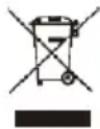
Disposal: If the information leaflet, packaging or product label contains a crossed-out bin symbol, this means that in the European Union all electrical and electronic products, batteries and accumulators marked in this way must be placed in separate waste containers at the end of their life. Do not dispose of these products in unsorted municipal waste.


DECLARATION OF CONFORMITY
Abacus Electric, s.r.o. hereby declares that the EVOLVEO K1050 product meets the requirements of the standards and regulations applicable to this type of equipment. The full text of the Declaration of Conformity can be found at http://ftp.evolveo.com/CE/.
Importer / Manufacturer
Abacus Electric, s.r.o.
Planá 2, 370 01, Czech Republic
Made in P.R.C.
Copyright © Abacus Electric, s.r.o.
www.evolveo.com
All rights reserved.
Design and appearance are subject to change without notice.
Tartalomjegyzék
BEVEZETÉS 16
ÜDVÖZÖLJÜK AZ EVOLVEO TERMÉKCSALÁDBAN 16
A FELHASZNÁLÓI KÉZIKÖNYV LEGFRISSEBB VERZIÓJA 16
CSOMAGOLÁSI TARTALOM....16
SPECIFIKÁCIÓK 17
AZ ELSŐ HASZNÁLAT ELŐTT.... 17
SZOLGÁLTATÁS 17
Copyright © Abacus Electric, s.r.o.
www.evolveo.com
Minden jog fenntartva.
AVERTISMENTE ȘI INSTRUCTIUNI DE SIGURANTĂ
Copyright © Abacus Electric, s.r.o.
www.evolveo.com
Copyright © Abacus Electric, s.r.o.
www.evolveo.com
Copyright © Abacus Electric, s.r.o.
www.evolveo.com
VARNOSTNA OPOZORILA IN NAVODILA
Copyright © Abacus Electric, s.r.o.
www.evolveo.com
Vse pravice pridržane.


- Obsah / Content / Tartalom / Cuprins / Inhalt / Contenuto / Vsebina
- Obsah
- ÚVOD
- VÍTEJTE V RODINĚ VÝROBKŮ EVOLVEO
- BEZPEČNOSTNÍ UPOZORNĚNÍ A POKYNY
- BEZPEČNOSTNÉ UPOZORNENIA A POKYNY
- INTRODUCTION
- WELCOME TO THE EVOLVEO FAMILY OF PRODUCTS
- THE MOST UP-TO-DATE VERSION OF THE USER MANUAL
- SAFETY WARNINGS AND INSTRUCTIONS
- A) General notices:
- SAFETY WARNINGS AND INSTRUCTIONS (BATTERIES)
- PACKAGING CONTENT
- SPECIFICATIONS
- BEFORE FIRST USE
- SERVICE
- CLEANING AND MAINTENANCE
- DECLARATION OF CONFORMITY
- Importer / Manufacturer
- Tartalomjegyzék
- AVERTISMENTE ȘI INSTRUCTIUNI DE SIGURANTĂ
- VARNOSTNA OPOZORILA IN NAVODILA
Brand : Evolveo
Model : K1050
Category : Keyboard