
300228 - Uncategorized CSL - Free user manual and instructions
Find the device manual for free 300228 CSL in PDF.


| Product Type | PCIe USB 3.0 Extension Card |
| Brand | CSL |
| Model | 300228 (16841/20180205SZ002) |
| Interface | PCI Express |
| USB Ports | 2x USB 3.0 |
| Chipset | NEC/Renesas |
| Compatible Operating Systems | Microsoft Windows XP / Vista / 7 / 8 / 8.1 |
| Power Supply | 4-pin Molex connector from power supply |
| Dimensions (approx.) | Standard PCIe card size (typical 120 x 18 mm) |
| Weight (approx.) | 50 g |
| Installation | Plug into free PCIe slot, secure with screw |
| Driver Installation | From included CD: run RENESAS-USB3-Host-Driver-30160-setup.exe |
| Safety | ESD precautions; unplug PC before installation |
| Environment | Indoor dry use only; avoid moisture and high temperatures |
| Disposal | WEEE compliant; do not dispose with household waste |
| Warranty | Standard manufacturer warranty; repairs void if modified |
| Scope of Delivery | Card, Driver CD, User Manual |
| Certifications | CE, WEEE (DE 67896761) |
Frequently Asked Questions - 300228 CSL
User questions about 300228 CSL
0 question about this device. Answer the ones you know or ask your own.
Ask a new question about this device
Download the instructions for your Uncategorized in PDF format for free! Find your manual 300228 - CSL and take your electronic device back in hand. On this page are published all the documents necessary for the use of your device. 300228 by CSL.
USER MANUAL 300228 CSL
2-Port PCIe USB 3.0 extension card
Mod.- Nr.: 16841/20180205SZ002
natural_image
Interior view of a computer tower with CPU socket, motherboard, and fan (no visible text or symbols)natural_image
Close-up of a computer motherboard with CPU socket, fan, and drive bays (no readable text or symbols)natural_image
Close-up of a white electrical connector with four black, red, and yellow wires attached (no text or symbols visible)Thank you for choosing a CSL product. Please attentively read the following, abbreviated usage instructions to ensure that you can enjoy your newly purchased device for a long time.
1 Scope of delivery
• 2-Port PCIe USB 3.0 extension card
- Driver-CD
- User Manual
2 Technical data
| Interface PCI Express | |
| Connections 2x USB 3.0 | |
| Chip set NEC/Renesas | |
| Compatibility Microsoft Windows XP / Vista / 7 / 8 / 8.1 |
3 Installation
Please unplug your computer entirely from the power grid before starting the installation process. Avoid touching sensitive components on the plug-in card and in your computer.
natural_image
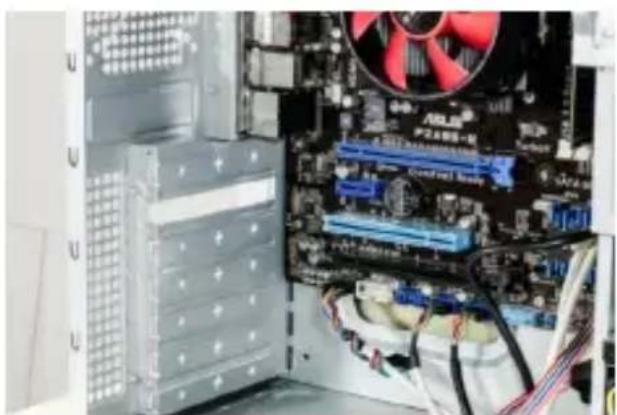
Interior view of a computer tower with CPU socket, motherboard, and fan (no visible text or symbols)Open the housing of your computer. Thereafter, find a free PCI plug-in socket and carefully remove the relevant slot cover plate.
natural_image
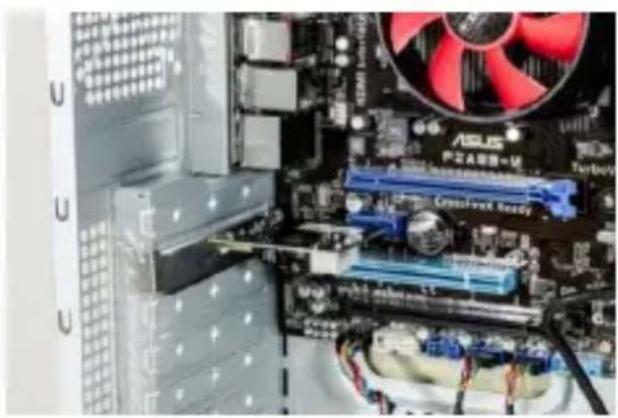
Close-up of a computer motherboard with CPU socket, fan, and drive bays (no readable text or symbols)Put the PCI card into the selected plug-in socket. Ensure that the card is properly inserted into the plug-in socket. Attach the card to the PC housing with a screw.
natural_image
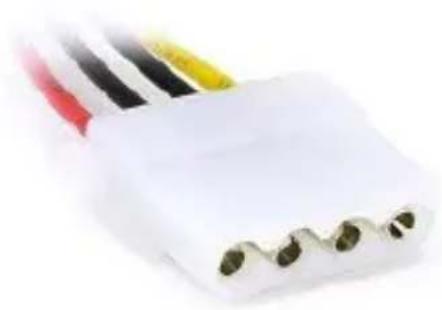
Close-up of a white electrical connector with three black, red, and yellow wires attached (no visible text or symbols)Supply the extension card with power by connecting one 4-pin Molex power connection of your power supply to the product.
4 Driver Installation
Insert the driver CD into the drive, display the content of the driver CD, navigate to the "USB3.0 NEC D720201-202 Driver" sub-folder and then to the "EXE" folder. Start "RENESAS-USB3-Host- Driver-30160-setup.exe.

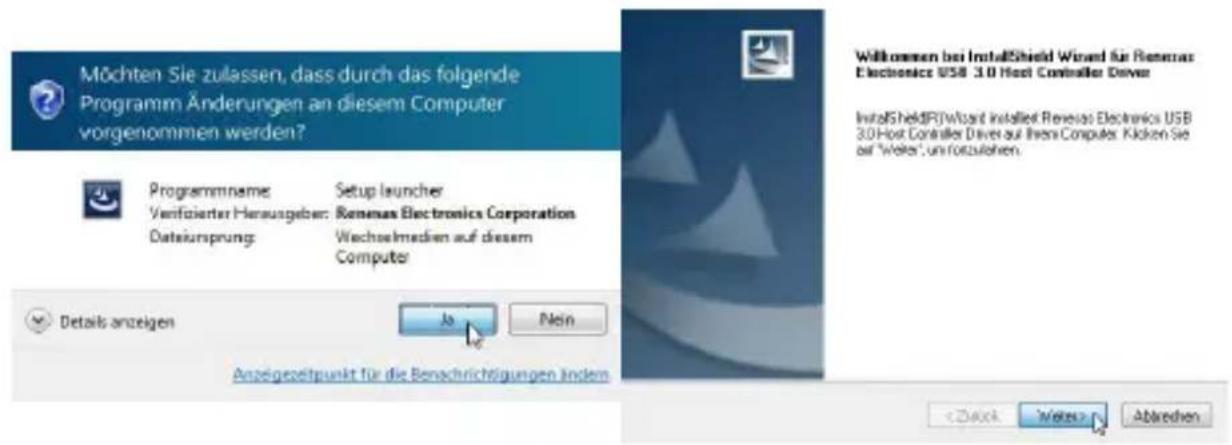
A security question is shown which has to be confirmed with "Yes".
Click "Continue" once the installation assistant has opened.
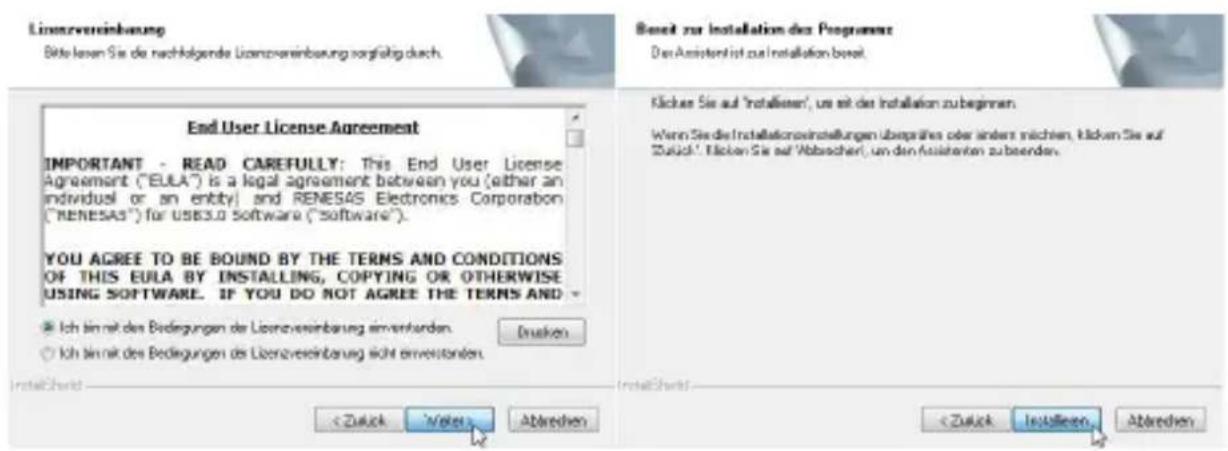
Select "I agree to the conditions of the licensing agreement" in the subsequent window and click "Continue".
Select "Install" in the next step.
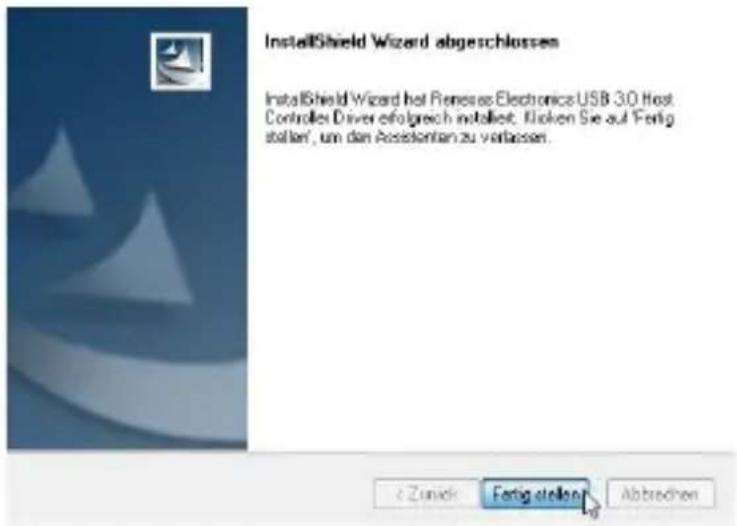
Complete the driver installation by clicking "Complete". The device is now ready for operation.
5 Safety instructions and disclaimer
Please do not attempt to perform repairs or conversions of the plug-in card. Avoid contact with the power grid. The product is only voltage-free once it has been unplugged. Always ensure that you are grounded before you touch electronic components. This will prevent damage caused by electrostatic discharge from your body.
Electrostatic discharge (ESD) can cause irreparable damage to your plug-in card and all the connected hardware components! The installation of the plug-in card is performed at your own risk. Please have the installation of the card performed by a specialised company if you do not have any technical and practical experience in the field of computer and electrical technology. The manufacturer cannot be held liable for any direct or indirect damage caused by improper installation or use. It is the customer's responsibility to back up any data.
The device has not been approved for outdoor use. It should therefore only be used in dry areas. Protect it against high humidity levels, water and snow. Always keep the device away from high temperatures. Do not expose the device to any sudden temperature changes or strong vibrations, as this could damage the electronic components.
Check the device for possible damage before using it. The device should not be used when it has been subjected to impact or damaged in any other way. Please also take the national regulations and restrictions into account. Do not use the device for any purposes other than those described in these instructions.
This product is not a toy. Store it outside the reach of children or intellectually disabled persons. Any repairs or changes to the device not carried out by the original supplier will result in the expiry of any warranty or guarantee claims. The device specifications may change without any prior notice.
6 Instructions for disposal
Electrical and electronic devices may not be disposed of together with domestic waste, in accordance with the European WEEE directive. Their components must be separately sent for recycling or disposal, as toxic and hazardous components may do long-term damage to the environment in the event of improper disposal.
The electrical and electronic devices act (ElektroG) obliges you, the consumer, to return electrical and electronic devices at the end of their service life free of charge to the manufacturer, the sales office or to public collection points that were established for that purpose. The relevant national laws provide detailed regulations.
The symbol on the product, the user manual and/or the packaging refers to such regulations. This form of material separation, recycling and disposal of obsolete devices makes an important contribution towards the protection of our environment.

WEEE guideline 2012/19/EU WEEE register number: DE 67896761
The WD Plus GmbH hereby declares that the device 16841/20180205SZ002 complies with the basic requirements and the other, relevant regulations. A full declaration of conformity may be found at: WD Plus GmbH, Wohlenbergstraße 16, 30179 Hanover
Notes
Brand : CSL
Model : 300228
Category : Uncategorized