BoneSwim Lite MP3 8GB - Headphones Evolveo - Free user manual and instructions
Find the device manual for free BoneSwim Lite MP3 8GB Evolveo in PDF.


| Product Type | Bone conduction headphones with MP3 player |
| Brand | Evolveo |
| Model | BoneSwim Lite MP3 8GB |
| Bluetooth Version | 5.3 |
| Wireless Range | ≥10 m |
| Battery Capacity | 180 mAh |
| Playback Time | ≥6 hours (at 80% volume) |
| Charging Time | ≈2 hours |
| Power Supply | DC 5V (via USB) |
| Internal Memory | 8GB |
| Supported Audio Formats | MP3, WAV |
| Water Resistance | Up to 2 meters depth (fresh water, pool, sea water; not soapy water) |
| Charging Port | Corrosion-resistant |
| Controls | On/Off, Volume Up/Down, Play/Pause, Track skip, Voice command |
| Package Includes | Headphones, Bag, Earplugs, Charging cable, Manual |
| Weight (approx.) | 36 g |
Frequently Asked Questions - BoneSwim Lite MP3 8GB Evolveo
User questions about BoneSwim Lite MP3 8GB Evolveo
0 question about this device. Answer the ones you know or ask your own.
Ask a new question about this device
Download the instructions for your Headphones in PDF format for free! Find your manual BoneSwim Lite MP3 8GB - Evolveo and take your electronic device back in hand. On this page are published all the documents necessary for the use of your device. BoneSwim Lite MP3 8GB by Evolveo.
USER MANUAL BoneSwim Lite MP3 8GB Evolveo
natural_image
Black EVOLVER headband with earbuds and strap (no visible text or symbols)CZ
SK
EN
HU
RO
DE
IT
SI
Obsah / Content / Tartalom / Cuprins / Inhalt / Indice / Vsebina
Česky 3
Slovensky 17
English.... 31
Magyar 45
Română 61
Deutsch....76
Italiano 92
Slovinčina 108
CZ
SK
EN
HU
RO
DE
IT
SI
VÍTEJTE V RODINĚ VÝROBKŮ ZNAČKY EVOLVEO
BEZPEČNOSTNÍ UPOZORNĚNÍ A POKYNY
natural_image
Wireframe illustration of a human head silhouette with a highlighted ear area (no text or symbols)flowchart
graph LR
    A["Medical Device"] --> B["Mobile App Interface"]
ZVÝŠENÍ/SNÍŽENÍ HLASITOSTI
AKTIVACE HLASOVÉHO PŘÍKAZU
natural_image
Line drawing of a medical device with attached tubing and a bulbous structure (no text or symbols)NÍZKÝ STAV BATERIE
OBNOVENÍ TOVÁRNÍHO NASTAVENÍ
BEZPEČNOSTNÉ UPOZORNENIA A POKYNY
natural_image
Wireframe illustration of a human head profile with a blue ear silhouette inside, no text or symbols presentflowchart
graph LR
    A["Device with ear and sensor"] --> B["Mobile App Interface"]
ZVÝŠENIE/ZNÍŽENIE HLASITOSTI
flowchart
graph LR
    A["Device with earphone"] --> B["Mobile Phone with 'Martin' app icon"]
    style A fill:#f9f,stroke:#333
    style B fill:#ccf,stroke:#333
AKTIVÁCIA HLASOVÝM PRÍKAZOM
natural_image
Line drawing of a medical device with attached tubing and a bulbous structure (no text or symbols)NÍZKA BATÉRIA
FACTORY RESET
- Before putting this product into operation, please read this entire user manual carefully through to the end, even if you are familiar with the use of a similar type of product in the past.
- Keep this user manual for future reference - it is an integral part of the product and may contain important instructions on commissioning, operation and care of the product.
- Make sure that other people who will be using this appliance read this user manual.
- If you give, donate or sell this appliance to others, please give them this user manual together with this product and remind them to read it.
- During the warranty period, we recommend keeping the original packaging of the product - this will protect the appliance in the best possible way during transport.
THE MOST UP-TO-DATE VERSION OF THE USER MANUAL
Due to the ongoing innovation of EVOLVEO products and changes in legislation, you can always find the most up-to-date version of this user manual on the website www.evolveo.com or by simply scanning the QR code shown below with your mobile phone:

SAFETY WARNINGS AND INSTRUCTIONS
- Use the appliance only as specified in this user manual.
- Listening to loud music for long periods of time can cause discomfort, use a medium volume if possible. Do not use high volume for long periods of time.
- Using headphones will affect your perception of your surroundings. Pay more attention when using headphones.
- Do not put them in your household waste and take them to your local electrical equipment recycling station.
- When using the headset, do not exceed a depth of 2 metres underwater. It can be used in fresh water, tap water, swimming pool water, sea water, etc. it cannot be used in soapy water, body soap, shampoo or high temperature and humidity environments.
- The charging port has been treated against corrosion, but seawater is highly corrosive, we recommend to clean it in time after soaking in seawater.
- This appliance may be used by children aged 8 years and older and persons with reduced physical, sensory or mental abilities or lack of experience and knowledge, provided they are supervised or have been instructed in the safe use of the appliance and understand the potential hazards.
- Unpack the appliance carefully, taking care not to throw away any of the packaging material before you have found all the components of the product.
- Remove all packaging and marketing materials from the product before first use.
- If the appliance is to be used around children, please take extra care. Always place the appliance out of their reach. Children should be supervised to ensure that they do not play with the product.
- Do not allow the appliance to be used as a toy.
- Never use accessories that are not supplied with or intended for this product.
- Before each use, make sure that the selected accessory is not damaged. Never use the appliance with damaged accessories.
- Never repair the appliance yourself and do not make any adjustments to it! Entrust all repairs and adjustments to this product to a professional company/service. Tampering with the product while the warranty is in effect puts you at risk of losing warranty benefits.
- Do not shake the product and make sure it does not fall to the ground.
- Never use the appliance if it is not working properly, if it has fallen on the ground and become damaged. In this case, have it repaired by a professional company/service.
- Use and store the appliance away from explosive gases, flammable, combustible and volatile substances (solvents, varnishes, adhesives, etc.).
- Do not expose the appliance to extreme temperatures, direct sunlight, excessive
humidity (e.g. bathroom, sauna, swimming pool, etc.) or place it in excessively dusty environments.
- Do not place the appliance near heaters, open flames or other appliances or equipment that are sources of heat.
- Do not use the appliance within the range of a strong electromagnetic field (e.g. microwave oven).
- Do not use the appliance for purposes other than those for which it is intended.
- The manufacturer is not liable for any damage caused by improper use of the appliance and its accessories.
- Keep the appliance clean.
PACKAGING CONTENT
- BoneSwim Lite headphones
- Bag
- Earplugs
- Manual
- Charging cable
SPECIFICATIONS
• Model: BoneSwim Lite
- Type: Bone conduction headphones
- BT version: 5.3
- Connection: ≥ 10 m
- Batteries: 180 mAh
- Playback time: ≥ 6 h (80% volume)
- Charging time: ≈ 2 ~h
• Power supply voltage: DC 5V
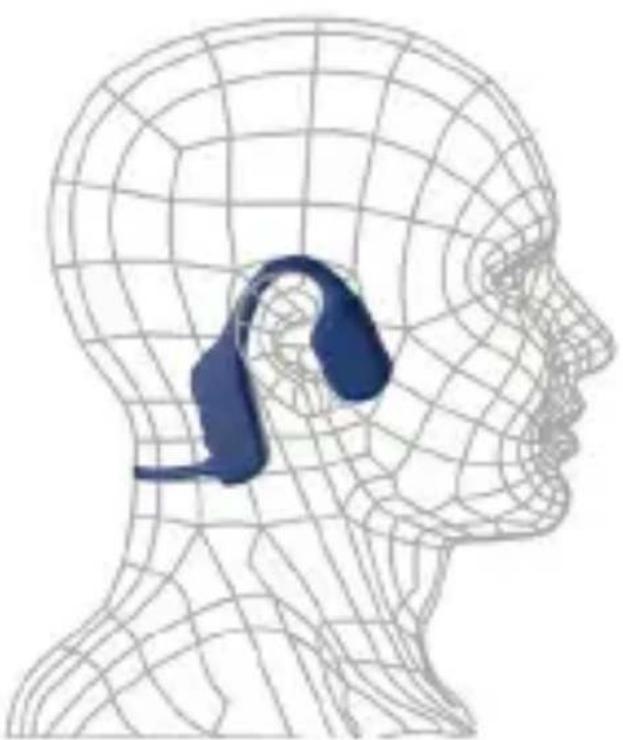
HOW TO WEAR
natural_image
Wireframe illustration of a human head silhouette with a blue highlighted ear area, no text or symbols present.- Hang the headphones behind your neck and press both speakers against your cheekbones.
- For better sound quality, we recommend wearing with earplugs.
DESCRIPTION OF INDIVIDUAL PARTS
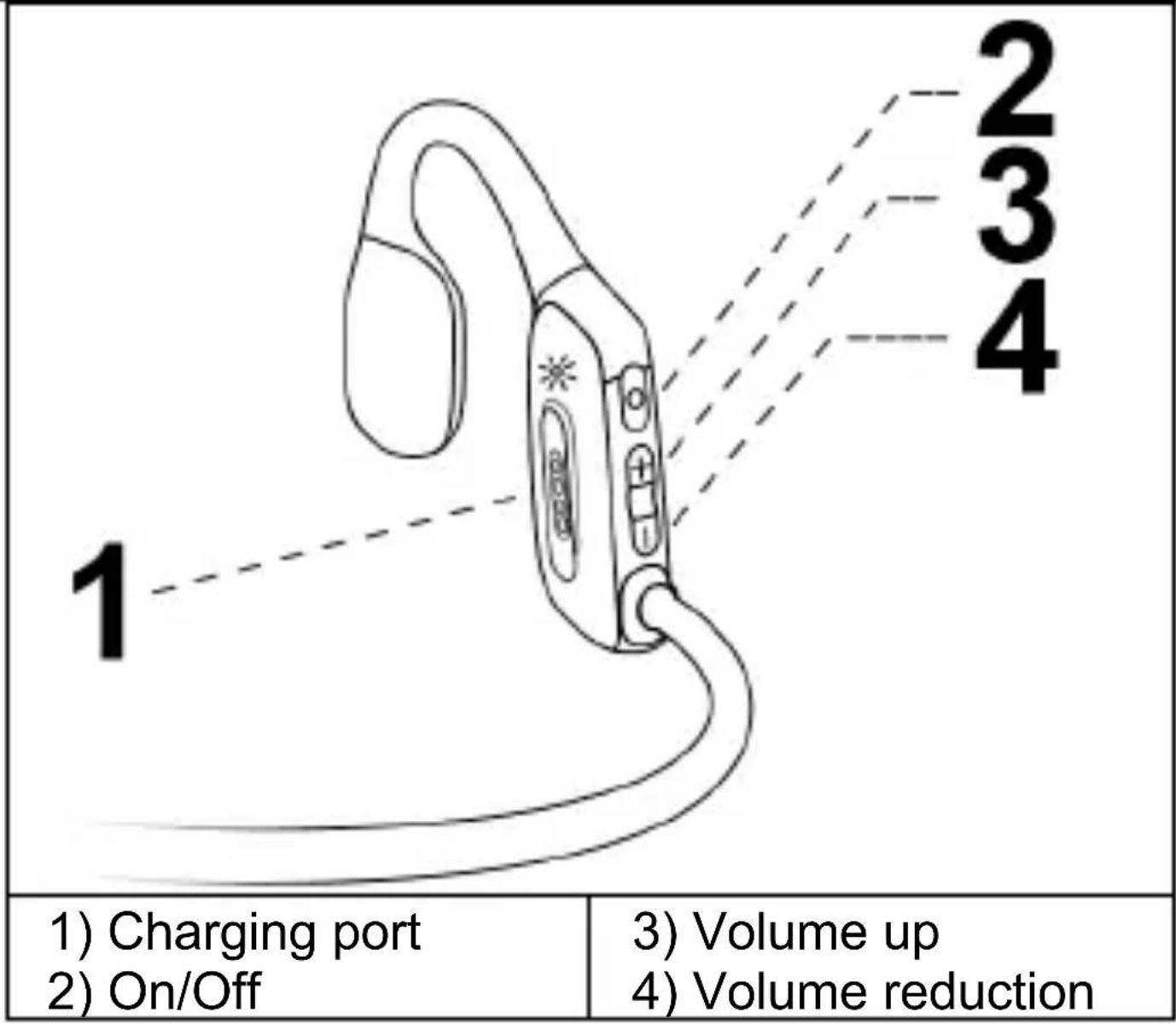
SERVICE
ON/OFF
To switch on: press and hold the On/Off button for 3 seconds. The call goes out, "power on".
To switch off: press and hold the On/Off button for 3 seconds. The prompt "power off" is heard.
BLUETOOTH CONNECTION
The headphones automatically switch to BT mode when switched on. To connect, select "EVOLVEO BoneSwim Lite" in the BT menu. The prompt "connected" is heard.
SWITCHING BT/MP3 MODE
When switched on, double-click the On/Off button to switch to BT/MP3 mode.
DATA TRANSFER
- Download audio files (mp3, wav formats only) to computers.
- Connect the headphones to the USB charging cable.
- Connect the USB cable to the USB port of your computer.
- You will see a hard drive on your computer - open it.
- Drag and drop the files into the hard drive folder.
- When the file transfer is complete, eject the hard drive.
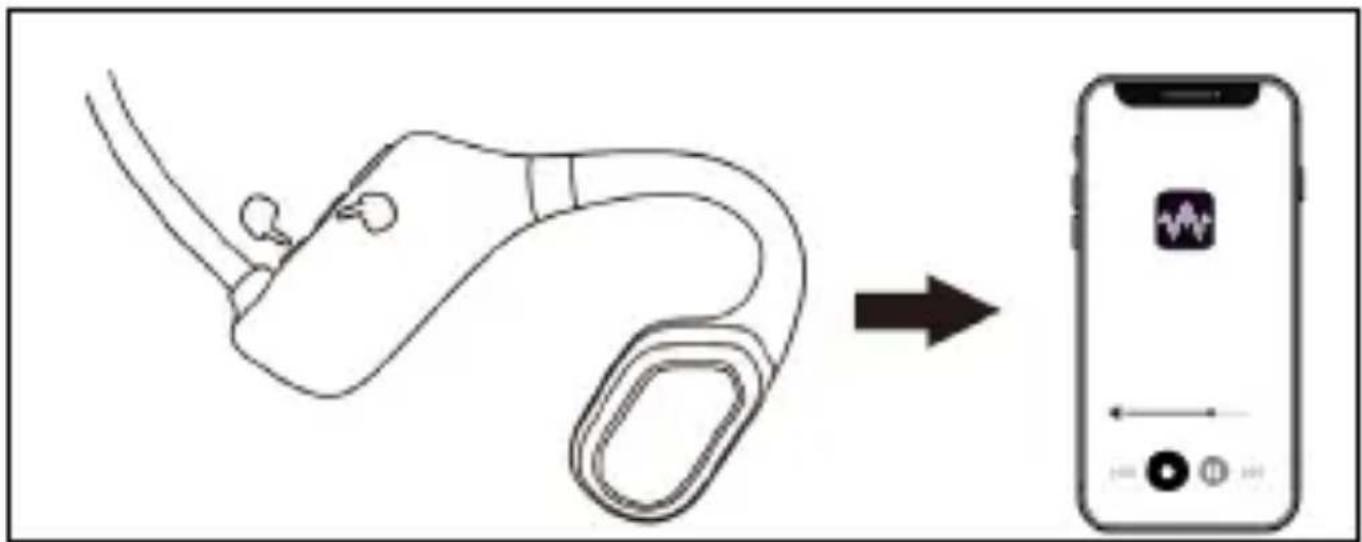
PLAY/PAUSE MUSIC
Click once on the On/Off button.
PREVIOUS/NEXT TRACK
Previous track: press and hold the Volume Up button for 3 seconds
Next track: press and hold the Volume Down button for 3 seconds
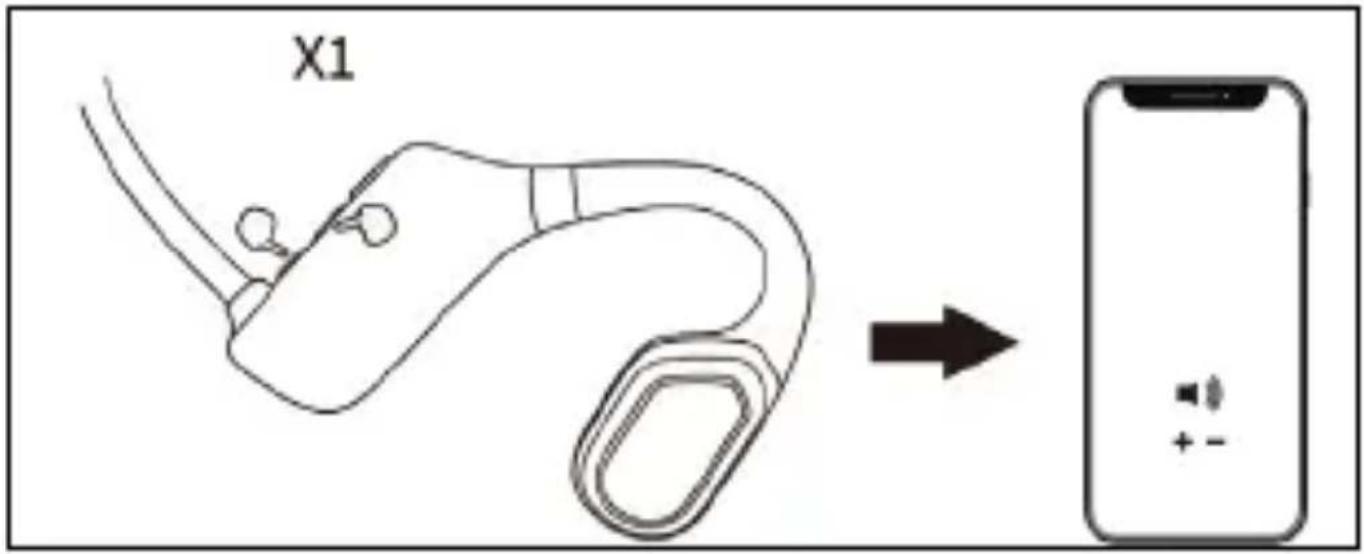
VOLUME UP/DOWN
To increase the volume: click the Volume Up button once.
To reduce the volume: click the Volume Down button once.
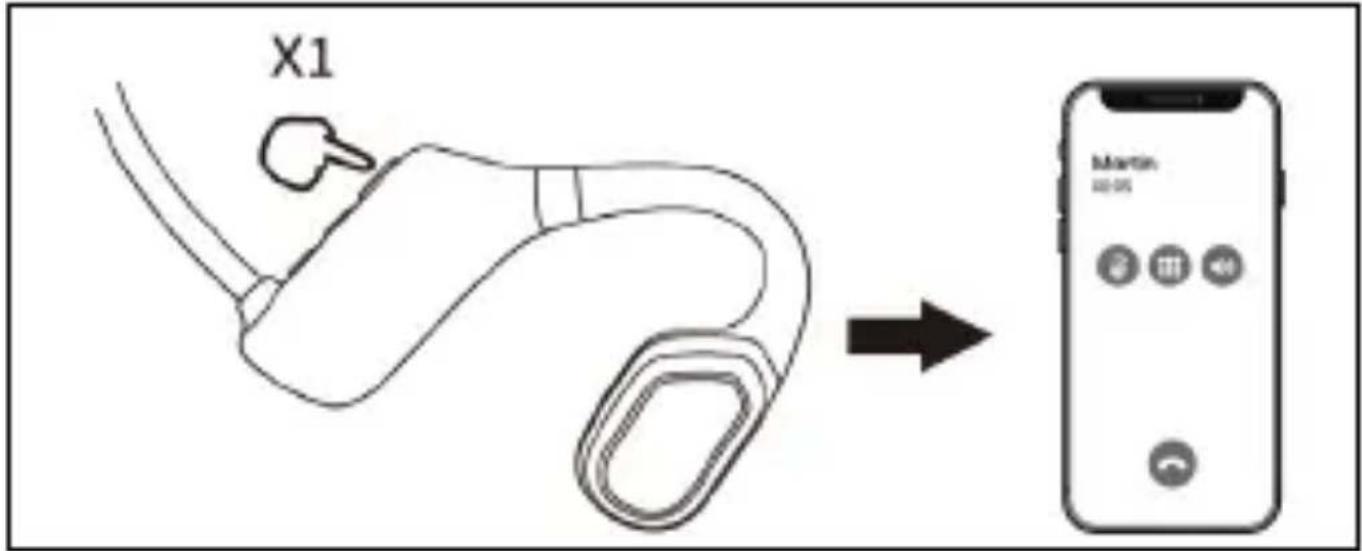
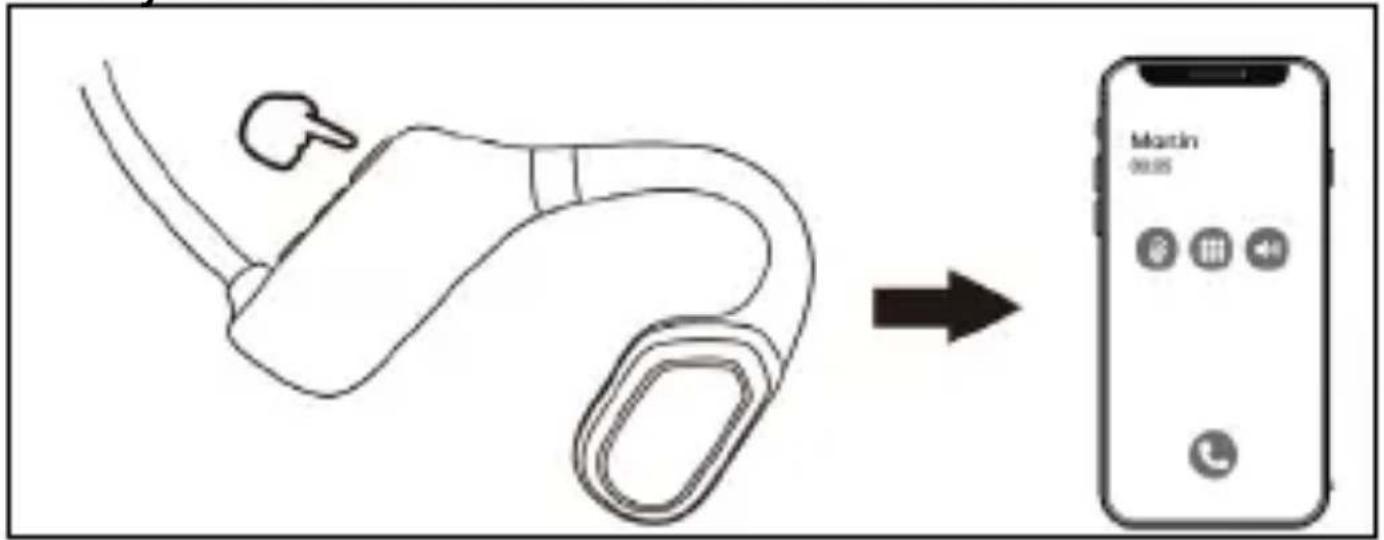
MAKE/END/REJECT A CALL
To answer/end a call: click the On/Off button To reject a call: double-click the On/Off button
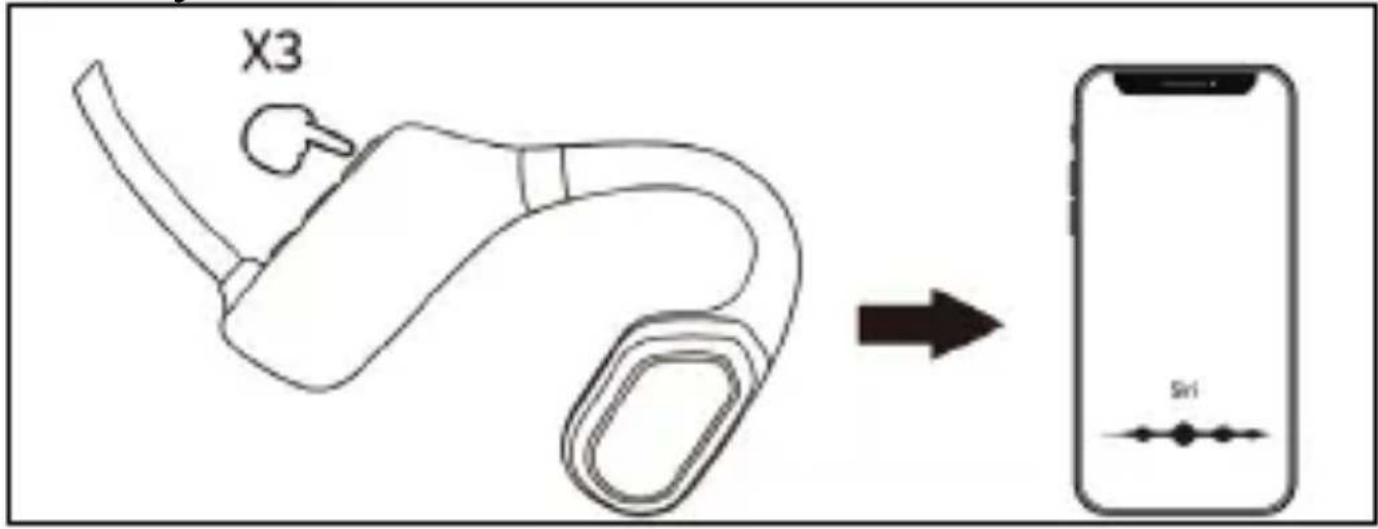
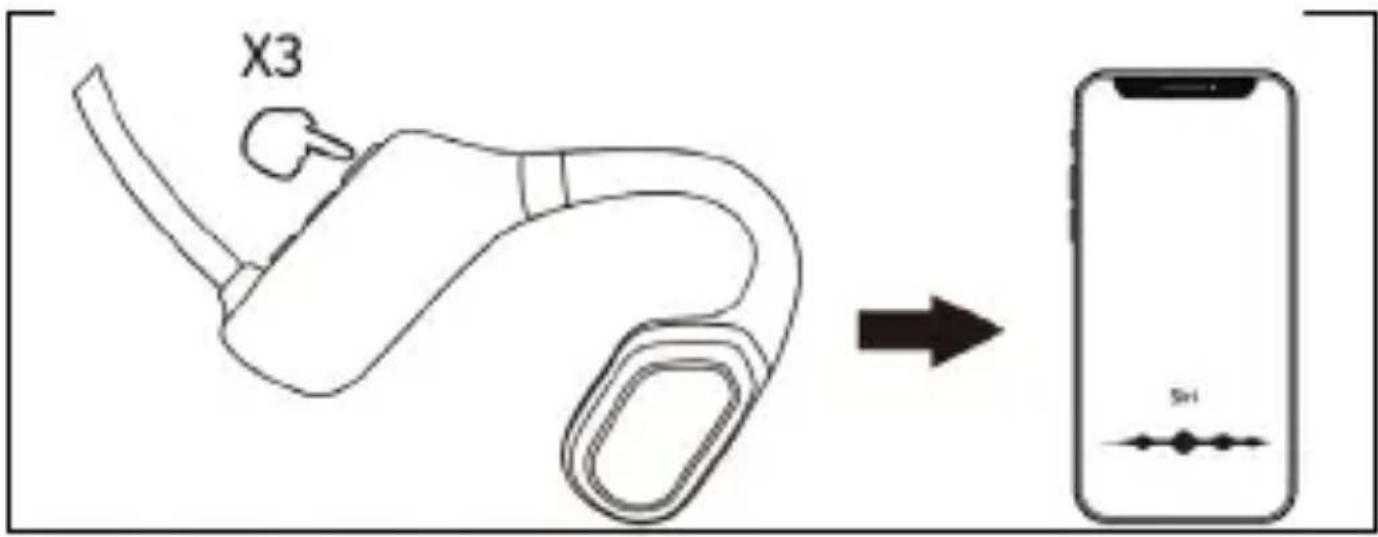
VOICE COMMAND ACTIVATION
Quickly click the On/Off button three times
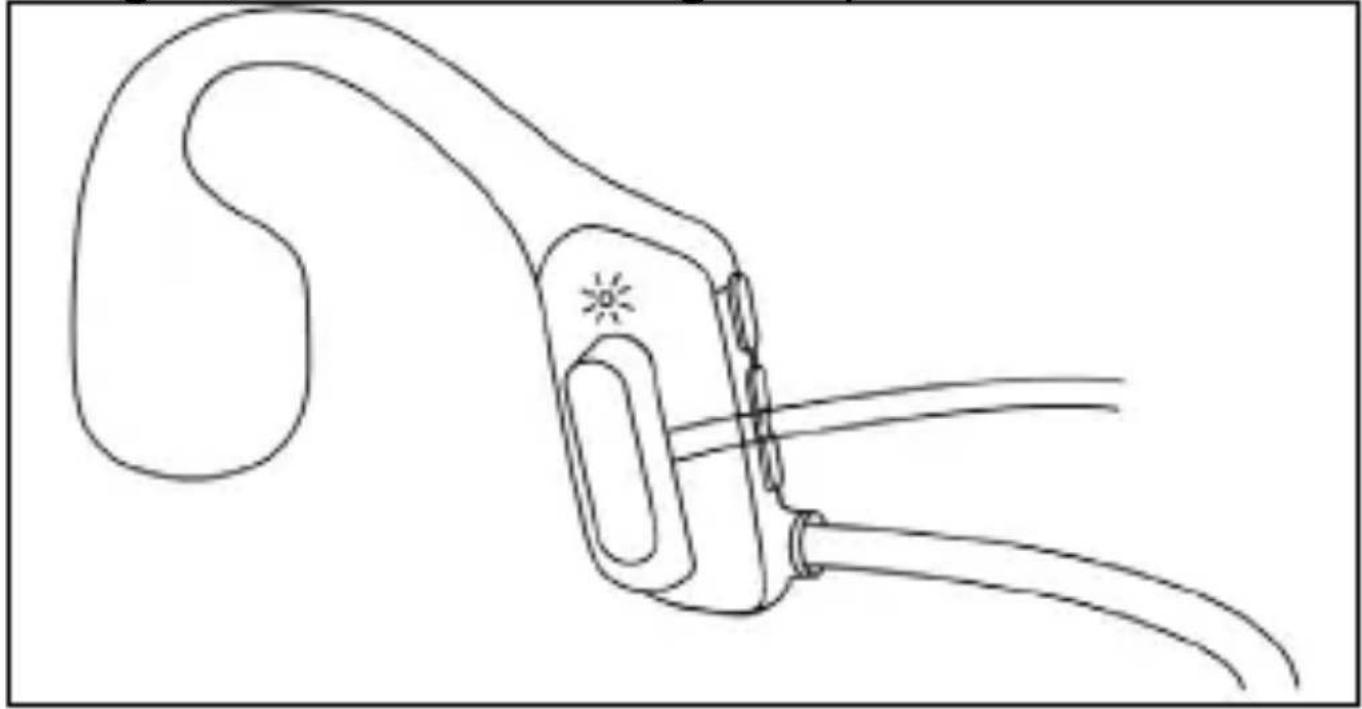
CHARGE
Use only a DC 5 V adapter for charging. The green light is on during charging. When fully charged, the white LED lights up.
natural_image
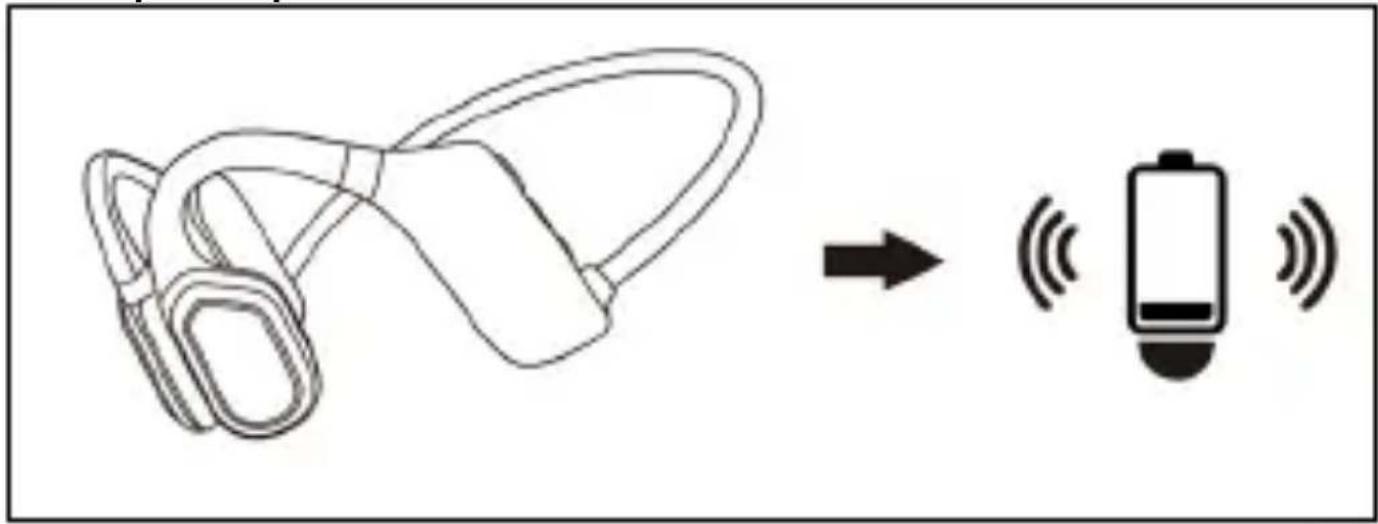
Line drawing of a medical device with attached tubing and a bulbous structure (no text or symbols)LOW BATTERY
If the battery is less than 5% charged, the "battery low" prompt will sound.
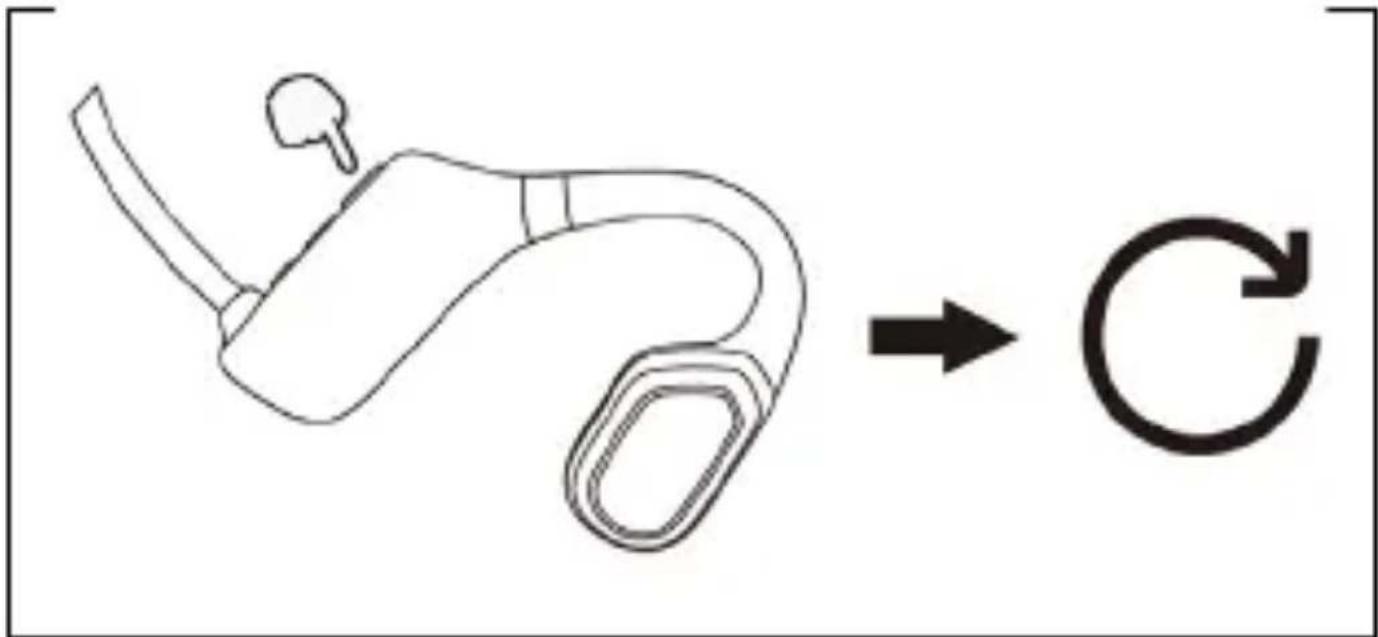
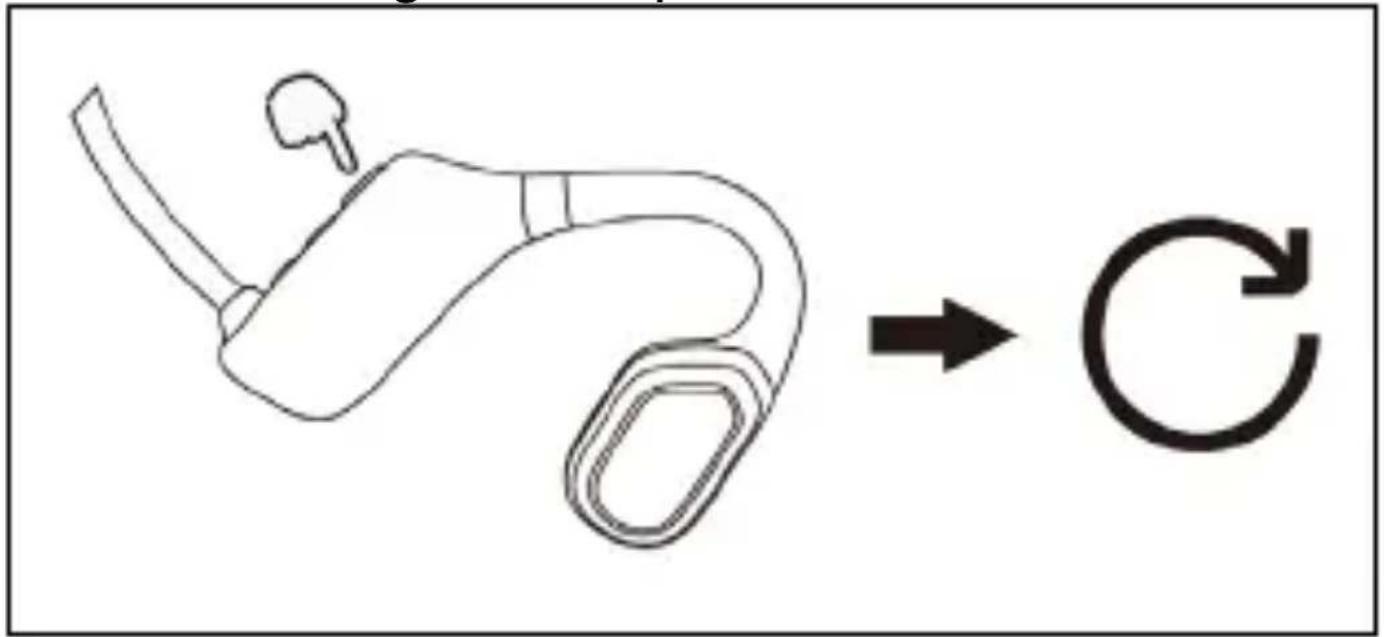
FACTORY RESET
In the off state, hold and press the On/Off button for 10 seconds until the white and green LEDs flash a second time.
flowchart
graph TD
    A["Hand holding a small object"] --> B["C"]
The warranty is NOT valid for:
- using the device for other purposes
- installing frimware other than that which has been installed or that can be downloaded manually or automatically from the application
- electromechanical or mechanical damage caused by improper use
- damage caused by natural elements such as fire, water, static electricity, surges, etc.
- damage caused by unauthorised repair
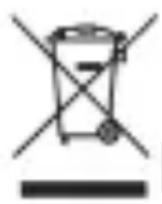
Disposal
The crossed-out container symbol on the product, in literature or on the packaging means that in the EU all electrical and electronic equipment, batteries and accumulators must be placed in the separate waste stream at the end of their useful life. Do not dispose of these products in unsorted municipal waste.

DECLARATION OF CONFORMITY
Abacus Electric, s.r.o. hereby declares that the EVOLVEO BoneSwim Lite MP3 8 GB complies with the requirements of the standards and regulations applicable to this type of device.
The full text of the Declaration of Conformity can be found at http://ftp.evolveo.com/ce/
Importer / Producer Abacus Electric, s.r.o. Planá 2, 370 01, Czech Republic
Made in China
Copyright © Abacus Electric, s.r.o. www.evolveo.com www.facebook.com/EvolveoCZ
All rights reserved. Design and specifications are subject to change without notice.
ÜDVÖZÖLJÜK AZ EVOLVEO TERMÉKCSALÁDBAN
natural_image
Wireframe illustration of a human head silhouette with a blue earband on the posterior side (no text or symbols)VOLUME UP/DOWN
natural_image
Line drawing of a medical device with attached tubing and a curved body (no text or symbols)ALACSONY AKKUMULÁTOR
GYÁRI VISSZAÁLLÍTÁS
flowchart
graph LR
    A["Device with a handle and spout"] --> B["Circular Process"]
Copyright © Abacus Electric, s.r.o.
www.evolveo.com
www.facebook.com/EvolveoCZ
AVERTISMENTE ŞI INSTRUCTIUNI DE SIGURANTĂ
natural_image
Wireframe illustration of a human head profile with a blue ear silhouette inside, no text or symbols presentflowchart
graph LR
    A["Device with earbuds"] -->|Signal| B["Mobile App Interface"]
VOLUME UP/DOWN
ACTIVAREA COMENZILOR VOCALE
natural_image
Line drawing of a medical device with attached tubing and a bulbous shape (no text or symbols)BATERIE SCĂZUTĂ
RESETARE DIN FABRICĂ
flowchart
graph LR
    A["Device with a small loop"] --> B["Circular Process"]
Planá 2, 370 01, Czech Republic
Made in China
Copyright © Abacus Electric, s.r.o.
www.evolveo.com
www.facebook.com/EvolveoCZ
natural_image
Wireframe illustration of a human head silhouette with a blue ear tag overlay (no text or symbols)flowchart
graph LR
    A["Medical Device"] --> B["Mobile App Interface"]
LAUTSTÄRKE AUF/AB
natural_image
Line drawing of a medical device with attached tubing and a bulbous structure (no text or symbols)BATTERIE TIEF
FACTORY RESET
Copyright © Abacus Electric, s.r.o.
natural_image
Wireframe illustration of a human head silhouette with a blue ear device embedded in the posterior area (no text or symbols)VOLUME SU/GIÙ
natural_image
Line drawing of a medical device with attached tubing and a curved arm (no text or symbols)BATTERIA SCARICA
RIPRISTINO DI FABBRICA
flowchart
graph TD
    A["Hand holding a small object"] --> B["C"]
Copyright © Abacus Electric, s.r.o.
www.evolveo.com
www.facebook.com/EvolveoCZ
VARNOSTNA OPOZORILA IN NAVODILA
natural_image
Wireframe illustration of a human head silhouette with a blue ear tag overlay (no text or symbols)flowchart
graph LR
    A["Medical Device"] -->|Arrow| B["Smartphone"]
POVEČANJE/POMANJŠANJE GLASNOSTI
flowchart
graph LR
    A["Device with earphone"] --> B["Mobile Phone"]
    style A fill:#f9f,stroke:#333
    style B fill:#ccf,stroke:#333
AKTIVIRANJE GLASOVNIH UKAZOV
Hitro trikrat kliknite gumb za vklop/izklop
CHARGE
natural_image
Line drawing of a medical device with attached tubing and a curved body (no text or symbols)NIZKA BATERIJA
FACTORY RESET
V izklopljenem stanju držite in pritisnite gumb za vklop/izklop za 10 sekund, dokler bela in zelena LED dioda drugič ne utripneta.
flowchart
graph TD
    A["Start"] --> B["Process Step"]
    B --> C["Circular Arrow"]

- Obsah / Content / Tartalom / Cuprins / Inhalt / Indice / Vsebina
- VÍTEJTE V RODINĚ VÝROBKŮ ZNAČKY EVOLVEO
- BEZPEČNOSTNÍ UPOZORNĚNÍ A POKYNY
- ZVÝŠENÍ/SNÍŽENÍ HLASITOSTI
- AKTIVACE HLASOVÉHO PŘÍKAZU
- NÍZKÝ STAV BATERIE
- OBNOVENÍ TOVÁRNÍHO NASTAVENÍ
- BEZPEČNOSTNÉ UPOZORNENIA A POKYNY
- ZVÝŠENIE/ZNÍŽENIE HLASITOSTI
- AKTIVÁCIA HLASOVÝM PRÍKAZOM
- NÍZKA BATÉRIA
- FACTORY RESET
- THE MOST UP-TO-DATE VERSION OF THE USER MANUAL
- SAFETY WARNINGS AND INSTRUCTIONS
- PACKAGING CONTENT
- SPECIFICATIONS
- HOW TO WEAR
- DESCRIPTION OF INDIVIDUAL PARTS
- SERVICE
- ON/OFF
- BLUETOOTH CONNECTION
- SWITCHING BT/MP3 MODE
- DATA TRANSFER
- PLAY/PAUSE MUSIC
- PREVIOUS/NEXT TRACK
- VOLUME UP/DOWN
- MAKE/END/REJECT A CALL
- VOICE COMMAND ACTIVATION
- CHARGE
- LOW BATTERY
- The warranty is NOT valid for:
- Disposal
- ÜDVÖZÖLJÜK AZ EVOLVEO TERMÉKCSALÁDBAN
- ALACSONY AKKUMULÁTOR
- GYÁRI VISSZAÁLLÍTÁS
- AVERTISMENTE ŞI INSTRUCTIUNI DE SIGURANTĂ
- ACTIVAREA COMENZILOR VOCALE
- BATERIE SCĂZUTĂ
- RESETARE DIN FABRICĂ
- LAUTSTÄRKE AUF/AB
- BATTERIE TIEF
- VOLUME SU/GIÙ
- BATTERIA SCARICA
- RIPRISTINO DI FABBRICA
- VARNOSTNA OPOZORILA IN NAVODILA
- POVEČANJE/POMANJŠANJE GLASNOSTI
- AKTIVIRANJE GLASOVNIH UKAZOV
- NIZKA BATERIJA
Brand : Evolveo
Model : BoneSwim Lite MP3 8GB
Category : Headphones