BTX5 - Loudspeaker Reflexion - Free user manual and instructions
Find the device manual for free BTX5 Reflexion in PDF.


| Product Type | Bluetooth Speaker |
| Model | BTX5 |
| Dimensions | ∅ 98 x 46 mm |
| Weight | 0.19 kg |
| Power Supply | DC 5V / 1A (Micro USB) |
| Battery Type | Li-Po rechargeable, 300mAh, 3.7V |
| Charging Time | Approx. 3 hours |
| Playback Time | Approx. 2-3 hours |
| Bluetooth Version | 5.0 |
| Maximum Music Power | 24W |
| Water Resistance | IPX5 (splash-proof) |
| Hands-Free Function | Yes, with built-in microphone |
| Controls | Power, Volume +/-, Play/Pause, Phone button |
| Included Accessories | Micro-USB cable, Snap hook, User manual |
| Warranty | 24 months (portable audio devices) |
| Disposal | Separate collection for electronic waste; batteries must be removed |
Frequently Asked Questions - BTX5 Reflexion
User questions about BTX5 Reflexion
0 question about this device. Answer the ones you know or ask your own.
Ask a new question about this device
Download the instructions for your Loudspeaker in PDF format for free! Find your manual BTX5 - Reflexion and take your electronic device back in hand. On this page are published all the documents necessary for the use of your device. BTX5 by Reflexion.
USER MANUAL BTX5 Reflexion
Bluetooth SPEAKER
Model No.: BTX5
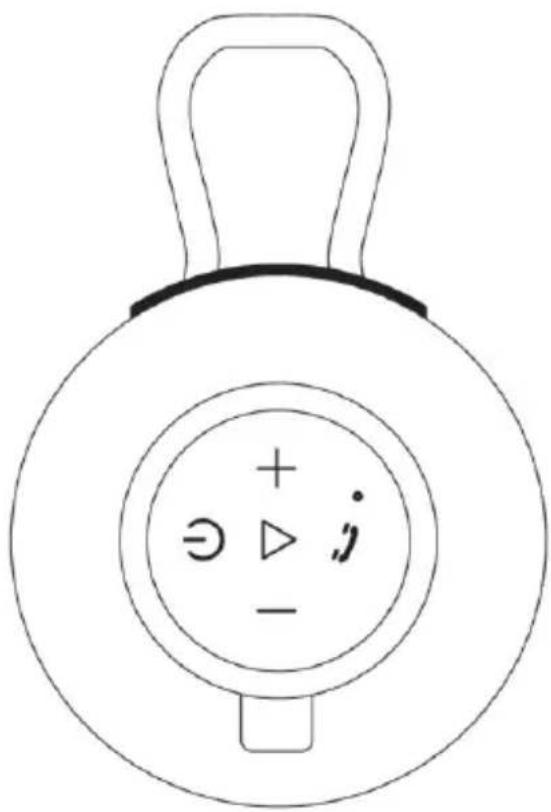
Read the entire manual of the appliance carefully before using the appliance. Keep the instructions in a safe place for future reference.
SAFETY INSTRUCTIONS

- The exclamation mark within the triangle is intended to alert the user to the presence of important operating and maintenance (servicing) instructions in the manual. These must be followed.

- This unit need connect with a DC5V charging socket (not included) for charging the integrated battery. The use of other or higher voltages can lead to a defect.

- Place the unit in such a way that an undisturbed supply of fresh air is always ensured. Do not place the appliance on carpets or near curtains and do not install it in bookshelves.

- Do not expose the unit to direct sunlight or heat sources such as heaters and open fire sources.
1) Read these operating instructions before attempting to connect or operate the unit.
2) Keep this manual in a safe place for future reference.
3) This unit has IPX5 certification and is splash-proof. Do not immerse the unit in water.
4) Make sure that the protective cap of the connectors is closed before the unit comes into contact with moisture.
5) Protect the unit from moisture w hen charging.
6) Do not place naked flame sources, such as candles, on the apparatus and keep the apparatus away from naked flame sources.
7) Children should be supervised to ensure that they do not play with the appliance.
8) Ensure that the unit is only connected to a DC 5V power source to charge the built-in battery. Use of higher voltages may cause the unit to malfunction.
9) Only use accessories and spare parts approved by the manufacturer.
10) Install the unit according to the manufacturer's instructions.
11) Install the unit only in adequately ventilated environments.
12) Place the unit on a flat and stable surface.
13) Do not expose to temperatures above 40^ C.
14) Dispose of used batteries or defective rechargeable batteries in an environmentally friendly manner.
15) This unit has no user-serviceable parts. Do not attempt to repair this unit yourself. Only qualified service personnel may perform maintenance. In the event of a defect, contact your dealer or the manufacturer's service department.
16) Especially when children are operating the appliance, make sure that no objects are inserted into the openings of the appliance.
17) Do not place the unit near televisions, loudspeakers or other objects that generate strong magnetic fields.
18) Do not leave the unit unattended when in use.
EN
WHAT'S IN THE BOX?
Main device (BTX5) 1x
User manual 1x
Micro-USB cable 1x
Snap hook 1x
All information without guarantee.
Design and specification subject to change without notice.
BATTERY CHARGING
This unit has a rechargeable lithium battery. Fully charge the unit before using it for the first time.
- Plug the micro USB cable with the appropriate side into the micro USB socket.
- Connect the other side of the USB cable to a DC 5V power source (not included), e.g. mobile phone charging adapter / PC USB socket.
- The power LED on the unit lights up red during charging.
- When the battery is fully charged, the LED goes out. Disconnect the USB cable from the speaker.
- When the battery is empty and needs to be recharged, a beep sounds.
Note:
- The battery is permanently installed and may only be replaced by qualified service personnel.
- If you do not use the unit for a longer period of time, make sure that the unit is fully charged once a month to preserve the battery.
- Protect the unit from moisture when charging.
CONTROL BUTTONS
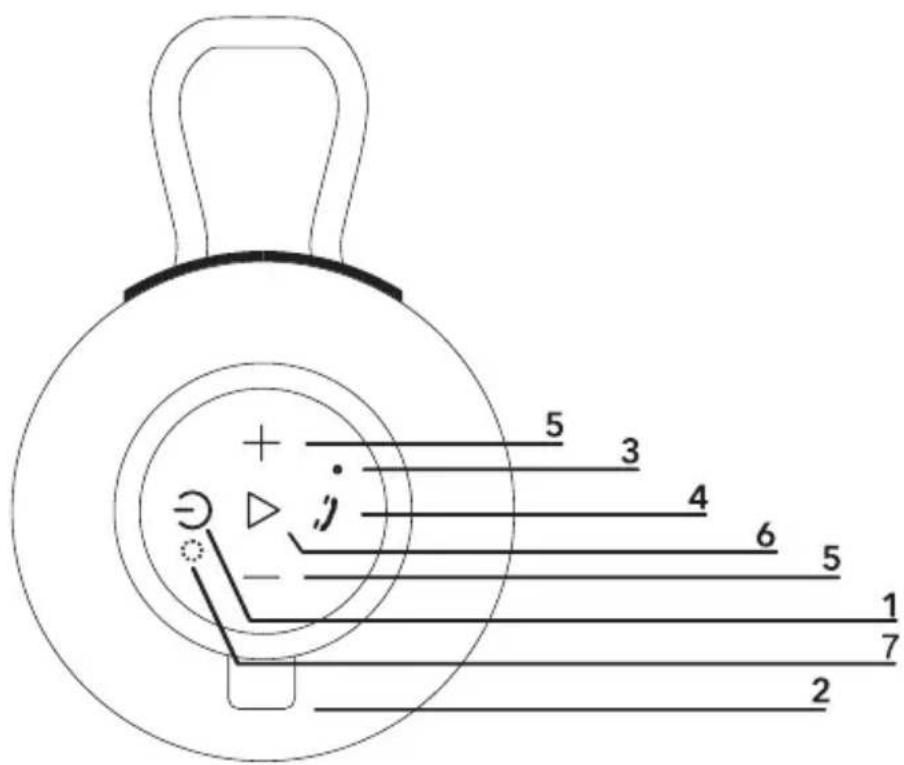
| 1. On / Off |
| 2. Micro USB charging port |
| 3. Mic |
| 4. Accept / reject / end telephone call |
| 5. Volume + / Volume - |
| 6. Playback / pause |
| 7. Indicates when the unit is charging |
Switch on / switch off the unit

Switch on / Switch off:
Press and hold the POWER button for approx. 3 seconds until you hear a tone.
BLUETOOTH
Connect the unit to a Bluetooth source device:
- Switch on the BTX5 unit.
- Start the Bluetooth search on your external source device (smartphone / tablet).
- To connect the devices, select the device "BTX5" from the list of devices found.
- A signal tone sounds and the devices are connected.
Note:
- Bluetooth works best within 10 metres visibility.
- Only Bluetooth signals can be received. Other devices that receive Bluetooth signals, such as other Bluetooth speakers or Bluetooth headphones, cannot be connected to this unit.
Control Bluetooth playback:
• Next / Previous track:
Press the VOLUME +/- button briefly to play the next or previous track.
• Volume:
Press and hold the VOLUME +/- button to adjust the volume.
- Play/Pause:
Press the PLAY / PAUSE button to pause or resume playback.
HANDS-FREE FUNCTION
When the BTX5 is paired with a smartphone via Bluetooth, you can answer and end incoming calls using the device buttons.
- Answer call:
Press the PHONE button once.
• End call:
Press the PHONE button again.
- Reject call:
Press and hold the PHONE button for approx. 3 seconds.
PROBLEM SOLUTION
If you are having problems with your unit, there are some quick and easy checks you can do to help solve the problem.
No sound:
- Check the volume setting of the unit and the connected devices.
- Check that the unit is switched on.
No function:
- Connect the unit to a DC 5V power source. When charging, note whether the LED lights up red.
- If the unit is not used for a longer period of time, it is recommended to fully charge the unit once a month to avoid damage to the battery.
TECHNICAL DATA: BTX5
General
Power supply DC 5V / 1A (Micro USB) Dimensions / Weight ∅ 98 x 46mm / 0,19Kg Bluetooth V.5.0 / 2,4GHz Max. Music power 24W IPX standard IPX5 splash water protected Charging time approx. 3 hours Battery / Playback time Li-Po: 300mAh, 3.7V / approx. 2-3 hours
All information without guarantee. Design and specifications are subject to change without notice.
SIMPLIFIED EU DECLARATION OF CONFORMITY
UltraMedia GmbH & Co. Handels KG hereby declares that the radio system type BTX5 complies with Directive 2014/53 / EU.
The full text of the EU declaration of conformity can be requested from the following email address.
We hope you enjoy using the device.
Your UltraMedia team

DISPOSAL INSTRUCTIONS
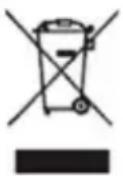
This symbol on the device and / or accessories means that the device and electrical and electronic devices must be disposed of separately from your household waste at the end of their service life. There are separate collection systems for recycling in the EU. For more information, please contact the local authority or the dealer where you purchased the product.
BATTERIES AND RECHARGEABLE BATTERIES MUST NOT BE DISPOSED OF WITH HOUSEHOLD WASTE! NON-PROFESSIONAL DISPOSAL OF BATTERIES AND RECHARGEABLE BATTERIES CAUSES ENVIRONMENTAL POLLUTION / DAMAGE.
EVERY CONSUMER IS REQUIRED BY LAW TO RETURN BATTERIES AND ACCUMULATORS AT THE END OF THEIR WORKING LIFE CYCLE TO APPROPRIATE COLLECTION POINTS, SUCH AS THEIR MUNICIPALITY/BOROUGH OR RETAIL OUTLET.
DROP-OFF AT COLLECTION POINTS IS FREE OF CHARGE. BY HANDING THEM IN AT COLLECTION POINTS, BATTERIES AND ACCUMULATORS ARE RECYCLED AND THUS DISPOSED OF IN AN ENVIRONMENTALLY FRIENDLY WAY.
DISPOSING OF BATTERIES AND RECHARGEABLE BATTERIES IN HOUSEHOLD WASTE DOES NOT ENSURE ENVIRONMENTALLY FRIENDLY DISPOSAL AND MAY CAUSE DAMAGE TO THE ENVIRONMENT.
BATTERIES AND ACCUMULATORS MUST BE REMOVED FROM THE DEVICE BEFORE DISPOSAL. PLEASE RETURN ONLY IN DISCHARGED CONDITION!
*) MARKED WITH:
CD = CADMIUM,
HG = MERCURY,
PB = LEAD

Dear Customer,
Thank you for choosing one of our products. Our products undergo precise quality control in the course of production. If one of our devices gives you cause for complaint, or you have questions about one of our devices, please call our customer support.
We give a 36 month warranty on TV and SAT devices, and a 24 month warranty on portable DVD and audio devices from the date of purchase. Outside of the warranty, we offer you a paid repair based on a cost estimate. Please contact our customer support before submitting.
The warranty relates to material and production defects. Your device will be repaired or replaced during the warranty period. Unfortunately, UltraMedia cannot reimburse the purchase price. Damage caused by improper use, the use of third-party accessories, falls, dust, water damage and signs of wear (e.g. scratches, optical wear and tear) caused by the customer or external influences are excluded from the guarantee.
In order to assert the warranty claims, send the device with all accessories, a copy of the invoice and the description of the fault to the address given below. Devices that do not have a proof of purchase cannot be guaranteed. Please do not forget to include your full address and a telephone number / email address for any queries.
Shipping to us takes place at your own expense. Unpaid parcels cannot be accepted and are returned to the sender. Please pack the device securely for transport. UltraMedia assumes no liability for damage in transit that occurs on the way to us. After receiving your submission, we will process your device as soon as possible and send it back to you.
Before sending your device in, please contact our customer support or your specialist dealer, as many problems can also be solved over the phone.
Brand : Reflexion
Model : BTX5
Category : Loudspeaker