
LS1008 - Scale Duronic - Free user manual and instructions
Find the device manual for free LS1008 Duronic in PDF.


| Product Type | Luggage Scale |
| Brand | Duronic |
| Model | LS1008 |
| Capacity | 50 kg / 110.2 lb / 7 st:12.2 lb |
| Division (Readability) | 0.1 kg / 0.2 lb |
| Weight Units | kg, st, lb |
| Minimum Weight | 0.5 kg |
| Display Type | Positive LCD |
| Battery | 1 x CR2032 (included) |
| Dimensions (L x W x H) | 150 x 34 x 37 mm |
| Auto Off | After 30 seconds of inactivity |
| Key Functions | On/Off, Unit selection, Tare, Lock weight with beep |
| Overload Indication | Display shows overload message; remove weight to protect load cells |
| Low Battery Indication | Low battery symbol on display |
| Cleaning | Wipe with damp cloth; do not immerse in water |
| Warranty | 1 year from date of purchase (UK only) |
| Included Accessories | Strap, CR2032 battery |
Frequently Asked Questions - LS1008 Duronic
User questions about LS1008 Duronic
0 question about this device. Answer the ones you know or ask your own.
Ask a new question about this device
Download the instructions for your Scale in PDF format for free! Find your manual LS1008 - Duronic and take your electronic device back in hand. On this page are published all the documents necessary for the use of your device. LS1008 by Duronic.
USER MANUAL LS1008 Duronic
Creative Consumer Products
natural_image
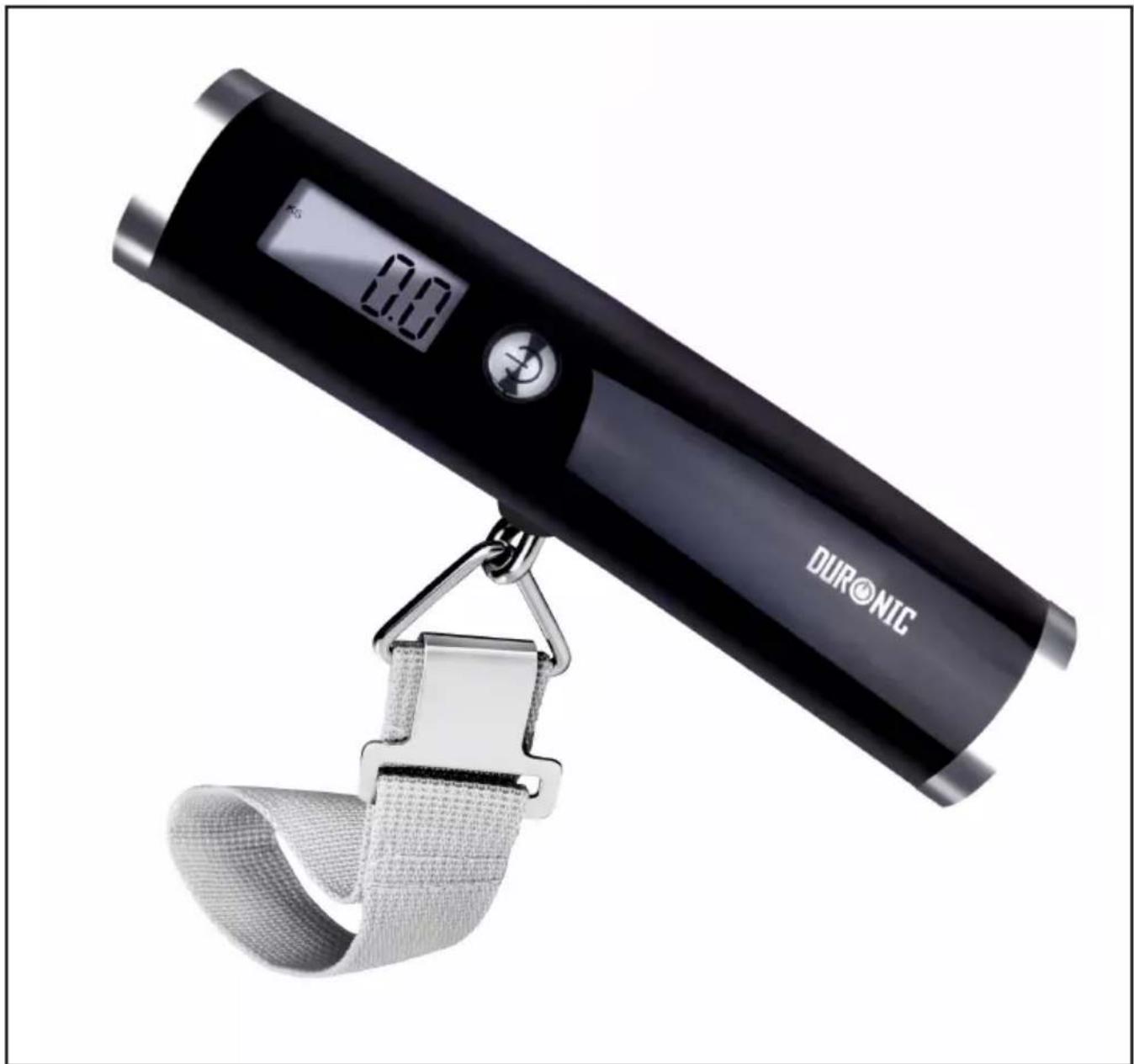
Black DURONIC digital balance scale with attached mesh strap (no visible text or symbols on device body)LS1008/B - Luggage Scales
PLEASE READ ALL THE INSTRUCTIONS BEFORE USE

duronic.com

duronic

@duronicmedia

Duronic

@duronicmedia
DURONIC
Contents
English Manual 4
• Capacity: 50kg/7st:12.2lb/110.2lb
- Division: 0.1kg/0.2lb
• Weight Unit: kg/st/lb
- Minimal Weight: 0.5kg
- Function Key:
• Display; Positive LCD
- Battery: 1xCR2032
- Dimensions: 150x34x37mm
- Lock weight with beep tone
- Press to switch on
- Auto off function
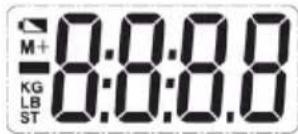
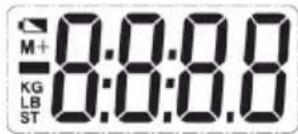
| Symbol Description | |
| Negative weight | |
Function Indication
- Press “ ” to switch on to enter weighing mode
- Press “ ” to select the desired unit
- Press and hold “ ”for about 2 seconds to switch off
- Press “ 🔊 to make tare function in weighing mode
Operation
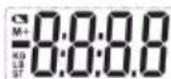
- Select desired unit before use.
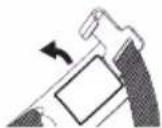
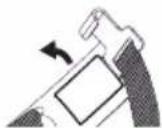
a) Using the hook, open the battery door at the back of the scale.
b) Put the battery in and ensure +/- terminals are correct.
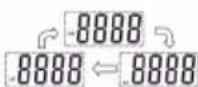
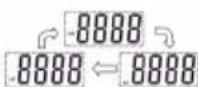
c) Press “💡” to select desired unit, before the display shows zero.
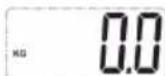
d) After selecting the unit, please wait. The scale will go into weighing mode.
Note:
You may start to weigh according to the weighing procedure below. If there is not any operation and the weight is steady in weighing mode, the scale will turn off automatically after 30 seconds.
2. Weighing (Unit KG selected)
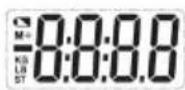
a) Press “ ⏻ ” to switch on.
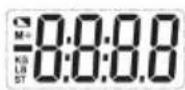
b) Wait until the scale calibrates to zero.
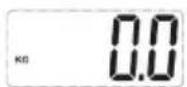
c) Attach the strap to the luggage handle and raise it up.
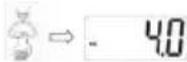
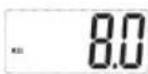
d) The weight will be locked and a 'beep' indication will sound when stable.
Note:
If you want to weigh again, put the luggage down, wait a few seconds, then lift your luggage with the scales again. There is no need to complete the calibration again. You can also change luggage.
3. Tare function (Unit KG selected)
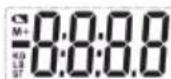
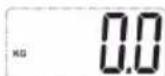
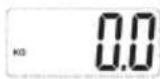
a) If there is a weight shown on the LCD before weighing, e.g:
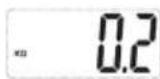
b) Press “ ⏻ ” to set it to zero.
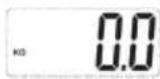
c) It is now ready to use.
Indication Message
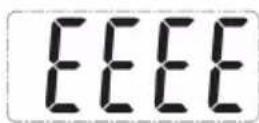
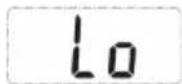
a) Low battery indication. Please change the battery.
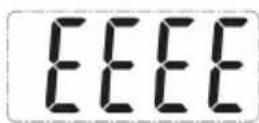
b) Overload indication.
Please remove the weight
to protect the loadcells.
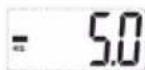
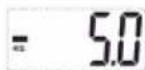
Negative weight indication. This will show when the weight it removed under ‘Tare’ function setting.
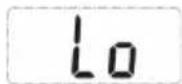
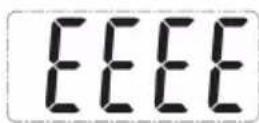
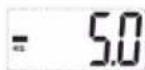
Note:
- Please place the object you are weighing in the centre of the scale platform to obtain a more accurate weight.
- Please do not put items on the hook while the device is switched on.
- If the scale is not being used for a long period of time, remove batteries.
- Clean the scale with a damp cloth.
- Do not immerse the scale in water or use chemical or abrasive cleaning agents.
- To maximise battery life, press “ ”for 2 seconds to switch off.
DURONIC
Warranty
1 Year Guarantee from Shine-Mart Ltd, Trademark owners of Duronic Products. NOTE: THESE STATEMENTS DO NOT AFFECT YOUR STATUTORY RIGHTS AS A CONSUMER
This product has been manufactured under the strictest or quality control procedures, and using the highest quality of materials, to ensure excellent performance and reliability. It will give very good and long lasting service, provided it is properly used and maintained. The product is guaranteed for 1 years from the date of original purchase. If any defect arises due to a faulty materials or poor workmanship, the faulty product must be returned to the original place of purchase. Refund or replacement is at the discretion of that company. Duronic Products are offered with a 1 year guarantee under the following conditions:
- The product must be returned to the retailer with original proof of purchase.
- The product must be installed and used in accordance with the instructions contained in this operating manual.
- It must be used only for domestic purposes.
- It does not cover wear and tear, malicious damage, misuse, neglect, inexpert repairs or consumable parts.
- Shine-Mart Ltd has no responsibilities for accidental or consequential loss or damage.
- Shine-Mart Ltd are not liable to carry out any type of servicing work, under the guarantee
- Valid in the UK only
This product is fitted with CE:1363 plug and fuse Imported by Shine-Mart Ltd, RM3 8SB
CE
Information on waste Disposal for Consumers of
Electrical & Electronic Equipment.
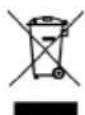
This mark on a product and/or accompanying documents indicates that when it is to be disposed of, it must be treated as Waste Electrical & Electronic Equipment, (WEEE).
Any WEEE marked products must not be mixed with general household waste, but kept separate for the treatment, recovery and recycling of the materials used.
For proper treatment, recovery and recycling; please take all WEEE marked waste to your Local Authority Civic waste site, where it will be accepted free of charge.
If customers dispose of Waste Electrical & Electronic Equipment correctly, they will be helping to save valuable resources and preventing any potential negative effects upon human health and the environment, of any hazardous materials that the waste may contain.
Follow Us

duronic.com

duronic

Gduronicmedia

Duronic

@duronicmedia
DURONIC
• Capacity: 50kg/7st:12.2lb/110.2lb
- Division: 0.1kg/0.2lb
• Weight Unit: kg/st/lb
- Minimal Weight: 0.5kg
- Function Key:
• Display; Positive LCD
- Battery: 1xCR2032
- Dimensions: 150x34x37mm
- Lock weight with beep tone
- Press to switch on
- Auto off function
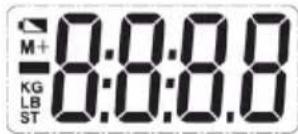
| Symbol Description | |
| Negative weight | |
Function Indication
- Press “ ” to switch on to enter weighing mode
- Press “ ” to select the desired unit
- Press and hold “ ”for about 2 seconds to switch off
- Press “ 🔊 to make tare function in weighing mode
Operation
- Select desired unit before use.
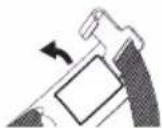
a) Using the hook, open the battery door at the back of the scale.
b) Put the battery in and ensure +/- terminals are correct.
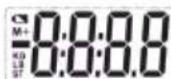
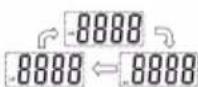
c) Press “💡” to select desired unit, before the display shows zero.
d) After selecting the unit, please wait. The scale will go into weighing mode.
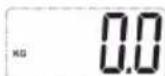
Note:
You may start to weigh according to the weighing procedure below. If there is not any operation and the weight is steady in weighing mode, the scale will turn off automatically after 30 seconds.
2. Weighing (Unit KG selected)
a) Press “ ⏻ ” to switch on.
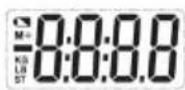
b) Wait until the scale calibrates to zero.
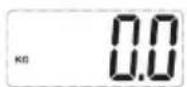
c) Attach the strap to the luggage handle and raise it up.
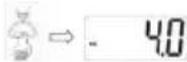
d) The weight will be locked and a 'beep' indication will sound when stable.
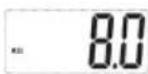
Note:
If you want to weigh again, put the luggage down, wait a few seconds, then lift your luggage with the scales again. There is no need to complete the calibration again. You can also change luggage.
3. Tare function (Unit KG selected)
a) If there is a weight shown on the LCD before weighing, e.g:
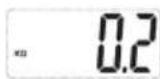
b) Press “ ⏻ ” to set it to zero.
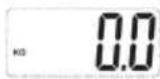
c) It is now ready to use.
Indication Message
a) Low battery indication. Please change the battery.
b) Overload indication.
Please remove the weight
to protect the loadcells.
Negative weight indication. This will show when the weight it removed under ‘Tare’ function setting.
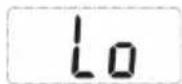
Note:
- Please place the object you are weighing in the centre of the scale platform to obtain a more accurate weight.
- Please do not put items on the hook while the device is switched on.
- If the scale is not being used for a long period of time, remove batteries.
- Clean the scale with a damp cloth.
- Do not immerse the scale in water or use chemical or abrasive cleaning agents.
- To maximise battery life, press “ ”for 2 seconds to switch off.
DURONIC
Garantie
• Capacity: 50kg/7st:12.2lb/110.2lb
- Division: 0.1kg/0.2lb
• Weight Unit: kg/st/lb
- Minimal Weight: 0.5kg
- Function Key:
• Display; Positive LCD
- Battery: 1xCR2032
- Dimensions: 150x34x37mm
- Lock weight with beep tone
- Press to switch on
- Auto off function
| Symbol Description | |
| Negative weight | |
Function Indication
- Press “ ” to switch on to enter weighing mode
- Press “ ” to select the desired unit
- Press and hold “ ”for about 2 seconds to switch off
- Press “ 🔊 to make tare function in weighing mode
Operation
- Select desired unit before use.
a) Using the hook, open the battery door at the back of the scale.
b) Put the battery in and ensure +/- terminals are correct.
c) Press “💡” to select desired unit, before the display shows zero.
d) After selecting the unit, please wait. The scale will go into weighing mode.
Note:
You may start to weigh according to the weighing procedure below. If there is not any operation and the weight is steady in weighing mode, the scale will turn off automatically after 30 seconds.
2. Weighing (Unit KG selected)
a) Press “ ⏻” to switch on.
b) Wait until the scale calibrates to zero.
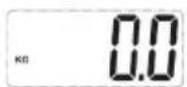
c) Attach the strap to the luggage handle and raise it up.
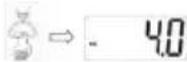
d) The weight will be locked and a 'beep' indication will sound when stable.
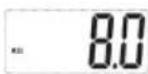
Note:
If you want to weigh again, put the luggage down, wait a few seconds, then lift your luggage with the scales again. There is no need to complete the calibration again. You can also change luggage.
3. Tare function (Unit KG selected)
a) If there is a weight shown on the LCD before weighing, e.g:
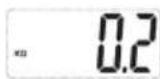
b) Press “ ⏻ ” to set it to zero.
c) It is now ready to use.
Indication Message
a) Low battery indication. Please change the battery.
b) Overload indication.
Please remove the weight
to protect the loadcells.
Negative weight indication. This will show when the weight it removed under ‘Tare’ function setting.
Note:
- Please place the object you are weighing in the centre of the scale platform to obtain a more accurate weight.
- Please do not put items on the hook while the device is switched on.
- If the scale is not being used for a long period of time, remove batteries.
- Clean the scale with a damp cloth.
- Do not immerse the scale in water or use chemical or abrasive cleaning agents.
- To maximise battery life, press “ ”for 2 seconds to switch off.
DURONIC
Garanzia
Brand : Duronic
Model : LS1008
Category : Scale