
CS2 Glow - Car Mount AKAI - Free user manual and instructions
Find the device manual for free CS2 Glow AKAI in PDF.


| Product Type | Car Mount / Phone Holder |
| Brand | AKAI |
| Model | CS2 Glow |
| Dimensions (approx.) | 12 x 6 x 4 cm |
| Weight | 150 g |
| Power Source | 12V car charger (cigarette lighter) |
| Wireless Charging | Yes, Qi-compatible (up to 15W) |
| Mounting Type | Dashboard / Windshield suction cup or air vent clip |
| Compatible Phone Size | 4.7 - 6.9 inches |
| Rotation | 360° rotation for portrait/landscape |
| Adjustable Arm | Yes, telescopic or flexible goose neck |
| LED Indicator | Glow ring for charging status |
| Overcharge Protection | Yes, built-in |
| Foreign Object Detection | Yes |
| Operating Temperature | 0°C - 45°C |
| Material | Plastic, silicone padding |
| Cleaning | Wipe with dry cloth; avoid liquids |
| Safety Features | Anti-slip grip, temperature control |
| Spare Parts Available | Suction cup replacements, charging cables |
| Repairability | User-replaceable fuse, modular design |
| Warranty | 1 year |
Frequently Asked Questions - CS2 Glow AKAI
User questions about CS2 Glow AKAI
0 question about this device. Answer the ones you know or ask your own.
Ask a new question about this device
Download the instructions for your Car Mount in PDF format for free! Find your manual CS2 Glow - AKAI and take your electronic device back in hand. On this page are published all the documents necessary for the use of your device. CS2 Glow by AKAI.
USER MANUAL CS2 Glow AKAI
natural_image
Illustration of a smartphone with a gradient-colored vertical bar on its screen (no text or symbols)Model No.: CS2 GLOW
PORTABLE SPEAKER WITH 360 ° LED LIGHTS USER MANUAL
EN – ENGLISH
PACKING CONTENTS:
- LED Bluetooth Speaker*1
- Type-C charging cable*1
- 3.5mm AUX IN Cable*1
- User manual*1
- Warranty card *1
IMPORTANT NOTICE:
Read the instruction carefully before first use. Keep the manual in a safe place for future consultation. When passing the product to another person, be sure include this manual.
* Unpack the device carefully. Make sure there are no accessories left in the box.
* Keep the product out of reach of children.
* Do not expose it to rain, liquids or moisture.
* Avoid dropping it, do not expose it to strong shocks.
* Do not clean with solvents or alcohol-based cleaners.
* Do not use in extremely hot, cold and dusty places.
* Do not disassemble the product. For any operating problem, contact only qualified personnel.
* Do not use the device while charging.
SPEAKER DESCRIPTION


- Power On/Off button
a. Long press: turn on/off the speaker
b. Short press: reject a call
c. Double press: enter TWS function. In wireless connection mode, if there are two speakers CS2 GLOW power on both of them, double press power on/off button to activate TWS mode, they will connect to each other automatically and play same song.
- LED button
a. Long press: LED Light on/off
b. Short press: change LED light effect
-
Microphone
-
Volume -/Previous track
a. Short press: previous track
b. Long press: volume down
- Mode button:
a. Long press: change input mode(BT/TF/USB host/Aux in)
b. Short press: Play /Pause/Pick up/Hang off a call
c. Double press: Disconnect in BT mode.
- Volume +/Next track
a. Short press: next track
b. Long press: Volume up
- TYPE-C (for charging)
- 3.5mm Aux-in port.
- Indicator light
a. Red light constant: Charging
b. Blue light blinking: ready to pair
c. Blue light constant: paired
- USB Host
- Micro SD card
PREPARATION BEFORE USE:
Attention! The built-in battery must be charged completely prior to the application.
Connection the speaker with the charging cable included in the box to a USB charger or a PC. The correct voltage is 5V.
HOW TO PAIR:
-Turn on the product, the wireless mode will be activated automatically.
-Activate the Bluetooth function of your smart phone.
-Search the device named "CS2 GLOW" and connect.
- When paired, you will hear a sound.
TWS - PAIRING 2 SPEAKERS CS2 GLOW:
This speaker is equipped with TWS technology. TWS (True Wireless Stereo) is a technology that allows you to pair two audio devices wireless, allowing you to transmit the L(left) channel and the R(right) channel separately, by activating TWS you can fully enjoy your playlist.
Paring: turn on the 2 speakers, in wireless connection, double press the "Power on/off" button of either of the 2 speakers. The connection between the two devices will be done automatically.
TECHNICAL SPECIFICATIONS:
- Power source: 5V, ≤ 1A
- Power consumption: 7W
- Control buttons: Power On/Off, LED light, Previous track/Volume down, Mode, Next track/Volume up.
- Built-in microphone, hands-free function.
- Bluetooth version: V5.0
- Bluetooth channel emission power: 2dbm
- Bluetooth frequency: 2,402 GHZ- 2,480 GHZ
- Bluetooth action range up to more than 10 meters.
- Speaker unit: 1 x 10W.
- Battery 3.7V, 2600mAh.
- Frequency response:70Hz - 15KHz.
- Sensitivity: 82 db (+/- 3 dB).
- Micro SD port + USB host (support 64G max) – reads only MP3 files
- Jack 3.5mm connection
- Playing time: 4 hours with LED on, 70% volume
- Charging time: 4.5 hours
- Dimensions of the speaker: 210 x 94 x 94 mm.
- Weight of the speaker: 611g.
CLEANING AND MAINTENANCE:
Make sure the unit is unplugged from the AC outlet before cleaning.
Make sure the unit is completely cool before cleaning.
Clean the outside of the machine with a cloth.
Do not use solvents (such as alcohol, benzene, diluents, etc.) as these may damage the unit.
PROBLEM SOLVING
A. Cannot connect the speaker to a device
1) Make sure the speaker is on.
2) Ensure that the speaker is at a distance to about 10 meters from the tablet, the Smartphone.
3) Make sure the speaker battery is charged.
4) Make sure that the BT function of the tablet, Smartphone is activated.
B. Cannot load the speaker
1) Make sure the charging cable is securely connected to the speaker and the USB PC / charger (not supplied)
2) Make sure the computer is turned on
Warning! If you use a USB charger to charge the speaker, make sure that the maximum power of the charger does not exceed 5V / 1A to avoid damaging your speaker.
DISPOSAL OF ELECTRICAL AND ELECTRONIC EQUIPMENT
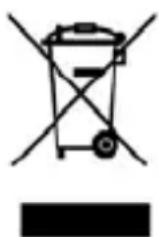
This symbol on the product or packaging means that the product should not be treated as household waste. Do not throw garbage at the end of its life, but take it to a collection center for recycling. in this way you will help to protect the environment and be able to prevent any negative consequences that it would have on the environment and human health. To find your nearest collection center:
- Contact local authorities
- Access the website: www.mmediu.ro
- Request additional information from the store where you purchased the product.
IMPORTATOR: SC INTERVISION TRADING-RO SRL
Bld. I.C Bratianu, nr. 48-52, corp A, etaj. 5, camera 504-505, oras Pitesti, judet Arges, Romania Cod postal: 110121
AKAI

natural_image
Illustration of a smartphone with a gradient-colored vertical bar on its screen (no text or symbols)Nr. model: CS2 GLOW
BOXĂ PORTABILA CU LUMINI LED 360°
MANUALUL UTILIZATORULUI
RO – ROMÂNĂ
CONTINUTUL CUTIEI:
- Buton pornire/oprire (on/off)
- USB Host
- Card Micro SD
PREGĂTIREA ÎNAINTE DE UTILIZARE:
INSTRUCTIUNI DE CONECTARE:
TWS – CONECTAREA A DOUĂ BOXE CS2 GLOW:
natural_image
Symbol of a trash bin crossed out by two crossed lines, with a blank rectangular base below (no text or symbols)natural_image
Illustration of a smartphone with a gradient-colored screen and black buttons at the bottom (no text or symbols)Модел № CS2 GLOW
natural_image
Illustration of a smartphone with a gradient-colored vertical bar on screen (no text or symbols)natural_image
Pure electrical circuit lines without any symbolsnatural_image
Illustration of a smartphone with a gradient-colored vertical bar on its screen (no text or symbols)Model nr: CS2 GLOW
PRZENOŚNY GŁOŚNIK ZE ŚWIATŁAMI LED 360° INSTRUKCJA OBSŁUGI
PL - POLSKI
ZAWARTOŚĆ OPAKOWANIA
natural_image
Symbol of a trash bin crossed with a diagonal line, no text or numbers presentnatural_image
Illustration of a smartphone with a gradient-colored vertical bar on its screen (no text or symbols)Č. modelu: CS2 GLOW
PŘENOSNÝ REPRODUKTOR S LED SVĚTLY 360° UŽIVATELSKÁ PŘÍRUČKA
CZ – ČESKY
OBSAH BALENÍ:
natural_image
Symbol of a trash bin crossed with a diagonal line, no text or numbers presentnatural_image
Illustration of a smartphone with a gradient-colored vertical bar on its screen (no text or symbols)Č. modelu: CS2 GLOW
PŘENOSNÝ REPRODUKTOR S LED SVETLAMI 360°
UŽÍVATELŠKÁ PRÍRUČKA
SK – SLOVENSKY
OBSAH BALENIA:
- Tlačidlo zapnút/vypnút (on/off)
natural_image
Symbol of a waste bin with no text or numbers present- Model No.: CS2 GLOW
- PACKING CONTENTS:
- IMPORTANT NOTICE:
- SPEAKER DESCRIPTION
- PREPARATION BEFORE USE:
- HOW TO PAIR:
- TWS - PAIRING 2 SPEAKERS CS2 GLOW:
- TECHNICAL SPECIFICATIONS:
- CLEANING AND MAINTENANCE:
- PROBLEM SOLVING
- DISPOSAL OF ELECTRICAL AND ELECTRONIC EQUIPMENT
- AKAI
- CONTINUTUL CUTIEI:
- PREGĂTIREA ÎNAINTE DE UTILIZARE:
- INSTRUCTIUNI DE CONECTARE:
- TWS – CONECTAREA A DOUĂ BOXE CS2 GLOW:
- Модел № CS2 GLOW
- Model nr: CS2 GLOW
- ZAWARTOŚĆ OPAKOWANIA
- Č. modelu: CS2 GLOW
- OBSAH BALENÍ:
- OBSAH BALENIA:
Brand : AKAI
Model : CS2 Glow
Category : Car Mount