
Tørr DH-60P - Dehumidifier WILFA - Free user manual and instructions
Find the device manual for free Tørr DH-60P WILFA in PDF.


| Product Type | Dehumidifier |
| Brand | Wilfa |
| Model | Tørr DH-60P |
| Power Supply | 220-240V / 50Hz |
| Power Consumption | 1113W |
| Dehumidifying Capacity | 60 L/day (at 30°C, 80% RH) |
| Airflow | 430 m³/h |
| Refrigerant | R-410a |
| Compressor Type | Rotary |
| Fan Speeds | 2 (Low / High) |
| Timer | 1–24 hours |
| Continuous Drainage | Yes, via supplied water tube |
| Dimensions (W x D x H) | 500 x 305 x 705 mm |
| Weight | 24.6 kg |
| Humidity Settings | Continuous, 40%, 50%, 60%, 70% |
| Control Panel | LED display, buttons for power, timer, humidity, fan speed, temperature |
| Safety Features | Overturn protection (auto shut-off) |
| Filters | Washable dust filter + non-washable active carbon filter |
| Operating Temperature | 5°C to 35°C |
| Use | Indoor only |
| Maintenance | Clean dust filter regularly; replace active carbon filter as needed |
| Storage | Empty water, cover, store upright |
| Included Accessories | Water tube, active carbon filter |
Frequently Asked Questions - Tørr DH-60P WILFA
User questions about Tørr DH-60P WILFA
0 question about this device. Answer the ones you know or ask your own.
Ask a new question about this device
Download the instructions for your Dehumidifier in PDF format for free! Find your manual Tørr DH-60P - WILFA and take your electronic device back in hand. On this page are published all the documents necessary for the use of your device. Tørr DH-60P by WILFA.
USER MANUAL Tørr DH-60P WILFA
natural_image
White industrial machine with black wheels and a gray vent, no visible text or symbolsTørr Pumpe
Dehumidfier
Bruksanvisning
Bruksanvisning
Brugsanvisning
Käyttöohje
Instruction manual
Ugit officia porem et ent, inctorem resent volorumqui bearum corestota et ut am
quo magnihitae
Dh-60P
Spesifikasjoner 3
Sikkerhetsadvarsler....4
natural_image
Line drawing of a portable air purifier unit with ventilation grilles and wheels (no text or symbols)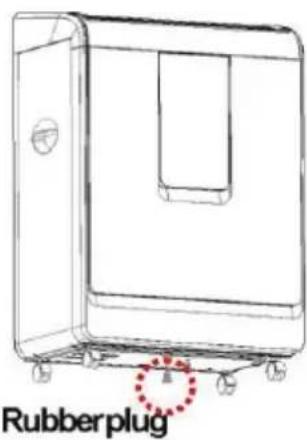
Vedlikehold
For støv filter (vaskbart filter) -
natural_image
Line drawing of a portable air conditioner unit with ventilation slots and wheels (no text or symbols)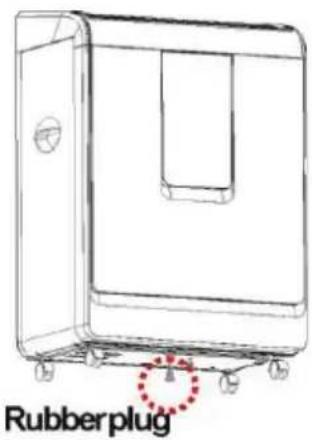
Underhåll
Aktivtkolfilter
natural_image
Line drawing of a portable air conditioner unit with ventilation slots and wheels (no text or symbols)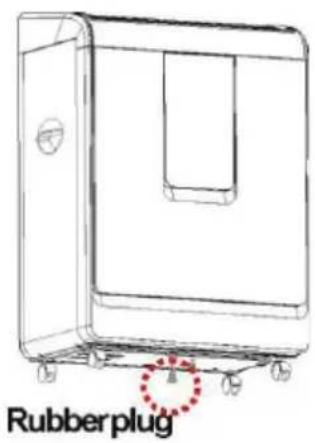
Vedligeholdelse
RENG∅RING AF APPARATET
For støvfilter (vaskbart filter)
For aktivt kulfilter
The image contains only background horizontal lines, which are stylistic or background elements. According to Rule 2, such lines must be ignored by the OCR result. Therefore, the corrected OCR text is:
[Empty String]
natural_image
Line drawing of a portable air conditioner unit with ventilation slots and wheels (no text or symbols)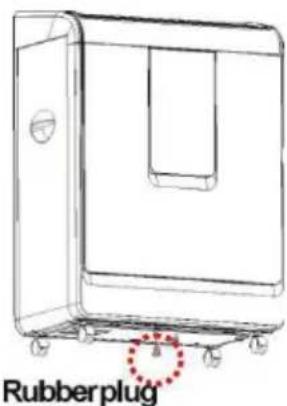
Kunnossapito
The image contains only background ruled lines. According to Rule 2, these lines must be ignored. There is no actual text content to extract.
Therefore, the corrected OCR output is:
[Empty String]
DO NOT USE your dehumidifier in the following conditions.....5
Parts 6
Control panel....7
Operation....8
Important....8
Drainage 10
Continuous drainage....11
Maintenance 12
Thank you for choosing a Wilfa dehumidifier which will provide you and your family with the home comfort you require.
This user manual will provide you with important information about the correct care and maintenance for your new dehumidifier. Take a few minutes to carefully read the instructions and familiarise yourself with all the functions of the dehumidifier. Keep the manual for future reference.
Specifications
Model DH-60P
Power supply 220-240V / 50Hz
Capacity 60 L/day
Power supply 1113W
Refrigerant R-410a
Area 430 m ^3 /h
Compressor Rotary
Fan speed 2
Hours 1-24 hours
Continuous drainage Yes
Safety features Overturn protection
Weight (kg) 24,6
Size (W x D x H) 500 x 305 x 705 mm
Dehumidifying capacity is measured at a room temperature of 30^ C and a relative humidity of 80%.
Safety warnings
■ Position this unit on a firm, even surface to avoid water leakage. Ensure that the unit remains upright at all times.
■ Leave the unit to stand for one hour before connecting to the main supply after transport.
■ Ensure that there is a distance of at least 30 cm between the unit and any combustible materials.
■ Ensure that there is a distance of at least 90 cm between the top of the unit and any combustible materials.
■ Disconnect the power supply before cleaning the unit or any of the components or before moving the unit. Never use the power socket to turn the unit off directly. Always use the switch on the control panel.
■ The unit has overturn protection which will turn the unit off if it overturns during operation.
■ If the cable is damaged it must be replaced by authorised service personnel.
If there is any damage to the appliance or if it does not work, only authorised personnel may repair the appliance.
■ Do not place the unit on soft surfaces.
■ Do not block air inlets or exhaust systems.
■ Do not place fingers or items in air inlets or outlets.
■ Do not cover.
■ For indoor use.
■ Do not place the power cord under duvets or throws.
■ Do not use the appliance in places where paint, petrol or other combustible fluids are used or stored.
■ Always transport and store in an upright position.
■ The appliance must not be overturned when there is water in the water tank.
■ Never immerse the appliance in water or other fluids.
■ Do not spray water on the appliance.
- Do not use this unit at ambient temperatures below 5
■ Always disconnect the appliance from the mains before carrying out any maintenance, transport or cleaning of the unit.
This unit is not intended for use by persons (including children) with reduced physical, sensory or mental capabilities or who have limited experience and knowledge, unless they are under the supervision of or have been trained to use the unit by a person responsible for their safety. Supervise children to ensure that they do not play with the appliance.
DO NOT USE your dehumidifier in the following conditions
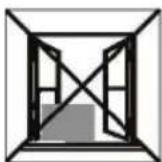
Exposed to
the weather
outdoors
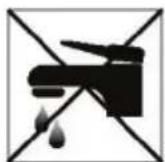
Near water If ther power
cable wires are
frayed or cut

ner power
cable wires are
frayed or cut
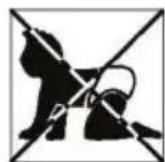
Where small
children
may be left
unattended
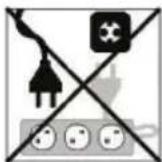
If an extension
lead may
become
overloaded
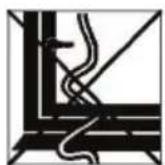
Where the
power cable
may be
damaged
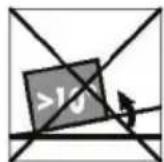
On a slope or
uneven surface

Where there is risk of fire or close to a naked flame
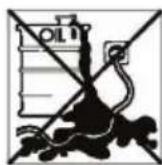
Where it may be damaged by chemicals

Where there is a risk of interference by foreign objects
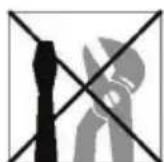
This product is not made for DIY repair

If there is a risk of water falling on the unit
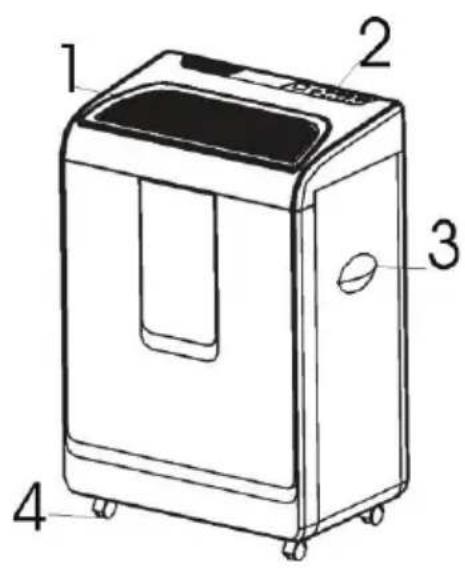
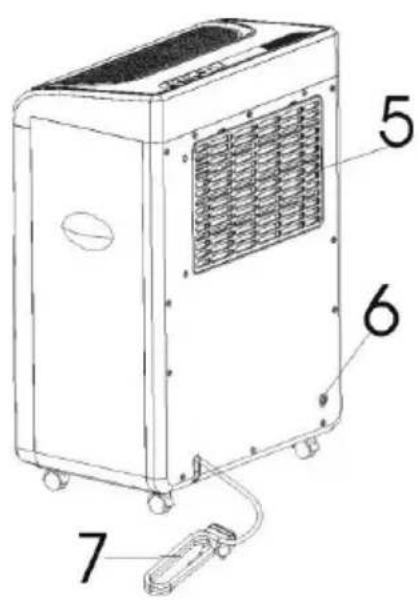
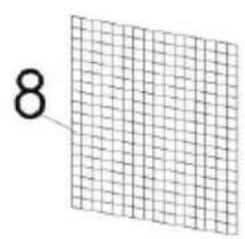
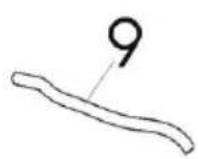
Parts
- Air vent /air outlet
- Control panel
- Handle
- Wheel
- Air inlet /filter
- Drain hole
- Power cable
- Active carbon filter
- Water tube
Control panel
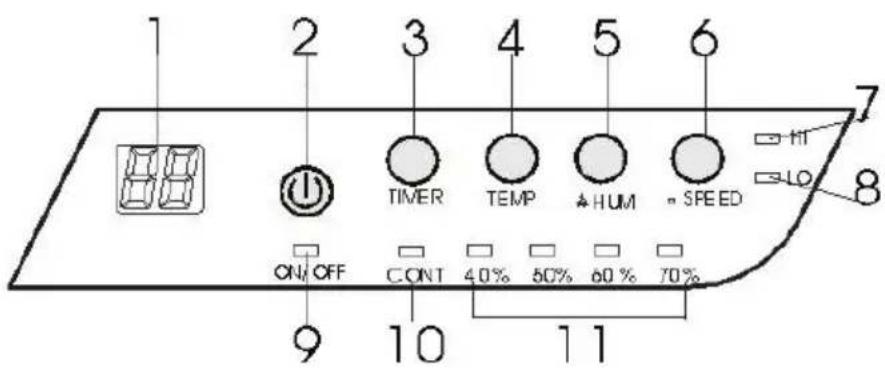
1 LED DISPLAY, shows the humidity in the room 35% \~ 95%. If you press the "TIMER" button it will show the selected time and after 8 seconds it will revert to showing the humidity in the room (will display minimum 35%). If you press the "TEMP" (temperature) button it will show the room temperature.
1 POWER (ON/OFF) button. Press this button to turn the machine on or off.
1 TIMER Press the TIMER button to set the desired operating time for the appliance. Press the TIMER button and the LED display will show the selected time (from 0, 1 to 24 in a cycle). When the selected time has elapsed, the machine will automatically turn off.
4 TEMPERATURE Press the TEMP button to show the room temperature (0 -50°C).
5 HUMIDITY Press the HUMIDITY button to adjust the desired humidity of the room. Continuous dehumidifying, 40%, 50%, 60% or 70%. The selected setting will be lit up.
6 SPEED for setting fan speed.
Low - fan speed, low dehumidifying.
High - fan speed, high dehumidifying.
7 HIGH fan speed, the indicator lamp will light up when this function has been selected.
8 LOW fan speed, the indicator lamp will light up when this function has been selected.
9 POWER (ON/OFF) indicator.
10 CONT indicator, continuous working.
11 HUMIDITY setting indicator.
Operation
- Plug the unit into a power socket. Ensure that the plug is securely plugged in. (Please check that the label on the product corresponds with the voltage on location).
- Press the POWER button to turn the unit on. The unit will start working in continuous mode.
- Press the HUMIDITY button to set the humidity for the room.
- Press the SPEED button to select the fan speed, LOW or HIGH.
- Press the TIMER button to select the desired operating time for the appliance (1 - 24 hours).
- To turn the unit off, press the POWER button again.
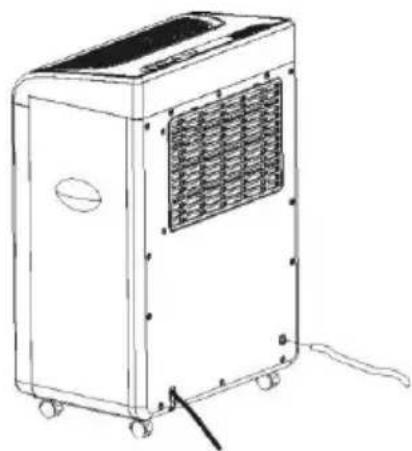
Continuous drainage
This unit is working with continuous drainage, so please always connect the unit with supplier water tube.
natural_image
Line drawing of a portable air conditioner unit with ventilation grilles and wheels (no text or symbols)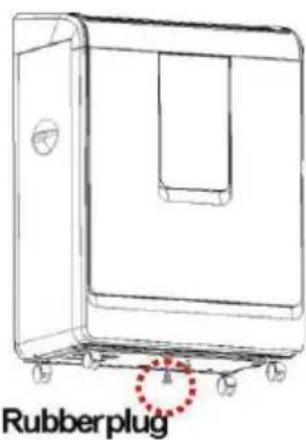
Maintenance
Always disconnect the appliance from the mains and before carrying out any maintenance or cleaning of the unit.
CLEANING THE UNIT
Use a soft cloth to wipe the unit clean.
Never use petrol, detergents or other chemicals for cleaning.
CLEANING THE FILTER
Remove the air filter from the rear of the unit.
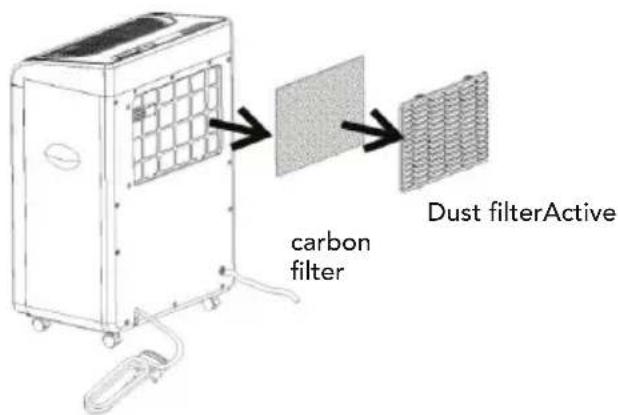
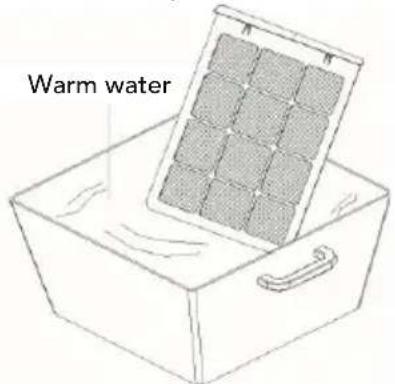
For dust filters (washable filter) -
- Use a vacuum cleaner or lightly tap the filter for simple cleaning. If the filter is particularly dirty, use warm water.
- Ensure that the filter is completely dry before putting it back into the unit.
- Do not expose the filter to sunlight.
For active carbon filters
This filter is not washable. Its service life varies and depends on the conditions in which the appliance is used. The filter must be inspected at regular intervals and replaced if necessary.
STORAGE
If the appliance is to be stored for a prolonged period:
■ Turning th unit off, unplug the power cord.
■ Completely empty the water inside the unit, by unplug the rubber plug at the bottom of the unit.
■ Cover the unit so that it is not exposed to direct sunlight.
| Troubleshooting | |
| PROBLEM POSSIBLE REASON | |
| The unit is not working at all. Check | the plug.Check the room temperature, it should not below 5°C or above 35°C. If so, then it is out of the working range of the unit.Check that the unit is standing correctly. |
| The unit does not dehumidify. Too | much dust in the air filter.Check that the air valve is not covered.Humidity is too low already. |
| Poor dehumidifying effects. Too many | open doors and windows.There may be something in the room which is adding humidity. |
| Abnormal sounds from the motor. | Check and clean the air filter.Check that the unit is upright and on a level surface. |
| The unit is leaking water. Check whether the unit has been overturned.Check the internal drainage opening for the water tank. | |
Please turn the power off immediately if the unit emits strange sounds, smells, etc.
We reserve the right to make change
According to the Waste Electrical and Electronic Equipment (WEEE) Directive, this type of waste must be collected and treated separately. If it becomes necessary to dispose of this product at some point, kindly make sure that it is not discarded with your everyday household refuse. Instead, bring the product to your closest WEEE collection centre.

The image contains only background ruled lines. According to Rule 2, these lines must be ignored. There is no actual text content to extract.
Therefore, the corrected OCR output is:
[Empty String]

- Tørr Pumpe
- Vedlikehold
- For støv filter (vaskbart filter) -
- Underhåll
- Aktivtkolfilter
- Vedligeholdelse
- RENG∅RING AF APPARATET
- For støvfilter (vaskbart filter)
- For aktivt kulfilter
- Kunnossapito
- Specifications
- Safety warnings
- DO NOT USE your dehumidifier in the following conditions
- Parts
- Control panel
- Operation
- Continuous drainage
- Maintenance
- CLEANING THE UNIT
- CLEANING THE FILTER
- For dust filters (washable filter) -
- For active carbon filters
- STORAGE
Brand : WILFA
Model : Tørr DH-60P
Category : Dehumidifier