
E-350 - Scooter WILFA - Free user manual and instructions
Find the device manual for free E-350 WILFA in PDF.


| Product Type | Electric Scooter |
| Model | E-350 |
| Brand | Wilfa (E-Way) |
| Dimensions (Unfolded) | 1080 x 430 x 1150 mm |
| Dimensions (Folded) | 1080 x 430 x 480 mm |
| Net Weight | 12 kg |
| Max Load | 125 kg |
| Tire Size | 8.5 inch inner honeycomb |
| Motor Power | 350 W |
| Battery Capacity | 36 V, 7.8 Ah |
| Charging Time | Approx. 4 hours |
| Top Speed | 20–25 km/h |
| Range | Around 30 km |
| Maximum Slope Angle | Around 20° |
| Operating Temperature | -10 °C to +40 °C |
| Ingress Protection | IP56 |
| Brake System | EABS + Rear Disc Brake |
| Display | LED digital speedometer with 5-bar battery indicator |
| Lighting | 4W headlight, LED brake light |
| Rider Height | 120–200 cm |
| App Connectivity | Yes (Eway Scooter app via Bluetooth) |
| Cruise Control | Yes (app-controlled) |
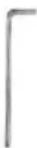
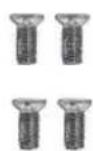
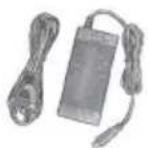
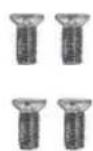
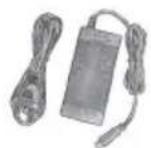
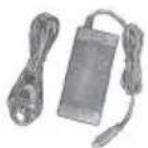
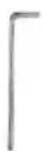
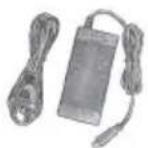
| Accessories Included | Charger, screws (4), hex wrench, user manual |
Frequently Asked Questions - E-350 WILFA
User questions about E-350 WILFA
0 question about this device. Answer the ones you know or ask your own.
Ask a new question about this device
Download the instructions for your Scooter in PDF format for free! Find your manual E-350 - WILFA and take your electronic device back in hand. On this page are published all the documents necessary for the use of your device. E-350 by WILFA.
USER MANUAL E-350 WILFA
natural_image
Abstract black-and-white circular logo with a stylized 'C' and ring (no text or symbols)e-way
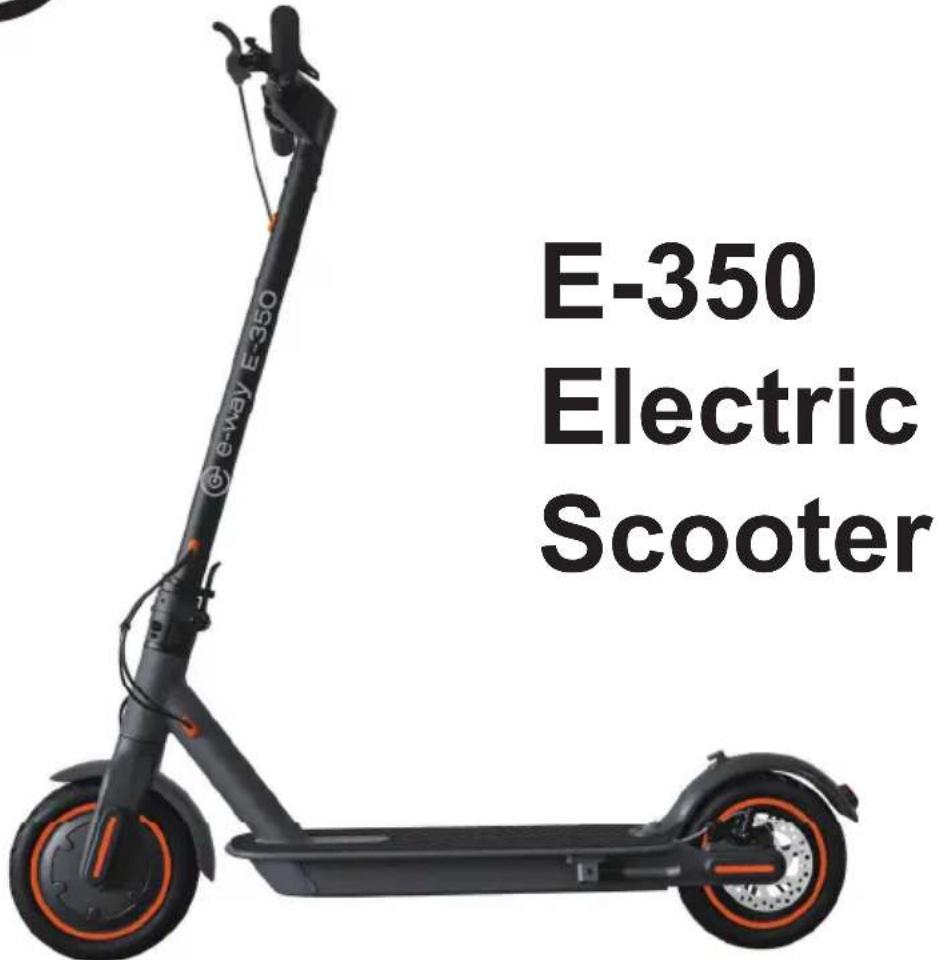
E-350
Electric
Scooter
EN - User Manual
NO - Bruksanvisning
SE - Bruksanvisning
E-350 User Manual
This instruction manual and more info can be found at www.wilfa.com
Cautions
Electric scooter is a recreational personal transporter. Before mastering riding skills, you need to practice. You will be responsible for any injuries or damage caused by a rider's inexperience or failure to follow the instructions in this manual.
Please understand that you can reduce the risk by following all the instructions or warnings in this manual, but you cannot eliminate all the risks.
Please following the local traffic laws or restrictions when riding into public areas.
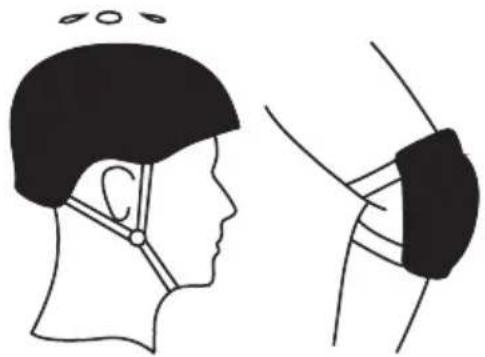
Please always wear a helmet properly when riding to protect your head, as well as other necessary protectors, such as elbow pads, kneecap.
Please slow down the riding speed when riding on crossing, going across the crowd, making a turn, climbing or downing a hill, passing a school and other place that high speed may bring damage to people.
Please do not allow kids of age below 12 to use the scooter on public area. Riders under the age of 18 years old should ride under adult supervision.
Please do not use the scooter in dangerous environments, to avoid scooter malfunction or may cause damage to body or property.
Please do not use other chargers to charge E-scooter, Only use e-way
supplied charger.
Please do not charge E-scooter, if the charger or power outlet is wet.
Please do not disassemble the scooter or make other modifications without professional guidance from the producer.
Please do not allow others to ride your e-scooter unless he/she has carefully read and follow the instructions in this manual.
Respect pedestrians' Right of Way. Try not to startle them while driving, especially children. When you ride from behind pedestrians, ring your bell to give them a heads-up and slow your scooter to pass from their left.
Check the scooter before every use. When you note loose parts, low battery alerts, excessive wear, strange sounds, malfunctions and other abnormal conditions, stop riding and contact the service center.
This appliance can be used by children aged from 8 years and above and persons with reduced physical, sensory or mental capabilities or lack of experience and knowledge if they have been given supervision or instruction concerning use of the appliance in a safe way and understand the hazards involved.
Children shall not play with the appliance.
Cleaning and user maintenance shall not be made by children without supervision.
Warning against using non-rechargeable batteries:
This appliance contains batteries that are only replaceable by skilled persons.
Lithium ion battery
Red cable on plug is positive, black cable on plug is negative.
The method of replacing batteries: Dismount the screw on bottom plastic.
cover, and unplug the connectors, then replace with a new battery.
Details regarding safe disposal of used batteries: Follow the battery directive 2006/66/EC
Discard the battery following the battery directive 2006/66/EC
AS Wilfa is the importer of this product. This is the original instruction manual.
Contents
- Device and accessories 01
- Features 05
- Control panel 05
- Before riding- Assembly and app 07
- Battery 18
- Cleaning and Maintenance 19
- Aftersales 21
- Adjusting the scooters brake and handlebar 22
1. The Device & Accessories
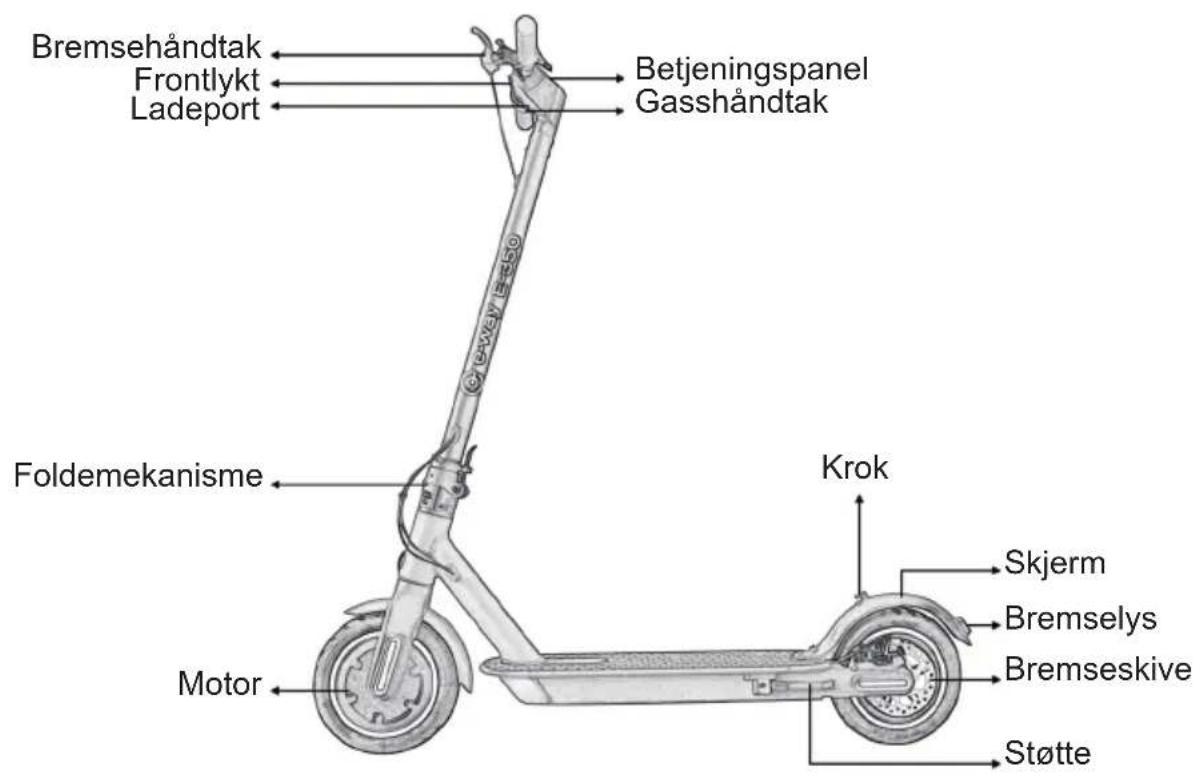
E-Way E-350
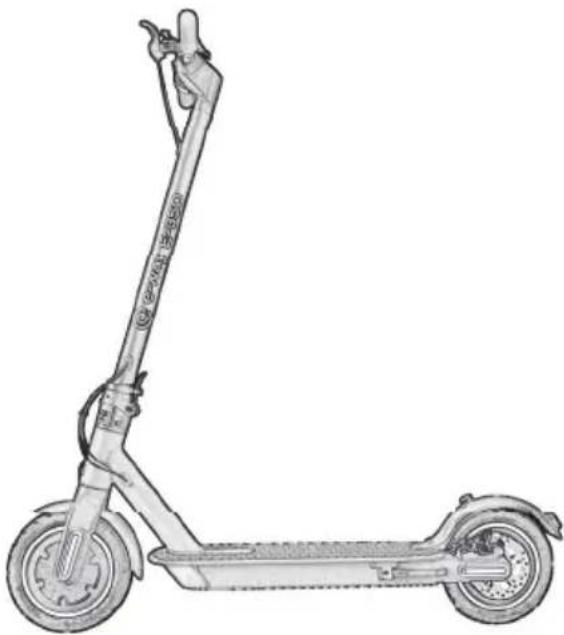
natural_image
Line drawing of a fully electric scooter with extended wheels and a handle (no text or symbols)Accessories
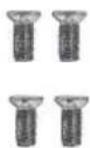
Screws
Hex Wrench
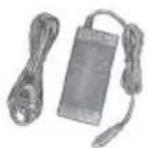
Charging Adapter
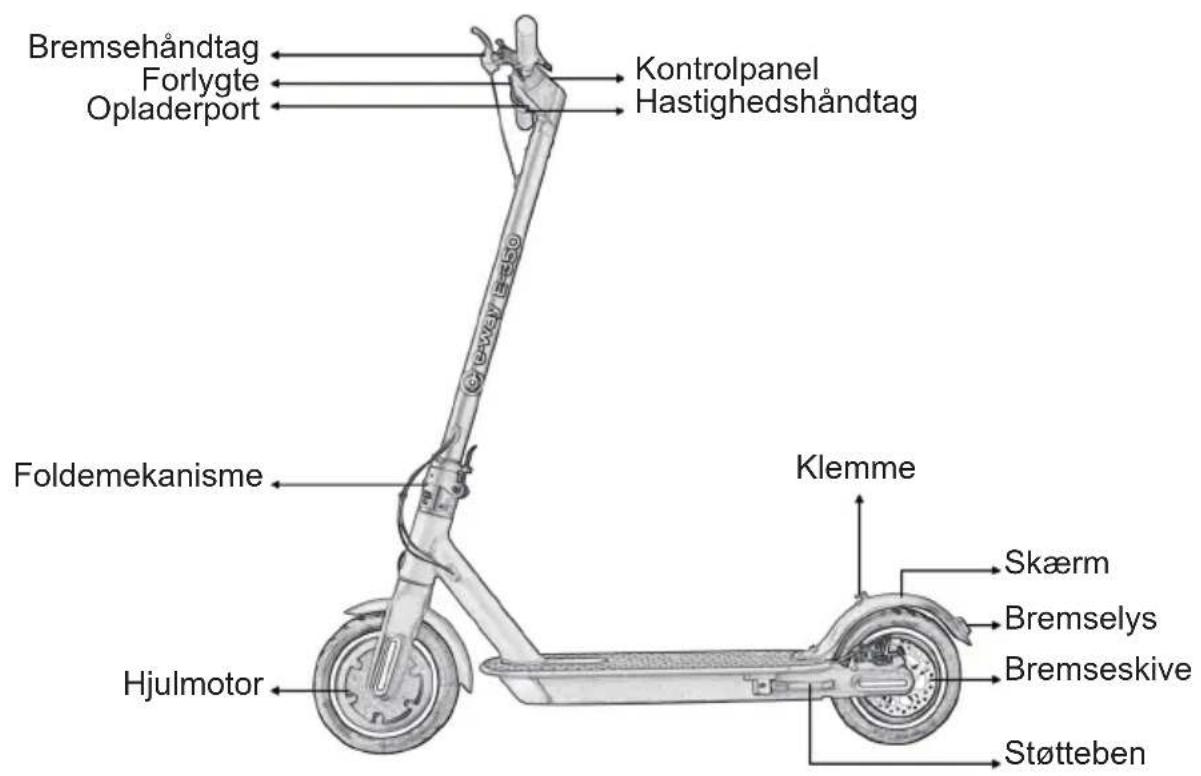
1.2 Functions
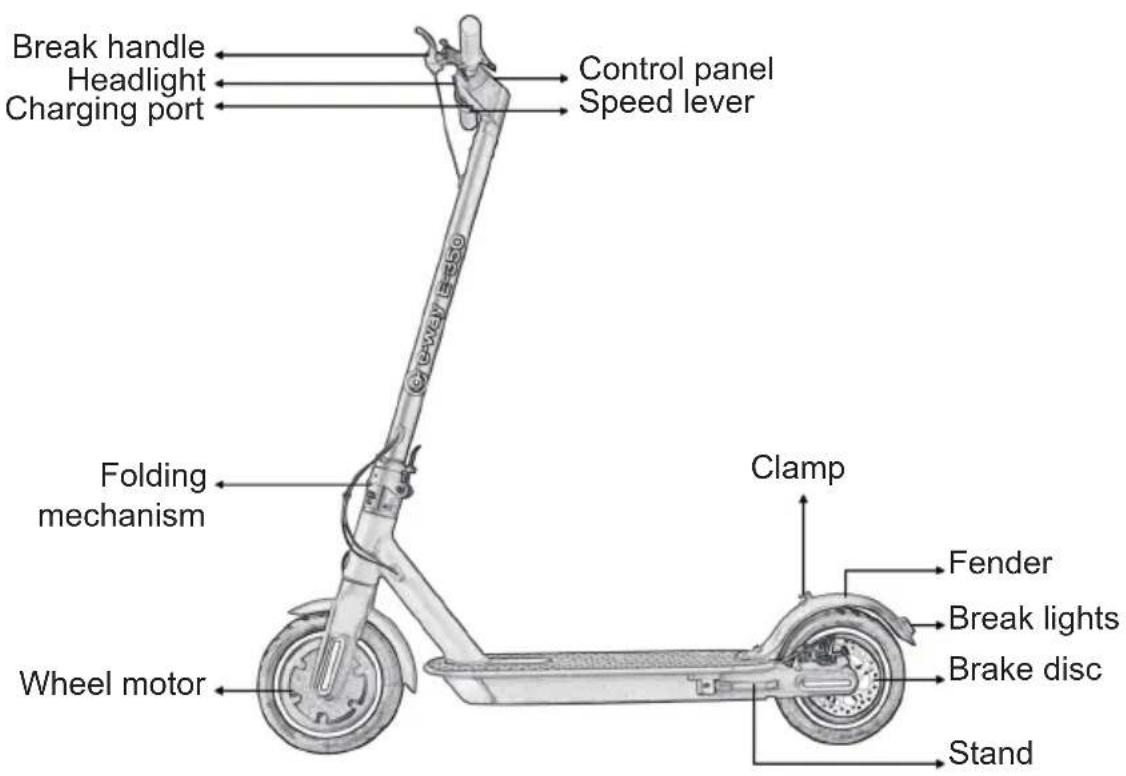
1.3 Specifications
| Model No E-350 | |
| Size 8.5 inch Inner Honeycomb Tyre | |
| Top Speed 20-25 km/h | |
| Mileage Around 30km | |
| Maximum slope angle Around 20° | |
| Battery Capacity 36V, 7.8Ah | |
| Running Condition -10 °C/ +40 °C; 0-90% Humidity | |
| Storage Condition -10 °C/ +40 °C; 0-90% Humidity | |
| Max Load 125kg | |
| Charger Input: 100-240V; Output: 42V/2A | |
| Charging Time Around 4hrs. | |
| Motor 350W | |
| Port Charge Port *1 | |
| Headlight | 4W |
| Brake Light | LED |
| User height | 120-200cm |
| Parking Mode Kick-stand | |
| Cruise Control App controlled | |
| Warning signal Mechanical Bell | |
| Accelerator Throttle Button | |
| Brake EABS+Rear Disc Brake | |
| Display LED | |
| Battery Display 5 Bars in monitor | |
| Dimension(Unfold) 1080*430*1150mm | |
| Dimension(Folded) 1080*430*480mm | |
| Net Weight 12kg | |
| Packing List(pcs) User Manual*1, Charger*1, Screws *4, Hex Wrench*1 | |
2. Features
• Superior Aviation Aluminum Alloy.
• IP 56 Ingress Protection.
• Real-time Temperature Monitoring, Short Circuit / Low Voltage / Overcurrent / Overcharging Protection.
• Digital Speedometer Display, Easy to Read Speed.
• Real-time 5 Bars Battery Display.
• 1\~3 Speed Gear, Press Button to Switch.
- Multi information Display.
3. Control panel
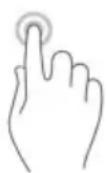
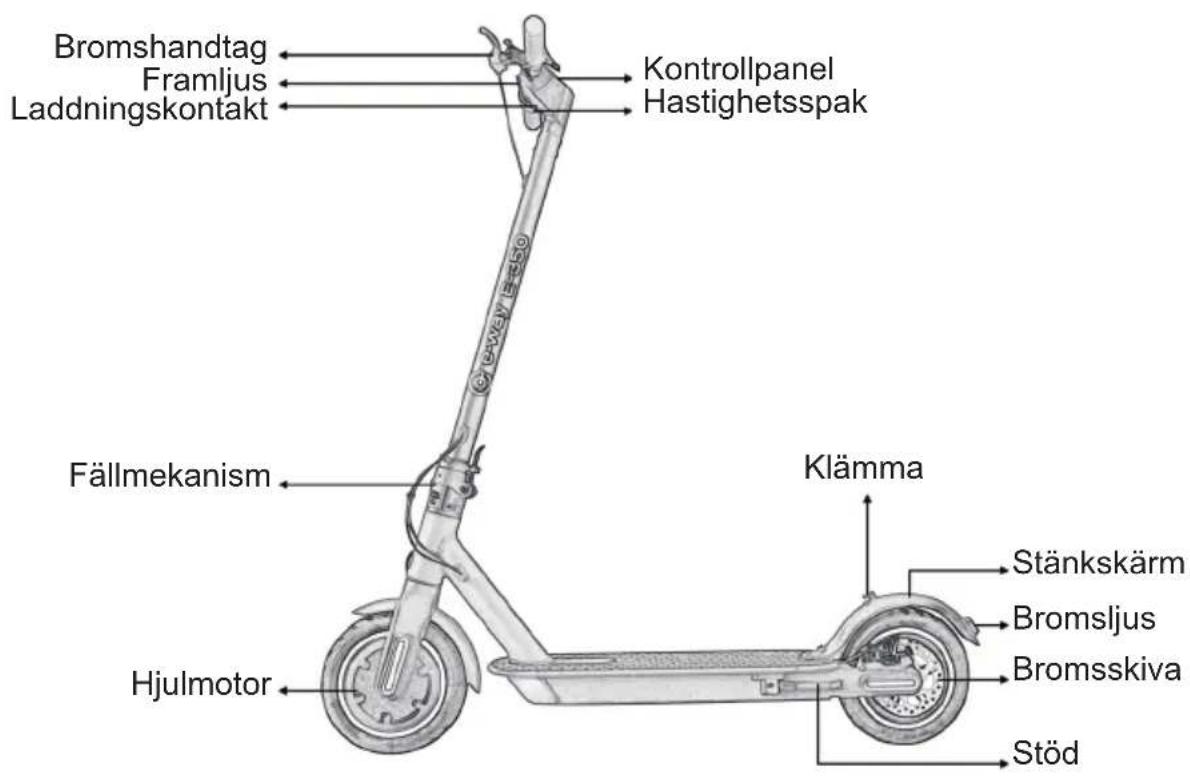
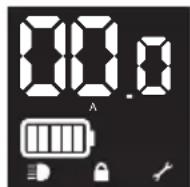
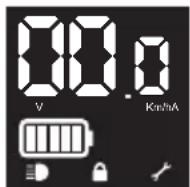
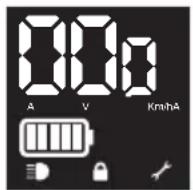
- Power ON/OFF: Long press the button for 3 seconds, all icons are lighting, showing speed & battery.
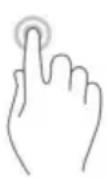
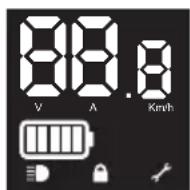
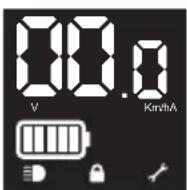
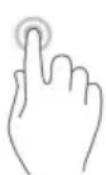
- Headlight ON/OFF: Click the button once when unit is on (Headlight ON: ≡)
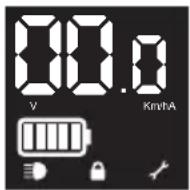
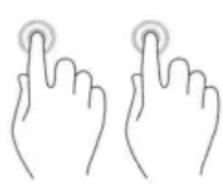
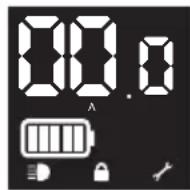
- Click the button for two times to change the speed gear from 1 to 3 levels, LED display P1 / P2 / P3. Max speed is increasing from P1 to P3.
natural_image
Line drawing of two hands with finger pressing application at the top (no text or symbols)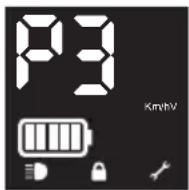
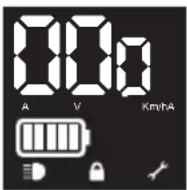
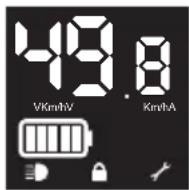
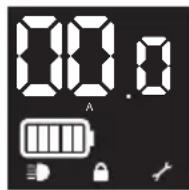
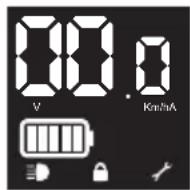
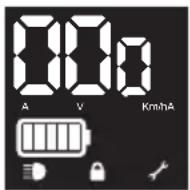
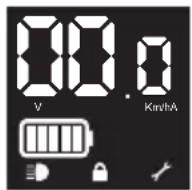
- Click the button three times to switch display showing speedometer Km/h / voltage V / current A.
4. Before riding - Assembly
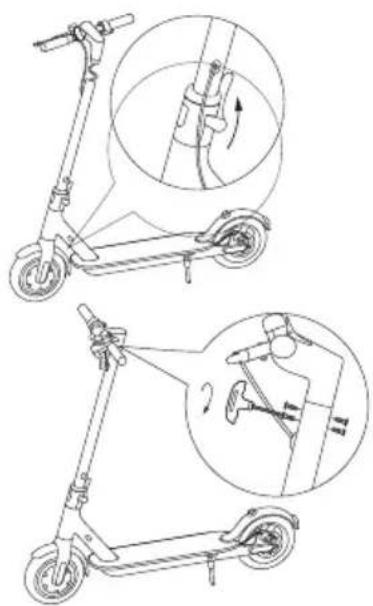
Lift the stem up and close with the locking mechanism. Check that the cables between the handlebar and the stem are connected by the quick connectors in plastic to each other. If not, connect them. Gently push the excess cable length into the stem tube. Make sure the cords are not squeezed or damaged. Attach the handlebar to the stem.
natural_image
Line drawings of a scooter with two views: top shows side view, bottom shows side view with motion arrows (no text or symbols)Insert screws on both sides half way and then tighten screws firmly.
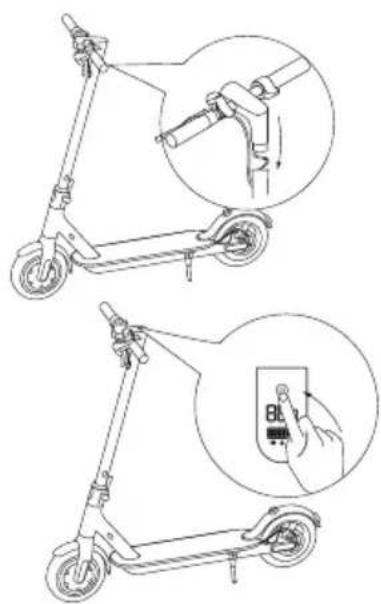
Push power button to see that everything works.
Folding and Carrying
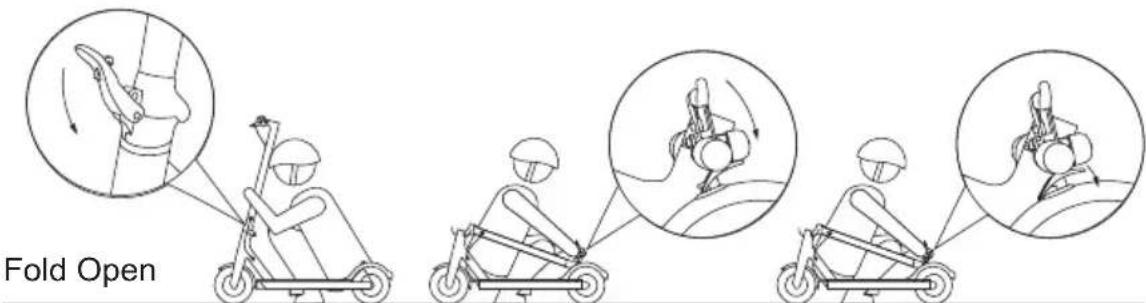
Make sure that the scooter's turned off. To fold, unlock the folding mechanism, and bend the handlebar stem to hook the buckle on the rear mudguard. To open, press the bell trigger to remove from the buckle, erect the handlebar and lock the folding structure.
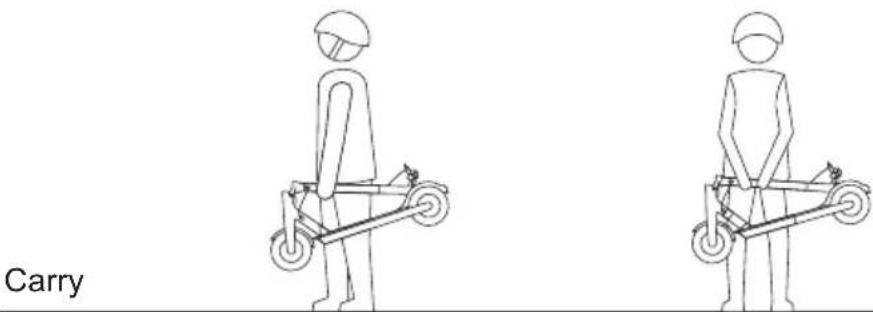
Hold the handlebar stem with either one hand or both hands to carry.
4.1 APP

Android iOS
Make sure Bluetooth is on on the phone. Open the Eway scooter app, click the corresponding model in device list to connect. You can find the app under EWAY SCOOTER name in App store or Google shop or by scanning the corresponding QR code. The E-scooter will beep when APP is connected with E-scooter. For more details on functionality, see www.wilfa.com/eway.
4.2 Before first ride
Step 1: Check that the E-scooter has no loose screws, or that anything feels abnormal. This should be done every time you want to ride the scooter. Check that wheels turn easily and that brakes work properly. if necessary, please adjust brakes.
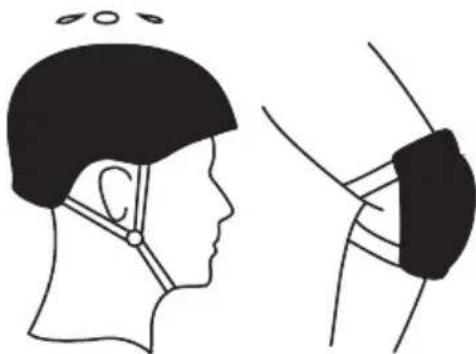
Step 2: Wear protective equipment.
natural_image
Side-by-side line drawing of a person's head and neck anatomy, showing head and neck views with no text or symbolsStep 3: Push with one leg to move forward.
natural_image
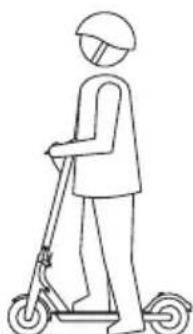
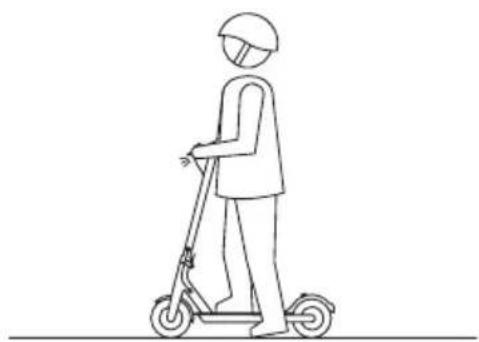
Line drawing of a person riding a scooter (no text or symbols)Step 4: Touch the throttle slightly and try to put two legs on the deck.
natural_image
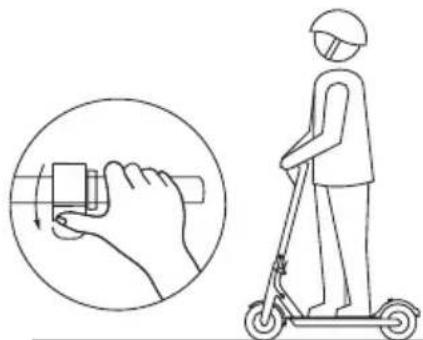
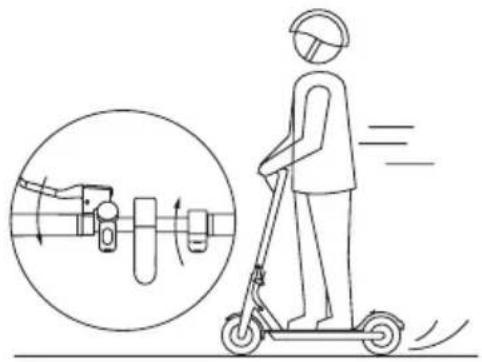
Illustration of a person using a scooter to interact with a hand, showing the correct and incorrect states (no text or symbols present)Step 5: During riding, try to release the throttle and pull the brake lever.
Step 6: Try to use the headlight. This is done by pushing the power button once when the unit is on.
natural_image
Line drawing of a person riding a scooter, no text or symbols present4.3Warnings
- Wear protective equipment.
- Do not ride in rain or cross puddles. Excessive exposure to water can damage the scooter.
natural_image
Side-by-side line drawing of a person's head and neck with a medical device attached, showing anatomical positioning (no text or symbols)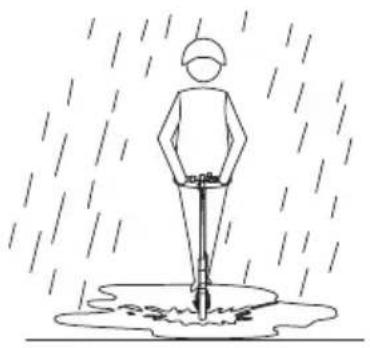
natural_image
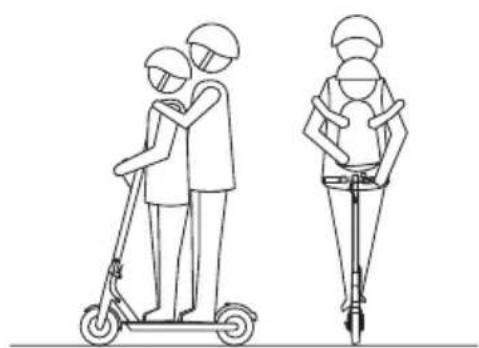
Simple line drawing of a person standing in the rain with falling water below (no text or symbols)- Do not load over 125kg. - Ride slowly in special cases.
natural_image
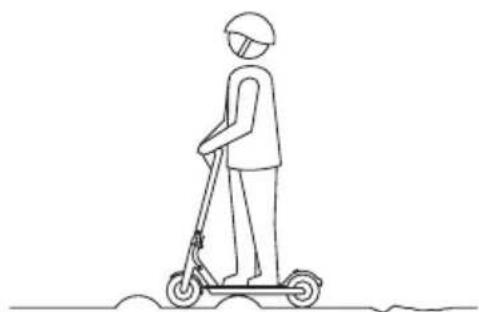
Line drawing of two people using a scooter, one standing and one seated, both wearing helmets (no text or symbols)• Make sure both feet are on the deck when riding for maximum stability.
natural_image
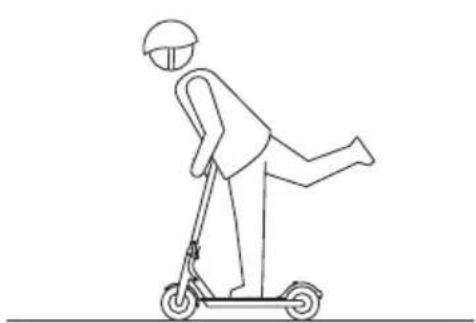
Line drawing of a person riding a scooter (no text or symbols)- Do not tread the back of the fender.
natural_image
Line drawing of a person riding a scooter with a helmet and motion lines (no text or symbols)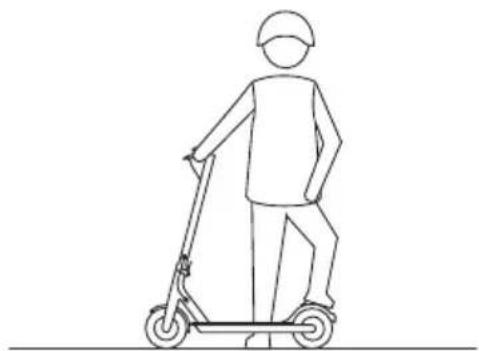
natural_image
Line drawing of a person riding a scooter (no text or symbols)- Do not touch the disc brake.
- Do not let go of the handlebar while riding.
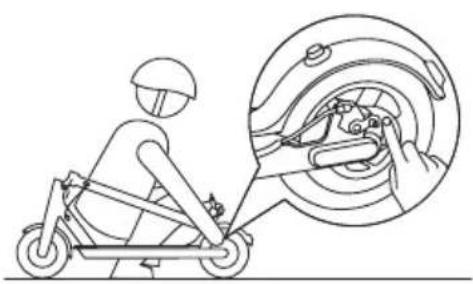
natural_image
Line drawing of a person riding a scooter with a magnified inset showing the wheel assembly (no text or symbols)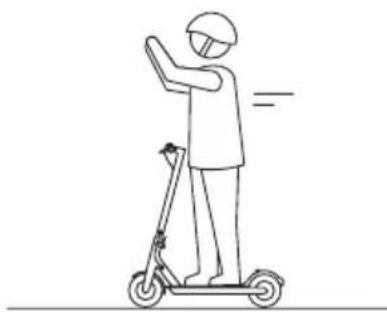
natural_image
Line drawing of a person riding a scooter with one hand raised, no text or symbols present- Do not ride upstairs or downstairs, or over obstacles.
- Do not hold a child during riding.
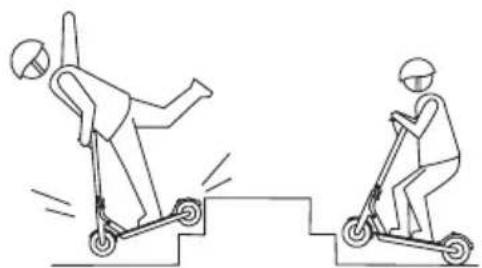
natural_image
Two line drawings of a person performing a jump on a scooter, one standing and one seated (no text or symbols)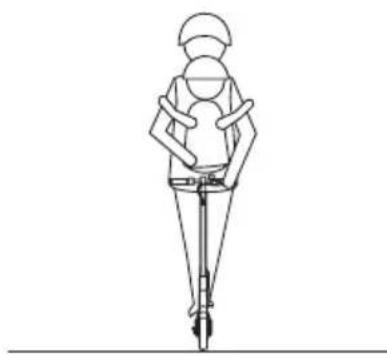
natural_image
Line drawing of a person wearing a helmet and using a walking stick (no text or symbols)- Do not ride on highway or motor vehicle road unless allowed in your country.
- Do not take sharp turns.
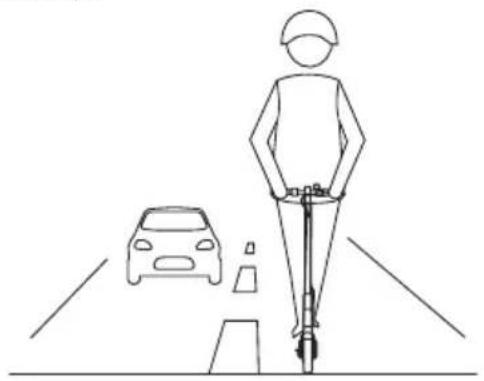
natural_image
Line drawing of a person riding a scooter on a road with a car nearby (no text or symbols)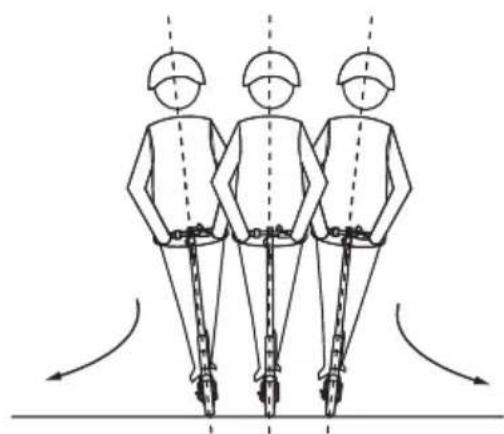
natural_image
Three identical figures in safety gear standing vertically with chains, viewed from behind, showing motion arrows (no text or symbols)4.4 Firmware Upgrade
Check for upgrades regularly in Apple store or Google play.
4.5 Cruise Control
The scooter has a cruise control. If you keep the same speed for 3\~5 seconds, the E-scooter will be in cruise-control mode(running at constant speed on flat road) Please use cruise-control only on flat road. The cruise control is cancelled by pushing the brake. It can also be adjusted in the app.
4.6 Error Description
Some of the errors can be fixed by the user. if you are uncertain how to fix, please contact the service center.
| Display Defect Description Solutions | ||
| E0 Wrong in communication | 1. Check whether the display control board is well connected.2. Replace the display.3. Replace the control board. | |
| E1 Encountered obstacles which E-scooter can't get over | 1. Release the accelerator and stop braking.2. Restart.3. Replace the brake lever.4. Replace the accelerator. | |
| E3 Hall is abnormal 1. Check | whether the Hall wire plug of the motor is loose.2. Check whether the motor cable is damaged.3. Replace the motor.4. Replace the control board. | |
| E4 Brake system malfunction | 1. Release the brake.2. Restart.3. Replace the brake lever. | |
| E5 Throttle fault 1. Release the accelerator. | ||
| 2. Restart.3. Replace the accelerator. | ||
| Display | Defect Description So | utions |
| BL Low | voltage alarm 1. Stop | riding and get scooter charged.2. Restart.3. Check if App has been wrongly upgraded.4. Replace the control board. |
| BH High | voltage alarm 1. Check | whether scooter has been fully charged, riding the scooter at low speed, avoid braking suddenly when scooter is fully charged.2. Restart.3. Check if App has been wrongly upgraded.4. Replace the control board. |
| BP Over | voltage, emergency | Check whether scooter has been fully charged, riding the scooter at low speed, avoiding braking suddenly when scooter is fully charged.2. Restart. Check if App has been wrongly upgraded.3. Replace the control board. |
| Display Defect Description Solutions | ||
| H1 Motor | high temperature | 1. Stop riding or ride scooter at low speed, avoid climbing.2. Check whether the motor wire is damaged, and whether the temperature signal wire of the motor wire is short-circuited to the ground.3. Replace the motor. |
| H2 Control board high temperature | 1. Stop riding or ride scooter at low speed, avoid climbing.2. Check the installation of control board radiator.3. Replace the control board. | |
| H3 Control board super high temperature | 1. Stop riding or ride scooter at low speed, avoid climbing.2. Check the installation of control board radiator.3. Replace the control board. | |
| LR Over | current 1. Release the accelerator.2. Restart.3. Replace the control board. | |
| S1 Short circuit 1. Get the motor disconnected and restart scooter. If this alarm has not been cleared, get control board replaced; otherwise, all-clear, replace the motor. | ||
| S2 Lack | of phase, mos tube drive failure | 1. Restart and turn scooter on standing still2. Replace the control board. |
| SN Lack | of series number | 1. Check whether the firmware version is correct.2. Reset the serial number. |
5. Battery
5.1 Temperature Effect on Battery
Battery power will vary with the temperature, mileage per charge will have slight difference under different temperature, and following table is just for your reference. Range will also be dependent on terrain, weight of driver and other factors.
| Temperature(°C) | -20 -10 | 0 10 2 | 0 30 40 | 50 | ||||
| Range 40% 60% | 80% 90 | % 95% | 100% | 105% | 110% |
5.2 Charging
The device has a built-in lithium battery, no extra battery installation is required, just charge the device when it indicates low battery.
Plug in the power source after inserting the charger plug, this can prevent potential risk to ensure a safer charge.
It takes around 4hrs to get 100% charged, when the red lights turn into green, the charging is completed. If not in urgent need, please wait until charging is complete before unplugging.
6. Cleaning and Maintenance
6.1 Cleaning
- Please place the E-scooter in cool and ventilate places to release heat.
- Please avoid high temperature or moist.
- Please avoid water into the E-scooter to prevent electric shock, especially water drops from the charger cable to the the charging port.
When cleaning
- Please make sure the E-scooter is off.
- Please use soft cloth to clean the E-scooter.
- Please don't use water to wash the E-scooter or place E-scooter in water.
When storing the scooter
- Please place the E-scooter in cool and ventilated places (temperature -10\~40 °C, relative humidity 0\~90%).
- Please don't place objects on the E-scooter.
6.2 Battery Pack Maintenance
When the E-scooter is fully charged, please check the voltage of the battery in APP. Normal voltage is 31V\~42V. If the voltage is not in this range, please contact the service center for battery pack maintenance.
Please charge the E-scooter at least one time each month, to extend the battery pack life time.
Please do not disassemble, assemble or change the battery by yourself.
6.3 Regular Maintenance
Please do not disassemble or assemble the E-scooter without the guide or help from professional maintenance personell.
Check that all screws are fastened, that wheels are turning freely, brakes work properly and that no foreign objects are stuck. Check for visible signs of wear and contact us if you are in doubt if you need to change parts or have any questions.
7. After sales service
You can find answers to many questions as well as spare parts at www.wilfa.com/eway. If you have a problem you can't solve yourself, please contact the store where you bought the scooter for further help.
8. Adjusting the disc brake
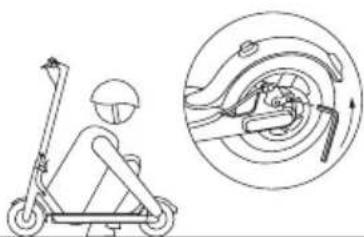
natural_image
Line drawing of a scooter with a head-mounted sensor and a close-up view of the wheel assembly (no text or symbols)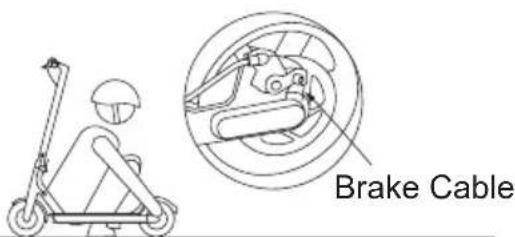
If the brake is too tight, use the hexagon wrench to loosen the screws on the caliper, and slightly send back the brake cable to shorten the exposed length, then tighten the screws. If the brake is too loose, loosen the screws, and slightly pull out the brake cable to lengthen the exposed length, then tighten the screws.
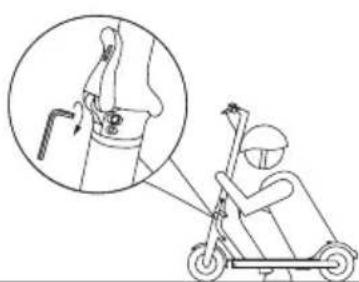
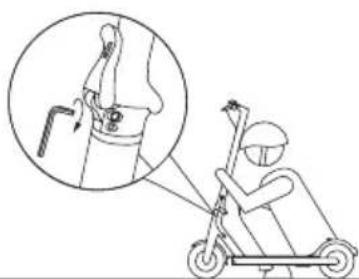
9. Adjust the handlebar
natural_image
Illustration of a person riding an electric scooter with a magnified inset showing the mechanical component (no text or symbols)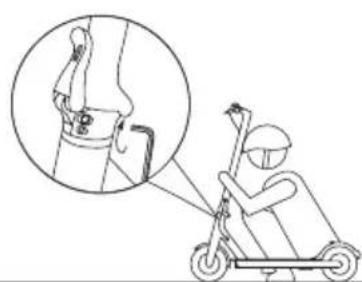
natural_image
Illustration of a person riding an electric scooter with a magnified inset showing the joint detail (no text or symbols)If the handlebar and its stem sway during riding, use the hexagon wrench to tighten the screws on the folding mechanism.
Declaration of Conformity
Manufacturer:
AS Wilfa
We, Wilfa A/S are responsible for the following declaration of conformity where we hereby declare that following product(s) are in compliance with:
EU directives:
EU directive 2014/35 Low voltage directive.
EU directive 2014/30 Electromagnetic compatibility.
EU directive 2014/53 RED
EU directive 2006/42 Machine directive
EU directive 2015/863 RoHS
EU directive 1907/2009 REACH
Harmonized standards:
EN 60335-1:2012+A11:2014+A13:2017+A1:2019+A14:2019+A2:2019
EN 62233:2008
EN 61000-3-2:2014
EN 61000-3-3:2013
EN 61000-6-3:2007/A1:2011/AC:2012
EN 62368-1:2014+A11:2017
Product name and on package.
Authorized signature:
latia field
Name:
Mr. Ketil Tangedal
Title
Technical Director
Date/month/year:
17 ^th February 2021
AS WILFA Nydalsveien 24, 0484 OSLO www.wilfa.com
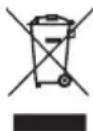
This marking indicates that this product should not be disposed with other household wastes throughout the EU. To prevent possible harm to the environment or human health from uncontrolled waste disposal, recycle it responsibly to promote the sustainable reuse of material resources. To return your used device, please use the return and collection systems or contact the retailer where the product was purchased. They can take this product for environmentally safe recycling free of charge.

Wilfa AS
natural_image
Line drawing of a fully electric scooter with extended wheels and a vertical suspension (no text or symbols)Tilbehør
Skruer
Sekskantnøkkel
Ladeadapter
1.2 Funksjoner
1.3 Spesifikasjoner
natural_image
Line drawings of a scooter with two views: top shows side view, bottom shows side view with motion arrows (no text or symbols)natural_image
Two line drawings of a person using a shared electric scooter, labeled 'Bære' (no text or symbols on the figures themselves)natural_image
Side-by-side line drawing of a person's head and neck with ear and earpin, showing anatomical positioning (no text or symbols)natural_image
Line drawing of a person riding a scooter (no text or symbols)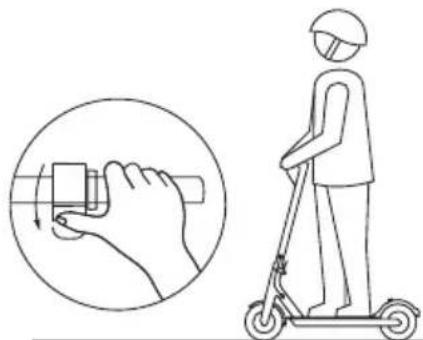
natural_image
Illustration of a person using a scooter to interact with a hand, showing the correct and incorrect states (no text or symbols present)natural_image
Line drawing of a person riding a scooter, no text or symbols present4.3 Advarsler
natural_image
Side-view anatomical illustration of a human head and neck with surgical hardware, showing structural details (no text or labels)natural_image
Simple line drawing of a person standing in the rain with falling water (no text or symbols)natural_image
Line drawing of two people using a scooter, one standing and one seated, both wearing helmets (no text or symbols)natural_image
Line drawing of a person riding a scooter (no text or symbols)natural_image
Line drawing of a person riding a scooter with one leg raised (no text or symbols)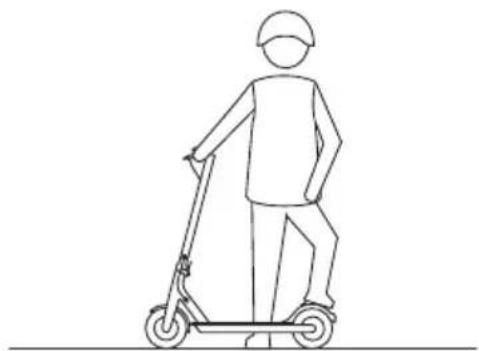
natural_image
Line drawing of a person riding a scooter, no text or symbols presentnatural_image
Line drawing of a person riding a scooter with a magnified inset showing the wheel assembly (no text or symbols)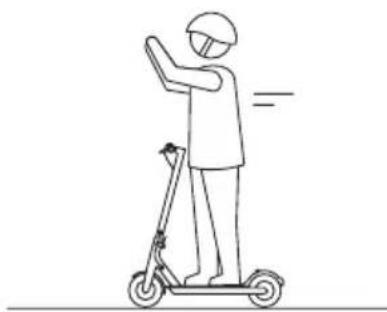
natural_image
Line drawing of a person riding a scooter with one hand raised, no text or symbols presentnatural_image
Two line drawings of a person performing a jump on a scooter, one standing and one seated (no text or symbols)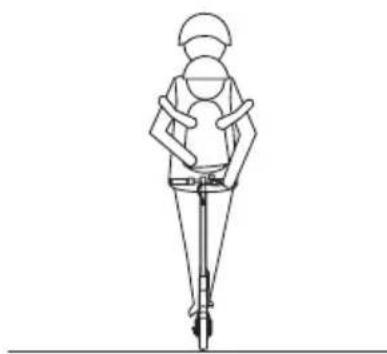
natural_image
Line drawing of a person wearing a helmet and using a walking stick (no text or symbols)natural_image
Line drawing of a person using a scooter with a magnified inset showing the wheel assembly (no text or symbols)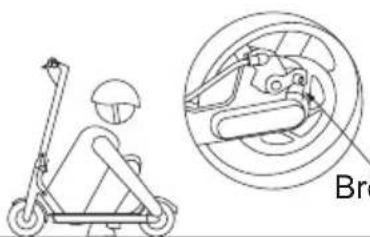
natural_image
Line drawing of a scooter with a head-mounted sensor and its side view showing mechanical components (no text or symbols)Bremsekabel
Hvis bremsen er for stram, løsner du skruene på bremsesadelen med sekskantnøkkelen og skyver bremsekabelen litt inn så den eksponerte delen blir kortere. Trekk til skruene på nytt. Hvis bremsen er for løs, løsner du skruene og skyver bremsekabelen litt ut så den eksponerte delen blir lengre. Trekk til skruene på nytt.
9. Justere styret
natural_image
Illustration of a person riding an electric scooter with a magnified inset showing the joint detail (no text or symbols)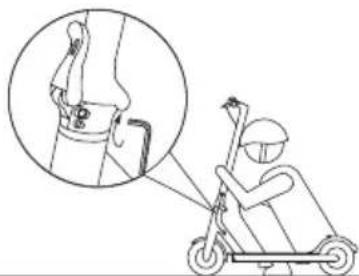
natural_image
Illustration of a person using an electric scooter to lift a knee joint, with an inset showing the joint detail (no text or symbols present)E-post: support@wilfa.com
Samsvarserklæring
Fabrikant:
AS Wilfa
natural_image
Line drawing of a fully electric scooter with visible wheels and side-mounted suspension (no text or symbols)Tillbehör
Skruvar
Insexnyckel
Laddningsadapter
1.2 Delar
natural_image
Line drawing of two hands with finger pressing application at the top (no text or symbols)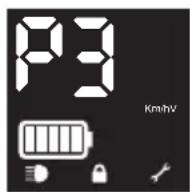
natural_image
Three hand icons pointing at circular buttons (no text or symbols)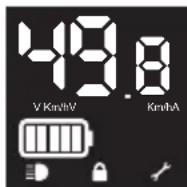
natural_image
Side-by-side line drawing of a person's head and neck anatomy, showing head and neck views with no text or symbolsnatural_image
Line drawing of a person riding a scooter (no text or symbols)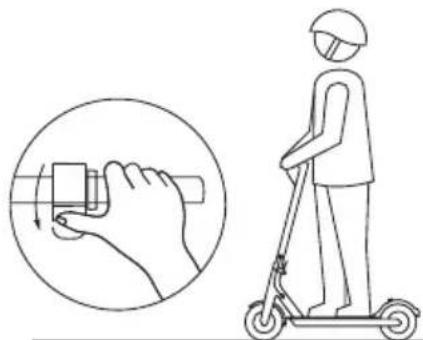
natural_image
Illustration of a person using a scooter to interact with a hand, showing the correct and incorrect states (no text or symbols present)natural_image
Line drawing of a person riding a scooter with motion arrows, showing a circular inset view of mechanical components (no text or symbols)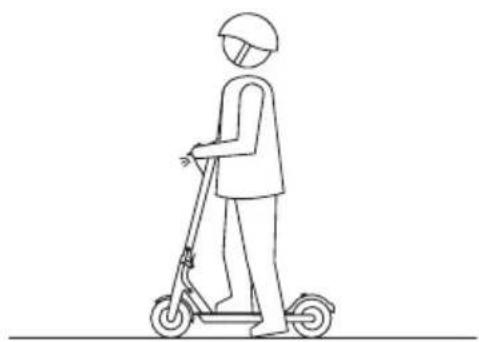
natural_image
Line drawing of a person riding a scooter, no text or symbols present4.3 Varningar
natural_image
Side-view anatomical illustration of a human head and neck with surgical hardware, showing structural details (no text or labels)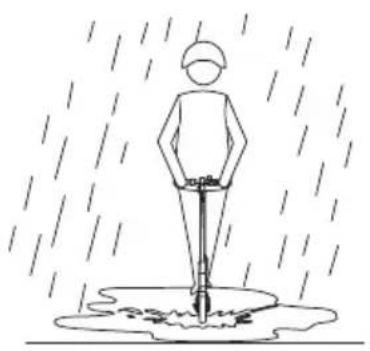
natural_image
Simple line drawing of a person standing in the rain with falling water below (no text or symbols)natural_image
Line drawing of two people using a scooter, one standing and one seated, both wearing helmets (no text or symbols)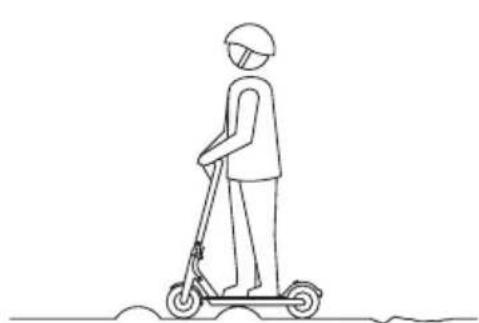
natural_image
Line drawing of a person riding a scooter, no text or symbols presentnatural_image
Line drawing of a person riding a scooter with motion lines (no text or symbols)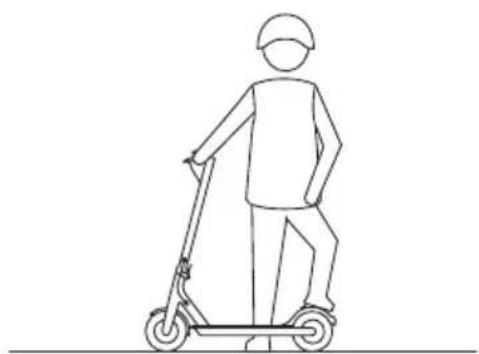
natural_image
Line drawing of a person riding a scooter, no text or symbols presentnatural_image
Line drawing of a person riding a scooter with a magnified inset showing the wheel assembly (no text or symbols)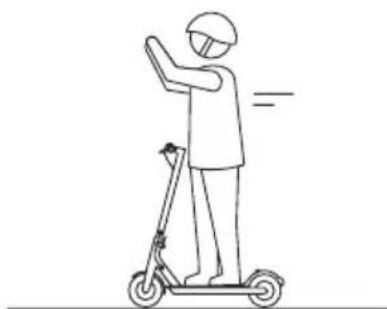
natural_image
Line drawing of a person riding a scooter with one hand raised, no text or symbols presentnatural_image
Two line drawings of a person performing a jump on a scooter, one standing and one seated (no text or symbols)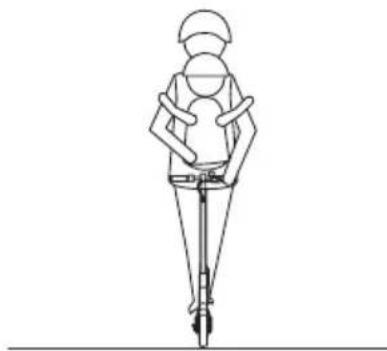
natural_image
Line drawing of a person in a wide stance holding a device, no text or symbols presentnatural_image
Line drawing of a person riding a scooter on a road with a car nearby (no text or symbols)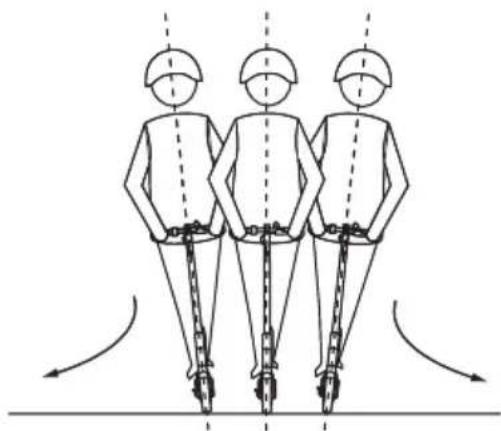
natural_image
Three identical figures in safety gear standing vertically with motion arrows indicating vertical motion (no text or symbols)natural_image
Line drawing of a person using an electric scooter with a magnified inset showing the wheel assembly (no text or symbols)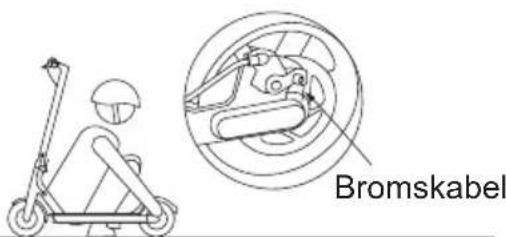
natural_image
Illustration of a person riding an electric scooter with a magnified inset showing the joint detail (no text or symbols)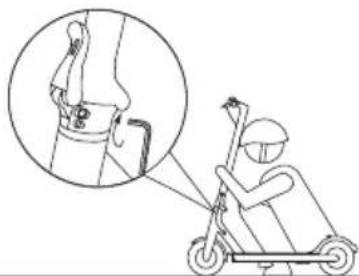
natural_image
Illustration of a person using an electric scooter to lift a knee joint, with an inset showing the joint detail (no text or symbols present)E-post: support@wilfa.se
natural_image
Line drawing of a fully electric scooter with visible wheels and side-mounted suspension (no text or symbols)Tilbehør
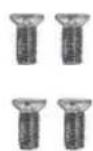
Skruer
Unbrakonøgle
Opladeradapter
1.2 Funktioner
natural_image
Line drawing of two stylized human hands with finger pressing application (no text or symbols)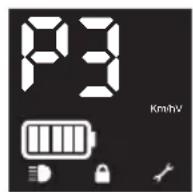
natural_image
Three hand icons with finger pressing application, no text or symbols present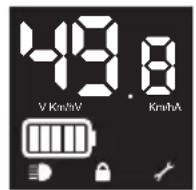
natural_image
Side-by-side line drawing of a person's head and neck with ear protection, showing anatomical positioning (no text or symbols)natural_image
Line drawing of a person riding a scooter (no text or symbols)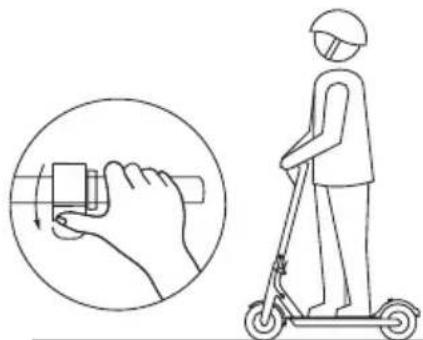
natural_image
Illustration of a person using a scooter to interact with a hand, showing the correct and incorrect states (no text or symbols present)natural_image
Line drawing of a person riding a scooter with motion capture inset showing wheel movement (no text or symbols)natural_image
Line drawing of a person riding a scooter, viewed from the side (no text or symbols)4.3 Advarsler
natural_image
Side-by-side line drawing of a person's head and neck with ear and shoulder symbols, no text or labels present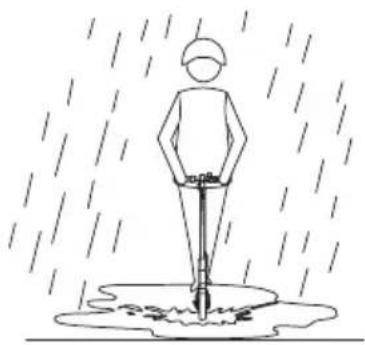
natural_image
Simple line drawing of a person standing in the rain with a stick and water droplet below (no text or symbols)natural_image
Line drawing of two people using a scooter, one standing and one seated, both wearing helmets (no text or symbols)natural_image
Line drawing of a person riding a scooter (no text or symbols)natural_image
Line drawing of a person riding a scooter with one leg raised (no text or symbols)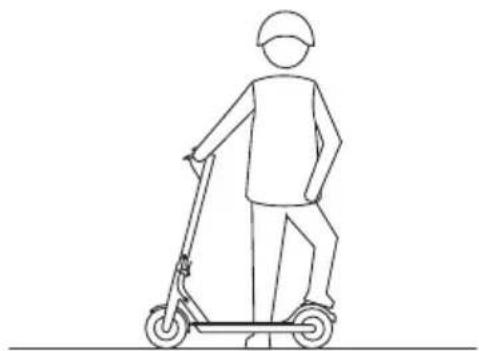
natural_image
Line drawing of a person riding a scooter (no text or symbols)natural_image
Line drawing of a person riding a scooter with a magnified inset showing the wheel assembly (no text or symbols)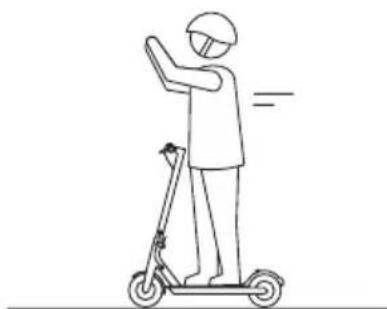
natural_image
Line drawing of a person riding a scooter with one hand raised, no text or symbols presentnatural_image
Two line drawings of a person performing a jump on a scooter, one standing and one seated (no text or symbols)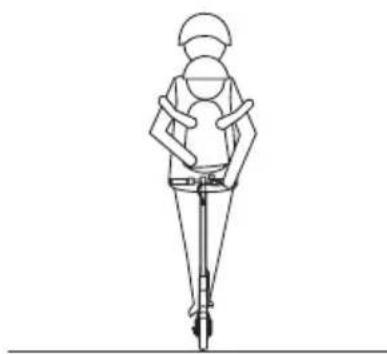
natural_image
Line drawing of a person wearing a helmet and using a walking stick (no text or symbols)natural_image
Line drawing of a person riding a scooter on a road with a car nearby (no text or symbols)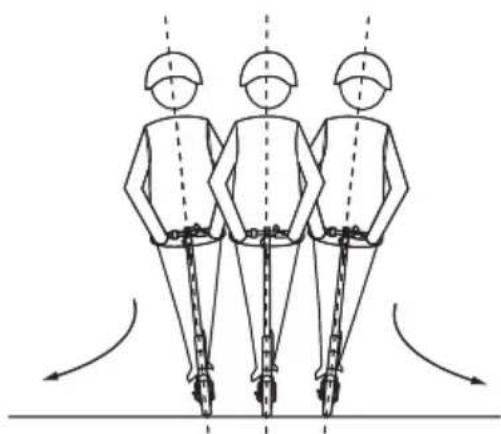
natural_image
Three identical figures in safety gear standing vertically with motion arrows indicating movement (no text or symbols)natural_image
Line drawing of a person using a scooter with a magnified inset showing the wheel assembly (no text or symbols)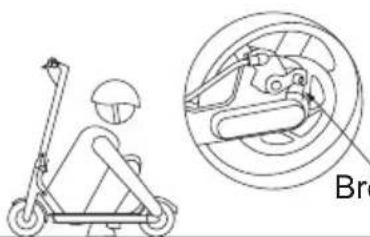
natural_image
Line drawing of a scooter with a head-mounted sensor and its side view showing mechanical components (no text or symbols)Bremsekabel
natural_image
Illustration of a person riding an electric scooter with a magnified inset showing the joint detail (no text or symbols)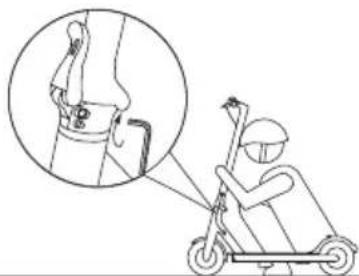
natural_image
Illustration of a person using an electric scooter to lift a knee joint, with an inset showing the joint detail (no text or symbols present)natural_image
Line drawing of a fully electric scooter with visible wheels and suspension (no text or symbols)Lisävarusteet
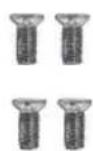
Ruuvit
Kuusiokoloavain
Latausadapteri
1.2 Toiminnot
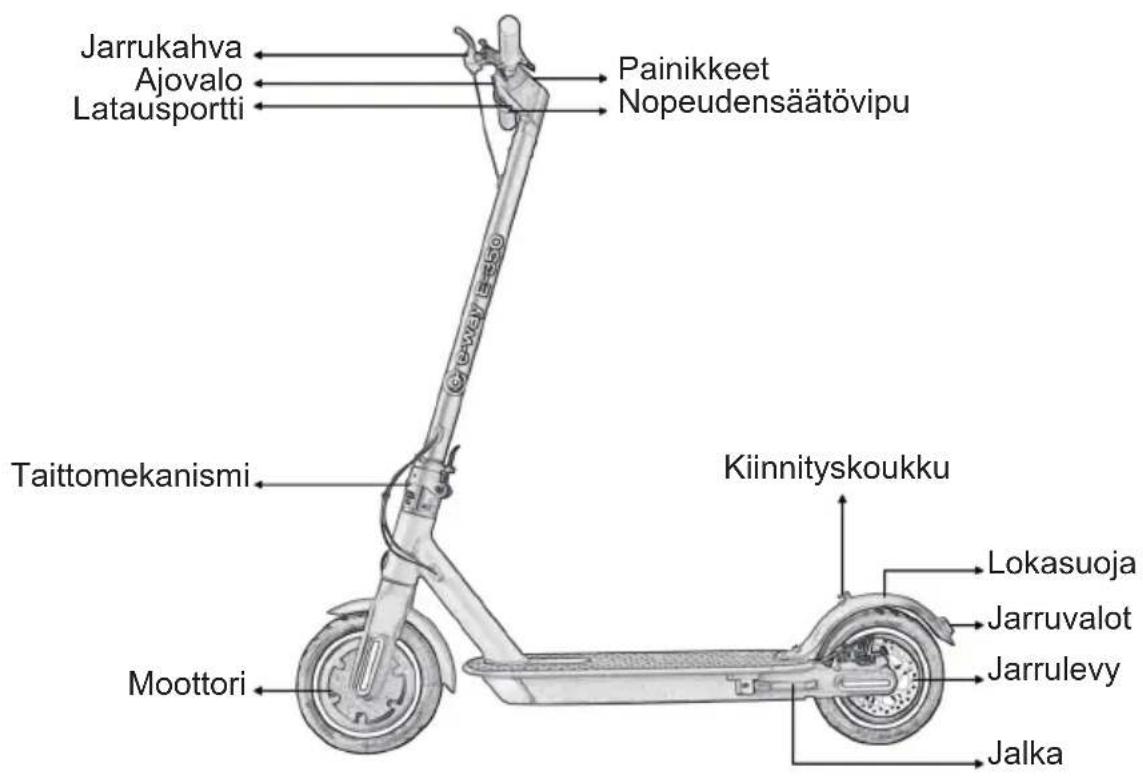
natural_image
Line drawings of a scooter with two views: top shows side view, bottom shows side view with motion arrows (no text or symbols)natural_image
Side-by-side line drawing of a person's head and neck with earphones, showing anatomical positioning (no text or symbols)natural_image
Line drawing of a person riding a scooter, wearing a helmet and uniform (no text or symbols)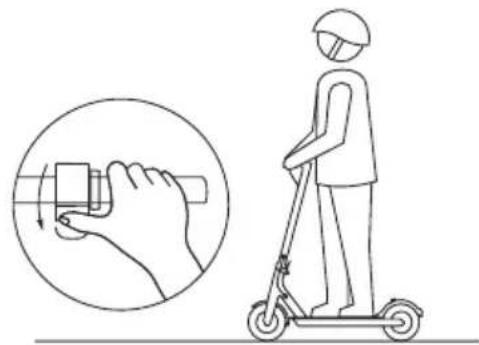
natural_image
Illustration of a person using a scooter with a hand gesture and magnified view of the device (no text or symbols)natural_image
Line drawing of a person riding a scooter with motion capture inset showing wheel movement (no text or symbols)natural_image
Line drawing of a person riding an electric scooter (no text or symbols)4.3 Varoitukset
natural_image
Side-by-side line drawing of a person's head and neck with ear and shoulder symbols, no text or labels present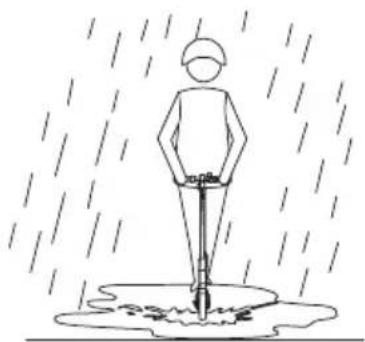
natural_image
Simple line drawing of a person standing in the rain with a stick and water droplet underneath (no text or symbols)natural_image
Line drawing of two people using a scooter, one standing and one seated, both wearing helmets (no text or symbols)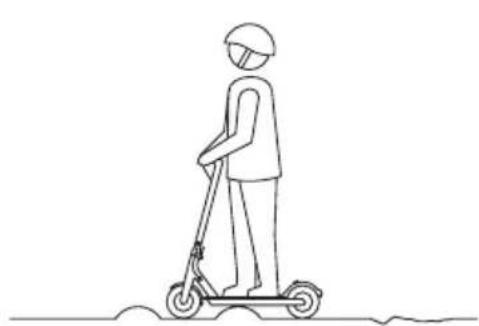
natural_image
Line drawing of a person riding a scooter, viewed from the side (no text or symbols)natural_image
Line drawing of a person riding a scooter with a helmet and motion lines (no text or symbols)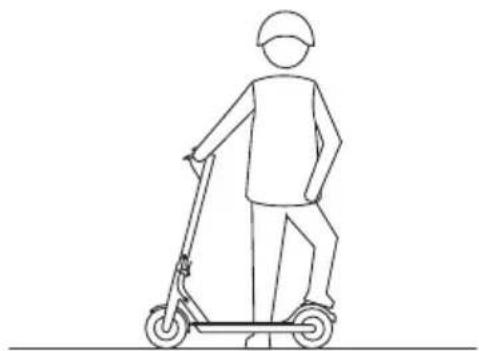
natural_image
Line drawing of a person riding a scooter (no text or symbols)natural_image
Line drawing of a person riding a scooter with a magnified inset showing the wheel assembly (no text or symbols)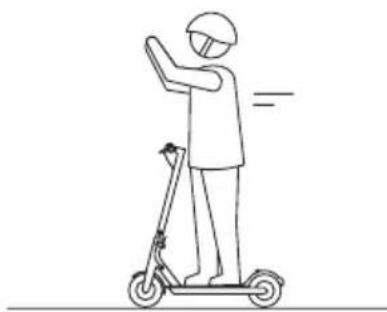
natural_image
Line drawing of a person riding a scooter with one hand raised, no text or symbols presentnatural_image
Two stick figures riding scooters on different platforms, one performing a jump and the other on a ramp (no text or symbols)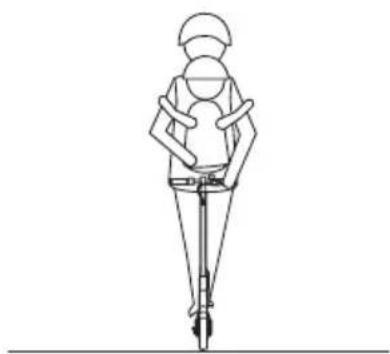
natural_image
Line drawing of a person wearing a helmet and safety harness, standing with a vertical pole (no text or symbols)natural_image
Line drawing of a person riding a scooter on a road with a car nearby (no text or symbols)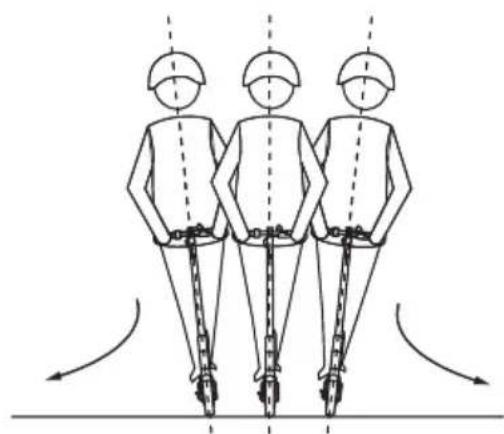
natural_image
Three identical figures in safety gear standing vertically with chains, viewed from behind, showing motion arrows (no text or symbols)natural_image
Line drawing of a person using a scooter with a magnified inset showing the wheel assembly (no text or symbols)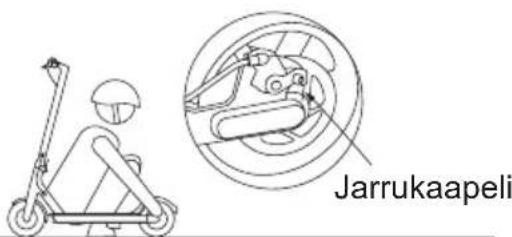
natural_image
Illustration of a person riding an electric scooter with a magnified inset showing the joint detail (no text or symbols)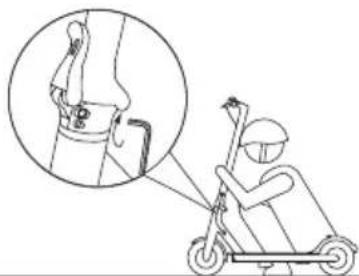
natural_image
Illustration of a person using an electric scooter to lift a knee joint, with an inset showing the joint detail (no text or symbols present)Piispansilta 11C, 8th floor.
02230 Espoo, Finland
Puh.: 09 680 34 80
AS WILFA Nydalsveien 24, 0484 OSLO www.wilfa.com

e-way
wilfa.com
- e-way
- E-350 User Manual
- Cautions
- Contents
- The Device & Accessories
- Functions
- Features
- Control panel
- Before riding - Assembly
- Folding and Carrying
- APP
- Before first ride
- 4.3Warnings
- Firmware Upgrade
- Cruise Control
- Error Description
- Battery
- Temperature Effect on Battery
- Charging
- Cleaning and Maintenance
- Cleaning
- When cleaning
- When storing the scooter
- Battery Pack Maintenance
- Regular Maintenance
- After sales service
- Adjusting the disc brake
- Adjust the handlebar
- Declaration of Conformity
- Manufacturer:
- EU directives:
- Harmonized standards:
- Wilfa AS
- Funksjoner
- Advarsler
- Justere styret
- Samsvarserklæring
- Fabrikant:
- Delar
- Varningar
- Funktioner
- Toiminnot
- Varoitukset
Brand : WILFA
Model : E-350
Category : Scooter