
SteriMex - Uncategorized Thermex - Free user manual and instructions
Find the device manual for free SteriMex Thermex in PDF.


| Brand | Thermex |
| Model | SteriMex |
| Product Type | UVC/Ozone and Heat Sterilization Cabinet |
| Power Supply | 230V ±10% ~ 50 Hz |
| Programs | Ozone+UV and Heat |
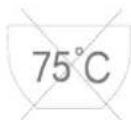
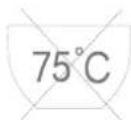
| Maximum Temperature | 75 °C (Heat program) |
| Timer | Adjustable via Time button |
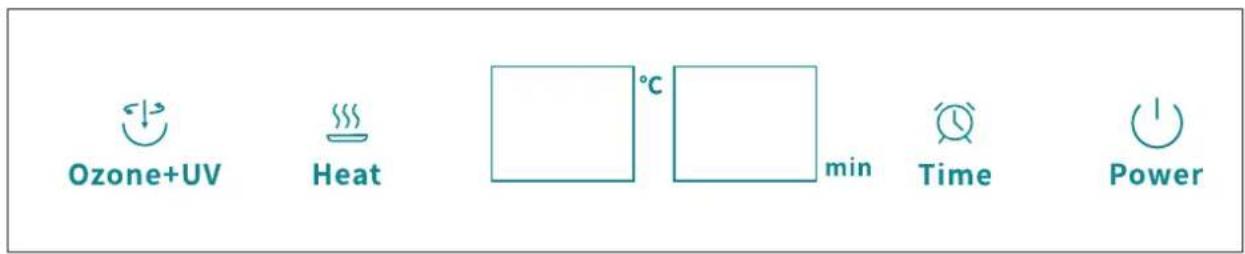
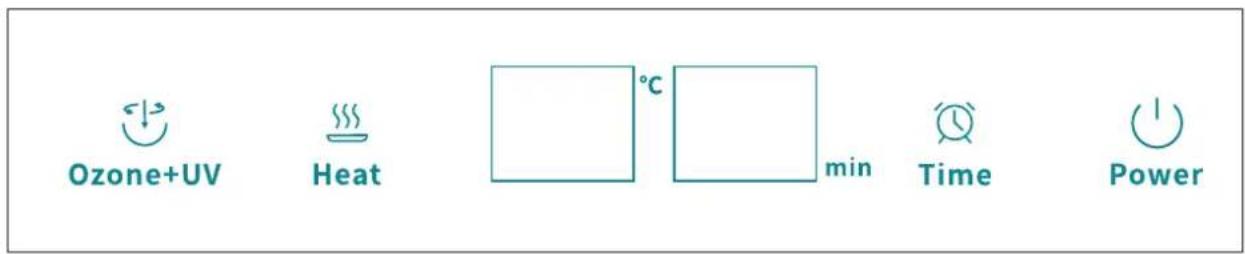
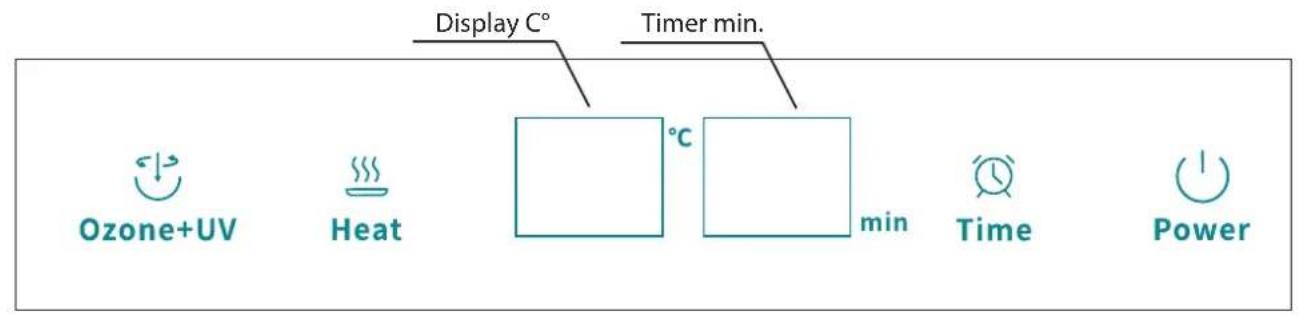
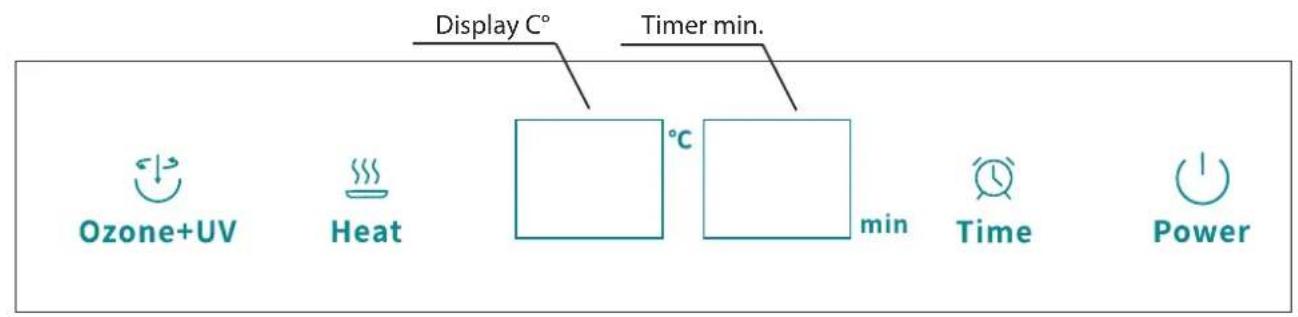
| Control Panel | Digital display with buttons: Power, Ozone+UV, Heat, Time |
| Cabinets | Two compartments: small and large |
| Adjustable Feet | Yes, for leveling |
| Safety Features | Do not open door during or within 10 min after program completion; ozone and heat warnings |
| Maintenance | Disconnect power; clean with damp cloth; avoid direct cleaning of UV and heating elements |
| Intended Use | Private households only |
| Installation | Stable, level surface; connect to 230V outlet |
| Service | Contact Thermex service with model and serial number; warranty requires proof of purchase |
Frequently Asked Questions - SteriMex Thermex
User questions about SteriMex Thermex
0 question about this device. Answer the ones you know or ask your own.
Ask a new question about this device
Download the instructions for your Uncategorized in PDF format for free! Find your manual SteriMex - Thermex and take your electronic device back in hand. On this page are published all the documents necessary for the use of your device. SteriMex by Thermex.
USER MANUAL SteriMex Thermex
natural_image
Three symbolic icons: a person reading, a book with gears and a box, and a rectangular block with measurement arrows (no text or symbols)THERMEX SCANDINAVIA A/S

www.thermex.dk

THERMEX SCANDINAVIA AS

www.thermex.no
THERMEX SCANDINAVIA AB

www.thermex.se

THERMEX SCANDINAVIA S.L.U.

www.thermex.es

THERMEX SCANDINAVIA A/S

www.thermex.fi


INDHOLD
Dansk 4
Norsk 12
Svenska 20
Suomi 28
Espanöl 36
English 44
4 THERMEX STERIMEX LARGE M 710212200212052021
INDHOLD
Generel adversel 5
Installation 6
Betjening af Sterimex 7
Ozone + UV program 7
Heat program 8
Hurtig betjening 9
natural_image
Line drawing of a double-door refrigerator with open doors and internal shelves, connected to a power outlet (no text or symbols)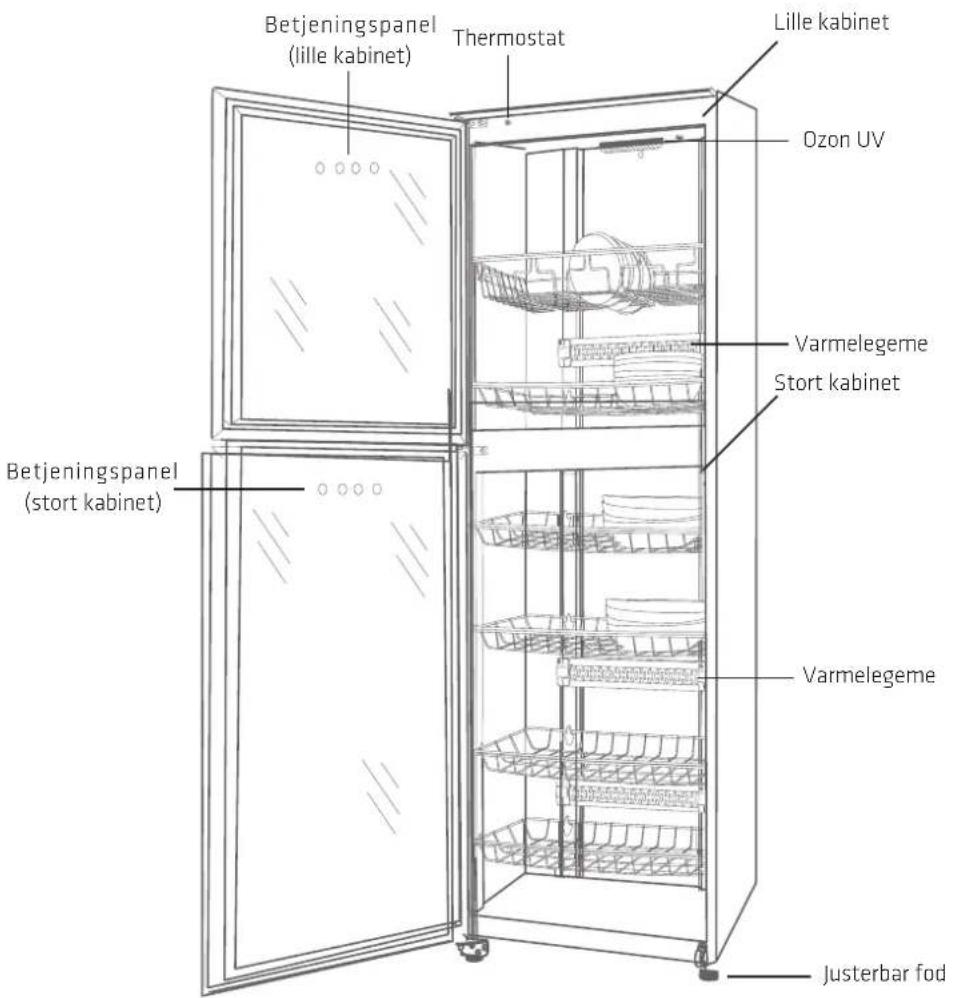
BETJENING AF STERIMEX
BETJENINGSPANEL

HEAT PROGRAM

Heat
natural_image
Symbolic illustration of a fire extinguisher inside a fire chamber, no text or symbols presentnatural_image
Illustration of two hands washing dishes, one with a magnifying glass and the other with a smiling face (no text or symbols)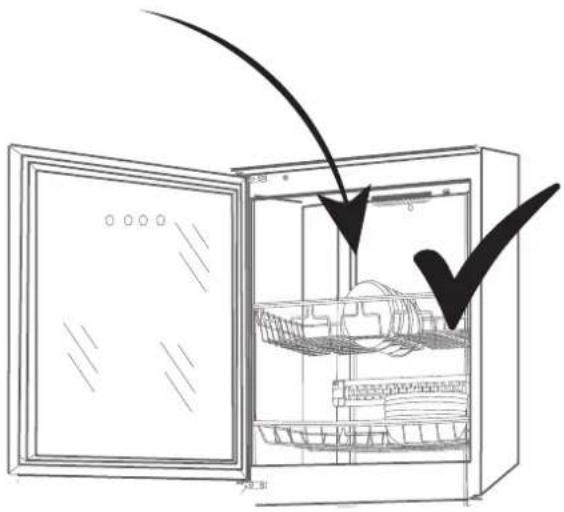
natural_image
Line drawing of an open refrigerator with a closed lid and internal shelves, showing no text or symbols.75°C
natural_image
Line drawing of an open refrigerator with a hand pointing to the side panel (no text or symbols)SERVICE
Ozone + UV program 15
Heat program 16
Quick guide 17
natural_image
Line drawing of an open refrigerator with shelves and a connected electrical outlet (no text or symbols)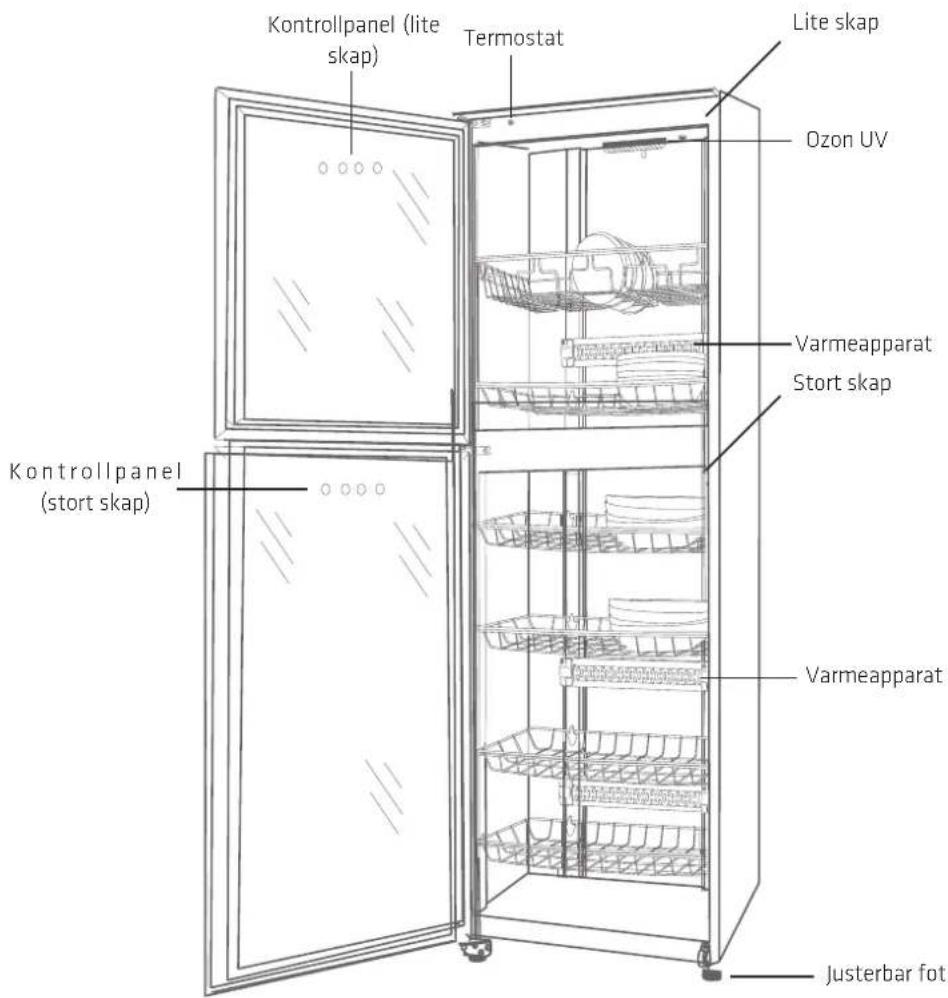
BETJENING AV STERIMEX
KONTROLLPANEL

natural_image
Prohibition sign showing a fire extinguisher inside a refrigerator with smoke rising (no text or symbols)HEAT PROGRAM

Heat
natural_image
Prohibition sign showing a fire extinguisher inside a cabinet, with no text or symbols beyond the icon.QUICK GUIDE
flowchart
graph TD
    A["Ozone+UV"] --> B["Time"]
    B --> C["... 4 sec."]
    C --> D["Ozone+UV"]
    E["Heat"] --> F["Heat"]
    F --> G["Time"]
    G --> H["... 4 sec."]
    H --> I["Heat"]
KLARGJ∅RING F∅R BRUK
natural_image
Line drawing of an open refrigerator with a hand pointing to the side panel (no text or symbols)SERVICE
Ozone + UV program 23
Heat program 24
Quick guide 25
natural_image
Line drawing of a double-door refrigerator with open doors and internal shelves, connected to a power outlet (no text or symbols)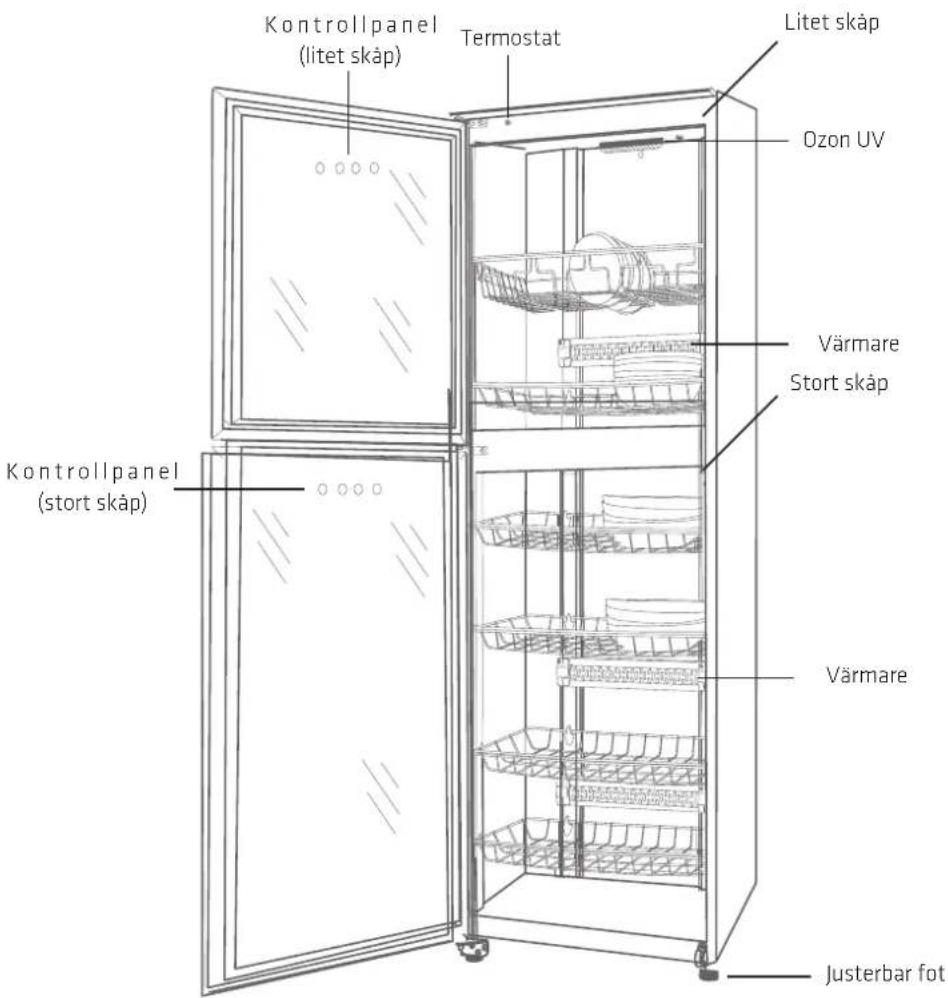
natural_image
Symbolic illustration of a fire extinguisher inside a fire chamber, no text or symbols presentQUICK GUIDE
flowchart
graph TD
    A["Ozone+UV"] --> B["Time"]
    B --> C["... 4 sec."]
    C --> D["Ozone+UV"]
    E["Heat"] --> F["Heat"]
    F --> G["Time"]
    G --> H["... 4 sec."]
    H --> I["Heat"]
BEREDNING FÖRE ANVÄNDNING
natural_image
Line drawing of an open refrigerator with a hand pointing to the side panel (no text or symbols)SERVICE
natural_image
Line drawing of an open refrigerator with shelves and a connected electrical outlet (no text or symbols)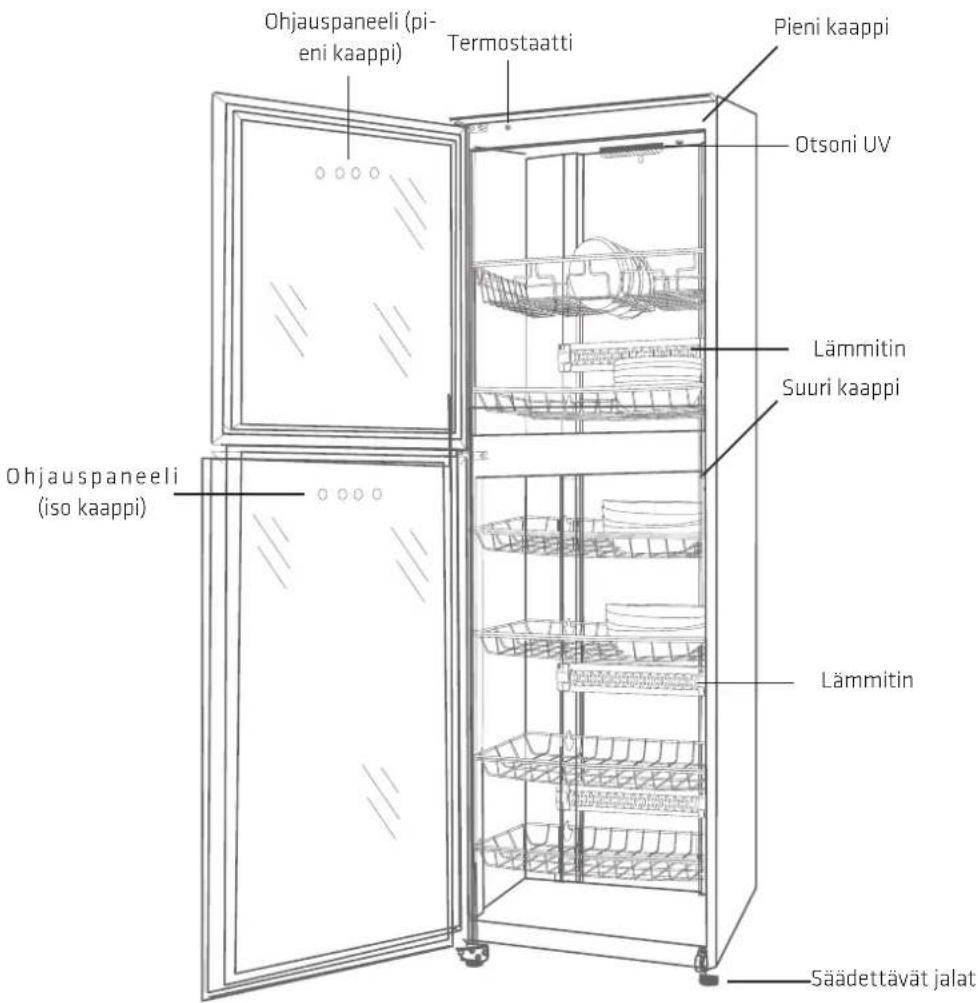
natural_image
Prohibition sign showing a fire extinguisher inside a refrigerator with smoke rising (no text or symbols)LÄMPÖOHJELMA

Heat
natural_image
Symbolic illustration of a fire extinguisher inside a refrigerator with smoke, enclosed in a circle (no text or symbols)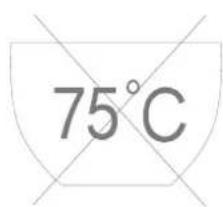
natural_image
Line drawing of an open refrigerator with a hand pointing to the side panel (no text or symbols)HUOLTO
natural_image
Line drawing of a double-door refrigerator with internal compartments and a connected power outlet (no text or symbols)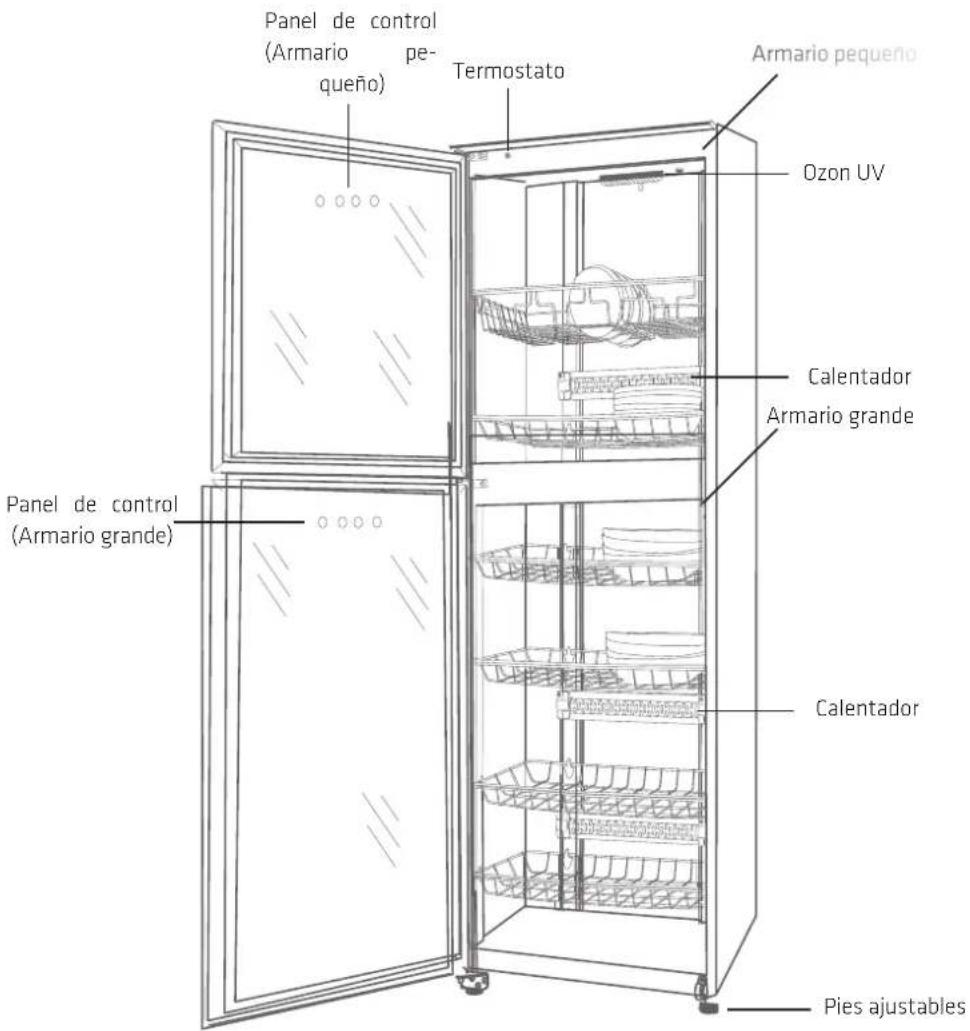
natural_image
Prohibition sign showing a fire extinguisher inside a refrigerator with smoke rising (no text or symbols)HEAT PROGRAMA

Heat
natural_image
Symbolic illustration of a fire extinguisher inside a fire chamber, no text or symbols presentQUICK GUIDE
flowchart
graph TD
    A["Ozone+UV"] --> B["Time"]
    B --> C["... 4 sec."]
    C --> D["Ozone+UV"]
    E["Heat"] --> F["Heat"]
    F --> G["Time"]
    G --> H["... 4 sec."]
    H --> I["Heat"]
natural_image
Line drawing of an open refrigerator with a hand pointing to the side panel (no text or symbols)SERVICIO
Operation of Sterimex 47
Ozone + UV program 47
Heat program 48
Quick guide 49
Preparation before use 50
Maintenance 50
Service 51
GENERAL WARNING
- This unit is only suitable for use in private households; any other use will invalidate the warranty.
- All installations must be carried out by a qualified technician in accordance with the instructions set out by Thermex Scandinavia A/S (Thermex) and the Laws in force.
- Thermex disclaims any liability for damage resulting from improper installation, assembly, operation or incorrect settings.
BEFORE INSTALLATION/OPERATION
- Check the unit for transport damage, defects and missing parts immediately upon receipt.
- Transport damage should be reported immediately to the transport company and Thermex upon receipt.
- Any defects and/or missing parts should be reported to Thermex within 8 days of receipt and prior to installation/operation.
INSTALLATION
- The product is designed to operate at 230 volts ± 10% \~ 50 HZ in accordance with EN 50160.
- Connect the product with the attached plug.
- The national legislation, building regulations etc. regarding air emissions must be observed.
- Do NOT connect the product if the power cord is damaged.
USE OF THE PRODUCT
• Always read these instructions carefully BEFORE using the product.
• Always keep this manual for future reference.
• Always disconnect the power to the product prior to cleaning, maintenance or repair.
- Do not repair or replace any part of the product, unless specifically recommended in the instructions.
• A qualified technician must carry out all repairs.
• Always refer to the operating instructions for the unit in order to ensure that this is used correctly.
INSTALLATION
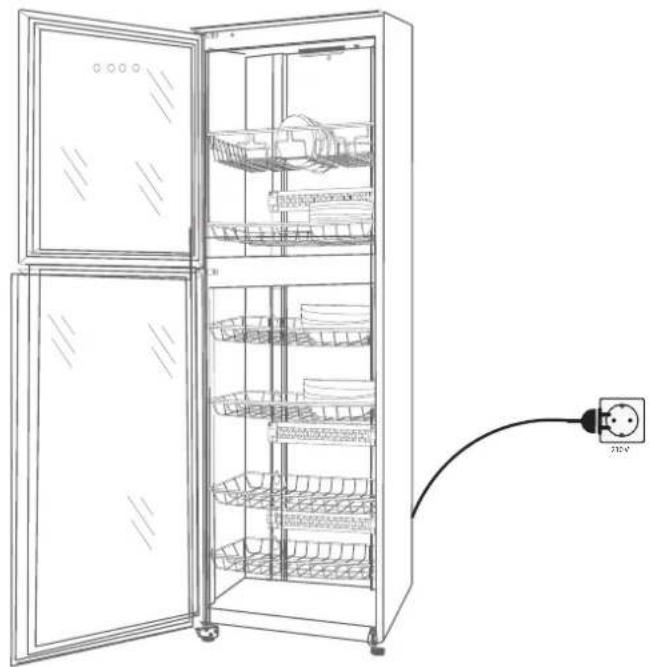
- Make sure that the surface where Sterimex is placed is stable.
- Sterimex should stand vertically upright, level. If necessary, use the adjustable feet on the unit to fine-tune the incline.
- Connect Sterimex to 230V supply. The device is now ready for use.
NOTE:
Sterimex must not be installed near flammable gases or vapors. Never cover Sterimex with a tea towel or other objects. It is strictly forbidden for children to operate Sterimex.
natural_image
Line drawing of an open refrigerator with shelves and a connected power outlet (no text or symbols)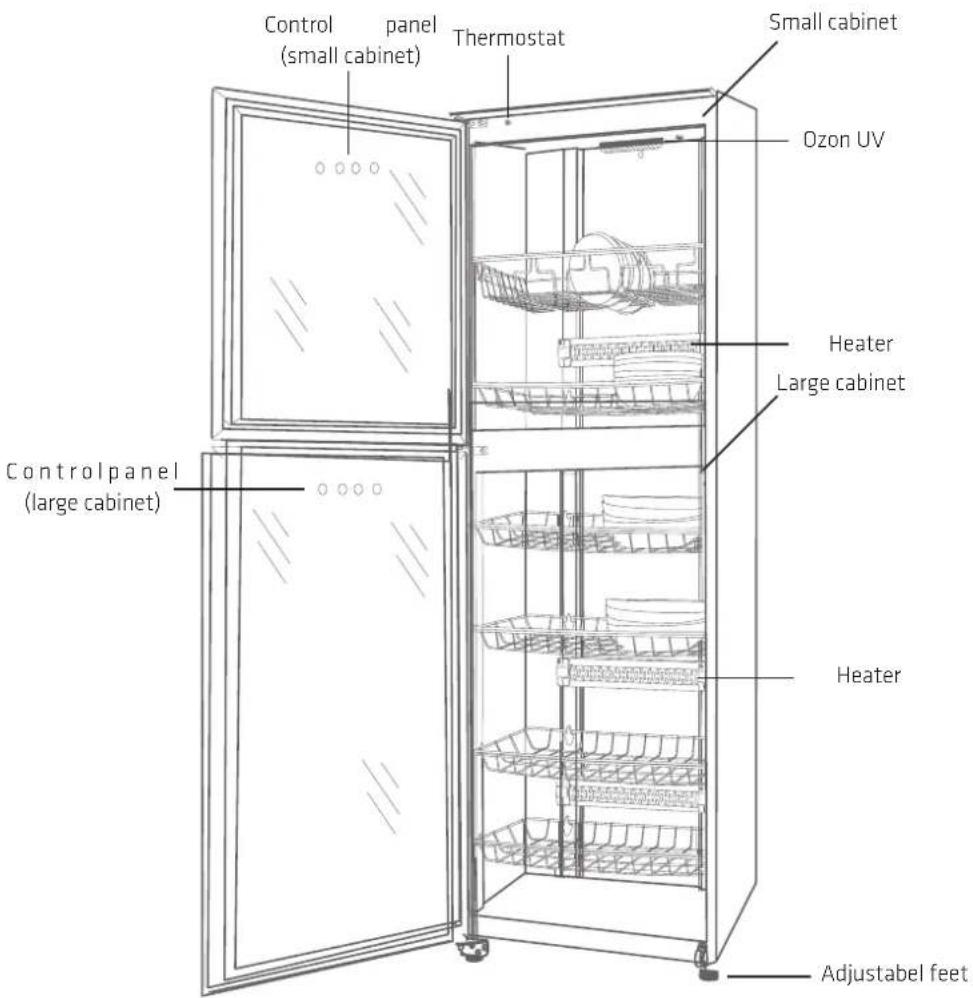
OPERATION OF STERIMEX
CONTROL PANEL
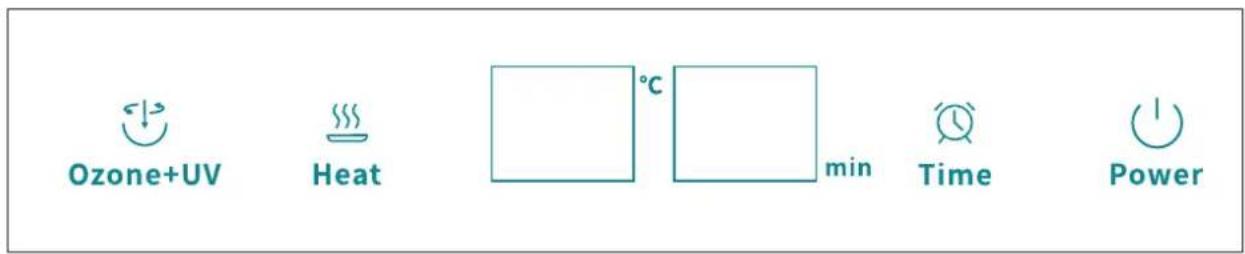

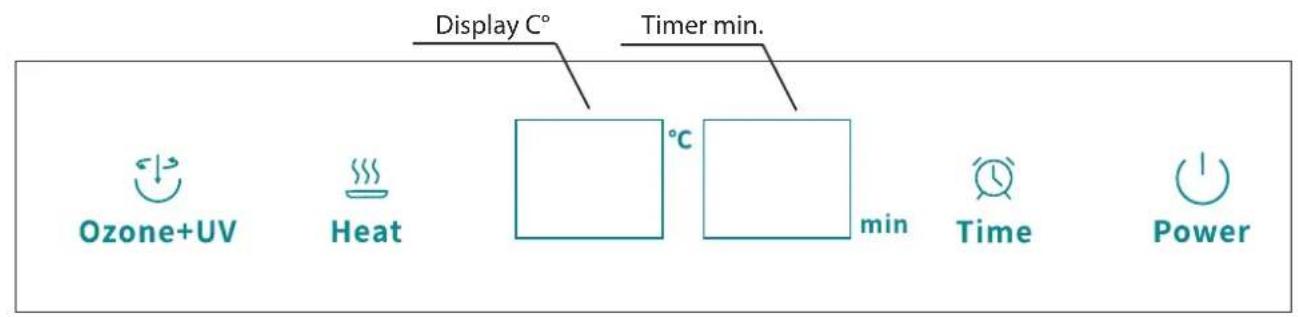
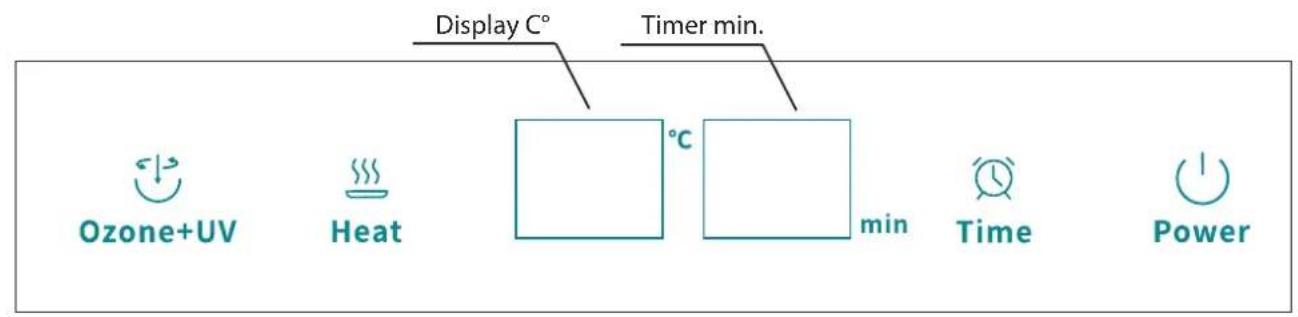
Power is used to turn Sterimex on and off.
Press Power to turn on the device. The control panel now lights up and the unit is in standby, ready to start a cleaning program. If a program is not selected within 1 minute, the display switches off again.
Press "Power" again to turn off the unit and interrupt the current cleaning program.
OZONE + UV PROGRAM

Ozone + UV is used to turn on the Ozone + UV purification program. The cleansing program cleanses by a combination of Ozone and UV light.
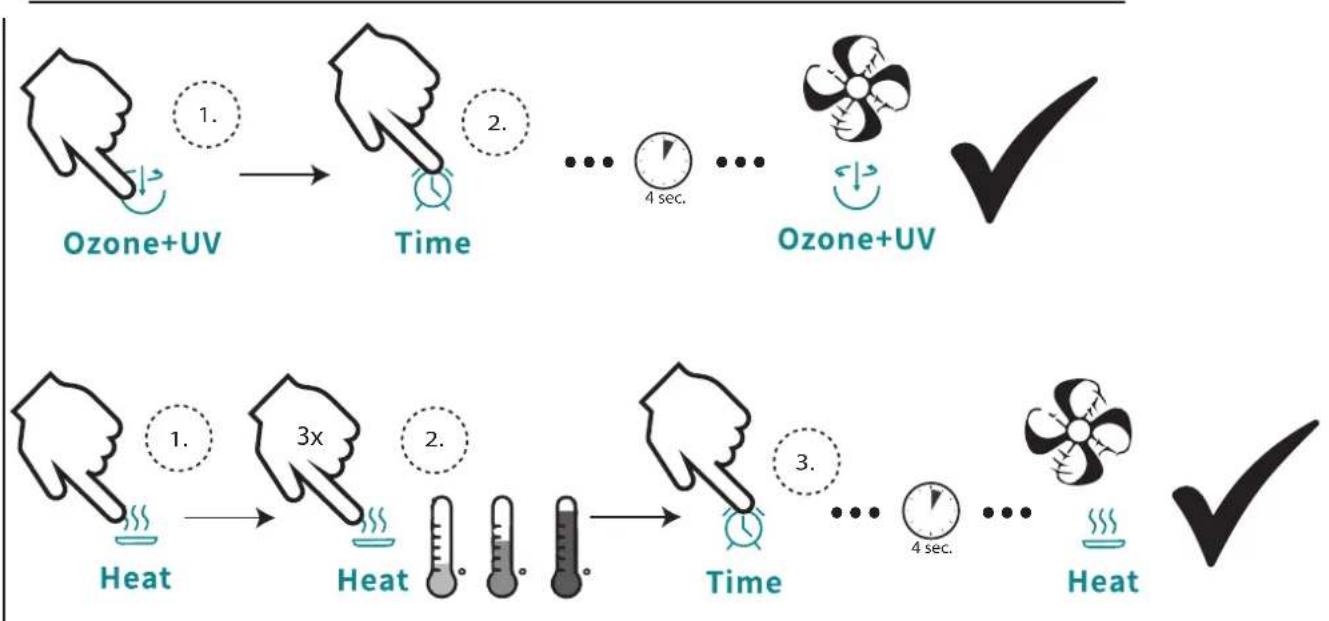
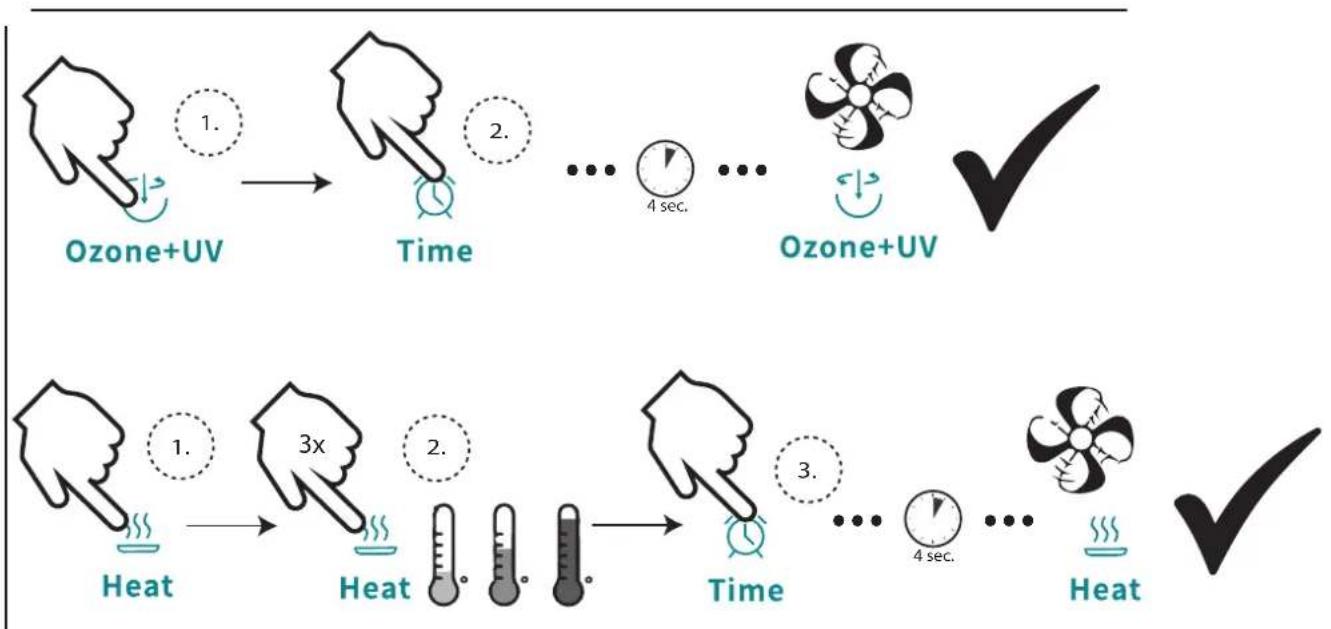
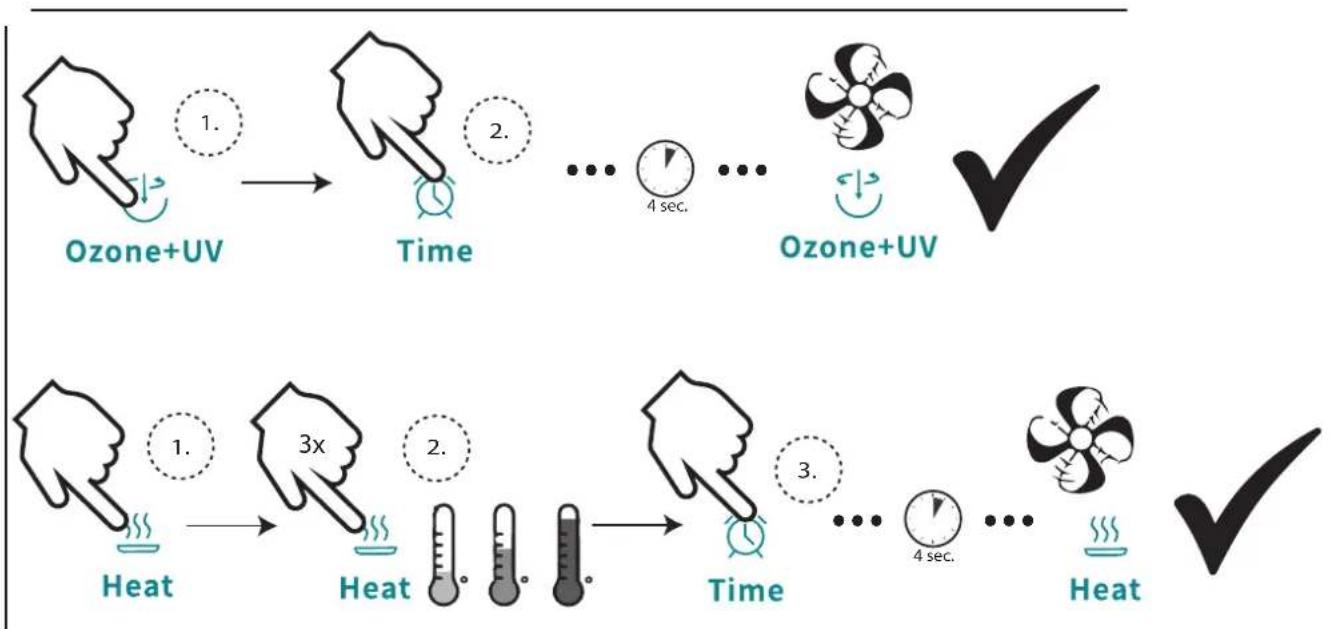
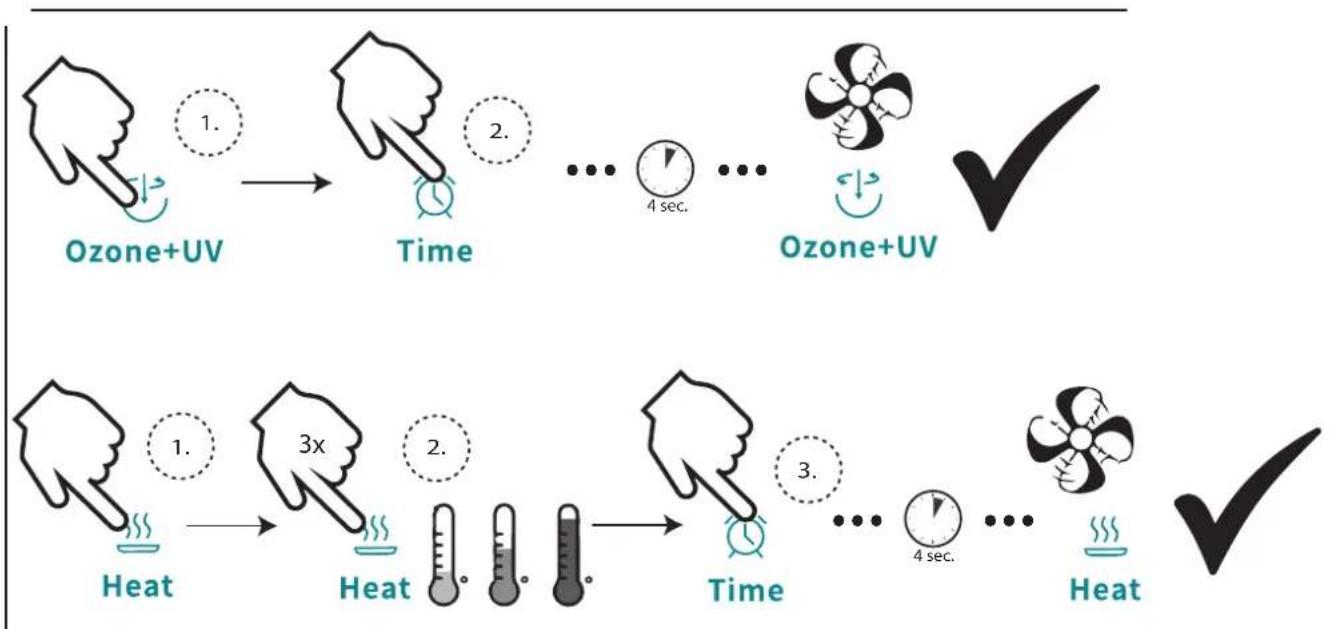
Press Ozone + UV to set the Ozone + UV cleaning program. First press Ozone + UV selects the program and the indicator starts flashing. It is now possible to set the timer for the program by pressing Time. When the time is set as desired, approx. 4 sec. without pressing the display and the cleaning program starts. The flashing display becomes constant and confirms that the cleaning program has started.
natural_image
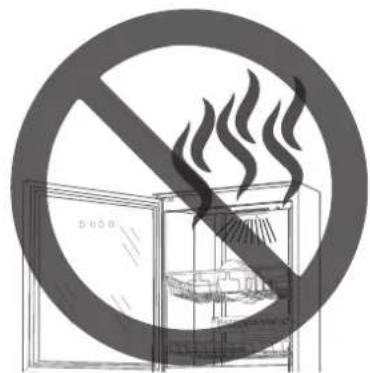
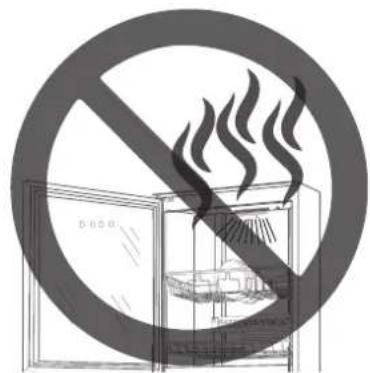
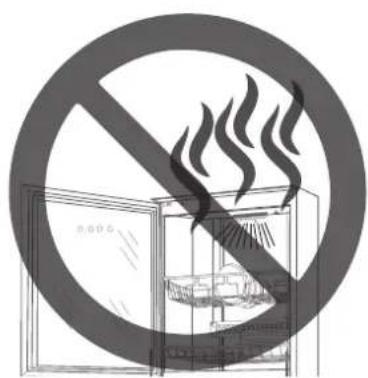
Prohibition sign showing a fire extinguisher inside a refrigerator with smoke rising (no text or symbols)IMPORTANT! Do not open the door until 10 min. after completing the program.
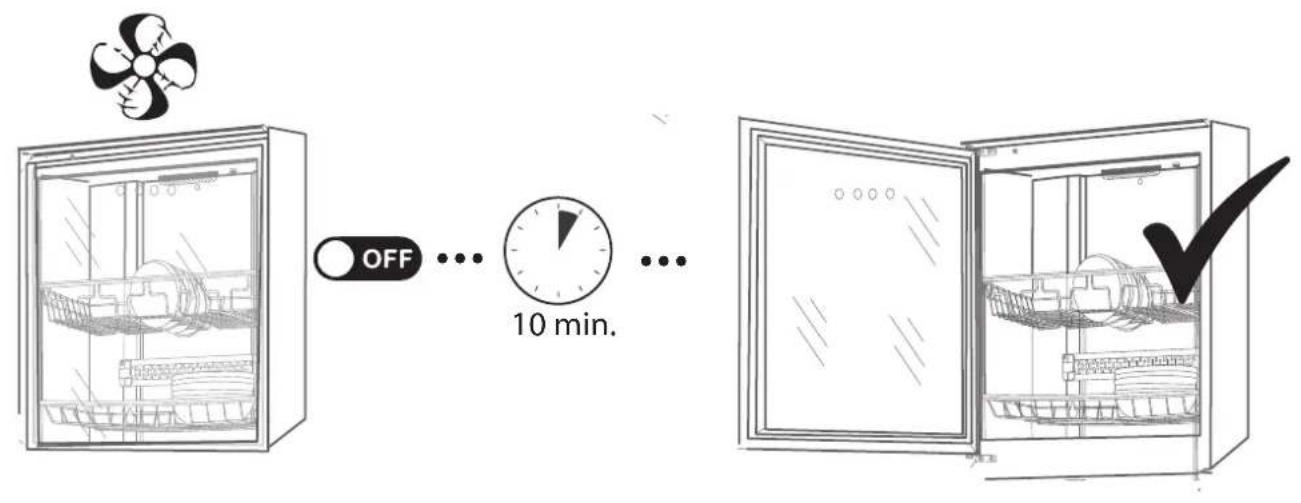
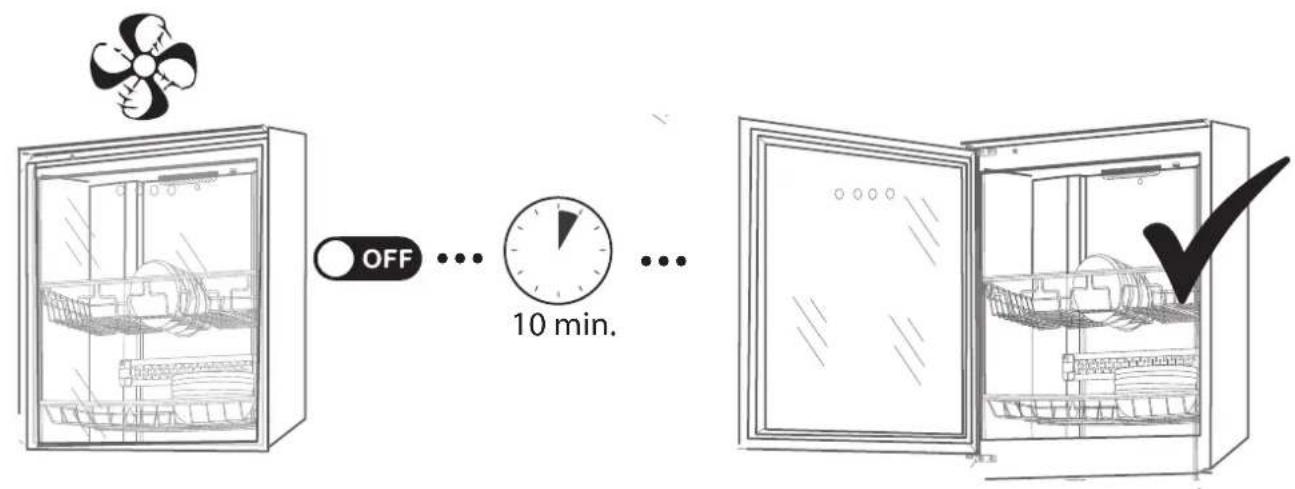
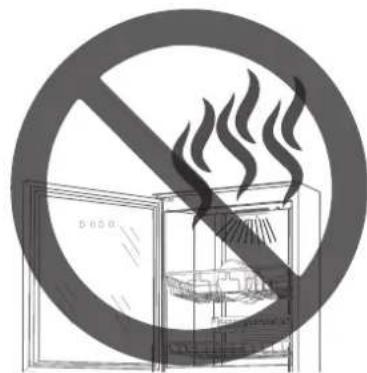
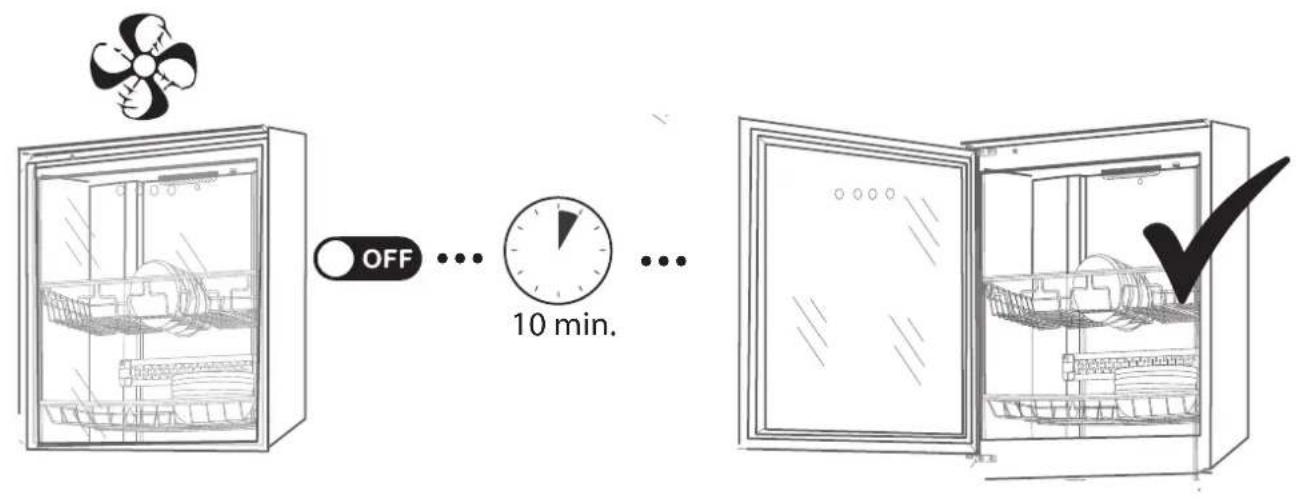
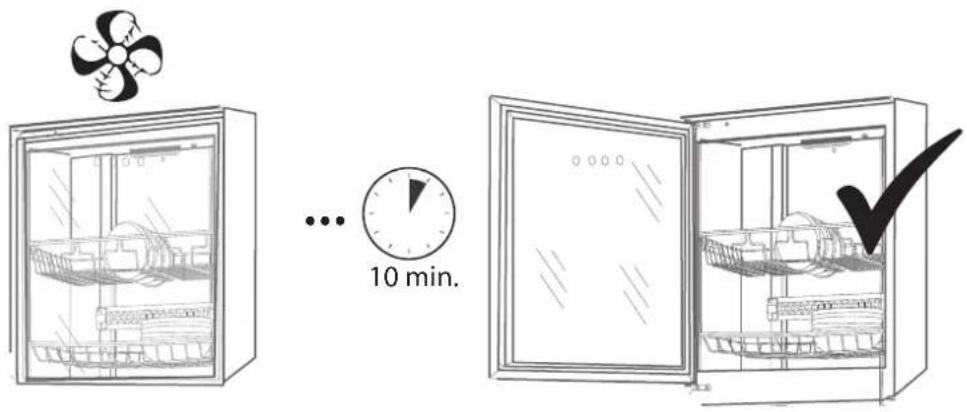
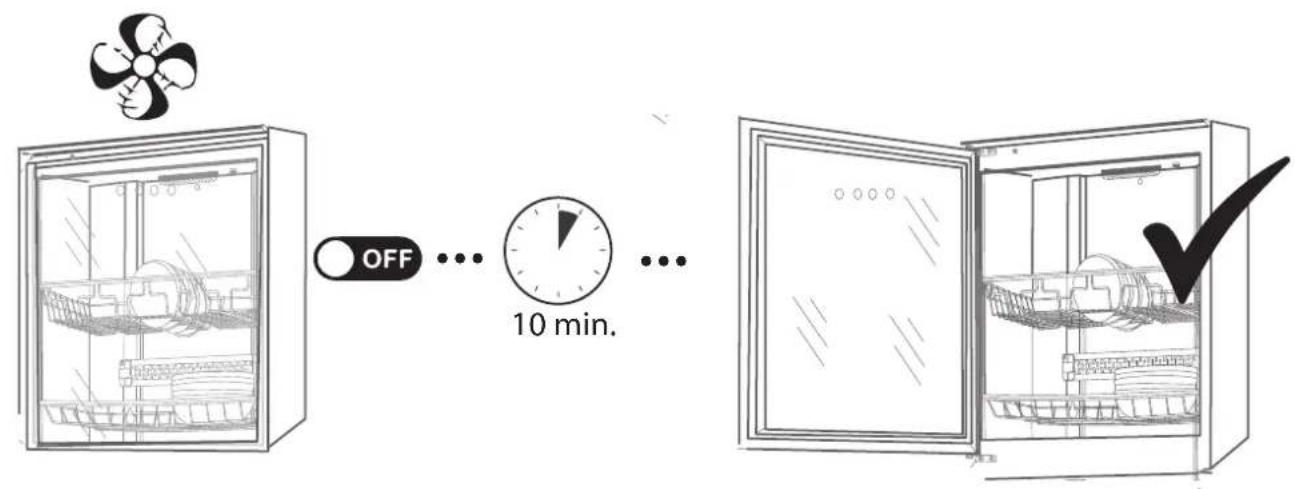
During the cleaning process with the Ozone + UV program, ozone is released, which can be harmful if inhaled. Never open the door while a program is running. Always wait at least 10 min. from the end of the program until the door is opened. This also applies even if the program is interrupted on Power.
Always wait 10 min. from the end of the program before the door is opened. This allows Sterimex to purify the air of various fumes and gases, as well as to cool the cabin.
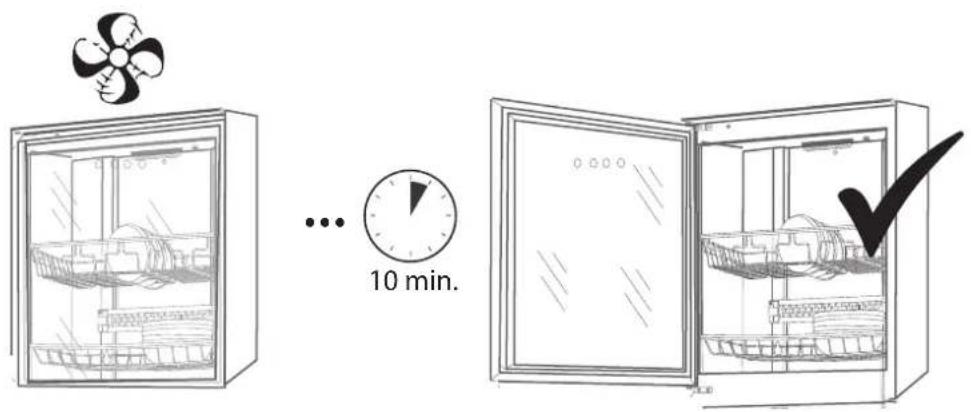
HEAT PROGRAM

Heat
Heat is used to turn on the Heat purification program. The cleaning program cleans by heating the cabin.
Press Heat to select the heat cleaning program. The first press of Heat selects the program and the indicator starts flashing. It is now possible to set how many degrees the program is to be executed on by pressing Heat repeatedly. Next, the timer can be set by pressing Time until the desired program length is shown in the display. When heat and time are set as desired, wait approx. 4 sec. without pressing the display and the cleaning program starts. The flashing display becomes constant and confirms that the cleaning program has started.
natural_image
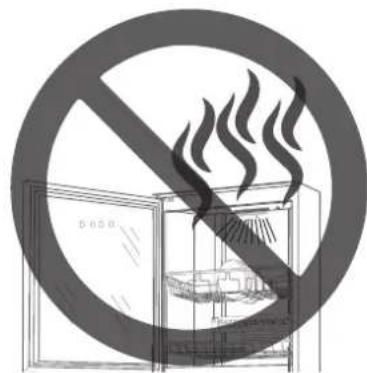
Symbolic illustration of a fire extinguisher inside a cabinet, crossed out by a diagonal line (no text or symbols)IMPORTANT! Do not open the door until 10 min. after completing the program.
During the cleaning process with the Heat program, there is high heat in the cabin, and there may therefore be a risk of damage by opening the door before the end of the program. Never open the door while a program is running. Always wait at least 10 min. from the end of the program until the door is opened. This also applies even if the program is interrupted on Power.
Always wait 10 min. from the end of the program before the door is opened. This allows Sterimex to purify the air of various fumes and gases, as well as to cool the cabin.
QUICK GUIDE
flowchart
graph TD
    A["Ozone+UV"] --> B["Time"]
    B --> C["... 4 sec."]
    C --> D["Ozone+UV"]
    E["Heat"] --> F["Heat"]
    F --> G["Time"]
    G --> H["... 4 sec."]
    H --> I["Heat"]
PREPARATION BEFORE USE
Always clean and dry all units before putting them in Sterimex.
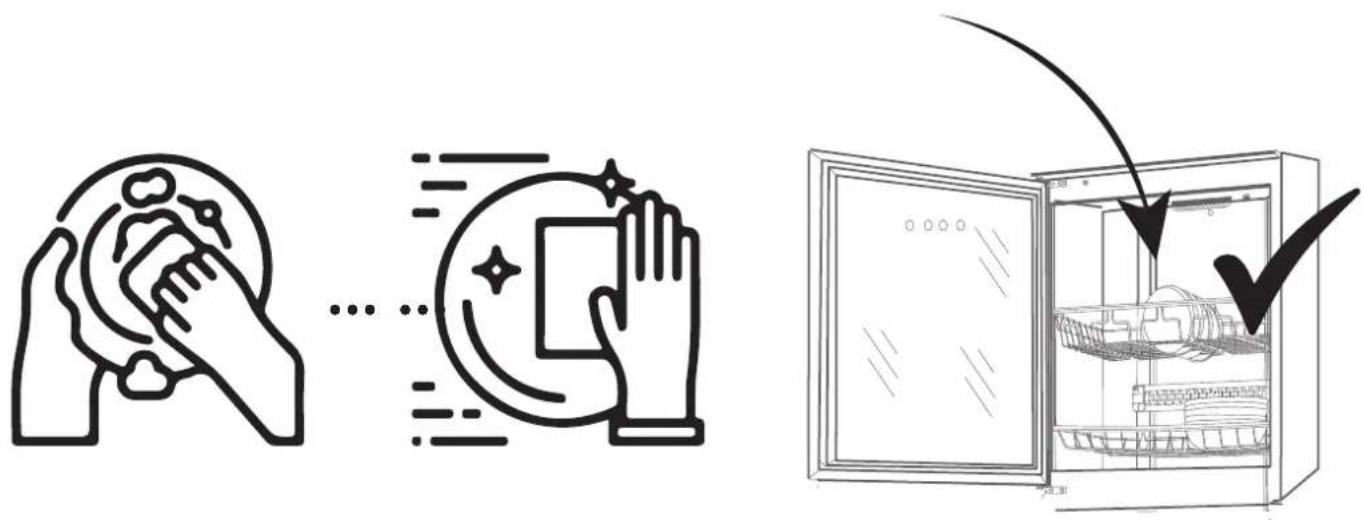
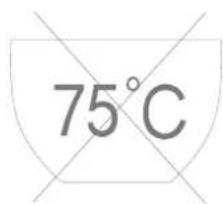
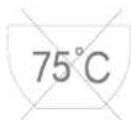
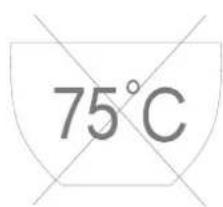
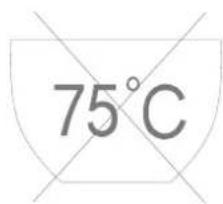
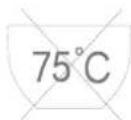
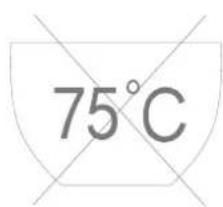
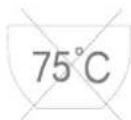
Never place units in Sterimex that are not suitable for min. 75 °C. Failure to do so may result in damage to the units due to the high heat in the cabin.
MAINTENANCE
Use Sterimex on a regular basis. If Sterimex is used at least once a week, the cabinet will be kept germ-free.
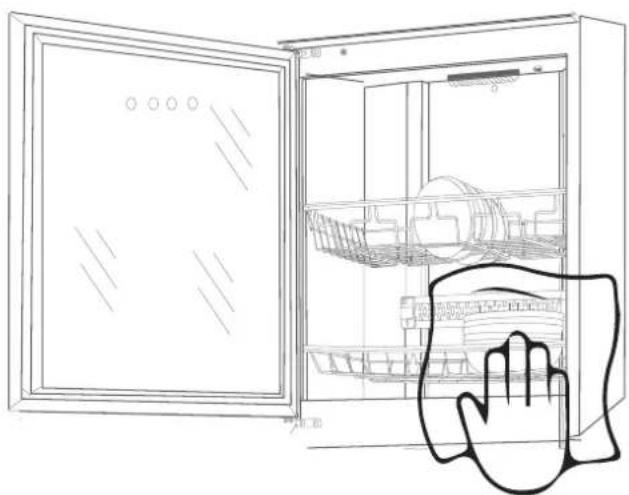
NOTE: Disconnect the power from Sterimex before starting cleaning.
Clean Sterimex regularly, both inside and out. This is done with a damp cloth, and possibly a few drops of detergent. Afterwards, wipe the cleaned area with a tea towel to remove any remaining moisture. Be careful not to damage Sterimex during cleaning, especially the UV and heating elements are fragile and should not be cleaned directly.
natural_image
Line drawing of an open refrigerator with a hand pointing to the side panel (no text or symbols)SERVICE
Before reporting service on your Thermex product, it is important that you read the installation and/or user instructions carefully. It ensures that Thermex can provide you the best possible assistance.
Service department at Thermex can be contacted in preparation to:
- Technical support for installation and installation of your range product.
- Clarification of functionalities in your product.
• Service Request during the warranty on your product.
Before a service request during the warranty always try to disconnect the power to the product for about 5 min. Then plug the power back on to see if the problem is corrected.
If the problem is not corrected, disconnect the power supply to the product for one hour. If the product is still not functioning properly, and the troubleshooting charts are reviewed, contact the service department.
NOTE: For inquiries within the warranty, you will be asked for proof of your purchase in the form of a sales receipt. Therefore, always store your sales receipt
Before the request for service within the warranty, it is important to have all the necessary information ready:
- Error Description
- Product/Model
• The type and serial number of the product (on the chassis plate)
• Information of purchase
MILJ∅HENSYN
EMBALLAGE
SKROTNING AF PRODUKTET

The packaging must be disposed of in accordance with local regulations on waste management.
SCRAPPING OF THE PRODUCT

The symbol _1 on the product or accompanying documentation indicates that this product may not be disposed of as household waste but must be delivered to the nearest collection center for the recycling of electrical and electronic equipment.
THERMEX SCANDINAVIA A/S
- THERMEX STERIMEX LARGE M 710212200212052021
- BETJENING AF STERIMEX
- HEAT PROGRAM
- Heat
- SERVICE
- BETJENING AV STERIMEX
- KLARGJ∅RING F∅R BRUK
- BEREDNING FÖRE ANVÄNDNING
- LÄMPÖOHJELMA
- HUOLTO
- HEAT PROGRAMA
- SERVICIO
- GENERAL WARNING
- BEFORE INSTALLATION/OPERATION
- INSTALLATION
- USE OF THE PRODUCT
- OPERATION OF STERIMEX
- OZONE + UV PROGRAM
- PREPARATION BEFORE USE
- MAINTENANCE
- MILJ∅HENSYN
- THERMEX SCANDINAVIA A/S
Brand : Thermex
Model : SteriMex
Category : Uncategorized