
BP 8.0 UHD 2-CH - Dash cam BLAUPUNKT - Free user manual and instructions
Find the device manual for free BP 8.0 UHD 2-CH BLAUPUNKT in PDF.


| Product Type | Dash Cam (2-Channel) |
| Brand | Blaupunkt |
| Model | BP 8.0 UHD 2-CH |
| Video Resolution | UHD 4K (3840x2160) front, Full HD (1920x1080) rear |
| Channels | 2 (front and rear cameras) |
| Display | 3.0-inch LCD |
| Field of View | Front: 140°, Rear: 120° |
| Night Vision | Yes, with infrared LEDs |
| Storage | Supports microSD up to 128GB (Class 10 or higher) |
| Power Supply | 12V/24V car cigarette lighter adapter (5V/2A output) |
| Battery | Built-in lithium polymer, 200mAh |
| G-Sensor | Yes, 3-axis for impact detection |
| GPS | Built-in GPS logger |
| WiFi | Yes, for app connectivity |
| Parking Mode | Yes, motion detection and low-bitrate recording |
| Loop Recording | Yes, with user-selectable lengths (1/3/5 min) |
| Dimensions (Front Camera) | Approx. 90 x 50 x 40 mm |
| Weight (Front Camera) | Approx. 80g |
| Operating Temperature | -10°C to 60°C |
| Mounting | Suction cup or adhesive mount |
| Included Accessories | Hardwire kit, rear camera cable, installation kit |
| Maintenance | Clean lens with soft cloth; format microSD regularly |
| Safety | Do not install where it obstructs driver's view; operates at low voltage |
| Spare Parts & Repairability | Spare mounts and cables available; battery replaceable by service center |
| Certifications | CE, FCC, RoHS |
Frequently Asked Questions - BP 8.0 UHD 2-CH BLAUPUNKT
User questions about BP 8.0 UHD 2-CH BLAUPUNKT
0 question about this device. Answer the ones you know or ask your own.
Ask a new question about this device
Download the instructions for your Dash cam in PDF format for free! Find your manual BP 8.0 UHD 2-CH - BLAUPUNKT and take your electronic device back in hand. On this page are published all the documents necessary for the use of your device. BP 8.0 UHD 2-CH by BLAUPUNKT.
USER MANUAL BP 8.0 UHD 2-CH BLAUPUNKT
natural_image
Three black Blaupunkt digital cameras shown from different angles (front, side, and top) against a white background.Enjoy it.
Thank you for choosing our product. This manual will help you use our product properly. Please read the manual carefully before using. It will provide detailed explanation on installation and operation.
Cautions
- Please strictly abide by the relevant national law. This product cannot be used for illegal purposes; otherwise take the responsibility by yourself.
- Please insert the micro SD card in the right direction to avoid damage to the card or the device. If device shows error of “Please Insert Card Again”, please format the micro SD card from menu setting. Please reset device or change micro SD card if similar error continues.
Note : All files will be deleted when formatting micro SD card, please backup the important files before format. All adjusted setting will be reset to default setting when reset button is pressed. - Recommend to use CLASS 10 or above micro SD card. Owing to all micro D card does not have equivalent standard in the market, not all micro SD card is compatible to device. Please test it on device before purchase.
- Micro SD card must be formatted before using on device. Recommend to back up file once a week to avoid file missing/overwritten. Please format micro SD card once every month for function stability.
- Please assure bracket is installed correctly & firmly on windscreen to avoid damage and for better recording angle.
- Battery life-span will continuously decrease upon usage. Please charge battery once every month to preserve battery life in the event of long-term non-usage.
- Please do not use product under moist environment as device is not waterproofed.
- Please do not record or take picture facing sun.
- To obtain clear image, please clean windscreen and device's lens
with exclusive wipes regularly. Avoid usage in dusty environment.
- The device cannot direct heavy impact on the shell and do not use it at high magnetic and electronic environment.
- The device operating temperature is -10^ 60^ , storage temperature is -25^ 75^ .
Disclaimer : Company is not liable / responsible for non-recorded event, missing file, corrupted file etc.
1. Structures
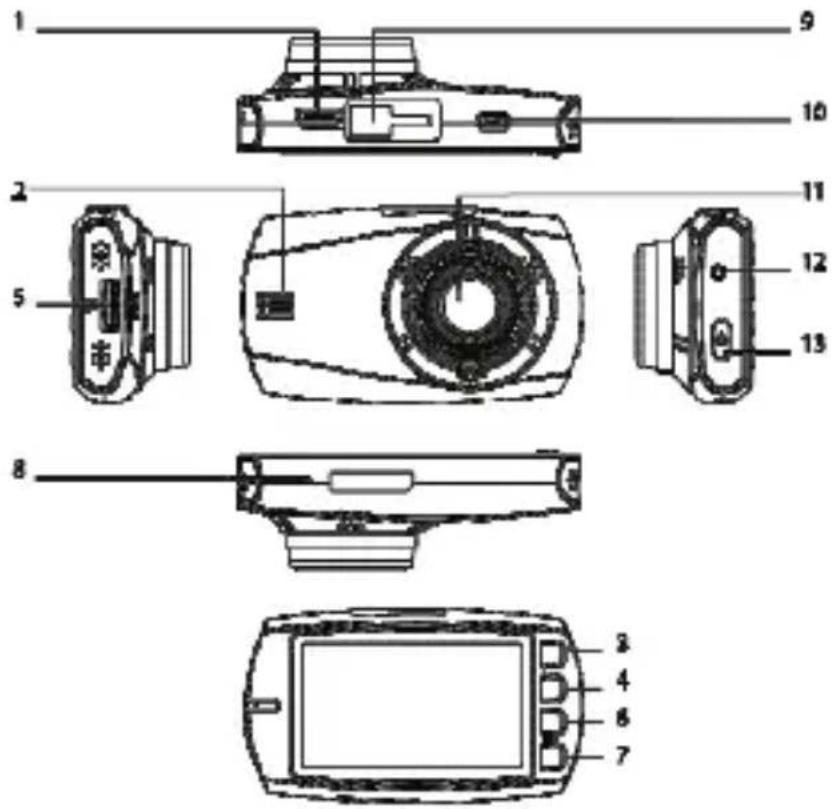
- Mini USB Port
- Speaker
- SOS/Return/Menu Key
- Mode / Snapshot /Up Key
- Micro SD Card Slot
- Mic / Playback / Down Key
-
OK/Stop Recording Key
-
Microphone
- Bracket Mount
- Micro USB Port
- Lens
- Reset Key
- On/off Key
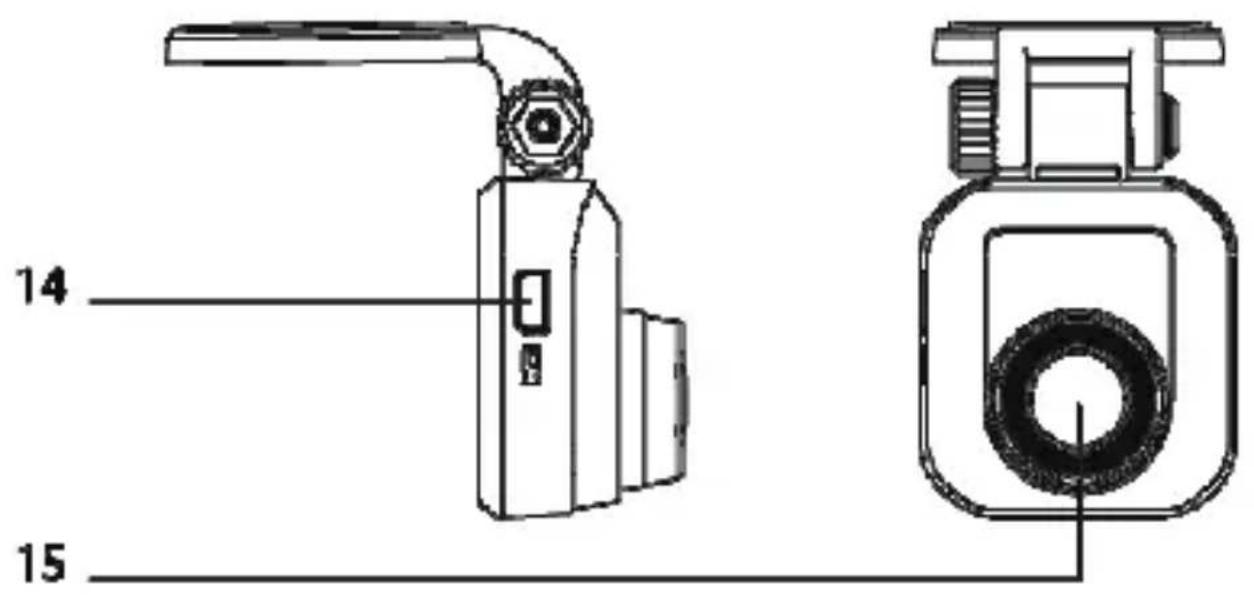
- Connecting Port
- Lens
2. Features
• 2.7" LCD Display
- Ultra Wide Angle : Front 170^ , Rear 120^
• Resolution : Front 4MP FHD1080 30fps, Rear 2MP FHD1080 30fps
- SOS Function, Motion Detection
• G-sensor, Loop Recording
- Parking Monitoring
• Build in Microphone & Speaker
- Driver Fatigue Alert
- Driver ID Setting
• Storage Media Micro SD/SDHC/SDXC up to 128gb (Non Included)
3. Key Definitions and Functions
I. Power Button
- Hold power button for 3 second to turn on or off the device.
II. SOS (File lock) / Menu/Return Button
- Press the button during recording mode to lock recording file, in order to save file as emergency file which will prevent the file from being overwritten.
- Press to enter/exit setting while in preview mode. The device will automatically start recording after existing setting.
III. Mode / Snapshot / Up Button
- Press it during recording mode to enter Mode options for Snapshot
- Press it during recording mode to preview mode (change display) to Menu / Snapshot / Playback / Resume Recording option
IV. Mic / Playback / Down Button
- Press it during recording mode to turn on/off MIC
- Press it during preview mode to enter Playback mode
- Press it to select option in Playback
- Press it during Playback mode to play the next video
- Press it to select options in menu
V. OK Button
- Press to start/stop recording to go to preview mode
- Press it during preview mode to resume recording
- Press it during Playback mode to select and play/pause video
- Press it to confirm setting in menu
4. Other Features Illustration
I. Reset Button
- Press button to reset device in case device failed to work.
II. Micro SD Card Slot
- Please make sure to insert card according direction shown on the
device to prevent any damages on the card and device
• The card should be SDHC compliant
- Please use device with card of class 10 and above for optimum performance
- Card must be formatted during the first use and should be formatted every month
III. Micro USB Port
- Please connect device with cigarette lighter charger when using device in car. When car ignition is turned on, device will automatically turn on when cigarette light charger is plugged-in. Note: Please turn device power off before connecting to PC to avoid electrical shock damage.
IV. Mini USB Port
- Please connect front camera to rear camera using the provided wire by plugging it into the port
5. Indicator Light Definition
I. Red Light
- Light will turn on when supply with power, and off when charging cable is unplugged from the device
II. Blue Light
- Blinking blue light shows device is recording
6. Battery Status Definition
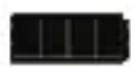
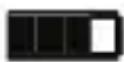
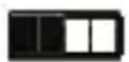


100% 75% 50% 25% 0%
I. Battery Charging
- Device can be charged using USB cable or cigarette charger
II. Low Power Warning
- In case of low power, and device is not charged, the device will automatically turn off.
III. Precaution
- The device will automatically turn off when unplug from power source, after 10 seconds of shutdown delay
- Users may set auto power off time in menu setting to save battery power. This setting allows device to turn off automatically when no operation has been detected according to the set time.
*Note : Device power input is restricted to 5V only
- System Setting
| Preview | Category Sub-Category | Remarks | |
| Menu Setting | Resolution | 2560×1440p 30fps Default2304×1296p 30fps1920×1080p 60fps1920×1080p 30fps1280×720p 60fps1280×720p 30fps | |
| Screen Display | Front CameraRear CameraPIP (Picture in Picture) Default | ||
| Loop Recording | 1 minute3 minutes Default5 minutes | ||
| Voice Setup | OnOff Default | ||
| Exposure (EV) | +2/3+1/3+0.0 Default-1/3-2/3-1.0-4/3-5/3-2.0 | ||
| Stamp Setup | Date Stamp Default | ||
| Language | English Default简体中文,繁体中文 | ||
| Menu Setting | Time Setup | DD MM YYYY HH MM SS 24-hour | |
| Driver ID Setting | 9-digit | ||
| Button Beep | On DefaultOff | ||
| Auto Power Off | Off1 minute3 minutes5 minutes | DefaultAuto shutdownduring standby mode | |
| LCD Auto Off | Off Default1 minute3 minutes | ||
| WDR | OnOff Default | ||
| Frequency | 50Hz Default60Hz | ||
| Format Formatting will erase all data in Micro SD card | |||
| Format Prompt | 15 days30 days60 daysOff Default | ||
| Default Restoring default will lose current setting | |||
| Version Info Software version information | |||
| Feature Setting | Driver Fatigue Alarm | 1 Hour2 Hour4 HoursOff | Default |
| Remind Lights | On DefaultOff | Reminder to turn on headlight | |
| Motion Detect | OnOff Default | ||
| Parking Monitoring | OnOff Default | ||
| G-sensor sensitivity | LowMedium DefaultHighOff | ||
8. Data Backup
I. Connect device with PC with USB cable, device will switch to Mass Storage mode. All normal, emergency video and snapshot images can be viewed and extracted from the device to PC
9. Product Specifications
| Features Description | |
| LCD Size | 2.7 inch TFT LCD display |
| Megapixel Front 4M, Rear 2M | |
| Viewing Angle | Front 170°, Rear 120° |
| Video Resolution | Front: 30fps 2560x1440, Rear: 30fps 1920x1080 |
| Video Format MOV/H.264 | |
| Image Format JPG | |
| Memory Card Micro SD | |
| Memory Card Capacity | Max. 128gb, class 10 and above |
| Frequency | 50Hz/60Hz |
| Power Port USB 2.0 5V | |
| Battery Capacity 400mAh / 3.7V Li-ion | |
| Microphone / Speaker Built-in | |
| Loop Recording | Off / 1min / 3min / 5min |
| LCD Off Support | |
| Parking Monitoring Support | |
| Driver Fatigue Alarm | Support |
| G-sensor & SOS | Support |
| Motion Detect | Support |
| Driver ID Setting | Support |
| Language | English, 简体中文,繁体中文 |
10. Micro SD Card Capacity & Compatibility
| Class 10 Micro SD Card Capacity | Resolution Setting | Camera | Hour | Minute |
| 128GB | 1080P 30fps | 1-Channel | 30 | 50 |
| 2-Channel | 15 | 25 | ||
| 64GB | 1080P 30fps | 1-Channel | 17 | 14 |
| 2-Channel | 8 | 37 | ||
| 32GB | 1080P 30fps | 1-Channel | 10 | 50 |
| 2-Channel | 5 | 25 | ||
| 16GB | 1080P 30fps | 1-Channel | 2 | 56 |
| 2-Channel | 1 | 26 | ||
| 8GB | 1080P 30fps | 1-Channel | 1 | 26 |
| 2-Channel | 43 |
11. Accessories
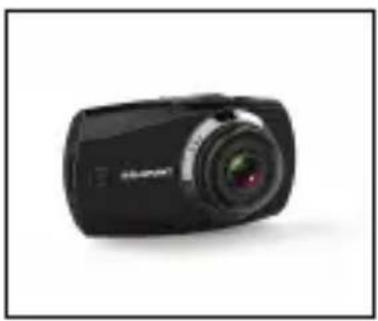
natural_image
Black digital camera with lens and screen (no visible text or symbols)Front Digital Video Recorder
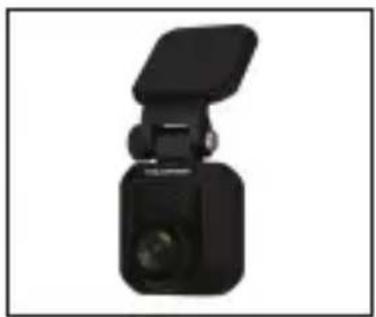
natural_image
Black mechanical device with a flat top and cylindrical body, shown in a simple view (no text or symbols visible)Rear Digital Video Recorder USB Cable
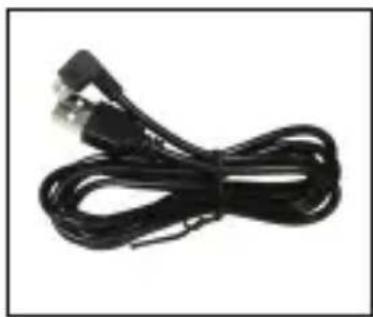
natural_image
Coiled black cable with two USB connectors (no text or symbols visible)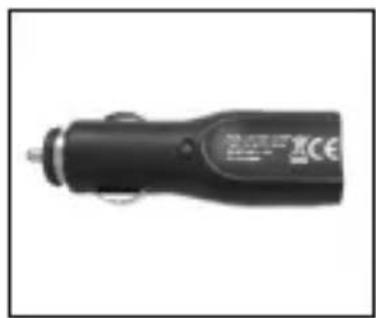
natural_image
Black handheld electronic device with a metallic connector and a small circular button (no visible text or symbols)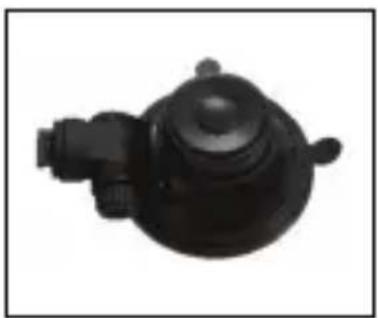
natural_image
Black mechanical component with a circular top and protruding shaft (no visible text or symbols)Bracket
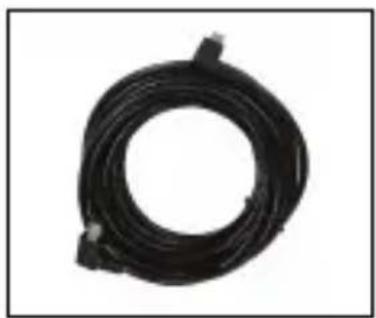
natural_image
Black cable with connectors, no visible text or symbolsRear Cam Connecting Cable Car Charger
Manual
Designed and enginereed by Blaupunkt