
Lyra - Microphone AKG - Free user manual and instructions
Find the device manual for free Lyra AKG in PDF.


| Product Type | Multi-pattern USB Condenser Microphone |
| Dimensions (L x W x H) | Approx. 7 x 7 x 16 cm (with stand) |
| Net Weight | Approx. 450 g |
| Power | Via USB (bus-powered) |
| Connectivity | USB Type-C, 3.5 mm stereo headphone jack |
| Compatible Operating Systems | Windows 8+, Mac OS 10.7+, Android 9+ (OTG), iOS 10+ (camera kit) |
| Recording Patterns | Front, Front & Back, Tight Stereo, Wide Stereo |
| Built-in Controls | Headphone volume, mute, microphone gain, pattern selector |
| Desk Stand | Integrated and removable, adapter for standard 3/8" stand |
| Care and Cleaning | Clean with a soft, dry cloth. Avoid any liquid. |
| Safety | Do not expose to humidity. Use in a dry environment. |
| Spare Parts and Repairability | USB cable, stand adapter, quick start guide. Professional repair recommended. |
| General Information | Brand AKG, model Lyra. Manufactured by AKG Acoustics GmbH, Austria. |
Frequently Asked Questions - Lyra AKG
User questions about Lyra AKG
0 question about this device. Answer the ones you know or ask your own.
Ask a new question about this device
Download the instructions for your Microphone in PDF format for free! Find your manual Lyra - AKG and take your electronic device back in hand. On this page are published all the documents necessary for the use of your device. Lyra by AKG.
USER MANUAL Lyra AKG
on your purchase of the AKG LYRA. This guide will provide you with the basics needed to set up and operate your microphone right out of the box. LYRA is a professional multi-pattern USB condenser microphone that delivers pristine studio quality recordings.
WHAT'S IN THE BOX
AKG LYRA Microphone
USB Cable (USB C to USB A)
3/8" Microphone Stand Adapter
Quick Start Guide
Regulatory Documents
SYSTEM REQUIREMENTS
Windows 8 and higher
Mac OS 10.7.X and higher
Android 9.X and higher (w/ OTG compatible device)
iOS 10.X and higher (w/camera kit and external power source)
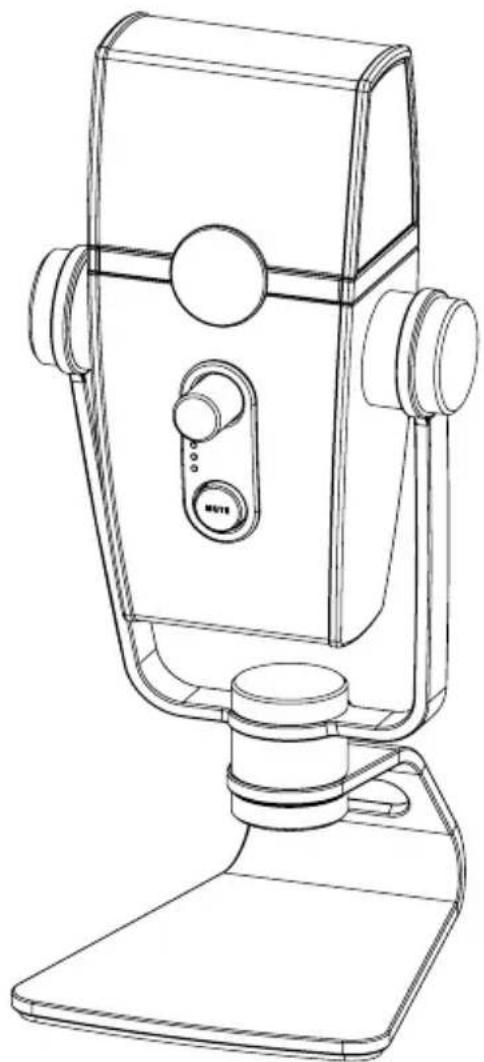
natural_image
Line drawing of a vintage desktop microphone with adjustable arm and base (no text or symbols)CONNECTIONS
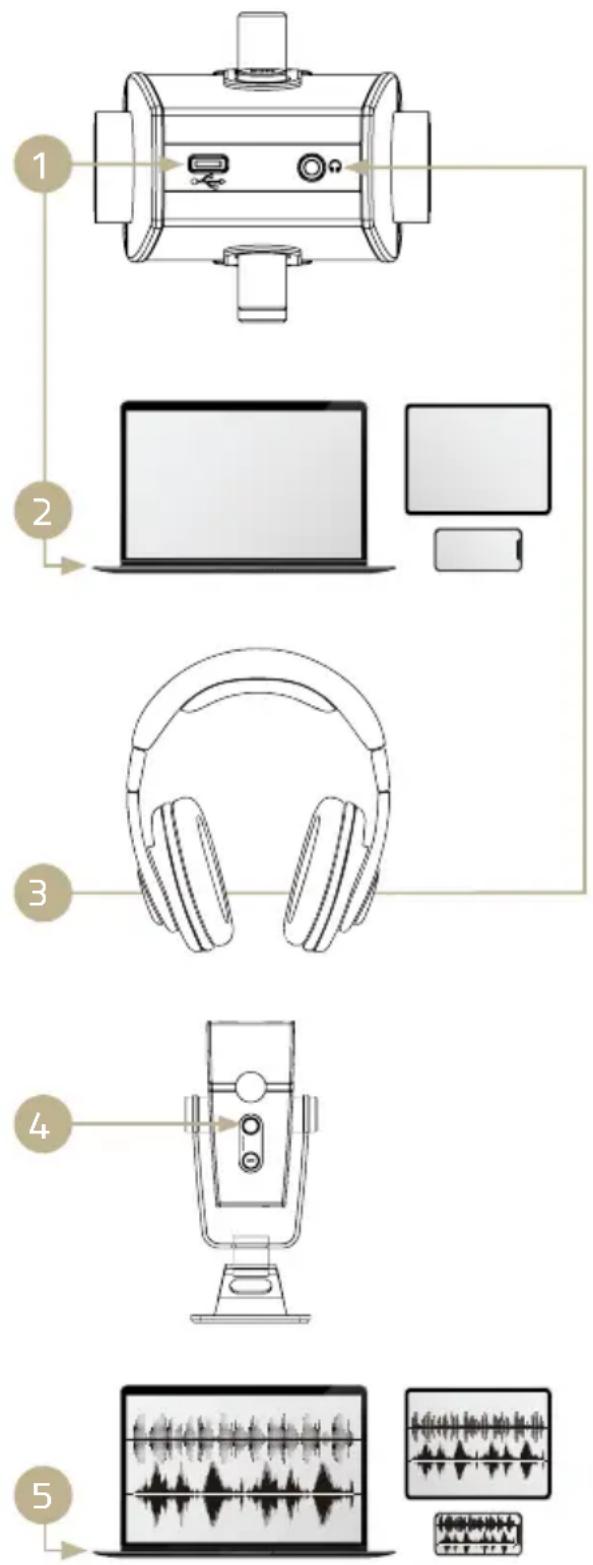
LYRA is designed to be simple to connect and easy to use on multiple platforms. Here are the basic setup and operation instructions.
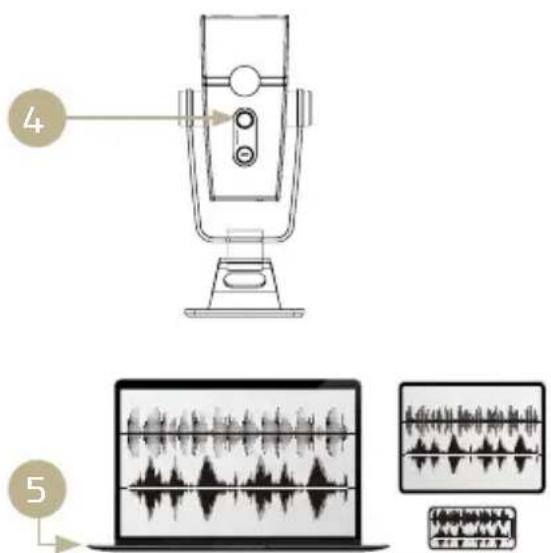
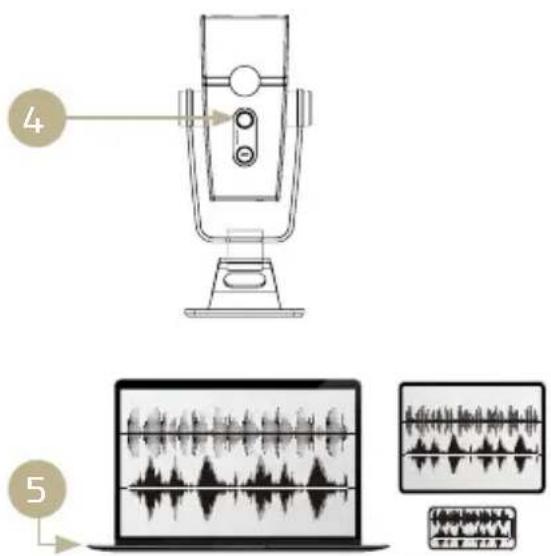
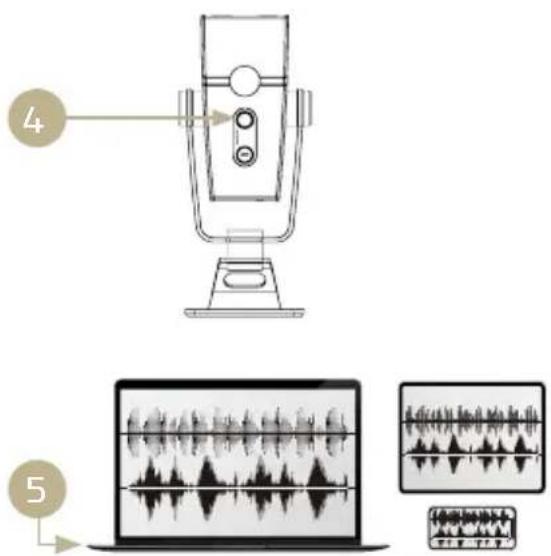
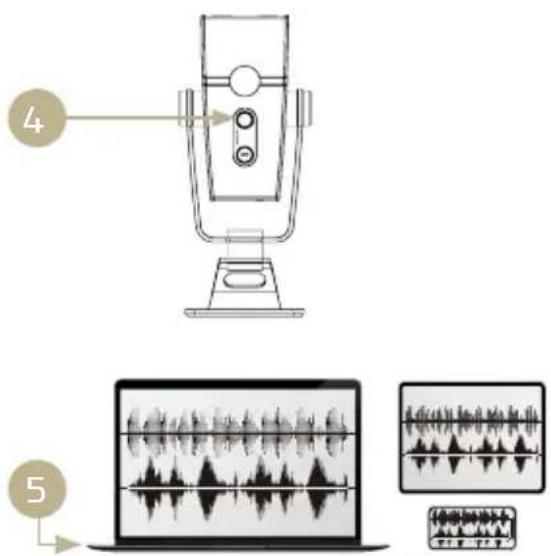
- Connect the USB cable to the microphone USB C port
- Connect the other end of the USB cable to the USB port on your computer, tablet or phone
NOTE:
- Android mobile devices may require an OTG adapter cable to be used in conjunction with the included USB cable
-
iOS mobile devices may require an Apple Camera Adapter that can be use with the included USB cable
-
Connect stereo headphone to the stereo headphone jack
- Adjust the headphone to volume to a comfortable level
- Adjust the recording levels in your computer, tablet or phone
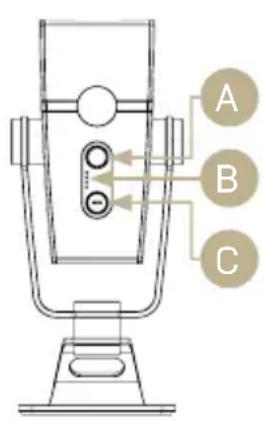
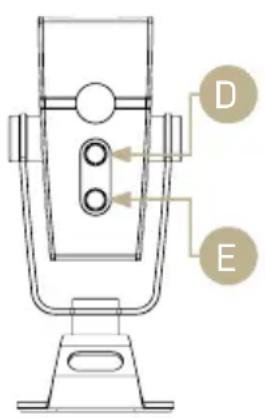
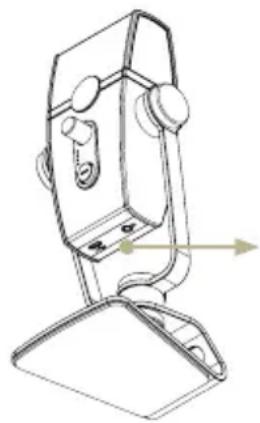
CONTROLS & CONNECTIONS
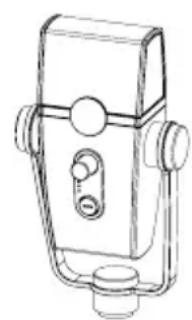
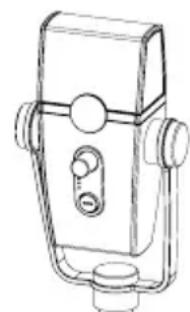
A. Headphone Volume Control
B. Mic Capture Mode LED Indicators
C. Mic Mute BUtton
D. Mic Capture Mode Knob
E. Mic Gain Control
F. USB Port
G. 3.5mm Stereo Headphone Jack
FRONT BACK BOTTOM
natural_image
Technical line drawing of a mechanical device with no visible text or symbols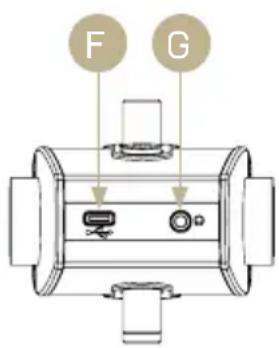
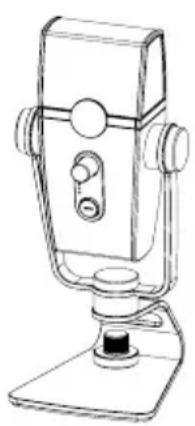
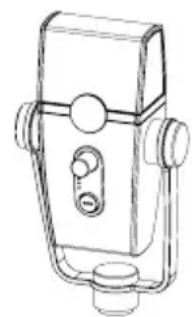
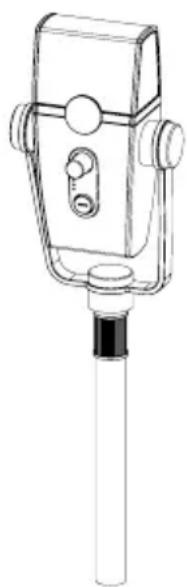
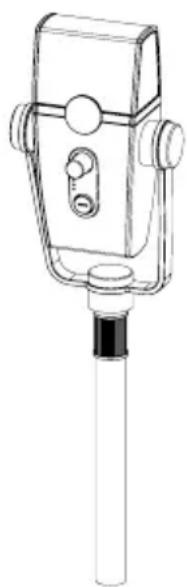
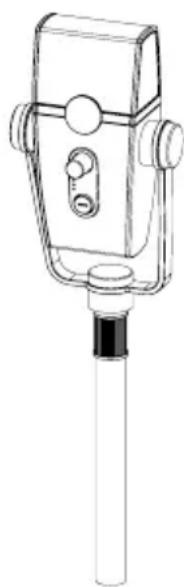
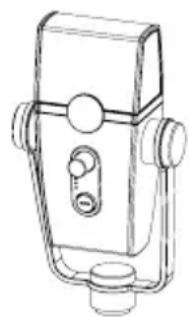
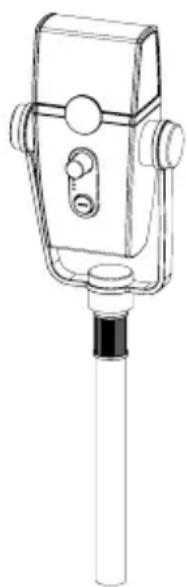
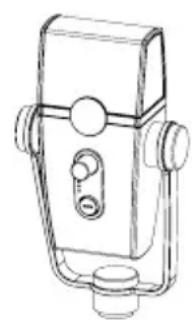
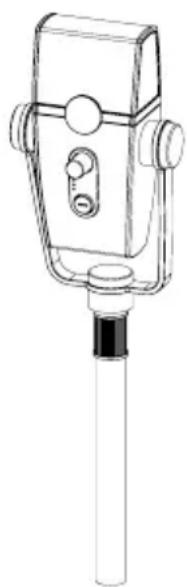
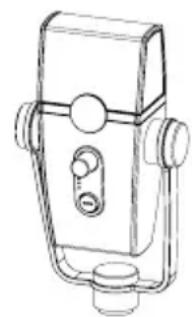
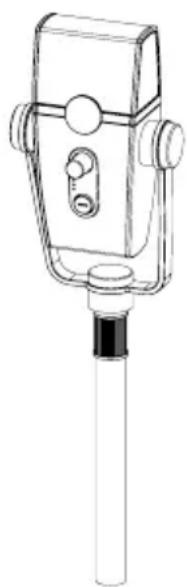
LYRA features an integrated desktop stand that can be removed in order to mount the microphone on industry-standard microphone stands.
- Remove Thumbscrew
- Detach Base
- Screw the mic assembly into the mic stand
natural_image
Line drawing of a mechanical device with a base mount and handle (no text or symbols)12
natural_image
Line drawing of a mechanical device with handle and mounting bracket (no text or symbols)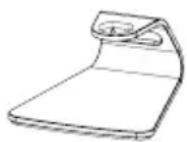
●
natural_image
Line drawing of a mechanical device with a cylindrical shaft and handle (no text or symbols)●
HELPFUL TIPS
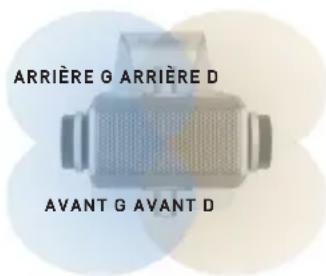
LYRA features the AKG 4-capsule Constellation Array that provides four distinct user-selectable audio capture modes. Here are helpful tips for selecting a microphone capture mode for your application.
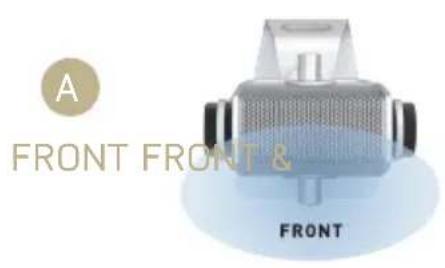
A. FRONT: This is the most commonly used capture mode for recording. It works well for voiceovers, podcasters, vloggers, gamers, vocalists, acoustic instruments and web conferencing. In front mode, the Lyra captures audio sources from the front of the mic while significantly reducing audio from the back and sides.
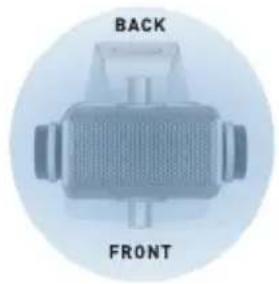
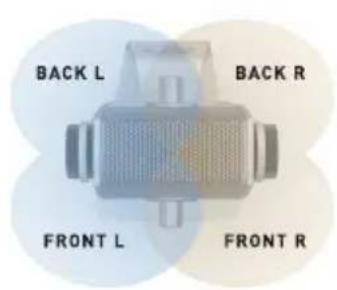
B. FRONT & BACK: This capture mode works particularly well for recording multi-person interviews, podcasters, vloggers, multiple musicians positioned around the microphone and for game sound effects recording. Sound will be picked up evenly from all sides.
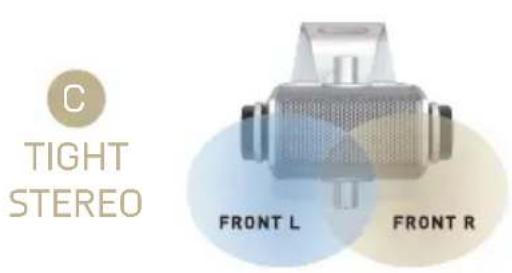
C. TIGHT STEREO: This setting utilizes two microphone capsules for tight stereo pickup in front of Lyra. It is ideal for recording instruments with stereo spread, performers positioned next to each other in front of the Lyra and recording any other sound source(s) with a natural stereo spread.
D. WIDE STEREO: This capture mode provides greater stereo separation and depth compared to Tight Stereo mode. This setting works exceptionally well for ensemble and ambient recording where a wide left-right stereo image is desired.


LAST REVISED: 09/17/2019
AKG ACOUSTICS GMBH SALZGASSE 2, 5400 HALLEIN, AUSTRIA AKG ACOUSTICS, U.S. 8500 BALBOA BOULEVARD, NORTHRIDGE, CA 91329, U.S.A. © 2019 HARMAN International Industries, Incorporated. All rights reserved. AKG is a trademark of AKG Acoustics GmbH, registered in the United States and/or other countries. Features, specifications and appearance are subject to change without notice. Other trademarks and trade names are those of their respective owners. www.akg.com
TOUTES NOS FELICITATIONS
natural_image
Line drawing of a vintage desktop microphone with adjustable base and control panel (no text or symbols)RACCORDEMENTS
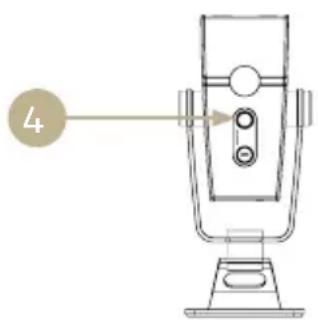
CONTRÔLES ET RACCORDEMENTS
natural_image
Line drawing of a mechanical device with a base mount and adjustment knobs (no text or symbols)12
natural_image
Line drawing of a mechanical device with no visible text or symbols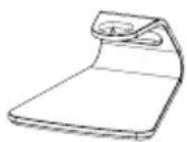
●
natural_image
Line drawing of a mechanical device with a cylindrical shaft and handle (no text or symbols)●
CONSEILS UTILES


LAST REVISED: 09/17/2019
natural_image
Line drawing of a vintage desktop microphone with adjustable base and control panel (no text or symbols)ANSCHLÜSSE
natural_image
Technical line drawing of a mechanical device with no visible text or symbols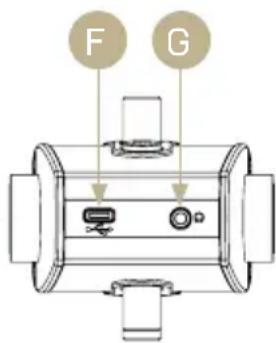
natural_image
Line drawing of a handheld device with adjustable handle and base (no text or symbols)12
natural_image
Line drawing of a mechanical device with no visible text or symbols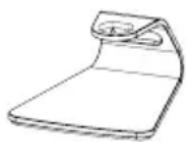
●
natural_image
Line drawing of a mechanical device with handle and shaft (no text or symbols)●
HILFREICHE TIPPS

LAST REVISED: 09/17/2019
natural_image
Line drawing of a vintage desktop microphone with adjustable arm and base (no text or symbols)COLLEGAMENTI
COMANDI E COLLEGAMENTI
natural_image
Technical line drawing of a mechanical device with no visible text or symbols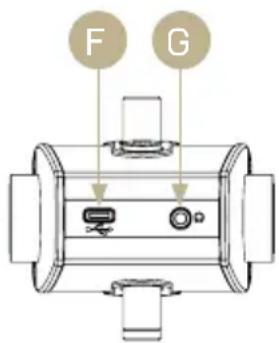
ANTERIORE POSTERIORE INFERIORE
natural_image
Line drawing of a mechanical device with a base mount and handle (no text or symbols)12
natural_image
Line drawing of a mechanical device with no visible text or symbols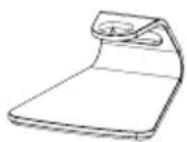
●
natural_image
Line drawing of a mechanical device with a cylindrical shaft and handle (no text or symbols)●
CONSIGLI UTILI

LAST REVISED: 09/17/2019
natural_image
Line drawing of a vintage desktop microphone with adjustable arm and base (no text or symbols)LIGAÇÕES
natural_image
Line drawing of a handheld device with adjustable handle and base (no text or symbols)12
natural_image
Line drawing of a mechanical device with no visible text or symbols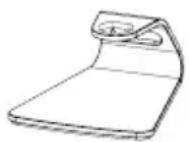
●
natural_image
Line drawing of a mechanical device with handle and shaft (no text or symbols)●
SUGESTÕES ÚTEIS

LAST REVISED: 09/17/2019
Cable USB (USB C a USB A)
natural_image
Line drawing of a vintage desktop microphone with adjustable base and control panel (no text or symbols)CONEXIONES
CONTROLES Y CONEXIONES
natural_image
Technical line drawing of a mechanical device with no visible text or symbols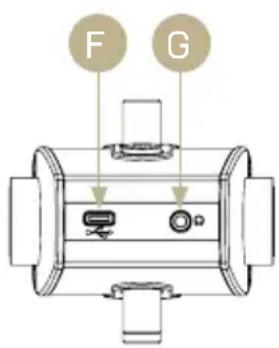
natural_image
Line drawing of a mechanical device with a base and mounting base (no text or symbols)12
natural_image
Line drawing of a mechanical device with handle and mounting bracket (no text or symbols)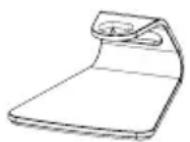
●
natural_image
Line drawing of a mechanical device with a cylindrical shaft and handle (no text or symbols)●
CONSEJOS ÚTILES

LAST REVISED: 09/17/2019
- WHAT'S IN THE BOX
- SYSTEM REQUIREMENTS
- CONNECTIONS
- NOTE:
- CONTROLS & CONNECTIONS
- HELPFUL TIPS
- TOUTES NOS FELICITATIONS
- RACCORDEMENTS
- CONTRÔLES ET RACCORDEMENTS
- CONSEILS UTILES
- ANSCHLÜSSE
- HILFREICHE TIPPS
- COLLEGAMENTI
- COMANDI E COLLEGAMENTI
- ANTERIORE POSTERIORE INFERIORE
- CONSIGLI UTILI
- LIGAÇÕES
- SUGESTÕES ÚTEIS
- CONEXIONES
- CONTROLES Y CONEXIONES
- CONSEJOS ÚTILES
Brand : AKG
Model : Lyra
Category : Microphone