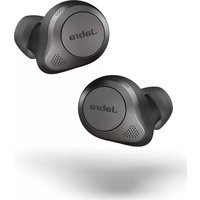
Elite 85t - Headphones JABRA - Free user manual and instructions
Find the device manual for free Elite 85t JABRA in PDF.


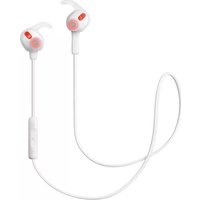
| Product Type | True Wireless Earbuds |
| Model | Elite 85t |
| Brand | Jabra |
| Earbud Dimensions | 19.6 x 18.5 x 26.5 mm each |
| Charging Case Dimensions | 66.3 x 47.3 x 27.3 mm |
| Earbud Weight | 5.5 g each |
| Charging Case Weight | 44 g |
| Battery Life (Earbuds) | Up to 6 hours (ANC on) |
| Total Battery Life with Case | Up to 19.5 hours |
| Charging Port | USB-C & Qi Wireless |
| Bluetooth Version | 5.1 |
| Active Noise Cancellation | Yes (ANC) with adjustable levels |
| HearThrough Technology | Yes |
| Water Resistance | IPX4 (splashproof) |
| Driver Size | 12 mm |
| Frequency Range | 20 Hz – 20 kHz |
| Microphones | 6 (3 per earbud) |
| Maintenance | Clean with a soft, dry cloth |
| Safety | Avoid prolonged high volume; keep away from moisture |
| Repairability | Not user-serviceable; contact Jabra support |
Frequently Asked Questions - Elite 85t JABRA
User questions about Elite 85t JABRA
0 question about this device. Answer the ones you know or ask your own.
Ask a new question about this device
Download the instructions for your Headphones in PDF format for free! Find your manual Elite 85t - JABRA and take your electronic device back in hand. On this page are published all the documents necessary for the use of your device. Elite 85t by JABRA.
USER MANUAL Elite 85t JABRA
natural_image
Close-up of a Jabra brand earbuds with visible sound waves and speaker grille (no text or symbols beyond branding)
natural_image
Close-up of a Jabra earbuds device (no visible text or symbols on body)
User manual
© 2020 GN Audio A/S. All rights reserved. Jabra® is a trademark of GN Audio A/S. The Bluetooth® word mark and logos are registered trademarks owned by the Bluetooth SIG, Inc. and any use of such marks by GN Audio A/S is under license.
Made in China
MODEL: OTE130R / OTE130L /
CPB130/5190001


Bluetooth®
- Welcome......5
- Jabra Elite 85t overview ......6
2.1 Included accessories
- How to wear....8
3.1 Changing EarGels
- How to charge.... 10
4.1 Charging the earbuds
4.2 Fast charge the earbuds
4.3 Charging the charging case using USB
4.4 Charging the charging case using the Jabra wireless charging pad
- What the LEDs mean ..... 14
- How to pair.... 16
6.1 Pairing with a mobile device
- How to use ...... 17
7.1 Power the earbuds off/on
7.2 Music controls
7.3 Call controls
7.4 ANC, HearThrough and Voice assistant controls
7.5 Advanced ANC
7.6 HearThrough
7.7 Sidetone
7.8 Mono earbud use
7.9 Auto-pause music and calls
7.10 Sleep mode
7.11 MyControls
7.12 Multiple call handling
7.13 Multi-connect
7.14 Voice assistant
7.15 Voice guidance and languages
7.16 Update firmware
7.17 Reset the earbuds
-
Jabra Sound+ app......32
-
Support 33
9.1 FAQ
9.2 How to care for your earbuds
9.3 Replacement accessories
9.4 Using replacement earbuds
9.5 Using a replacement charging case
1. Welcome
Thank you for using the Jabra Elite 85t. We hope you will enjoy it!
Jabra Elite 85t features
- Accept No Compromise. Jabra Advanced ANC™ gives you fully adjustable noise cancellation in a compact design.
- Big sound. Small body. 12mm speakers for massive sound and powerful bass.
- Talk the talk. 6-microphone technology and wind protection for outstanding call clarity anywhere.
- Best buds. Up to 5.5 hours battery (ANC on), with up to 25 hours in the compact charging case.
- Semi-open design. Compact size, oval EarGels and pressure relief vents keep your ears feeling great all day.
- Made of tough stuff. IPX4-rated earbuds with a 2-year warranty against dust and water*.
- MySound is your sound. Our in-app hearing test tailors your music to your individual hearing profile.
• Full control. Choose your own button functions with MyControls. - Voice assistant enabled. Elite 85t works with Siri® and Google Assistant™.
- Get more with the app. Download Jabra Sound+ for MySound, MyControls, call settings, updates and more.
2. Jabra Elite 85t overview
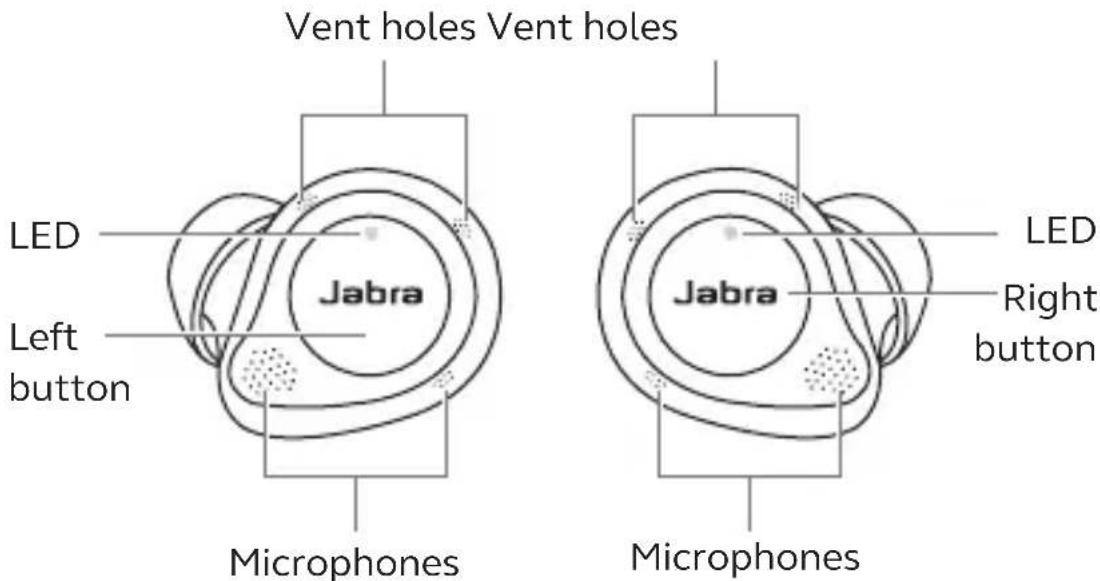
Jabra Elite 85t earbuds
LEFT EARBUD RIGHT EARBUD
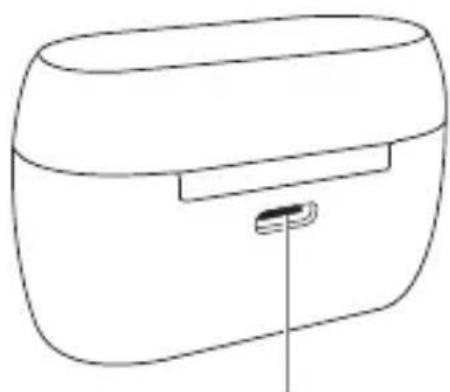
Wireless charging case

natural_image
Line drawing of a rectangular device with a handle and internal slot (no text or symbols)
2.1 Included accessories
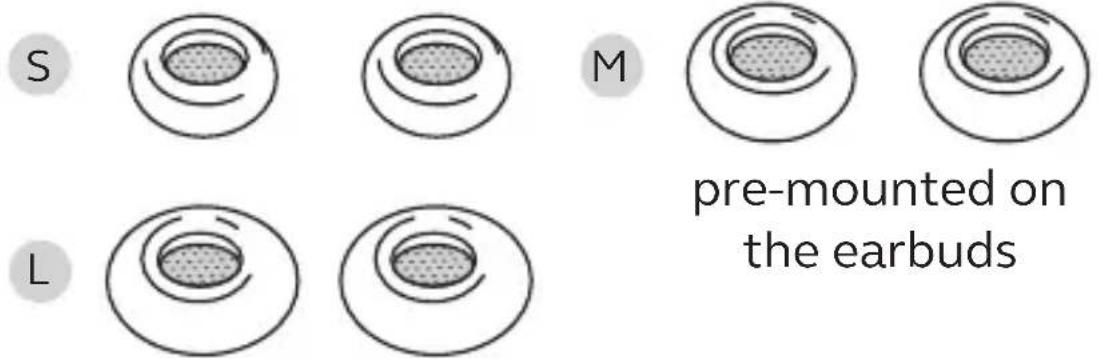
EarGels
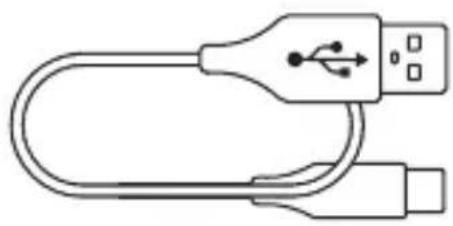
USB-A to USB-C charging cable
natural_image
Line drawing of a USB cable connector with two USB ports (no text or symbols)3. How to wear

Insert each earbud into your ear and ensure the microphones are pointed towards your mouth.
The EarGels have an oval shape to provide you a better fit in the ear. This means that the body of the earbud does not sit as deeply within the ear. To further improve the comfort and audio experience, each earbud features a semi-open design with pressure relief vents to reduce the ‘earplug effect’ in your ears.
Vent holes Vent holes

3.1 Changing EarGels
For the optimal audio and ANC experience, it is recommended to try each of the different EarGel sizes. The fit should feel light and comfortable in your ear. The medium EarGels are pre-mounted on the earbuds.
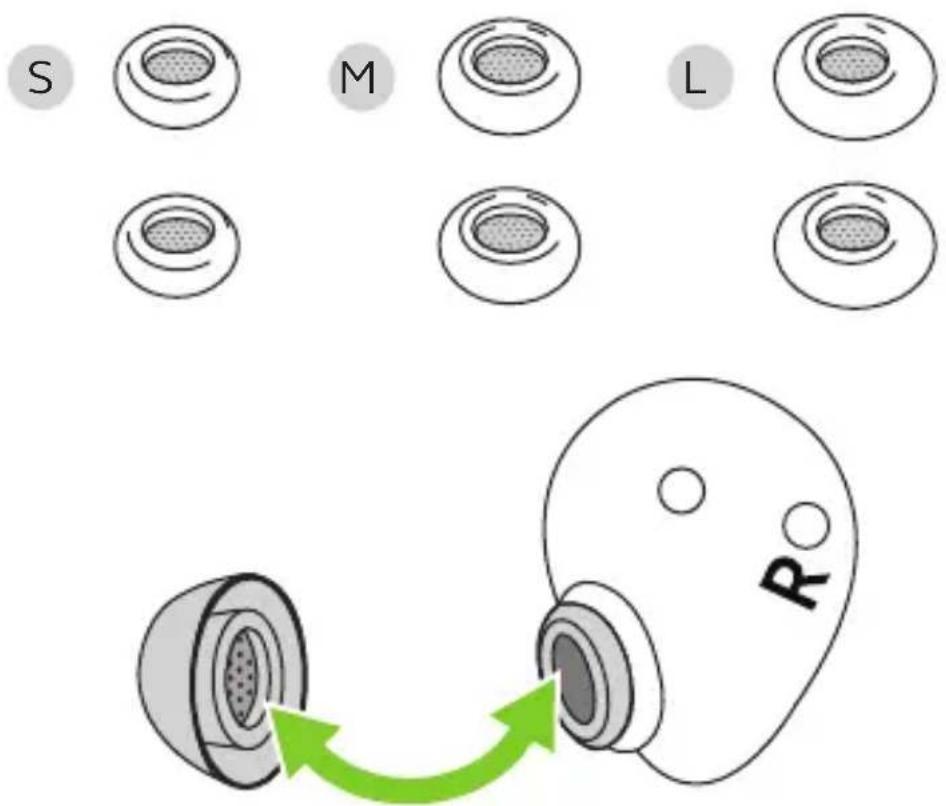
When attaching a new EarGel, ensure the oval mounting tip on the earbud is aligned with the oval attachment on the EarGel. Press the EarGel firmly onto the earbud.
4. How to charge
Get up to 5.5 hours on a single charge with ANC on, with a total charge of up to 25 hours with the charging case. If you use the earbuds without ANC and HearThrough, you’ll get even more battery, with up to 7 hours in the earbuds and a total of 31 hours with the charging case.
4.1 Charging the earbuds
Place the earbuds in the charging case and close the lid. It takes up to 2.5 hours to fully recharge the earbuds.
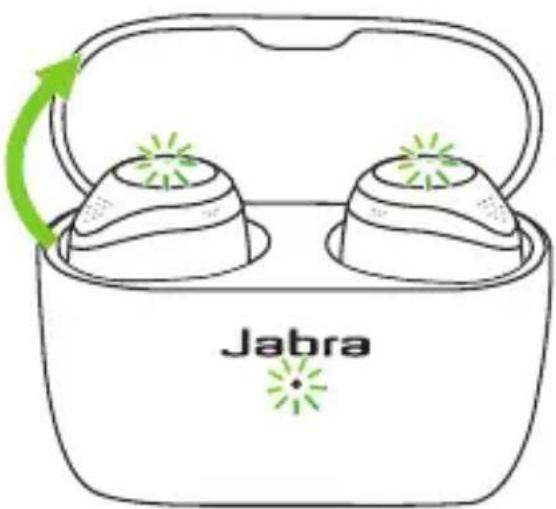
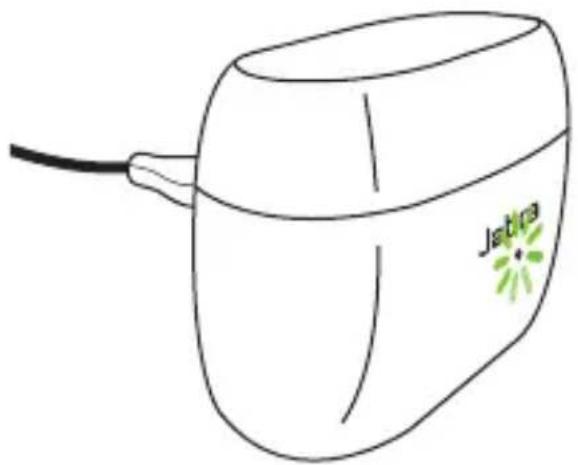
When the charging case is opened, the LEDs on the earbuds will light up red, yellow or green to indicate the battery status of the earbuds. The LED on the front of the charging case indicates the battery status of the charging case.

4.2 Fast charge the earbuds
When the earbuds are at low battery, placing them in the charging case for 15 minutes will fast charge the earbuds and give up to 60 minutes of battery. Fast charging the earbuds requires that the charging case has a minimum of 30% battery.
You can see the current battery status of the earbuds and charging case using the Jabra Sound+ app.
4.3 Charging the charging case using USB
Plug the supplied USB-A to USB-C charging cable into the charging case and a USB-A power supply or certified wall charger. It takes up to 3 hours to fully charge the earbuds and the charging case.

The charging case uses the standard USB voltage of 5v +- 0.25v. It is not recommended to charge the earbuds using a power supply with a higher voltage.
Note: Third-party USB chargers may take longer to charge the charging case.
4.4 Charging the charging case using the Jabra wireless charging pad
The charging case is Qi-certified. Place the charging case in the center of the Jabra wireless charging pad. The LED on the charging case will flash to indicate the charging case is placed correctly. It takes up to 3.5 hours to fully charge the earbuds and the charging case.

Because wireless charging pads take longer to fully charge a device, this may result in the device becoming warm. The elevated temperature is within safe operating requirements and has no bearing on the lifespan or performance of the device.
Note: Third-party wireless charging pads may take longer to charge the charging case.
5. What the LEDs mean

EARBUD STATUS
Highbattery/Power on
Medium battery
Low battery

Power off
Pairing
Resetting
natural_image
Line drawing of a Jabra brand earbuds with green laser indicator arrows (no text or symbols on the main diagram)BATTERY STATUS WHEN OPENING CHARGING CASE
Highbattery
Medium battery
Low battery
Critically low battery (earbuds not charging)
natural_image
Simple line drawing of a Jativa brand electronic device with a cable and green starburst logo (no text or symbols on the device itself)CHARGING CASE STATUS WITH USB CABLE

High battery
Medium battery
Low battery
Fully charged

Firmware updating
Firmware update error (see Section 7.16)

natural_image
Line drawing of a Jebra brand electronic device with a green starburst logo on the lid (no text or symbols beyond branding)CHARGING CASE STATUS WITH WIRELESS CHARGING PAD

High battery
Medium battery
Low battery

Firmware updating
Firmware update error (see Section 7.16)
Note: When fully charged, the LEDs on the charging case and wireless charging pad will turn off.
6. How to pair
6.1 Pairing with a mobile device

- Power on the earbuds by removing them from the charging case. Alternatively, press the Left and Right buttons simultaneously to power the earbuds on.
- Press and hold (3 sec) the Left and Right buttons simultaneously until the earbud LED flashes blue. The earbuds will now be ready to pair to your phone.
- Wear the earbuds and follow the voice-guided pairing instructions to pair to your mobile device.
7. How to use

7.1 Power the earbuds off/on
Place the earbuds in the charging case to power them off, or remove them from the charging case to power them on.
Alternatively, the earbuds can be manually powered off by pressing the Left and Right buttons on the earbuds simultaneously. To power on, press the Left and Right buttons simultaneously.
7.2 Music controls


Left earbud Function Right earbud
| Play/pause music | Press theRightbutton when not on a call | |
| Volume up | Press and hold theRightbutton | |
| Press and hold theLeftbutton | Volume down | |
| Double-press theLeftbutton when listening to music | Next track | |
| Triple-press theLeftbutton when listening to music | Restart track or previous track | |
| Repeat to skip to the previous track |
All button functions can be reassigned using MyControls in the Jabra Sound+ app.
7.3 Call controls

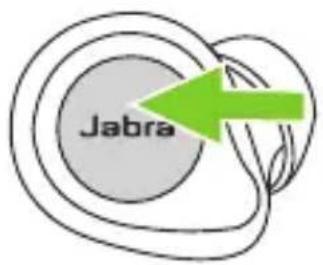
Left earbud Function Right earbud
| Press the Left or Right button | Answer call | Press the Left or Right button |
| Double-press the Left or Right button | End/Reject call | Double-press the Left or Right button |
| Press the Left or Right button | Mute/unmute microphone | Press the Left or Right button |
| Volume up | Press and hold the Right button | |
| Press and hold the Left button | Volume down |
All button functions can be reassigned using MyControls in the Jabra Sound+ app.
7.4 ANC, HearThrough and Voice assistant controls
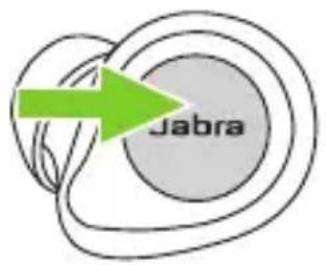
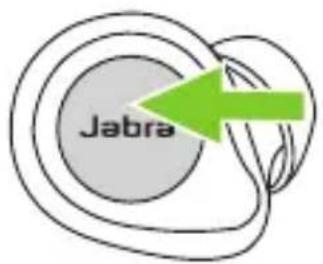
Left earbud Function Right earbud
Press the Left button when not on a call
Cycle between ANC and HearThrough
Activate Voice assistant (Siri, Google Assistant)
Double-press the Right button when not on a call
All button functions can be reassigned using MyControls in the Jabra Sound+ app.
Advanced Active Noise Cancellation (ANC) counters noise by detecting and analyzing the pattern of incoming sound, and then generating an anti-noise signal to cancel noise out. As a result, you experience a reduced level of surrounding noise during music and calls.
Left button ANC

Cycle
between
ANC and
HearThrough
Press the Left button
when not on a call
Advanced ANC can be adjusted using the Jabra Sound+ app to suit your specific hearing profile

By default, ANC cannot be turned on/off during calls. However, ANC on/off in calls can be added to the earbuds using MyControls in the Jabra Sound+ app.
7.6 HearThrough
HearThrough lets you pay attention to your surroundings and engage in conversation, when not on a call, without needing to remove the earbuds. The microphones pick up surrounding sounds and transmit them to the speakers.
Left button HearThrough

Cycle
between
ANC and
HearThrough
Press the Left button
when not on a call
HearThrough can be adjusted using the Jabra Sound+ app.

7.7 Sidetone
Sidetone enables you to hear your own voice when you are on a call. The benefit of Sidetone is that it enables you to determine how loud you are speaking.
Sidetone is on by default during calls and can be turned on/off using the Jabra Sound+ app.
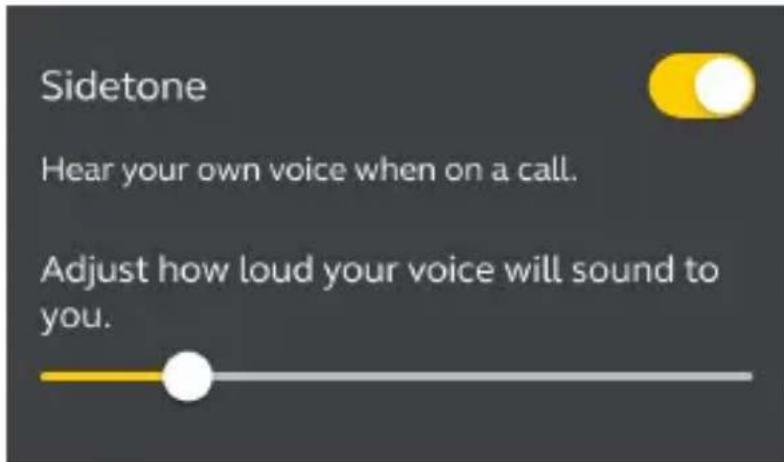
By default, Sidetone on/off cannot be controlled using the earbuds. However, it can be added to the earbuds using MyControls in the Jabra Sound+ app.
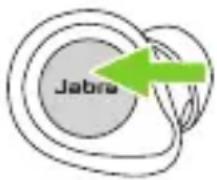
The right earbud can be used individually for mono music playback or for calls. When used as a mono earbud, the right earbud retains its current button functionality.
To use the right earbud as a mono earbud, place it in your ear and place the left earbud in the charging case. You may need to tap the button on the right earbud to activate mono earbud use.
Right button Mono earbud use
 | Play/pause music | Press theRightbuttonwhen listening to music |
| Answer call Press theRightbutton | ||
| End/Reject call | Double-press theRightbutton | |
| Mute/unmute microphone | Press theRightbutton when on a call | |
| Activate Voice assistant (Siri, Google Assistant) | Double-press theRightbutton when not on a call | |
| Adjust volume | Use the volume controls on the paired mobile device | |
The earbuds will automatically relink when you place both of them in your ears.
7.9 Auto-pause music and calls
When one of the earbuds is removed from your ear, music will automatically pause.
To unpause the music, return the earbud to your ear within 60 seconds. After 60 seconds, the music can be manually unpaused by pressing the Right button.

To conserve battery, the earbuds will automatically power off when they are out of range of your mobile device for 15 minutes and are not in the charging case, or when they have been inactive for 30 minutes.
To power the earbuds on, press and hold (1 sec) the Left and Right buttons simultaneously. Alternatively, place them in the charging case and then take them back out.
Sleep mode can be configured in the Jabra Sound+ app.

MyControls is a feature in the Jabra Sound+ app that enables you to reassign any function to each of the earbud buttons, offering you the flexibility to configure the earbuds precisely to your personal preference.
By default, the functions listed below cannot be controlled using the earbuds, however these functions can be added to the earbuds using MyControls in the Jabra Sound+ app.
- ANC on/off in calls
- Sidetone on/off
- Hold current call and answer incoming call
- Switch between held call and current call
7.12 Multiple call handling
The earbuds can accept and handle multiple calls at the same time.
Multiple call handling

flowchart
graph TD
    A["Jabra"] --> B["Green Arrow"]
    C["Jabra"] --> D["Green Arrow"]
End current call and answer incoming call
Press the Left or Right button
Reject incoming call, when on a call
Double-press the Left or Right button
7.13 Multi-connect
The earbuds can be paired to two mobile devices at once, and can accept incoming calls from either mobile device.
To pair to two mobile devices, use the normal pairing process separately for each mobile device (refer to section 6). After pairing to both mobile devices, you will need to select the Jabra Elite 85t again on the first mobile device in the Bluetooth settings to complete the pairing to both mobile devices.
Note: Only one of the mobile devices will have an active audio channel, and voice assistant will be activated on the last paired mobile device.
7.14 Voice assistant
Right button Voice assistant

Activate
Siri, Google
Assistant
Double-press the Right
button when not on
a call
Voice assistant settings can be configured using the Jabra Sound+ app.
7.15 Voice guidance and languages
Voice guidance can be turned on/off and the language can be changed using the Jabra Sound+ app.
The following languages are available: English, French, German, Japanese, Mandarin Chinese, Korean.
The Jabra Elite 85t can be updated to the latest firmware version using the Jabra Sound+ app.
If notifications are enabled in the Jabra Sound+ app, you will receive an automatic notification when a firmware update is available.
After a firmware update, if the LED on the charging case flashes red, this indicates that the charging case was not updated correctly. To complete the firmware update correctly, connect the charging case to a power supply, remove the earbuds from the charging case, place the earbuds back in the charging case, and then close the lid for 5 seconds. This will complete the firmware update.
Resetting the earbuds clears the list of paired devices and resets all settings.
- Place both earbuds in the charging case.
- Press and hold (10 sec) the Left and Right buttons on the earbuds simultaneously until the LEDs on the earbuds flash purple.
- Close the lid of the charging case for 5 seconds to complete the reset.
The earbuds will need to be re-paired to your mobile device. Remember to delete/forget the pairing in the Bluetooth menu on your mobile device.
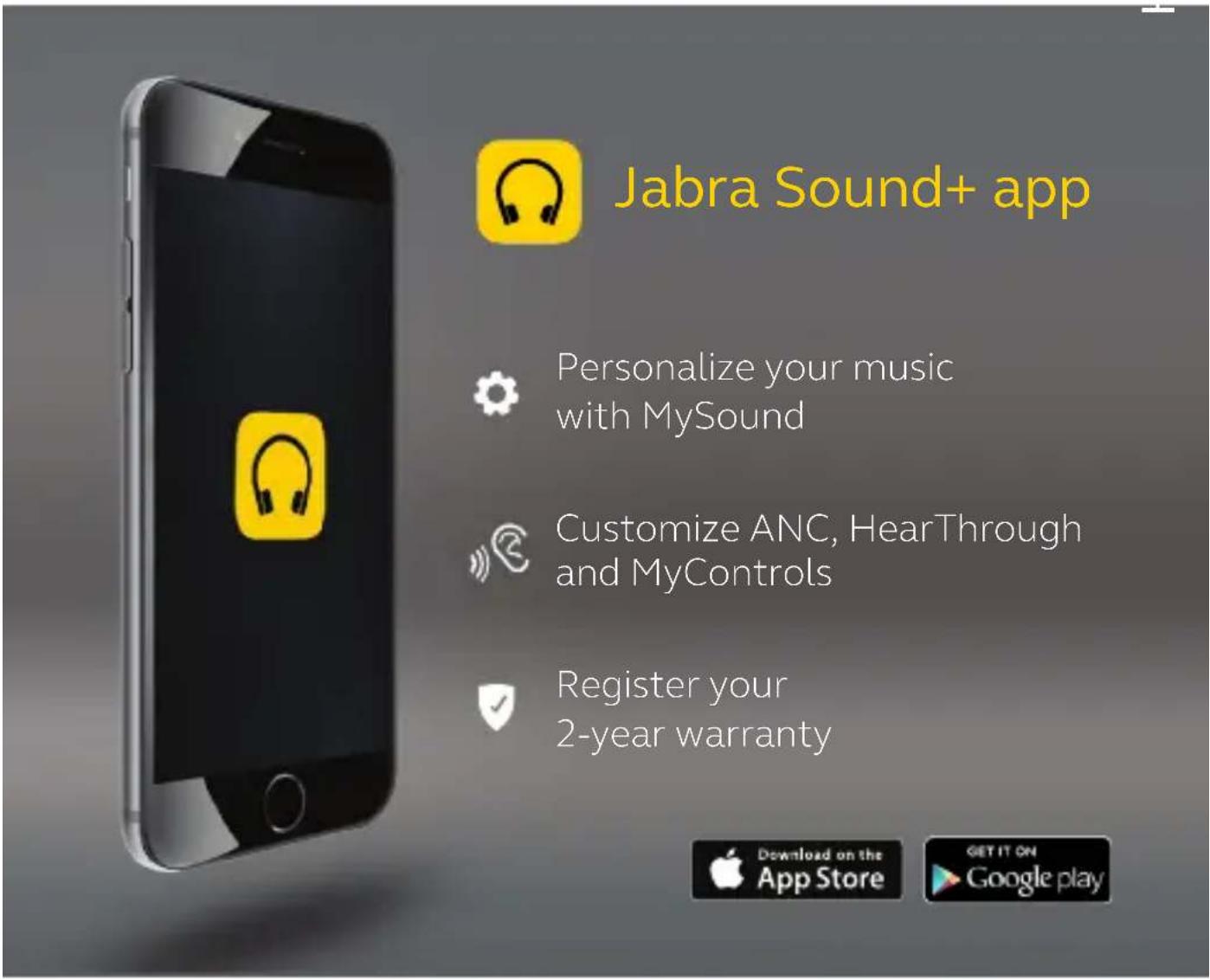
8. Jabra Sound+ app
9. Support
9.1 FAQ
View the FAQs on Jabra.com/help/elite85t
9.2 How to care for your earbuds
- Always store the earbuds in the charging case and safely protected.
- To prevent the depletion of the battery lifetime or capacity, avoid storing the earbuds in hot or cold environments, such as a closed car in summer, or in winter conditions.
- It is recommended to store the earbuds between -20^ and 45^ (-4°F and 113°F).
- Do not store the earbuds for extended periods of time without recharging them (max. three months).
- If the earbuds or the charging case become dirty, it is recommended to clean them with a soft, lint-free cloth that has been dampened with clean water.
- The charging case uses the standard USB voltage of 5v +- 0.25v. It is not recommended to charge the earbuds using a power supply with a higher voltage.
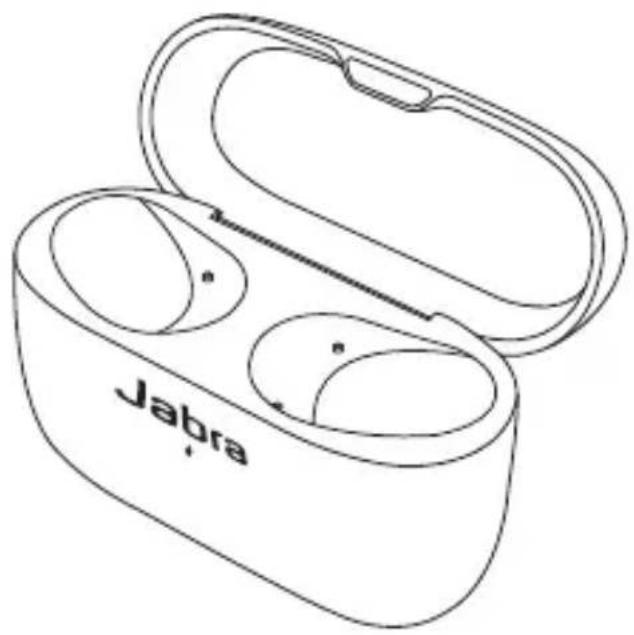
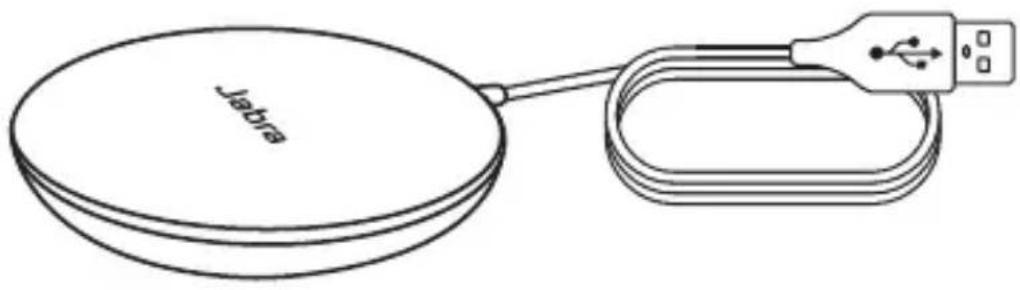
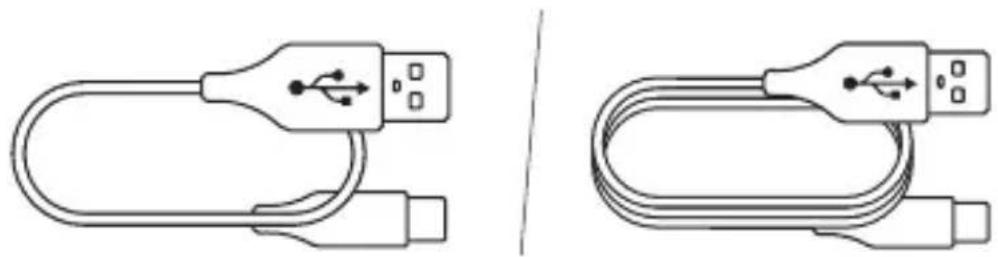
9.3 Replacement accessories
Replacement or additional accessories can be purchased online at jabra.com/accessories.
Left and right earbud set

Charging case EarGels
natural_image
Line drawing of a Jabra wireless earbuds with open casing and two internal cutouts (no text or symbols)
Jabra wireless charging pad
natural_image
Line drawing of a Jabra brand computer with a USB cable and connector (no text or symbols on the device itself)USB charging cables
natural_image
Two line drawings of USB cable connectors, one with a USB icon and the other with a USB symbol (no text or labels)9.4 Using replacement earbuds
- Place the replacement earbuds into the charging case and close the lid.
- Open the charging case lid and remove the earbuds.
- Wear the earbuds and follow the voice instructions to pair to your mobile device.
- Update the earbud firmware using the Jabra Sound+ app.
9.5 Using a replacement charging case
Before using a replacement charging case for the first time, it will need to be synced with your current earbuds and charged for 1 hour.
To begin syncing, place your current earbuds inside the replacement charging case and close the lid for 10 seconds. If the LED on the charging case flashes purple this indicates that the firmware is being updated. Please wait until the LED stops flashing purple before opening the charging case.
- User manual
- Welcome
- Jabra Elite 85t features
- Jabra Elite 85t overview
- Included accessories
- EarGels
- How to wear
- Changing EarGels
- How to charge
- Charging the earbuds
- Fast charge the earbuds
- Charging the charging case using USB
- Charging the charging case using the Jabra wireless charging pad
- What the LEDs mean
- EARBUD STATUS
- BATTERY STATUS WHEN OPENING CHARGING CASE
- CHARGING CASE STATUS WITH USB CABLE
- CHARGING CASE STATUS WITH WIRELESS CHARGING PAD
- How to pair
- Pairing with a mobile device
- How to use
- Power the earbuds off/on
- Music controls
- Call controls
- ANC, HearThrough and Voice assistant controls
- Left earbud Function Right earbud
- Left button ANC
- HearThrough
- Left button HearThrough
- Sidetone
- Auto-pause music and calls
- Multiple call handling
- Multiple call handling
- Multi-connect
- Voice assistant
- Right button Voice assistant
- Voice guidance and languages
- Jabra Sound+ app
- Support
- FAQ
- How to care for your earbuds
- Replacement accessories
- Using replacement earbuds
- Using a replacement charging case
Brand : JABRA
Model : Elite 85t
Category : Headphones