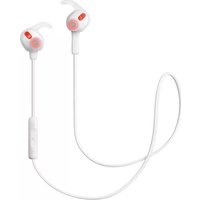
Rox Wireless - Headphones JABRA - Free user manual and instructions
Find the device manual for free Rox Wireless JABRA in PDF.


| Product Type | Wireless In-Ear Headphones |
| Brand | Jabra |
| Model | Rox Wireless |
| Wireless Technology | Bluetooth 4.0 |
| Dimensions (Earbud) | Approx. 20 x 15 x 25 mm |
| Weight (per earbud) | Approx. 6.5 g |
| Battery Capacity | 50 mAh (per earbud) |
| Charging Time | Approx. 2 hours |
| Playback Time | Up to 5.5 hours |
| Standby Time | Up to 10 days |
| Frequency Response | 20 Hz - 20 kHz |
| Driver Unit | 10 mm |
| Water Resistance | IPX5 (splash resistant) |
| Microphone | Omni-directional |
| Key Functions | Play/Pause, Volume, Track Skip, Answer/End Call, Voice Assist |
| Maintenance | Clean with dry cloth; keep away from liquids |
| Safety | Do not disassemble; avoid extreme temperatures |
| Spare Parts | Ear gels and wings included; replaceable |
| Regulatory Compliance | FCC, CE, RoHS |
| Warranty | 1 year limited |
Frequently Asked Questions - Rox Wireless JABRA
User questions about Rox Wireless JABRA
0 question about this device. Answer the ones you know or ask your own.
Ask a new question about this device
Download the instructions for your Headphones in PDF format for free! Find your manual Rox Wireless - JABRA and take your electronic device back in hand. On this page are published all the documents necessary for the use of your device. Rox Wireless by JABRA.
USER MANUAL Rox Wireless JABRA
natural_image
Line drawing of two wireless earbuds with a cord and connector (no text or symbols)User Manual
jabra.com/roxwireless
A BRAND BY
GNI Netcom
© 2013 GN Netcom A/S. All rights reserved. Jabra® is a registered trademark of GN Netcom A/S. All other trademarks included herein are the property of their respective owners. The Bluetooth® word mark and logos are owned by the Bluetooth SIG, Inc. and any use of such marks by GN Netcom A/S is under license. (Design and specifications subject to change without notice).
MADE IN CHINA
MODEL: OTE16
CEEA® Bluetooth®
CONTENTS
- WELCOME......4
- HEADSET OVERVIEW 5
2.1 INCLUDED ACCESSORIES
- HOW TO WEAR......6
3.1 CHANGING EARGELS
3.2 WEARING THE EARWINGS
3.3 WEARING THE FITCLIP
3.4 HOW-TO-WEAR VIDEOS
3.5 MAGNETIC EARBUDS
- HOW TO CHARGE THE BATTERY ..... 10
- HOW TO CONNECT....11
5.1 CONNECT WITH A BLUETOOTH DEVICE
5.2 CONNECT WITH AN NFC DEVICE
5.3 CONNECT MULTIPLE DEVICES
- HOW TO USE ....13
6.1 MULTIPLE CALL HANDLING
Thank you for using the Jabra Rox Wireless. We hope you will enjoy it!
JABRA ROX WIRELESS FEATURES
■ High definition Dolby® Digital Plus enhanced sound with the exclusive Jabra Sound App
■ Cable controls for easy music and call management
■ Life proof: weather and dust resistant
■ Premium materials: Kevlar reinforced cable design, solid steel earbuds
■ Magnetic earbuds: Save battery when the headset is not in use
■ NFC for easy pairing
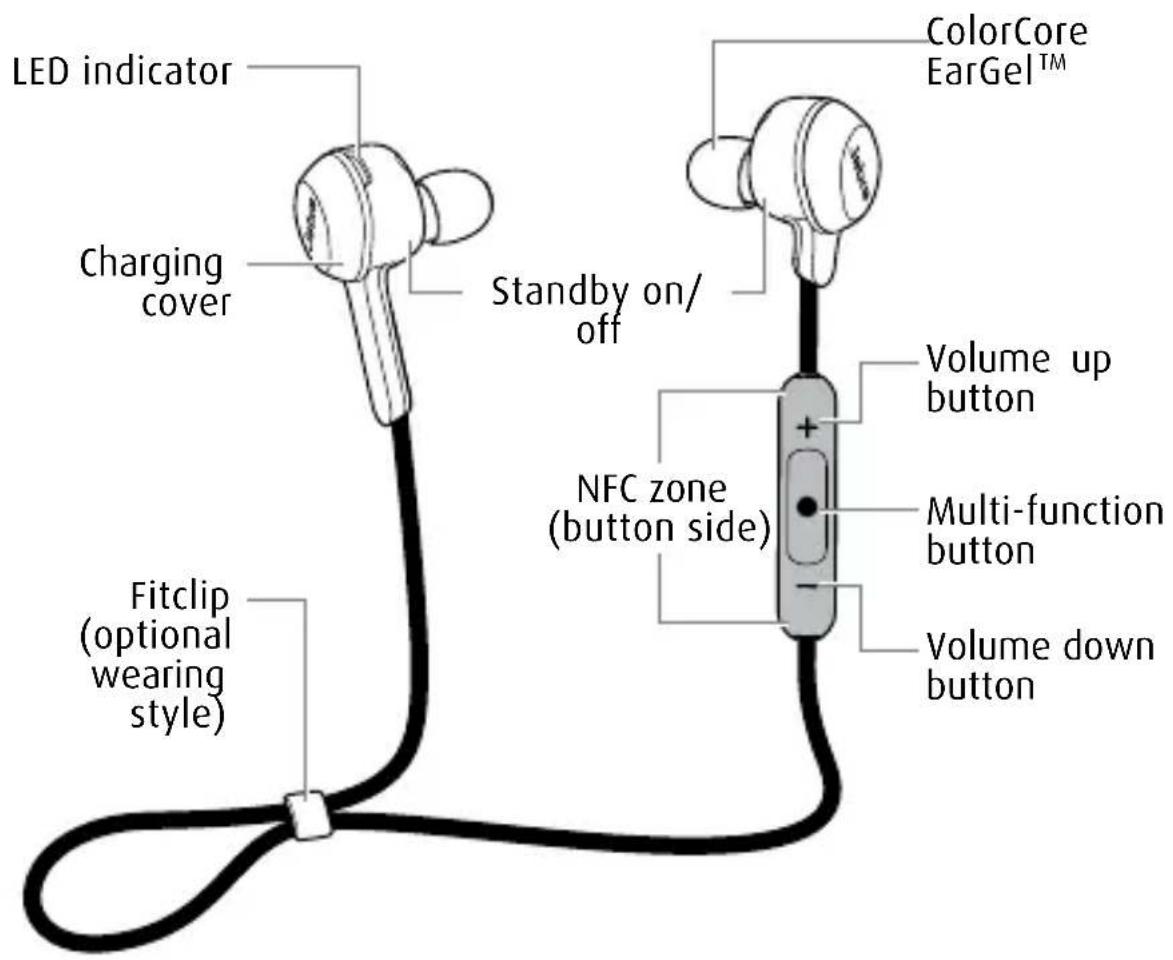
2. HEADSET OVERVIEW
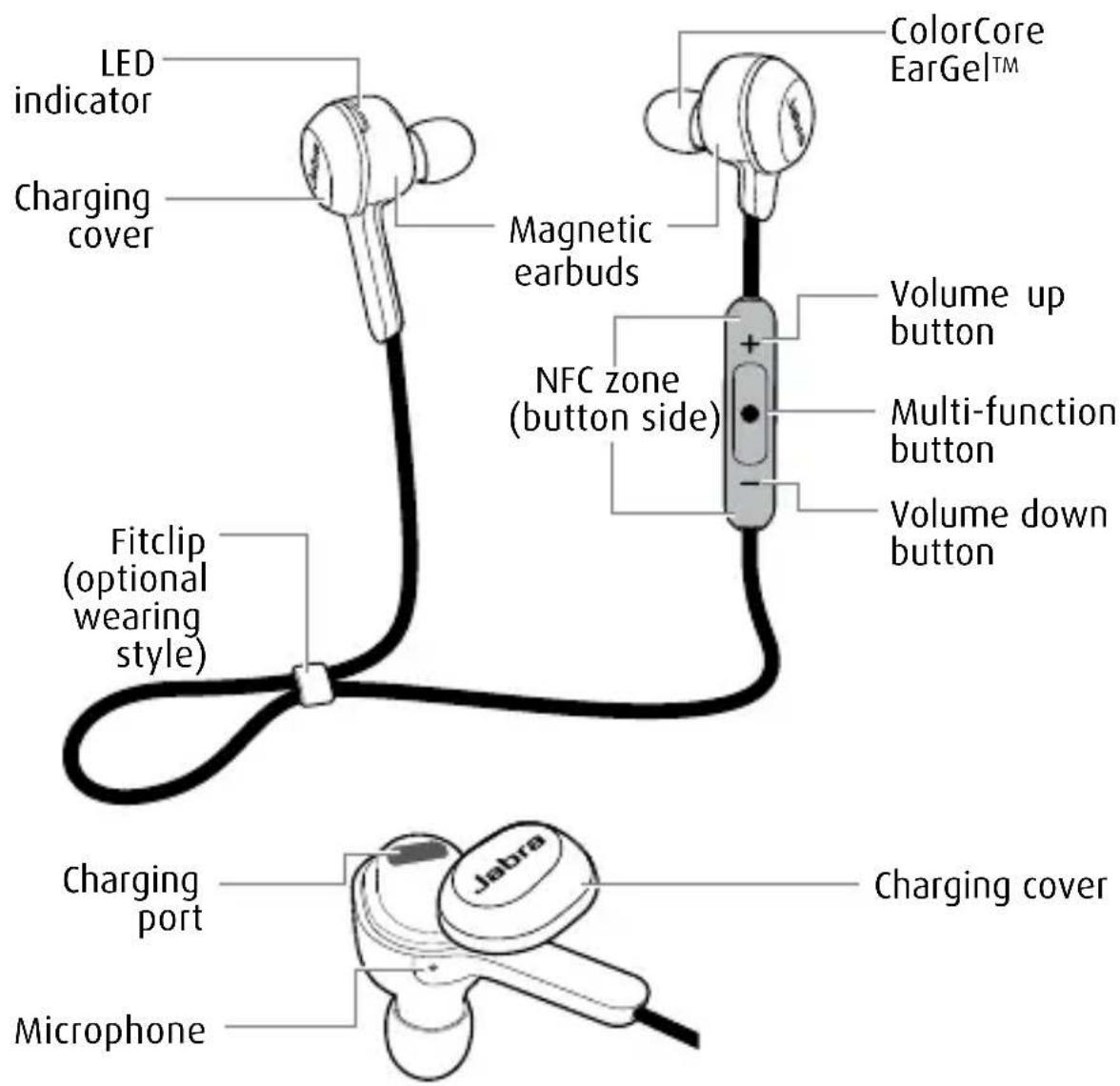
2.1 INCLUDED ACCESSORIES

natural_image
Four grayscale 3D-rendered cylindrical objects arranged in a row (no text or symbols)4 ColorCore EarGels ^TM
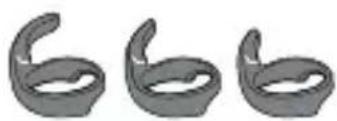
natural_image
Three identical gray 3D toroidal shapes arranged horizontally (no text or symbols)3 EarWings (Small, medium, large)
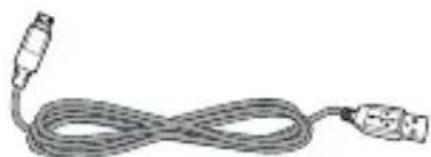
natural_image
Coiled cable with connectors, no visible text or symbolsUSB cable
3. HOW TO WEAR
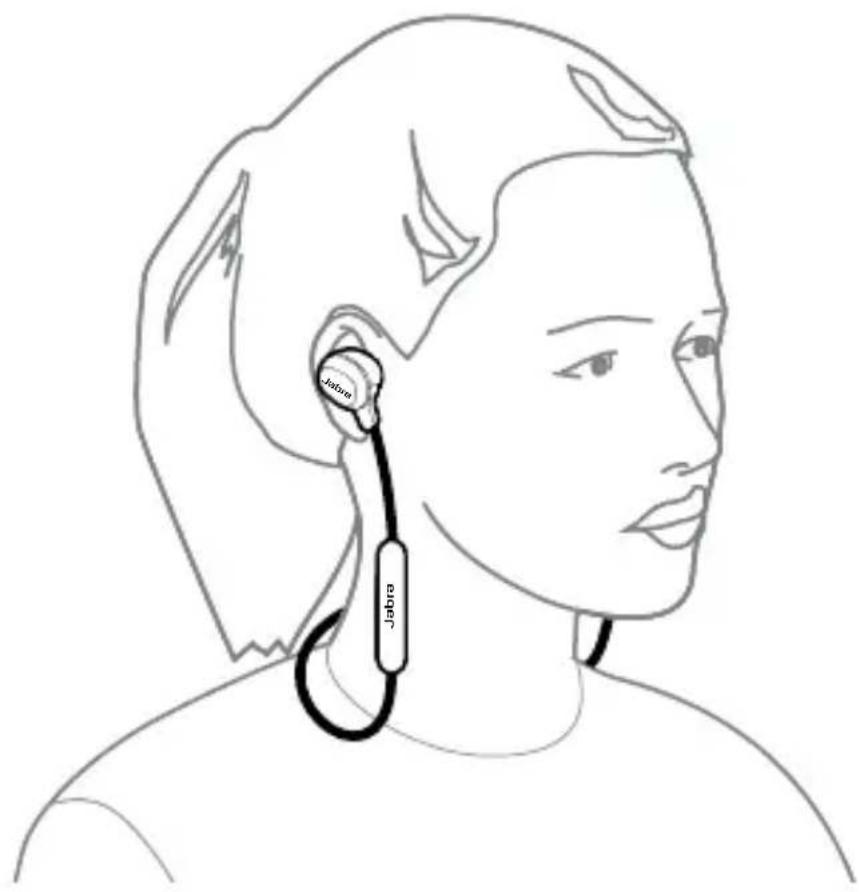
3.1 CHANGING EARGELS
Choose between 4 Colorcore Eargels for optimal fit and comfort.

3.2 WEARING THE EARWINGS
Choose between 3 EarWing sizes for optimal fit and stability.
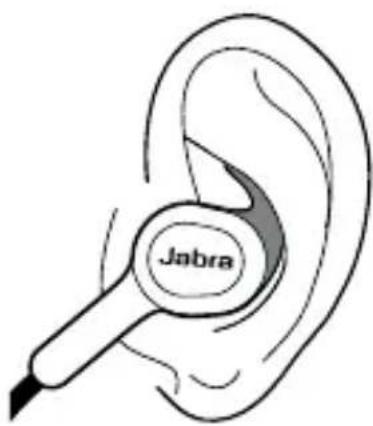
- Align the L or R on the EarWing with the L or R on the earbud and gently pull the EarWing onto the earbud. Adjust by rotating, if needed.

- When wearing the headset, the EarWing fits into the ridge of the ear. Ensure the EarWing does not cover the microphone.
natural_image
Line drawing of a Jabra ear with a probe inserted (no text or symbols on the device itself)3.3 WEARING THE FITCLIP
Attach the fitclip to the cable, and adjust for optimal fit.
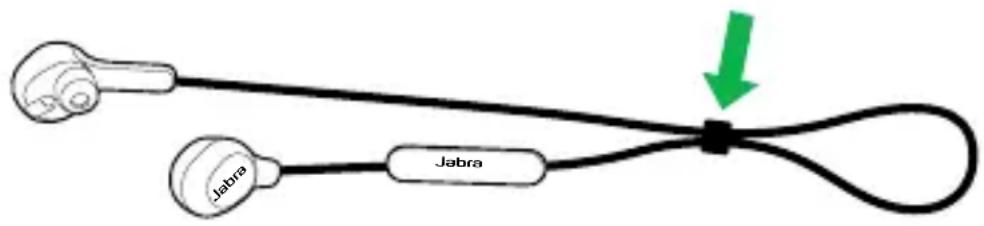
3.4 HOW-TO-WEAR VIDEOS
You can watch how-to-wear instructional videos for the ColorCore EarGels™, EarWings and fitclip at jabra.com/roxwireless.
3.5 MAGNETIC EARBUDS
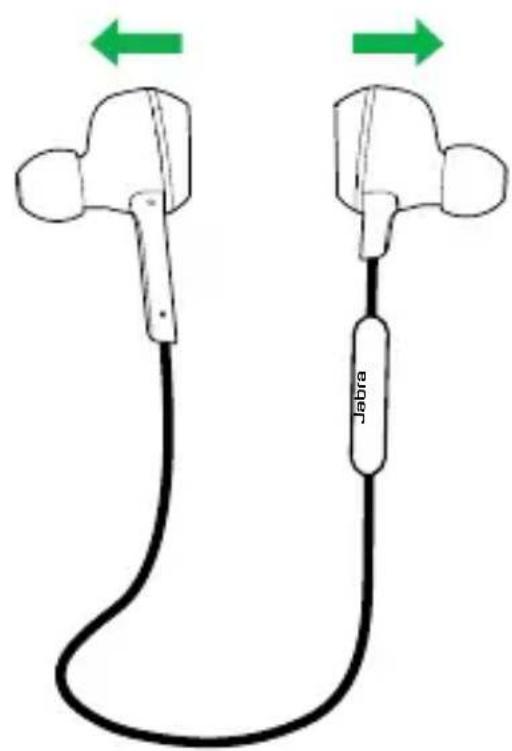
The earbuds are magnetic. Join or separate them to turn Standby mode on/off, or end/answer a call.
Standby mode ON
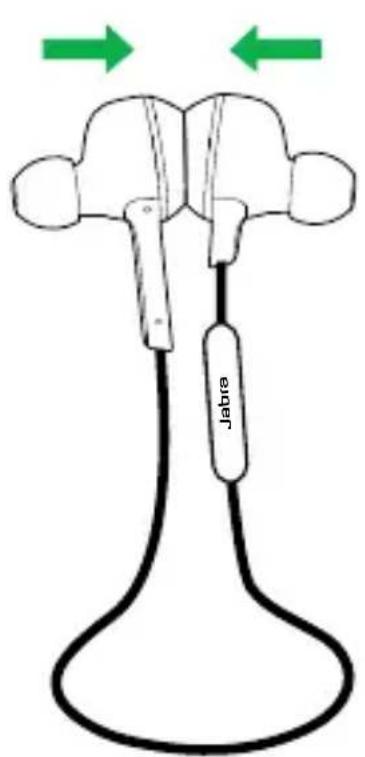
Standby mode OFF
natural_image
Diagram of two Jabra devices connected by a black cable with green directional arrows indicating movement (no text or symbols on the devices themselves)NOTE: The headset will power off after 5 minutes when the magnetic earbuds are separated and the headset is not connected to a mobile device.
4. HOW TO CHARGE THE BATTERY
Remove the charging cover on the right earbud to expose the micro-USB port. Plug the USB cable into the headset and the PC to begin charging.

It takes approx. 2.5 hours to fully charge the headset.
NOTE: For safety reasons, it is recommended not to use the headset while it is charging.
5. HOW TO CONNECT
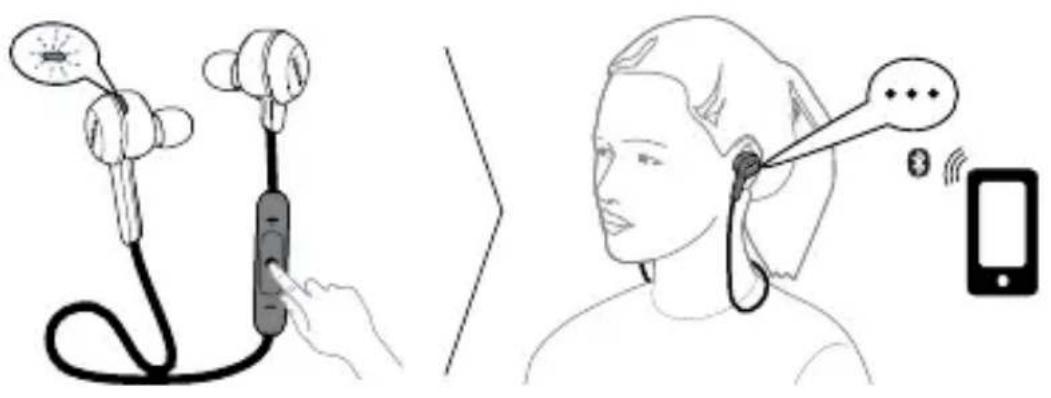
5.1 CONNECT WITH A BLUETOOTH DEVICE
-
Ensure the headset earbuds are separated.
-
Press and hold (5 secs) the Multi-function button until the LED rapidly flashes blue.
-
Wear the headset, and follow the voice-guided pairing instructions to pair to your Bluetooth device.
NOTE: After you have connected once, simply turn on the device to connect automatically.
5.2 CONNECT WITH AN NFC DEVICE
- Ensure that NFC is enabled on your mobile device.
- Ensure that the magnetic earbuds are separated.
- Slowly slide the NFC zone of the headset (button side of the control box) directly against the NFC device until an NFC connection is confirmed.

5.3 CONNECT MULTIPLE DEVICES
It is possible to connect multiple mobile devices to the headset using Bluetooth or NFC.
If two mobile devices are connected to the headset at the same time and one of the devices loses connection, the Multi-function button will control the remaining connected device (Pause/Play for Music and Answer/End for calls). To reconnect the disconnected device go to it's Bluetooth menu and reconnect.
6. HOW TO USE
FUNCTION ACTION
 | Turn on headset | Press and hold (5 sec) theMulti-functionbutton until the LED flashes green |
| Turn off headset | Press and hold (3 sec) theMulti-functionbutton until the LED flashes red | |
| Play/pause music | Tap theMulti-functionbutton | |
| Answer/end call | Tap theMulti-functionbutton, or separate/join the magnetic earbuds | |
| Reject call | Double-tap theMulti-functionbutton | |
| Redial last number | Double-tap theMulti-functionbutton when not on a call | |
 | Standby mode on/off | Join/separate theMagnetic earbuds |
| Adjust volume | Tap the Volume up or Volume down button | |
| Mute | Tap the Volume up and Volume down button at the same time | |
| Skip track forward | Press and hold (2 secs) the Volume up button | |
| Skip track back | Press and hold (2 secs) the Volume back button until you hear a beep, and press and hold the Volume back button again | |
| Restart track | Press and hold (2 secs) the Volume back button | |
| Battery status | Tap the Volume up or Volume down button when not on a call or listening to music |
6.1 MULTIPLE CALL HANDLING
The headset can accept and handle multiple calls simultaneously.
| FUNCTION ACTION | |
| End current call and answer incoming call | Tap theMulti-functionbutton |
| Switch between held call and active call | Press and hold (2 secs) theMulti-functionbutton |
| Put current call on hold and answer incoming call | Press and hold (2 secs) theMulti-functionbutton |
| Reject incoming call, when on a call | Double-tap theMulti-functionbutton |
| To connect Jabra Rox wireless, go to the Bluetooth menu on your phone and select it from the list | |
| Connected | |
| Two devices connected | |
| Disconnected | |
| Call ended | |
| Redialling | |
| Recharge battery | |
| Battery low | |
| Battery medium | |
| Battery full | |
| Muted | |
| Unmuted |
7. SUPPORT
7.1 FAQ
View the comprehensive FAQ on Jabra.com/roxwireless
Q Why do I hear crackling noises?
A Bluetooth is a radio technology that is sensitive to objects between the headset and the connected device. Ensure the headset and the connected device are within range (up to 10m/33ft).
Q What is the range of the headset?
A The Jabra Rox Wireless supports the following maximum ranges: 10m/33ft.
Q Why do I not hear anything?
A You might need to increase the speaker volume, or ensure that the headset is connected to a device.
Q I am having Bluetooth connection problems
A Check your mobile device's Bluetooth menu and delete/forget the headset. Re-connect the headset to your Bluetooth device following the Bluetooth connection instructions.
7.2 HOW TO CARE FOR YOUR HEADSET
■ Always store the headset with the power off and safely protected.
- Avoid storage at extreme temperatures (above 65°C/149°F or below -10°C/14°F). This can shorten battery life and may affect the headset.
8. TECHNICAL SPECIFICATIONS
JABRA ROX WIRELESS SPECIFICATION
| Weight: 19g | |
| Dimensions: | H 16.5mm x W 20mm x D 16mm |
| Microphones: MEMS microphone | |
| Speaker: 6 mm dynamic speaker | |
| Operating range: 10m/33ft (phone dependent) | |
| Bluetooth version: 3.0 | |
| Paired devices: | Up to 8, connected to two at the same time (MultiUseTM) |
| Supported Bluetooth profiles: | A2DP (v1.2), Hands Free Profile (v1.6), Headset profile (v1.2), AVRCP (v1.4) |
| Talk/music time: Up to 5.5 hours | |
| Standby time: Up to 8 days | |
| Operating temperature: -10°C to 55°C (14°F to 133°F) | |
| Storage temperature: -10°C to 65°C (14°F to 149°F) | |
| Pairing passkey or PIN: 0000 | |
- CONTENTS
- JABRA ROX WIRELESS FEATURES
- HEADSET OVERVIEW
- INCLUDED ACCESSORIES
- HOW TO WEAR
- CHANGING EARGELS
- WEARING THE EARWINGS
- WEARING THE FITCLIP
- HOW-TO-WEAR VIDEOS
- MAGNETIC EARBUDS
- HOW TO CHARGE THE BATTERY
- HOW TO CONNECT
- CONNECT WITH A BLUETOOTH DEVICE
- CONNECT WITH AN NFC DEVICE
- CONNECT MULTIPLE DEVICES
- HOW TO USE
- MULTIPLE CALL HANDLING
- SUPPORT
- FAQ
- Q Why do I hear crackling noises?
- Q What is the range of the headset?
- Q Why do I not hear anything?
- Q I am having Bluetooth connection problems
- HOW TO CARE FOR YOUR HEADSET
- TECHNICAL SPECIFICATIONS
Brand : JABRA
Model : Rox Wireless
Category : Headphones