
ML-P13 - Wall mount Clas Ohlson - Free user manual and instructions
Find the device manual for free ML-P13 Clas Ohlson in PDF.


| Product Type | Wall Mount for Plasma or LCD TV |
| Brand | Clas Ohlson |
| Model | ML-P13 |
| Compatible TV Sizes | Not specified; ensure wall can support TV weight |
| Mounting Surfaces | Wooden stud walls and concrete walls |
| Included Bolts | M4x12, M4x30, M5x12, M5x30, M6x12, M6x35, M8x12, M8x40 (4 of each), with corresponding locking washers |
| Spacer Rings | Small (x4) and Large (x4) |
| Washers | M6 washer (x4) and M6 washer (x6) for wall screws |
| Wall Plugs | 10 mm plugs (x6) |
| Wood Screws | M8x60 (x6) |
| Spirit Level | Built-in on bracket |
| Security Lock | Foldable arms with padlock option |
| Material | Metal |
| Drilling Bit Size | 6 mm for wood, 10 mm for concrete |
| Assembly | Two-person recommended for heavy TVs |
| Disposal | Follow local ordinances |
| Customer Support | www.clasohlson.co.uk |
Frequently Asked Questions - ML-P13 Clas Ohlson
User questions about ML-P13 Clas Ohlson
0 question about this device. Answer the ones you know or ask your own.
Ask a new question about this device
Download the instructions for your Wall mount in PDF format for free! Find your manual ML-P13 - Clas Ohlson and take your electronic device back in hand. On this page are published all the documents necessary for the use of your device. ML-P13 by Clas Ohlson.
USER MANUAL ML-P13 Clas Ohlson
Wall Mount for Plasma or LCD TV
natural_image
Metal shelving unit with vertical supports and horizontal shelves (no text or symbols visible)Model ML-P13
Wall Mount for Plasma or LCD TV Art. number 38-2357, model ML-P13
Please read the entire instruction manual before using and save it for future use. We apologise for any text or photo errors and any changes of technical data. If you have any questions concerning technical problems please contact our Customer Service Department (see address on reverse.)
Safety
- Please ensure that you have read and understood the entire mounting instructions.
- The wall or surface onto which the bracket is to be mounted must be able to hold the entire weight of both the bracket and the TV.
- When mounting a heavy TV set onto the wall bracket, always make sure that you use the right tools as well as have someone to assist you. Any attempt at mounting a heavy TV set on your own can lead to material being damaged and/or personal injury.
- Please read the recommendations for the TV set regarding mounting and ventilation. Please refer to the TV user's manual.
Mounting the wall bracket
Preparations
Necessary tools
- A Philips screwdriver
- A ratchet driver with a 13 mm socket
- A drill (hammer drill for drilling in concrete)
- Drill bits (6 mm & 10 mm)
The mounting set contains:
(A) M4x12 Bolt (x4) (B) M4x30 Bolt (x4) (C) M4 Locking washer  | 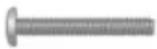 | [x4)  |
(D) M5x12 Bolt (x4) (E) M5x30 Bolt (x4) (F) M5 Locking washer (x4)  | 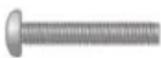 |  |
(G) M6x12 Bolt (x4) (H) M6x35 Bolt (x4) (I) M6 M5 Locking washer  | 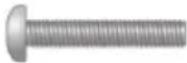 | [x4)  |
(J) M8x12 Bolt (x4) (K) M8x40 Bolt (x4) (L) M8 M5 Locking washer 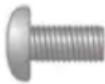 | 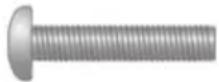 | [x4)  |
(M) Spacer ring small (x4)  | (N) Spacer ring, large (x4) 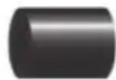 | (O) M6 Washer (x4)  |
(P) Plugs, 10 mm. (x6) (Q) Wood screw, M8x60 (x6) 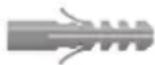 | 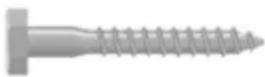 | [R) Washer, M6 (x6)  |
Mounting on a wooden wall
Please note! Make sure that the wall that you are mounting the bracket onto can hold the total weight of both the TV and the bracket. If in doubt, please contact an expert.
- Choose a stable wall on which the bracket is to be mounted.
-
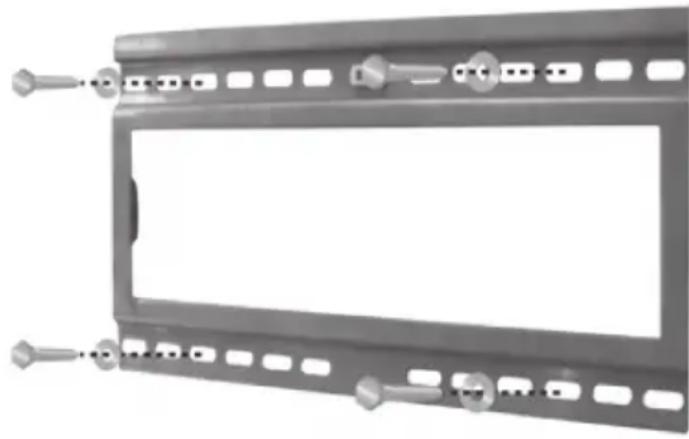
Position the wall bracket over two wooden studs and use wood screws to screw it into the studs. For other attachments on plaster walls, the plaster brace (not enclosed) with screws must be used.
-
Position the wall bracket against the wall surface and adjust its angle. Use the spirit level which is installed on the bracket.
-
Make four or more markings for drill holes in the screw holes depending on the weight of the TV. If the TV is heavy, the bracket must be attached with several bolts.
-
Pre-drill if necessary, for example using a 6 mm drill bit using the markings that you have made.
- Have someone help you hold the bracket when you insert the enclosed wood screws (Q), together with the washers (R), into the holes that you have drilled.
- Make sure that the screws are sufficiently tightened, but not so tight that they might damage the wall. Before mounting the TV onto the bracket, check its stability by carefully loading it with a weight similar to that of the TV.
natural_image
Metal frame with multiple slots and connectors, no visible text or symbolsMounting on a concrete wall
Please Note! Make sure that the wall you are mounting the bracket on can hold the total weight of both the TV and the bracket. If in doubt, contact an expert.
- Choose a stable wall on which the bracket is to be mounted.
- Position the wall bracket against the wall surface and adjust its angle. Use the spirit level which is installed on the bracket.
- Make six markings for drill holes in the screw holes depending on the weight of the TV.
- Drill with a 10 mm concrete drill using the markings that you have made. Important! When mounting the wall bracket, the holes need to be drilled at least as long as the screws being used!
- Clean the holes of drill dust and fit the plugs (P) into the holes. Use a hammer to drive the plugs all the way in.
- Have someone help you hold the bracket as you insert the enclosed screws (Q), together with the washers (R), into the holes.
- Make sure that the screws are sufficiently tightened, but not so tight that they might damage the wall. Before mounting the TV onto the bracket, check its stability by carefully loading it with a similar weight to that of the TV.
Mounting of monitor/TV arms
Important! Please be careful when mounting the TV onto the wall bracket. Avoid turning the TV screen downward, as you might damage it. Nor should you tilt a plasma TV more than has been recommended.
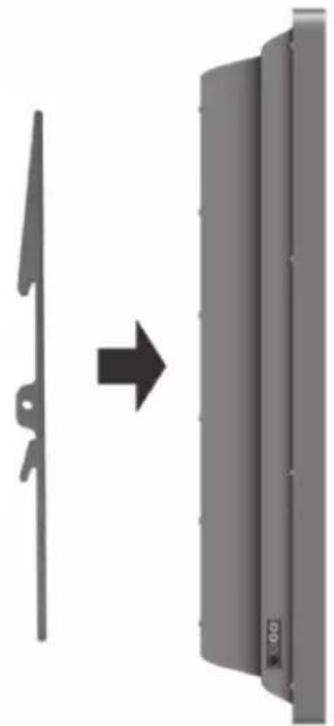
- Check the back of TV. If the back is flat, then you can use the shorter screws. But if the back is irregular and protruding, then the longer bolts together with the spacer rings must be used.
natural_image
Diagram showing a mechanical component before and after transformation, with no visible text or symbols.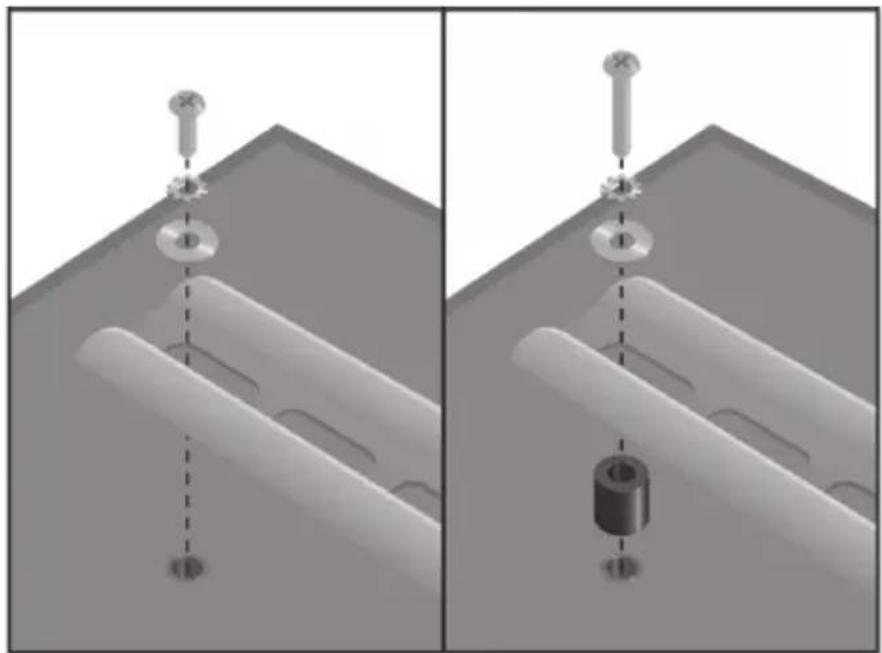
natural_image
Two technical diagrams showing mechanical assembly with labeled parts, no text or symbols present- Use one of the enclosed screws in order to attach the arms onto the back of the TV. Since the mounting section can vary between different TV sets, an assortment of screws is enclosed.
Mounting the TV onto the wall bracket
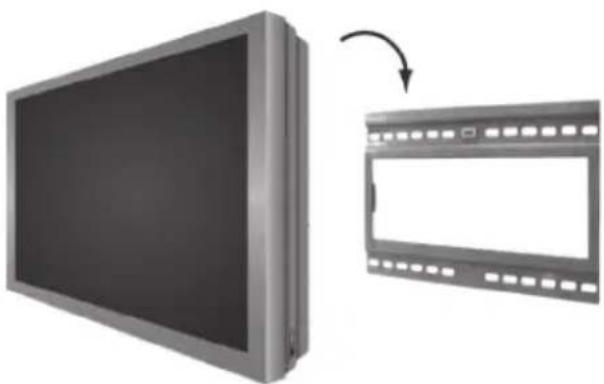
- Have someone help you mount the TV onto the wall bracket. Do not let go of the TV until its hooks are fitted correctly onto the wall bracket. Lower the TV carefully and make sure that both the TV and the wall bracket are positioned correctly.
natural_image
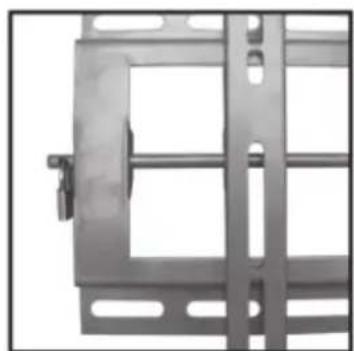
Illustration of a flat-screen TV with an arrow indicating transformation from blank to closed film strip (no text or symbols)- Fold the security lock on each arm in order to avoid the TV being unintentionally dislodged. A padlock can be used to lock the TV, which will stop it being dislodged.
natural_image
Metal-framed door frame with rectangular panels and a handle (no text or symbols visible)Disposal
Follow local ordinances when disposing of this product. If you are unsure about how to dispose of this product contact your municipality.
natural_image
Metal frame with bolt holes and a rectangular opening, no visible text or symbolsnatural_image
Diagram showing a left-side blade and a right-side panel with an arrow indicating direction (no text or symbols)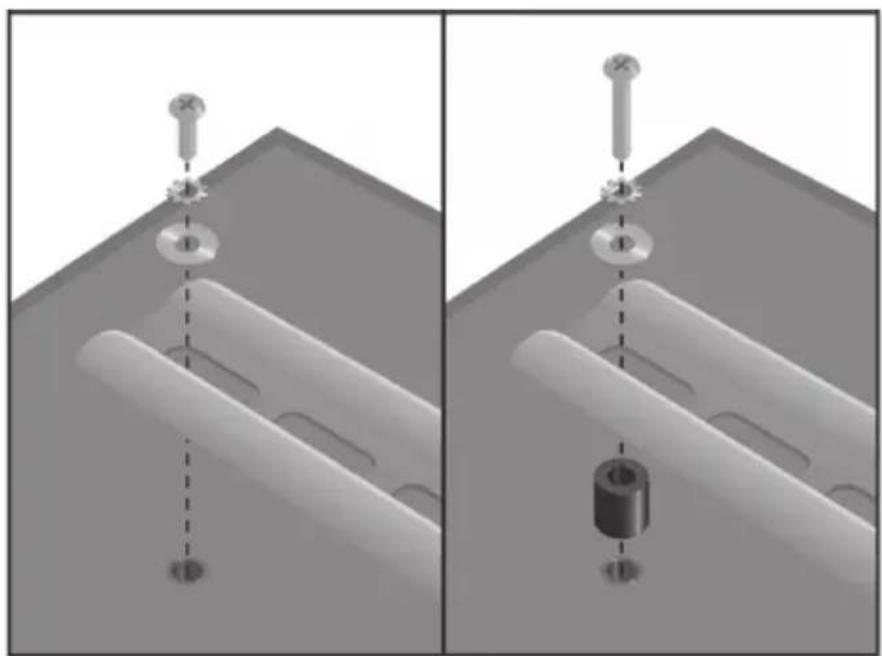
natural_image
Two technical diagrams showing mechanical assembly steps with no visible text or symbolsnatural_image
Illustration of a flat-screen TV with an arrow indicating transformation from front to back (no text or symbols present)natural_image
Metal gate structure with multiple slots and a handle (no visible text or symbols)Avfallshantering
natural_image
Metal frame with bolt holes and mounting holes, no text or symbols visibleMontering på betongvegg
Obs! Forviss deg om at veggen du monterer festet på kan bære TV-apparatets og festets sammenlagte vekt. Ta kontakt med en fagmann dersom du er usikker på dette.
natural_image
Diagram showing a mechanical component before and after transformation, with no visible text or symbols.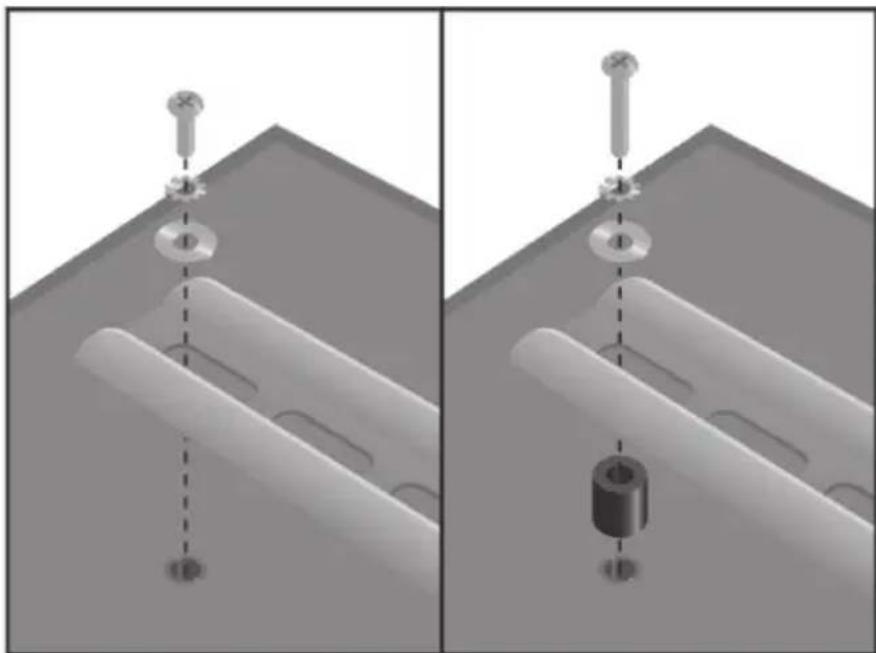
natural_image
Two technical diagrams showing mechanical assembly with no visible text, numbers, or symbols.natural_image
Illustration of a flat-screen TV with an arrow indicating transformation from front to back (no text or symbols present)natural_image
Metal-framed industrial gate or enclosure with vertical supports and a handle (no visible text or symbols)Avfallshändtering
natural_image
Metal frame with multiple slots and connectors, no visible text or symbolsnatural_image
Diagram showing a mechanical component before and after transformation, with no visible text or symbols.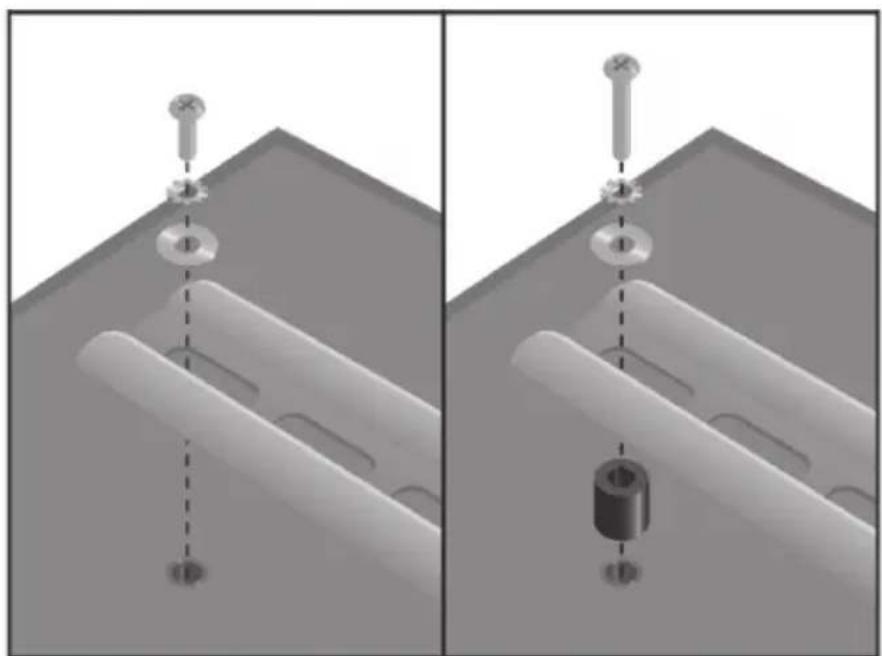
natural_image
Two technical diagrams showing mechanical assembly with labeled parts, no text or symbols presentnatural_image
Illustration of a flat-screen TV with an arrow indicating transformation from its front view to the right (no text or symbols present)natural_image
Metallic metal frame with rectangular cutouts and mounting holes (no text or symbols visible)Kierrätys
For consumer contact, please visit
www.clasohlson.co.uk and click on
customer service.
INTERNET www.clasohlson.co.uk
- Wall Mount for Plasma or LCD TV
- Wall Mount for Plasma or LCD TV Art. number 38-2357, model ML-P13
- Safety
- Mounting the wall bracket
- Preparations
- Necessary tools
- The mounting set contains:
- Mounting on a wooden wall
- Mounting on a concrete wall
- Mounting of monitor/TV arms
- Mounting the TV onto the wall bracket
- Disposal
- Avfallshantering
- Montering på betongvegg
- Avfallshändtering
- Kierrätys
Brand : Clas Ohlson
Model : ML-P13
Category : Wall mount