Active Plug - Home Automation Hive - Free user manual and instructions
Find the device manual for free Active Plug Hive in PDF.


| Product Type | Smart Plug |
| Brand | Hive |
| Model | Active Plug |
| Category | Home Automation |
| Compatibility | Requires Hive Hub |
| Control | Via Hive app (iOS/Android) or online dashboard |
| Scheduling | Yes, set schedules for on/off |
| Remote Access | Yes, via internet |
| LED Indicator | Amber (flashing while pairing), Purple (solid when on) |
| Max Load | 13A (UK standard) |
| Voltage | 230V (UK standard) |
| Earthing | Pass-through (earth connection maintained) |
| Indoor Use | Yes |
| Operating Frequency | 2405 - 2480 MHz |
| Max Radiated Power | <10 dBm |
| Safety | Not a circuit breaker, no fuse or RCD |
| Maintenance | Disconnect before cleaning, keep away from water and liquids |
| Serviceable Parts | None – do not attempt to open |
| Return Policy | Subject to retailer's refund policy |
| Compliance | Directive 2014/53/EU |
| Recycling | WEEE symbol – do not dispose with household waste |
Frequently Asked Questions - Active Plug Hive
User questions about Active Plug Hive
0 question about this device. Answer the ones you know or ask your own.
Ask a new question about this device
Download the instructions for your Home Automation in PDF format for free! Find your manual Active Plug - Hive and take your electronic device back in hand. On this page are published all the documents necessary for the use of your device. Active Plug by Hive.
USER MANUAL Active Plug Hive
natural_image
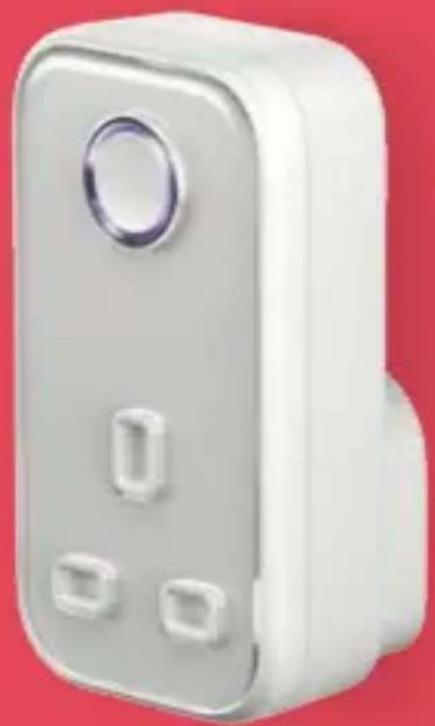
White wall-mounted electrical switch with three buttons and a circular button on top, against a solid red background (no text or symbols visible)Welcome to Hive
This guide tells you everything you need to know to use your Hive Active Plug.
natural_image
White electrical socket with three slots and a circular button, set against a red background (no text or symbols visible)If you're new to Hive products, please see the user guide provided with your Hive Hub to set up your Hive account.
Your Hive Active Plug will allow you to turn appliances on or off remotely and set schedules for when they come on.
Getting started:
1 Add your Hive Active Plug
You can do this using your Hive app or the online dashboard.
Using the Hive app:
- Open the Hive app on your smartphone or tablet. You may be asked to log-in.
- Tap the Menu button and then Install devices, then follow the on-screen instructions.
Using the online dashboard:
- Log in to your Hive account at hivehome.com
• Under Settings select Install devices, then follow the on-screen instructions.
natural_image
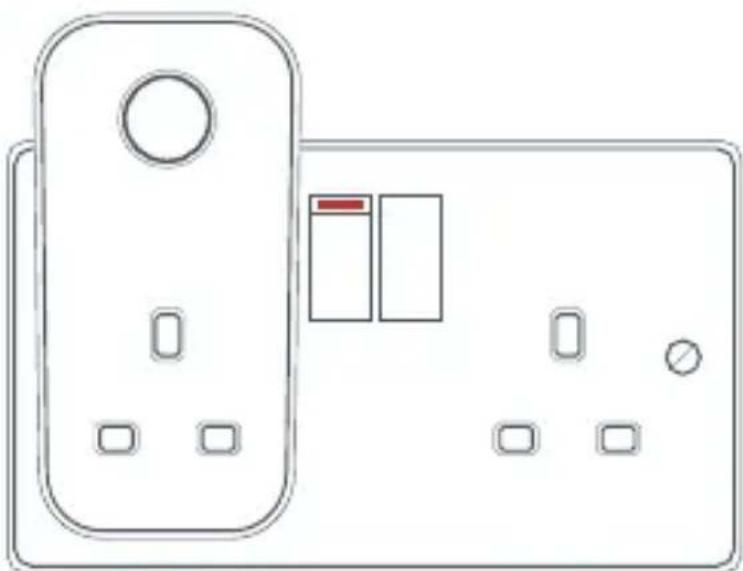
Line drawing of a wall-mounted electrical outlet with two switches and a bulb (no text or symbols)② Plug it in and switch the power socket on
Once plugged in the LED light on the front of your plug will begin to flash amber while it searches to find your hub.
Once your Hive Active Plug appears on the screen, you can name it and press Save to complete setup.
③ That's it!
The LED light on your Hive Active Plug will stop flashing amber once connected. Now you can plug in the device you'd like to control remotely.
When your Hive Active Plug is turned on the LED light will be solid purple.
Remember: To use your Hive Active Plug, leave the device and the power to the socket switched on, including the extension cable if you're using one.
Usage
Your Hive Active Plug is designed for UK household wiring, and for indoor use only.
For your safety
Your Hive Active Plug is not a circuit breaker and does not contain a fuse, RCD or any other similar device. If you're using your Hive Active Plug, whether at home or away, with appliances like kettles, heaters and hair straighteners, please remember to follow the safety advice for use of those appliances. For example, ensure electric heaters are not covered with clothing or other items.
Earthing
The earth connection from the wiring in your home is passed through to the earth connection of the front socket on the Hive Active Plug. It is safe to connect equipment which relies on an earth connection for safety.
Maintenance
Disconnect your Hive Active Plug before cleaning and keep it away from water and other liquids at all times. The Hive Active Plug does not contain any serviceable parts so do not attempt to open it.
Can we help?
You can view our handy how-to-use videos along with hints and tips at hivehome.com/support
If for any reason you need to return your Hive Active Plug, simply return your box and its contents to the retailer. Any return is subject to the retailer's refund policy so please don't forget to check the retailer's refund policy too.
Centrica Connected Home Limited declares that the radio equipment type SLP2b complies with Directive 2014/53/EU. Full declaration text available at: hivehome.com/compliance
Max. radiated power: <10 dBm.
Frequency: 2405 - 2480 MHz
natural_image
Hive logo with white wave-like symbol on red background (no text or symbols beyond logo)To avoid environmental and health problems due to hazardous substances in electrical and electronic goods, appliances marked with a crossed out wheeled bin should
not be placed into your household rubbish bin. Instead, when they are unable to be re-used, they should be recycled. Your local authority will be able to advise you on the location of the nearest recycling centre that is authorised to accept this type of waste. Please recycle responsibly.
natural_image
Symbol of a trash bin with crossed lines indicating no waste or restriction, and a solid rectangle below (no text or labels)Brand : Hive
Model : Active Plug
Category : Home Automation