
CCE100NX - Range hood CANDY - Free user manual and instructions
Find the device manual for free CCE100NX CANDY in PDF.


| Product type | Range hood (ducted or recirculating) |
| Brand | Candy |
| Model | CCE100NX |
| Installation type | Wall-mounted |
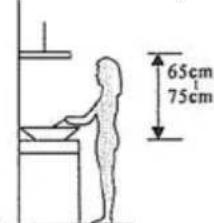
| Recommended mounting height | 65 to 75 cm above the cooktop |
| Exhaust duct diameter | 150 mm |
| Extraction power | Up to 300 m³/h (estimate) |
| Speed levels | 3 speeds + booster function (5 minutes) |
| Lighting | LED (max 1.5 W) |
| Grease filter type | Washable metal |
| Charcoal filter type | Optional (for recirculation) |
| Grease filter maintenance | Monthly cleaning |
| Charcoal filter replacement | Annually (depending on use) |
| Power supply | 220-240 V ~ 50 Hz |
| Estimated weight | Approximately 12 kg |
| Materials | Stainless steel, glass |
| Maximum number of burners above | 4 burners |
| Safety | Grounding mandatory, do not flambé under the hood |
| Bulb repairability | Not individually replaceable (complete kit required) |
| Warranty | 2 years (standard) |
Frequently Asked Questions - CCE100NX CANDY
User questions about CCE100NX CANDY
0 question about this device. Answer the ones you know or ask your own.
Ask a new question about this device
Download the instructions for your Range hood in PDF format for free! Find your manual CCE100NX - CANDY and take your electronic device back in hand. On this page are published all the documents necessary for the use of your device. CCE100NX by CANDY.
USER MANUAL CCE100NX CANDY
natural_image
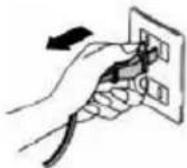
Diagram of airflow around a mechanical component with directional arrows indicating movement (no text or symbols)- Prije ugradnje, isključite uređaj i odspojite iz električne mreže.
- Z a naj bol ji rad ni uč in ak, kuhinjska napa treba biti postavljer na visini 65 \~75 cm iznad štednjaka/ploče za kuhanje.
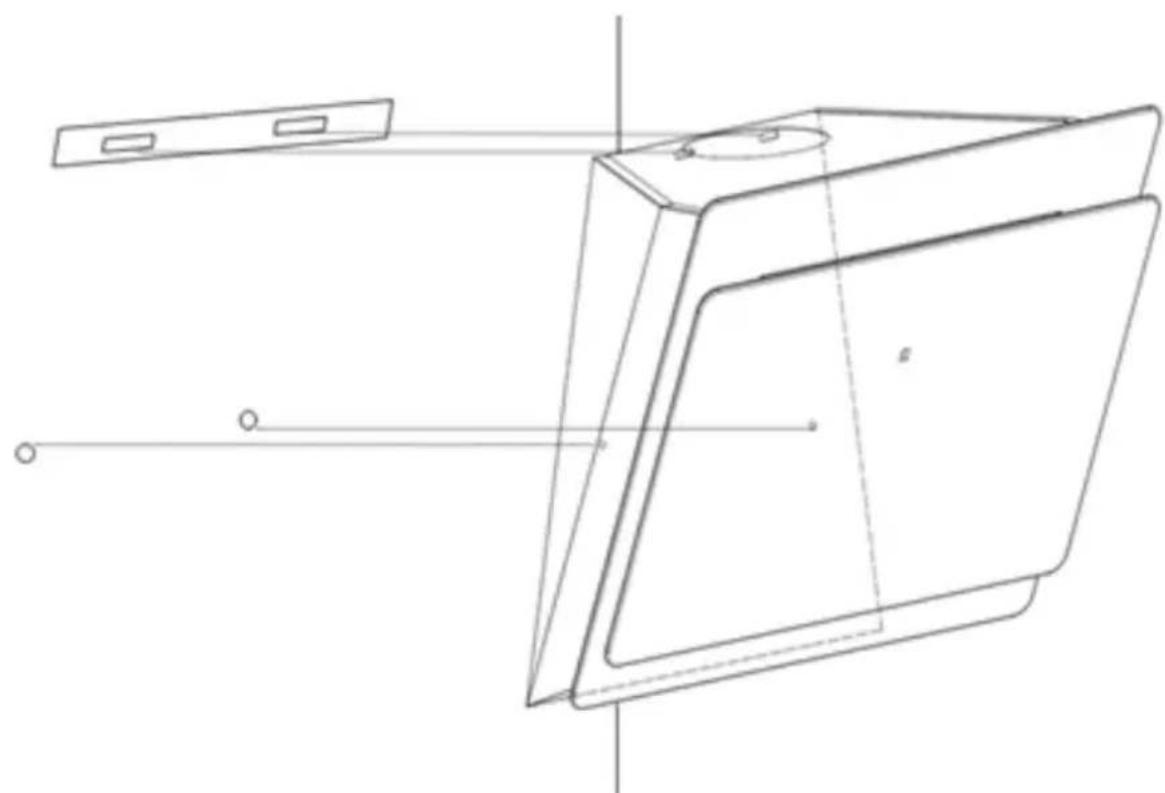
Za nagnuti panel model
- potrebno izbušiti 2x8mm dodatne rupe i pričvrsne vijke i zaporne vijke prije ugradnje
natural_image
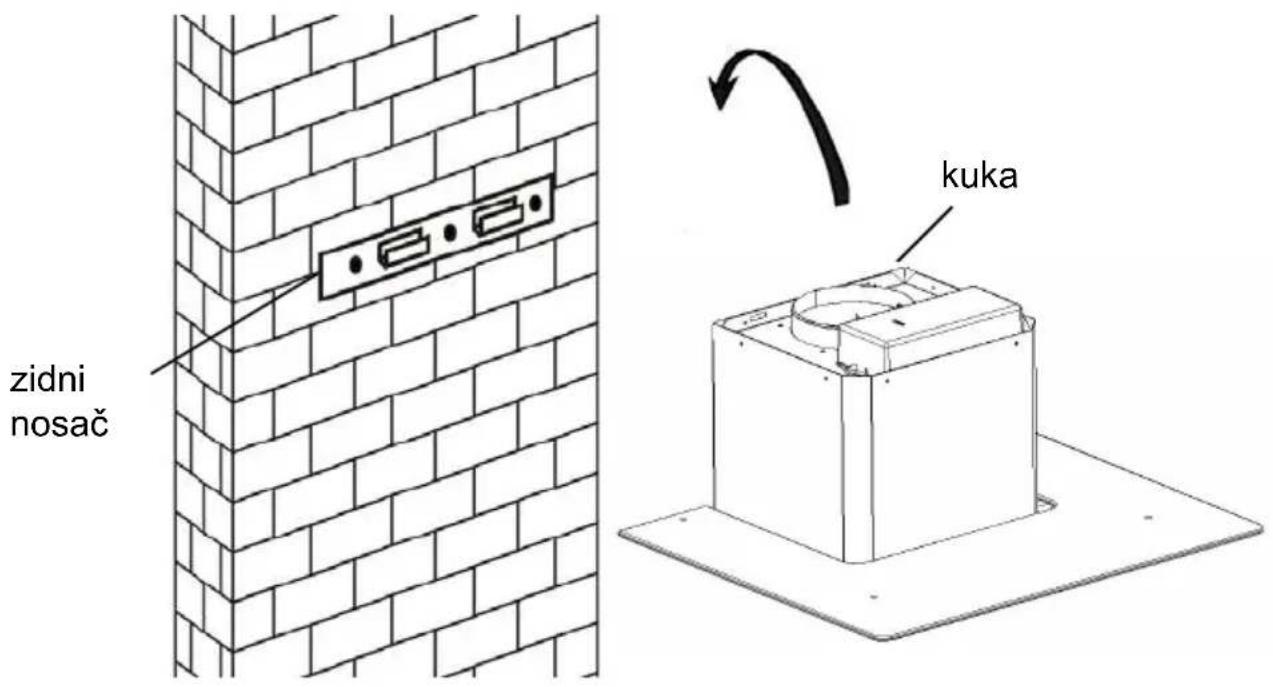
Technical line drawing of a rectangular device with internal components and alignment lines (no text or symbols)- Podignite napu i objesite je na zidni nosač pomoću kuke.
natural_image
Isometric line drawing of a brick wall with a mounted cylindrical object and support structure (no text or symbols)natural_image
Diagram of a mechanical or fluid system with directional arrows indicating flow or movement (no text or symbols)Pri unutarnjoj ventilaciji, za filtriranje dima i para koristi se aktivni ugljeni filt Prije ugradnje aktivnog ugljenog filtera, prvo uklonite filter za masnoću. Pritisnite zasun i povucite filter prema dole.
natural_image
Simple line drawing of a hand pressing down on a flat surface with an arrow indicating downward motion (no text or symbols)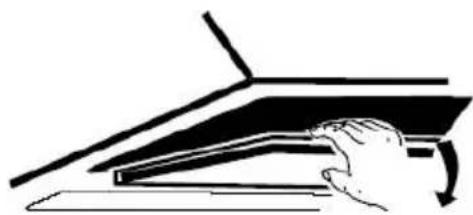
natural_image
Illustration of a hand pressing down on a mechanical component with a curved arrow indicating motion (no text or symbols)natural_image
Technical line drawing of a mechanical fan or motor assembly with no visible text or symbolsCLOSE ZATVARANJE
VAŽNA NAPOMENA:
o Budite sigurni da je aktivni ugljeni filter sigurno i ispravno učvršćen. I suprotnom se može olabaviti i izazvati opasnost.
o Sa ugrađenim aktivnim ugljenim filterom, usisna snaga kuhinjske biti će manja.
OPIS DIJELOVA KUHINJSKE NAPE
natural_image
Grid of eight circular icons with cross and circle patterns, no text or symbols presentRADNE TIPKE
Tipka za malu brzinu

natural_image
Pure electrical circuit lines without any symbolsnatural_image
Diagram of airflow around a mechanical component with directional arrows indicating movement (no text or symbols)natural_image
Technical line drawing of a rectangular device with internal components and alignment lines (no text or symbols)natural_image
Diagram showing a brick wall with electrical outlets and a box on a base, with an arrow indicating rotation (no text or symbols)natural_image
Isometric line drawing of a brick chimney mounted on a base, with no text or symbols present.natural_image
Diagram of a mechanical or fluid system with directional arrows indicating flow or movement (no text or symbols)natural_image
Simple line drawing of a hand pressing down on a flat surface with an arrow indicating direction (no text or symbols)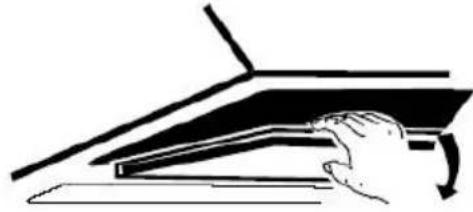
natural_image
Line drawing of a hand pressing down on a piano keyboard (no text or symbols)natural_image
Technical line drawing of a mechanical component with no visible text or symbolsPoznámka:
natural_image
Grid of eight circular symbols with cross and circle outlines, no text or labels presentObsluha
① On / Off tlačítko
natural_image
Pure diagram of a road or pipeline with directional arrows indicating flow or movement (no text or symbols)INSTALLATION AND USER'S MANUAL
CONTENT
INTRODUCTION 29
SAFETY PRECAUTION 29
SPECIFICATION 31
INSTALLATION (VENT OUTSIDE) 32
INSTALLATION (VENT INSIDE) 36
DESCRIPTION OF COMPONENTS 37
OPERATION 38
MAINTENANCE 38
TROBULESHOOTING 39
CONFORMITY WITH DIRECTIVES 40
ENVIRONMENTAL PROTECTION 40
INTRODUCTION
Thank you for choosing this cooker hood.
This instruction manual is designed to provide you with all required instructions related to the installation, use and maintenance of the appliance. In order to operate the unit correctly and safety, please read this instruction manual carefully before installation and usage.
The cooker hood uses high quality materials, and is made with a streamlin design. Equipped with large power electric motor and centrifugal fan, it also provides strong suction power, low noise operation, non-stick grease filter and easy assembly installation.

By placing the marking on this product, we declare, on our own responsibility, compliance to all of European safety, health and environmental requirements stated in the legislation for this product.
SAFETY PRECAUTION
Never let the children operate the machine.
The cooker hood is for home use only, not suitable for barbecue, no shop and other commercial purpose.
The cooker hood and its filter should be clean regularly in order to keep in good working condition.
Clean the cooker hood according to the instruction manual and keep the unit from danger of burning.
Forbid the direct baking from the gas cooker.
Please keep the kitchen room a good convection.
Before connecting this appliance check that the power supply cord is not damaged. A damage supply cord must be replaced by qualified service personnel only.
There shall be adequate ventilation of the room when the range hocs is used at the same time as appliances burning gas or other fuels;
he air must not be discharged into a flue that is used for exhausting fumes from appliances burning gas or other fuels;
Regulations concerning the discharge of air have to be fulfilled.
This appliance if not intended for use by persons(including children) with reduced physical, sensory or mental capabilities, or lack of experience and knowledge, unless they have been given supervision or instruction concerning use of the appliance by a person slide for their safety.
Children should be supervised to ensure that they do not play with appliance.
Do not flambé under the range hood.
CAUTION: Accessible parts may become hot when used with cooking appliance
Electrical Shock Hazard
Only plug this unit into a properly earthed outlet. If in doubt seek advice from a suitably qualified engineer.
Failure to follow these instructions can result in death, fire, or electrical shock.
Standard Installation Accessories List
| Spec. | Illustration Picture | Qty |
| Casing | 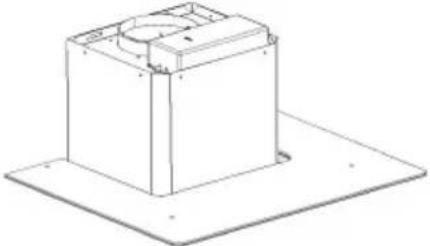 | 1 |
| Upper Chimney | 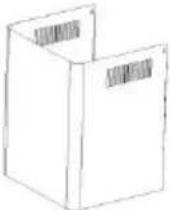 | 1 |
| Lower Chimney | 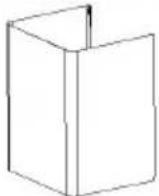 | 1 |
| Lower chimney bracket |  | 1 |
| Upper chimney bracket | 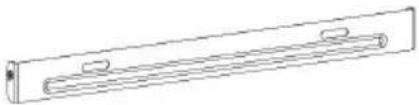 | 1 |
| Hanging Board | 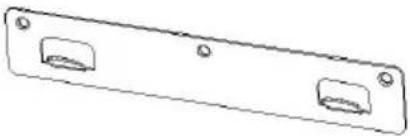 | 1 |
| φ8 rawl plugsφ8×φ6 white color | 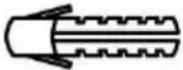 | 9 |
| ScrewsST4.0×30 | 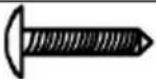 | 9 |
| φ7.2screwsST4.0×8 | 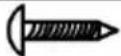 | 2 |
If you have an outlet to the outside, your cooker hood can be connected below picture by means of an extraction duct (enamel, aluminum, flexible pi inflammable material with an interior diameter of 150mm)
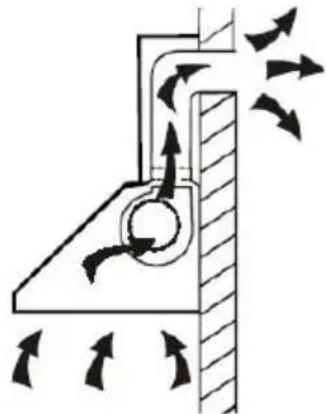
natural_image
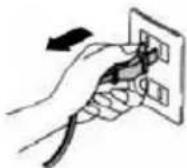
Diagram of airflow around a mechanical component with directional arrows indicating movement (no text or symbols)- Before installation, turn the unit off and unplug it from the outlet.
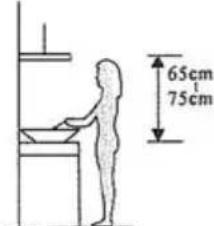
- The cooker hood should be placed at a distance of 65\~75cm above the cooking plane for best effect.
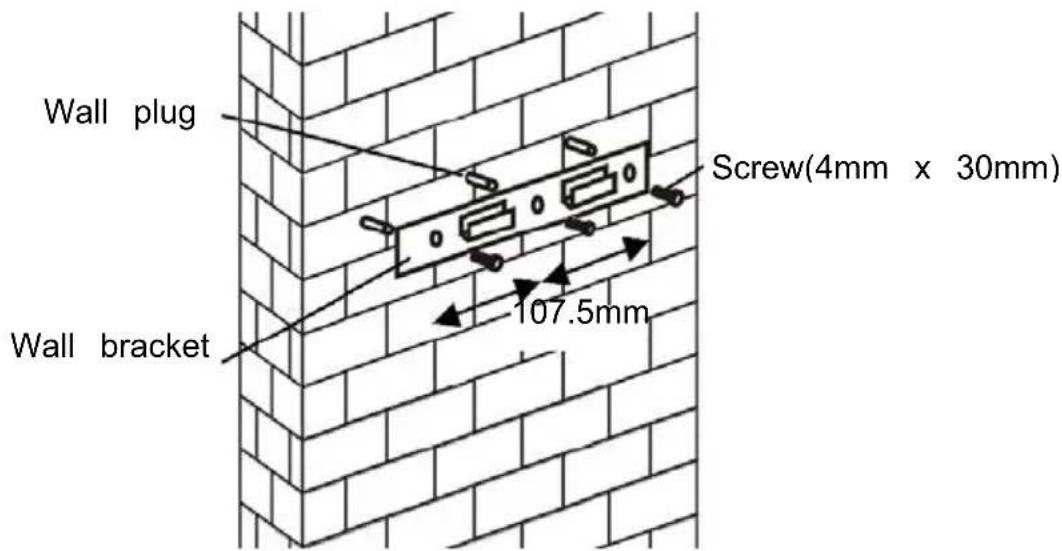
- Drill 3 x 8mm holes to accommodate the bracket. Screw and tighten the bracket onto the wall with the screws provided.
For inclined panel Model
- eed to drill 2x8mm extra holes & fixing screws & screw plugs before installation. Voor schuine modellen
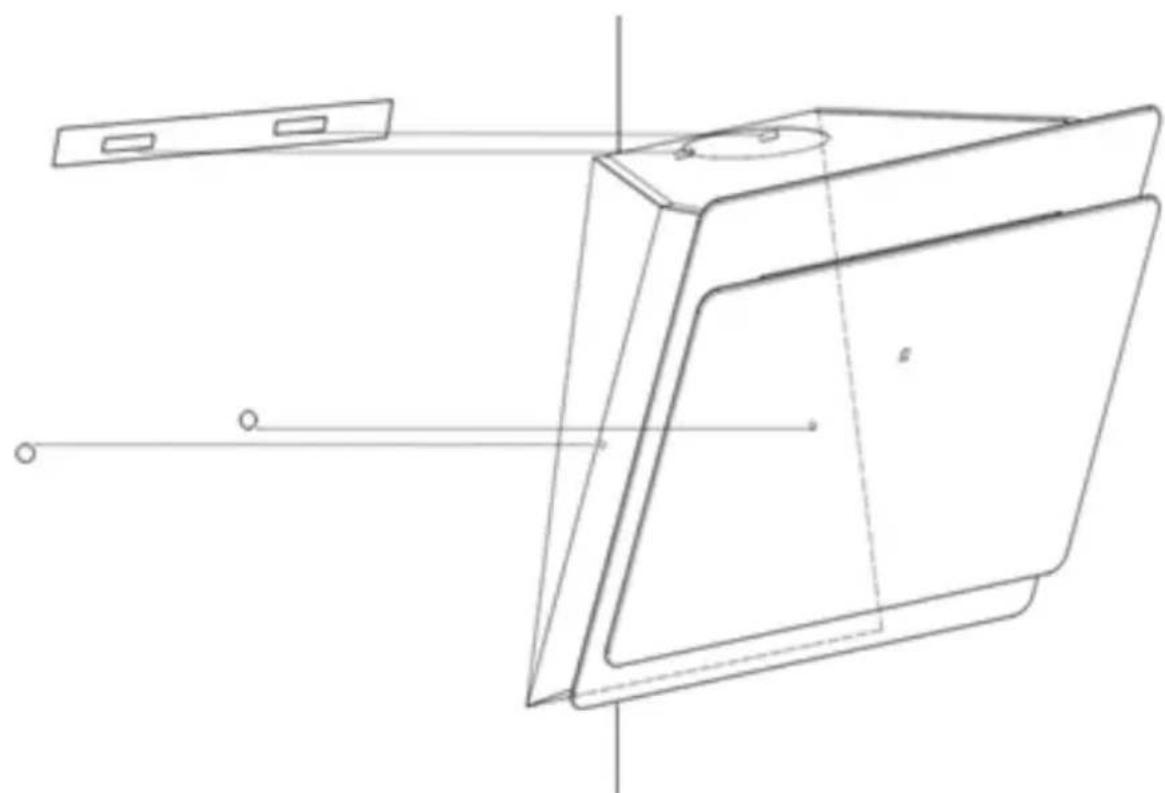
natural_image
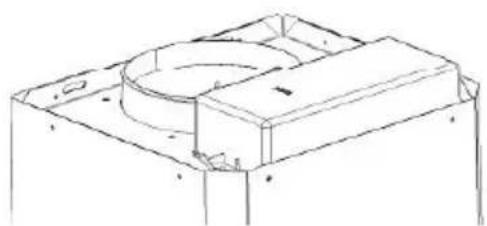
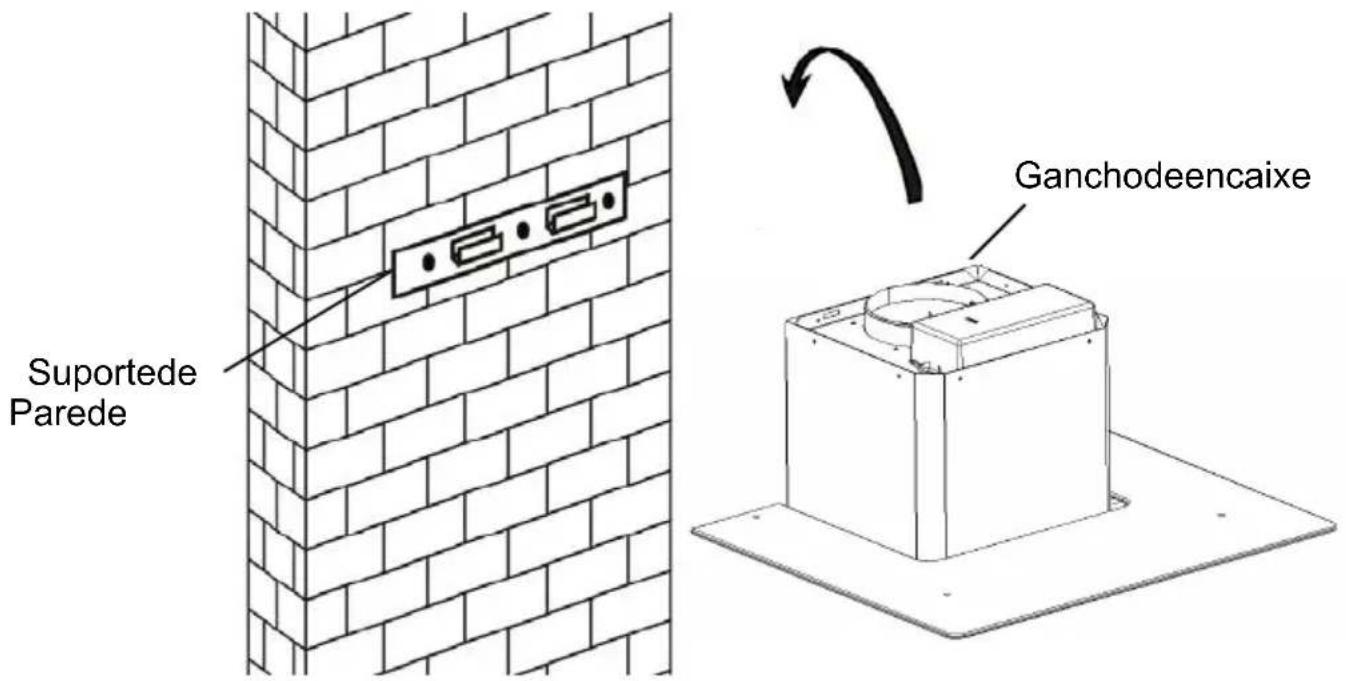
Technical line drawing of a rectangular device with internal components and alignment lines (no text or symbols)- Leave up the cooker hood and hang onto the wall bracket hook.
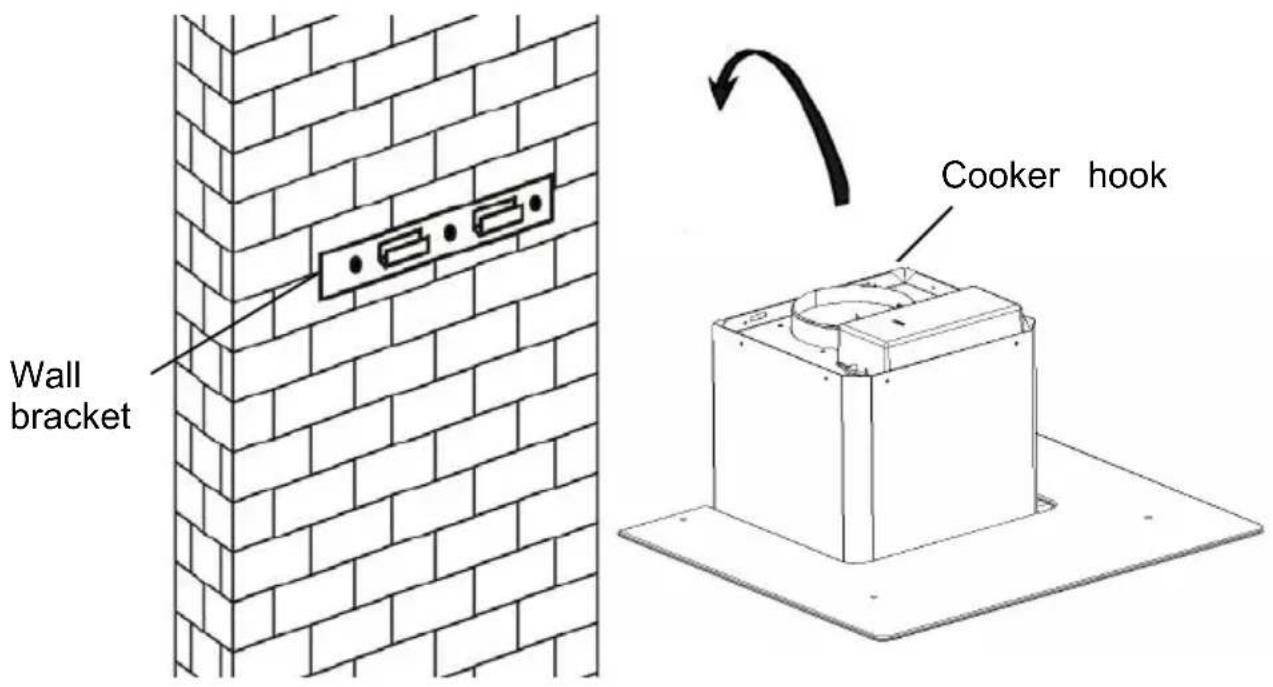
- Fix the one-way-valve to the air outlet of the cooker hood. Then, attached the exhaust pipe onto the one-way-valve as shown below.
Exhaust pipe
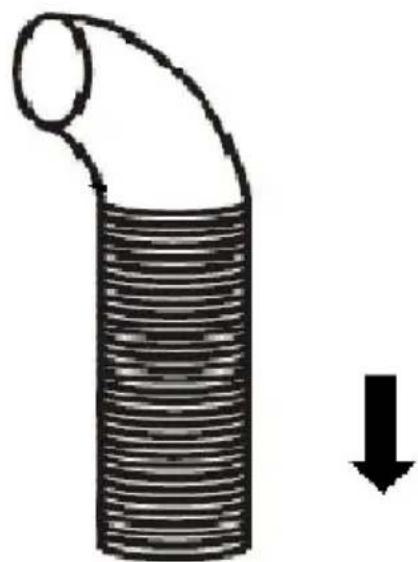
natural_image
Diagram of a pipe with a curved duct and a downward arrow indicating flow or direction (no text or symbols)Cooker hood
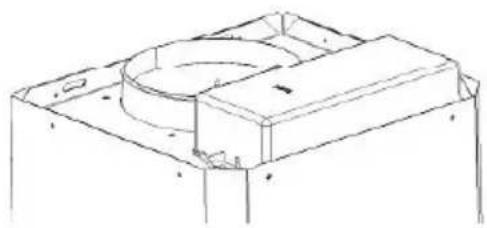
natural_image
Technical line drawing of a mechanical housing or enclosure component (no text or symbols)6.
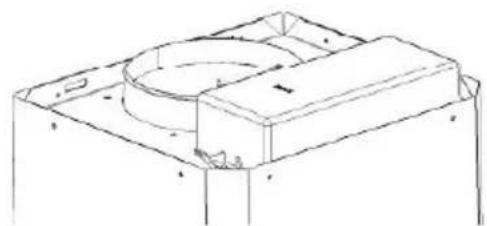
i. Place the glass in appropriate position on the top the cooker hood.
ii. Fix with 4 screws and washer. In order to avoid the glass cracking, please do not tighten the screws too strongly.
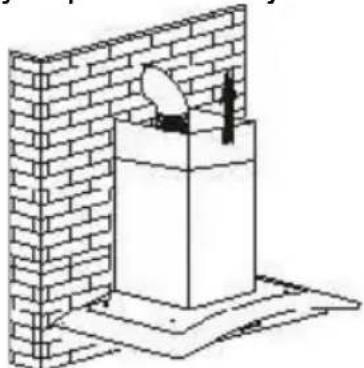
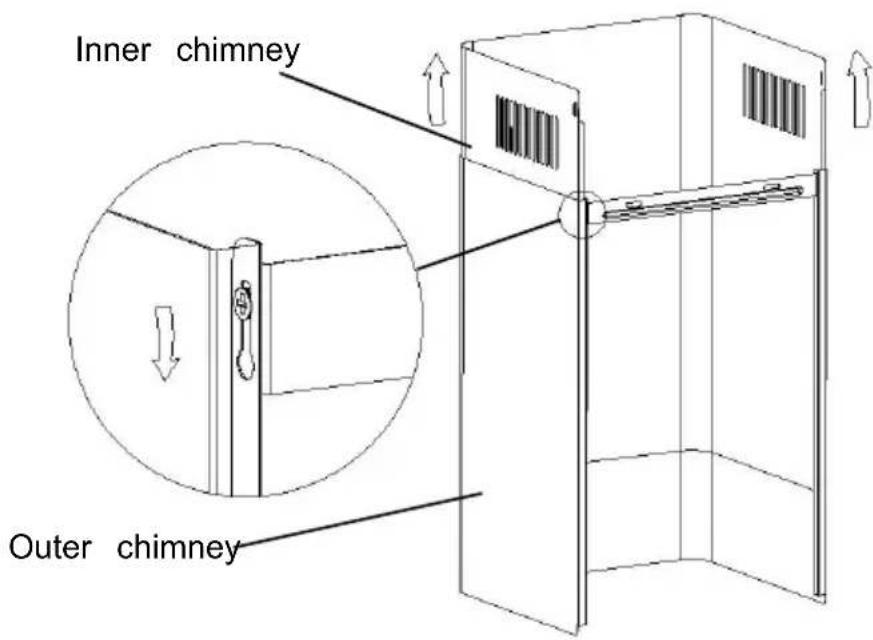
i. By Put the inner chimney into outer chimney .Then pulling out the inner chimney upwards. Adjust to reach the height required
natural_image
Isometric line drawing of a brick wall with a mounted structure and a circular component, no text or symbols present.ii. Sliding the chimney to adjust the chimney height. When the height you required is reached, then hang the fixing hole to the screws as showed in below pictures.
8.
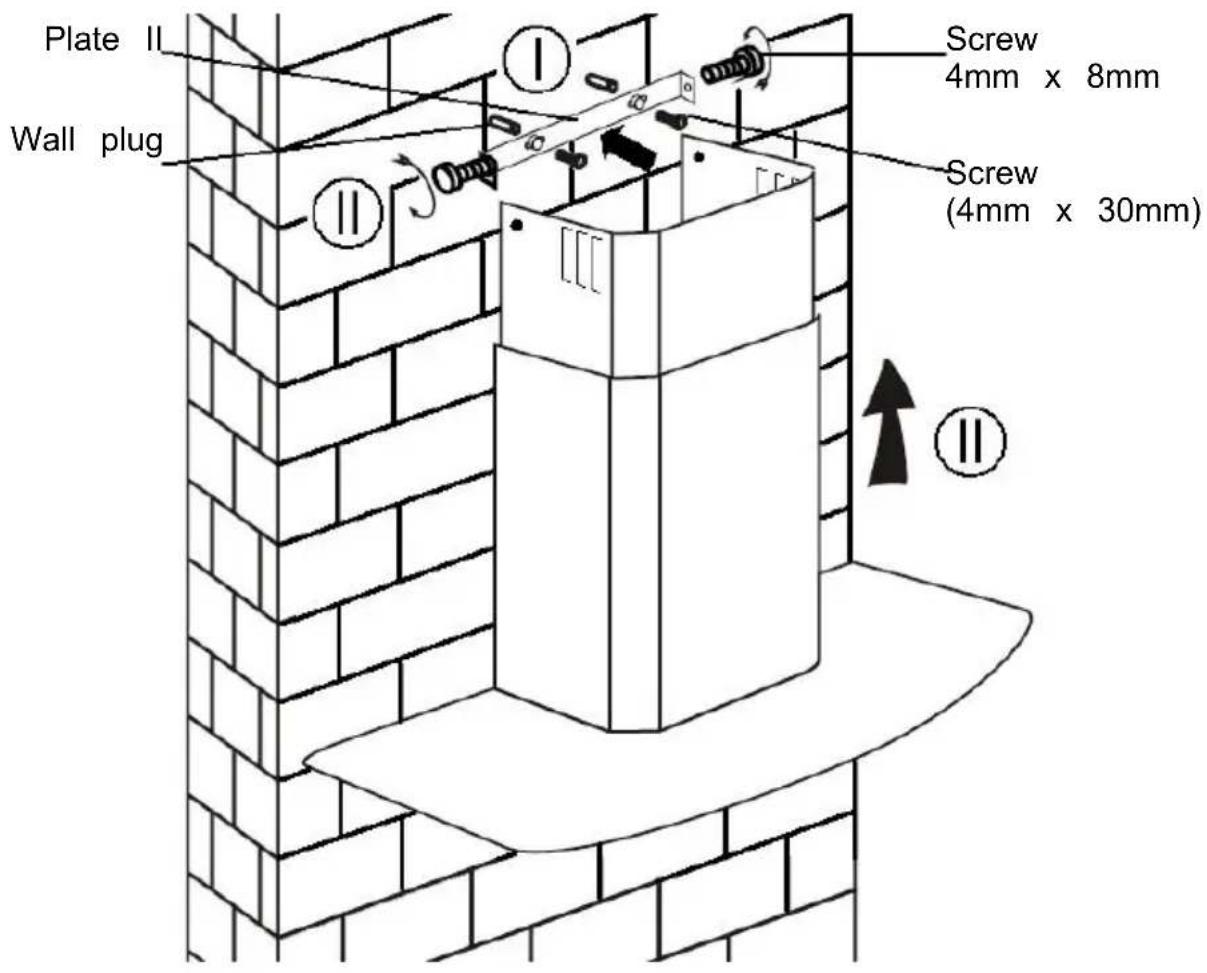
i. Drill 2 x 8mm holes to accommodate the plate II. Screw and tighten the plate II onto the wall with 2 screws provided.
ii. Assembly the chimney onto the unit and fix it with 2 screws.
INSTALLATION (VENT INSIDE)
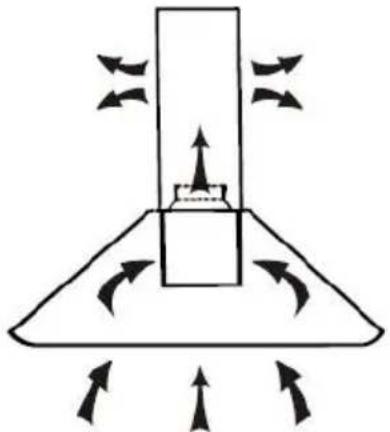
If you do not have an outlet to the outside, exhaust pipe is not required the installation is similar to the one show in section "INSTALLATION (VENT OUTSIDE)".
natural_image
Diagram of a mechanical or fluidic component with directional arrows indicating flow or movement (no text or symbols)Activated carbon filter can be used to trap odors.
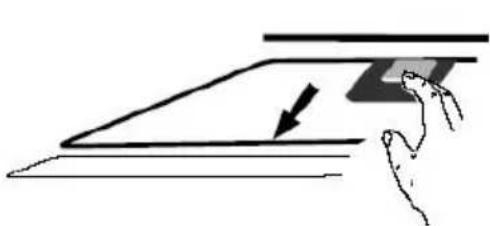
In order to install the activated carbon filter, the grease filter should be detached first. Press the lock and pull it downward.
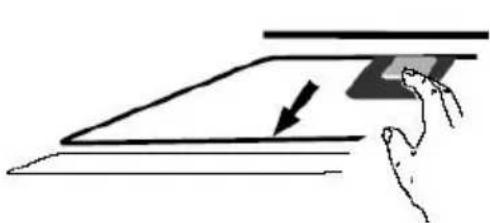
natural_image
Illustration of a hand pressing down on a flat surface with an arrow indicating downward motion (no text or symbols)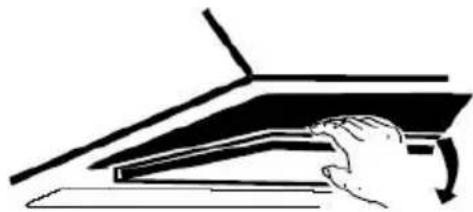
natural_image
Illustration of a hand pressing down on a mechanical component with a curved arrow indicating motion (no text or symbols)Plug the activated carbon filter into the unit and turn it in clockwise direction. Repeat the same on the other side.
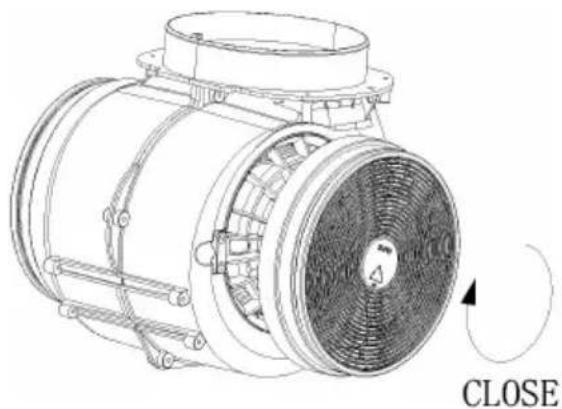
natural_image
Technical line drawing of a mechanical component with no visible text or symbolsNOTE:
o Make sure the filter is securely locked. Otherwise, it would loosen and cause dangerous.
o When activated carbon filter attached, the suction power will be lowere
DESCRIPTION OF COMPONENTS

natural_image
Collection of eight circular and cross-shaped icons with dotted outlines, no text or symbols presentOPERATION
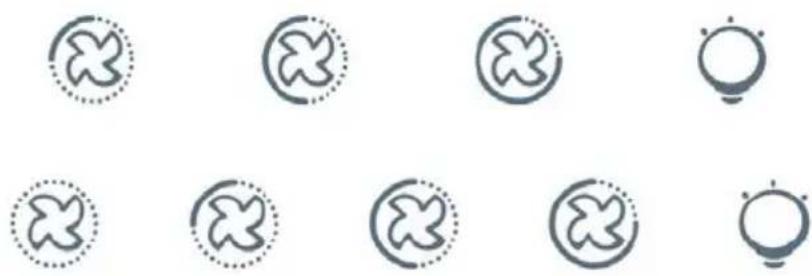
Low Speed button

It's used for Ventilation on the kitchen. It is suitable for simmering and cooking which do not make much steam.
Medium Speed button

2
Airflow speed is ideally for ventilation in standard cooking operation.
High Speed button

3
When high density of smoke or steam produced, press high-speed button for highest effective ventilation.
Light button

NOTE: If Low / Medium / High speed buttons are press at the same time, the unit will only operate at the highest speed.

① On/Off button
It's used for turning on/off the fan.
+ Speed plus button
For increasing the speed of the fan
- Speed decrease button
For decreasing the speed of the fan.
Light button
8 Digital display
Fan speed display:"1" for Low speed, "2" for Medium speed, "3" for High speed, "4" for Booster function.
Quick timer: Press+ & hold for 1 second, Digital display will flashing & into 5 minutes count down, after 5 minutes motor & will turn off automatic & Buzzer sound for 1 second.
Booster function
This hood has a booster function. To activate the booster, Press to speed 4, enter into highest speed while the hood is in use and it will increase speed for 5 minutes, before slowing down again.
MAINTENANCE
Before cleaning switch the unit off and pull out the plug.
I. Regular Cleaning
Use a soft cloth moistened with hand-warm mildly soapy water or household cleaning detergent. Never use metal pads, chemical, abrasive material or stiff brush to clean the unit.
II. Monthly Cleaning for Grease Filter
ESSENTIAL: Clean the filter every month can prevent any risk of fire.
The filter collects grease, smoke and dust..... so the filter is directly affecting the efficiency of the cooker hood. If not cleaned, the grease residue (potential flammable) will saturate on the filter. Clean it with household cleaning detergent.
III. Annual Cleaning for Activated Carbon Filter
Apply SOLELY to unit that installed as a recirculation unit (not vented to the outside). This filter traps odors and must be replaced at least once a year
depending on how frequent the cooker hood used.
IV. Changing a light bulb
Remove the screws on the glass, take off the hood glass. Find the bulb that requires replacement, you will find it located in the light fixture which is inside the exposed section of the canopy.
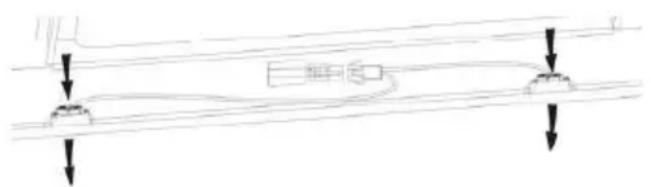
natural_image
Pure electrical circuit lines without any symbolsDisconnect the light wiring point and remove the bulb holders and wiring from the hood. Important: It's not possible to replace the bulbs individually, it will be necessary to obtain the bulbs, bulb holders and wiring as a complete part. (LED light: MAX 1.5W)
Fit the replacement bulbs, bulb holders and wiring in the same manners as the originals. Then reconnect the light wiring point.
Refit the hood glass and fasten the glass screws. Make sure the screws fully tightened.
TROBULESHOOTING
| Fault | Cause | Solution |
| Light on, but fan does not work | The fan blade is jammed. | Switch off the unit and repair qualified service personnel only. |
| The motor is damaged | ||
| Both light and fan do not work | Halogen light bulb bur | Replace the bulb with correct rating. |
| Power cord looses. | Plug in to the power supply ag | |
| Serious Vibration of the unit | The fan blade is damaged. | Switch of the unit and repair b qualified service personnel only. |
| The fan motor is not fixed tightly. | Switch off the unit and repair l qualified service personnel only. | |
| The unit is not hung properly on the bracke | Take down the unit and check whether the bracket is in prope location. | |
| Suction performance not good | Too long distance between the unit and the cooking plane | Readjust the distance to 65-75c |
CUSTOMER ASSISTANCE SERVICE
If you cannot identify the cause of the operating anomaly, switch off the appliance and contact the Assistance Service.
PRODUCT SERIAL NUMBER. Where can I find it?
It is important you to inform the Assistance Service of your product code and its serial number (a 16 character code which begins with the number this can be found on the guarantee certificate or on the data plate located on the appliance.
It will help to avoid wasted journeys to technicians, thereby (and most significantly) saving the corresponding callout charges.
ENVIRONMENTAL PROTECTION
Waste electrical products should not be disposed of with household waste. Please recycle where facilities exist. Check with your Local Authority or retailer for recycling advice.
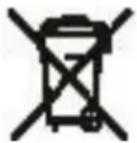
This appliance is marked according to the European directive 2012/19/EU on Waste Electrical and Electronic Equipment (WEEE).
By ensuring this product is disposed of correctly, you will help prevent potential negative consequences for the environment and human health, which could otherwise be caused by inappropriate waste handling of this product.
The symbol on the product indicates that this product may not be treated household waste. Instead it shall be handed over to the applicable collection point for the recycling of electrical and electronic equipment Disposal must be carried out in accordance with local environmental regulations for waste disposal.
For more detailed information about treatment, recovery and recycling of this product, please contact your local city office, your household waste disposal service or the shop where you purchased the product.
NOTICE D'INSTALLATION ET D'UTILISATION
Sommaire
INTRODUCTION 42
Installation (Evacuation) 45
Installation (Recyclage) 49
natural_image
Diagram of airflow or heat transfer through a mechanical structure with directional arrows (no text or symbols)natural_image
Technical line drawing of a rectangular device with internal components and alignment lines (no text or symbols)natural_image
Diagram of a coiled tube with a downward arrow indicating compression or reduction (no text or symbols)Hotte
natural_image
Technical line drawing of a mechanical housing or enclosure component (no text or symbols)6.
Installation (En recyclage)
Installation (En recyclage)
natural_image
Diagram of a mechanical or fluid system with directional arrows indicating flow or movement (no text or symbols)natural_image
Simple line drawing of a hand pressing down on a flat surface with an arrow indicating downward motion (no text or symbols)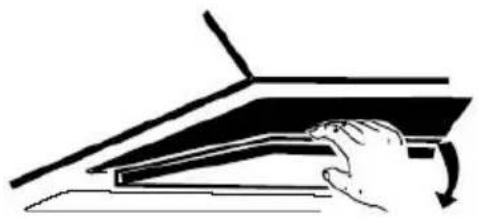
natural_image
Illustration of a hand pressing down on a laptop keyboard (no text or symbols visible)natural_image
Technical line drawing of a mechanical fan or impeller assembly with no visible text or symbolsCLOSE
Enclenché
NOTE :
natural_image
Collection of eight symbolic icons with dotted outlines, no text or labels presentUtilisation
For decreasing the speed of the fan.

Bouton d'éclairage
8 Digital display
Fan speed display:"1" for Low speed, "2" for Medium speed, "3" for High speed, "4" pour la fonction Booster.
Quick timer: Press+ & hold for 1 second, Digital display will flashing & into 5 minutes count down, after 5 minutes motor & light will turn off automatic & Buzzer sound for 1 second.
Fonction booster
natural_image
Pure electrical circuit lines without any symbolsInstallation (Wandmontage)
natural_image
Diagram of airflow around a mechanical component with directional arrows indicating movement (no text or symbols)natural_image
Technical line drawing of a rectangular device with internal components and alignment lines (no text or symbols)natural_image
Isometric line drawing of a brick wall with a small object inside, no text or symbols presentnatural_image
Diagram of a mechanical or fluid system with directional arrows indicating flow or movement (no text or symbols)natural_image
Simple line drawing of a hand pressing down on a flat surface with an arrow indicating downward motion (no text or symbols)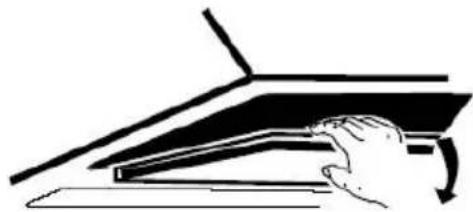
natural_image
Illustration of a hand pressing down on a piano keyboard (no text or symbols visible)natural_image
Technical line drawing of a mechanical fan or motor assembly with no visible text or symbolsHINWEIS:
natural_image
Grid of eight circular icons with cross and circle patterns, no text or symbols presentBEDIENUNG
natural_image
Pure mechanical diagram showing two downward arrows pointing to a horizontal line with a rectangular component (no text or symbols)natural_image
Diagram of airflow around a mechanical component with directional arrows indicating movement (no text or symbols)natural_image
Technical line drawing of a rectangular device with internal components and alignment lines (no text or symbols)natural_image
Diagram of a pipe with a downward arrow indicating flow or direction (no text or symbols)Καπέλο
natural_image
Technical line drawing of a mechanical housing or enclosure component (no text or symbols)7
6.
natural_image
Isometric line drawing of a brick wall with a mounted structure and support base (no text or symbols)natural_image
Diagram of a mechanical or fluid system with directional arrows indicating flow or movement (no text or symbols)natural_image
Simple line drawing of a hand pressing down on a flat surface with an arrow indicating downward motion (no text or symbols)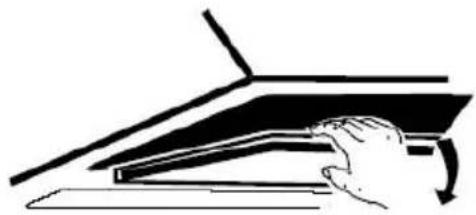
natural_image
Illustration of a hand pressing down on a piano keyboard (no text or symbols visible)natural_image
Technical line drawing of a mechanical fan or motor assembly with no visible text or symbolsΣΗΜΕΙΩΣΗ:
CLOSE
natural_image
Grid of eight circular icons with cross and circle patterns, no text or symbols presentΔΕΙΤΟΥΡΓΙΕΣ
natural_image
Pure electrical circuit lines without any symbolsnatural_image
Diagram of airflow around a mechanical component with directional arrows indicating movement (no text or symbols)Per inclinato Modello pannello
natural_image
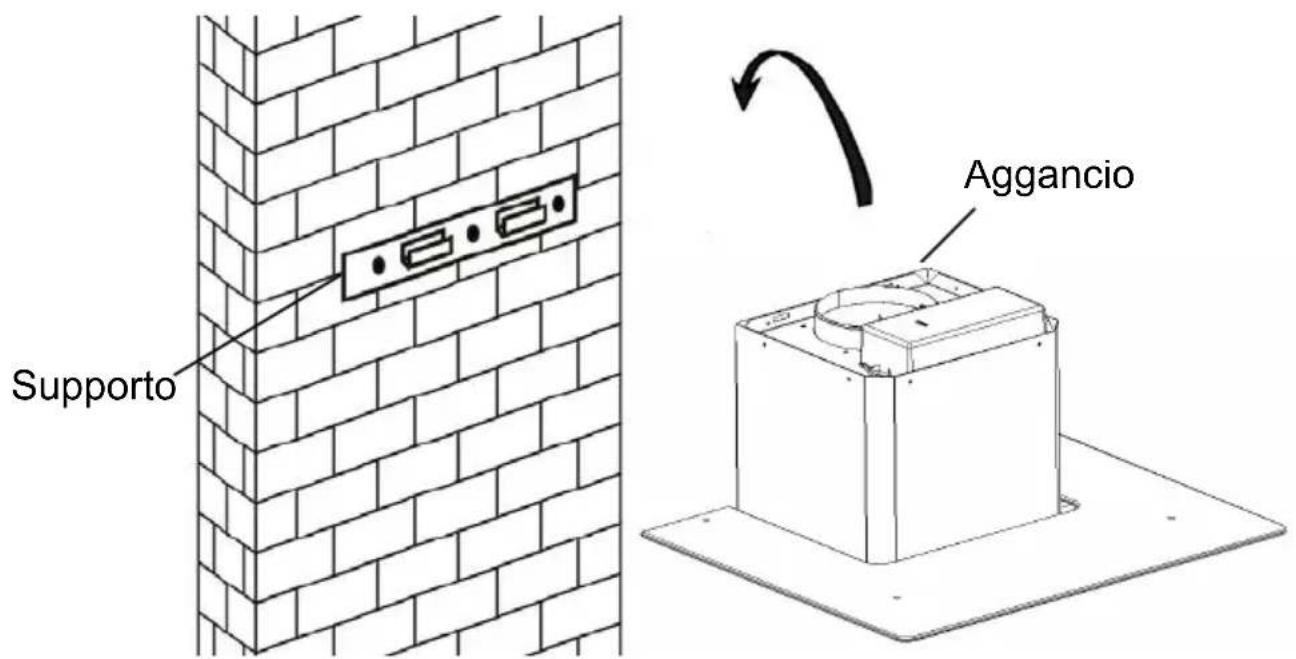
Technical line drawing of a rectangular device with internal components and alignment lines (no text or symbols)- Sollevarelacappaedappenderlaalsupporto
natural_image
Isometric line drawing of a brick wall with a cylindrical object inserted into a pedestal (no text or symbols)natural_image
Diagram of a mechanical or electrical component with directional arrows indicating motion or force (no text or symbols)natural_image
Diagram showing a hand pressing down on a flat surface with an arrow indicating direction (no text or symbols)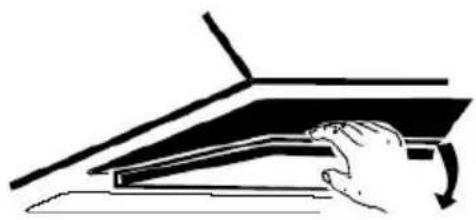
natural_image
Simple line drawing of a hand pressing down on a laptop (no text or symbols)natural_image
Technical line drawing of a mechanical fan or motor assembly with no visible text or symbolsNOTE:
natural_image
Grid of eight circular icons with cross and dot patterns, no text or symbols presentFUNZIONI
natural_image
Pure electrical circuit lines without any symbols(Waste Electrical and Electronic Equipment - WEEE).
MONTAŻ (WERSJA WYWIEWOWA) 98
MONTAŻ (WERSJA Z RECYRKULACJA) 102
PANEL STEROWANIA 103
DZIAŁANIE 103
OBSŁUGA 104
MOŻLIWE USTERKI 105
OCHRONA ŚRODOWISKA 106
WPROWADZENIE
natural_image
Diagram of airflow around a mechanical component with directional arrows indicating movement (no text or symbols)natural_image
Technical line drawing of a rectangular device with internal components and alignment lines (no text or symbols)natural_image
Isometric line drawing of a brick wall with a cylindrical object inserted into a pedestal (no text or symbols)natural_image
Diagram of a mechanical or electrical component with directional arrows indicating motion or force, no text or symbols present.natural_image
Simple line drawing of a hand pressing down on a flat surface with an arrow indicating direction (no text or symbols)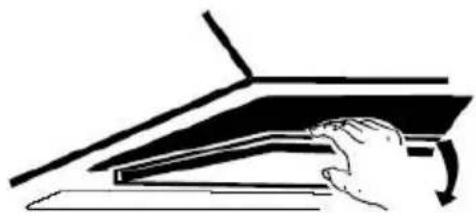
natural_image
Simple line drawing of a hand pressing down on a piano keyboard (no text or symbols)natural_image
Technical line drawing of a mechanical component with no visible text or symbolsUWAGA:
natural_image
Grid of eight circular icons with cross and circle patterns, no text or symbols presentDZIAŁANIE
natural_image
Pure electrical circuit lines without any symbolsnatural_image
Symbol of a trash bin crossed out by two crossed lines, with a solid black rectangle below (no text or labels)Regulations concerning the discharge of air have to be fulfilled.
natural_image
Diagram of airflow around a mechanical component with directional arrows indicating movement (no text or symbols)natural_image
Technical line drawing of a rectangular device with internal components and alignment lines (no text or symbols)- Levanteesegureachaminéeencaixe-anosuportedeparededepois destesercolocado.
- Fixeaválvulaunidireccionalparaasaídadeardoexaustor. De seguidaencaixeotubodesaídadoarnaválvula, comoseexemplifica deseguidanodesenho
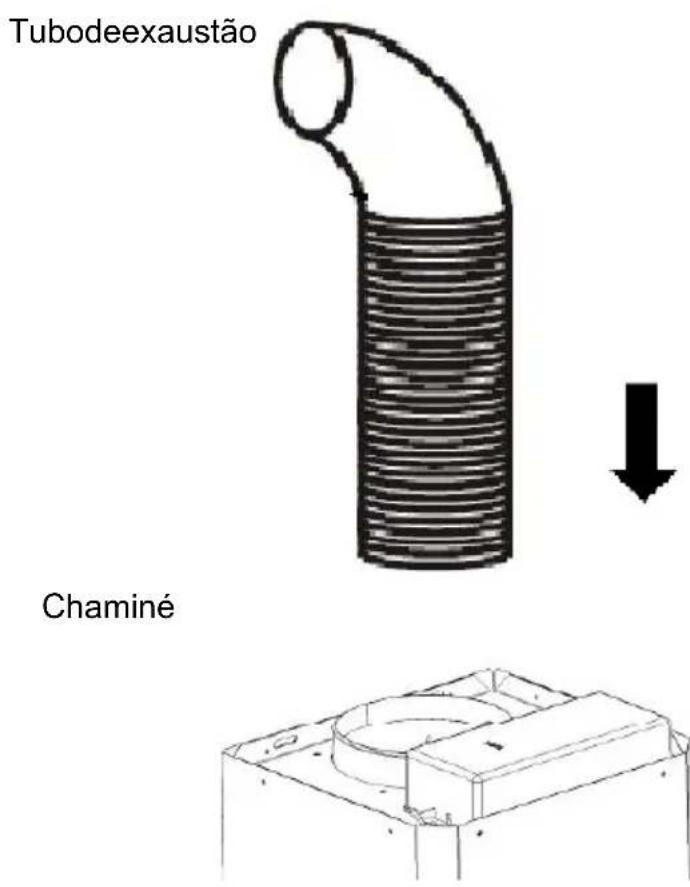
natural_image
Isometric line drawing of a brick wall with a cylindrical object inserted into a pedestal (no text or symbols)natural_image
Diagram of a mechanical or fluid system with directional arrows indicating flow or movement (no text or symbols)natural_image
Simple line drawing of a hand pressing down on a flat surface with an arrow indicating direction (no text or symbols)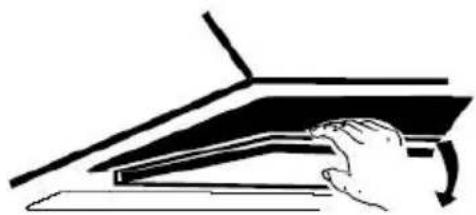
natural_image
Illustration of a hand pressing down on a piano keyboard (no text or symbols visible)natural_image
Technical line drawing of a mechanical fan or motor assembly with no visible text or symbolsNOTA:
natural_image
Grid of eight symbolic icons with dotted outlines, no text or labels presentFUNCIONAMENTO
natural_image
Pure electrical circuit lines without any symbolsnatural_image
Diagram of airflow around a mechanical component with directional arrows indicating movement (no text or symbols)natural_image
Diagram of a brick wall with a measuring tool and directional arrows indicating measurement or alignment (no text or symbols)Surub (4mmx30mm)
107.5mm
natural_image
Technical line drawing of a rectangular device with internal components and alignment lines (no text or symbols)natural_image
Isometric line drawing of a brick wall with a cylindrical object inserted into a pedestal (no text or symbols)INSTALARE (VENTILARE ÎN INTERIOR)
natural_image
Diagram of a mechanical or fluid system with directional arrows indicating flow or movement (no text or symbols)natural_image
Simple line drawing of a hand pressing down on a flat surface with an arrow indicating downward motion (no text or symbols)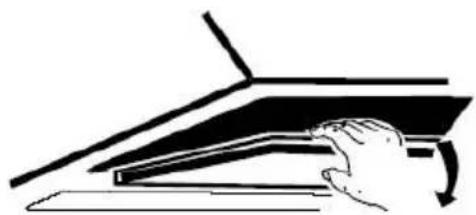
natural_image
Illustration of a hand pressing down on a laptop keyboard (no text or symbols visible)natural_image
Technical line drawing of a mechanical component with no visible text or symbolsNOTĂ:
natural_image
Grid of eight circular icons with cross and dot patterns, no text or symbols presentOPERARE
natural_image
Pure electrical circuit lines without any symbolsnatural_image
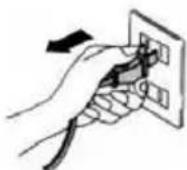
Diagram of a mechanical or fluidic system with directional arrows indicating flow or movement (no text or symbols present)- Pred priključitevanjem cevi izklopite napo in potegnite vtikač iz vtičnice.
natural_image
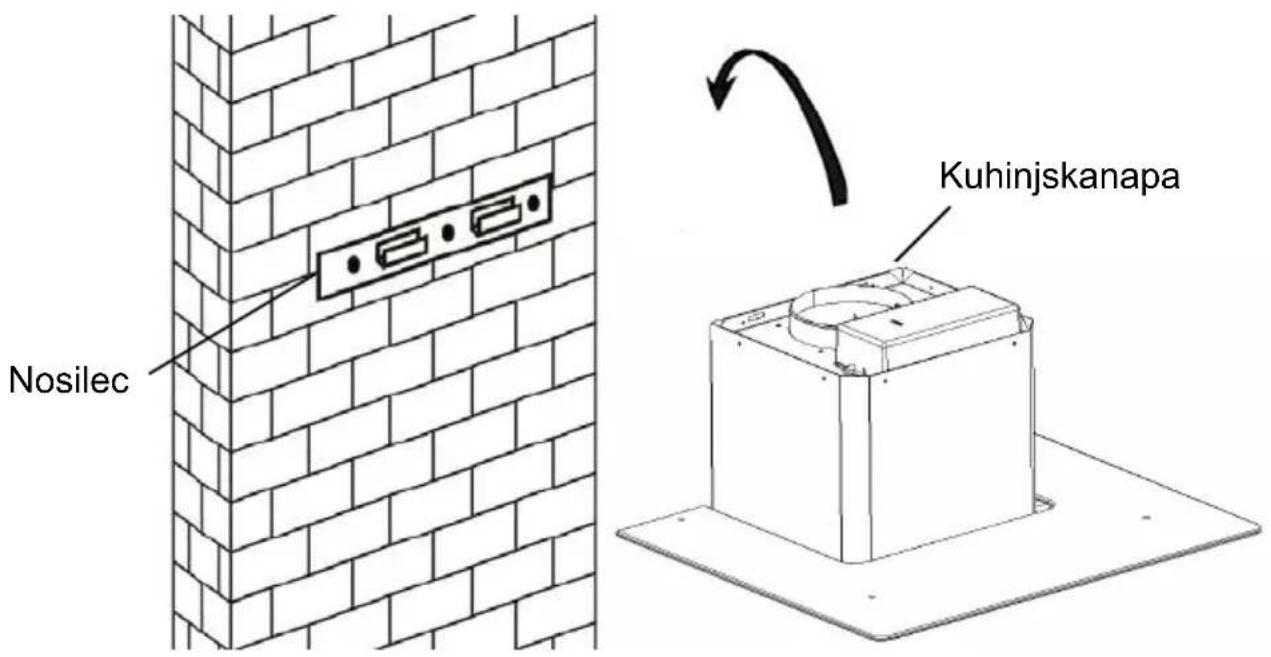
Technical line drawing of a rectangular device with internal components and alignment lines (no text or symbols)- Napoobesitenakavljenanosilcu, kistegapritrdilinazid.
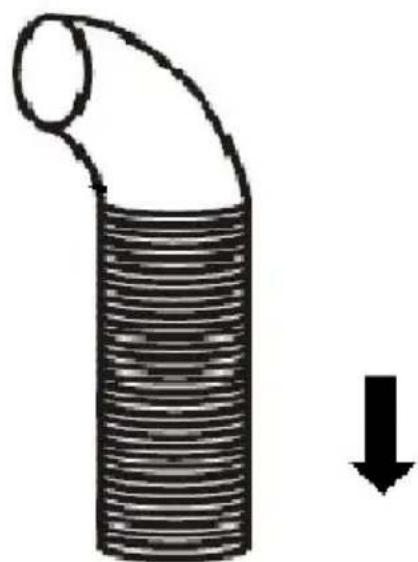
- Naodprtinozaizhodzrakaiznapenamestiteenosmerniventil. Nato pananjnamestitecevzaodvodzraka, kotjetoprikazanospodaj.
Cevzaodvodzraka
natural_image
Diagram of a pipe with a curved duct and a downward arrow indicating flow or direction (no text or symbols)Kuhinjskanapa
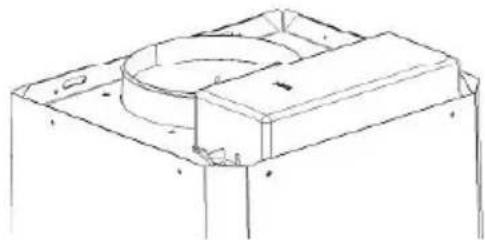
natural_image
Technical line drawing of a mechanical housing or enclosure component (no text or symbols)6.
natural_image
Isometric line drawing of a brick wall with a mounted structure and a circular object, no text or symbols present.natural_image
Diagram of a mechanical or fluid system with directional arrows indicating flow or movement (no text or symbols)V tem primeru v napo vstavite filter z aktivnim oglem, ki zadrži vonjave. Najprej morate sneti filter za maščobe, nato pa lahko vstavite ogleni filter. Potisnite na zapah in potegnite filter za maščobe navzdol.
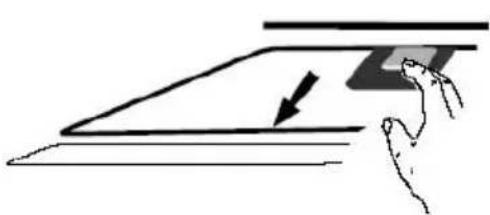
natural_image
Simple line drawing of a hand pressing down on a flat surface with an arrow indicating direction (no text or symbols)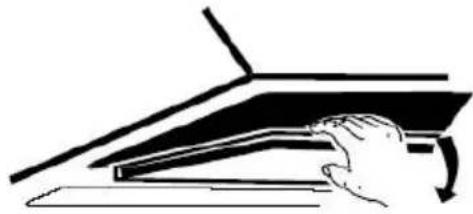
natural_image
Line drawing of a hand pressing down on a piano keyboard (no text or symbols)Potisnite aktivni ogleni filter v napo in ga zavrtite v desno, v smeri vrtenja urinega kazalca. Postopek ponovite na drugi strani nape.
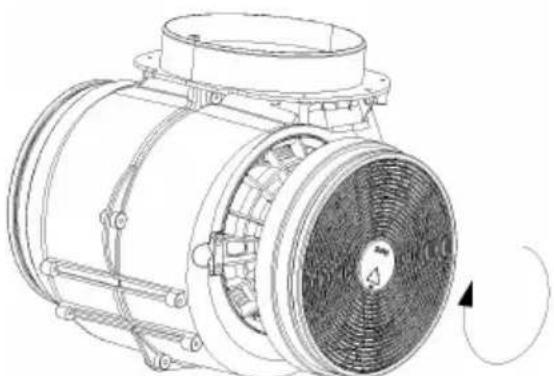
natural_image
Technical line drawing of a mechanical fan or motor assembly with no visible text or symbols(PRITRJEVANJE)
CLOSE
OPOMBA:
natural_image
Collection of eight circular icons with cross and circle patterns, no text or symbols presentnatural_image
Pure electrical circuit lines without any symbolsOdklopite žico za žarnico in z nape odklopite držalo žarnice in žico. Pomembno: Ni mogoče zamenjati samo žarnico, ampak potrebujete komplet – žarnico, nosilec in žico. (lučka LED: G4, MAX 1.5W)
Pritrdite novo žarnico z nosilcem in žico tako, kot je bila pritrjena pregorela žarnica. Nato ponovno priključite žico.
Ponovno namestite steklo in privijte vijake. Prepričajte se, da ste jih do konc zategnili.
ODPRAVLJANJE NEPRAVILNOST V DELOVANJU
natural_image
Diagram of airflow around a mechanical component with directional arrows indicating movement (no text or symbols)natural_image
Technical line drawing of a rectangular device with internal components and alignment lines (no text or symbols)natural_image
Diagram showing a cylindrical pipe being reduced by a downward arrow, with a 3D mechanical part below (no text or symbols)6.
natural_image
Isometric line drawing of a brick wall with a cylindrical object inserted into a pedestal (no text or symbols)natural_image
Diagram of a mechanical or fluid system with directional arrows indicating flow or movement (no text or symbols)natural_image
Illustration of two hand-drawn diagrams showing a hand pressing down on a flat surface with an arrow indicating the process (no text or symbols present)natural_image
Technical line drawing of a mechanical component with no visible text or symbolsNOTA:
natural_image
Grid of eight circular icons with cross and circle patterns, no text or symbols presentFUNCIONAMIENTO
natural_image
Pure diagram of a road with two downward arrows indicating direction, no text or symbols presentINSTALLATIE (VENTILATIE BUITEN) 165
INSTALLATIE (VENTLATIE BINNEN) 169
BESCHRIJVING VAN DE COMPONENTEN 170
WERKING 171
ONDERHOUD 171
PROBLEMEN OPLOSSEN 172
OVEREENSTEMMING MET RICHTLIJNEN 173
MILIEUBESCHERMING 173
INTRODUCTIE
natural_image
Diagram of a mechanical or fluidic system with directional arrows indicating flow or movement (no text or symbols present)natural_image
Technical line drawing of a rectangular device with internal components and alignment lines (no text or symbols)natural_image
Diagram of a coiled pipe with a downward arrow indicating flow or direction (no text or symbols)Afzuigkap
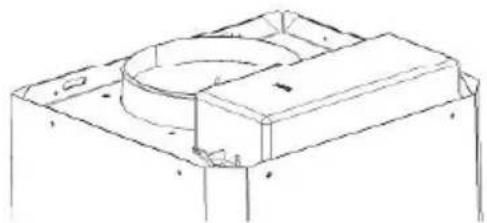
natural_image
Technical line drawing of a mechanical housing or enclosure component (no text or symbols)6.
natural_image
Diagram of a brick wall with a mounted structure and a satellite dish, no text or symbols presentINSTALLATIE (BINNEN VENTILATIE)
natural_image
Diagram of a mechanical or fluid system with directional arrows indicating flow or movement (no text or symbols)natural_image
Simple line drawing of a hand pressing down on a flat surface with an arrow indicating downward motion (no text or symbols)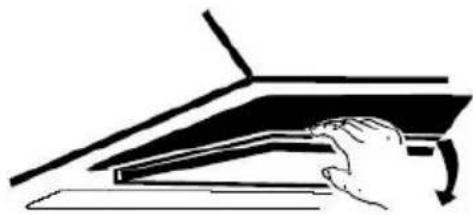
natural_image
Simple line drawing of a hand pressing down on a piano keyboard (no text or symbols)natural_image
Technical line drawing of a mechanical component with no visible text or symbolsNOTA:
natural_image
Grid of eight circular icons with cross and dot patterns, no text or symbols presentWERKING
Toets Lage snelheid

This hood has a booster function. To activate the booster, Press to ⊕ speed 4, enter into highest speedwhile the hood is in use and it willincrease speed for 5 minutes, beforeslowing down again.
ONDERHOUD
natural_image
Pure diagram of a cable or pipeline with directional arrows indicating flow or movement (no text or symbols)natural_image
Diagram of airflow around a mechanical component with directional arrows indicating movement (no text or symbols)natural_image
Technical line drawing of a 3D rectangular device with internal components and alignment lines (no text or symbols)natural_image
Isometric line drawing of a brick wall with a cylindrical object inserted into a container (no text or symbols)natural_image
Diagram of a mechanical or fluidic system with directional arrows indicating flow or movement (no text or symbols)natural_image
Simple line drawing of a hand pressing down on a flat surface with an arrow indicating downward motion (no text or symbols)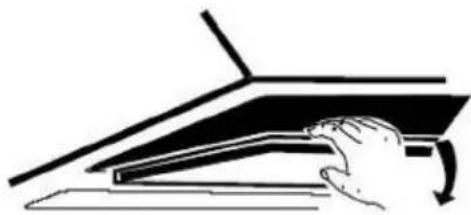
natural_image
Illustration of a hand pressing down on a mechanical component with an arrow indicating rotation (no text or symbols)natural_image
Technical line drawing of a mechanical fan or motor assembly with no visible text or symbolsMEGJEGYZÉS:
natural_image
Grid of nine circular symbols with cross and dot patterns, no text or labels presentÜZEMELTETÉS
① Be/ki gomb
natural_image
Pure technical line drawing of a mechanical or electrical component with downward arrows indicating force or direction (no text or symbols)- Za nagnuti panel model
- VAŽNA NAPOMENA:
- OPIS DIJELOVA KUHINJSKE NAPE
- RADNE TIPKE
- Tipka za malu brzinu
- Poznámka:
- Obsluha
- INSTALLATION AND USER'S MANUAL
- CONTENT
- INTRODUCTION
- Thank you for choosing this cooker hood.
- SAFETY PRECAUTION
- Electrical Shock Hazard
- For inclined panel Model
- INSTALLATION (VENT INSIDE)
- NOTE:
- DESCRIPTION OF COMPONENTS
- OPERATION
- Low Speed button
- Medium Speed button
- High Speed button
- Light button
- ① On/Off button
- + Speed plus button
- - Speed decrease button
- Digital display
- Booster function
- MAINTENANCE
- Regular Cleaning
- Monthly Cleaning for Grease Filter
- Annual Cleaning for Activated Carbon Filter
- Changing a light bulb
- CUSTOMER ASSISTANCE SERVICE
- ENVIRONMENTAL PROTECTION
- NOTICE D'INSTALLATION ET D'UTILISATION
- Sommaire
- Installation (En recyclage)
- NOTE :
- Utilisation
- Bouton d'éclairage
- Fonction booster
- Installation (Wandmontage)
- HINWEIS:
- BEDIENUNG
- ΣΗΜΕΙΩΣΗ:
- ΔΕΙΤΟΥΡΓΙΕΣ
- Per inclinato Modello pannello
- FUNZIONI
- WPROWADZENIE
- UWAGA:
- DZIAŁANIE
- NOTA:
- FUNCIONAMENTO
- INSTALARE (VENTILARE ÎN INTERIOR)
- OPERARE
- OPOMBA:
- FUNCIONAMIENTO
- INTRODUCTIE
- INSTALLATIE (BINNEN VENTILATIE)
- WERKING
- Toets Lage snelheid
- ONDERHOUD
- MEGJEGYZÉS:
- ÜZEMELTETÉS
- ① Be/ki gomb
Brand : CANDY
Model : CCE100NX
Category : Range hood