LHC14E - Nail Clipper Logik - Free user manual and instructions
Find the device manual for free LHC14E Logik in PDF.
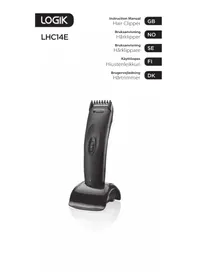


| Product Type | Electric nail clipper |
| Brand | Logik |
| Model | LHC14E |
| Dimensions | Approximately 16 x 5 x 3 cm |
| Weight | Approximately 120 g (without batteries) |
| Power Source | 2 AA batteries (not included) |
| Blade Material | Stainless steel |
| Functions | Trimming, filing and buffing nails |
| Speed Settings | Single speed |
| Noise Level | Low noise |
| Safety Features | Protective cap, automatic shut-off after prolonged use |
| Maintenance | Clean with a dry brush after each use |
| Spare Parts | Replacement filing heads available |
| Reparability | Repairable by authorized service centers |
| Ideal For | Fingernails and toenails |
| Battery Life | Approximately 2 hours of continuous use |
| Includes | Device, protective cap, brush, user manual |
Frequently Asked Questions - LHC14E Logik
User questions about LHC14E Logik
0 question about this device. Answer the ones you know or ask your own.
Ask a new question about this device
Download the instructions for your Nail Clipper in PDF format for free! Find your manual LHC14E - Logik and take your electronic device back in hand. On this page are published all the documents necessary for the use of your device. LHC14E by Logik.
USER MANUAL LHC14E Logik
Contents
GB
Safety Warnings ....4
Unpacking....24
Product Overview 26
First Time Use....27
General Operation ....28
Specification 30
Table of Contents
NO
Safety Warnings....8
Unpacking ....31
Product Overview....33
First Time Use 34
General Use ....35
Contents
Please follow all the safety precautions listed below for safety and to reduce the risk of injury or electrical shock.
This appliance can be used by children aged from 8 years and above and persons with reduced physical, sensory or mental capabilities or lack of experience and knowledge if they have been given supervision or instruction concerning use of the appliance in a safe way and understand the hazards involved. Children shall not play with the appliance. Cleaning and user maintenance shall not be made by children without supervision.
Check if the voltage indicated on the appliance corresponds to the mains voltage in your home before you connect the appliance.
Do not damage the appliance.
Do not use the appliance when one of the attachments is damaged or broken as this may cause injury.
- Keep the appliance out of the reach of children.
- Use and store the appliance at a temperature between 15°C and 35°C. Always unplug the appliance after use.
- This appliance is only intended for clipping human hair. Do not use it for any other purpose.
- Do not immerse the appliance in water or any other liquid.
- Do not expose the appliance to excessive moisture, dust or dirt. Always check the blades for alignment. Always add a few drops of oil before use.
- Do not use the appliance if the teeth are damaged. Always check the appliance for damage before use. If any damage is observed, do not use the appliance.
- This appliance has no user repairable parts.
• Always let the appliance cool down before storing. - This appliance is for personal use only. It is not suitable for commercial use. - This appliance should not be left unattended when switched on or when connected to the mains supply. - Do not wrap the mains lead around the appliance when hot or when storing. - Do not carry the appliance by the mains lead. - Do not use with wet hands. - Do not use the appliance on damaged or broken skin. - The appliance should never be left unattended when connected to the mains supply. • Children should be supervised to ensure that they do not play with the appliance.
- If the mains cable is damaged, it must be replaced by the manufacturer, its service agent, or similarly qualified persons in order to avoid a hazard.
CAUTION RISK OF ELECTRIC SHOCK DO NOT OPEN

The exclamation point within an equilateral triangle is intended to alert the user to the presence of important operating and maintenance (servicing) instructions in the manual accompanying the unit. WARNING: Keep the appliance dry.
Thank you for purchasing
your new Logik Hair Clipper.
We recommend that you spend some time reading this instruction manual in order that you fully understand all the operational features it offers. You will also find some hints and tips to help you resolve any issues.
Read all the safety instructions carefully before use and keep this instruction manual for future reference.

Unpacking
Remove all items from the packaging. Retain the packaging. If you dispose of it, please do so according to local regulations.
The following items are included:
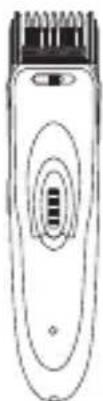
Main Unit
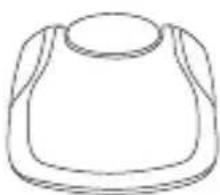
Charging base
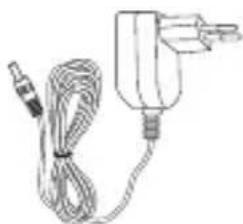
Mains Adapter
Comb Attachment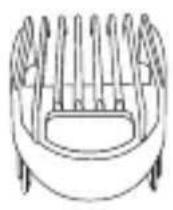
Cleaning Brush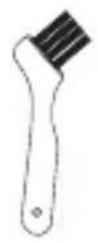
Lubricating Oil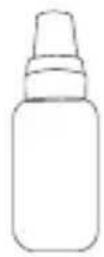
Instruction Manual
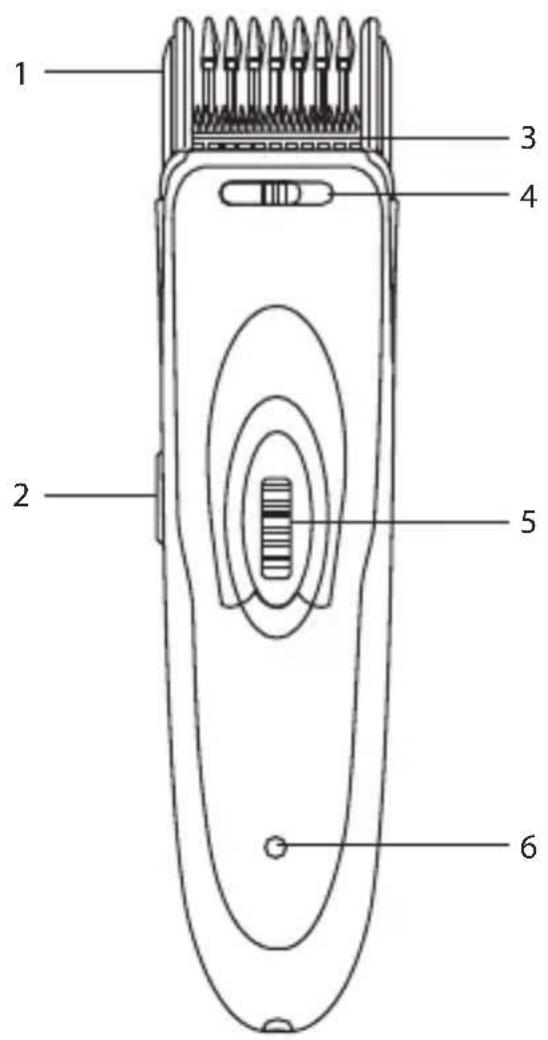
- Comb Attachment
- ON/OFF Switch
- Cutting Blade
- Hair Cutting Adjustment Switch
- Adjustment Wheel
- Indicator Light

First Time Use
- Make sure the Power switch is set to Off (O).
- Lubricate the cutting blades with a couple of drops of oil before using the unit for the first time and before using it on each further occasion.
Charging Before Use
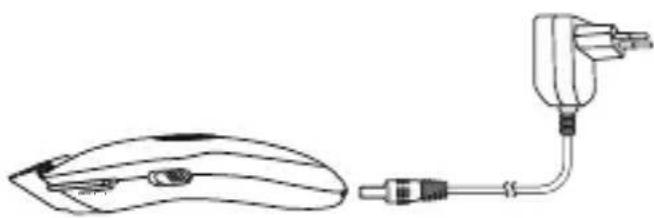
- Put the hair clipper on the charging base. Connect the charging base to the mains socket with the adapter. Charge the hair clipper for 8 hours.
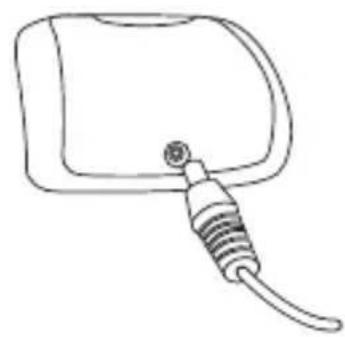
OR
Connect the hair clipper to the mains socket with the adapter.
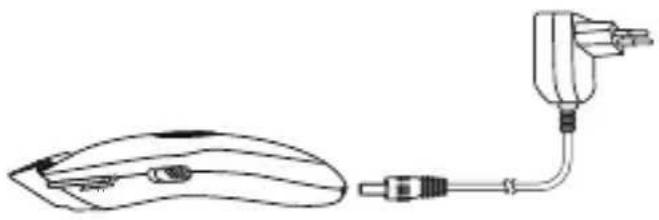
- Charge the hair clipper for 8 hours. While charging, the indicator light shows red.

- Do not charge the hair clipper when the temperature is lower than 0°C or higher than 40°C.
- While charging, do not place the product under the sunlight or near a heat source. • To avoid mangling the battery, do not extend the charging time.

General Operation
Using the hair clipper
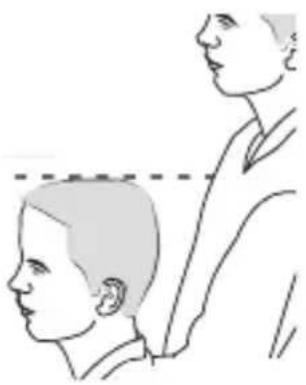
- Before you start clipping, make sure the head of the person whose hair you are cutting is at the same level as your chest.
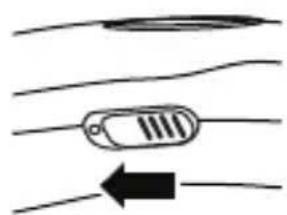
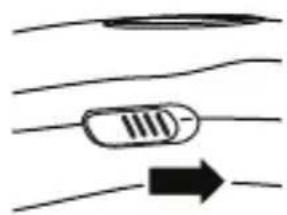
- Switch to "O" position to turn on the hair clipper.
- Always move the hair clipper against the direction of hair growth.
- Move the hair clipper through the hair slowly.
- Switch to "I" position to turn off the clipper.

To get the best results, use the hair clipper only on dry hair. Do not use it on freshly washed hair.
Clipping without the Comb Attachment
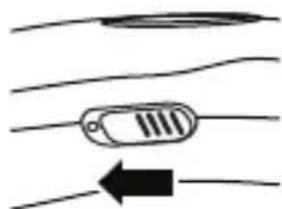
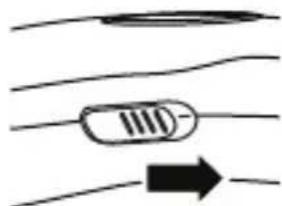
Use the hair clipper without a comb attachment to cut off hair with a cutting length of around 1.5 mm. You can use the hair cutting adjustment switch to control the amount of hair cutting. Switch it to the left to cut less hair, or switch it to the right to cut more hair.
Clipping with Comb Attachment
- Slide the comb attachment onto the rails on the hair clipper until you hear a "click" sound.
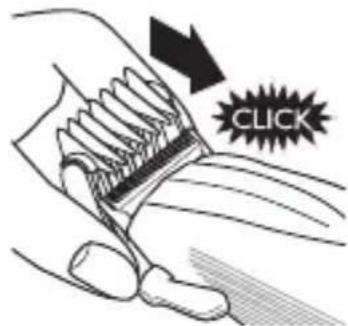
- Use the adjustment wheel to adjust the cutting length in 9 positions. (3/4.5/6/7.5/9/10.5/12/13.5/15 mm)
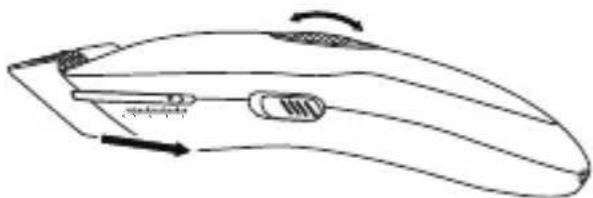

While attaching or detaching the comb attachment, switch off the hair clipper.
Cleaning and Storage
Clean the hair clipper after every time you use it. Do not use abrasives, scourers or liquids such as alcohol, petrol or acetone to clean the hair clipper.
- Make sure the hair clipper is switched off and unplugged.
- Push the adjusting wheel upwards and slide the comb attachment out from the hair clipper.
- Clean the cutting unit and the inside of the hair clipper with the brush supplied.
- Slide the comb attachment onto the rails on the hair clipper until hearing a "click" sound.

Specification
| Model LHC14E | |
| Power Supply | |
| Mains Adapter | Input: AC100-240V ~ 50/60HzOutput: DC 3.0 V 600 mARefer to the adapter |
| Charging Hour | 8 hours |
OR
Connect the hair clipper to the power outlet using the adapter.

OR


TAI
FI

OR
Connect the hair trimmer to the power outlet using the power adapter.
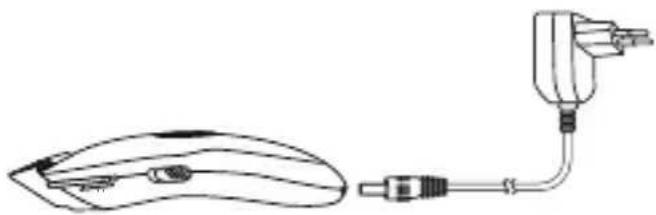
- Charge the hair trimmer for 8 hours. The indicator lights up red during charging.



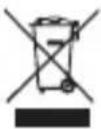
The symbol on the product or its packaging indicates that this product must not be disposed of with your other household waste. Instead, it is your responsibility to dispose of your waste equipment by handing it over to a designated collection point for the recycling of waste electrical and electronic equipment. The separate collection and recycling of your waste equipment at the time of disposal will help conserve natural resources and ensure that it is recycled in a manner that protects human health and the environment. For more information about where you can drop off your waste for recycling, please contact your local authority, or where you purchased your product.
All trademarks are the property of their respective owners and all rights are acknowledged.
NO
DSG Retail Ireland Ltd (259460)
3rd Floor Office Suite, Omni Park SC, Santry, Dublin 9, Republic of Ireland
No www.elkjop.no/support
www.lefdal.com/support
SE www.elgiganten.se/support
Brand : Logik
Model : LHC14E
Category : Nail Clipper