
KS 481864 FN - Fridge GRAM - Free user manual and instructions
Find the device manual for free KS 481864 FN GRAM in PDF.


| Type of Product | Refrigerator (No-Frost) |
| Brand | Gram |
| Model | KS 481864 FN |
| Dimensions (Height x Width x Depth) | 1860 x 600 x 650 mm (approx.) |
| Net Weight | Approximately 70 kg |
| Power Supply | 220-240 V ~ 50 Hz, 16 A |
| Refrigerant | R600a (environmentally friendly, flammable) |
| Climate Class | T/SN (10°C to 43°C) |
| No-Frost Technology | Yes (automatic defrost, even cooling) |
| Super Cooling Mode | Yes (rapid cooling for large quantities) |
| Economy Mode | Yes (optimized energy consumption) |
| Screen Saver Mode | Yes (auto dims display after 30 sec) |
| Child Lock Function | Yes (prevents accidental setting changes) |
| Door Open Alarm | Yes (beeps after 2 minutes) |
| Temperature Settings Range | 2°C to 8°C (cooler compartment) |
| Accessories | Turbo fan, wine rack, chiller shelf, crispers, egg holder, door shelves, bottle shelf, fresh dial |
| LED Lighting | Yes (replaceable by authorized service) |
| Door Reversibility | Possible on models without handles (contact service) |
| Cleaning | Bicarbonate of soda and lukewarm water; clean condenser yearly |
| Compressor Protection | 5-minute delay after power failure |
| Energy Saving Tips | Keep vents clear, avoid frequent door openings, cover liquids |
Frequently Asked Questions - KS 481864 FN GRAM
User questions about KS 481864 FN GRAM
0 question about this device. Answer the ones you know or ask your own.
Ask a new question about this device
Download the instructions for your Fridge in PDF format for free! Find your manual KS 481864 FN - GRAM and take your electronic device back in hand. On this page are published all the documents necessary for the use of your device. KS 481864 FN by GRAM.
USER MANUAL KS 481864 FN GRAM
APPARATETS DELE OG RUM 18
KAPITEL - 1. F∅R K∅LESKABET TAGES I BRUG
Generelle advarsler
natural_image
Pure electrical circuit lines without any symbolsSpørg din kommune om bortskaffelse af WEEE til genbrug, genanvendelse og retablering.
Bemærk:
natural_image
Illustration showing three different techniques for connecting wires, with no visible text or symbols.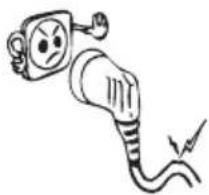
natural_image
Cartoon illustration of an electric plug with a sad face and a lightning bolt (no text or symbols)natural_image
Cartoon illustration of a character inside a door, holding a phone to open (no text or symbols)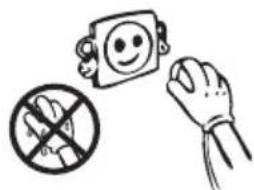
natural_image
Illustration of a hand holding a prohibition sign, a smiling face icon, and a crossed-out hand (no text or symbols)
natural_image
Diagram of two coiled heat exchanger-like structures with internal components (no text or symbols)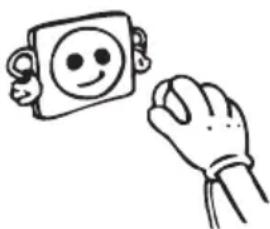
natural_image
Simple line drawing of a smiling face on a square and a hand holding an object (no text or symbols)Oplysninger om NoFrost-teknologi
- Tryk på tilstandsvælgerknappen (6 på betjeningspanelet), indtil ikonet "EcoFunction"

vises (3).
natural_image
Technical line drawing of a mechanical assembly with no visible text or symbolsFreshZone skuffe (Ikke i alle modeller)
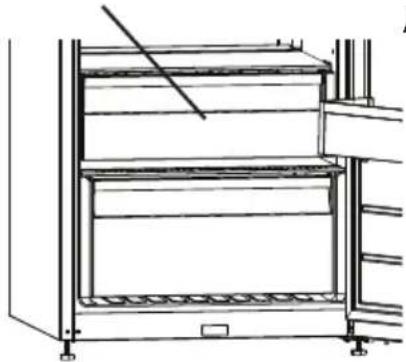
natural_image
Line drawing of a multi-tiered storage cabinet or rack unit (no text or symbols)natural_image
Technical line drawing of a multi-level industrial storage unit with a red arrow indicating a component (no text or symbols present)natural_image
Simple line drawing of a smiling face inside a square frame and a hand holding the right (no text or symbols)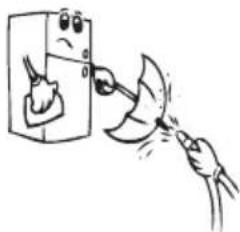
natural_image
Illustration of a hand cleaning a kitchen appliance with a tool (no text or symbols)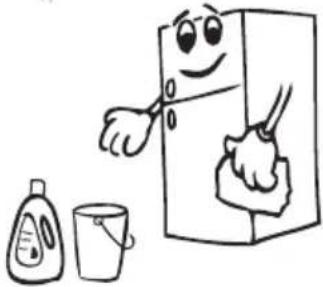
natural_image
Cartoon illustration of a smiling refrigerator with a hand cleaning it, accompanied by a small bottle and cup (no text or symbols)
natural_image
Cartoon illustration of a smiling refrigerator with thumbs up and a mortar, no text or symbols present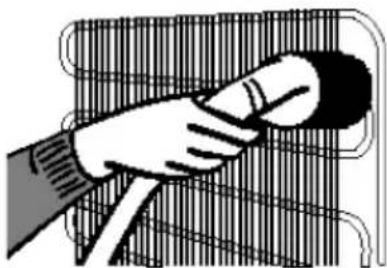
natural_image
Illustration of a hand holding a tool over a grid-patterned surface (no text or symbols)KAPITEL - 4. TRANSPORT OG OMPLACERING
natural_image
Simple line drawing of two children playing a large rectangular block (no text or symbols)Vending af døren
Old and out-of-order fridges 22
Installing and Operating your Fridge 23
Before Using your Fridge 23
Information on No-Frost Technology 24
USAGE INFORMATION......25
Display and Control Panel....25
Operating your Fridge 26
Super Cooling Mode....26
Economy Mode 27
Screen Saver Mode....27
The Child Lock Function....28
Door Open Alarm Function....29
Cooler Temperature Settings....29
Warnings About Temperature Settings 30
Accessories 30
Chiller shelf....30
Fresh dial 31
ARRANGING FOOD IN THE APPLIANCE 31
CLEANING AND MAINTENANCE 32
SHIPMENT AND REPOSITIONING.... 32
Repositioning the door 33
BEFORE CALLING SERVICE....33
Tips for saving energy 36
THE PARTS OF THE APPLIANCE AND THE COMPARTMENTS ...... 37
BEFORE USING YOUR FRIDGE
General warnings
WARNING: Keep ventilation openings, in the appliance enclosure or in the built-in structure, clear of obstruction.
WARNING: Do not use mechanical devices or other means to accelerate the defrosting process, other than those recommended by the manufacturer.
WARNING: Do not use electrical appliances inside the food storage compartments of the appliance, unless they are of the type recommended by the manufacturer.
WARNING: Do not damage the refrigerant circuit.
WARNING: In order to avoid any hazards resulting from the instability of the appliance, it must be fixed in accordance with the following instructions:
- If your appliance uses R600a as a refrigerant (this information will be provided on the label of the cooler) you should take care during transportation and installation to prevent the cooler elements from being damaged. R600a is an environmentally friendly and natural gas, but it is explosive. In the event of a leak due to damage of the cooler elements, move your fridge away from open flames or heat sources and ventilate the room where the appliance is located for a few minutes.
- While carrying and positioning the fridge, do not damage the cooler gas circuit.
- Do not store explosive substances such as aerosol cans with a flammable propellant in this appliance.
- This appliance is intended to be used in household and domestic applications such as:
- staff kitchen areas in shops, offices and other working environments.
- farm houses and by clients in hotels, motels and other residential type environments.
- bed and breakfast type environments;
-
catering and similar non-retail applications.
-
If the socket does not match the refrigerator plug, it must be replaced by the manufacturer, a service agent or similarly qualified persons in order to avoid a hazard.
- A specially grounded plug has been connected to the power cable of your refrigerator. This plug should be used with a specially grounded socket of 16 amperes. If there is no such socket in your house, please have one installed by an authorised electrician.
- This appliance can be used by children aged from 8 years and above and persons with reduced physical, sensory or mental capabilities or lack of experience and knowledge if they have been given supervision or instruction concerning use of the appliance in a safe way and understand the hazards involved. Children shall not play with the appliance. Cleaning and user maintenance shall not be made by children without supervision.
- If the supply cord is damaged, it must be replaced by the manufacturer, an authorised service agent or similar qualified persons, in order to avoid a hazard.
- This appliance is not intended for use at altitudes exceeding 2000 m.
Old and out-of-order fridges
- If your old fridge has a lock, break or remove the lock before discarding it, because children may get trapped inside it and may cause an accident.
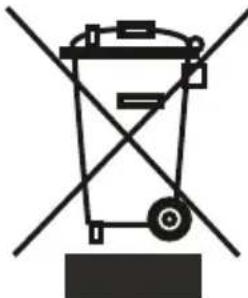
- Old fridges and freezers contain isolation material and refrigerant with CFC. Therefore, take care not to harm environment when you are discarding your old fridges.
natural_image
Pure diagram of a trash bin with no text, numbers, or symbolsPlease ask your municipal authority about the disposal of the WEEE for the reuse, recycle and recovery purposes.
Notes:
- Please read the instruction manual carefully before installing and using your appliance. We are not responsible for the damage occurred due to misuse.
- Follow all instructions on your appliance and instruction manual, and keep this manual in a safe place to resolve the problems that may occur in the future.
- This appliance is produced to be used in homes and it can only be used in domestic environments and for the specified purposes. It is not suitable for commercial or common use. Such use will cause the guarantee of the appliance to be cancelled and our company will not be responsible for the losses to be occurred.
- This appliance is produced to be used in houses and it is only suitable for cooling / storing foods. It is not suitable for commercial or common use and/or for storing substances except for food. Our company is not responsible for the losses to be occurred in the contrary case.
Safety warnings
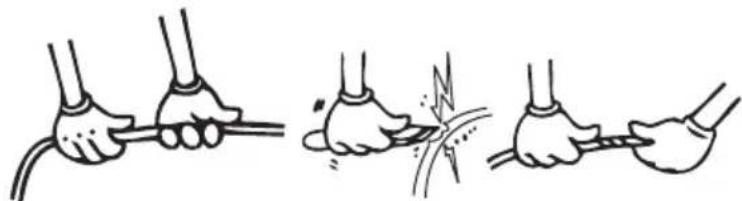
- Do not use multiple receptacles or extension cord.
- Do not plug in damaged, torn or old plugs.
- Do not pull, bend or damage the cord.
natural_image
Illustration of four hands performing a manual cable or wire manipulation technique (no text or symbols present)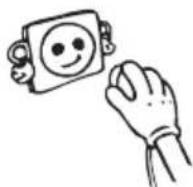
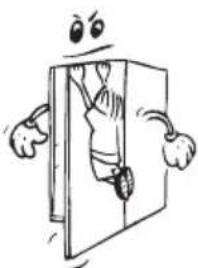
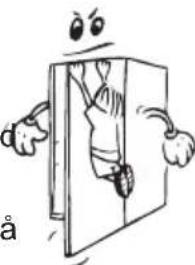
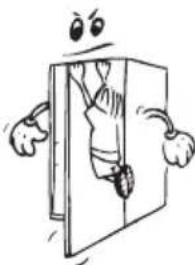
- This appliance is designed for use by adults, do not allow children to play with the appliance or let them hang off the door.
- Do not plug-in or out the plug from the receptacle with wet hands to prevent electrocution!
- Do not place explosive or flammable material in your fridge for your safety. Place drinks with higher alcohol amount vertically and by closing their necks tightly in the fridge.
- Do not cover the body or top of fridge with lace. This affects the performance of your fridge.
- Fix the accessories in the fridge during transportation to prevent damage to accessories.
natural_image
Cartoon illustration of a person climbing from a door, surrounded by expressive gestures (no text or symbols)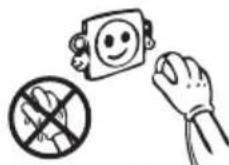
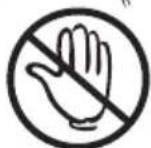
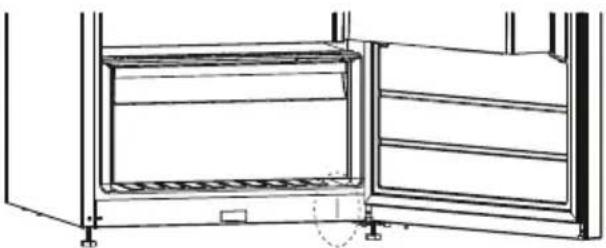
- When the door of the cooler is closed, a vacuum seal will form. Wait for about 1 minute before reopening it.
- This application is optional for easy opening of the door. With this application, a little condensation may occur around this area and you may remove it.
natural_image
Technical line drawing of an open refrigerator with internal compartments and doorways (no text or symbols)Installing and Operating your Fridge
Before starting to use your fridge, you should pay attention to the following points:
- Operating voltage for your fridge is 220-240 V at 50Hz.
• We do not take the responsibility of the damages that occur due to ungrounded usage. - Place your fridge in a place that it would not be exposed to direct sunlight.
- Your appliance should be at least 50 cm away from stoves, ovens and heater cores, and should be at least 5 cm away from electrical ovens.
- It should never be used outdoors or left under the rain.
- When your fridge is placed next to a deep freezer, there should be at least 2 cm between them to prevent humidity on the outer surface.
- Do not place anything on your fridge, and install your fridge in a suitable place so that at least 15 cm is available on the upper side.
- If you will place your fridge next to your kitchen cabinets, leave a space of 2 cm between them.
- Fit the plastic wall spacers to the condenser at the back of the refrigerator in order to prevent leaning to the wall for good performance.
• Install the distance adjustment plastic (the part with black vanes at the rear) by turning it 90° to prevent the condenser from touching the wall.
- Refrigerator should be placed against a wall with a free distance not exceeding 75 mm.
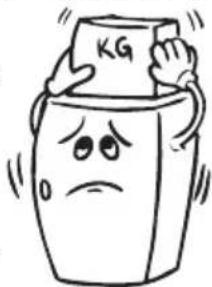
- The adjustable front legs should stabilize in an appropriate height to allow your fridge operate in a stable and proper way. You can adjust the legs by turning them clockwise (or in the opposite direction). This should placing food in the fridge.
- Before using your fridge, wipe all parts with warm water added with a tea spoonful of sodium bicarbonate, and then rinse with clean water and dry. Place all parts after cleaning.
natural_image
Cartoon illustration of a distressed container with arms and legs, holding a label labeled 'KG' (no text or symbols beyond the label)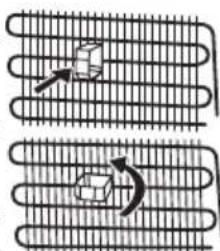
natural_image
Diagram showing two curved heat exchanger-like structures with internal flow arrows (no text or symbols)Before Using your Fridge
- When it is operated for the first time or after transportation, keep your fridge in the upright position for 3 hours and plug it on to allow efficient operation. Otherwise, you may damage the compressor.
natural_image
Simple line drawing of a hand holding a smiling emoji-shaped object (no text or symbols)- Your fridge may have a smell when it is operated for the first time; the smell will fade away when your fridge starts to cool.
Information on No-Frost Technology
No-frost refrigerators differ from other static refrigerators in their operating principle.
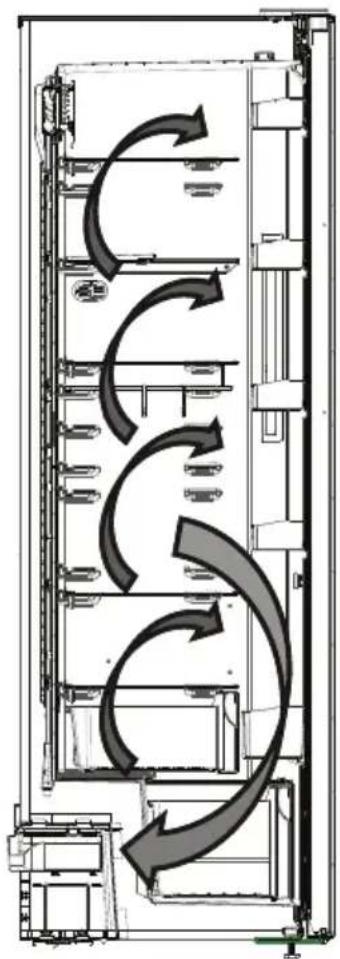
In normal refrigerators the humidity entering the refrigerators due to opening the door and the humidity inherent in the food causes freezing in the backside of air duct. To defrost the frost and ice in the backside of air duct, you are periodically required to turn off the refrigerator, place the food that needs to be kept cooled in a separately cooled. The situation is completely different in no-frost refrigerators. Dry and cold air is blown into the refrigerator compartment homogeneously and evenly from several points via a blower fan. Cold air dispersed homogeneously and evenly between the shelves cools all of your food equally and uniformly, thus preventing humidity and freezing. Therefore your no-frost refrigerators allows you ease of use, in addition to its huge capacity and stylish appearance.
flowchart
graph TD
    A["Input"] --> B["Process 1"]
    B --> C["Process 2"]
    C --> D["Output"]
    style A fill:#f9f,stroke:#333
    style B fill:#ccf,stroke:#333
    style C fill:#cfc,stroke:#333
    style D fill:#fcc,stroke:#333
USAGE INFORMATION
Display and Control Panel
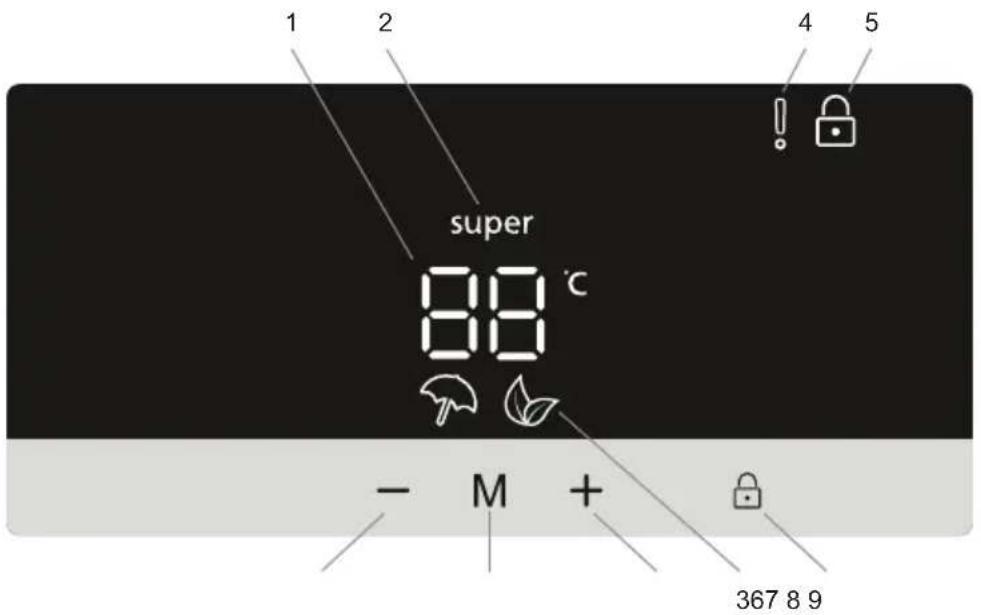
Using the Control Panel
- It is cooler set value screen.
- It is super cooling indicator.
- It is economy mode symbol.
- It is alarm symbol.
- It is child-lock symbol.
- Mode button
- Set value decreasing button
- Set value increasing button
- Select child lock button
Operating your Fridge
Super Cooling Mode
Purpose
• To cool large quantities of food.
• To cool food rapidly.
How to use
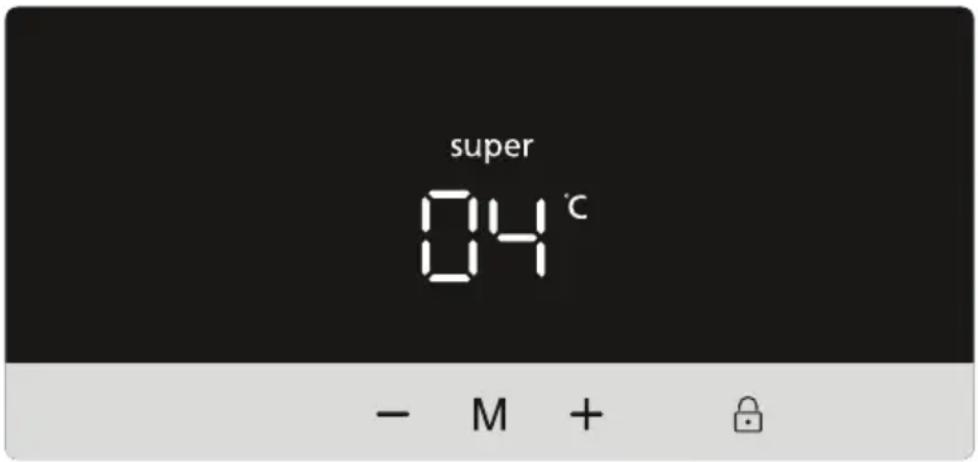
- Press the temperature setting decreasing button ( ) until activate the super symbol super
- When set to super cooling mode, the buzzer emits a "beep" sound.
- When this mode is selected, the temperature value that was set before mode selection will be displayed on the cooler temperature indicator.
During this mode:
• Economy mode cannot be selected.
- You can press the temperature setting increasing button ( ) to deactivate super cooling mode.
NOTE: Depending on the ambient temperature, super cooling mode will automatically be cancelled after 5 hours or when the fridge has reached the required temperature.
Economy Mode
Purpose
If you want to use set temperature values, defined by the control circuit. Both compartments will work in the normal manner with the set values.
How to Use
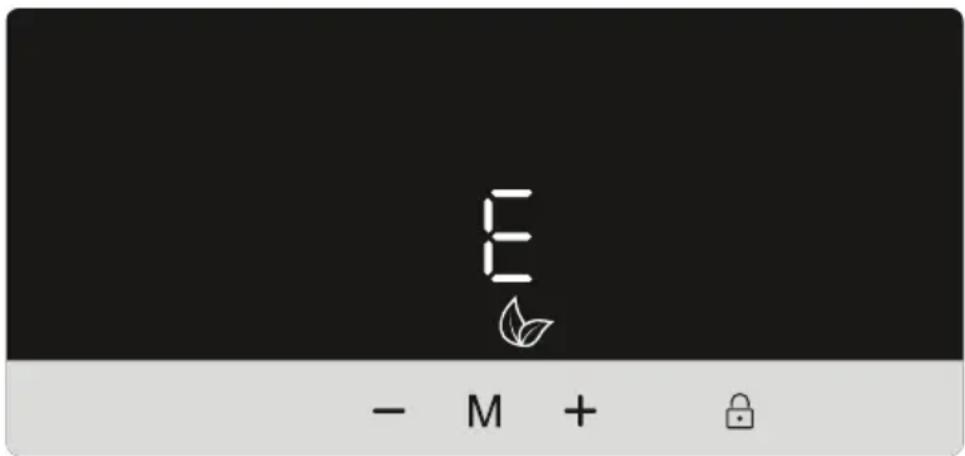
- Push mode button M until economy mode symbol appears.
- If no button is pressed for 1 second, mode will be set. Economy symbol will blink 3 times.
- Cooler temperature segments will show "E".
- Economy mode symbol and E will light till mode finishes.
During this mode:
- Super cooling mode can be selected. In this case, economy mode will be cancelled automatically and the selected mode will be activated.
- To cancel, you will just need to press on mode button.
Screen Saver Mode
Purpose
This mode saves energy by switching all control panel lights off for as long as the control panel remains inactive.
How to Use
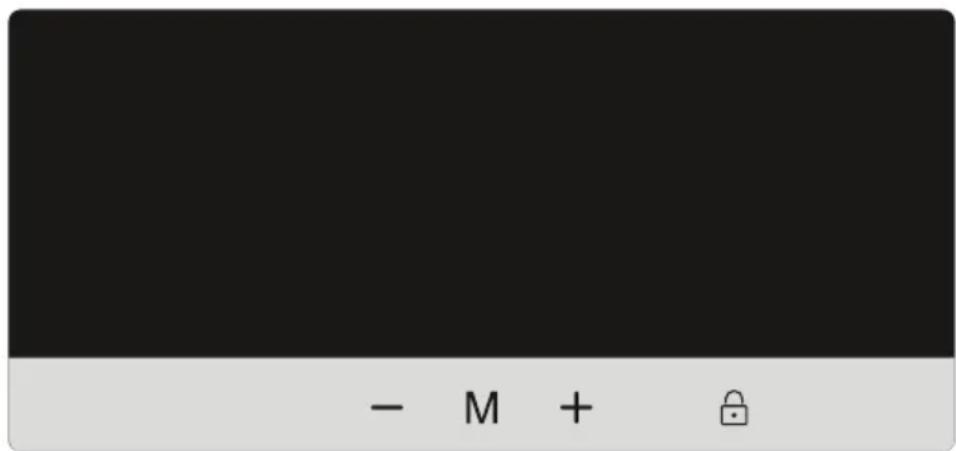
- Screen saver mode will be activated automatically for energy saving.
- If you do not press any other button within 30 seconds after activating the screen saving mode, lights of the control panel will go off.
- If you press any key while the lighting of the control panel is off, current settings will appear on the display to let you make any change you wish. If you do not cancel the screen saving mode or press any key for 30 seconds, control panel will go off again.
- To cancel the screen saving mode, first of all, you need to press any key to activate the keys and then press and hold the mode button for 3 seconds.
• To active the screen saving mode, you need to press mode button simultaneously 3 seconds
- When the screen saving mode is activated, you can activate child lock function.
- If you do not press any other button within 30 seconds after activating the child lock, lights of the control panel will go off. After that, the present values will be displayed and
if you press any button, the child lock symbol appear. You can press and hold child lock button for 5 seconds to cancel the child lock.
The Child Lock Function
Purpose
Child lock can be activated to prevent any accidental or unintentional changes being made to the appliance settings.
Activating Child Lock
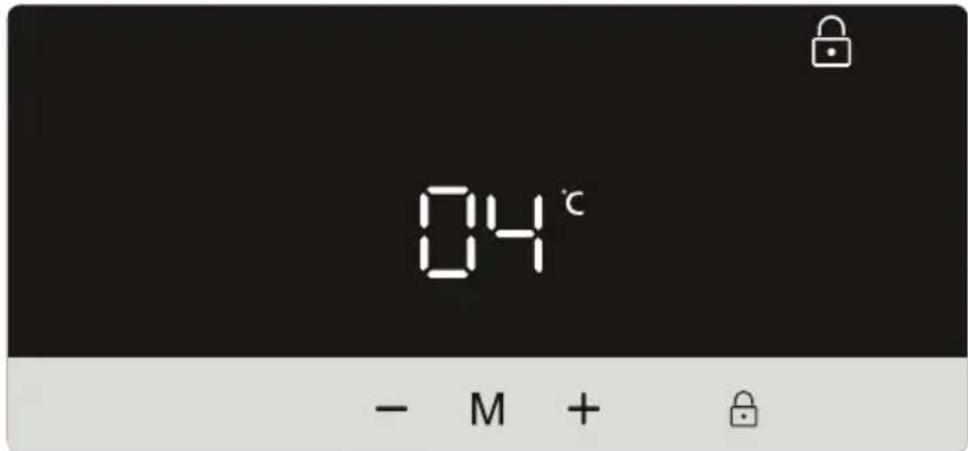
Press and hold on child lock button for 5 seconds. After the mode has been selected, the lock symbol appear on the display.
Cancelling Child Lock
Press and hold on child lock button for 5 seconds again.
Door Open Alarm Function
If fridge door is opened more than 2 minutes, appliance sounds ‘beep beep’.
Cooler Temperature Settings
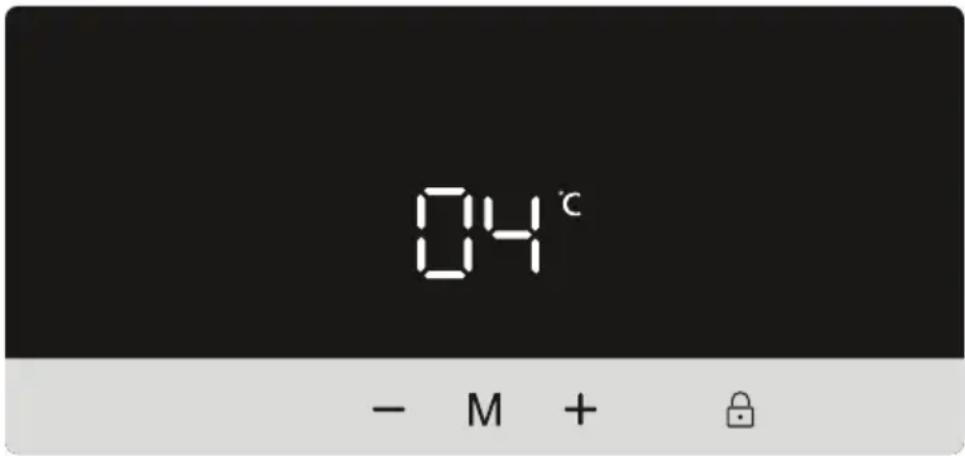
- Initial temperature value of the cooler compartment temperature indicator is 5^ .
- Press the cooler temperature increasing button ( ) or decreasing button ( ).
- Each time you press setting decreasing button ( ), a lower value will be set: (8, 7, 6, 5, 4, 3, 2 and super cooling mode "super")
- Each time you press setting increasing button ( ), a higher value will be set: (super cooling mode "super", 2, 3, 4, 5, 6, 7, 8 °C)
- The temperature value selected before activating the super cooling mode or economy mode will remain the same once this mode has been completed or cancelled. The appliance will go on operating at these set temperature values.
Recommended Temperature Values for Cooler
| When to adjust Inner Temperature ( °C) | |
| For cooling the fridge at minimum capacity 8 | |
| In normal usage 4, 5, 6 | |
| For cooling the fridge at maximum capacity 2 | |
Warnings About Temperature Settings
- Do not switch to another adjustment before completing a setting.
- The temperature setting should be done by taking into consideration how often the fridge door is opened and closed, how much food is stored in it and the ambient temperature in which the fridge is located.
- Depending on the ambient temperature, your fridge must operate nonstop up to 24 hours in order to cool down completely after it is plugged in for the first time. During this period, do not open the doors of your fridge frequently and do not overfill.
- To prevent any damage on the compressor of your fridge when you want to restart your fridge after unplugging it or after a power failure is restored, there is a function which makes your fridge operate after a 5-minute delay. Your fridge will start operating normally after 5 minutes.
- Fridge has been designed to operate in the ambient temperature ranges specified in the standards according to the class of climate mentioned in the information label. The
operation of the fridge in environments with temperature values not complying with the ones specified is not recommended for cooling efficiency.
- Your appliance is designed to operate at ambient temperatures between 10°C - 43°C.
| Climate Class Ambient Temperature (°C) | |
| T Between 16 and 43 (°C) | |
| ST Between 16 and 38 (°C) | |
| N Between 16 and 32 (°C) | |
| SN Between 10 and 32 (°C) | |
| T/SN Between 10 and 43 (°C) |
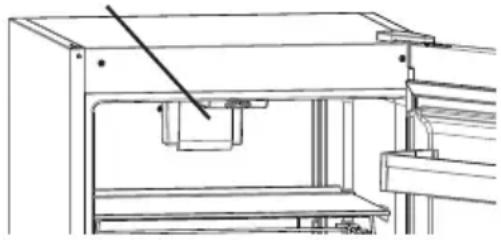
If turbo fan is available on your product ;
natural_image
Technical line drawing of a mechanical assembly or lifting device (no text or symbols visible)Do not block air inlet and outlet openings when storing food, otherwise air circulation that provided by turbo fan will be impaired.
Accessories
Chiller shelf (In some models)
natural_image
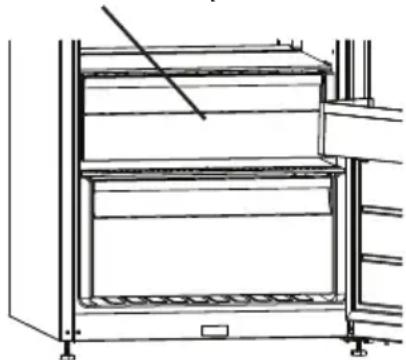
Line drawing of a multi-level refrigerator with no text or symbolsKeeping food in the Chiller compartment instead of the freezer or refrigerator compartment allows food retain freshness and flavour longer, while preserving its fresh appearance. When chiller tray becomes dirty, remove it and wash it with water.
(Water freezes at 0^ C, but foods containing salt or sugar freeze at temperature lower than that)
Normally people use the chiller compartment for raw fish, lightly pickled, rice, etc...
! Do not put foods you want to freeze or ice trays in order to make ice.
Removing the Chiller shelf
- Pull the chiller shelf out toward you by sliding on rails.
- Pull the chiller shelf up from rail to remove.
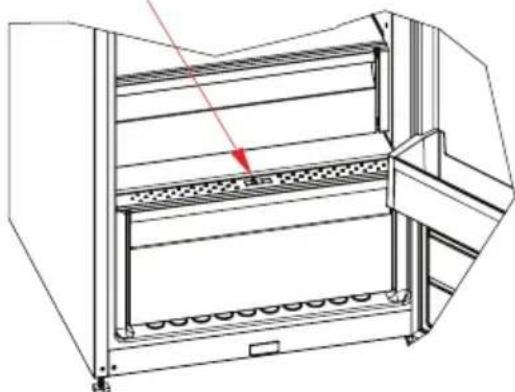
Fresh dial (In some models)
natural_image
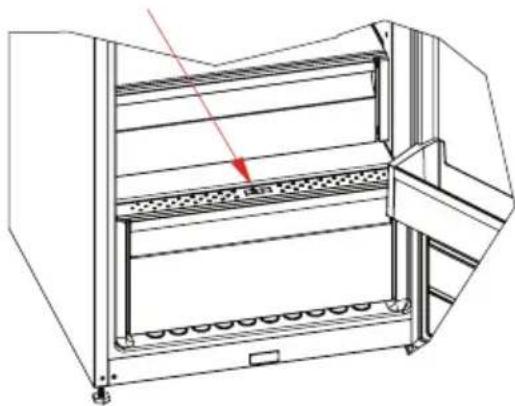
Technical line drawing of a multi-level industrial storage unit with a red arrow indicating a component (no text or symbols present)When the humidity controller in the closed position, it allows fresh fruit and vegetables to be stored longer.
In case of the crisper is totally full, the fresh dial is located in front of crisper, should be opened. By means of this the air in the crisper and humidity rate will be controlled and endurance life will be increased.
If you see any condensation on glass shelf, humidity control should be taken into the open positions.
Visual and text descriptions on the accessories section may vary according to the model of your appliance.
ARRANGING FOOD IN THE APPLIANCE
- For normal operating conditions, adjusting the temperature value of the cooler partition of the fridge to 4°C will be enough.
- To reduce humidity and consequent increase of frost never place liquids in unsealed containers in the refrigerator. Frost tends to concentrate in the coldest parts of the evaporator and in time will require more frequent defrosting.
- Never place warm food in the refrigerator. Warm food should be allowed to cool at room temperature and should be arranged to ensure adequate air circulation in the refrigerator compartment.
- Nothing should touch on the back wall as it will cause frost and the packages can stick on the back wall. Do not open the refrigerator door too frequently.
- Arrange the meat and cleaned fish(wrapped in packages or sheets of plastic) which you will use in 1-2 days, in the bottom section of the refrigerator compartment(that is above the crisper) as this is the coldest section and will ensure the best storing conditions.
- You can put the fruits and vegetables into crisper without packing.
NOTE: Potatoes, onions and garlic should not be stored in the refrigerator.
| Food Maximum | Storing time | Where to place in the fridge department |
| Vegetables and fruits 1 | week Vegetable bin | |
| Meat and fish 2 - 3 Days | Wrapped in plastic foil or bags or in a meat container(on the glass shelf) | |
| Fresh cheese 3 - 4 Days | In special door shelf | |
| Butter and margarine 1 | week In special door shelf | |
| Bottled products milk and yoghurt | Until the expiry date recommended by the producer | In special door shelf |
| Eggs 1 month In the egg | shelf | |
| Cooked food All shelves |
CLEANING AND MAINTENANCE
- Disconnect unit from the power supply before cleaning.
- Do not clean the appliance by pouring water.
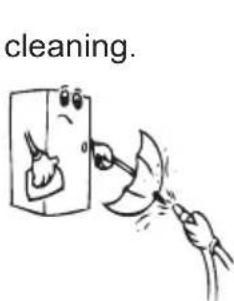
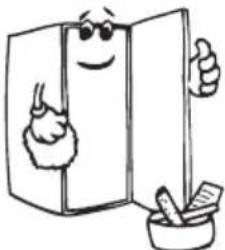
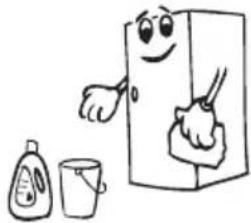
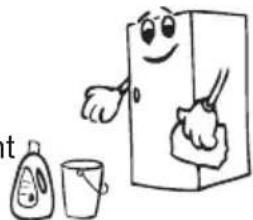
- The refrigerator should be cleaned periodically using a solution of bicarbonate of soda and lukewarm water
natural_image
Cartoon illustration of a smiling refrigerator with sunglasses and a bowl of food (no text or symbols)- Clean the accessories separately with soap and water. Do not clean them in the washing machine.
- Do not use abrasive products, detergents or soaps. After washing, rinse with clean water and dry carefully. When the cleaning operations have been completed reconnect the plug of the unit with dry hands.
- You should clean the condenser (back of the appliance) with broom ones a year in order to provide energy saving and increase the productivity.
natural_image
Cartoon illustration of a smiling refrigerator with a hand holding a spoon, accompanied by a small bottle and a cup (no text or symbols)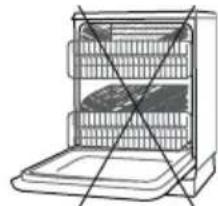
natural_image
Line drawing of an open refrigerator with no text or symbols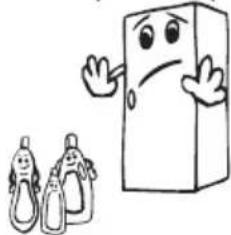
natural_image
Cartoon illustration of a smiling book character and two baby pumpkins (no text or symbols)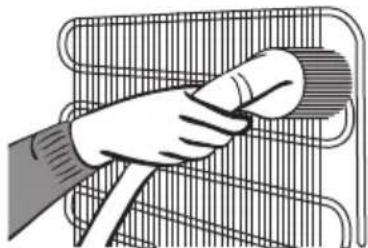
natural_image
Illustration of a hand cleaning a bicycle rear cage (no text or symbols)THE POWER SUPPLY MUST BE DISCONNECTED.
Replacing LED Lighting
If your fridge has LED lighting contact the help desk as this should be changed by authorized personnel only.
SHIPMENT AND REPOSITIONING
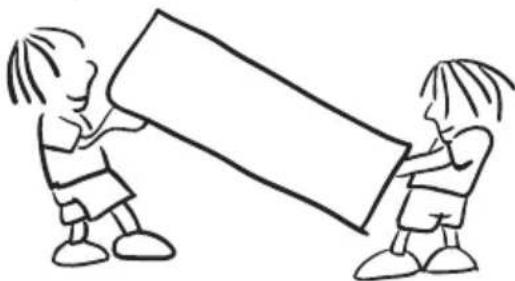
- Original package and foam may be kept for re-transportation (optionally).
- You should fasten your fridge with thick package, bands or strong cords and follow the instructions for transportation on the package for re-transportation.
- Remove movable parts (shelves, accessories, vegetable bins etc.) or fix them into the fridge against shocks using bands during re-positioning and transportation.
! Carry your fridge in the upright position.
natural_image
Simple line drawing of two children holding a large rectangular object (no text or symbols)Repositioning the door
- It is not possible to change the opening direction of your fridge door, if the door handles on your fridge are installed from the front surface of the door.
- It is possible to change the opening direction of the door on models without any handles.
- If the door opening direction of your fridge may be changed, you should contact the nearest Authorized Service to have the opening direction changed.
BEFORE CALLING SERVICE
Control warnings:
If the temperatures of the fridge are not at the suitable levels or if there is a problem with the appliance, your fridge will warn you. Warnings are indicated by warning codes on the fridge compartment indicators on the indicator panel.
| ERROR TYPE MEANING WHY WHAT TO DO | |||
| E01 | Sensor warning | Call Service for assistance as soon as possible. | |
| E02 | Sensor warning | Call Service for assistance as soon as possible. | |
| E03 | Sensor warning | Call Service for assistance as soon as possible. | |
| E06 | Sensor warning | Call Service for assistance as soon as possible. | |
| E07 | Sensor warning | Call Service for assistance as soon as possible. | |
| E08 | "Low voltage Warning" | When the power supply gets lower than 170 V the appliance gets to steady position. | This is not a failure. This prevents any damages on the compressor. This warning will off after the voltage gets required level.If the warning continues, please contact with authorized technical service. |
| E10 | "Refrigerator comp. Not Cold enough" | Ideal temperature for Ref. Compartment is +4 °C. If you see this warning your foods have risk of spoiling.This warning becomes visible if electricity is off for a long time (most probably) or the refrigerator is activated for the first time or hot food is loaded to the appliance. | 1. Set the refrigerator temperature to colder values or set the super cooling mode until the compartment gets to normal temperature.2. Do not open the door much until this failure is off.3. Please empty the location at the front area of air duct channel holes.4. Please be careful while loading the appliance in order not to avoid the ventilation at the areas which are very close to the sensor.5. Please don't open the refrigerator doors frequently until the warning disappears.6. If the warning continues, please contact with authorized technical service. |
| E11 | Refrigerator comp. too Cold | The foods starts to freeze because of the too much cold temperature.This warning means that the temperature of the cooler compartment is very low. Therefore, this ambient condition may lead to the freezing of foods in the compartment. | 1. Check if the “Super cooling mode” is on.2. Decrease the refrigerator temperature values.3. If the warning continues, please contact with authorized technical service. |
If your fridge is not working properly, it may be a minor problem, therefore check the following, before calling an electrician to save time and money.
What to do if your appliance does not operate;
Check that;
- There is no power,
- The general switch in your home is disconnected,
- The socket is not sufficient. To check this, plug in another appliance that you know which is working into the same socket.
What to do if your appliance performs poorly;
Check that;
- You have not overloaded the appliance,
- The fridge temperature set to 2.
• The door is closed perfectly, - There is no dust on the condenser,
- There is enough place at the rear and side walls.
If your fridge is operating too loudly;
Normal Noises
Short cracking: Heard when the thermostat switches the compressor on/off.
Compressor noise: Normal motor noise. This noise means that the compressor operates normally Compressor may cause more noise for a short time when it is activated.
Bubbling noise and splash: This noise is caused by the flow of the refrigerant in the tubes of the system.
Water flow noise: Normal flow noise of water flowing to the evaporation container during defrosting. This noise can be heard during defrosting.
Air Blow Noise: Normal fan noise. This noise can be heard in fridges during normal operation of the system due to the circulation of air.
If the edges of fridge cabinet that the door joint contact are warm;
Especially in summer (hot weather), the surfaces that the joint contact may get warmer during the operation of the compressor, this is normal.
If humidity builds up inside the fridge;
- Are all food packed properly? Are the containers dried before placing them in the fridge?
- Is the fridge's door opened frequently? Humidity of the room gets in the fridge when the door is opened. Humidity build up will be faster when you open the door more frequently, especially if the humidity of the room is high.
If the door is not opened and closed properly;
- Do the food packages prevent closing of the door?
- Are the door compartments, shelves and drawers placed properly?
- Are door joints broken or torn?
• Is your fridge on a level surface?
IMPORTANT NOTES:
- Compressor protection function will be activated after sudden power breakdowns or after unplugging the appliance, because the gas in the cooling system is not stabilized yet. Your appliance will start after 5 minutes, there is nothing to worry about.
- If you will not use your fridge for a long time (e.g. in summer holidays) unplug it. Clean your fridge according to chapter “CLEANING AND MAINTENANCE” and leave the door open to prevent humidity and smell.
- To stop the appliance completely, unplug from main socket (for cleaning and when the door is left open)
- If the problem persists after you have followed all the instructions above, please consult to the nearest Authorized service.
- The lifetime of your appliance stated and declared by the Department of the Industry is 10 years (the period for retaining parts required for the proper functioning of the appliance).
Tips for saving energy
- Install the appliance in a cool, well ventilated room, but not in direct sunlight and not near heat source (radiator, cooker.. etc). Otherwise use an insulating plate.
- Allow ward food and drinks to cool down outside the appliance.
- When placing, drinks and slops they must be covered. Otherwise humidity increases at the appliance. Therefore the working time gets longer. Also covering drinks and slops helps to save smell and taste.
- When placing food and drinks, open the appliance door as briefly as possible.
- Keep close the covers of any different temperature compartment in the appliance (crisper, chiller ...etc).
- Door gasket must be clean and pliable. Replace gaskets if worn.
THE PARTS OF THE APPLIANCE AND THE COMPARTMENTS
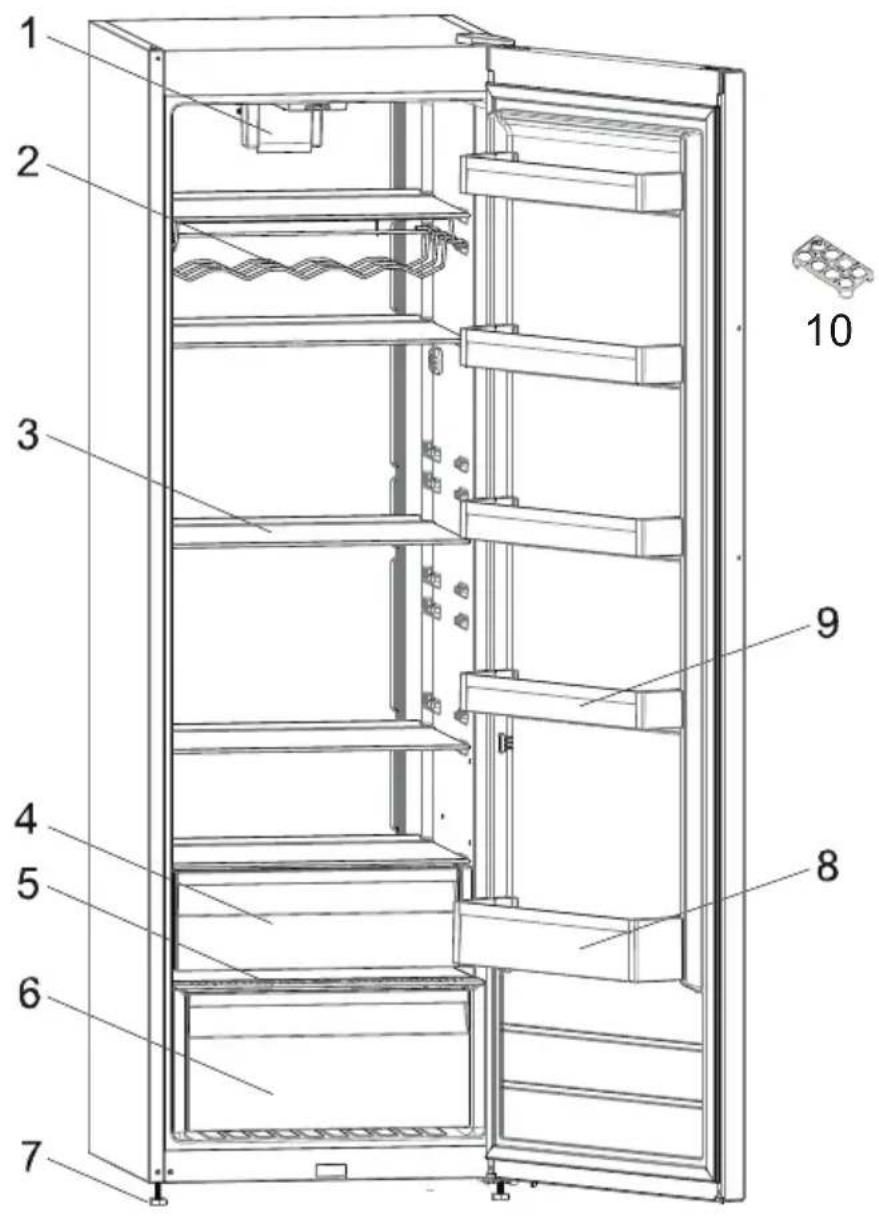
This presentation is only for information about the parts of the appliance. Parts may vary according to the appliance model.
1) Turbo fan *
2) Wine rack / bottle shelf *
3) Refrigerator shelves
4) Top crisper / Chiller shelves *
5) Bottom crisper cover
6) Bottom crisper
7) Levelling feet
8) Bottle shelf
9) Door shelves
10) Egg holder
* In some models
natural_image
Symbol of a trash bin with crossed lines indicating no waste or discharge (no text or labels)natural_image
Illustration of three hands performing a manual cable or wire manipulation technique (no text or symbols present)
natural_image
Cartoon illustration of a character peeking out of a door, with expressive eyes and legs (no text or symbols)
natural_image
Technical line drawing of an open refrigerator with lid and side panels (no text or symbols)natural_image
Cartoon illustration of a distressed container with arms and legs, holding a box labeled 'KG' (no text or symbols beyond the label)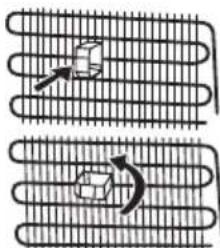
natural_image
Diagram showing two coil-like structures with arrows indicating motion or force direction (no text or symbols)natural_image
Simple line drawing of a hand holding a smiling emoji-shaped object (no text or symbols)natural_image
Technical line drawing of a mechanical assembly with no visible text or symbolsnatural_image
Technical line drawing of a multi-level appliance or storage unit with no visible text or symbolsnatural_image
Technical line drawing of a multi-level industrial machine with a red arrow indicating a component (no text or symbols present)PLACERA MATEN I KYLEN
Kylfack
natural_image
Cartoon illustration of a smiling refrigerator with sunglasses and a mortar, giving thumbs up (no text or symbols)natural_image
Cartoon illustration of a door with a smiling face, accompanied by a bottle and a cup (no text or symbols)
natural_image
Diagram of a multi-tiered kitchen appliance with red crosshair lines indicating no text or symbols
natural_image
Cartoon illustration of a smiling book character and two baby bottle illustrations (no text or symbols)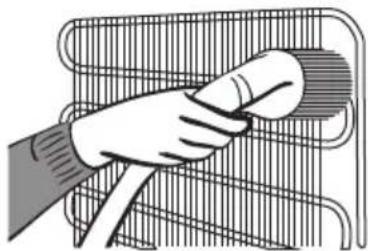
natural_image
Illustration of a hand holding a circular object over a wire mesh basket (no text or symbols)TRANSPORT OCH FLYTTNING
natural_image
Simple line drawing of two children holding a large rectangular object (no text or symbols)INNAN DU KALLAR SERVICE
ORGANISERE MATVARENE I APPARATET....71
RENGJ∅RING OG VEDLIKEHOLD....72
TRANSPORT OG OMPLASSERING ....72
Flytte døren 73
F∅R DU RINGER SERVICE....73
Anbefalinger for Energisparing....75
DELENE TIL APPARATET OG SEKSJONENE 76
DEL 1. F∅R DU BRUKER DITT KJ∅LESKAP
Generelle advarsler
natural_image
Symbol of a trash bin crossed with diagonal lines, no text or labels presentnatural_image
Illustration of three hands performing a manual cable manipulation technique (no text or symbols present)- Dette apparatet er beregnet for bruk av voksne, ikke la barn leke med apparatet eller la dem henge over døren.
natural_image
Cartoon illustration of a character peeking out of a door, with expressive eyes and legs (no text or symbols)natural_image
Simple line drawing of a hand holding a smiling emoji-shaped object (no text or symbols)- Trykk på modusvelger-knappen (nr. 6 i kontrollpaneldiagrammet) til økonomimodusikonet

vises (nr. 3).
Trykk og hold inne velgerknar for barnesikring (nr. 9) i fem sekunder. Når modusen er valgt, vises sikringssymbolet 5) på skjermen.
natural_image
Technical line drawing of a multi-level storage cabinet or rack unit (no text or symbols)Hvis maten holdes i chiller i stedet for fryser eller kjøleskap, vil maten beholde friskhet og smak for en lengre periode og vil samtidig bevare friskt utseende. Hvis skuffen blir skitten, fjerne den og vaske den med vann.
natural_image
Technical line drawing of a multi-level industrial machine with a red arrow indicating a component (no text or symbols present)DEL 3. ORGANISERE MATVARENE I APPARATET
Kjøleskapskammer
natural_image
Simple line drawing of a hand holding a tool near a device (no text or symbols)
natural_image
Cartoon illustration of a smiling refrigerator with a hand holding a cup, next to a small bottle and a bucket (no text or symbols)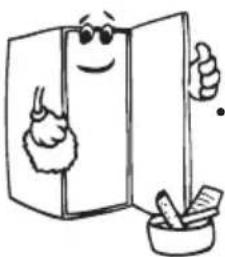
natural_image
Cartoon illustration of a smiling refrigerator with sunglasses and a bowl of food (no text or symbols)natural_image
Diagram of a refrigerator with red crosshair lines indicating storage compartments (no text or labels)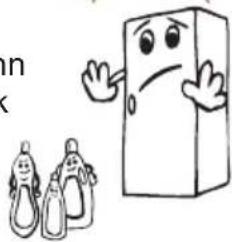
natural_image
Cartoon illustration of a smiling book character waving next to two baby bottles (no text or symbols)natural_image
Illustration of a hand cleaning a wire rack with a cloth (no text or symbols)natural_image
Simple line drawing of two children holding a large rectangular object (no text or symbols)natural_image
Illustration of three hands performing a welding or cutting process with visible tool tips (no text or symbols)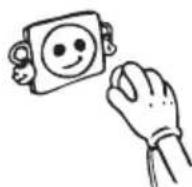
natural_image
Cartoon character peeking out of a book, holding a small object (no text or symbols)natural_image
Technical line drawing of a refrigerator with open door and side panel (no text or symbols)natural_image
Cartoon illustration of a distressed container with arms and legs, holding a box labeled 'KG' (no text or symbols beyond the label)natural_image
Simple line drawing of a hand holding a smiling emoji-shaped object (no text or symbols)natural_image
Technical line drawing of a mechanical assembly with no visible text or symbolsKosteudenhallinta (Joissakin malleissa)
natural_image
Technical line drawing of a multi-level industrial machine with a red arrow indicating a component (no text or symbols present)natural_image
Technical line drawing of a multi-level storage cabinet or rack unit (no text or symbols)(Joissakin malleissa)
natural_image
Hand washing a small object into a container (no text or symbols visible)natural_image
Illustration of a smiling refrigerator with a hand pointing at it, accompanied by a small bottle and a cup (no text or symbols)
natural_image
Cartoon illustration of a smiling refrigerator with sunglasses and a bowl of food (no text or symbols)natural_image
Diagram of a refrigerator with red X-shaped lines indicating storage compartments (no text or symbols)natural_image
Cartoon illustration of a smiling rectangular character and two small bottle illustrations (no text or symbols)natural_image
Illustration of a hand using a tool to clean or adjust a mesh structure (no text or symbols)VERKKOJOHTO TÄYTYY IRROTTAA PISTORASIASTA PUHDISTUKSEN AJAKSI.
natural_image
Simple line drawing of two children holding a large rectangular object (no text or symbols)- APPARATETS DELE OG RUM 18
- KAPITEL - 1. F∅R K∅LESKABET TAGES I BRUG
- Generelle advarsler
- Bemærk:
- Oplysninger om NoFrost-teknologi
- FreshZone skuffe (Ikke i alle modeller)
- KAPITEL - 4. TRANSPORT OG OMPLACERING
- Vending af døren
- USAGE INFORMATION......25
- ARRANGING FOOD IN THE APPLIANCE 31
- CLEANING AND MAINTENANCE 32
- SHIPMENT AND REPOSITIONING.... 32
- BEFORE CALLING SERVICE....33
- THE PARTS OF THE APPLIANCE AND THE COMPARTMENTS ...... 37
- BEFORE USING YOUR FRIDGE
- General warnings
- Old and out-of-order fridges
- Notes:
- Safety warnings
- Installing and Operating your Fridge
- Information on No-Frost Technology
- USAGE INFORMATION
- Display and Control Panel
- Using the Control Panel
- Operating your Fridge
- Super Cooling Mode
- Purpose
- How to use
- During this mode:
- Economy Mode
- Screen Saver Mode
- The Child Lock Function
- Activating Child Lock
- Cancelling Child Lock
- Door Open Alarm Function
- Cooler Temperature Settings
- Warnings About Temperature Settings
- If turbo fan is available on your product ;
- Accessories
- Chiller shelf (In some models)
- ! Do not put foods you want to freeze or ice trays in order to make ice.
- Removing the Chiller shelf
- Fresh dial (In some models)
- Visual and text descriptions on the accessories section may vary according to the model of your appliance.
- ARRANGING FOOD IN THE APPLIANCE
- CLEANING AND MAINTENANCE
- THE POWER SUPPLY MUST BE DISCONNECTED.
- Replacing LED Lighting
- SHIPMENT AND REPOSITIONING
- Repositioning the door
- BEFORE CALLING SERVICE
- Control warnings:
- What to do if your appliance does not operate;
- Check that;
- What to do if your appliance performs poorly;
- Normal Noises
- IMPORTANT NOTES:
- Tips for saving energy
- THE PARTS OF THE APPLIANCE AND THE COMPARTMENTS
- PLACERA MATEN I KYLEN
- Kylfack
- TRANSPORT OCH FLYTTNING
- INNAN DU KALLAR SERVICE
- ORGANISERE MATVARENE I APPARATET....71
- RENGJ∅RING OG VEDLIKEHOLD....72
- TRANSPORT OG OMPLASSERING ....72
- F∅R DU RINGER SERVICE....73
- DELENE TIL APPARATET OG SEKSJONENE 76
- DEL 1. F∅R DU BRUKER DITT KJ∅LESKAP
- DEL 3. ORGANISERE MATVARENE I APPARATET
- Kjøleskapskammer
- Kosteudenhallinta (Joissakin malleissa)
- (Joissakin malleissa)
- VERKKOJOHTO TÄYTYY IRROTTAA PISTORASIASTA PUHDISTUKSEN AJAKSI.
Brand : GRAM
Model : KS 481864 FN
Category : Fridge