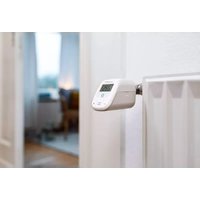
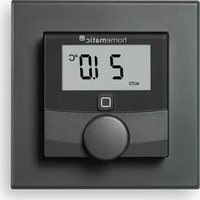
HmIP-BWTH24 - Thermostat Homematic IP - Free user manual and instructions
Find the device manual for free HmIP-BWTH24 Homematic IP in PDF.


Pick your language and provide your email: we'll send you a specifically translated version.
| Product Type | Thermostat |
| Brand | Homematic IP |
| Model | HmIP-BWTH24 |
| Dimensions (W x H x D) | 86 x 86 x 25 mm |
| Weight | Approx. 100 g (including batteries) |
| Power Supply | 2 x AA batteries (1.5V) or 3V DC via optional power adapter |
| Communication Protocol | Homematic IP radio (868 MHz) |
| Display | LCD with white backlight |
| Temperature Control Range | 5 °C to 30 °C |
| Temperature Accuracy | ±0.5 °C |
| Key Functions | Temperature setting, scheduling, frost protection, window open detection, remote control via Homematic IP app |
| Installation | Wall mounting; requires Homematic IP Access Point (sold separately) |
| Compatibility | Homematic IP system; works with compatible actuators and sensors |
| Care and Cleaning | Wipe with a soft, dry cloth. Do not use liquids or cleaning agents. |
| Safety | Low voltage device; for indoor use only. Keep away from moisture and heat sources. |
| Spare Parts | Batteries, mounting screws, optional power adapter |
| Repairability | Modular construction allows easy replacement of batteries and cover. Main unit is not user-serviceable. |
| General Information | Smart home thermostat for energy-efficient heating control; supports voice assistants via Homematic IP cloud. |
Frequently Asked Questions - HmIP-BWTH24 Homematic IP
How do I install the HmIP-BWTH24 thermostat?
Mount the thermostat on the wall using the provided screws. Ensure it is connected to a Homematic IP Access Point for app control. Follow the setup wizard in the Homematic IP app.
What is the battery life of the HmIP-BWTH24?
With standard AA alkaline batteries, the battery life is typically 1-2 years, depending on usage and signal strength. Low battery warnings appear in the app.
How do I reset the thermostat to factory settings?
Press and hold the reset button (located on the back) for at least 5 seconds until the display turns off. Re-pair the device with the Access Point afterwards.
Can I use the HmIP-BWTH24 with voice assistants?
Yes, through the Homematic IP cloud and integrations with Amazon Alexa or Google Assistant. You need a Homematic IP Access Point and account.
What temperature range does the thermostat support?
The thermostat can control temperatures from 5 °C (frost protection) to 30 °C, suitable for most residential heating systems.
Do I need a central hub or gateway?
Yes, a Homematic IP Access Point is required for configuration, scheduling, and remote access via the app. The thermostat cannot operate standalone.
What are the dimensions of the HmIP-BWTH24?
The device measures 86 mm x 86 mm x 25 mm (width x height x depth), fitting standard wall boxes and switch covers.
Is the thermostat compatible with underfloor heating?
Yes, it can be used with underfloor heating if paired with a compatible Homematic IP floor heating actuator. Set the appropriate temperature limits.
How do I clean the thermostat?
Wipe the surface with a soft, dry cloth. Do not use water, solvents, or abrasive cleaners. Avoid getting moisture into the vents.
What is the warranty period for the HmIP-BWTH24?
Homematic IP offers a 2-year warranty for manufacturing defects. Register your product on the official website to extend the warranty to 5 years.
User questions about HmIP-BWTH24 Homematic IP
0 question about this device. Answer the ones you know or ask your own.
Ask a new question about this device
No questions yet. Be the first to ask one.
Download the instructions for your Thermostat in PDF format for free! Find your manual HmIP-BWTH24 - Homematic IP and take your electronic device back in hand. On this page are published all the documents necessary for the use of your device. HmIP-BWTH24 by Homematic IP.