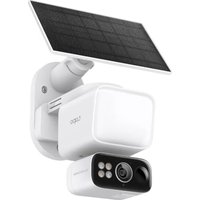
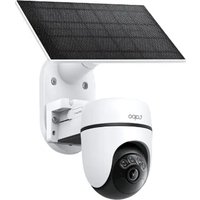
TL-NC200 - Surveillance Camera TP-LINK - Free user manual and instructions
Find the device manual for free TL-NC200 TP-LINK in PDF.


Pick your language and provide your email: we'll send you a specifically translated version.
| Type of product | Surveillance Camera |
| Brand | TP-Link |
| Model | TL-NC200 |
| Dimensions (H x W x D) | 76.2 x 71.1 x 30.5 mm |
| Weight | 120 g |
| Power supply | Micro USB 5V / 1A |
| Video resolution | 1920 x 1080 pixels (Full HD) |
| Night vision | Up to 10 meters, IR LEDs |
| Motion detection | Yes, with alerts |
| Two-way audio | Built-in microphone and speaker |
| Storage | MicroSD card up to 128 GB |
| Wi-Fi standard | 802.11 b/g/n 2.4 GHz |
| Security | WPA/WPA2 encryption, HTTPS |
| Field of view | 110° diagonal |
| Indoor/Outdoor | Indoor use only |
| Maintenance and cleaning | Wipe with dry soft cloth; avoid liquids |
| Repairability | Not user-serviceable; contact TP-Link support |
| Spare parts | Power adapter available separately |
Frequently Asked Questions - TL-NC200 TP-LINK
How do I reset the TL-NC200 to factory settings?
Press and hold the reset button on the camera for about 10 seconds until the LED blinks rapidly. Then release. The camera will reboot and reset to default settings.
Can the TL-NC200 be used outdoors?
The TL-NC200 is designed for indoor use only. It is not weatherproof; exposure to rain or humidity may damage the camera.
What is the maximum MicroSD card size supported?
The camera supports MicroSD cards up to 128 GB. Use a Class 10 or higher for best performance.
Does the TL-NC200 support night vision?
Yes, it has built-in IR LEDs providing night vision up to 10 meters (33 feet) in complete darkness.
How do I connect the camera to Wi-Fi?
Download the TP-Link Tapo or Kasa app (depending on region). Follow the in-app instructions to connect the camera to your 2.4 GHz Wi-Fi network.
Can I view the camera remotely?
Yes, through the TP-Link app you can view the live stream from anywhere using your smartphone or tablet.
What security features does the camera have?
It supports WPA/WPA2 encryption for Wi-Fi and HTTPS for secure remote access. Ensure your home network is password protected.
How do I clean the camera lens?
Use a soft, dry cloth to gently wipe the lens. Do not use any liquids or cleaning agents as they may damage the lens.
Is the camera compatible with Alexa or Google Assistant?
Yes, the TL-NC200 supports both Amazon Alexa and Google Assistant for voice control. Enable the skill in the respective app.
What is the warranty period?
TP-Link typically offers a 2-year limited warranty for this product. Check the user manual or TP-Link website for specific terms.
User questions about TL-NC200 TP-LINK
0 question about this device. Answer the ones you know or ask your own.
Ask a new question about this device
No questions yet. Be the first to ask one.
Download the instructions for your Surveillance Camera in PDF format for free! Find your manual TL-NC200 - TP-LINK and take your electronic device back in hand. On this page are published all the documents necessary for the use of your device. TL-NC200 by TP-LINK.