
Tapo C610 - Surveillance Camera TP-LINK - Free user manual and instructions
Find the device manual for free Tapo C610 TP-LINK in PDF.
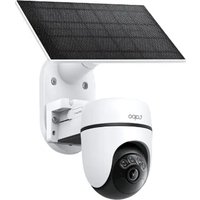


| Product type | Surveillance camera |
| Brand | TP-Link |
| Model | Tapo C610 |
| Resolution | 2K QHD (2560 x 1440 pixels) |
| Night vision | Up to 12 meters (infrared) |
| Rotation angle | Horizontal 360°, vertical 114° |
| Audio | Two-way with built-in microphone and speaker |
| Motion detection | Yes, with push notifications |
| Storage | microSD card up to 256 GB and cloud (optional subscription) |
| Connectivity | Wi-Fi 2.4 GHz (IEEE 802.11 b/g/n) |
| Power supply | AC adapter 5 V DC (PS2 or LPS type) |
| Operating temperature | -20 °C to 45 °C |
| Protection rating | IP66 (rain and dust resistant) |
| Installation | Wall or ceiling mount (mounting kit included) |
| App | Tapo (iOS/Android) |
| Compatibility | Amazon Alexa, Google Assistant |
| Maintenance | Clean with a soft, dry cloth. Do not use chemicals. |
| Safety | Do not disassemble or modify. Use the provided adapter. Avoid immersion in water. |
| General information | Maximum mounting height: 2 meters. Use with caution. |
Frequently Asked Questions - Tapo C610 TP-LINK
User questions about Tapo C610 TP-LINK
0 question about this device. Answer the ones you know or ask your own.
Ask a new question about this device
Download the instructions for your Surveillance Camera in PDF format for free! Find your manual Tapo C610 - TP-LINK and take your electronic device back in hand. On this page are published all the documents necessary for the use of your device. Tapo C610 by TP-LINK.
USER MANUAL Tapo C610 TP-LINK
For technical support, user guides, warranty, and more information
© 2025 TP-Link
Quick Start Guide
Solar-Powered Security Camera
7100001757 REV1.1.0
CONTENTS
1 / English 2 / Português Brasil 3 / Hrvatski 4 / Български 5 / Français 6 / Čeština 7 / Bahasa Indonesia 8 / Magyar 9 / Қазақша 10 / 日本語 11 / 中文 12 / Español
(Latinoamérica)
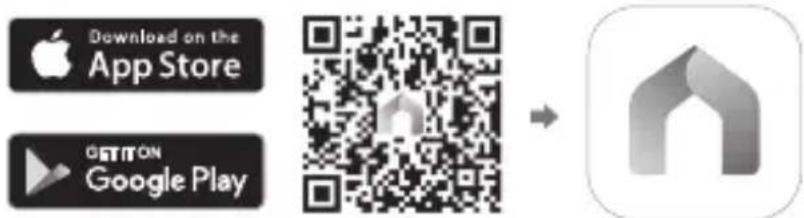
Get the Tapo app from the App Store or Google Play, and log in.
2 SETUP CAMERA
Press and hold the power button on your camera for about 3 seconds to turn it on.
Tap the + button in the app and select your camera model. Follow app instructions to complete setup.
Português Brasil
1 DOWNLOAD APP
Download the Tapo app from the App Store or Google Play, and log in.

2 CONFIGURATION
TP-Link hereby declares that the battery camera is in compliance with the essential requirements and other relevant provisions of directives 2014/53/EU, 2009/125/EC, 2011/65/EU and (EU)2015/863.
The original EU Declaration of Conformity may be found at https://www.tapo.com/support/ce/.
TP-Link hereby declares that the battery camera is in compliance with the essential requirements and other relevant provisions of the Radio Equipment Regulations 2017.
The original UK Declaration of Conformity may be found at https://www.tapo.com/support/ukca/.
For Solar Panel:
TP-Link hereby declares that the solar panel is in compliance with the essential requirements and other relevant provisions of directives 2014/30/EU, 2014/35/EU, 2011/65/EU and (EU)2015/863.
The original EU declaration of conformity may be found at https://www.tapo.com/support/ce/.
TP-Link hereby declares that the solar panel is in compliance with the essential requirements and other relevant provisions of the Electromagnetic Compatibility Regulations 2016 and Electrical Equipment (Safety) Regulations 2016.
The original UK declaration of conformity may be found at https://www.tapo.com/support/ukca/.
Bulgarian:
For the camera:
TP-Link hereby declares that the device complies with the essential requirements and other relevant provisions of Directive 2014/53/EU, 2009/125/EC, 2011/65/EU and (EU) 2015/863.
For more information, please visit https://www.tapo.com/support/ce/. For support, please visit!
TP-Link hereby declares that the device is in compliance with the essential requirements and other relevant provisions of directives 2014/30/EU, 2014/35/EU, 2011/65/EU, and (EU)2015/863.
The full text of the EU declaration of conformity can be found at https://www.tapo.com/support/ce/.
Czech:
For Camera:
The full text of the EU declaration of conformity can be found at https://www.tapo.com/support/ce/.
Estonian:
For Camera:
Hereby, TP-Link declares that the battery-powered camera complies with the essential requirements and other relevant provisions of Directives 2014/53/EU, 2009/125/EC, 2011/65/EU, and (EU) 2015/863.
English: Safety Information
For Camera:
- Do not attempt to disassemble, repair, or modify the device. If you need service, please contact us.
- Do not use damaged charger or USB cable to charge the device.
- Do not use any other chargers than those recommended.
- Do not use the device where wireless devices are not allowed.
- Keep the device away from fire or hot environments. DO NOT immerse in water or any other liquid.
- Adapter shall be easily accessible.
- This equipment can be powered only by equipment that complies with Power Source Class 2 (PS2) or Limited Power Source (LPS) defined in the standard IEC 62368-1.
- Operating Temperature: -20°C to 45°C. The light source of this luminaire is not replaceable; when the light source reaches its end of life, the whole luminaire shall be replaced. (Only for floodlight cameras) Weight of the floodlight camera (solar panel excluded): 680 g (23.99 oz). (Only for floodlight cameras) Maximum projected area of the floodlight: 14739.6 mm² (22.85 sq in). (Only for floodlight cameras) This product contains a light source of energy efficiency class E. (Only for floodlight cameras)


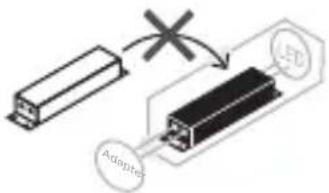
Non-replaceable light source
Non-replaceable control gear
CAUTION!
Avoid replacement of a battery with an incorrect type that can defeat a safeguard. Avoid disposal of a battery into fire or a hot oven, or mechanically crushing or cutting of a battery, that can result in an explosion. Do not leave a battery in an extremely high temperature surrounding environment that can result in an explosion or the leakage of flammable liquid or gas; Do not leave a battery subjected to extremely low air pressure that may result in an explosion or the leakage of flammable liquid or gas.
For Solar Panel
- Keep the device away from fire or hot environments. DO NOT immerse in water or any other liquid.
- Do not attempt to disassemble, repair, or modify the device. If you need service, please contact us.
- Avoid scratching and hitting the surface of the solar panel during use.
- Avoid contact with highly corrosive substances during use.
- The suitable temperature for Tapo Solar Panel and accessories is -20°C to 45°C. The working temperature range for battery charging should be maintained at 0°C to 45°C.
- Make sure the USB connector is fully plugged into your Tapo device.
- Make sure you follow the user manual to install the solar panel correctly.
- Make sure the waterproof gasket and other accessories can protect the connectors on your Tapo device.
The mounting height should not be higher than 2 meters.
Please read and follow the above safety information when operating the device. We cannot guarantee that no accidents or damage will occur due to improper use of the device. Please use this product with care and operate at your own risk.
Warning: Electrical safety
Camera:
Please read and follow the safety instructions below. If you need any help, please contact us. - Do not use the device in a way that may cause damage. - Do not use the device near water or other liquids. - Do not place the device near heat sources or in high temperatures. - Do not immerse the device in water or other liquids. - Use the appropriate adapter. - This device complies with IEC 62368-1 standard, Class 2 (PS2) or Limited Power Source (LPS). Operating temperature: -20°C ~ 45°C. The device should be used in a well-ventilated area; if the ventilation is insufficient, it should be used with a fan. (For cameras with projectors only) - Projector camera weight (including panel): 680 g (23.99 oz). (For cameras with projectors only) - Maximum projector sound level: 14739.6 mm² (22.85 square inches). (For cameras with projectors only) This device has an energy efficiency class E light source. (For cameras with projectors only)
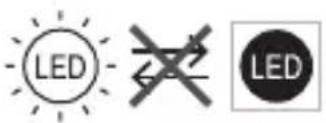
Non-replaceable light source
Non-replaceable control device
CAUTION!
Do not replace or remove the battery yourself, as this may cause damage. Do not expose the battery to fire or high heat, as it may explode. Do not disassemble or puncture the battery. Do not expose the battery to water or other liquids, or to high temperatures; do not expose the battery to extremely low temperatures, as this may cause leakage, corrosion, or explosion.
For solar panel:
Do not install near heat sources or in high temperatures. Do not immerse in water or other liquids. Do not bend, twist, or modify the cable. If you need help, contact us. Do not touch the solar panel with wet hands. - Do not expose the solar panel to corrosive substances. - For Tapo Solar Panel and accessories, the operating temperature is -20°C ~ 45°C. The battery should be stored in a temperature range of 0°C ~ 45°C. Do not connect the USB cable to the Tapo device unless it is properly aligned. Do not force the solar panel into place. If the panel is wet, wipe it dry before use.
Do not touch.
The mounting height should not exceed 2 meters.
The device must be installed in a place where it is not exposed to direct sunlight or heat sources. We are not responsible for any damage caused by improper installation or use. Please handle with care and act according to your own responsibility.
China:
Charges against Kayela:
0°C~45°C 1234567890101123456789010112345678901011234567890101123456789010112345678901011234567890101123456789010112345678
Tapo USB
IEC 62368-1 (LPS) 24 (PS2) 24 (PS2)
45~20:
(1)


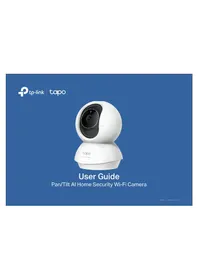
Brand : TP-LINK
Model : Tapo C610
Category : Surveillance Camera