
KW-50 - Kitchen scale WILFA - Free user manual and instructions
Find the device manual for free KW-50 WILFA in PDF.


| Product Type | Kitchen Scale |
| Model | KW-50 |
| Brand | Wilfa |
| Weight Capacity | 5 kg (11 lb) |
| Accuracy | 1 g (0.1 oz) |
| Display | LCD, 4 digits |
| Units | g, kg, lb, oz, ml, fl.oz |
| Functions | Tare, Auto-Off, Low Battery Indicator |
| Power Source | 2 x AAA batteries (included) |
| Dimensions | 20 x 15 x 2 cm (7.9 x 5.9 x 0.8 in) |
| Weight (device) | 220 g (7.8 oz) |
| Material | Stainless steel & plastic |
| Platform Size | 15 x 15 cm (5.9 x 5.9 in) |
| Auto-Off Time | 2 minutes of inactivity |
| Overload Protection | Yes |
| Cleaning | Wipe with damp cloth; do not immerse |
| Reparability | Battery compartment accessible; no user-serviceable parts inside |
| Included Accessories | 2 x AAA batteries, user manual |
Frequently Asked Questions - KW-50 WILFA
User questions about KW-50 WILFA
0 question about this device. Answer the ones you know or ask your own.
Ask a new question about this device
Download the instructions for your Kitchen scale in PDF format for free! Find your manual KW-50 - WILFA and take your electronic device back in hand. On this page are published all the documents necessary for the use of your device. KW-50 by WILFA.
USER MANUAL KW-50 WILFA
Wilfa SILVER
Scale
Bruksanvisning
Bruksanvisning
Operating Instructions
KW-50
LES ALLE ANVISNINGER F∅R BRUK
LÄS IGENOM ALLA INSTRUKTIONER INNAN PRODUKTEN ANVÄNDS
LÆS ALLE VEJLEDNINGER INDEN BRUG
LUE OHJEET HUOLELLISESTI ENNEN KÄYTTÖÄ
READ ALL INSTRUCTIONS BEFORE USING
natural_image
Technical line drawing of a rectangular enclosure with mounting holes and internal components (no text or symbols)BESKRIVELSE AV FUNKSJONER
Skift ut batteriet
flowchart
graph TD
    A["0"] --> B["0:0.0"]
    C["0"] --> D["0.0"]
    E["0"] --> F["0.0"]
    G["↑"] --> H["↓"]
    I["←"] --> J["0.0"]
natural_image
Technical line drawing of a rectangular enclosure with mounting holes and internal components (no text or symbols)FUNKTIONSBESKRIVNING
flowchart
graph TD
    A["0"] --> B["0:0.0"]
    B --> C["0.0"]
    D["0"] --> E["0"]
    E --> F["0.0"]
    G["↑"] --> H["↓"]
    I["←"] --> J["0.0"]
natural_image
Technical diagram of a rectangular electronic device with mounting holes and internal components (no text or symbols)FUNKTIONSBESKRIVELSE
flowchart
graph TD
    A["0"] --> B["0:0.0"]
    B --> C["0.0"]
    D["0"] --> E["0m1"]
    E --> F["0.0"]
    G["0"] --> H["0z"]
    H --> I["0.0"]
natural_image
Technical line drawing of a rectangular electronic device with mounting holes and internal components (no text or symbols)TOIMINTOJEN KUVAUS
Read all instructions before use. Read carefully and keep for future reference.
IMPORTANT SAFETY INSTRUCTIONS....5
Product overview....6
Function description....6
Troubleshooting....10
IMPORTANT SAFETY INSTRUCTIONS
- Always place the object to be weight at the center of the kitchen scale.
- Do not place any object on top of the scale before switching the appliance on.
- Remove the batteries if the scale is not being used for a long period.
- Clean the scale with a slightly damp. Do not use chemical/abrasive cleaning agents.
- Never immerse the appliance into water or any other liquid.
- Keep the scale in a cool dry area.
PRODUCT OVERVIEW
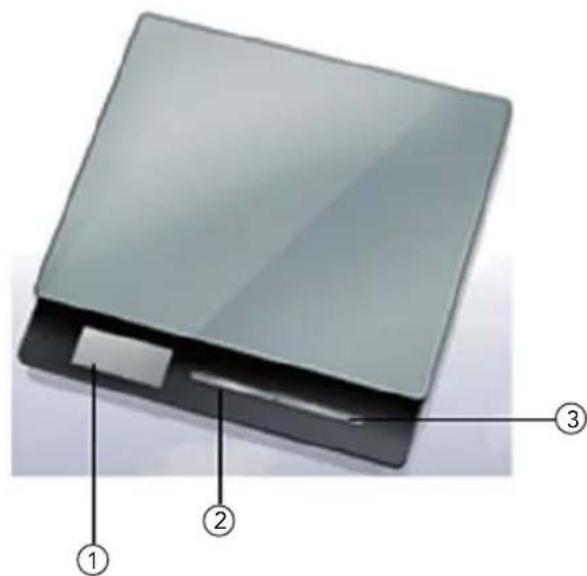
① LCD Display
② ON/OFF/ZERO Button
③ Unit button
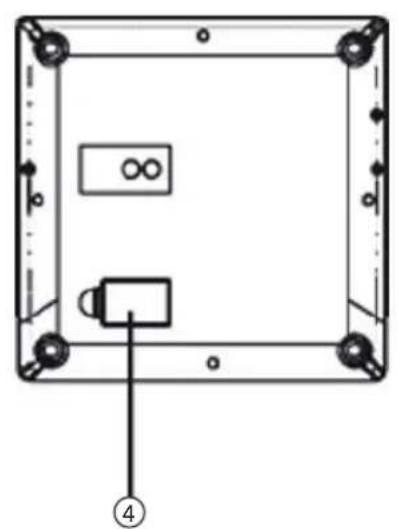
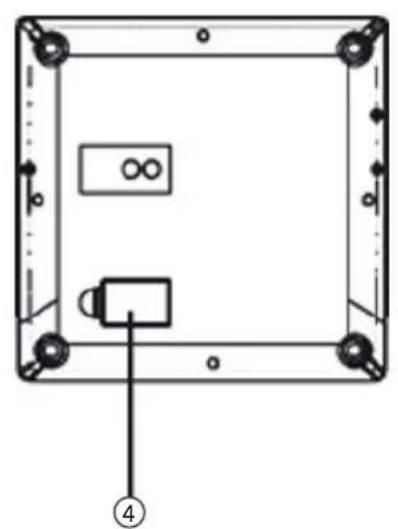
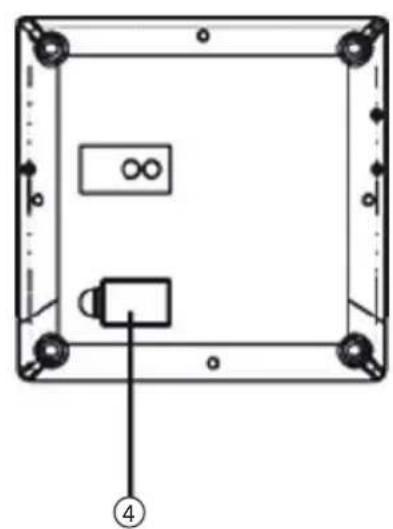
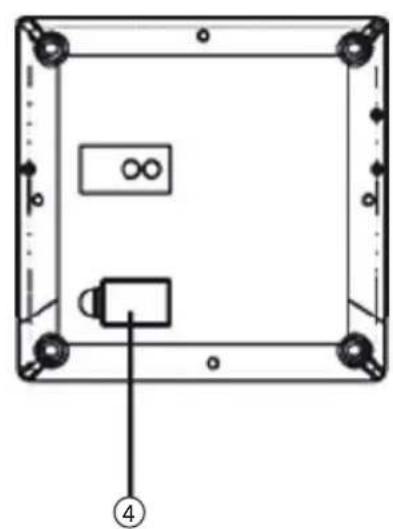
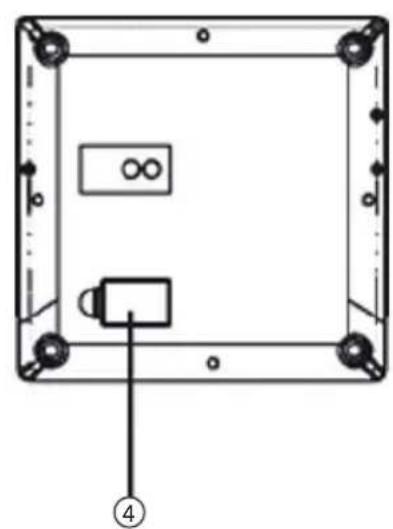
④ Battery Compartment Cover
natural_image
Technical line drawing of a rectangular electronic device with mounting holes and internal components (no text or symbols)FUNCTION DESCRIPTION
- ON/OFF/ZERO Button - Press the ON/OFF/ZERO button to switch the scale on.
- Press and hold the ON/OFF/ZERO button for 2s to switch the scale off. Press the ON/OFF/ZERO button to reset the display to zero.
- UNIT button - Press to the UNIT button to select your desired weight unit.
LCD Display
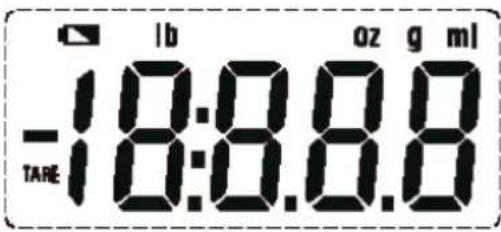
| TARE | Tare function Weight unit (Pound) | |
| ml | Volume unit (milliliter) Weight Unit (Gram) | |
| oz | Volume unit (Ounce) Negative value | |
| Low Battery |
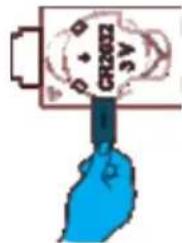
Remove the battery strip
- Open the battery compartment cover in the back of the scale.
- Take out the insulating strip along the direction as the picture shown on the right.
- Close the battery compartment cover. The LCD displays as below:

Replace the battery
When the half battery symbol appears in the LCD display it indicates that the power of the device starts to become low but it can be used for a while. And when the symbol "Lo" appears, the device will power off soon. Then you shall replace with a new battery.
- Open the battery compartment cover in the back of the scale.
- Insert the battery compartment (1xCR2032) into the battery.
- Close the battery compartment cover.
Change weight unit
In weighing mode, press the UNIT button to select your desired unit (g, lb:oz, oz, ml). The units will be displayed in the LCD display. (The default unit is g)
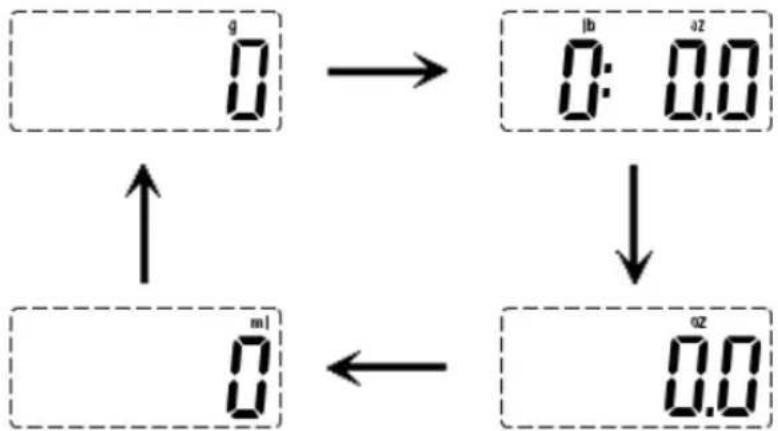
flowchart
graph TD
    A["0"] --> B["0:0.0"]
    B --> C["0.0"]
    D["0"] --> E["0"]
    E --> F["0.0"]
    G["↑"] --> H["↓"]
    I["←"] --> J["0.0"]
NOTE: After you have selected your desired weight unit, you may start the weighing. If there is no operation, the scale will switch off automatically in about 2 minutes. Or you can press and hold the ON/OFF/ZERO button for about 2s to switch the scale off
Weight settings
- Place the scale on a solid level and flat surface to weigh.
- Do not place any objects on the scale.
- Press the ON/OFF/ZERO button lightly to go to weight mode.
- Start weight objects when the displays shows "0".

- Place the item you wish to weigh onto the scale, the weight data will be shown.
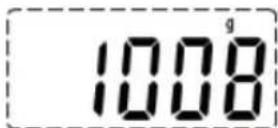
NOTE: If there is no operation, the scale will switch off automatically in about 2 minutes. Or you can press and hold the ON/OFF/ZERO button for about 2s to switch the scale off.
Measuring with tare function
TARE function allows you to weigh different items consecutively without removing the items from the scale.
- When the scale is off, press the ON/OFF/ZERO button to go to the weighing mode. You can start to weigh when "0" is shown on the LCD.

- Place the first item you wish to weight onto the scale, the LCD will show the weight of the first item.
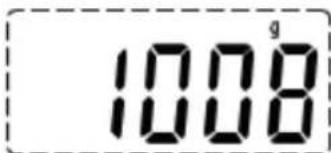
- Press the ON/OFF/ZERO button to reset the display to zero.
NOTE: If the weight is less than 50g, the "TARE" icon will not appear on the display by pressing the ON/OFF/ZERO button.
- Now add another item to weigh onto the scale. The LCD will show the weight of the newly added item.
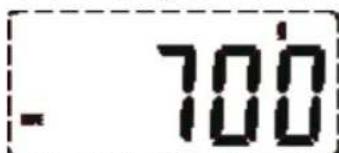
- If you remove the item added to the scale, the LCD will again show zero. But if you remove all items from the scale, the LCD will show a negative value indicated by a minus sign.
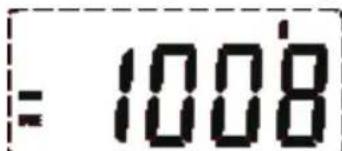
- When it shows the negative value, press the ON/OFF/ZERO button again, it will clear to zero.
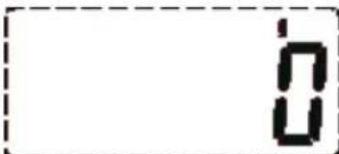
- If there is no operation, the scale will switch off automatically in about 2 minutes. Or you can press and hold the ON/OFF/ZERO button for about 2s to switch the scale off.
TROUBLESHOOTING
| Problem Root Cause Solutions | |
| The LCD displays Low battery. The battery is not enough, but you can still use the scale. | Remind you to change the battery. |
| The LCD display is dim or displays Lo | Low battery, the scale will power off soon. |
| The device isn't on when you press the start button. | The battery is exhaust. Please replace with 1xCR2032 new battery. |
| The battery is not inserted correctly. | |
| The LCD displays Overload. Please remove the weight on the scale to protect the loadcells. Suggest buy a new scale with higher weight range. | |
| The LCD displays Before you turn on the scale, there is some things on the scale which are over 1000 g. | Remove the things from the scale, wait until it displays zero, then you can start weighing. |
| The measurement is not accurate/LCD displays UnSt | The weight is unstable when you turn on the scale. |
Under the Waste Electrical and Electronic Equipment Directive (WEEE), such waste must be collected separately and processed. If in future you need to discard this product, please do not throw it out with your normal rubbish. Please send this product to a collection point where one is available.

AS WILFA
Industriveien 25
1481 Hagan
Norway wilfa.com

in homes since 1948
AS WILFA
Industriveien 25
1481 Hagan
Norway
wilfa.com
Brand : WILFA
Model : KW-50
Category : Kitchen scale