
SWV8433 - Power outlet PHILIPS - Free user manual and instructions
Find the device manual for free SWV8433 PHILIPS in PDF.


| Product Type | LED Monitor |
| Brand | Philips |
| Model | SWV8433 (222E2/222EL2) |
| Screen Size | 21.5 inches (approx.) |
| Resolution | 1920 x 1080 (Full HD) |
| Brightness | 250 cd/m² |
| Contrast Ratio | 1000:1 (typical) |
| Response Time | 5 ms |
| Viewing Angle | 170° horizontal / 160° vertical |
| Connectivity | VGA, DVI (optional), Audio In |
| Power Consumption | 26 W (222E2) / 17 W (222EL2) typical |
| Standby Power | < 0.5 W |
| Energy Star | Yes |
| TCO Certified | Displays 5.0 |
| VESA Mount | 100 x 100 mm |
| Weight (with stand) | Approx. 3.5 kg |
| Dimensions (with stand) | 510 x 380 x 180 mm |
| Built-in Speakers | Yes (2 x 2W) |
| What's in the Box | Monitor, Base Stand, Quick Start Guide, EDFU CD, Power Cord, VGA Cable (optional), DVI Cable (optional) |
Frequently Asked Questions - SWV8433 PHILIPS
User questions about SWV8433 PHILIPS
0 question about this device. Answer the ones you know or ask your own.
Ask a new question about this device
Download the instructions for your Power outlet in PDF format for free! Find your manual SWV8433 - PHILIPS and take your electronic device back in hand. On this page are published all the documents necessary for the use of your device. SWV8433 by PHILIPS.
USER MANUAL SWV8433 PHILIPS
natural_image
Black Philips monitor displaying a blue abstract wave design on screen (no text or symbols visible on the device itself)www.philips.com/welcome
NO Brukerveiledning 1
Waste Electrical and Electronic Equipment-WEEE

This marking on the product or on its packaging illustrates that, under European Directive 2002/96/EC governing used electrical and electronic appliances, this product may not be disposed of with normal household waste. You are responsible for disposal of this equipment through a designated waste electrical and electronic equipment collection. To determine the locations for dropping off such waste electrical and electronic, contact your local government office, the waste disposal organization that serves your household or the store at which you purchased the product.
Your new monitor contains materials that can be recycled and reused. Specialized companies can recycle your product to increase the amount of reusable materials and to minimize the amount to be disposed of.
All redundant packing material has been omitted. We have done our utmost to make the packaging easily separable into mono materials.
Please find out about the local regulations on how to dispose of your old monitor and packing from your sales representative.
Recycling Information for Customers
There is currently a system of recycling up and running in the European countries, such as The Netherlands, Belgium, Norway, Sweden and Denmark.
In Asia Pacific, Taiwan, the products can be taken back by Environment Protection Administration (EPA) to follow the IT product recycling management process, detail can be found in web site www.epa.gov.tw
The monitor contains parts that could cause damage to the nature environment. Therefore, it is vital that the monitor is recycled at the end of its life cycle.
For help and service, please contact Consumers Information Center or F1rst Choice Contact Information Center in each country.
natural_image
Line drawing of a flat-screen computer monitor (no text or symbols)Monitor
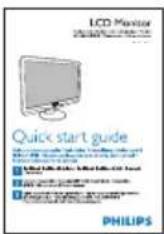
Quick start guide
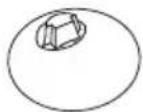
Base stand
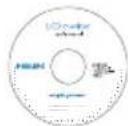
EDFU CD

Power cord VGA signal cable (optional)
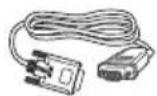

DVI cable (optional)
2 Installer stativet
Plasser monitoren med skjermsiden ned på 1. en myk overflate, pass på at du ikke skraper opp eller skader skjermen. Løft deretter skjermstativet.
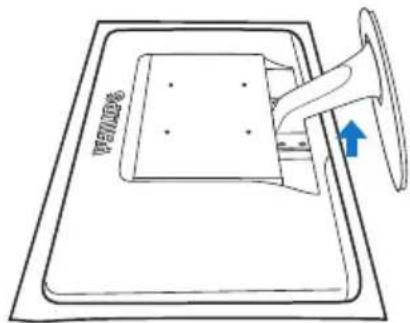
3 Kople til din PC
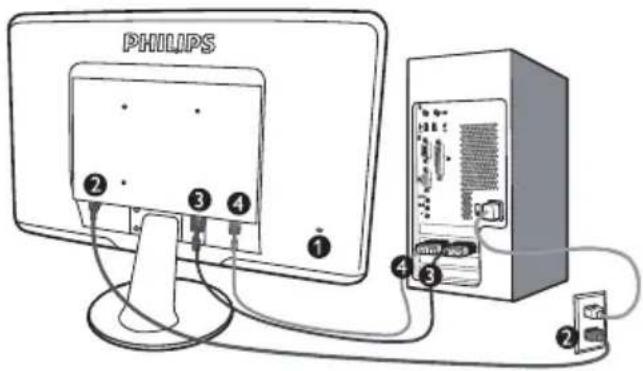
natural_image
Line drawing of a flat-screen computer monitor with no text or symbols on the screen or body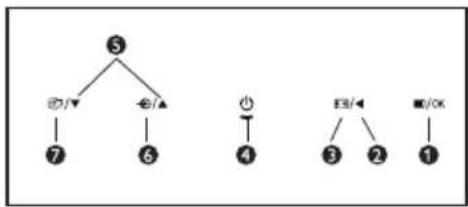
flowchart
graph TD
    5 --> 7
    5 --> 6
    7 --> 4
    6 --> 4
    4 --> 3
    3 --> 2
    2 --> 1
natural_image
Line drawing of a mechanical device with a bell and base plate (no text or symbols)Merknad
natural_image
Illustration of a computer monitor with a circular icon showing a coffee cup (no text or symbols)2 Start med Standard-rute:
Justeringsmeny:
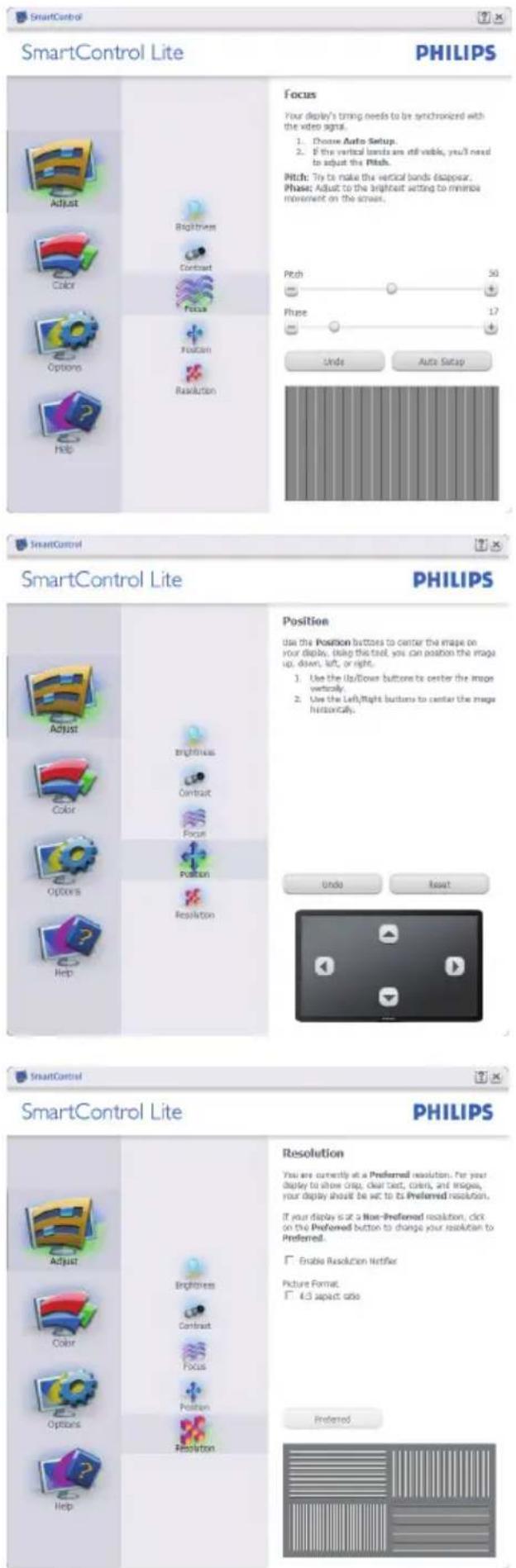
Fargemeny:
I Color Menu (fargemenyen kan) du justere • RGB, Black Level (sortnivå), White Point (hvitpunkt), Color Calibration (fargekalibrering) og SmartImage Lite (se delen om SmartImage Lite).
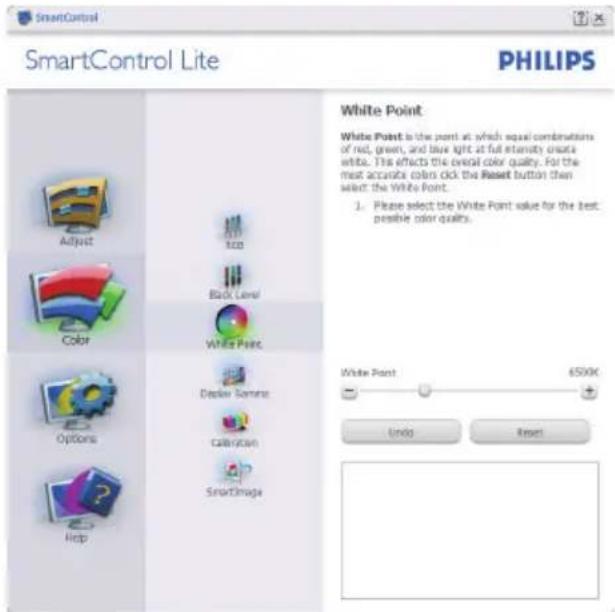
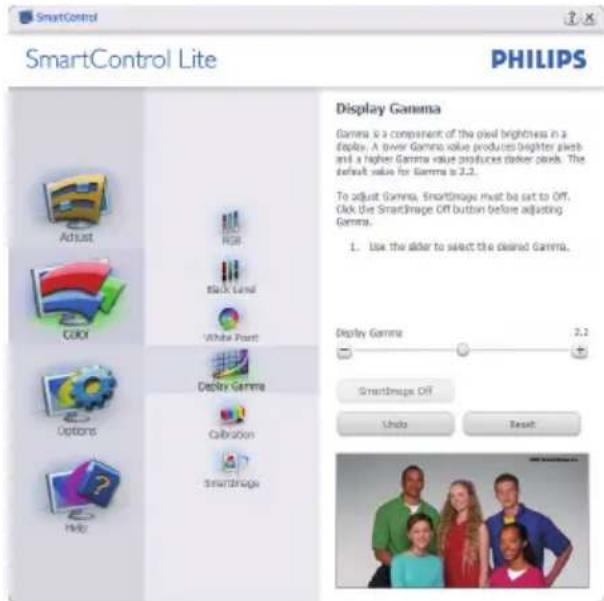
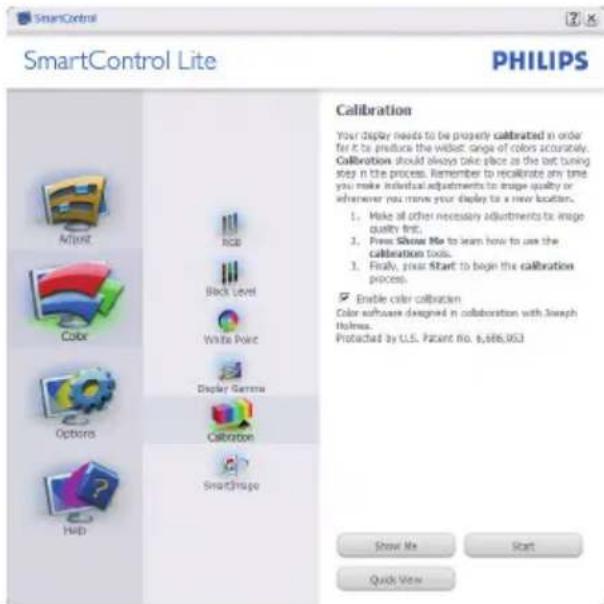
"Show Me" ("Vis meg") starter 1. opplæringsprogrammet for fargekalibrering.
Start - setter i gang den seks steg lange 2. fargekalibreringssekvensen.
natural_image
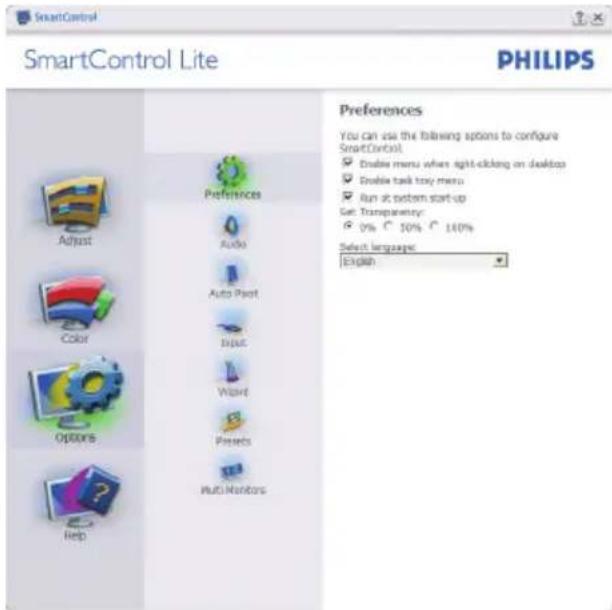
Colorful circular ring diagram with a central square, displayed on a grid background (no text or symbols)Options (Alternativer) > Preferences
(Egenskaper) - Er kun aktiv när du velger Preferences (Egenskaper) fra rullegardinmenyen Options (Valg). På en skjerm som ikke støttes, men er DDC/CD-kompatibel, er kun kategoriene Help (Hjelp) og Options (Alternativer) tilgjengelige.
Help (Hjelp) > User Manual (Bruksanvisning)
- Er kun aktiv når du velger User Manual (Bruksanvisning) fra rullegardinmenyen Help (Hjelp). På en skjerm som ikke støttes, men er DDC/CD-kompatibel, er kun kategoriene Help (Hjelp) og Options (Alternativer) tilgjengelige.
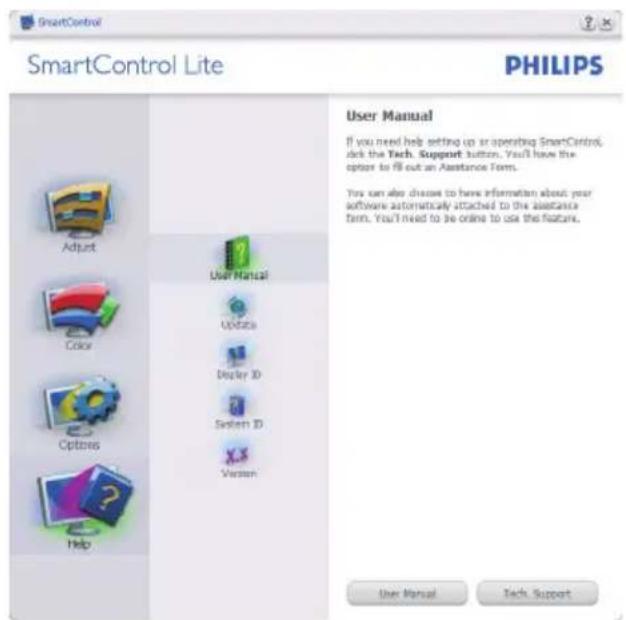
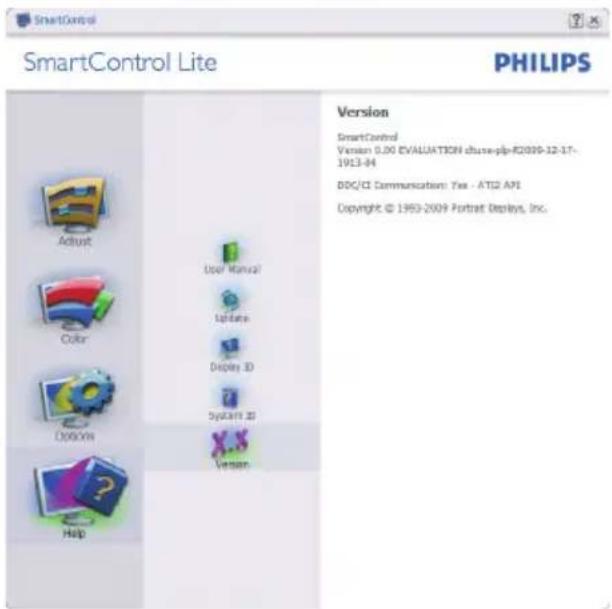
Help (Hjelp) > Version (Versjon) - Er kun aktiv när du velger Version (Versjon) fra rullegardinmenyen Help (Hjelp). På en skjem som ikke støttes, men er DDC/CD-kompatibel, er kun kategoriene Help (Hjelp) og Options (Alternativer) tilgjengelige.
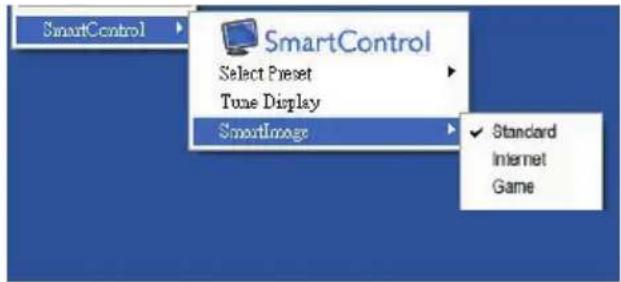
Context Sensitive (Kontekstavhengig)-meny
Context Sensitive (Kontekstavhengig)-menyen er aktivert som standard. Hvis Enable Context Menu (Aktiver Kontekst-menyen) er klikket av for i Options (Alternativer) > Preferences (Egenskaper)-boksen, vil menyen vises.
natural_image
Simple diagram with a black vertical rectangle inside a rounded rectangle (no text or symbols)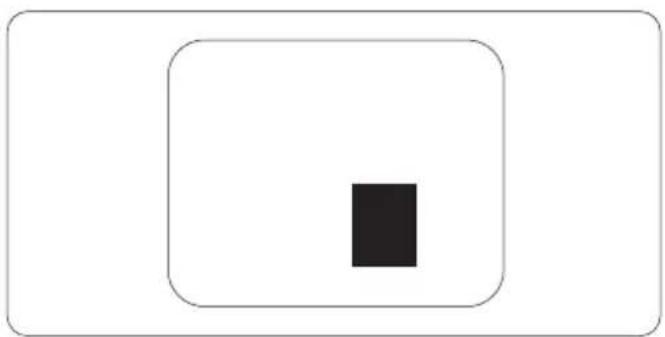
natural_image
Simple geometric diagram with a black square centered inside a larger rounded rectangle (no text or symbols)Lead free display promotes environmentally sound recovery and disposal of waste from electrical and electronic equipment. Toxic substances like Lead has been eliminated and compliance with European community's stringent RoHs directive mandating restrictions on hazardous substances in electrical and electronic equipment have been adhered to in order to make Philips monitors safe to use throughout its life cycle.
TCO Displays 5.0 Information

Congratulations,
Your display is designed for both you and the planet!
This display carries the TCO Certified label. This ensures that the display is designed for minimal impact on the climate and natural environment, while offering all the performance expected from top of the line electronic products. TCO Certified is a third party verified program, where every product model is tested by an accredited independent test laboratory. TCO Certified represents one of the toughest certifications for displays worldwide.
Some of the Usability features of the TCO Displays 5.0 requirements:
Visual Ergonomics
Good visual ergonomics in order to improve the working environment for the user and to reduce sight and strain problems. Important parameters are:
Light levels without color tint, Uniform color and luminance, Wide color gamut Calibrated color temperature and gamma curve
Wide luminance level, Dark black levels, Low • motion blur
Electrical Safety
Product fulfills rigorous safety standards • Emissions
Low alternating electric and magnetic fields • emissions
Low acoustic noise emissions •
Some of the Environmental features of the • TCO Displays 5.0 requirements
The brand owner demonstrates corporate • social responsibility and has a certified environmental management system (EMAS or ISO 14001)
Very low energy consumption both in on- and • standby mode
- Restrictions on chlorinated and brominated flame retardants, plasticizer and polymers
- Restrictions on heavy metals such as cadmium, mercury and lead (RoHS compliance)
EPEAT
(www.epeat.net)

"The EPEAT (Electronic Product Environmental Assessment Tool) program evaluates computer desktops, laptops, and monitors based
on 51 environmental criteria developed through an extensive stakeholder consensus process supported by US EPA.
EPEAT system helps purchasers in the public and private sectors evaluate, compare and select desktop computers, notebooks and monitors based on their environmental attributes. EPEAT also provides a clear and consistent set of performance criteria for the design of products, and provides an opportunity for manufacturers to secure market recognition for efforts to reduce the environmental impact of its products."
Benefits of EPEAT
Reduce use of primary materials
Reduce use of toxic materials
Avoid the disposal of hazardous waste EPEAT'S requirement that all registered products meet ENERGY STAR's energy efficiency specifications, means that these products will consume less energy throughout their life.
CE Declaration of Conformity
This product is in conformity with the following standards
EN60950-1:2006 (Safety requirement of • Information Technology Equipment)
EN55022:2006 (Radio Disturbance • requirement of Information Technology Equipment)
EN55024:1998+A1:2001+A2:2003 (Immunity requirement of Information Technology Equipment)
EN61000-3-2:2006 (Limits for Harmonic • Current Emission)
EN61000-3-3:1995+A1:2001+A2:2005
(Limitation of Voltage Fluctuation and Flicker) following provisions of directives applicable 2006/95/EC (Low Voltage Directive) •
2004/108/EC (EMC Directive) •
2005/32/EC (EuP Directive, EC No. 1275/2008
implementing Directive for Standby and Off mode power consumption) and is produced by a manufacturing organization on ISO9000 level.
The product also comply with the following • standards
• ISO9241-307:2008 (Ergonomic requirement, Analysis and compliance test methods for electronic visual displays)
• GS EK1-2000:2009 (GS mark requirement) prEN50279:1998 (Low Frequency Electric and Magnetic fields for Visual Display)
- MPR-II (MPR:1990:8/1990:10 Low Frequency Electric and Magnetic fields)
• TCO Displays 5.0 (Requirement for Environment Labeling of Ergonomics, Energy, Ecology and Emission, TCO: Swedish Confederation of Professional Employees) for TCO versions
Energy Star Declaration
(www.energystar.gov)
This monitor is equipped with a function for saving energy which supports the VESA Display Power Management (DPM) standard. This means that the monitor must be connected to a computer which supports VESA DPM. Time settings are adjusted from the system unit by software.
| VESA State | LED Indicator | Power Consumption | |
| Normal operation | ON (Active) | White | 222E2< 26 W (typ.)222EL2< 17 W (typ.) |
| Power Saving Alternative 2 One step | Sleep (typ.)Switch Off | White Blinking Off | < 0.5 W (typ.)< 0.5 W (typ.) |

As an ENERGY STAR® Partner, we have determined that this product
meets the ENERGY STAR ^® guidelines for energy efficiency.

Note
We recommend you switch off the monitor when it is not in use for a long time.
Federal Communications Commission (FCC) Notice (U.S. Only)

This equipment has been tested and found to comply with the limits for a Class B digital device, pursuant to Part 15 of the FCC Rules. These limits are designed to provide reasonable protection against harmful interference in a residential installation. This equipment generates, uses and can radiate radio frequency energy and, if not installed and used in accordance with the instructions, may cause harmful interference to radio communications. However, there is no guarantee that interference will not occur in a particular installation. If this equipment does cause harmful interference to radio or television reception, which can be determined by turning the equipment off and on, the user is encouraged to try to correct the interference by one or more of the following measures:
Reorient or relocate the receiving antenna. • Increase the separation between the • equipment and receiver.
Connect the equipment into an outlet on • a circuit different from that to which the receiver is connected.
Consult the dealer or an experienced radio/• TV technician for help.

Changes or modifications not expressly approved by the party responsible for compliance could void the user's authority to operate the equipment.
Use only RF shielded cable that was supplied with the monitor when connecting this monitor to a computer device.
To prevent damage which may result in fire or shock hazard, do not expose this appliance to rain or excessive moisture.
THIS CLASS B DIGITAL APPARATUS MEETS ALL REQUIREMENTS OF THE CANADIAN INTERFERENCE-CAUSING EQUIPMENT REGULATIONS.
FCC Declaration of Conformity
Declaration of Conformity for Products Marked with FCC Logo,
United States Only

This device complies with Part 15 of the FCC Rules. Operation is subject to the following two conditions: (1) this device may not cause harmful interference, and (2) this device must accept any interference received, including interference that may cause undesired operation.
Commission Federale de la Communication (FCC Declaration)

EN 55022 Compliance (Czech Republic Only)
This device belongs to category B devices as described in EN 55022, unless it is specifically stated that it is a Class A device on the specification label. The following applies to devices in Class A of EN 55022 (radius of protection up to 30 meters). The user of the device is obliged to take all steps necessary to remove sources of interference to telecommunication or other devices.
Polish Center for Testing and Certification Notice
The equipment should draw power from a socket with an attached protection circuit (a three-prong socket). All equipment that works together (computer, monitor, printer, and so on) should have the same power supply source.
The phasing conductor of the room's electrical installation should have a reserve short-circuit protection device in the form of a fuse with a nominal value no larger than 16 amperes (A).
To completely switch off the equipment, the power supply cable must be removed from the power supply socket, which should be located near the equipment and easily accessible.
A protection mark "B" confirms that the equipment is in compliance with the protection usage requirements of standards PN-93/T-42107 and PN-89/E-06251.
North Europe (Nordic Countries) Information
| Placering/VentilationVARNING:FÖRSÄKRA DIG OM ATT HUVUDBRYTAREOCH UTTAG ÄR LÄTÄTKOMLIGA, NÄR DUSTÄLLER DIN UTRUSTNING PÅPLATS. |
| Placering/VentilationADVARSEL:S∅RG VED PLACERINGEN FOR, ATNETLEDNINGENS STIK OG STIKKONTAKT ERNEMT TILGÆNGELIGE. |
| Paikka/llmankiertoVAROITUS:SIJOITA LAITE SITEN, ETTÄ VERKKOJOHTOVOIDAAN TARVITTAESSA HELPOSTIIRROTTAA PISTORASIASTA. |
| Plassering/VentilasjonADVARSEL:NÅR DETTE UTSTYRET PLASSERES, MÅDU PASSE PÅ AT KONTAKTENE FORST∅MTILF∅RSEL ER LETTE Å NÅ. |
BSMI Notice (Taiwan Only)
符合乙類資訊產品之標準
The People's Republic of China released a regulation called "Management Methods for Controlling Pollution by Electronic Information Products" or commonly referred to as China RoHS. All products including CRT and LCD monitor which are produced and sold for China market have to meet China RoHS request.
中国大陆RoHS
Australia / New Zealand
ASIA
Kina / Hong Kong / India / Indonesia / Korea / Malaysia / Pakistan / Filippinene / Singapore / Taiwan / Thailand / Vietnam
AFRIKA
Sør-Afrika
MIDT∅STEN
United Arab Emirates
Din Philips F1rst Choice-garanti
Adresse: 28 Walls Rd Penrose Auckland
Tel: 0800 657447
Faks: 09 5809607
E-post: vai.ravindran@visualgroup.co.nz
Servicetimer: Man.-Fre. 8.30-17.30
Asia
HONG KONG/MACAO
Firmanavn: PHK Service Limited
Adresse: Flat A, 10/F., Pak Sun Building, 103 - 107
Wo Yi Hop Road, Kwai Chung, New Territories, Hong Kong
Tel: (852) 2610-6908 / (852) 2610-6929 for Hong
Selskap: REDINGTON INDIA LTD
Adresse: SPL Guindy House, 95 Mount Road,
Chennai 600032, India
Tel: +9144-42243352/353
E-post: aftersales@in.aocmonitor.com
Servicetimer: Man.-Fre. 9.00-17.30; Lør. 9.00-13.00
INDONESIA
Firmanavn: PT. Gadingsari elektronika Prima
Adresse: Komplek Pinang 8, Jl. Ciputat raya No. 8F,
Selskap: After Market Solutions (CE) Sdn Bhd
Adresse: Lot 6. Jalan 225/51A, 46100 Petaling Jaya,
Selangor DE, Malaysia.
Tel: 603 7953 3370
Philips informasjonslinje: 1-800-880-180
Faks: 603 7953 3338
E-post: pceinfo.my@philips.com
Servicetimer: Man.-Fre. 8.15-17.15; Lør. 9.00-13.00
PAKISTAN
Philips Consumer Service
Adresse: Mubarak manzil, 39, Garden Road, Saddar,
Karachi-74400
Tel: (9221) 2737411-16
Faks: (9221) 2721167
E-post: care@philips.com
Nettsted: www.philips.com.p
SINGAPORE
Selskap: Philips Electronics Singapore Pte Ltd
(Philips Consumer Care Center)
Adresse: 620A Lorong 1 Toa Payoh, TP4 Building
Level 1, Singapore 319762
Tel: (65) 6882 3999
Faks: (65) 62508037
E-post: consumer.care.sg@philips.com
Servicetimer: Man.-Fre. 9.00-18.00; Lør. 9.00-13.00
TAIWAN
Selskap: FETEC.CO
Adresse: 3F, No.6, Lane 205, Sec. 1, Chang Hsing
Rd, Lu Chu Hs, Taoyuan, Taiwan R.O.C 33800
Town Soi 3 Road, Wangthonglang, Bangkok 10310
Thailand
Tel: (662) 934-5498
Glee Electronics Inc
Kontaktnr. (632) 636-3636 / 7064028 to 29
4th Level Cyberzone, Building B,
SM Megamall, Mandaluyong City
NEO CARE - SM North EDSA
4th Level Cyberzone, Annex Bldg.
SM City North EDSA, Quezon City
441-1610
MDR Microwave Sales Inc.
Cebu Branch
N. Escario corner Clavano St., Cebu City Phils.
# 255-4415/255-3242/253-9361/4124864 to 67
Søn # 0922-8210045 to 46
Davao Office
C. Arellano St., Davao City 8000
082-225-3021/225-3022
Søn # 0922-8210015
CDO Office
1445 Corrales Ext., CDO City
088-856-8540/856-8541
Søn # 0922-8210080
Iloilo Office
C. Lim Comp., Gomez St., Iloilo City
# 033 338-4159/033 508-3741
Søn # 0922-8808850
Afrika
S∅R-AFRIKA
Firmanavn: Sylvara Technologies Pty Ltd
Adresse: Ho Address Palm Springs Centre
Christoffel Road Van Riebeeck Park Kempton Park,
South Africa
Tel: +27878084456
E-post: customercare@philipssupport.co.za
Servicetimer: Man.-Fre. 8.00-17.00
Midtøsten
MIDT-∅STEN + NORD-AFRIKA
Selskap: AL SHAHD COMPUTER L.L.C
Adresse: P.O.BOX: 29024, DUBAI, UNITED ARAB
EMIRATES
Tel: 00971 4 2276525
Faks: 00971 4 2276242
E-post: shahd52@eim.ae
Servicetimer: Lør.-Tor. 9.00-13.00 og 16.00-20.00
ISRAEL
Selskap: Eastronics LTD
Adresse: 13 Rozanis St. P.O.B. 39300, Tel Aviv 61392 Israel
E-post: eastronics@eastronics.co.il
Servicetimer: Søn.\~Tor. 9.00-18.00
Din Philips F1rst Choice-garanti(USA)
Always activate a moving screen saver • program when you leave your monitor unattended.
Always activate a moving screen saver program when you leave your monitor unattended.
Version: 222E2/222EL2 v1.0
- Waste Electrical and Electronic Equipment-WEEE
- Recycling Information for Customers
- Installer stativet
- Kople til din PC
- Merknad
- Start med Standard-rute:
- Justeringsmeny:
- Fargemeny:
- Options (Alternativer) > Preferences
- Help (Hjelp) > User Manual (Bruksanvisning)
- Context Sensitive (Kontekstavhengig)-meny
- TCO Displays 5.0 Information
- Some of the Usability features of the TCO Displays 5.0 requirements:
- Visual Ergonomics
- Electrical Safety
- EPEAT
- Benefits of EPEAT
- CE Declaration of Conformity
- Energy Star Declaration
- Note
- Federal Communications Commission (FCC) Notice (U.S. Only)
- FCC Declaration of Conformity
- Commission Federale de la Communication (FCC Declaration)
- EN 55022 Compliance (Czech Republic Only)
- Polish Center for Testing and Certification Notice
- North Europe (Nordic Countries) Information
- BSMI Notice (Taiwan Only)
- ASIA
- AFRIKA
- MIDT∅STEN
- Din Philips F1rst Choice-garanti
- HONG KONG/MACAO
- INDONESIA
- PAKISTAN
- SINGAPORE
- TAIWAN
- Glee Electronics Inc
- NEO CARE - SM North EDSA
- MDR Microwave Sales Inc.
- Davao Office
- CDO Office
- Iloilo Office
- S∅R-AFRIKA
- Midtøsten
- MIDT-∅STEN + NORD-AFRIKA
- ISRAEL
- Din Philips F1rst Choice-garanti(USA)
Brand : PHILIPS
Model : SWV8433
Category : Power outlet