
LM320D - Mètre Uni-T - Free user manual and instructions
Find the device manual for free LM320D Uni-T in PDF.


Pick your language and provide your email: we'll send you a specifically translated version.
| Product Type | Laser Distance Meter |
| Brand | Uni-T |
| Model | LM320D |
| Measuring Range | Up to 40 meters |
| Accuracy | ±2 mm |
| Laser Class | Class 2, <1 mW |
| Display | Backlit LCD |
| Units | m, ft, in |
| Measurement Functions | Distance, Area, Volume, Continuous measurement |
| Battery | 2× AAA batteries |
| Auto Shut-off | After 30 seconds |
| Operating Temperature | 0°C to 40°C |
| Dimensions | 110 × 45 × 25 mm |
| Weight | 100 g (with batteries) |
| Material | ABS plastic |
| Protection Rating | IP54 (dust and splash proof) |
| Includes | Device, carry case, manual |
Frequently Asked Questions - LM320D Uni-T
What is the maximum measuring distance of the Uni-T LM320D?
The maximum measuring distance is up to 40 meters under optimal conditions.
How accurate is the LM320D laser meter?
The accuracy is ±2 mm for distances up to 10 meters, and within ±3 mm for longer distances.
What type of batteries does the LM320D use?
It uses 2 AAA alkaline batteries (not included).
How do I switch between units (meters, feet, inches)?
Press and hold the UNIT button for 2 seconds to cycle through m, ft, in.
Can I measure areas and volumes with this device?
Yes, it supports area (length × width) and volume (length × width × height) calculations.
Is the laser safe for eyes?
The device uses a Class 2 laser (<1 mW). It is safe for normal use but avoid direct eye exposure.
How do I clean the lens?
Wipe the lens gently with a soft, dry cloth. Do not use solvents or abrasive materials.
What does the 'CONT' mode do?
Continuous measurement mode (CONT) updates the distance reading in real time as you move the device, useful for tracking minimum/maximum distances.
Why does the device turn off automatically?
The auto shut-off activates after 30 seconds of inactivity to conserve battery life.
Is the LM320D water resistant?
It has an IP54 rating, meaning it is protected against dust ingress and splashing water, but not fully waterproof.
User questions about LM320D Uni-T
0 question about this device. Answer the ones you know or ask your own.
Ask a new question about this device
No questions yet. Be the first to ask one.
Download the instructions for your Mètre in PDF format for free! Find your manual LM320D - Uni-T and take your electronic device back in hand. On this page are published all the documents necessary for the use of your device. LM320D by Uni-T.
USER MANUAL LM320D Uni-T
| Angle MeterLMS20D/LMS320E/LMS20F | PRESUSEThank you for purchasing the new Angle Meter. In order to use this product safety and correctly, please need the manual TransparencyAfter reading this manual, it is recommended to keep the manual at an easily accessible place, primarily close to the device, for future reference. | ||||||||||
| LIMITED WARRANTY AND LIABILITYUni-Trend guarantees that the product is free from any detail in mechanical andversatility within one year from the purchase date. This warranty does not applyto damage caused by accident, negligence, misuse, modification, contaminationand improper handling. The dealer should not be entitled to give any other warranty atbehalf of Uni-Trend. If you need warranty reserve within the warranty period, pleasecontent subordinated service order with the product back with problem description.This warranty is the only compensation you can obtain. Uni-Trend will not bereansponsible for any special, indirect, incidental or subsequent damage or lesscaused by any reason or speculation. As some reasons or motivations do not allowlimitations on implied warranties and incidental or subsequent damage, the aboveinditation of liability and stipulation may not apply to you. | Product Structure1 2" 3 45712 1110 9 8 1413 | 12 POINT/Data Lock Button13 Laser Expense Note only (LMODE, LMODEF)14 Target Changes/Post | |||||||||
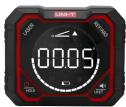
| Operations:Power On in power of state, long press button to power onPower Or in power or state, long press button to power off.Lower ON/OFF (LMODE)In power on state, short press button to make all leases on, and short pressbutton again to make the laser off on the right side. Short press button again,theaser on the left side is off, and then short press buttons again to make all leases.off.Lower ON/OFF (LMODE)In power on state, short press button to make all leases on, and short pressbutton again to make the laser off on the top side. Short press buttons again,theaser on the left side is off, and then short press buttons again to make the laseroff on the right side. Short press button again to make all leases off. | The rated level ofangle measurement of the minimum value of PLASTS/VEGET | [IMAGE] Angle MeasurementIn power on state, place the device on the inclined plane, the show value on thescreen in the angle value between the inclined planes and the horizontal plane.[IMAGE]REF (Relative Value Value)In the measurement mode, short press button to enter the Relative Value mode(Set the correct value to 5), and short press it again to and the mode. | [IMAGE] Calibration ModePlace the device on the absolute history, continuously long press button forthose times to enter the self-calibration mode (see figure 1). CALI flushes on thescreen, short press button to confirm to enter the auto zero calibration (seefigure 2).Rotate the device 80 degrees, press button and CALI flushes on the screen;short press button to confirm to enter the auto zero calibration (see figure 2).Rotate the device 90 degrees, press button and CALI flushes on the screen;short press button to confirm to enter the auto zero calibration (see figure 4).Rotate the device 90 degrees, press button and CALI flushes on the screen;short press button to confirm to enter the auto zero calibration (see figure 5).The device will be auto power off after the calibration, and receive the use of a differ | ||||||||
 User Manual User Manual | 1 | 1 | 1 | 2 | 3 | 4 | 5 | ||||
power-on:    Data LockIs the measurement mode, short press, transfers, etc. the correct measured data;short press again to switch the data. Data LockIs the measurement mode, short press, transfers, etc. the correct measured data;short press again to switch the data.  6 6 | Unit Switch & Sound ON/OFFFor LMODE/LMS20F, long press button to switch the unit (in "call by default"),neck-to, or click its left touch display when "cast shows on the screen, the range ofmeasured value is within measured value -100 = measured value, when" I sizeshows, the range of measured value is within measured value = measured value - measured value +10. For example, 11.768 displays mean 11 and 70%, 9. 300 display means 9 and300.For LMODE, short press UNT button to switch the unitFor LMODE/LMS20F, short press button to make the sound indication on/off ForLMODE, short press button to make the sound indication on/off. | The device at once. When the battery icon chips flashing, the battery is fully charged. | NothingFC-10°CTemperature | [IMAGE] | |||||||
| Layer Type | R | Line 2 | |||||||||
| Layer Type | R | Line 4/6/6, Leaf | |||||||||
| Balance Unit | Rb | Page 3 | |||||||||
| Size | RC*1*PC*1* | Size | |||||||||
| Payload | Apple Model*, Top+ Cat*1, Cell Batch*, Live Stream*1 | ||||||||||
| Technical Parameters | |||||||||||
| UnitsLMODE | 4*9" | 4*9V | |||||||||
| Range | 4*9V | 4*9V | |||||||||
| Capacity | 45*9" | 45*9" | |||||||||
| Angle Accuracy | 45°2" | 45°2" | |||||||||
| Prevalence | 45°2" | 45°2" | |||||||||
| UnitLarge | 45°2" | 45°2" | |||||||||
| Lower Line | N | 2 times | |||||||||
| Lower Accuracy | N | 4 times | |||||||||
| Magnitude Range | Transcribed Magnetic | Transcribed Magnetic | |||||||||
| Radiation/Nozzle Angle | √ | ||||||||||
| Measurement | √ | ||||||||||
| Appearance | √ | ||||||||||
| Angle Hold | √ | ||||||||||
| Screen Radius | √ | ||||||||||
| Auto Power OFF | No operation in Unitsales | ||||||||||
| Materials | 30 white frame +100 | ||||||||||
| Power Supply | Utilized output battery | ||||||||||
| ChargeWhen the low battery scope is showed on the lower side of the screen, charge7 | 8 | 9 | 10 | The manual in input to change without price notice?Due to different batteries, the amplitude and speed of each product may be slightlydifferent from the gauge information, please select to the animal product instead.Experienced data provided to the page 3 how trained lateness of UNEC is sureshould not be a scheme for consumer to place orders. Any questions, pleasecontrol for consumer service, checkor. | |||||||
UNI-T.



Table of contents
Click a title to access it
Manual assistant
Powered by Anthropic
Waiting for your message
Product information
Brand : Uni-T
Model : LM320D
Category : Mètre