
FMT-26BT - FM Transmitter AKAI - Free user manual and instructions
Find the device manual for free FMT-26BT AKAI in PDF.


| Product Type | Bluetooth Car FM Transmitter with MP3 function |
| Model | FMT-26BT |
| Brand | AKAI |
| Dimensions (W x H x D) | 4.3 x 4.3 x 8.2 cm |
| Weight | 45 g |
| Material | ABS |
| Power Input | 12V-24V (Voltage limit 9V-30V) |
| USB Output | 5V 3.1A |
| Type-C Output | 5V 3.1A |
| Bluetooth Version | 5.3 |
| Bluetooth Profiles | HFP, A2DP |
| Bluetooth Transmission Distance | Up to 5 meters |
| FM Frequency Range | 87.5 – 108.0 MHz |
| FM Mode | Stereo digital PLL frequency lock |
| Supported Audio Formats | MP3, WAV |
| Signal-to-Noise Ratio (SNR) | >60 dB |
| Total Harmonic Distortion | <0.1% |
| Charging Function | Supports Type-C and USB charging, max 5V/3.1A each, shared max 5V/3A |
| Hands-free Calling | Voice prompts caller number, answer/reject calls via Bluetooth button |
| U Disk Playback | Automatic playback of MP3/WAV music from USB drive |
| Power-off Memory | Remembers last Bluetooth connection, FM frequency, and USB track |
| Rainbow Ambient Light | 7 colors cycling or selectable single color, can be turned off |
| GPS Navigation | Broadcasts GPS navigation audio through car speakers |
Frequently Asked Questions - FMT-26BT AKAI
User questions about FMT-26BT AKAI
0 question about this device. Answer the ones you know or ask your own.
Ask a new question about this device
Download the instructions for your FM Transmitter in PDF format for free! Find your manual FMT-26BT - AKAI and take your electronic device back in hand. On this page are published all the documents necessary for the use of your device. FMT-26BT by AKAI.
USER MANUAL FMT-26BT AKAI
Bluetooth Car FM Transmitter
FMT-26BT
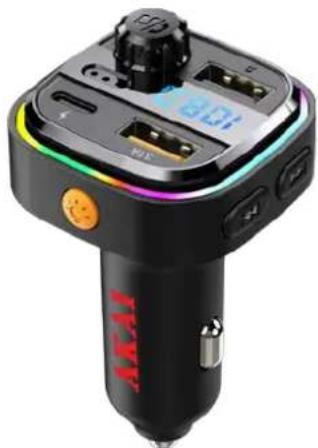
natural_image
Close-up of a black and white JAKI radio driver with digital display and control buttons (no readable text or symbols)EN - ENGLISH
USER MANUAL
Thank you for purchasing this product, please read the operating instructions carefully before use to ensure that you are using it correctly.
This product is a car FM transmitter with MP3 function, it uses a dedicated 5.3 high-performance Bluetooth module, and built-in high-quality MP3/WAV decoder chip. It can transfer the music inside the U disk to the car audio without wire, as long as your phone supports Bluetooth. After the connection is successful, you can send the music to your car audio through the car FM. You can enjoy the music without modifying your car. If there is an incoming call, the caller number will be automatically broadcast. After answering, you can switch your call to hands-free status and continue playing music after the call ends (to make your driving safer and enjoy music).
AKAI

Operating Instructions
- Bluetooth mode:
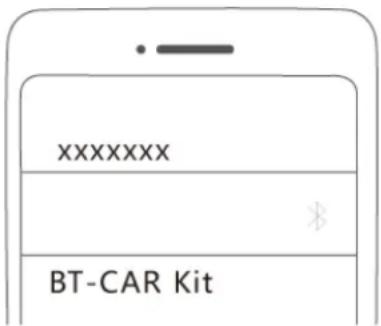
(1) Put this product into the car cigarette lighter, open the phone Bluetooth, search for the Bluetooth name: FMT-26BT, click the connection pairing successfully, and then match the FM frequency. You can listen to music or make a call.
(2) When there is an incoming call, there is a voice prompt naming the caller's telephone number.
(3) When call is coming, press the Bluetooth phone button to answer the call automatically.
(4) If you want to reject the call, long press the Bluetooth phone button.
(5) When you turn on the mobile phone GPS navigation, you can use the car's audio broadcast GPS navigation to make your driving more secure.
(6) The volume syncs when the phone is connected to a car transmitter, and the iPhone needs to turn up the volume when connected to Bluetooth.
- U disk mode:
(1) Insert the U disk, the car audio automatically plays the music in the U disk.
(2) You can long press the button that printing to control the music volume and the volume adjusted to 26 is the best, you can also control the volume through the car volume button.
3.FM function:
(1) If you want to change the FM frequency, long press button for 3 seconds to activate the frequency. When the display is flashing, you can use the encoder to quickly select the frequency.
(2) Switch songs: you can switch songs by button that printing
(3) The frequency range of the car MP3 is 87.5-108.0MHz, when the product is light, the display will show a frequency. In order to ensure the best sound quality, the car frequency is adjusted to an empty frequency, then match frequency for product.
- Charging function:
(1) The device can support Type C and USB charging, the maximum current of a single Type C/USB support 5V/3.1A and charge the maximum current of 5V/3A shared at the same time.
5.Power-off memory:
When this product is powered off, this product will connect with mobile phone through Bluetooth automatically and will remember the frequency that is used and the music in USB drive that is played before it is turned down. When this product is
AKAI
restarted again, it will continue to play music that you listen to last time.
- Rainbow ambient light control
(1) The seven colors of lights flash cyclically by default.
(2) If you need a single color, you can switch the color of the light by pressing a short button
(3) The seven colors are: green, blue, red, purple, white, orange, cyan.
(4) If you need to turn off the colorful lights, press the button 8 times to shut off.
Technical Parameters:
Product input: 12V-24V
Voltage limit: 9V-30V
USB output: 5V 3.1A
Type C output: 5V 3.1A
Charger output: 5V/A1
Play format: MP3/ WAV
SNR: >60DB
Distortion: <0.1%
Bluetooth version: 5.3
Bluetooth channel emission power: +2dbm
Bluetooth frequency: 2.4 – 2.483GHz
Bluetooth sound processing: A2DP (Advanced Audio Distribution Mode) function support
Bluetooth protocol: HFP A2DP
Bluetooth transmission distance: 5 meters
Bluetooth microphone effective distance: 0.5-2 meters
FM frequency: 87.5-108.0MHZ
FM mode: stereo digital PLL frequency lock
Product's size: 4.3 x 4.3 x 8.2 cm
Product's weight: 45g
Product's material: ABS
Attention:
- When the U disk is inserted, this product will connect with mobile phone through Bluetooth automatically unless you turn off Bluetooth on mobile phone.
- This product contains built in antenna, so please avoid switching to a FM frequency with very strong signal or an unoccupied FM frequency in order to get a better sound quality.
- When using FM, do not set the Bluetooth volume to the maximum to avoid distortion.
- Different phones operate Bluetooth differently, and some phones may not work when powered up after a power failure. If that happened, you need to manually click to play.
- If the sound is not loud enough during the call, please manually adjust the volume
AKAI
of the product, phone, FM system.
- Do not use this product in high temperature, dusty or humid environment.
- Pull out this product from the cigarette lighter if it is not in use for a long time. Put this product into cigarette light after the car engine is started to avoid any possible damage of high voltage on this product.
Appreciate again for buying this product. We do hope the extraordinary features of this product and music from your phone can bring you a convenient and pleasant driving.
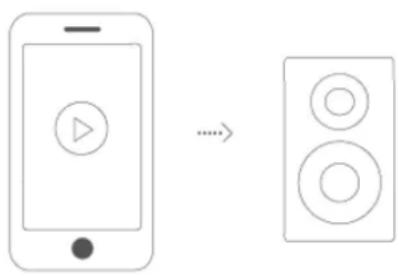
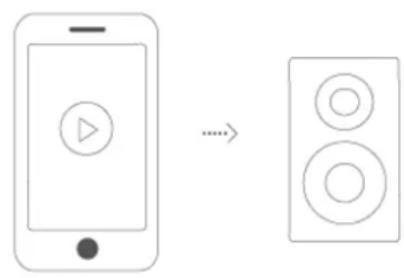
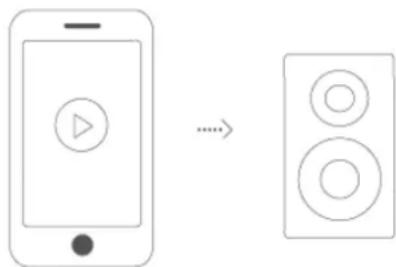
Bluetooth Pairing and A2DP
①Bluetooth pairing
② A2DP
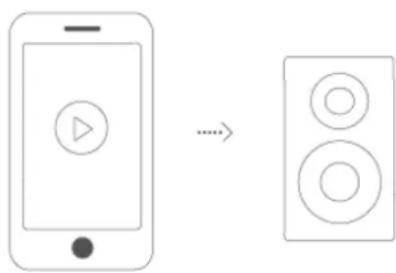
flowchart
graph LR
    A["Smartphone with play button"] -->|...| B["Speaker with two circles"]
Disposal of waste electrical and electronic equipment

This symbole on the product or packaging means that the product should not be treated as household waste. Do not throw garbage at the end of its life, but take it to a collection center for recycling. In this way you will help to protect the environment and be able to prevent any negative consequences that it would have on the environment and human health.
To find your nearest collection center:
- Contact local authorities;
- Access the web site: www.mmediu.ro;
- Request additional information from the store where you purchased the product.
Importer/Producer:
SC Intervision Trading-RO SRL
Pitesti, Bd. I.C. Bratianu, nr. 48-52, corp A, et. 5,
Cam 504-505, Jud. Arges, Romania,
cod postal: 110121
www.akai.com.ro
AKAI
natural_image
Close-up of a black KAI amper with a digital display and orange buttons (no visible text or symbols)RO - ROMÂNĂ
MANUAL DE UTILIZARE
FM frequency: 87.5-108.0MHZ

natural_image
Close-up of a black and white electronic device with a digital display and orange accent, no visible text or symbols.ΕΛ-ΕΛΛΗΝΙΚΑ
ΕΓΧΕΙΡΙΔΙΟ ΧΡΗΣΤΗ
AKAI
Οδηγίες λειτουργίας
natural_image
Close-up of a black KIAI radio driver with digital display and control buttons (no visible text or symbols)BG - БЪЛГАРСКИ
ИЗХВЪРЛЯНЕ НА ЕЛЕКТРИЧЕСКО И ЕЛЕКТРОННО ОБОРУДВАНЕ

natural_image
Close-up of a black JAKI electric motor with a digital display and control buttons (no visible text or symbols)PL - POLSKI
INSTRUKCJA OBSŁUGI
natural_image
Close-up of a black and white electronic device with a digital display and orange buttons (no visible text or symbols)CZ - ČESKY
NÁVOD K POUŽITÍ
Frekvence FM: 87,5-108,0 MHZ

LIKVIDACE ELEKTRICKÝCH A ELEKTRONICKÝCH ZAŘÍZENÍ

natural_image
Close-up of a black JTV radio driver with control buttons and a digital display (no visible text or symbols)SK - SLOVENSKY
NÁVOD NA POUŽITIE
LIKVIDÁCIA ELEKTRICKÝCH A ELEKTRONICKÝCH ZARIADENÍ

- Bluetooth Car FM Transmitter
- USER MANUAL
- AKAI
- Operating Instructions
- Technical Parameters:
- Attention:
- Bluetooth Pairing and A2DP
- Disposal of waste electrical and electronic equipment
- MANUAL DE UTILIZARE
- ΕΓΧΕΙΡΙΔΙΟ ΧΡΗΣΤΗ
- Οδηγίες λειτουργίας
- ИЗХВЪРЛЯНЕ НА ЕЛЕКТРИЧЕСКО И ЕЛЕКТРОННО ОБОРУДВАНЕ
- INSTRUKCJA OBSŁUGI
- NÁVOD K POUŽITÍ
- LIKVIDACE ELEKTRICKÝCH A ELEKTRONICKÝCH ZAŘÍZENÍ
- NÁVOD NA POUŽITIE
- LIKVIDÁCIA ELEKTRICKÝCH A ELEKTRONICKÝCH ZARIADENÍ
Brand : AKAI
Model : FMT-26BT
Category : FM Transmitter