
Laser AI300 Plus - Robot vacuum TESLA - Free user manual and instructions
Find the device manual for free Laser AI300 Plus TESLA in PDF.


| Product Type | Robot Vacuum Cleaner with Self-Empty Station |
| Model | Laser AI300 Plus |
| Brand | Tesla |
| Robot Dimensions (Diameter x Height) | 320 mm x 92.5 mm |
| Robot Weight | 2.9 kg |
| Self-Empty Station Dimensions | 320 x 240 x 165 mm |
| Self-Empty Station Weight | 2.7 kg |
| Battery Type | Rechargeable Lithium-ion |
| Battery Capacity | 3200 mAh |
| Charging Time | Approximately 300 minutes (5 hours) |
| Cleaning Time | Approximately 120 minutes (2 hours) |
| Dust Box Capacity | 250 ml |
| Water Tank Capacity | 240 ml |
| Dust Bag Capacity (Self-Empty Station) | 2 L |
| Rated Power | 42 W |
| Self-Empty Station Fan Power | 680 W |
| Navigation System | Laser Ranging (LDS) - Class 1 Laser Product |
| Connectivity | Wi-Fi 802.15.4, 2.4 GHz (via Tesla Smart App) |
| Cleaning Modes | Edge, Zigzag, Zone, Point, Scheduled |
| Mopping Function | Yes (with adjustable water flow via app) |
| Self-Emptying | Yes (automatic dust disposal into station bag) |
| Automatic Charging & Resume | Yes (returns to station when low battery, resumes after full charge) |
| Filters | Primary, Sponge, and HEPA filter |
| Accessories Included | 2 Side Brushes, 2 HEPA Filters, 2 Dust Bags, Mopping Pad, Mop, Cleaning Brush, Charging Cable, Anti-moisture Pad, Carry Bag |
Frequently Asked Questions - Laser AI300 Plus TESLA
User questions about Laser AI300 Plus TESLA
0 question about this device. Answer the ones you know or ask your own.
Ask a new question about this device
Download the instructions for your Robot vacuum in PDF format for free! Find your manual Laser AI300 Plus - TESLA and take your electronic device back in hand. On this page are published all the documents necessary for the use of your device. Laser AI300 Plus by TESLA.
USER MANUAL Laser AI300 Plus TESLA
natural_image
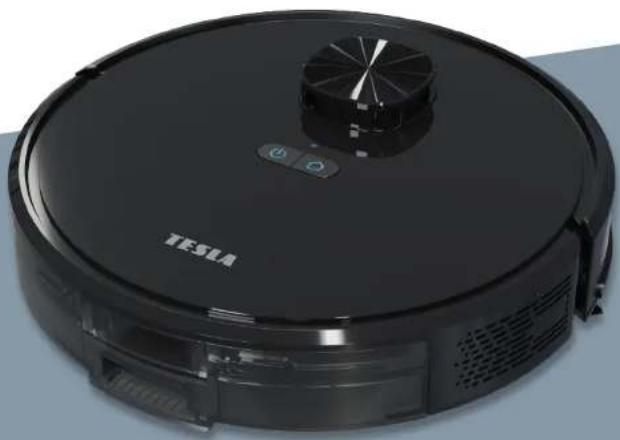
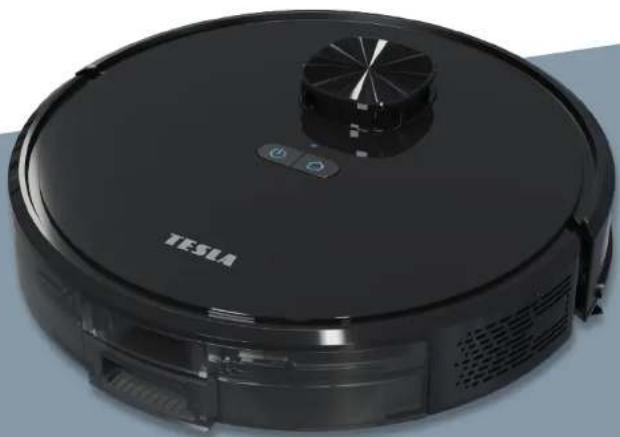
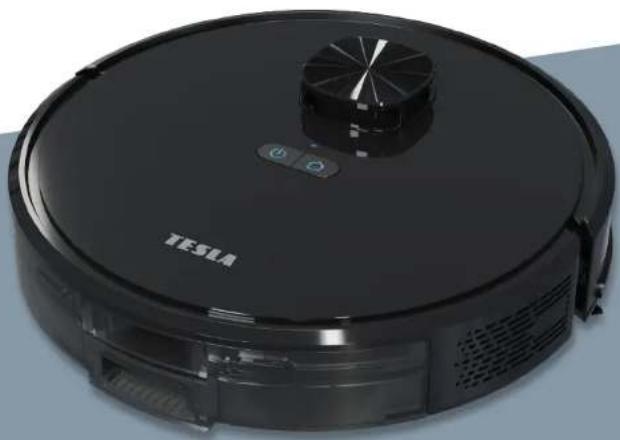
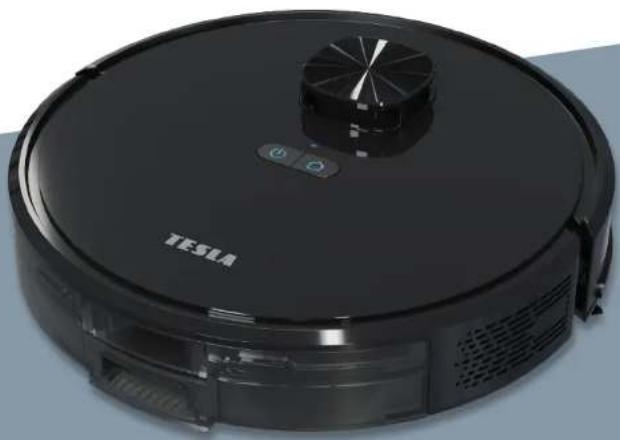
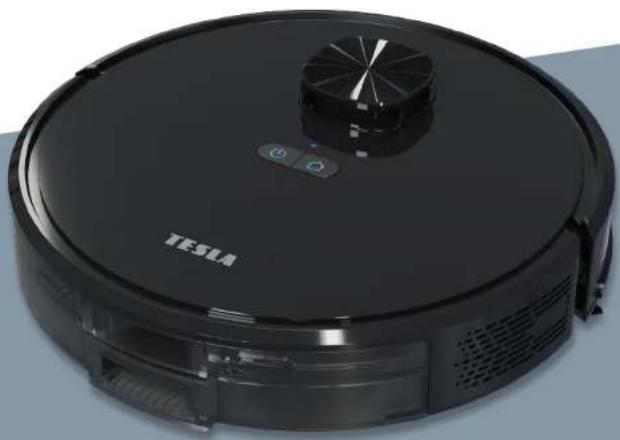
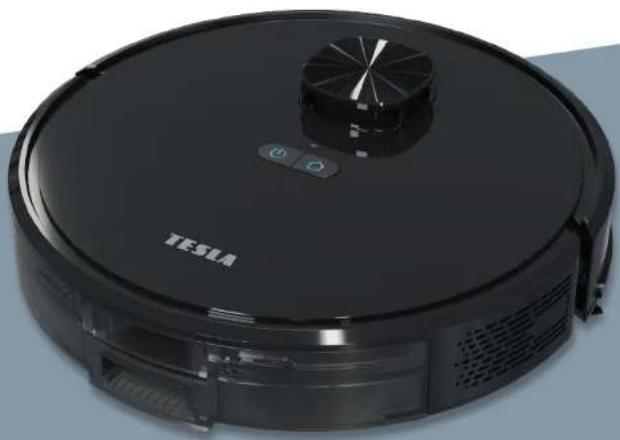
Black Tesla robotic vacuum cleaner with control panel and ventilation slots (no visible text or symbols on device body)TESLA SMART ROBOT VACUUM LASER AI300 PLUS
USER MANUAL
Safety Instructions
Before using this product, read the following safety instructions and follow all conventional safety precautions. Read this manual carefully, and keep it properly.
Any operation not conforming to this manual may cause damage to this product.
Cautions
-
Only authorized technicians can disassemble this product. Users are not recommended to disassemble this product by themselves.
-
Use only the power adapter provided by the manufacturer for this product. Use of other adapters may cause damage to this product.
-
Do not touch wires, sockets, or power adapter when your hands are wet.
-
Do not roll the curtain or body parts into the product drive wheel.
-
Keep this product away from cigarettes, lighters and other open flames.
-
Clean the product after charging.
-
Do not bend the wire excessively, or place heavy objects and sharp objects over the machine.
-
This product is intended for indoor use. Do not use it outdoors.
-
Do not sit on the product.
-
Do not use this product in a humid environment, such as the bathroom.
-
Before using this product, remove all vulnerable items (such as glasses and lamps) on the ground, as well as articles that may entangle the edge brush and suction channel (such as wires, paper, and curtains).
-
Do not place the product in a place where it is easy to fall off (such as tables and chairs).
-
Check carefully that the power adapter is connected with the socket before use; otherwise the battery may be damaged.
-
To prevent tripping over the product, inform other members of the house when the product is working.
-
When the dust box is full, empty the dust box before using this product.
-
The operating temperature of this product is 0^ C to 40^ C.
-
Do not use this product in a high temperature environment.
-
Remove the battery from the product before scrapping it
-
When removing the battery, make sure that the product is disconnected from the power supply.
-
Properly recycle the waste batteries.
Warnings
-
Use only the original rechargeable battery and docking station provided by the manufacturer. Do not use non-rechargeable batteries. For battery specifications, see "Product Specifications".
-
Do not use the product in an environment with open flames or fragile products.
-
Do not use the product in an extremely hot (above 40°C) or extremely cold (below 0°C) environment.
-
Keep the hair, clothes, fingers and other parts of the human body away from the opening or operating parts of the product.
-
Do not use the product on wet or water-filled ground.
-
Do not use the product to vacuum any items that may block the product, such as stones and waste paper.
-
Do not use the product to vacuum any flammable materials, such as gasoline and toner used in printers or copying machines. Do not use the product in clean areas with flammable materials.
-
Do not use the product to vacuum any burning items, such as cigarettes, matches, ashes and other items that may cause fire.
-
Do not place any articles at the suction port. Do not use the product when the suction port is blocked. Remove the dust, cotton wool and hair from the suction port to ensure smooth air circulation at the suction port.
-
Handle the power cord with care to avoid damage. Do not use the power cord to drag or pull the product and its docking station, use the power cord as a handle, clamp the power cord in the door gap, or pull the power cord at sharp corners. Do not run the product over the power cord. Keep the power cord away from heat sources.
-
Do not use a damaged docking station.
-
Even if the product is severely damaged, do not burn the product, as the product battery may explode.
The laser ranging sensor complies with IEC 60825-1:2014 class 1 laser product standard and does not produce dangerous laser radiation.
Table of Contents
Product Composition/Packaging Contents
Product Composition/Parts Name
Product Composition/water tank/dust box and mop assembly
Product Usage/Preparation
Product Usage/Robot Charging
Product Usage/Installation and Network Connection
Product usage/Use instructions
Product Usage/Mopping
Component Maintenance/Regular Maintenance
Component Maintenance/2 in1 Water tank
Component Maintenance/Main Brush and Side Brush
Component Maintenance/Charging Electrode, Anti-fall sensor, Drive Wheel And Universal Wheel
Troubleshooting
Parameters
Product Composition/Packaging Contents
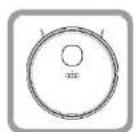
1x Robot
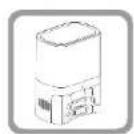
1x Self-Empty Station
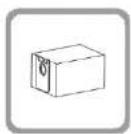
2x Dust Bag 1x Mopping Pad
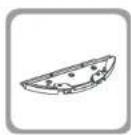
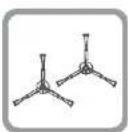
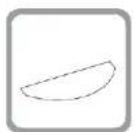
2x mop
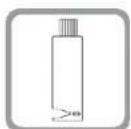
1x Cleaning Brush
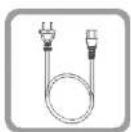
1x Charging Cable
2x Side Brushes
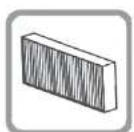
2x HEPA filter

1x User Manual

1x Anti-moisture pad

1x Tesla carry bag
Product Composition/Parts Name
EN
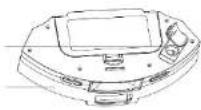
Top View
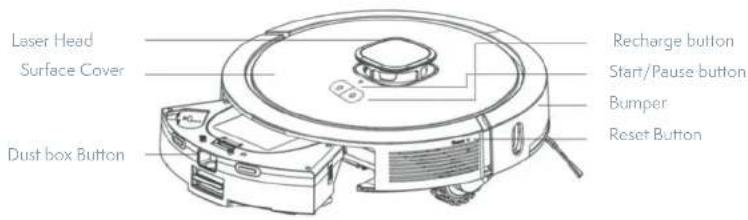
Bottom View
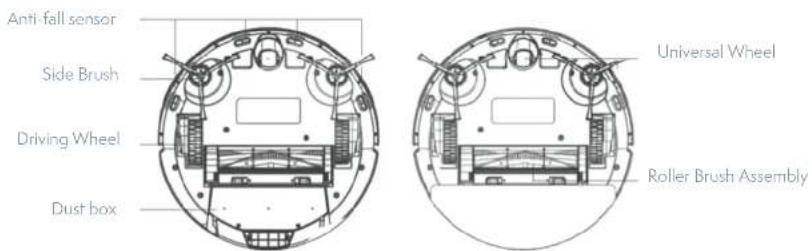
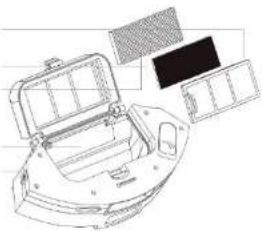
Product Composition/water tank/dust box and mop assembly
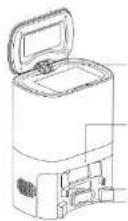
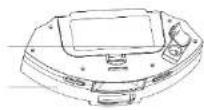
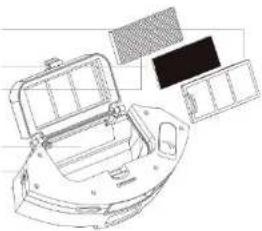
Primary Filter
Sponge filter
HEPA Filter
Dust box baffle
Charging Pin
natural_image
Line drawing of a spacecraft or spacecraft with solar panels and a grid array (no text or symbols)Water Inlet
Water tank
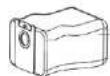
Dust Bag
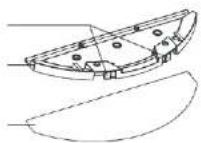
Mopping Pad Button
Mopping Pad
Mop
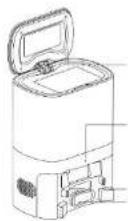
Dust Cover
Signal Indicator
Charging Pins
Dust Collecting Mouth
Product usage/preparation
EN
Notes
-
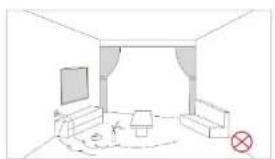
Before starting the vacuum cleaner, clean up wires and sundries scattered on the ground, and remove easy-to-fall, fragile, valuable and potentially dangerous items. Avoid being entangled, jammed, dragged, or knocked down by the main unit; otherwise, personal or property damage may be the result.
-
Avoid using this product in a watery area, otherwise the fan may be damaged and the performance of the vacuum cleaner will be affected.
-
It's forbidden to use the product on a high place where there is no protective barrier.
natural_image
Simple line drawing of a room interior with sofa, TV, and lamp (no text or symbols)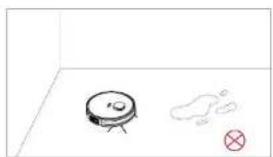
natural_image
Simple line drawing of a robot on a floor with a small mark and a cross symbol nearby (no text or labels)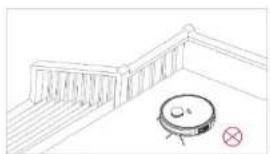
natural_image
Simple line drawing of a balcony with a circular object and a red cross mark (no text or symbols)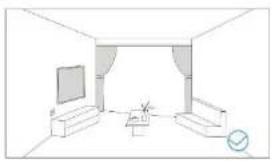
natural_image
Line drawing of a modest living room interior with TV, sofa, and coffee table (no text or symbols)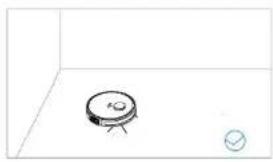
natural_image
Simple line drawing of a small electronic component with a circular base and a small circle nearby (no text or symbols)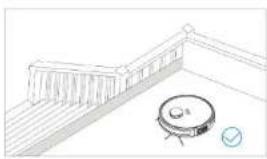
natural_image
Simple line drawing of a balcony with a circular object and a checkmark (no text or symbols)Product usage/preparation
-
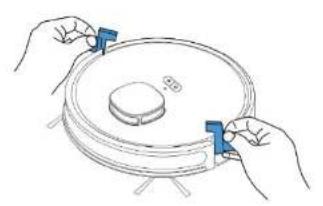
Before using the robot, please remove the protective strip from both sides.
-
Place the Self-empty Station on a solid and level surface against the wall. Connect the power supply. Do not place any items 1.5 ft or 0.5m to the left and right and 5 ft or 1.5 m in the front of the self-empty station. Confirm that the dust bag has been installed and the dust cover has been closed.
natural_image
Illustration of two hands holding a circular device with a central knob and base, no text or symbols present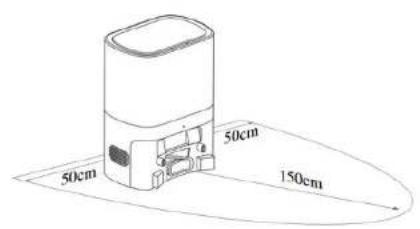
- Install the side brush.
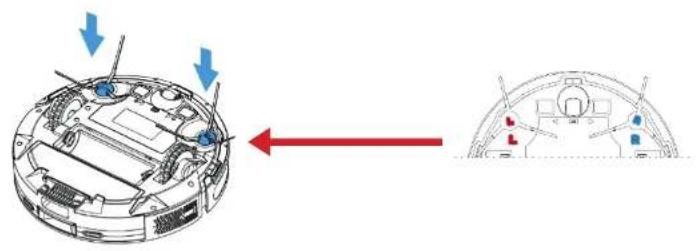
natural_image
Diagram showing a vehicle head panel with blue arrows indicating direction and a red arrow pointing to the front view (no text or symbols present)Product Usage/Robot Charging
EN
- Charging: Place the Robot on the self-empty station for charging (the recharging indicator light flashes during charging and it's steady when charging is finished. The charging time is about 6 hours.) During the cleaning process, the Robot can sense that the power is insufficient and automatically start the recharging mode to find the self-empty station. You can also command the robot to start the recharging mode through the APP.
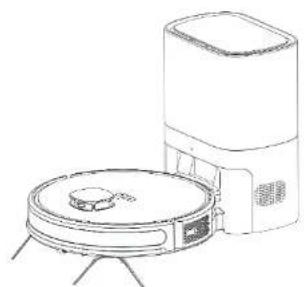
natural_image
Line drawing of a robotic vacuum cleaner with a mounted sensor and a rectangular unit (no text or symbols)Charging attention:
Do not use the self-empty station in a highly reflective environment such as the environment exposed to direct sunlight or with mirrors nearby. To ensure the normal working time of the robot, please full charge it before using it. The charging time is about 6 hours. Please make sure the dust bag has been installed before use.
Product Use/installation and network connection
- Download APP: Download the Tesla Smart app, register and log in.

2.Preparation
-Tap "+" on upper-right corner to add the device, and choose vacuum robot (Wi-Fi) under Small Home Appliance.
-Make sure that the Wi-Fi is 2.4 GHz and input correct Wi-Fi password.
-Press and hold both buttons for 3s', robot will prompt "Wi-Fi reset" and Wi-Fi indicator starts to flash.
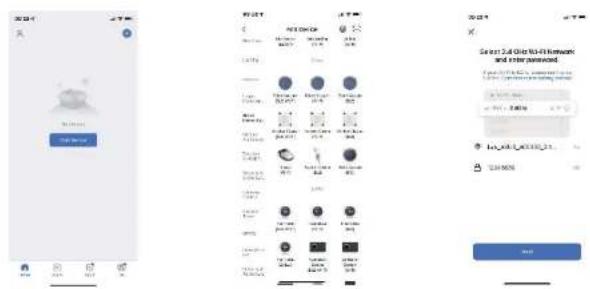
Network connection
-Tick "Confirm indicator slowly flashing" and then click "Next".
-Choose "AP Mode" from the pop-up window.
-Find the password-less hotspot named Tesla Smart APP from the mobile Wi-Fi list and connect it.
-Return to the Smart Life APP after successfully connecting to the Wi-Fi hotspot, click at the bottom to confirm that the connection is correct, and continue to the next step.
-Wait for the prompt of connection finished, then you can start to operate the robot.
Product usage/use instruction
Power On/Off
Press and hold Ⓑkey to power on the robot, power indicator lights on and robot enters into standby mode. When the robot is in quiet state, press and hold Ⓑkey to power off the robot, then the cleaning ends.
Notes: The robot cannot power off while charging.
Start Cleaning
Press ⏻ key to start cleaning, the robot dynamically plans the cleaning path according to the map generated by scanning, and completes cleaning of different zones one by one. In each zone, the robot starts edge cleaning first and then does the remaining part by zigzag cleaning.
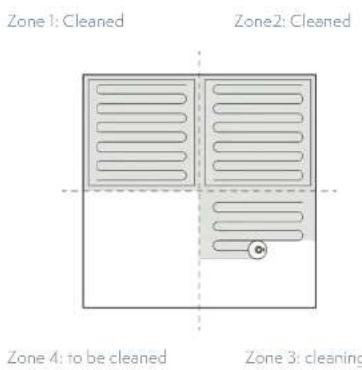
Notes:
The robot cannot start cleaning if the battery is too low. Please start cleaning after charging.
Please tidy up all kinds of cables (including power cable of charging base) on the ground before cleaning, otherwise the robot may drag the cables and lead to the power off of other home appliances or damage of items or cables.
If the cleaning zone is less than 4 square meters, the robot will clean twice by default.
Resumable cleaning: If the battery is insufficient during cleaning, the robot will go back to the charging base for recharging and automatically resume to interrupted place to continue cleaning after being fully charged. (This function can be opened or closed on the APP).
Pause
While working, you can press ⏻ to pause the robot if the water tank needs more water or to clean the mop. Press ⏻ key to continue cleaning, or press ⏱ key to back to the charging station and end the cleaning.
! Notes: If the robot is put back to the charging station in the pause state, the cleaning will end.
Sleep Mode
If no operation is performed after 10 minutes, the robot automatically enters the sleep mode, and the power indicator goes off. In the sleep mode, you can press any button to wake the robot up.
Charging
Auto mode: The robot will automatically go back to the charging station for charging after cleaning has finished.
Manual mode: Press button to start recharging during the pause state. The power indicator light flashes intermittently while charging.
Notes: If you start partial cleaning when the robot is in the pause state, the current cleaning task will be stopped.
Notes:
If no operation is performed after 10 minutes, the robot automatically enters the sleep mode. Put the robot back to charging in fault state, the cleaning will end.
Reset Wi-Fi
If your mobile phone fails to connect to the robot due to reasons such as change of router settings, forgetting of password or some other reasons, please enter the Wi-Fi configuration mode on your mobile phone according to the network connection instructions.
! Notes: If the robot is in wait-to-connect state for more than 2 minutes, the Wi-Fi function will automatically close. To reconnect the robot to your mobile phone, please reset the Wi-Fi settings.
Clean a pointed zone
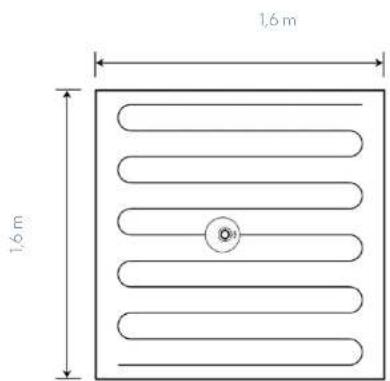
You can specify a target point on the APP map and the robot will automatically plan a route to the point. If you use this function when the robot is in standby or pause state, the robot will clean a 1.6 x 1.6 square metre zone centered by the robot. After cleaning, the vacuum cleaner will automatically return to the starting point and stop working.
Notes: If the robot cannot find the charging base, it will go back to the starting point automatically. Please put the robot back to the charging station manually.
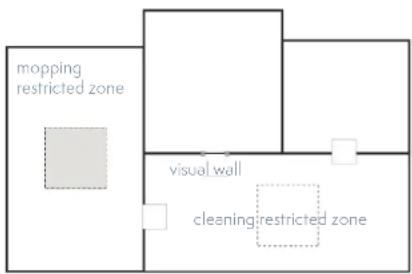
Set a restricted zone/ invisible wall
You can set a restricted zone or invisible wall in the app. After the setting is completed, the robot will not enter the restricted zone or cross the invisible wall for cleaning. Notes:
Before using this function, you need to open the map save mode in the APP setting. This function is only used to divide cleaning zones but cannot be used to block dangerous zones.
If the vacuum cleaner is moved or there are big changes in the home, the map may become invalid and the settings of the invisible wall or restricted zone may be lost.
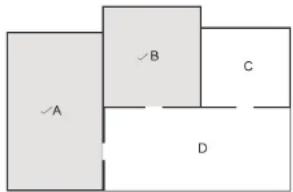
Clean selected zones
You can select cleaning zones in the app. The robot will clean one or more rooms based on the zones that you select on the app map, and you can set room cleaning times in the current mode.
Notes:
Before using this function, you need to open the map save mode in APP setting and the robot has to generate a map for cleaning.
After cleaning starts, the robot may move to a place beyond the selected zone.
Make sure that you have cleared the obstacles on the ground around the selected zone, which cannot be used for safety isolation.
| Real-time map update Download of multi-language | |
| Invisible wall and restricted zone setting information display in Cleaning record | Map management: display of the invisible wall and restricted zone |
| Manual control Firmware update | |
| Volume adjustment Robot positioning | |
| APP customized mode: judge to clean based on whole room or single zone | Zone separation, zone integration, zone restoration, Adding the map loading interaction prompt and the synchronization success or failure prompt |
| Zone-based cleaning method(1) Cleaning sequence(2) Cleaning/mopping time(3) Fan speed(4) Water tank capacity | Choose quiet, standard or Powerful mode in the APP. Standard by default |
Scheduled cleaning
You can set the scheduled cleaning time in the app. The robot will automatically start cleaning upon the specified time, and return to the self-empty station after it completes the cleaning.
Clean a divided zone
You can set the cleaning of a divided zone according to the map generated in the APP. The robot starts cleaning based on your selected zone. You can also set the cleaning time in the current mode.
Notes: After cleaning starts, the robot may move to a place beyond the divided zone. Make sure that you have cleared the obstacles on the ground around the divided zone, which cannot be used for safety isolation.
Resumable cleaning
After you enable the resumable cleaning function, it is automatically triggered when the cleaning task is not completed and the battery is insufficient. You do not need to do any other settings. After you enable the DND mode in the app, the robot does not carry out resumable cleaning.
When the robot carries out the resumable cleaning function, if you use the app or tap buttons for other instructions, resumable cleaning will fail. If the robot cannot access a zone for cleaning due to a closed door or a high door sill, the resumable cleaning function will be affected.
DND mode
During the DND period, the robot will not automatically resume cleaning, and does not play voice prompts. You can disable the DND mode in the app.
Remarks: When the map is not editable, it cannot be saved and the map management function is unavailable. We recommend that you save the map and use the map management function after the map is stable.
! Tip: The functions and details of the app may change slightly due to continuous development and upgrade. It is subject to the actual version.
Product usage/mopping
Charging attention:
Do not use the mopping function on a carpet.
Empty the water tank and clean the mop after mopping has finished.
Keep the outside of water tank dry before use.
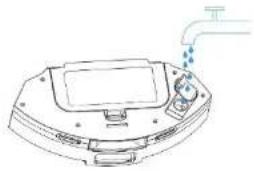
A.Add water
natural_image
Line drawing of a device with a drain pipe and water droplets (no text or symbols)Notes: Detergent or disinfectant can be added to the water tank as a cleanser (concentration ≤5%), but any non-specified cleanser should not be used.
C. Install water tank assembly
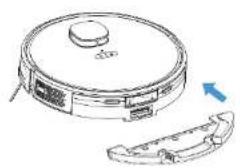
natural_image
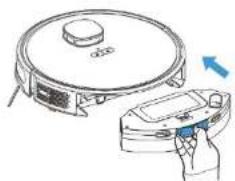
Line drawing of a robotic vacuum cleaner with a curved mechanical component (no text or symbols)B. Install/uninstall the mopping pad
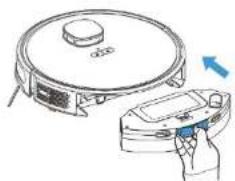
natural_image
Illustration of a robotic vacuum cleaner next to a handheld device, showing no text or symbols.Component Maintenance/Regular maintenance
Regular maintenance
To achieve the best cleaning effect, clean and maintain the robot regularly according to the table below. Determine the frequency of cleaning and maintenance according to your habits of use.
| Parts Cleaning Frequency Replacement Frequency | |
| Filter Weekly Every 2 months | |
| Roller brush Weekly Every 6 to 12 months | |
| Side brush Monthly Every 3 to 6 months, or when it is obviously damaged | |
| Roller brush cover Monthly | |
| Sensor Monthly When it is obviously damaged | |
| Charging pins Monthly / | |
| Universal wheel Monthly / | |
| Dust Bag / |
Using the Water Tank
-
Do not use the mopping function on a carpet.
• After mopping the floor, empty the water tank in time and remove the cloth. -
Add water.
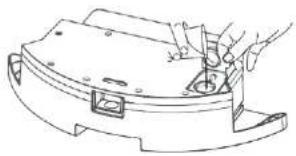
natural_image
Line drawing of a hand using a tool to adjust or install a mechanical component (no text or symbols present)- Install the cloth.
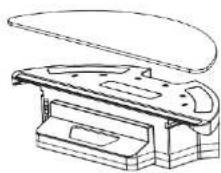
- Install the water tank assembly and Start mopping the floor.
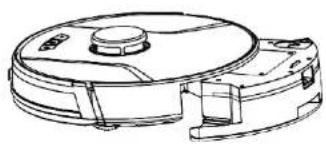
natural_image
Technical line drawing of a mechanical device with no visible text or symbolsComponent Maintenance/2 in 1 Water Tank
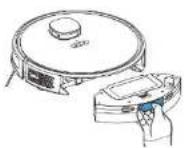
A. Press down the water tank button to Take it out.
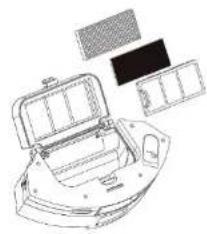
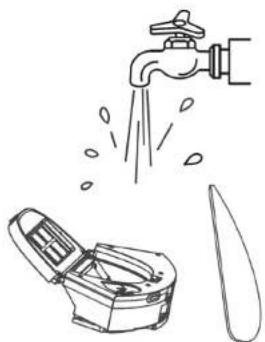
D. Take out the HEPA filter and primary filter. Tap the HEPA filter to remove dust. Washing with water is not recommended for the HEPA filter.
natural_image
Technical line drawing of a car interior frame with compartments and storage racks (no text or symbols)B. Empty the water tank. C. Open the Dust box and dump the trash.
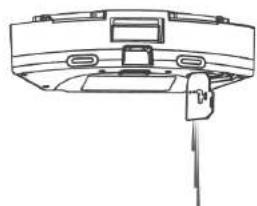
natural_image
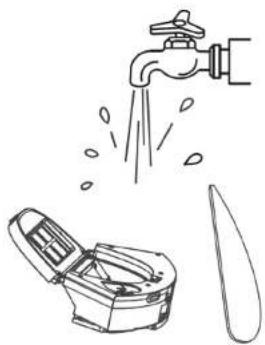
Technical line drawing of a mechanical component or assembly (no text or symbols visible)E. Empty the water tank and wash the mop.
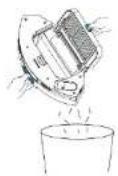
F. Dry the dust box and filter components, and keep them dry to ensure their service life.
natural_image
Illustration of a faucet pouring water into a container with a knife nearby (no text or symbols)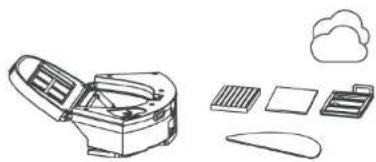
natural_image
Line drawing of a desktop computer with icons for keyboard, monitor, cloud, and mouse (no text or symbols)Note:
Before installing filters, ensure that the primary filter and HEPA filter are dry.
Do not expose the primary filter and HEPA filter to sunlight.
Component Maintenance/Main Brush and Side Brush
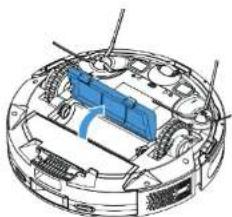
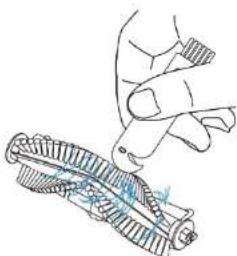
A. Open the roller brush cover assembly B. Take out the roller brush
natural_image
Technical diagram of a mechanical assembly with internal components (no visible text or labels)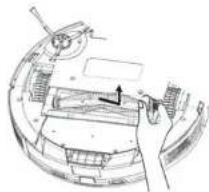
natural_image
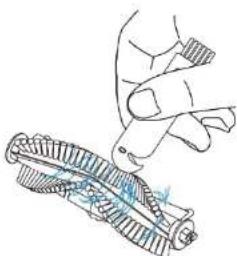
Technical line drawing of a mechanical assembly with no visible text or symbolsC. Use a tool to clean the tangled hair D. Clean the side brush
natural_image
Illustration of a hand holding a tool next to a mechanical component (no text or symbols)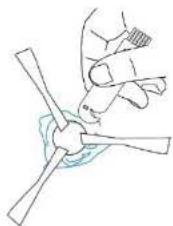
natural_image
Line drawing of a person using a wind turbine fan to lift a propeller (no text or symbols)Component Maintenance/Charging Electrode, Anti-fall sensor, Drive Wheel And Universal Wheel
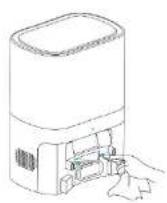
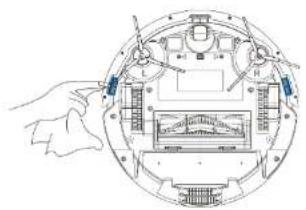
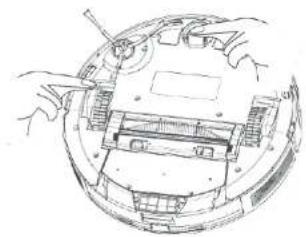
Notes: Charging electrode, Anti-fall sensor and bumper assembly contain sensitive electronic components, use a dry cloth to clean them, and do not use a wet cloth to prevent damage caused by water.
Clean the charging pins
Clean the Anti-fall sensor
natural_image
Technical line drawing of a mechanical assembly with labeled components (no text or symbols)Clean the drive wheels and universal wheel
natural_image
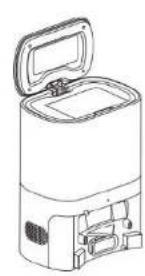
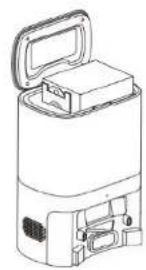
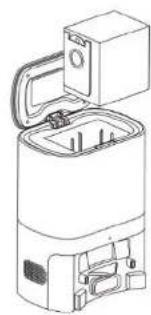
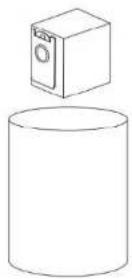
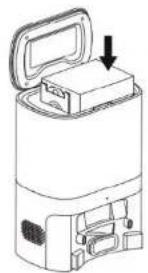
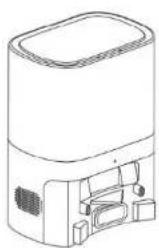
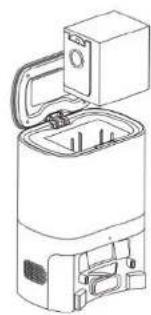
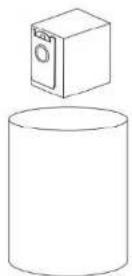
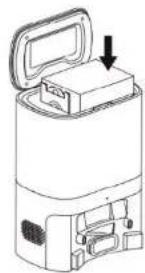
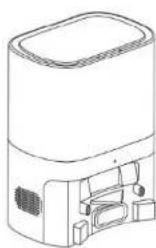
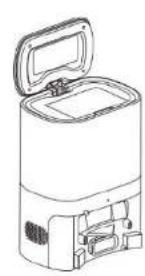
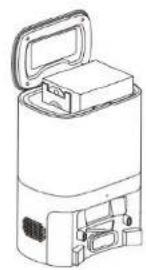
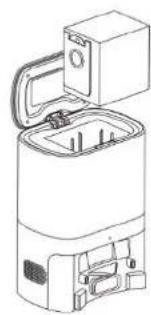
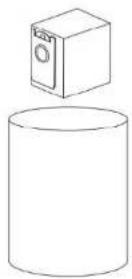
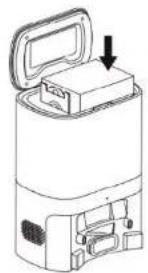
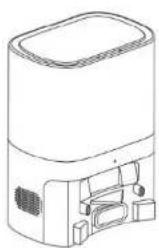
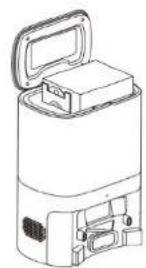
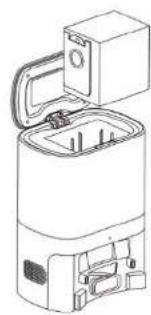
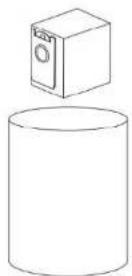
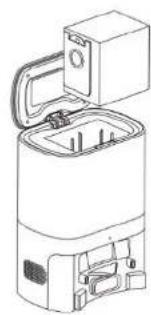
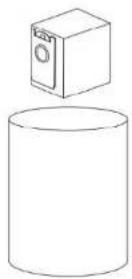
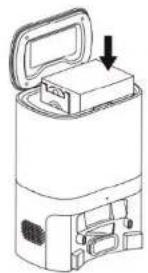
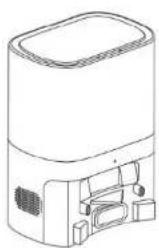
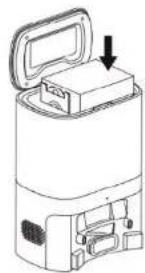
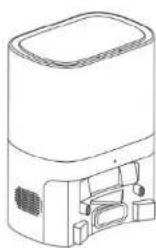
Technical line drawing of a mechanical assembly with hands operating a component (no text or symbols visible)Replace the dust bag
natural_image
Line drawing of a cylindrical device with an open lid and internal compartments (no text or symbols)1
2
natural_image
Line drawing of a portable water heater with open lid and internal compartments (no text or symbols)3
4
natural_image
Line drawing of a mechanical device with an open lid and internal components (no text or symbols)5
natural_image
Line drawing of a rectangular device with a lid and internal components (no text or symbols)6
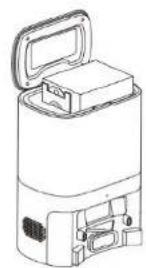
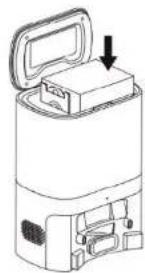
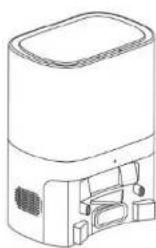
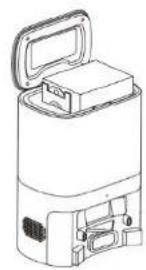
Notes: Replace the dust bag when it is full.
Troubleshooting
If the vacuum cleaner encounters a fault while working, the power indicator blinks quickly in red, and a voice prompt is generated. In this case, rectify the fault by referring to the table below.
| Error Prompt Solution | |
| Error 1: Laser head is blocked or stuck, please check. | The laser ranging sensor is blocked or jammed by a foreign object. Remove the obstruction or foreign object. If the obstruction or foreign object cannot be removed, move the main unit to a new position and then start it. |
| Error 2: Collision sensor get stuck,please check the collision sensor | The bumper is stuck. Tap the bumper for several times to remove the foreign object. If there is no foreign object, move the main unit to a new position and then start it. |
| Error 3:Right wheel suspended, please remove the robot in a new place then start again. | The wheel is suspended. Please move the main unit to a new position and then start it. |
| Error 4: Anti-fall sensor is blocked,please check and clean anti-fall sensor. | The main unit is suspended. Please move the main unit to a new position and then start it. This fault may occur when the cliff sensor is too dirty. Please wipe the cliff sensor clean. |
| Error 5: Side brush is entangled, please clean the side brush. | The side brushes may be entangled with foreign objects. Please disassemble and clean the side brushes. |
| Error 6:Right/left wheel is entangled, please clean the right/left wheel. | The wheel may be entangled with foreign objects. Please clean the wheel and start the main unit again. |
| Error 7: The robot is trapped, please remove the robot | The main unit may be stuck. Please remove the obstacles around the main unit. |
| Error 8: Low battery, please charge.. The power is insufficient. Please charge the vacuum cleaner before using it. | |
| Error 9:Charging problem, please check. The battery temperature is too high or too low. Please wait and use the vacuum cleaner after the battery temperature becomes normal. | |
| Error 10: Wall sensor is blocked, please check The wall sensor is covered by dust. Please wipe the wall sensor. | |
| Error 11: Uneven floor,please remove the robot in a new place then start again. | It is detected that the main unit is tilted upon startup. Please place the main unit on an even ground and restart it. |
| Error 12: Top cover of laser is blocked or stuck, please check | The laser pressure sensor is pressed or stuck. Please move the vacuum cleaner to a new position and then restart it. |
Troubleshooting
EN
| Fault Solution | |
| Failed to power on the machine | The battery power is insufficient. Please use the vacuum cleaner after charging it on the docking station.The battery temperature is too high or too low. Please use the vacuum cleaner when the ambient temperature is 0°C to 40°C. |
| Failed to charge the machine | The docking station is not connected to the power supply. Please make sure that both ends of the docking station power cord are properly connected.The docking station is not in proper contact with the main unit. Please clean the docking station shrapnel and the charging contact of the main unit.Check whether the docking station indicator is on. |
| Slow charging | When used in a high or low temperature environment, the main unit will automatically decrease the charging speed to extend the battery life.The charging contact area may be dirty. Please clean the area with a dry cloth. |
| Failed to return to the docking station | There are too many obstacles around the docking station. Please place the docking station in an open area.The main unit is too far away from the docking station. Try to place the main unit near the docking station. |
| Abnormal behavior The vacuum cleaner is powered off and then on again. | |
| There is abnormal noise during cleaning. | The roller brush, side brushes, or main wheel may be entangled with foreign objects.Clean them after powering off the vacuum cleaner.The omnidirectional wheel is covered by dust or is entangled during cleaning. It is recommended that you use a screwdriver to pull it out and rinse it. |
| The cleaning performance is degraded, or ash is dropped. | The dust box is full. Clean the dust box.The filter is blocked. Clean the filter. |
| The Wi-Fi network cannot be connected. | The Wi-Fi function is not activated. Reset the Wi-Fi connection, and try again.The Wi-Fi signal is not good. Ensure that the main unit is located in a place with good Wi-Fi signals.The Wi-Fi connection is abnormal. Reset the Wi-Fi settings, download the mobile app of the latest version, and try to connect to the Wi-Fi network again.The Wi-Fi network suddenly cannot be connected. The family router settings may be incorrect. In this case, contact the customer service for help. |
| Scheduled cleaning cannot be carried out. | The power is insufficient. Scheduled cleaning will be started only when the remaining power is more than 20%. |
| Is any power consumed if the vacuum cleaner always stays at the docking station? | The power consumption is extremely low when the vacuum cleaner always stays at the docking station. This helps to keep the battery in the best performance. |
| Is it necessary to charge the battery for 16 hours when the vacuum cleaner is used for the first three times? | The lithium battery does not have a memory effect. It can be used instantly after it is fully charged. There is no need to wait 16 hours. |
| The mopping module does not output water or the water output is small. | Check whether there is any water in the water tank. Use the mobile app to set the water output to the maximum value.Install the mopping cloth and mop stand properly according to the manual. |
| The power is insufficient during cleaning. After the vacuum cleaner returns to the docking station for charging, it does not continue cleaning. | Check whether the main unit is in DND mode. The vacuum cleaner will not continue cleaning in DND mode.The vacuum cleaner will not continue cleaning if the main unit is manually put back to the docking station. |
| The vacuum cleaner cannot return to the docking station after partial cleaning or after its position is moved. | The vacuum cleaner will re-generate a map after partial cleaning or after it is moved far away.If the main unit is far away from the docking station, the main unit may fail to return to the docking station by itself. In this case, manually put the main unit back to the docking station. |
| The vacuum cleaner misses some areas when cleaning. | The wall sensor or cliff sensor may get dirty. It is recommended that you wipe the sensors using a soft dry cloth. |
Product Specifications
| Classification | Items Parameters | |
| Diameter 320 mm | ||
| Robot | Height 92.5 mm | |
| Net weight 2,9 kg | ||
| Self-Empty Station | Self-empty Station Size 320 × 240 × 165 mm | |
| Weight 2,7 kg | ||
| Cleaning Parameters | Voltage 14,4 V | |
| Battery 3 200 mAh rechargeable lithium battery | ||
| Dust box capacity 250 ml | ||
| Water tank capacity 240 ml | ||
| Dust Bag Capacity 2 l | ||
| Charging type Auto charging and manual | ||
| Battery | Charging time Cca 300 min | |
| Cleaning time Cca 120 min | ||
| Výkon | Rated power (W) 42 W | |
| Self-empty Station Fan Power 680 W |
Due to the continuous improvement of the product, the product specifications are subject to the actual product. Our company reserves the right to update the product.
INFORMATION ABOUT DISPOSAL AND RECYCLING
This product is marked with the symbol for separate collection. The product must be disposed of in accordance with the regulations for disposal of electrical and electronic equipment (Directive 2012/19/EU on waste electrical and electronic equipment). Disposal together with regular municipal waste is prohibited. Dispose of all electrical and electronic products in accordance with all local and European regulations at the designated collection points which hold the appropriate authorisation and certification in line with the local and legislative regulations. Correct disposal and recycling help to minimise impacts on the environment and human health. Further information regarding disposal can be obtained from the vendor, authorised service centre or local authorities.
EU DECLARATION OF CONFORMITY
Hereby, Tesla Global Limited declares that the radio equipment type TSL-VC-AI300 is in compliance with EU directives. The full text of the EU declaration of conformity is available at the following internet address: tsl.sh/doc
Connectivity: WIFI 802.15.4
Frequency band: 2.400 - 2.480 GHz
Max. radio-frequency power (EIRP): < 20 dBm

Producent
Tesla Global Limited
Far East Consortium Building,
121 Des Voeux Road Central
Hong Kong
www.teslasmart.com
TT
TESLA
natural_image
Black Tesla robotic vacuum cleaner with control panel and ventilation slots (no visible text or symbols on device body)TESLA SMART ROBOT VACUUM LASER AI300 PLUS
BENUTZERHANDBUCH
Sicherheitshinweise
natural_image
Simple line drawing of a room interior with sofa, TV, and floor area (no text or symbols)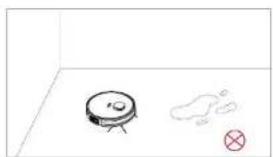
natural_image
Simple line drawing of a robot on a floor with a small mark and a cross symbol nearby (no text or labels)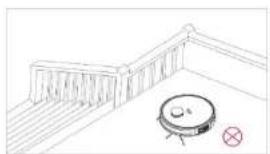
natural_image
Simple line drawing of a balcony with a circular object and a red cross mark (no text or symbols)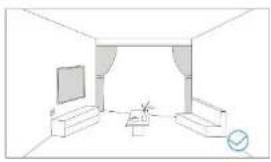
natural_image
Line drawing of a modest living room interior with TV, sofa, and coffee table (no text or symbols)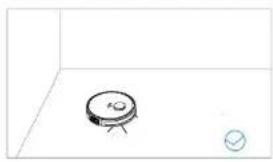
natural_image
Simple line drawing of a small electronic component with a circular base and a small circle nearby (no text or symbols)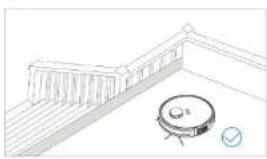
natural_image
Simple line drawing of a balcony with a circular object and a checkmark (no text or symbols)natural_image
Line drawing of two hands holding a circular object with a small inset, no text or symbols presentnatural_image
Diagram showing a vehicle engine compartment with blue arrows indicating flow direction, alongside a simplified top-down view of the engine (no text or symbols present)natural_image
Line drawing of a robotic vacuum cleaner with a mounted sensor and control panel (no text or symbols)natural_image
Line drawing of a device with a drain pipe and water droplets (no text or symbols)natural_image
Line drawing of a robotic vacuum cleaner with a blue arrow indicating rotation (no text or symbols)natural_image
Illustration of a robotic vacuum cleaner next to a hand holding a digital scanner (no text or symbols visible)natural_image
Technical line drawing of a mechanical assembly with labeled components (no text or symbols)natural_image
Technical line drawing of a mechanical assembly with hands operating a component (no text or symbols visible)natural_image
Technical diagram of a mechanical assembly with internal components (no visible text or labels)natural_image
Technical line drawing of a mechanical assembly with no visible text or symbolsnatural_image
Illustration of a hand holding a tool next to a mechanical component (no text or symbols)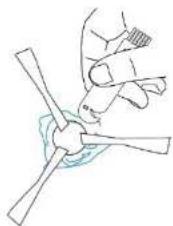
natural_image
Line drawing of a person using a wind turbine fan to lift a propeller (no text or symbols)natural_image
Line drawing of a cylindrical device with an open lid and internal compartments (no text or symbols)1
2
natural_image
Line drawing of a device with open lid and internal compartments (no text or symbols)3
4
natural_image
Line drawing of a portable electronic device with an open lid and internal compartments (no text or symbols)5
natural_image
Line drawing of a rectangular electronic device with internal components (no text or symbols)6
Produzent
Tesla Global Limited
Far East Consortium Building,
121 Des Voeux Road Central
Hong Kong
www.teslasmart.com
TT
TESLA
natural_image
Black Tesla robotic vacuum cleaner with visible control panel and ventilation slots (no text or symbols on device body)TESLA SMART ROBOT VACUUM LASER AI300 PLUS
UŽIVATELSKÁ PŘÍRUČKA
Bezpečnostní pokyny
natural_image
Simple line drawing of a room interior with sofa, TV, and floor area (no text or symbols)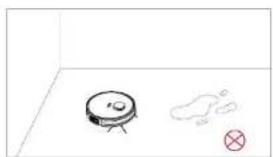
natural_image
Simple line drawing of a robot on a floor with a small mark and a cross symbol (no text or labels)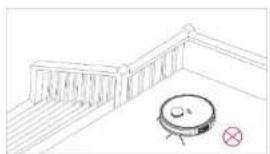
natural_image
Simple line drawing of a balcony with a circular object and a red cross mark (no text or symbols)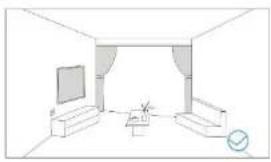
natural_image
Line drawing of a modest living room interior with TV, sofa, and coffee table (no text or symbols)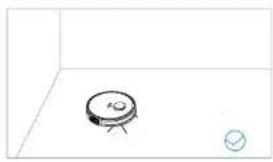
natural_image
Simple line drawing of a small electronic component with a circular base and a small circle nearby (no text or symbols)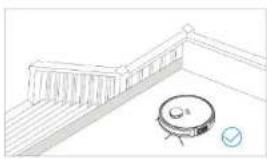
natural_image
Simple line drawing of a balcony with a circular object and a checkmark (no text or symbols)natural_image
Line drawing of two hands holding a circular object with a central knob, no text or symbols present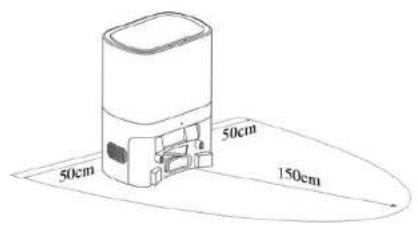
natural_image
Diagram showing a vehicle engine compartment with blue arrows indicating direction and a red arrow pointing to the front view (no text or symbols present)natural_image
Line drawing of a vacuum cleaner next to a cylindrical device (no text or symbols)Upozornění:

3. Připojení k síti
natural_image
Line drawing of a robotic device with a handle and control panel, connected to a piping outlet (no text or symbols)natural_image
Line drawing of a robotic vacuum cleaner with a blue arrow indicating rotation (no text or symbols)natural_image
Illustration of a robotic vacuum cleaner next to a handheld device, showing no text or symbols.natural_image
Technical line drawing of a vehicle chassis with compartments and storage panels (no text or symbols)natural_image
Line drawing of a mechanical component or device with no visible text or symbolsnatural_image
Illustration of a faucet spraying water onto a container with a knife nearby (no text or symbols)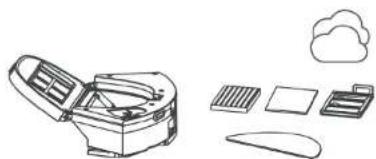
natural_image
Line drawings of various office equipment including a refrigerator, cloud, and documents (no text or symbols)Poznámka:
natural_image
Technical diagram of a circular mechanical or electronic component with internal components and no visible text or symbols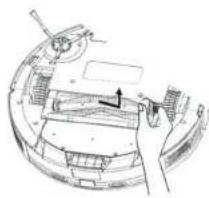
natural_image
Technical line drawing of a mechanical assembly with no visible text or symbolsnatural_image
Illustration of a hand gripping a coiled spring or spring with a blue tool, no text or symbols present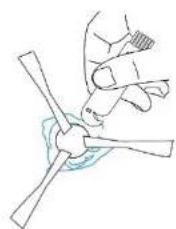
natural_image
Line drawing of a hand gripping a propeller blade (no text or symbols)natural_image
Technical line drawing of a mechanical assembly with hands operating a component (no text or symbols visible)natural_image
Line drawing of a portable electronic device with open lid and internal compartments (no text or symbols)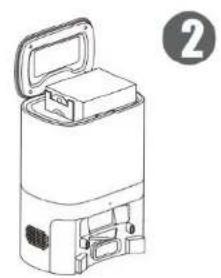
natural_image
Line drawing of a portable electronic device with open lid and internal compartments (no text or symbols)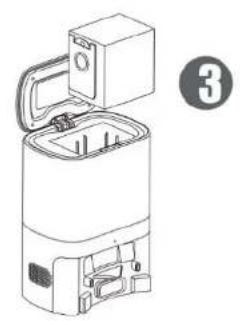
natural_image
Line drawing of a washing machine with open lid and internal compartments (no text or symbols)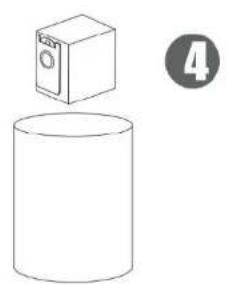
natural_image
Simple line drawing of a cylindrical container with a box above it, no text or symbols present.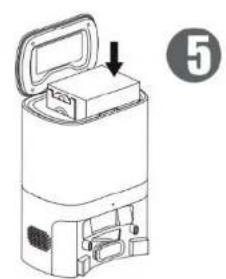
natural_image
Line drawing of a portable electronic device with an open lid and internal components, labeled with number 5 (no text or symbols on the device itself)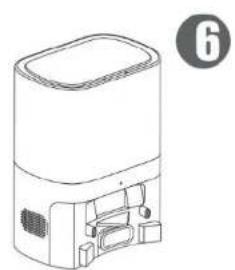
natural_image
Line drawing of a portable electronic device with front panel and control panel (no text or symbols)Far East Consortium Building,
121 Des Voeux Road Central
Hong Kong
www.teslasmart.com
TT
TESLA
natural_image
Black Tesla robotic vacuum cleaner with control panel and ventilation slots (no visible text or symbols on device body)TESLA SMART ROBOT VACUUM LASER AI300 PLUS
POUŽÍVATELŠKÁ PRÍRUČKA
Bezpečnostné pokyny
natural_image
Line drawing of a spacecraft with open cockpit, solar panels, and deployed dish (no text or symbols)Otvor na vodu
Nádrž na vodu
Vrecko na prach
Tlačidlo «Mopping Pad» (Doštička na pripevnenie čistia-ceho mopu)
Doštička na pripevnenie čistiaceho mopu
Čistiaci mop
Ochranný kryt proti prachu
Signálová kontrolka
Nabijacie kontakty Otvor nádoby na prach
natural_image
Simple line drawing of a living room with sofa, TV, and lamp (no text or symbols)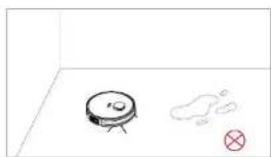
natural_image
Simple line drawing of a robot on a floor with a cloud and a red X mark (no text or symbols)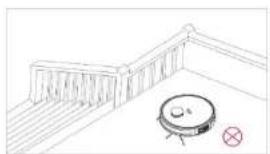
natural_image
Simple line drawing of a balcony with a circular object and a red cross mark (no text or symbols)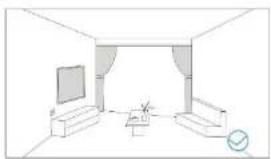
natural_image
Line drawing of a simple living room interior with TV, sofa, and wall (no text or symbols)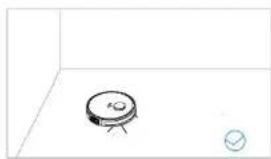
natural_image
Simple line drawing of a small electronic component with a circular base and a small circle inside, placed on a plain background (no text or symbols)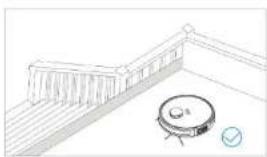
natural_image
Line drawing of a robotic vacuum cleaner placed on a balcony with stairs and railing (no text or symbols)natural_image
Line drawing of two hands holding a circular object with a small inset, no text or symbols presentnatural_image
Diagram showing a vehicle engine compartment with blue arrows indicating flow direction, alongside its 3D schematic view (no text or labels)Prevádzka produktu / Nabíjanie
SK
natural_image
Line drawing of a vacuum cleaner next to a cylindrical device (no text or symbols)

natural_image
Line drawing of a robotic device with a water pipe outlet (no text or symbols)natural_image
Line drawing of a robotic vacuum cleaner with a curved mechanical component (no text or symbols)B. Nainštalovat'/demontovat'doštičku na pripevnenie mopi
natural_image
Illustration of a robotic vacuum cleaner next to a hand holding a digital scanner (no text or symbols visible)natural_image
Technical line drawing of a vehicle chassis with compartments and storage panels (no text or symbols)natural_image
Line drawing of a mechanical component or device with no visible text, numbers, or symbolsnatural_image
Illustration of a faucet spraying water onto a container with a knife nearby (no text or symbols)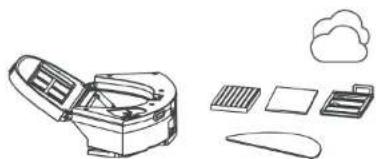
natural_image
Line drawing of a car with open lid, next to a cloud icon, and other items including a printer, tablet, and paper (no text or symbols)Poznámky:
natural_image
Technical diagram of a circular mechanical or electronic component with internal components and no visible text or symbolsnatural_image
Technical line drawing of a mechanical assembly with no visible text or symbolsnatural_image
Illustration of a hand gripping a tool next to a coiled tool (no text or symbols visible)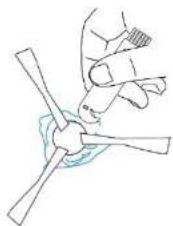
natural_image
Simple line drawing of a hand gripping a propeller with a blue circular base (no text or symbols)natural_image
Technical line drawing of a mechanical assembly with hands operating components (no text or symbols)natural_image
Technical line drawing of a mechanical assembly with hands operating a component (no text or symbols visible)Vymenit'vrecko na prach
natural_image
Line drawing of a cylindrical device with an open lid and internal components (no text or symbols)1
2
natural_image
Line drawing of a device with open lid and internal compartments (no text or symbols)3
4
natural_image
Line drawing of a mechanical device with an open lid and internal components (no text or symbols)5
natural_image
Line drawing of a rectangular device with a lid and internal components (no text or symbols)6
Výrobca
Tesla Global Limited
Far East Consortium Building,
121 Des Voeux Road Central
Hong Kong
www.teslasmart.com
TT
TESLA
natural_image
Black Tesla robotic vacuum cleaner with control panel and ventilation slots (no visible text or symbols on device body)TESLA SMART ROBOT VACUUM LASER AI300 PLUS
natural_image
Line drawing of a spacecraft or spacecraft with solar panels and a grid array (no text or symbols)Odbiornik
wody
Zbiomik
na wode
Worek na kurz
natural_image
Simple line drawing of a cozy living room with sofa, TV, and chair (no text or symbols)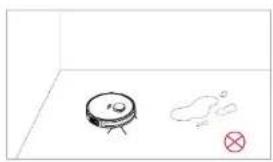
natural_image
Simple line drawing of a robot with a gear and a small cloud, no text or symbols present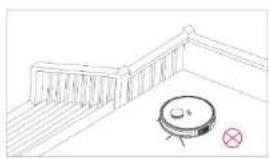
natural_image
Simple line drawing of a balcony with railings and a circular object, no text or symbols present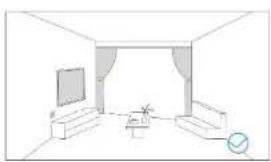
natural_image
Line drawing of a modern living room interior with TV, sofa, and lamp (no text or symbols)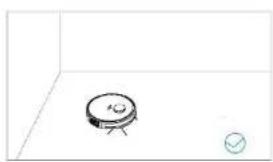
natural_image
Simple line drawing of a small electronic component with a circular base and a small circle below (no text or symbols)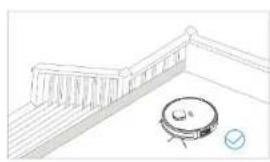
natural_image
Simple line drawing of a robotic room with a circular device and a small checkmark (no text or symbols)natural_image
Line drawing of two hands holding a circular object with a small inset, no text or symbols presentnatural_image
Diagram showing a vehicle engine compartment with blue arrows indicating flow direction, alongside a simplified top-down view of the engine (no text or symbols present)natural_image
Line drawing of a vacuum cleaner next to a cylindrical device (no text or symbols)

natural_image
Line drawing of a robotic device with a water pipe outlet (no text or symbols)natural_image
Line drawing of a robotic vacuum cleaner with a blue arrow indicating rotation (no text or symbols)natural_image
Illustration of a robotic vacuum cleaner next to a hand holding a digital scanner (no text or symbols visible)natural_image
Line drawing of a vehicle chassis with compartments and storage compartments (no text or symbols)natural_image
Line drawing of a mechanical component or device with no visible text, numbers, or symbolsnatural_image
Illustration of a faucet spraying water onto a container with a knife nearby (no text or symbols)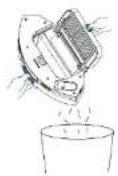
natural_image
Line drawing of a desktop computer with icons for keyboard, cloud, and mouse (no text or symbols)Uwagi:
natural_image
Technical diagram of a circular mechanical or electronic component with internal components and no visible text or symbols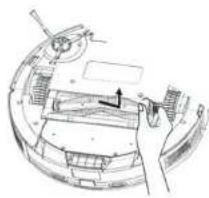
natural_image
Technical line drawing of a mechanical assembly with no visible text or symbolsnatural_image
Illustration of a hand gripping a coiled spring or spring with a blue tool, no text or symbols present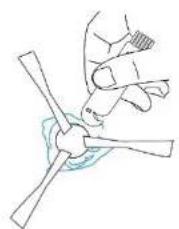
natural_image
Line drawing of a hand gripping a propeller blade (no text or symbols)natural_image
Technical line drawing of a mechanical device with hands operating it (no text or symbols visible)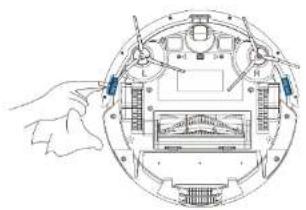
natural_image
Line drawing of a cylindrical device with an open lid and internal compartments (no text or symbols)1
2
natural_image
Line drawing of a device with open lid and internal compartments (no text or symbols)3
4
natural_image
Line drawing of a mechanical device with an open lid and internal components (no text or symbols)5
natural_image
Line drawing of a rectangular electronic device with internal components (no text or symbols)6
Far East Consortium Building,
121 Des Voeux Road Central
Hong Kong
www.teslasmart.com
TT
TESLA
natural_image
Black Tesla robotic vacuum cleaner with control panel and ventilation slots (no visible text or symbols on device body)TESLA SMART ROBOT VACUUM LASER AI300 PLUS
FELHASZNÁLÓI KÉZIKÖNYV
natural_image
Simple line drawing of a living room with sofa, TV, and chair (no text or symbols)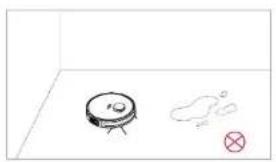
natural_image
Simple line drawing of a robot and a cloud-like shape with a red X mark, no text or symbols present.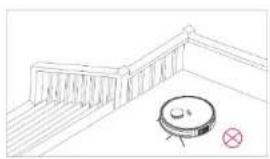
natural_image
Simple line drawing of a balcony with railings and a circular object, no text or symbols present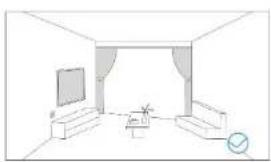
natural_image
Line drawing of a modern living room interior with TV, sofa, and coffee table (no text or symbols)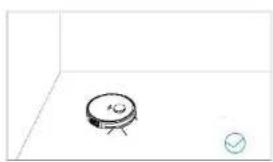
natural_image
Simple line drawing of a small electronic component with a circular base and a small circle below (no text or symbols)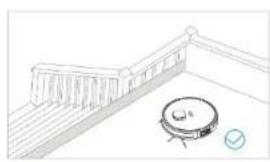
natural_image
Simple line drawing of a robotic room with a circular device and a small checkmark (no text or symbols)natural_image
Illustration of two hands adjusting a circular component with blue connectors (no text or symbols)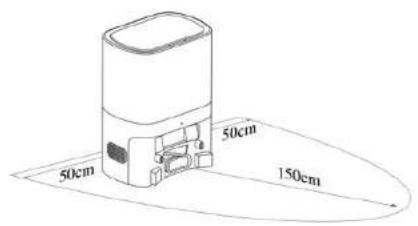
natural_image
Technical diagram showing a vehicle engine compartment with blue arrows indicating flow direction, alongside a simplified top-down view of the engine (no text or symbols present)natural_image
Line drawing of a robotic vacuum cleaner with a circular base and tripod-mounted sensor (no text or symbols)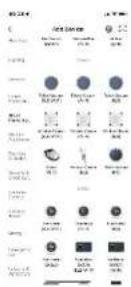

3. Network connection
natural_image
Line drawing of a device with a drain pipe and water droplets (no text or symbols)natural_image
Line drawing of a robotic vacuum cleaner with a blue arrow indicating motion (no text or symbols)natural_image
Illustration of a robotic vacuum cleaner next to a hand holding a digital scanner (no text or symbols visible)natural_image
Line drawing of a vehicle chassis with compartments and storage compartments (no text or symbols)natural_image
Line drawing of a mechanical component or device with no visible text, numbers, or symbolsnatural_image
Illustration of a faucet spraying water onto a container with a knife nearby (no text or symbols)natural_image
Line drawing of a desktop computer with icons for keyboard, cloud, and mouse (no text or symbols)Megjegyzések
natural_image
Technical diagram of a circular mechanical or electronic component with internal components and no visible text or symbolsnatural_image
Technical line drawing of a mechanical assembly with no visible text or symbolsnatural_image
Illustration of a hand gripping a tool next to a coiled tool (no text or symbols visible)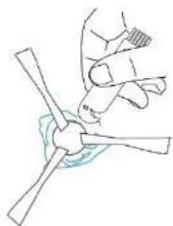
natural_image
Simple line drawing of a hand gripping a propeller with a blue circular base (no text or symbols)natural_image
Technical line drawing of a mechanical device with hands operating it (no text or symbols visible)natural_image
Line drawing of a cylindrical device with an open lid and internal components (no text or symbols)1
2
natural_image
Technical line drawing of a device with open lid and internal compartments (no text or symbols)3
4
natural_image
Line drawing of a mechanical device with an open lid and internal components (no text or symbols)5
natural_image
Line drawing of a rectangular device with a lid and internal components (no text or symbols)6
Termelő
Tesla Global Limited
Far East Consortium Building,
121 Des Voeux Road Central
Hong Kong
www.teslasmart.com
TT
TESLA
natural_image
Black Tesla robotic vacuum cleaner with control panel and ventilation slots (no visible text or symbols on device body)TESLA SMART ROBOT VACUUM LASER AI300 PLUS
UPORABNIŠKI PRIROČNIK
Varnostni napotki
Gobasti filter HEPA-filter
Pregrada zbiralnika prahu Polnilni kontakt
natural_image
Technical line drawing of a spacecraft or spacecraft with solar panels and a grid array (no text or symbols)natural_image
Simple line drawing of a living room with sofa, TV, and chair (no text or symbols)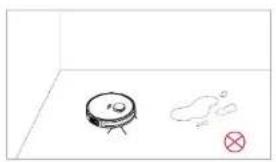
natural_image
Simple line drawing of a robot and a cloud-like shape with a red X mark, no text or symbols present.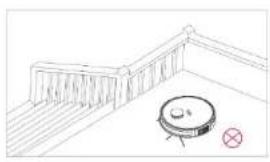
natural_image
Simple line drawing of a balcony with a circular object and a red cross symbol (no text or labels)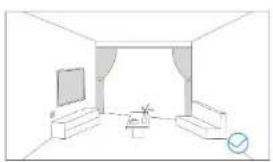
natural_image
Line drawing of a modern living room interior with TV, sofa, and coffee table (no text or symbols)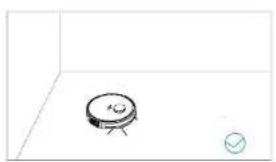
natural_image
Simple line drawing of a circular object with a cross on top and a small circle below, no text or symbols present.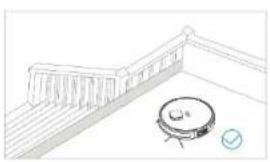
natural_image
Simple line drawing of a robotic vacuum cleaner near a railing (no text or symbols)natural_image
Line drawing of two hands holding a circular object with a small inset, no text or symbols presentnatural_image
Technical diagram showing a vehicle engine compartment with blue arrows indicating flow direction, alongside a simplified top-down view of the engine (no text or symbols present)natural_image
Line drawing of a vacuum cleaner next to a circular device with a lid (no text or symbols)Varnostni ukrepi med polnjenjem:

3. Omrežna povezava
natural_image
Line drawing of a device with a drain pipe and water droplets (no text or symbols)natural_image
Line drawing of a robotic vacuum cleaner with a blue arrow indicating motion (no text or symbols)natural_image
Illustration of a robotic vacuum cleaner next to a hand holding a digital scanner (no text or symbols visible)natural_image
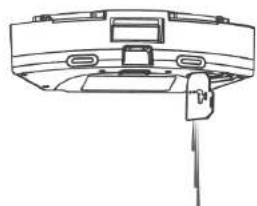
Technical line drawing of a vehicle chassis with compartments and storage panels (no text or symbols)B. Izpraznite rezervoar za vodo. C. Odprite zbiralnik prahu in izpraznite smeti.
natural_image
Line drawing of a mechanical component or device with no visible text, numbers, or symbolsE. Izpraznite rezervoar za vodo in sperite mikro-fibro
natural_image
Illustration of a faucet spraying water onto a container with a knife nearby (no text or symbols)natural_image
Line drawing of a desktop computer with open lid, keyboard, cloud, and mouse (no text or symbols)Opombe:
Pred namestitvijo filtrov se prepričajte, da sta filter za predhodno čiščenje in filter HEPA suha.
natural_image
Technical diagram of a mechanical assembly with internal components (no visible text or labels)natural_image
Technical line drawing of a mechanical assembly with no visible text or symbolsD. Očistite stransko krtačo
natural_image
Illustration of a hand holding a tool next to a coiled device (no text or symbols visible)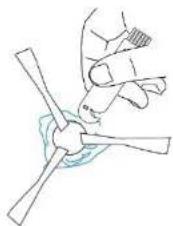
natural_image
Simple line drawing of a hand gripping a propeller with a blue circular base (no text or symbols)natural_image
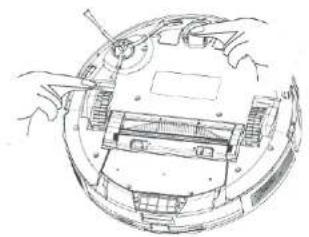
Technical line drawing of a mechanical assembly with no visible text or symbolsOčistite pogonska kolesa in vrtljivo kolo
natural_image
Technical line drawing of a mechanical assembly with hands operating a component (no text or symbols visible)natural_image
Line drawing of a cylindrical device with an open lid and internal compartments (no text or symbols)1
2
natural_image
Technical line drawing of a device with open lid and internal compartments (no text or symbols)3
4
natural_image
Diagram of a portable electronic device with an open lid and internal compartments (no text or symbols)5
natural_image
Line drawing of a rectangular electronic device with internal components (no text or symbols)6
Producent
Tesla Global Limited
Far East Consortium Building,
121 Des Voeux Road Central
Hong Kong
www.teslasmart.com

TESLA
TESLA SMART ROBOT VACUUM LASER AI300 PLUS
Producent
Tesla Global Limited
Far East Consortium Building,
121 Des Voeux Road Central
Hong Kong
www.teslasmart.com

- TESLA SMART ROBOT VACUUM LASER AI300 PLUS
- Safety Instructions
- Cautions
- Warnings
- Table of Contents
- Product Composition/Packaging Contents
- Product Composition/Parts Name
- Top View
- Bottom View
- Product Composition/water tank/dust box and mop assembly
- Product usage/preparation
- Notes
- Product Usage/Robot Charging
- Charging attention:
- Product Use/installation and network connection
- 2.Preparation
- Network connection
- Product usage/use instruction
- Power On/Off
- Start Cleaning
- Notes:
- Pause
- Sleep Mode
- Charging
- Reset Wi-Fi
- Clean a pointed zone
- Set a restricted zone/ invisible wall
- Clean selected zones
- Scheduled cleaning
- Clean a divided zone
- Resumable cleaning
- DND mode
- Product usage/mopping
- Component Maintenance/Regular maintenance
- Regular maintenance
- Using the Water Tank
- Component Maintenance/2 in 1 Water Tank
- Component Maintenance/Main Brush and Side Brush
- Component Maintenance/Charging Electrode, Anti-fall sensor, Drive Wheel And Universal Wheel
- Replace the dust bag
- Troubleshooting
- INFORMATION ABOUT DISPOSAL AND RECYCLING
- EU DECLARATION OF CONFORMITY
- TT
- TESLA
- Sicherheitshinweise
- Bezpečnostní pokyny
- Upozornění:
- Připojení k síti
- Bezpečnostné pokyny
- Prevádzka produktu / Nabíjanie
- Poznámky:
- Vymenit'vrecko na prach
- Uwagi:
- Network connection
- Megjegyzések
- Varnostni napotki
- Varnostni ukrepi med polnjenjem:
- Omrežna povezava
- Opombe:
Brand : TESLA
Model : Laser AI300 Plus
Category : Robot vacuum