
Hybrid Box T2 - Digital decoder Evolveo - Free user manual and instructions
Find the device manual for free Hybrid Box T2 Evolveo in PDF.


| Type | Digital Decoder (DVB-T2/C) |
| Brand | Evolveo |
| Model | Hybrid Box T2 |
| CPU | Quad-core Cortex-A53 @ 1.8GHz |
| GPU | Penta-core Mali-G31 MP2 @ 850MHz |
| RAM | 3GB DDR4 |
| Storage | 16GB eMMC Flash |
| Operating System | Android 9.0 |
| TV Standard | DVB-T2 / DVB-C |
| Video Output | HDMI, AV (composite) |
| Max Resolution | UHD 4K (3840x2160) @ 60fps |
| Video Codecs | H.265 10-bit, H.264, VC-1, MPEG1/2/4 |
| Audio Codecs | MP3, AAC, WMA, RM, FLAC, OGG |
| Photo Formats | JPG, GIF, BMP, PNG, TIF |
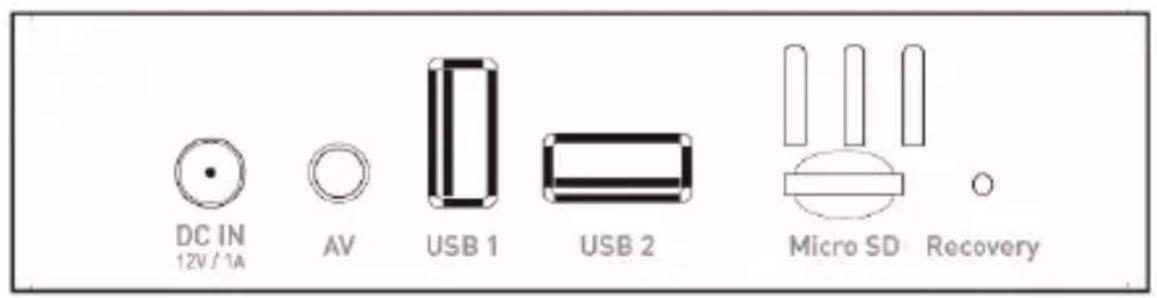
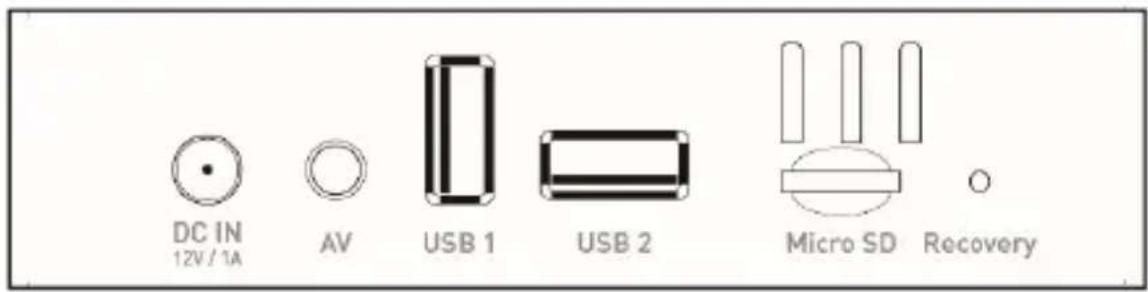
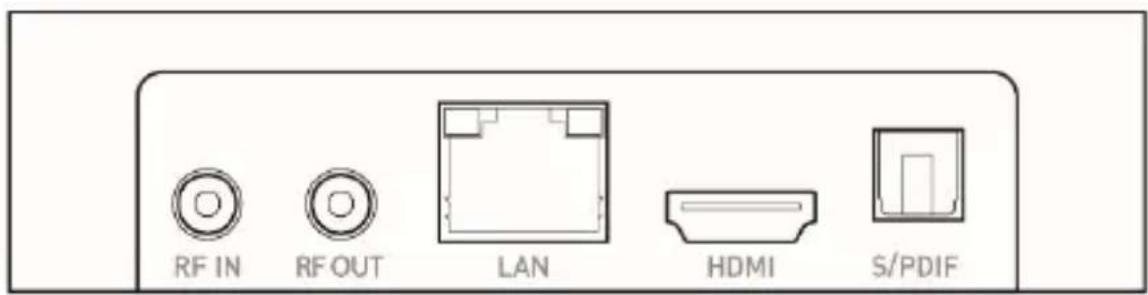
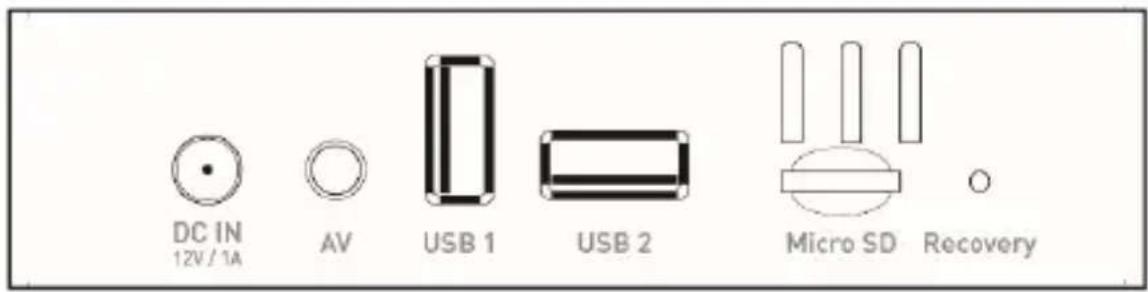
| Connectivity | HDMI 2.0, Ethernet RJ45, USB 2.0, USB 3.0, Micro SD, RF IN/OUT, LNB IN, SPDIF optical, AV |
| Wireless Streaming | DLNA, Miracast, AirPlay |
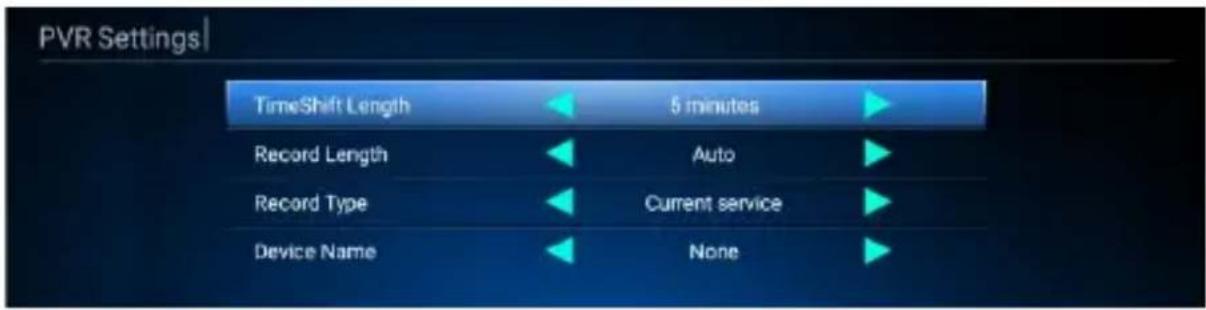
| PVR Recording | Yes, to USB storage (TimeShift, Record) |
| Power Input | DC 12V / 1A |
| Power Consumption | 6W max |
| Power Adapter | Input 100-240V AC, 50/60Hz, Output 12V DC |
| Safety Certifications | CE |
| Manufacturer | Naxya Limited, Hong Kong |
| Importer | Abacus Electric, s.r.o., Czech Republic |
| Cleaning | Wipe with a soft dry cloth; do not use liquids or chemicals. |
| Repair | Authorized service centers only; see warranty for details. |
Frequently Asked Questions - Hybrid Box T2 Evolveo
User questions about Hybrid Box T2 Evolveo
0 question about this device. Answer the ones you know or ask your own.
Ask a new question about this device
Download the instructions for your Digital decoder in PDF format for free! Find your manual Hybrid Box T2 - Evolveo and take your electronic device back in hand. On this page are published all the documents necessary for the use of your device. Hybrid Box T2 by Evolveo.
USER MANUAL Hybrid Box T2 Evolveo
natural_image
Simple diagram with a rounded rectangle and three small circles inside, no text or symbols presentZADNÍ PANEL
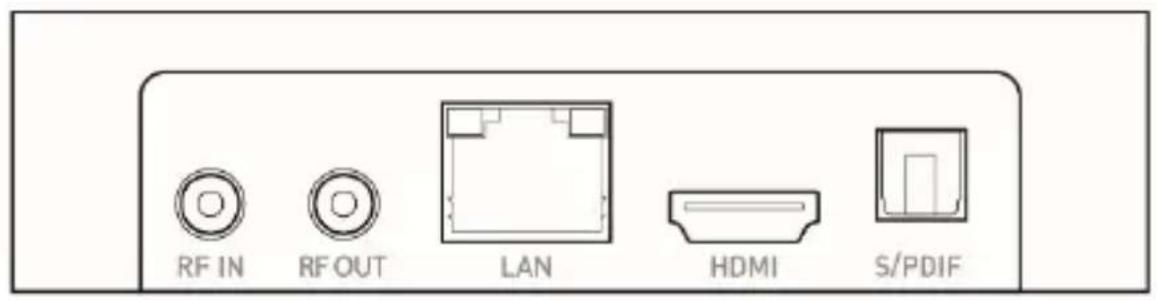
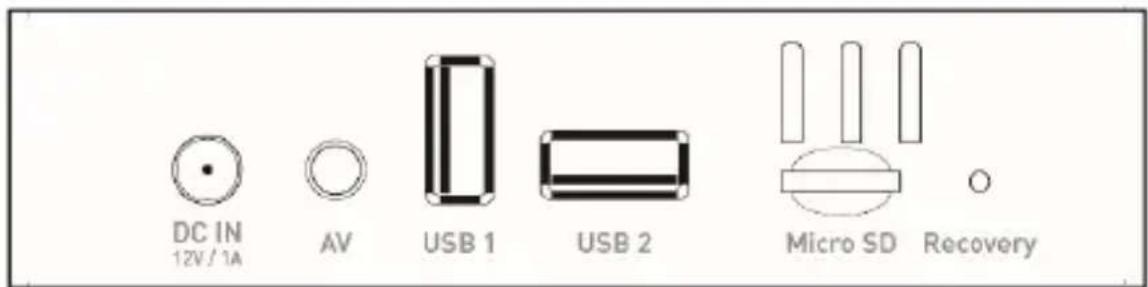
POSTRANNÍ PANEL
DLNA
AirPlay
Miracast
Nastavení PVR
Seznam nahrávek
| PVR | |
| Storage Device | Record List |
| USB(A) |
INFO: EPG INFO
Upravit kanál
OK: Zvolit kanál.
Naxya Limited / No. 5, 17/F, Strand 50, 50 Bonham Strand, Sheung Wan, Hong Kong
Dovozce
Abacus Electric, s.r.o.
Power Supply Information
| Supplier: Shenzhen Keyu Power Supply Technology Co., Ltd, Commercial registration number: 91440300591889293H, Address:1-5F, No.13, Lane 3, Yuquan East Road, the 2nd Industrial park, Yulv, Guangming District, Shenzhen, Guangdong, China | ||
| Model: KA25-0501000EU | ||
| Information published | Value and precision | Unit |
| Input voltage | 100-240 | V |
| Input AC frequency | 50/60 | Hz |
| Output voltage | 5 | V |
| Output current | 1 | A |
| Output power | 5 | W |
| Average active efficiency | 74,32 | % |
| Efficiency at low load (10 %) | 68,79 | % |
| No-load power consumption | 0,075 | W |
Copyright © Abacus Electric, s.r.o.
www.evolveo.com
www.facebook.com/EvolveoCZ
natural_image
Simple diagram with a rounded rectangle and three small circles inside, no text or symbols present.ZADNÝ PANEL
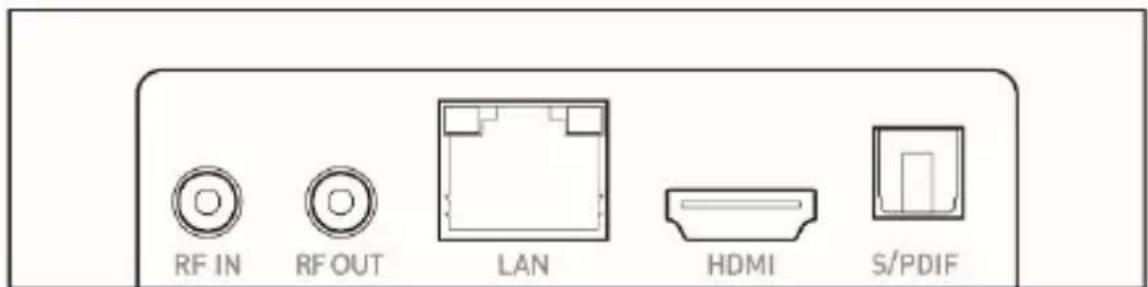
BOČNÝ PANEL
DLNA
AirPlay
Miracast
Kliknite na „A/V nastavenie“ a vyskočí menu s možnost'ami. Môžete konfigurovat' displej, audio atd'.
Systémové zvuky

Kliknite na nastavenie Siet' a Internet -> Wi-Fi/LAN.
Nastavenie PVR
Zoznam nahrávok
| PVR | |
| Storage Device | Record List |
| USB(A) |
Upravit' kanál
OK: Zvolit' kanál.
Presunút: Zmenit' poradie kanálov.
Naxya Limited / No. 5, 17/F, Strand 50, 50 Bonham Strand, Sheung Wan, Hongkong
Dovozca
Abacus Electric, s.r.o.
Power Supply Information
| Supplier: Shenzhen Keyu Power Supply Technology Co., Ltd, Commercial registration number:91440300591889293H, Address:1-5F, No.13, Lane 3,Yuquan East Road, the 2nd Industrial park, Yulv,Guangming District, Shenzhen, Guangdong, China | ||
| Model: KA25-0501000EU | ||
| Information published | Value and precision | Unit |
| Input voltage | 100-240 | V |
| Input AC frequency | 50/60 | Hz |
| Output voltage | 5 | V |
| Output current | 1 | A |
| Output power | 5 | W |
| Average active efficiency | 74,32 | % |
| Efficiency at low load (10 %) | 68,79 | % |
| No-load power consumption | 0,075 | W |
Copyright © Abacus Electric, s.r.o.
www.evolveo.com
www.facebook.com/EvolveoCZ
Thank you for choosing the EVOLVEO Hybrid Box T2. We believe it will bring you a lot of fun and satisfaction. Please do read user manual before you operate the device.
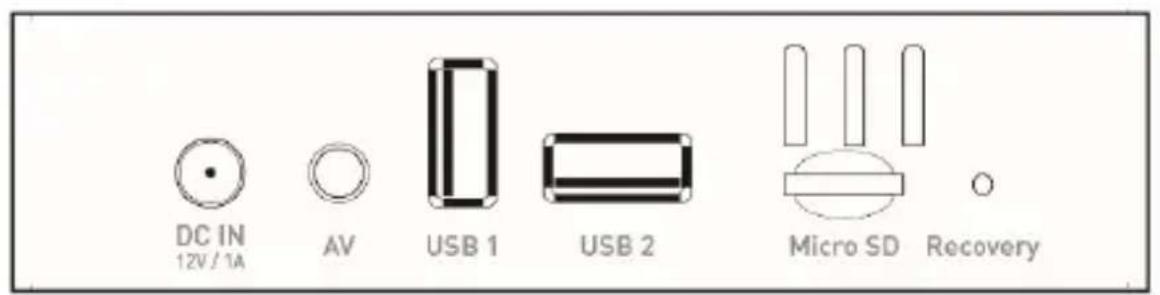
Appearance and interface
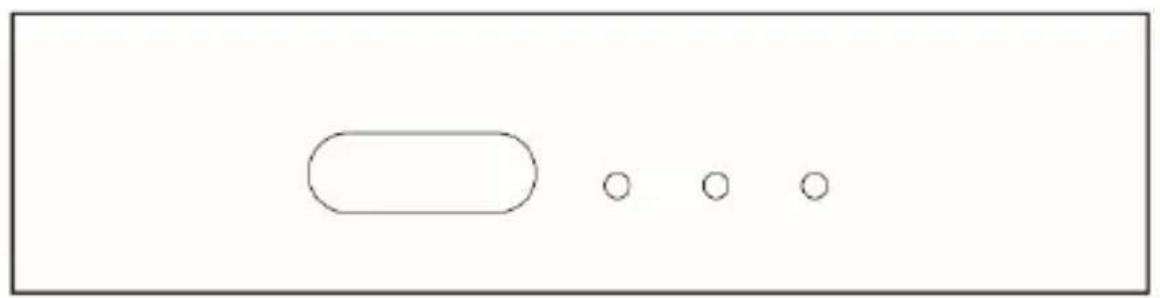
FRONT PANEL
natural_image
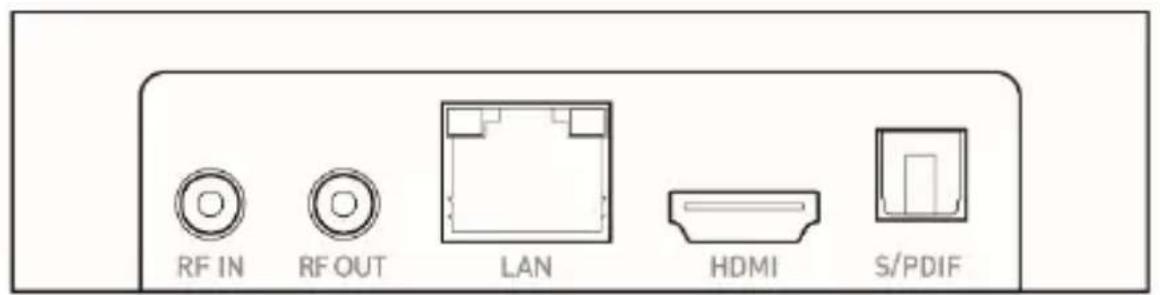
Simple diagram with a rounded rectangle and three small circles inside, no text or symbols presentREAR PANEL
SIDE PANEL
Initial configuration
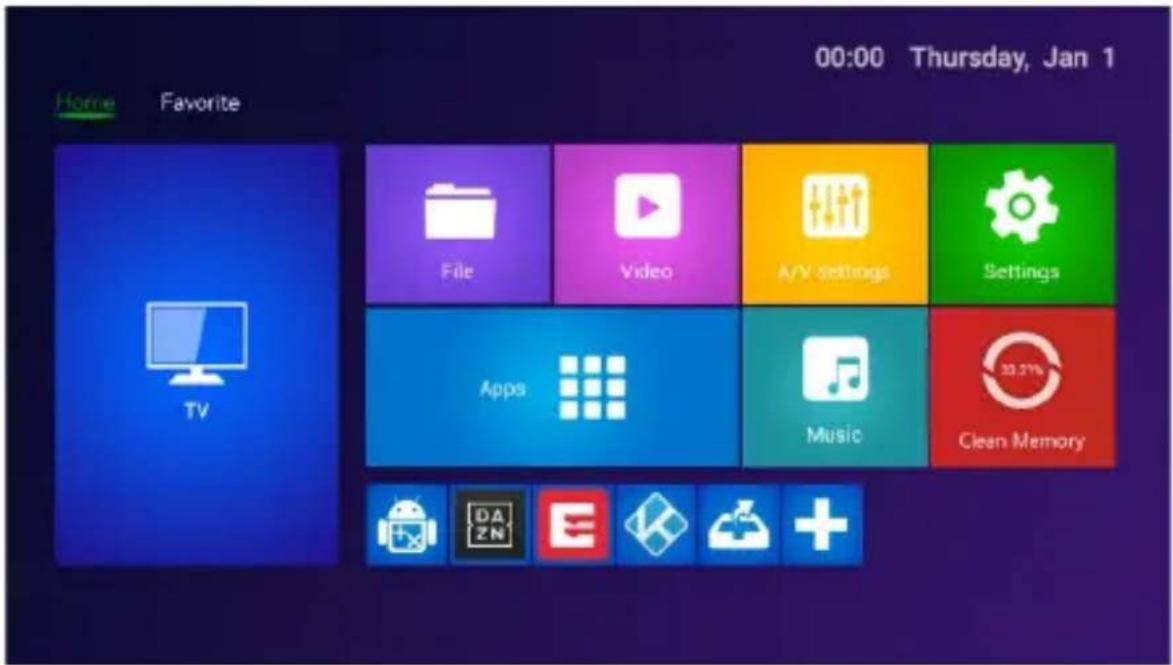
• Power on, enter into main menu.
- Click + to install or delete your favorite app.
- Click 📄 APP, enter into the settings interface.
- Click ⚙ SETTINGS, enter into the whole applications' interface.
Application
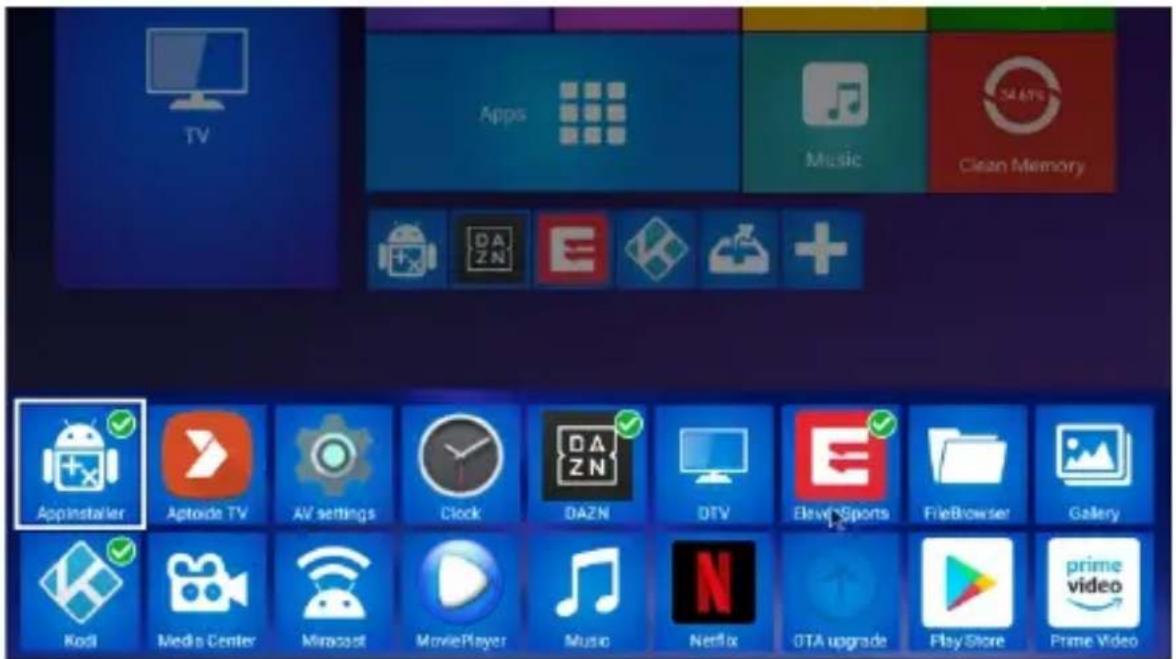
Press “+” to add your favorite apps as a new shortcut, long press can delete the shortcut in your favorite app.
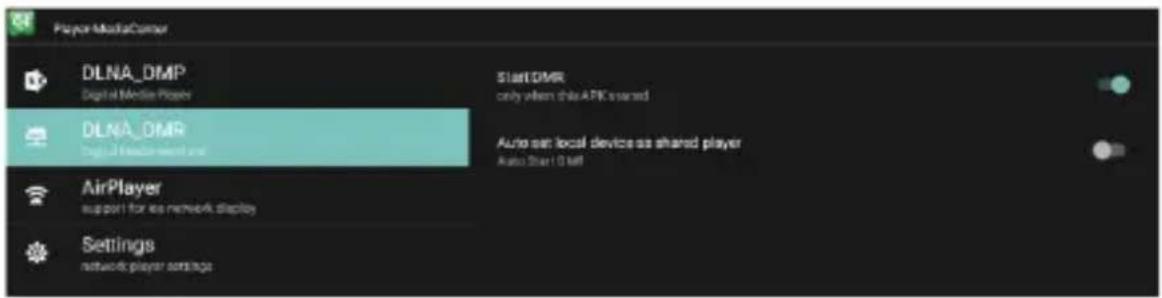
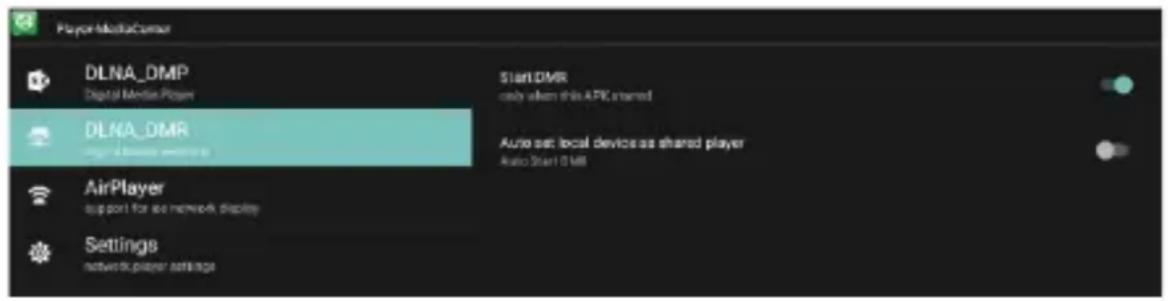
DLNA
- Click "Media Center" in Apps list.
- Turn on DLNA DMP" and "DLNA DMR".
- Turn on DLNA in your android mobile device.
- Start playing the video, music and photo in your android mobile device.
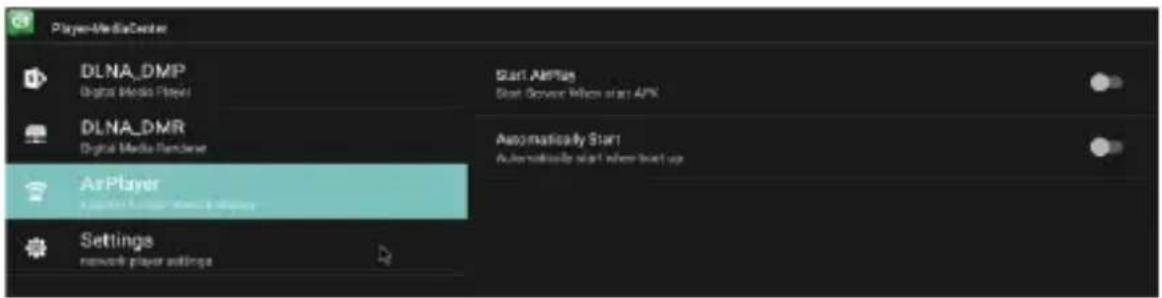
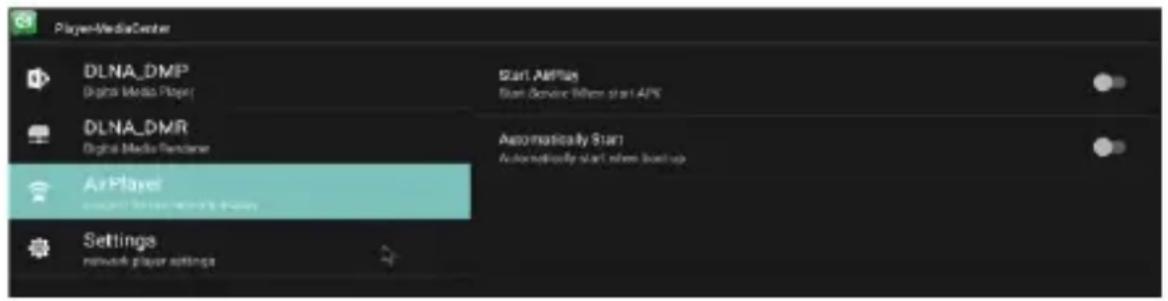
Airplay
- Click "Media Center" at apps list.
- Turn on "Start AirPlay".
- Select the video and photo in your iOS device, select share, click "Airplay".
- Select STB device airplay name displayed in your iOS device and confirm.
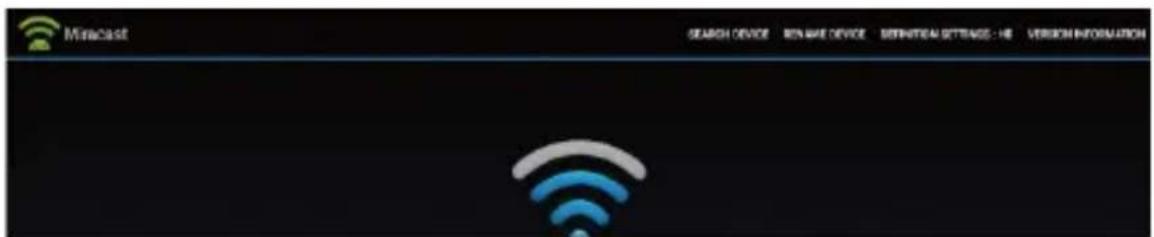
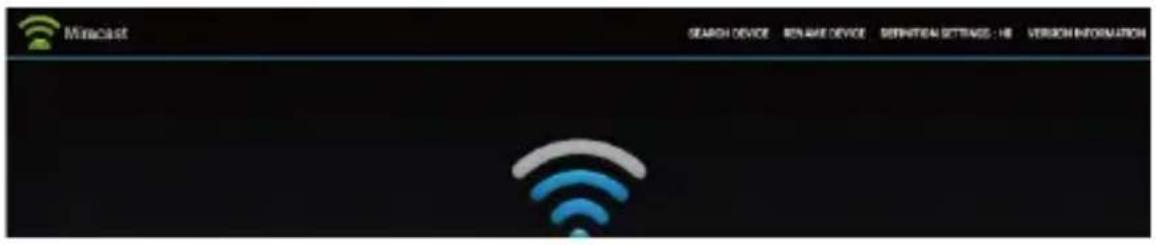
Miracast
- Click "Miracast" in apps list.
- Start searching other android devices.
- Turn on the miracast option in your android mobile device.
- Select STB device name and connect it in your android mobile device.
- Start playing the video, music and photo in your android mobile device.
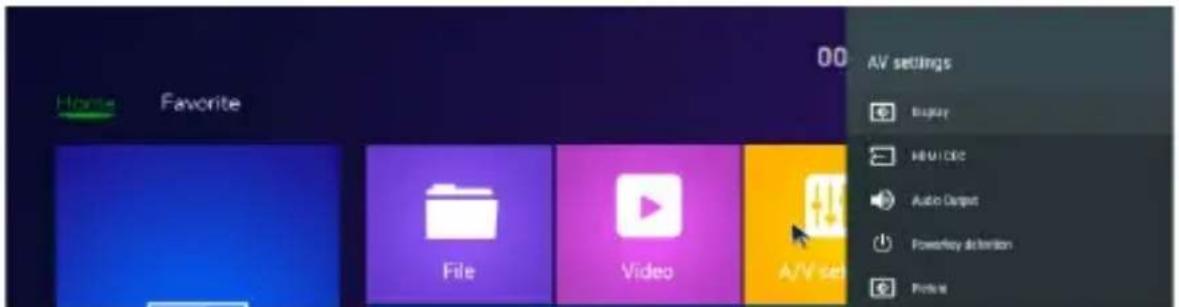
Audio, Video settings
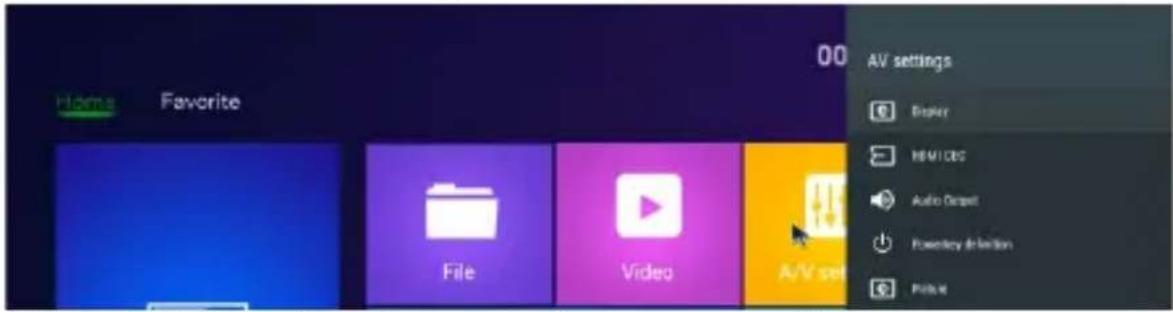
Click "A/V settings", an option menu will pop up. You can configure the display, audio etc.
System sounds
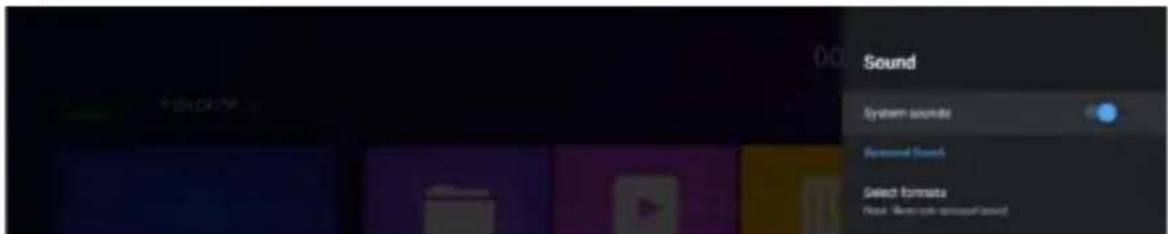
Click “Surround sound”, there are (Auto/Always/Never) 3 options for choosing.
Network settings
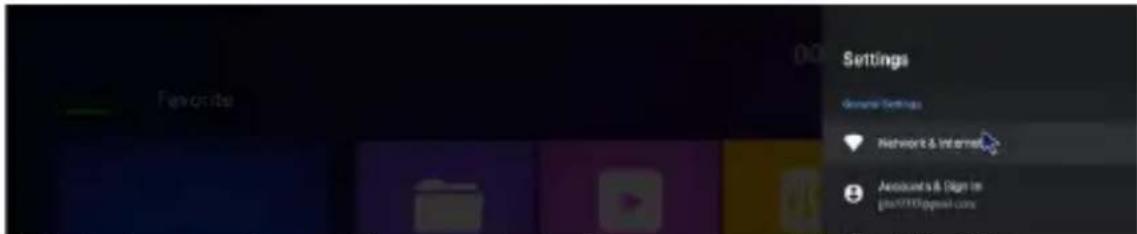
Click in settings Network & Internet -> Wi-Fi/LAN
Language / Date & Time settings
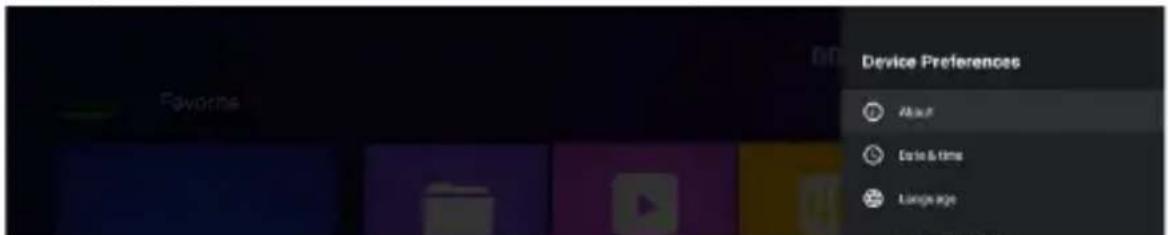
In settings click “Device preferences”, select the language, click “ok” to save and back.
Keyboard & Auto fill

Is settings click “Keyboard & Auto fill”, input method from the list, click “OK” to save and back, then you can use new input method.
System upgrade

- Select "Setting" in main menu, click "System Upgrade".
- Select "Local Update", click "OK" to enter.
- Click "Select" button, select the new software, press "OK" to back.
- Select "Wipe Data" and "Wipe Media".
- Click "Update" to start update.
TV Menu
This device provides DVB-T2/C standard. T2 standard is for receiving DVB-T2 signal and C standard is for receiving DVB-C signal. Parental control (Initial password: 0000)
Installation DVB-T/T2/C
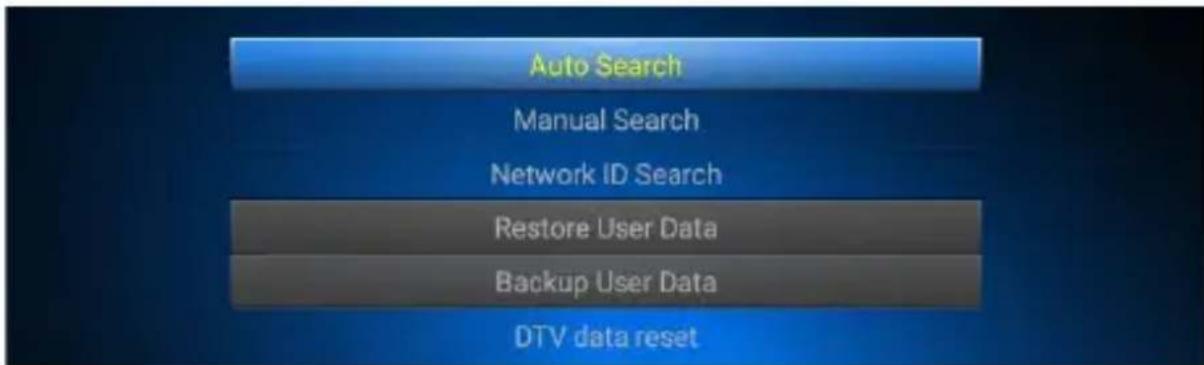
Auto Search/Manual Search/Network ID Search/Restore User Data/Backup User Data/DTV data reset
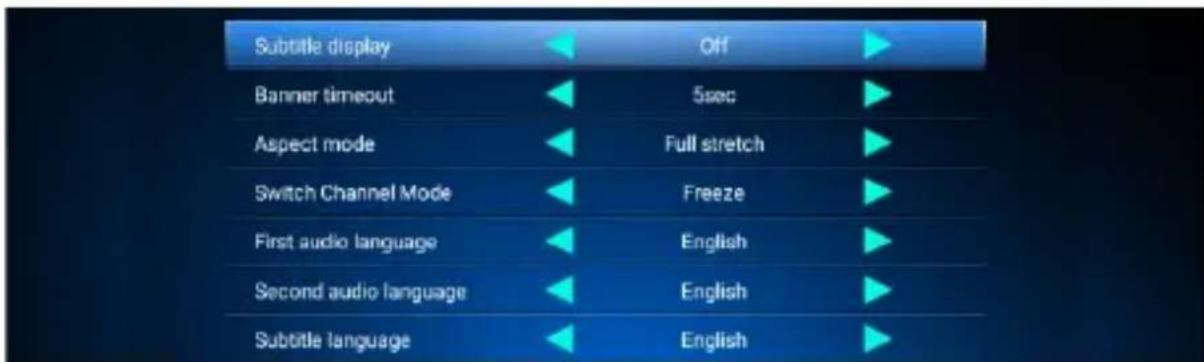
DTV preferences, General settings
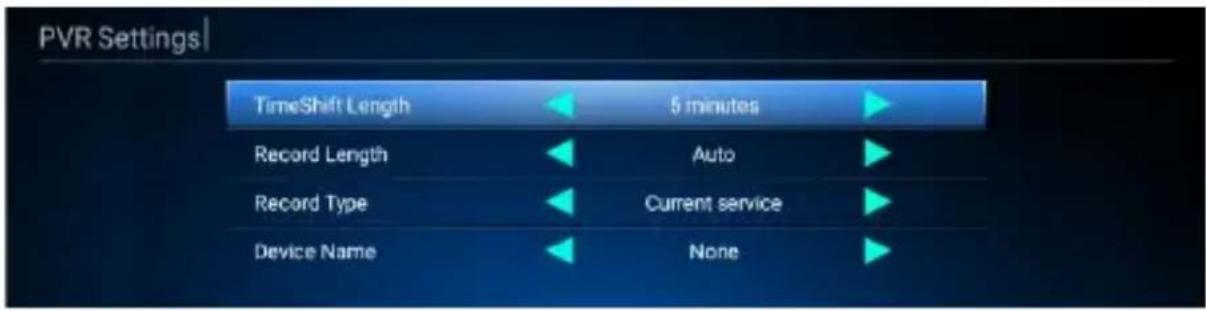
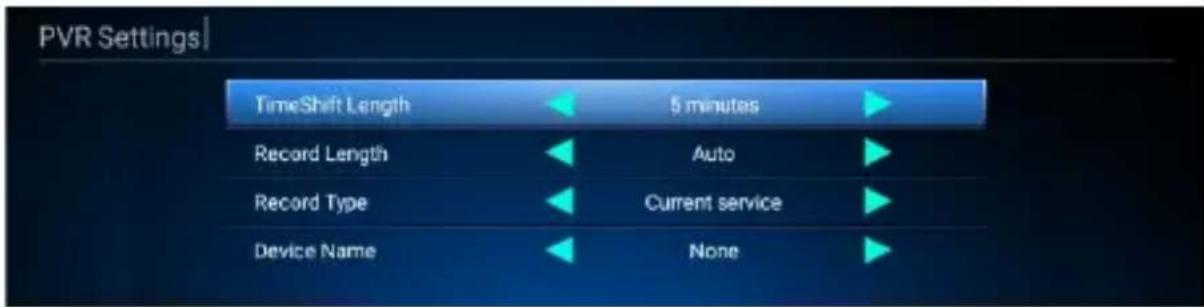
PVR Settings
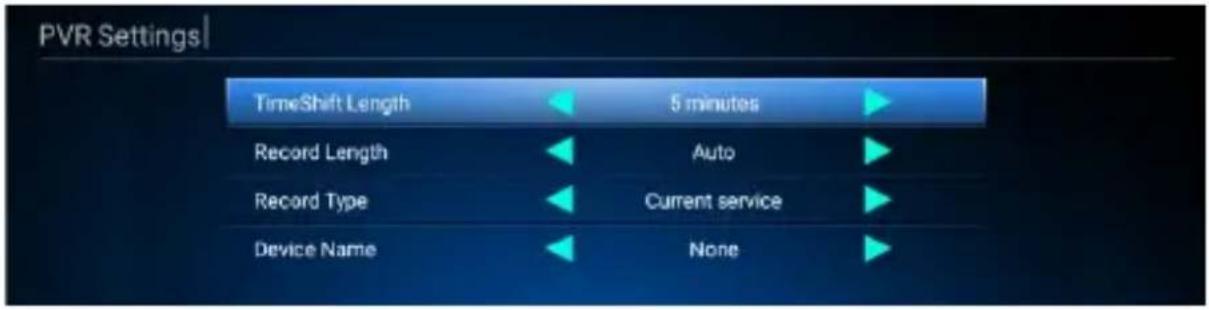
Record List
| PVR | |
| Storage Device | Record List |
| USB(A) |
- Press "ok" to play the record.
- Press red button on remote to select the record.
- Press green button on remote to rename the record.
- Press blue button on remote to delete the record.
- Press yellow button on remote to lock the record.
Timer list
| Timer List | 2000-01-01 00:04:31 | ||||
| NO. | Channel Name | Date | Time | Mode | Type |
| 1 | N24 | 2000-01-01 00:06 | Once | Play | |
- Press red button on remote to add a new channel.
- Press green button on remote to edit the channel.
- Press Yellow button on remote to delete the channel.
EPG
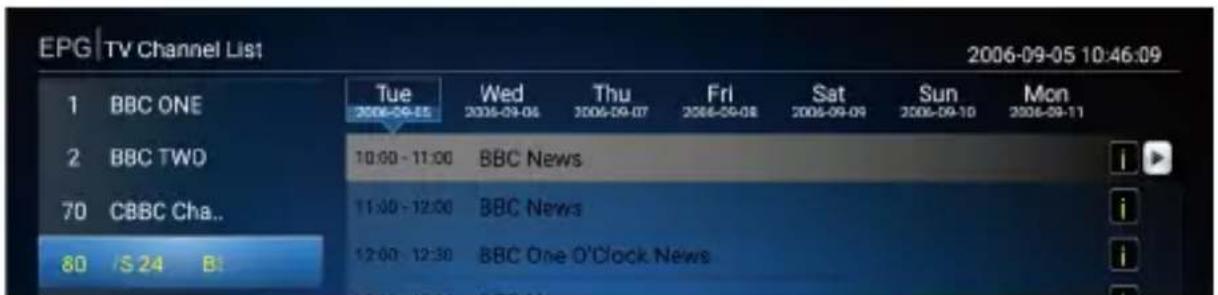
INFO: EPG INFO
OK: click left button on remote -> ok, book or add channel event. Booklist: press red button on remote to check book list and edit it.
Channel Manager
Channel List Edit
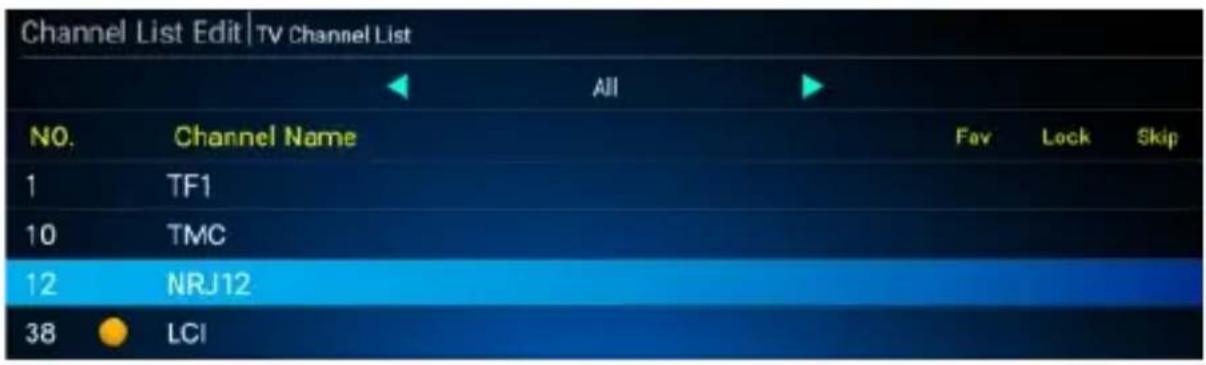
Edit Channel
OK: select a channel
Move: change the sequence of a channel
Rename: change the name of a channel
Sort: Sort of the channel list
Delete: Delete a channel
Favorite List Edit
| Favorite Group | Favorite Channel | ||
| 1 | FAV1 | NO. | Channel Name |
| 2 | FAV2 | 1 | TF1 |
| 3 | FAV3 | 2 | TMC |
| 4 | FAV4 | 3 | NRJ12 |
| 5 | FAV5 | 4 | LCI |
| 6 | FAV6 | 5 | Eurosport France |
Rename: Press right/left key on remote, select a Favorite Group, change Favorite Group Name as you like.
Remove: Press right/left key on remote, select a Favorite Channel, remove the channel from the list.
Delete all channels

Click "Delete All Channels" input password "0000", press "ok" to confirm.
Specification
| CPU | QUAD-CORE 64-BITCORTEX-A53 1.8GHz |
| GPU | PENTA-CORE Mali-G31 MP2850MHz |
| MEMORY | 3G DDR416G EMMC FLASH |
| OS | ANDROID 9.0 |
| TUNER & CHANNEL | *LNB IN CONNECTOR x1(F-TYPE, IEC169-24, FEMALE)*RF INPUT CONNECTOR x1(IEC-TYPE, IEC169-2, FEMALE)*FREQUENCY RANGE:174MHz~230MHz (VHF)470MHz ~862MHz (UHF)950MHz ~2150 MHz*SIGNAL LEVEL: -15 ~ -70 dbm |
| VIDEO DECODERAUDIO DECODERPHOTO DECODERVIDEO FORMATSMODULATIONVIDEO OUTPUT | UHD 4K 60 FPS, FHD 1080P60 FPS H.265 10-BIT, H.264, VC-1,MPEG1/2/4MP3, AAC, WMA, RM, FLAC, OGGJPG, GIF, BMP, PNG, TIF4:3, 16:9 SWITCHABLEHDMI, AVQPSK,16QAM,64QAM, 256QAM |
| MAIN POWER CABLETUNERDATA PORTHDMIOPTICALAVETHERNET | FIXED TYPELNB INPUTx1, RF INPUT x1USB2.0, USB3.0, TF x1HD OUTPUT x1SPDIF x1AV OUTPUTx1RJ45x1 |
| INPUT VOLTAGEPOWER CONSUMPTION | 12V/1AMAX. 6W |
Do you still need an advice after reading this guide?
First read “Frequently Asked Questions” at www.evolveo.com or contact the EVOLVEO technical support.
Warranty and post-warranty service
Repairs and servicing may only be carried out in an authorized service centres for EVOLVEO products (see www.evolveo.com),
otherwise you may damage your device and lose the warranty.
The warranty DOESN'T APPLY to:
• using the device for other purposes than it was designed to
- installation of another firmware then the one that was installed as the original from the factory or firmware that can be downloaded manually or automatically from the device menu
• mechanical damage of caused by inappropriate using
- damage caused by the natural elements as fire, water, static electricity, overvoltage and so on
• damage caused by unauthorized repair
- damage of the guarantee seal or unreadable serial number of the device

Disposal: The symbol of crossed out container on the product, in the literature or on the wrapping means that in the European Union all the electric and electronic products, batteries and accumulators must be placed into the separate salvage after finishing their lifetime. Do not throw these products into the unsorted municipal waste

DECLARATION OF CONFORMITY
Hereby, the company Abacus Electric, s.r.o. declares that the EVOLVEO Hybrid Box T2 is in compliance with the requirements of the standards and regulations, relevant for the given type of device.
Find the complete text of Declaration of Conformity at www.evolveo.com/ftp/ce/
Manufacturer
Naxya Limited / No. 5, 17/F, Strand 50, 50 Bonham Strand, Sheung Wan, Hong Kong
Importer
Abacus Electric, s.r.o.
Planá 2, 370 01, Czech Republic
Power Supply Information
| Supplier: Shenzhen Keyu Power Supply Technology Co., Ltd, Commercial registration number: 91440300591889293H, Address:1-5F, No.13, Lane 3, Yuquan East Road, the 2nd Industrial park, Yulv, Guangming District, Shenzhen, Guangdong, China | ||
| Model: KA25-0501000EU | ||
| Information published | Value and precision | Unit |
| Input voltage | 100-240 | V |
| Input AC frequency | 50/60 | Hz |
| Output voltage | 5 | V |
| Output current | 1 | A |
| Output power | 5 | W |
| Average active efficiency | 74,32 | % |
| Efficiency at low load (10 %) | 68,79 | % |
| No-load power consumption | 0,075 | W |
Copyright © Abacus Electric, s.r.o.
www.evolveo.com
www.facebook.com/EvolveoCZ
All rights reserved.
Design and specification may be changed without prior notice.
Tisztelt Vásárló!
natural_image
Simple diagram with a rounded rectangle and three empty circles, no text or symbols presentHÁTSÓ PANEL
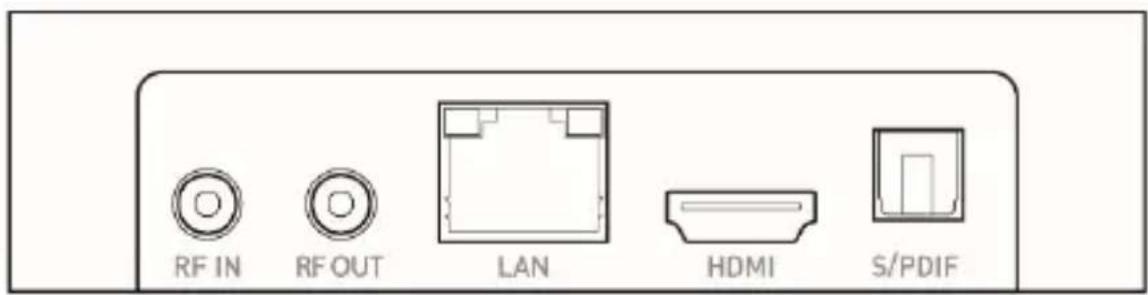
OLDALSÓ PANEL
DLNA
AirPlay
Miracast
PVR beállítások
Felvételek listája
| PVR | |
| Storage Device | Record List |
| USB(A) | |
Naxya Limited 5, 17/F, Strand 50, 50 Bonham Strand, Sheung Wan, Hong Kong
Importör
Abacus Electric, s.r.o.
Power Supply Information
| Supplier: Shenzhen Keyu Power Supply Technology Co., Ltd, Commercial registration number:91440300591889293H, Address:1-5F, No.13, Lane 3,Yuquan East Road, the 2nd Industrial park, Yulv,Guangming District, Shenzhen, Guangdong, China | ||
| Model: KA25-0501000EU | ||
| Information published | Value and precision | Unit |
| Input voltage | 100-240 | V |
| Input AC frequency | 50/60 | Hz |
| Output voltage | 5 | V |
| Output current | 1 | A |
| Output power | 5 | W |
| Average active efficiency | 74,32 | % |
| Efficiency at low load (10 %) | 68,79 | % |
| No-load power consumption | 0,075 | W |
Copyright © ABACUS Electric, s.r.o.
www.evolveo.com
www.facebook.com/EvolveoCZ
Minden jog fenntartva.
natural_image
Simple diagram with a rounded rectangle and three small circles inside, no text or symbols presentSTRAŽNJA PLOČA
BOČNA PLOČA
DLNA
- Kliknite na „Media Center“ u popisu aplikacija.
- Uključite „DLNA DMP“ i „DLNA DMR“.
- Uključite DLNA na vašem mobilnom uređaju s operativnim sustavom Android.
- Reproducirajte videa, glazbu i fotografije na vašem mobilnom uređaju s operativnim sustavom Android.
AirPlay
- Kliknite na „Centar medija“ u popisu aplikacija.
- Uključite „Pokreni AirPlay“.
- Odaberite video i fotografije u vašem uređaju iOS, odaberite podijeli, kliknite na „AirPlay“.
- Odaberite naziv Airplay set-top-kutije koje vidite na vašem uređaju iOS i potvrdite.
Miracast
- Kliknite na „Miracast“ u popisu aplikacija.
- Započnite pretraživanje drugih uređaja operativnog sustava Android.
- Uključite mogućnost Miracast na vašem mobilnom uređaju s operativnim sustavom Android.
- Odaberite ime set-top-kutije i priključite ju na vaš mobilni uređaj s operativnim sustavom Android
- Reproducirajte videa, glazbu i fotografije na vašem mobilnom uređaju s operativnim sustavom Android.
Postavke audia, video
Kliknite na „Zvuk u prostoru“, na odabir imate tri mogućnosti (Auto / Uvijek / Nikada).
Postavke mreže
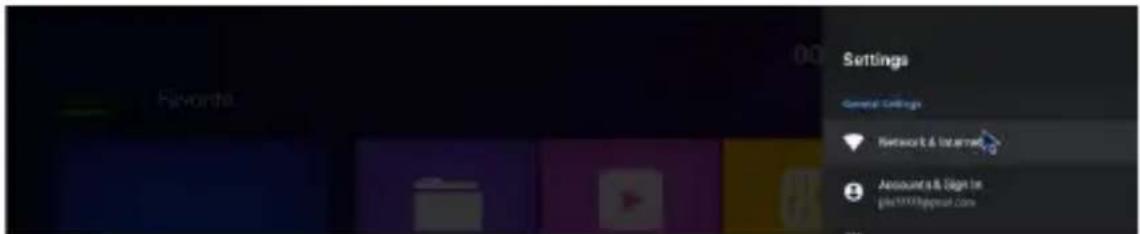
Kliknite na postavke Mreža i Internet -> Wi-Fi/LAN.
Postavke jezika / datuma / vremena
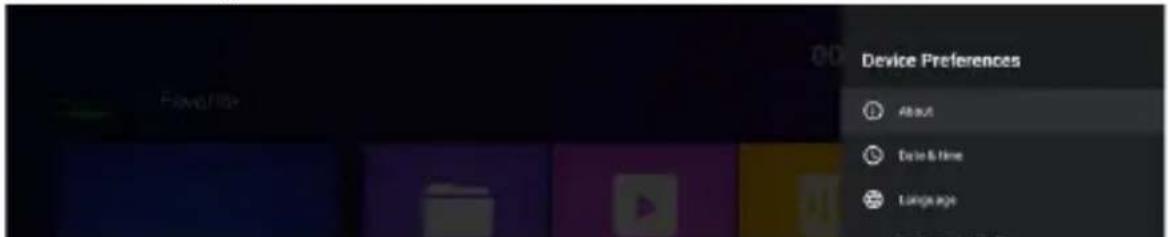
U postavkama kliknite na „Predopcije uređaja“, odaberite jezik, kliknite na OK za spremanje i povratak nazad.
Kliknite na „Tipkovnica i automatsko predviđanje teksta“, odaberite metodu unosa s popisa, kliknite na OK za spremanje i povratak nazad, zatim možete koristiti novu metodu unosa.
Ažuriranje sustava

- U glavnom izborniku odaberite „Postavke“ i kliknite na „Ažuriranje sustava“.
- Odaberite „Lokalno ažuriranje“ i otvorite pritiskom na OK.
- Kliknite na gumb „Odabrati“, odaberite novi softver i pritiskom na OK vratite se nazad.
- Odaberite „Brisanje podataka" i "Brisanje medija".
- Za početka ažuriranja kliknite na „Ažurirati“.
TV Izbornik
Ovaj uređaj pruža standard DVB-T2/C. Standard T2 je za prijem signalu DVB-T2 i standard C je za prijem signala DVB-C. Roditeljski nadzor (Izvorna lozinka: 0000)
Instalacija DVB-T/T2/C
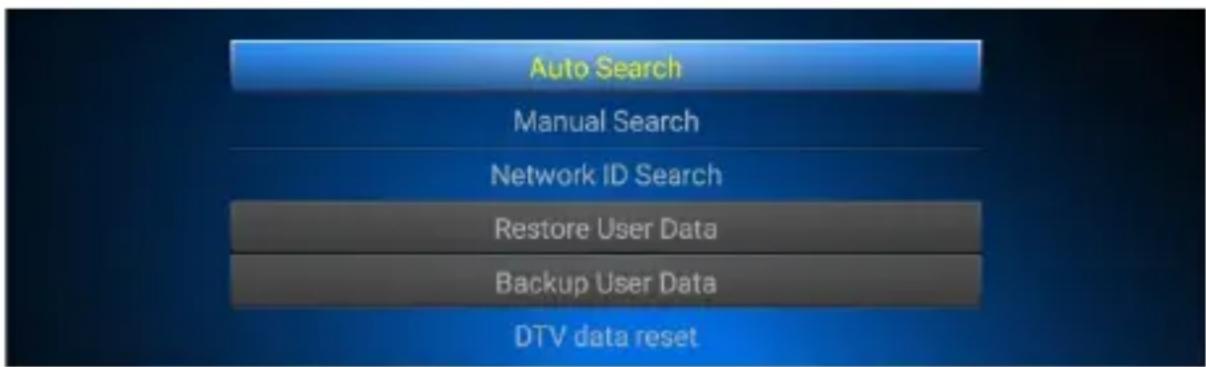
Automatsko pretraživanje / Ručno pretraživanje / Pretraži ID mrežu Obnovi korisničke podatke / Izrada sigurnosnih kopija korisničkih podataka / Reset DTV podataka
Postavke PVR
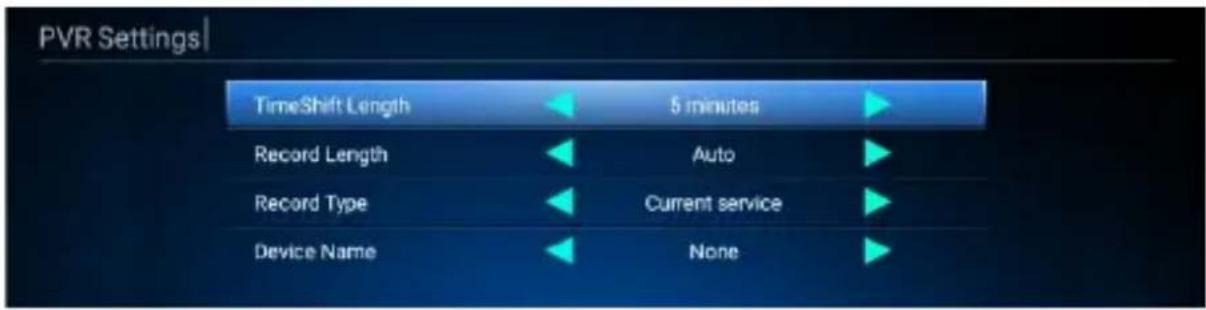
Popis snimaka
| PVR | |
| Storage Device | Record List |
| USB(A) | |
INFORMACIJE: EPG INFO
OK: Pritisnite lijevi gumb na daljinskom upravljaču -> OK, rezervirati ili dodati događaj.
Promijeni kanal
OK: Odabrati kanal.
Kliknite „Briši sve kanale“, unijeti lozinku „0000“, potvrdite pritiskom na OK.
Specifikacija
| PROCESOR | ČETVEROJEZGRENI 64-BITNI CORTEX-A53 1.8 GHz |
| GPU | PETEROJEZGRENI Mali-G31 MP2 850MHz |
| MEMORIJA | 3G DDR416G EMMC FLASH |
| OPERATIVNI SUSTAV | ANDROID 9.0 |
| PRIJEMNIK I KANAL | *LNB IN KONEKTOR x1(F-TYPE, IEC169-24, UTIČNICA)* ULAZNI KONEKTOR RF x1(IEC-TYPE, IEC169-2, UTIČNICA)* FREKVENCIJSKI RASPON:174 MHz ~ 230 MHz (VHF)470 MHz ~ 862 MHz (UHF)950 MHz ~2.150 MHz* RAZINA SIGNALA: -15 ~ -70 dbm |
| VIDEO DEKODER | UHD 4K 60 FPS, FHD 1080P60 FPS H.265 10-BIT, H.264, VC-1,MPEG1/2/4 |
| AUDIO DEKODER | MP3, AAC, WMA, RM, FLAC, OGGJPG, GIF, BMP, PNG, TIF |
| FOTO DEKODER | 4:3, 16:9 PROMJENLJIVI |
| FORMATI VIDEA | QPSK,16QAM,64QAM, 256QAM |
| MODULACIJE | HDMI, AV |
| IZLAZ VIDEA | |
| KABEL NAPAJANJA | FIXED |
| PRIJEMNIK | LNB ULAZ x1, RF ULAZ x1 |
| PORT PODATAKA | USB2.0, USB3.0, TF x1 |
| HDMI | HD IZLAZ x1 |
| OPTIČKI | SPDIF x1 |
| AV | AV IZLAZ x1 |
| ETERNET | RJ45x1 |
| NAPON NAPAJANJA: | 12V/1A |
| POTROŠNJA ENERGIJE | MAKS. 6W |
I dalje vam je potrebna pomoć nakon što ste pročitali ovaj priručnik?
Najprije pročitajte "Najčešća pitanja" na adresi www.evolveo.com ili kontaktirajte tehničku podršku tvrtke EVOLVEO.
Jamstveni i post jamstveni servis
Popravke i servis moguće je vršiti samo u ovlaštenom mjestu za servisiranje proizvoda EVOLVEO (više na www.evolveo.com), u protivnom se uređaj može oštetiti i izgubiti jamstvo.
Jamstvo se NE ODNOSI na:
- korištenje uređaja u druge svrhe nego za koje je namijenjen
- instaliranje drugog firmware nego onoga koji je na uređaj instalirao proizvođač, ili onoga koji se može ručno ili automatski preuzeti iz ponude uređaja,
- mehaničko oštećenje prouzročeno uslijed neprikladnog korištenja,
- na štetu uzrokovanu prirodnim nepogodama kao što je vatra, voda, statička električna energija, prenapon, itd.,
- na štetu prouzročenu uslijed izvođenja popravaka od strane
Naxya Limited / No. 5, 17/F, Strand 50, 50 Bonham Strand, Sheung Wan, Hong Kong
Uvoznik
Abacus Electric, s.r.o.
Planá 2, 370 01, Republika Češka
Power Supply Information
| Supplier: Shenzhen Keyu Power Supply Technology Co., Ltd, Commercial registration number:91440300591889293H, Address:1-5F, No.13, Lane 3,Yuquan East Road, the 2nd Industrial park, Yulv,Guangming District, Shenzhen, Guangdong, China | ||
| Model: KA25-0501000EU | ||
| Information published | Value and precision | Unit |
| Input voltage | 100-240 | V |
| Input AC frequency | 50/60 | Hz |
| Output voltage | 5 | V |
| Output current | 1 | A |
| Output power | 5 | W |
| Average active efficiency | 74,32 | % |
| Efficiency at low load (10 %) | 68,79 | % |
| No-load power consumption | 0,075 | W |
Copyright © Abacus Electric, s.r.o.
www.evolveo.com
www.facebook.com/EvolveoCZ
Sva prava pridržana.
Izgled i specifikacija proizvoda mogu se promijeniti bez prethodne napomene.
- DLNA
- AirPlay
- Miracast
- Nastavení PVR
- Seznam nahrávek
- INFO: EPG INFO
- Dovozce
- Nastavenie PVR
- Zoznam nahrávok
- Dovozca
- Appearance and interface
- Initial configuration
- Application
- Audio, Video settings
- System sounds
- Network settings
- Language / Date & Time settings
- Keyboard & Auto fill
- System upgrade
- TV Menu
- Installation DVB-T/T2/C
- DTV preferences, General settings
- PVR Settings
- Record List
- Timer list
- EPG
- Channel Manager
- Channel List Edit
- Delete all channels
- Do you still need an advice after reading this guide?
- Warranty and post-warranty service
- The warranty DOESN'T APPLY to:
- DECLARATION OF CONFORMITY
- Manufacturer
- Importer
- Importör
- Ažuriranje sustava
- TV Izbornik
- Instalacija DVB-T/T2/C
- Postavke PVR
- Popis snimaka
- INFORMACIJE: EPG INFO
- Promijeni kanal
- Specifikacija
- I dalje vam je potrebna pomoć nakon što ste pročitali ovaj priručnik?
- Jamstveni i post jamstveni servis
- Jamstvo se NE ODNOSI na:
- Uvoznik
Brand : Evolveo
Model : Hybrid Box T2
Category : Digital decoder