
LPT PCIe - Computer Adapter Evolveo - Free user manual and instructions
Find the device manual for free LPT PCIe Evolveo in PDF.


| Product Type | PCI Express Parallel Port Adapter |
| Brand | Evolveo |
| Model | LPT PCIe |
| Interface | PCI Express 1x |
| Chipset | ASIX AX99100 |
| Ports | 1 x DB25 Parallel Port (IEEE 1284) |
| Transmission Mode | Full & Half Duplex |
| Compatible Operating Systems | Windows XP, Vista, 7, 8, 8.1, 10 (32/64-bit) |
| Driver Installation | Automatic via Windows Update (Windows 7+) |
| Power Supply | Powered via PCIe slot (no external power) |
| Dimensions (Approx.) | 120 x 80 x 20 mm |
| Weight (Approx.) | 50 g |
| Operating Temperature | 0°C to 50°C |
| Storage Temperature | -20°C to 70°C |
| Humidity Range | 5% to 90% non-condensing |
| Safety Precautions | ESD protection; avoid moisture and high temperatures |
| Disposal | WEEE compliant – do not dispose with household waste |
| Package Contents | PCIe card, user manual |
| Certifications | CE |
| Manufacturer | Abacus Electric, s.r.o. (Evolveo brand) |
Frequently Asked Questions - LPT PCIe Evolveo
User questions about LPT PCIe Evolveo
0 question about this device. Answer the ones you know or ask your own.
Ask a new question about this device
Download the instructions for your Computer Adapter in PDF format for free! Find your manual LPT PCIe - Evolveo and take your electronic device back in hand. On this page are published all the documents necessary for the use of your device. LPT PCIe by Evolveo.
USER MANUAL LPT PCIe Evolveo
natural_image
Close-up of a green PCI expansion card with visible circuitry and connector (no text or symbols)www.evolveo.com
CZ
natural_image
Interior view of a computer tower with visible CPU socket, RAM slots, and motherboard (no readable text or symbols)natural_image
Close-up of a computer motherboard with CPU socket, RAM slots, and a red CPU fan (no readable text or symbols)No.5, 17/F, Strand 50, 50 Bonham Strand, Sheung Wan,
Hong Kong
Vyrobeno v Číně
Copyright © Abacus Electric, s.r.o.
www.evolveo.com
www.facebook.com/EvolveoCZ
Thank you for having chosen this EVOLVEO product and for placing your trust in our company. Please read this manual carefully before installation to ensure your long-term enjoyment of this product. For future reference, please keep this manual.
1 Scope of delivery
* PCIe1X parallel port Expansion card
* User manual
2 Technical specifications
| Interface | PCI-Express |
| Transmission | * 1port parallel* Full & Half duplex |
| Chipset | ASIX/AX99100 |
| Compatibility | Windows XP/Vista/7/8/8.1/10 |
3 Installation
Please disconnect your PC completely from the power supply before starting installation. Avoid touching sensitive components on the plug-in card and in your PC.
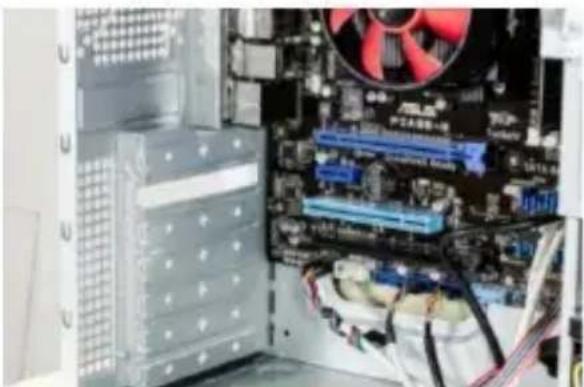
Open the housing of your PC. Then look for a free PCI slot and carefully remove the associated slot bracket.
natural_image
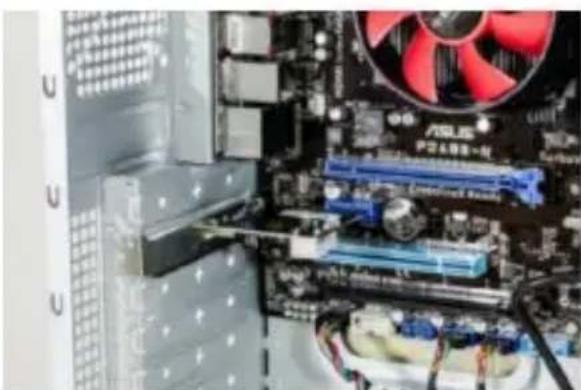
Interior view of a computer motherboard showing CPU socket, RAM slots, and motherboard fan (no readable text or symbols)Plug the PCI card into the slot provided. Make sure that the card sits tightly in the slot. Then use a screw to fix the card to the PC housing.
natural_image
Close-up of a computer motherboard with CPU socket, RAM slots, and a red fan (no readable text or symbols)4 Driver installation
If you are using a current operating system (Microsoft Windows 7 or higher) the driver installation will be done
automatically. Then the PCIe card is ready for use after a few minutes.
5 Safety instructions and liability disclaimer
Please do not attempt to perform repairs or conversions of the plug-in card. Avoid contact with the power grid. The product is only voltage-free once it has been unplugged. Always ensure that you are grounded before you touch electronic components. This will prevent damage caused by electrostatic discharge from your body.
Electrostatic discharge (ESD) can cause irreparable damage to your plug-in card and all the connected hardware components! The installation of the plug-in card is performed at your own risk. Please have the installation of the card performed by a specialised company if you do not have any technical and practical experience in the field of computer and electrical technology. The manufacturer cannot be held liable for any direct or indirect damage caused by improper installation or use. It is the customer's responsibility to back up any data. The device has not been approved for outdoor use. It should therefore only be used in dry areas. Protect it against high humidity levels, water and snow. Always keep the device away from high temperatures. Do not expose the device to any sudden temperature changes or strong vibrations, as this could damage the electronic components.
Check the device for possible damage before using it. The device should not be used when it has been subjected to
impact or damaged in any other way. Please also take the national regulations and restrictions into account. Do not use the device for any purposes other than those described in these instructions.
This product is not a toy. Store it outside the reach of children or intellectually disabled persons. Any repairs or changes to the device not carried out by the original supplier will result in the expiry of any warranty or guarantee claims. The device specifications may change without any prior notice.
6 Disposal instructions
Electrical and electronic devices may only be disposed of in accordance with the European WEEE Directive and not with household rubbish. Components must be disposed of or recycled separately as dangerous, toxic elements can inflict
sustained damage on the environment if they are disposed of incorrectly. As a consumer, you are bound by the Electrical and Electronic Devices Act
to return electrical and electronic goods free of charge at the end of their useful life to the manufacturer, the place of purchase or to specially set up, public collection points. The details in each case are governed by national law. The symbol on the product, the operating instructions and/or the packaging refers to these regu-
lations. By separating materials in this way, recycling and disposing of old devices, you are making an important contribution towards protecting our environment.
Do you still need an advice after reading this guide?
First read “Frequently Asked Questions” at www.evolveo.com or contact the EVOLVEO technical support.
Disposal:
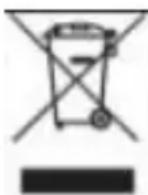
The symbol of crossed out container on the product, in the literature or on the wrapping means that in the European Union all the electric and electronic products, batteries and accumulators must be placed into the separate salvage after finishing their lifetime. Do not throw these products into the unsorted municipal waste
CE DECLAF
DECLARATION OF CONFORMITY
Hereby, the company Abacus Electric, s.r.o. declares that the EVOLVEO LPT PCIe is in compliance with the requirements of the standards and regulations, relevant for the given type of device.
Find the complete text of Declaration of Conformity at ftp://ftp.evolveo.com/ce
Dovozce / Dovozca / Importer / Importőr
Abacus Electric, s.r.o.
Planá 2, 370 01, Czech Republic
No.5, 17/F, Strand 50, 50 Bonham Strand, Sheung Wan,
Hong Kong
Made in China
Copyright © Abacus Electric, s.r.o.
www.evolveo.com
www.facebook.com/EvolveoCZ
All rights reserved.
Design and specification may be changed without prior notice.
natural_image
Interior view of a computer tower with visible CPU socket, motherboard, and motherboard fan (no readable text or symbols)natural_image
Close-up of a computer motherboard with CPU socket, RAM slots, and a red fan (no visible text or symbols)No.5, 17/F, Strand 50, 50 Bonham Strand, Sheung Wan, Hongkong
Vyrobené v Číne
Copyright © Abacus Electric, s.r.o.
www.evolveo.com
www.facebook.com/EvolveoCZ
Brand : Evolveo
Model : LPT PCIe
Category : Computer Adapter