
Ikompact - Remote control DANFOSS - Free user manual and instructions
Find the device manual for free Ikompact DANFOSS in PDF.


| Product Type | Remote Control (Transmitter) |
| Brand | Danfoss |
| Model | Ikompact |
| Power Supply | 3x AAA alkaline batteries or rechargeable battery pack |
| Battery Life Indicator | Status LED (orange slow pulses for critical battery) |
| Key Features | Start button, STOP button (optional), status LED, feedback LEDs, removable EEPROM module, attachment hook |
| Safety Features | STOP button, safety instructions for use in potentially explosive atmospheres (require ATEX/RATEX certification) |
| Communication | Radio link with receiver, EEPROM pairing |
| Operating Mode | Stand-by (blue LED constant), Operation (green LED constant), Latency (green slow pulses) |
| Diagnostic LEDs | Status LED indicates system state: blue (startup/standby), green (operation/latency), red (EEPROM/radio/hardware error), orange (low battery/maneuver active) |
| Dimensions | Refer to product label (dimensions in mm shown in manual illustration) |
| Weight | Refer to product label |
| Environmental Resistance | Designed for industrial use; avoid knocking, dropping, and cleaning with solvents or pressurized water |
| Maintenance | Clean with damp cloth or soft brush; check battery contacts; replace batteries regularly; use only Danfoss spare parts |
| Repairability | Contact Authorized Technical Service for push button deterioration; only qualified personnel should repair |
| Warranty | Danfoss reserves the right to alter products; use only Danfoss spare parts |
| Certification | ATEX/RATEX certification required for use in explosive atmospheres |
Frequently Asked Questions - Ikompact DANFOSS
User questions about Ikompact DANFOSS
0 question about this device. Answer the ones you know or ask your own.
Ask a new question about this device
Download the instructions for your Remote control in PDF format for free! Find your manual Ikompact - DANFOSS and take your electronic device back in hand. On this page are published all the documents necessary for the use of your device. Ikompact by DANFOSS.
USER MANUAL Ikompact DANFOSS
natural_image
Line drawing of a remote control device with circular buttons and a display (no text or symbols)Revision history Table of revisions
| Date Changed Rev | ||
| February 2019 Rebranded to Danfoss 0101 |
Contents
Safety instructions
General safety....4 Safety warnings....4
Technical description
Dimensions and identification....6 Start up....7
Maintenance
Maintenance tips....9 Troubleshooting....10
Safety instructions
I kompact general safety
The following safety instructions must be read carefully in order to install and use the product properly and to keep it in perfect working condition and to reduce the risk of misuse.
Potential damage to operator and product.
Do not use this product on machines in potentially explosive atmospheres unless the model is ATEX/RATEX certified to do so.
- Strictly adhere to the installation instructions contained in this document.
• Make sure that professional and competent personnel carry out the installation. - Ensure that all site and prevailing safety regulations are fully respected.
• Make sure that this document is permanently available to the operator and maintenance personnel. - Keep the transmission key when the set is not in use.
- On starting each working day, check to make sure that the STOP button and other safety measures are working.
- When in doubt, press the STOP button.
- Whenever several sets have been installed, make sure the transmitter is the right one. Identify the machine controlled on the label for this purpose on the transmitter or by using the display (in case it has one).
• Service the equipment periodically. - When carrying out repairs, only use spare parts from Danfoss.
I kompact safety warnings
Potential damage to operator and product.
Follow the guidelines below to reduce risk of injury to the operator and the product.
• Use the device with the manufacturer's battery and battery charger (if applicable).
• Only allow qualified personnel to operate the equipment.
• Always set the STOP button in the off position when not in use.
• Always press STOP before plugging in tether cable (if applicable).
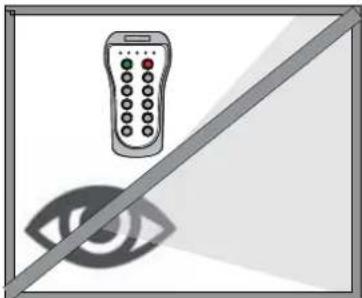
• Do not operate product when visibility is limited.
• Make sure product is compatible with the machine.
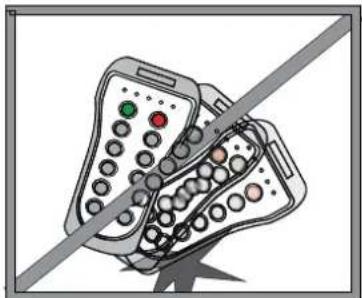
- Avoid knocking or dropping the product.
• Do not use the product if a failure is detected.
Changes or modifications not approved by Danfoss can void the user's authority to operate this product.
Safety instructions
Quick reference precautions
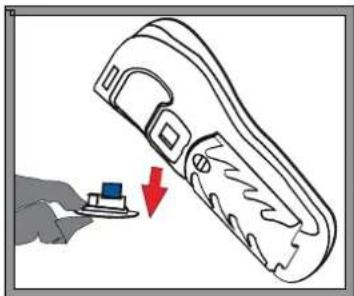
natural_image
Illustration of a hand pressing a button with a red arrow indicating downward motion (no text or symbols)Remove the EEPROM in order to disable the transmitter
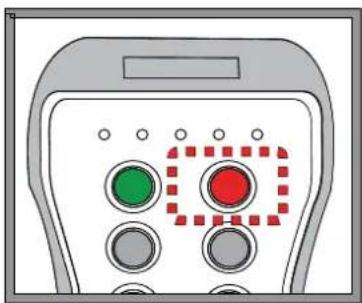
natural_image
Illustration of a control panel with green and red buttons, no text or symbols presentWhen in doubt, press the STOP button
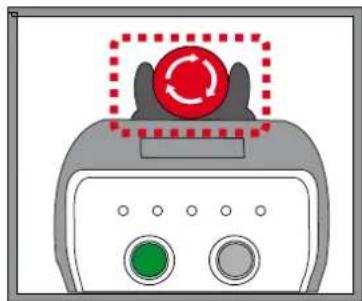
natural_image
Illustration of a medical device with a red circular button labeled 'Recycle' above it, no text or symbols present.When having the STOP button option, press it when in doubt
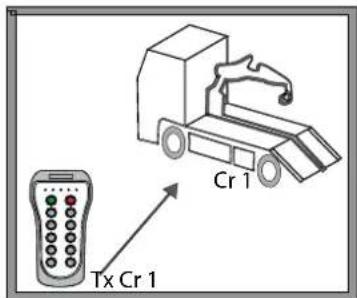
Make sure the transmitter works with the machine to be handled
natural_image
Illustration of a remote control with a diagonal line crossing over an eye (no text or symbols)Do not use the set when visibility is limited
natural_image
Illustration of a mobile phone with a diagonal line crossing through it, no text or symbols present.Avoid knocking or dropping the set
Technical description
I kompact dimensions and identification
The illustration and list below describe dimensions, buttons and LEDs of the Ikompact transmitter. Dimensions in mm
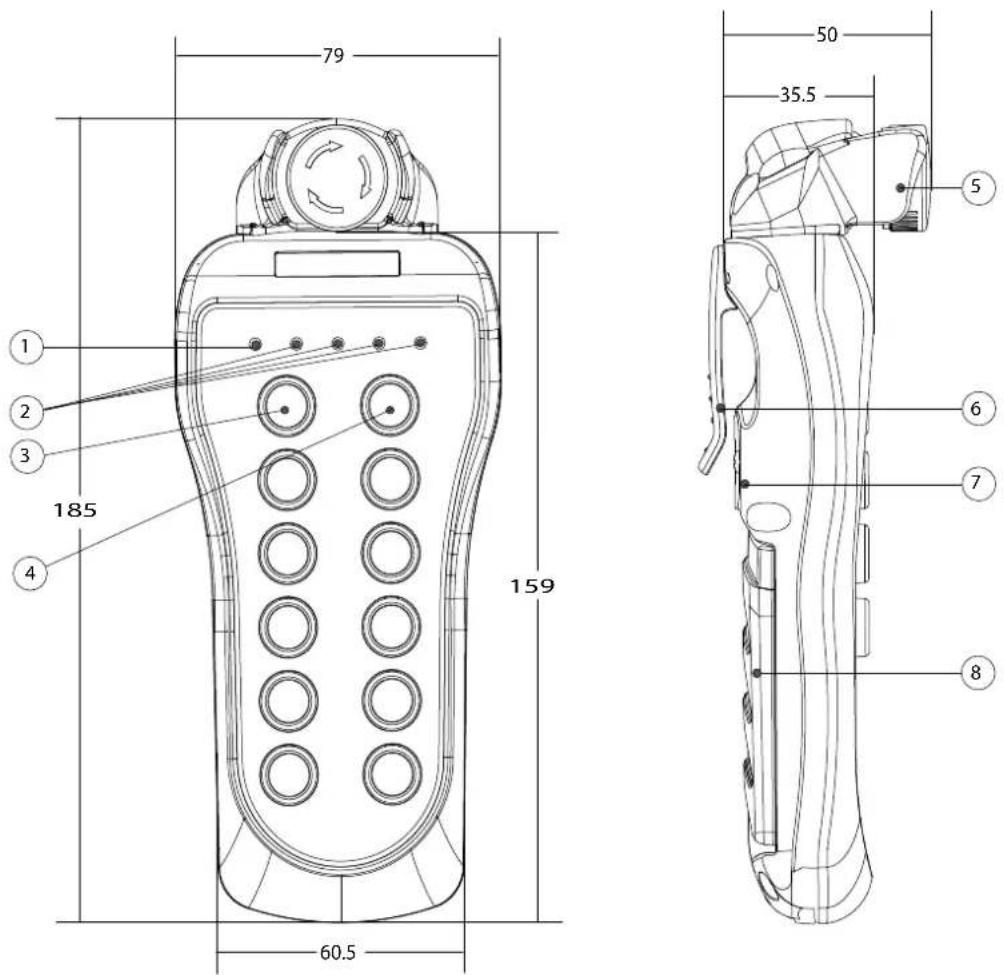
- Status LED
- Feedback LEDs
- Start push-button
- Stop push-button
- Stop button option
- Attachment hook
- Removable EEPROM module
- Alkaline batteries module
Technical description
I kompact start up
Use the information below to properly turn the transmitter ON (OPERATION mode).
- Place the EEPROM and the charged alkaline batteries.
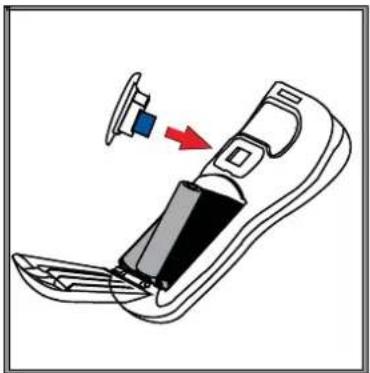
natural_image
Diagram of a device with a blue component inserted into a slot, showing internal structure and a red arrow indicating direction (no text or symbols)- Optional: If the transmitter has the STOP button, press and pull it out [1].
![[2] [3] [1]](/content/2026/05/853727/images/fd573e40f5a317e12858c627a2c9fc09b02bfef5da5581196566c4a2763709ad.jpg)
The status LED [2] will blink blue until the Stand-by mode is reached and then will turn to a constant blue [3].
- If the transmitter does not have the STOP button, press the start button.
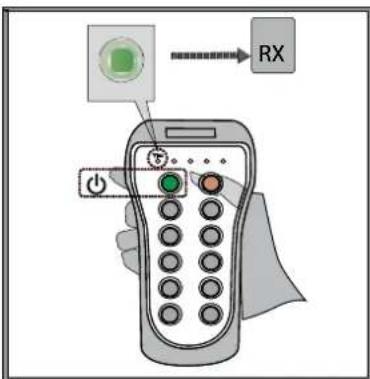
The status LED will blink green until the transmitter is linked with the receiver.
Technical description
- When the receiver confirms the link, the status LED will turn into a constant green and will enter operation mode.
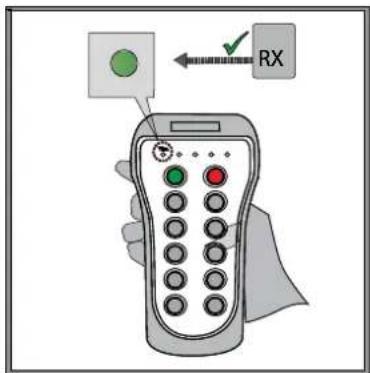
The transmitter is ready to be used.
Maintenance
I kompact maintenance tips
This product is designed for use in an industrial environment that may shorten the product's lifespan. Use these tips to maximize the lifespan of the product.
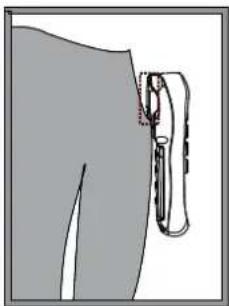
• Use the hook/belt provided with the transmitter to prevent the transmitter from falling
- Do not clean the transmitter with solvents or pressurized water; use a damp cloth or soft brush for cleaning
- If the push buttons show signs of deterioration, contact the Authorized Technical Service for repair
- Check if the battery contacts are correct, otherwise replace them.
- Ensure that the product is supplied with AAA alkaline batteries or has a rechargeable battery
- Be sure to recharge or replace battery regularly
Maintenance tips quick reference
natural_image
Illustration of a person's lower back with a medical catheter attached (no text or symbols)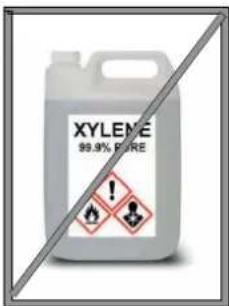
natural_image
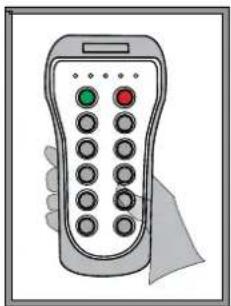
Illustration of a handheld remote control with a hand holding it (no text or symbols visible)
natural_image
Battery icon with lightning bolt symbol (no text or numbers)Maintenance
I kompact troubleshooting guide
The transmitter has status monitoring LEDs which help to identify errors and warnings. The common signals are shown in the table below.
| Color and frequency Pulse | frequency Description Action | |||
Blue | fast pulses System is starting establishing connection  | on with radio and EEPROM | Wait | ||
| Blue | continuous |  | System is in stand-by mode, waiting for user's action Press | START to enter operation mode | |
| [ΔHΔD] | and w | waiting for response | Wait | |
| Green | fast pulses Attemptir |  | |||
| Green | continuous |  | Working Operate | ||
| Green | slow pulses |  | Latency; no action has been taken for some time Press ST | ART to return to operation mode | |
 | ||||
| Red | slow pulses |  | EEPROM module missing or corrupt Check EEPROM and reprogram if necessary | ||
 | ||||
| Red | double pulses |  | Radio communication error Replace transmitter | ||
 | ||||
| Red | continuous Hardware features Replace transmitter | ||||
| Orange | slow pulses |  | Critical battery signal Replace or charge batteries | ||
 | ||||
| Orange | double pulses |  | Activated maneuver Release maneuver | ||
 | ||||
Products we offer:
• DCV directional control valves
Electric converters
Electric machines
Electric motors
- Hydrostatic motors
- Hydrostatic pumps
- Orbital motors
- PLUS+1 ^® controllers
- PLUS+1 ^ displays
• PLUS+1° joysticks and pedals
- PLUS+1 ^® operator interfaces
- PLUS+1 ^® sensors
- PLUS+1 ^® software
• PLUS+1 ^® software services, support and training
• Position controls and sensors
• PVG proportional valves
• Steering components and systems
- Telematics
Danfoss Power Solutions is a global manufacturer and supplier of high-quality hydraulic and electric components. We specialize in providing state-of-the-art technology and solutions that excel in the harsh operating conditions of the mobile off-highway market as well as the marine sector. Building on our extensive applications expertise, we work closely with you to ensure exceptional performance for a broad range of applications. We help you and other customers around the world speed up system development, reduce costs and bring vehicles and vessels to market faster.
Danfoss Power Solutions – your strongest partner in mobile hydraulics and mobile electrification.
Go to www.danfoss.com for further product information.
We offer you expert worldwide support for ensuring the best possible solutions for outstanding performance. And with an extensive network of Global Service Partners, we also provide you with comprehensive global service for all of our components.
Comatrol
www.comatrol.com
Turolla
www.turollaocg.com
Hydro-Gear
www.hydro-gear.com
Daikin-Sauer-Danfoss
www.daikin-sauer-danfoss.com
Local address:
Danfoss
Power Solutions (US) Company 2800 East 13th Street
Ames, IA 50010, USA
D-24539 Neumünster, Germany
Phone: +49 4321 871 0
Danfoss
Power Solutions ApS Nordborgvej 81
DK-6430 Nordborg, Denmark
Phone: +45 7488 2222
Danfoss
Power Solutions Trading
(Shanghai) Co., Ltd.
Building #22, No. 1000 Jin Hai Rd Jin Qiao, Pudong New District
Shanghai, China 201206
Phone:+86 21 3418 5200
Danfoss can accept no responsibility for possible errors in catalogues, brochures and other printed material. Danfoss reserves the right to alter its products without notice. This also applies to products already on order provided that such alterations can be made without subsequent changes being necessary in specifications already agreed. All trademarks in this material are property of the respective companies. Danfoss and the Danfoss logotype are trademarks of Danfoss A/S. All rights reserved.
- Contents
- Safety instructions
- Technical description
- Maintenance
- I kompact general safety
- I kompact safety warnings
- I kompact dimensions and identification
- I kompact start up
- I kompact maintenance tips
- I kompact troubleshooting guide
- Products we offer:
- Go to www.danfoss.com for further product information.
- Comatrol
- Turolla
- Hydro-Gear
- Daikin-Sauer-Danfoss
- Danfoss
Brand : DANFOSS
Model : Ikompact
Category : Remote control