
TSL-HC-BF1321 - Scale TESLA - Free user manual and instructions
Find the device manual for free TSL-HC-BF1321 TESLA in PDF.


| Product Type | Smart Body Composition Scale |
| Brand | Tesla |
| Model | TSL-HC-BF1321 |
| Max Capacity | 180 kg |
| Division | 100 g |
| Connectivity | Wi-Fi 2.4 GHz IEEE 802.11b/g/n |
| Compatible App | Tesla Smart (iOS 8.0+, Android 4.4+) |
| Body Analysis Parameters | Weight, BMI, Body Fat %, Water %, Muscle, Calorie, Bone Mass, Body Score, Fat-Free Body Weight, Visceral Fat, Protein, Body Type, Metabolic Age |
| Power Source | Batteries (type not specified) |
| Auto On | Yes, when weight ≥5 kg |
| Auto Off | Yes |
| Display | LCD |
| Low Battery Indicator | Shows "LO" |
| Overload Indicator | Shows "ERR" |
| Operating Temperature | 0°C to 40°C (32°F to 104°F) |
| Humidity | <85% RH |
| Surface Requirement | Hard, flat surface |
| Cleaning | Lightly damp cloth; no solvents or immersion |
| Intended Use | Household only |
| Safety Warning | Pacemaker users advised against use |
Frequently Asked Questions - TSL-HC-BF1321 TESLA
User questions about TSL-HC-BF1321 TESLA
0 question about this device. Answer the ones you know or ask your own.
Ask a new question about this device
Download the instructions for your Scale in PDF format for free! Find your manual TSL-HC-BF1321 - TESLA and take your electronic device back in hand. On this page are published all the documents necessary for the use of your device. TSL-HC-BF1321 by TESLA.
USER MANUAL TSL-HC-BF1321 TESLA
natural_image
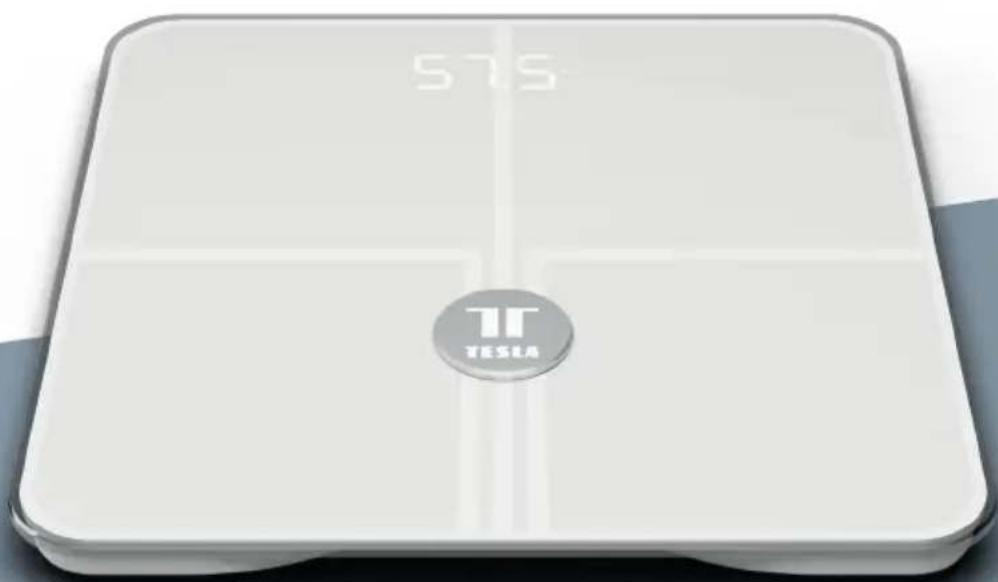
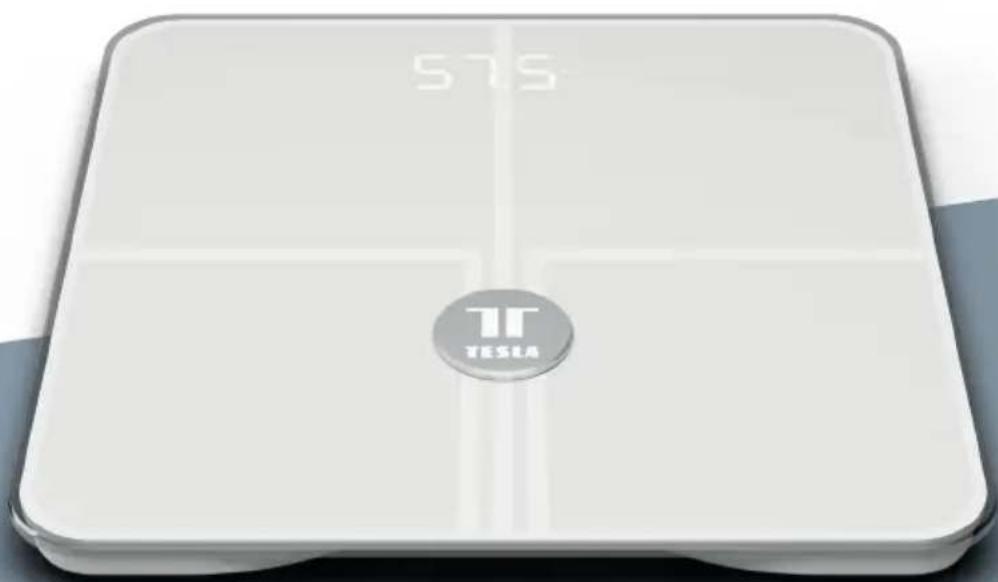
White square digital balance scale with '575' and 'TESLA' logo on front (no additional text or symbols)TESLA SMART COMPOSITION SCALE WI-FI STYLE
USER MANUAL
Thank you for choosing our WI-FI scale. Our App allows users to easily connect their device to make health and weight control easy. Measurements are sent wirelessly to your mobile device and can be viewed using the FREE app: Tesla Smart.
Product Information:
• Max Capacity 180kg Division 100g
- Works with the "Tesla Smart" App and analyzes over 13 body health values.
Traditional values: Weight / BMI / Body fat (percentage)/ water content (Body water percentage) / Muscle/Calorie (KCAL) / Bone Mass
New values: Body Score / Fat-free Body Weight / Visceral fat (grade) / Protein / Body Type / Metabolic Age Curve trends lines for Weight / body fat / BMI
- App supports share to family multiple users
- Auto on & Off
- Low battery and overload indicator
Note: The scale will turn on when a weight of 5kg or more is placed on it. It is recommended to keep the scale in a working environment of: 0^ C- 40^ C/ 32^ F- 104^ F; Relative humidity<85% so that the health values will continuously be updated.
App "Tesla Smart" Information:
Search and download the free app "Tesla Smart" on Android or iOS.
System requirement for use of the App:
- iOS 8.0 or higher
- Android 4.4 or higher
- Due to the many different device manufacturers, models and software versions, full functionality cannot be guaranteed.
Please read the following instructions carefully before use.
The scales are designed for household use only, not to be used for commercial purposes.
Operation:
- Open the battery compartment on the underside.
- Insert batteries, please ensure that the polarity is correct.
- Close the battery compartment again.
Note: If the message "LO" appears on the display, replace the batteries.
How to measure Body Weight
If you prefer to not connect to WI-FI and would just like to use the scale for simple weight measurement, then simply follow the steps below:
- Press the platform center and remove your foot.
- 0.0 will be displayed on the screen.
-
The scale will switch off and is now ready for use.
-
Step onto weight platform until your weight numbers appear on the screen.
Note: This initialization process must be repeated if the scale is moved.
Always place the scale on a hard and flat surface to have accurate measurement.
If you find a 3kg discrepancy 2 times consecutively, it is possible that the initialization process was not successful. Repeat steps 1-3.
Use with the App
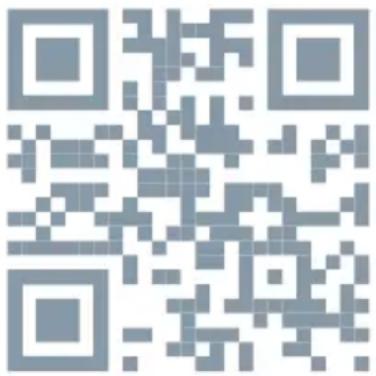
To download the app, search for "Tesla Smart" in any app store. OR scan below QR code
Register your account:
follow the register page accordingly fill in the necessary information required.
Household / Member Management:
1, When logged in, Click right bottom ment" to start "Add home"

symbol, enter into "Home Manage-
- Successful setting the home information, Click Top Left symbol, to choose the one you set. Top Left corner will show the name.
Add Device:
1, In Welcome home page, click "Add Device" or click "+" symbol on the right top corner to enter into device pair page.
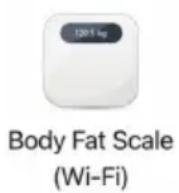
2, Choose "Exercise&Health" to find the device category "Body Fat Scale"
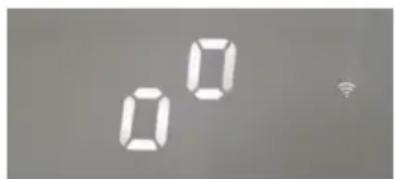
- Long press the scale base housing Pair button till scale front display showed connection detecting square symbol and Wi-Fi signal symbol flashed fastly. Then click app "Confirm indicator rapidly blink" button.
Remark: if the WI-FI signal symbol flashed slowly, continue press the pair button until this symbol flashed fastly. Slowly flashed WI-FI symbol may failed WI-FI connection.
Pairing button

detecting square symbol and Wi-Fi symbol
- Make sure the phone is under WI-FI Connection, and fill in the password of WI-FI which phone connected. Then Connecting starts.
5, Connection 100% after few seconds / minutes. Then auto enter into "Device added successfully" page.
Note: Make sure scale and phone under same Wi-Fi Network to repair. Pairing may take a few minutes based on the WI-FI signal. The App will show the progress. If pairing fails, click "View help" check how to do or "got it" retry again with repeat Add Device step 3&4.
12:45 9
Done
Added

Tesla Smart Composition Scale

Device added successfully
- After Room Selection and click "Done", "Select the user" and "Add personal information", then enter into Smart Scale Main Page.
6.1, Set up
Click right bottom "Set up" to do Unit switching and Automatic distribution ON or OFF. Recommendation setting to ON.
If you select OFF, the new measurement value will exist in middle part of main page and wait for your View and manually distribute to which user.
6.2, Take Measurements
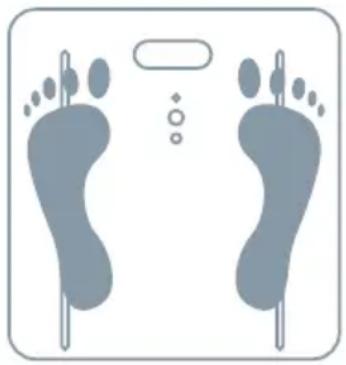
Stand on the scale with your bare feet and ensure your feet are touching the left and right electrodes located on the scale (if scale have electrodes) until weight numbers is fixed then get off.
natural_image
Illustration of two human footprints with dotted lines indicating pressure points (no text or symbols)The body values will automatically send the results to the phone. When you open the App, you can see your details.
Note: The speed of values transferred are based on the strength of the WI-FI signal. And if have not find values in main page, be attention of middle "You need to claim data" - View - Distribution
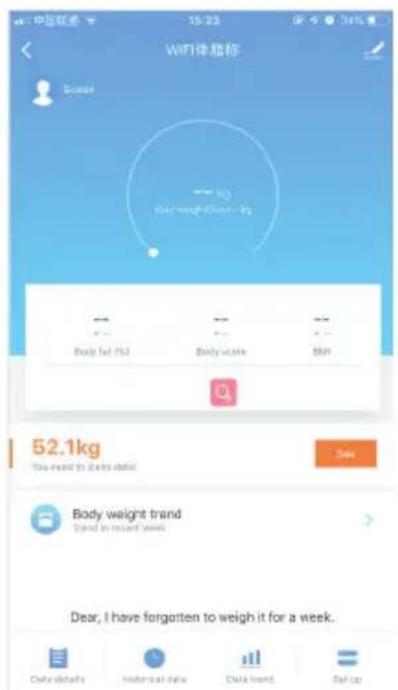
Smart Scale Main Page Records
The Main Page will record all your measurements values by date and timing.
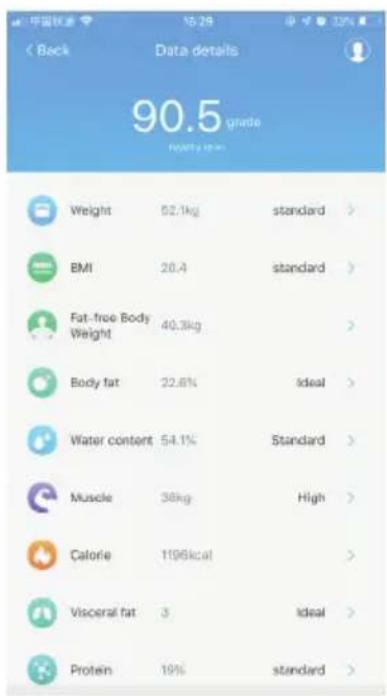
Data Details
can see over 13 analyze value.
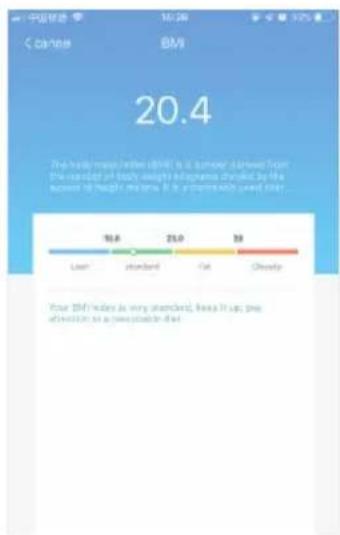
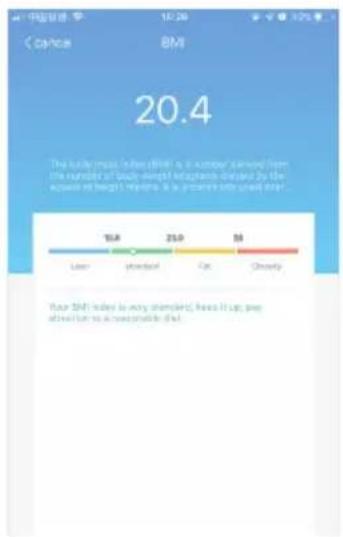
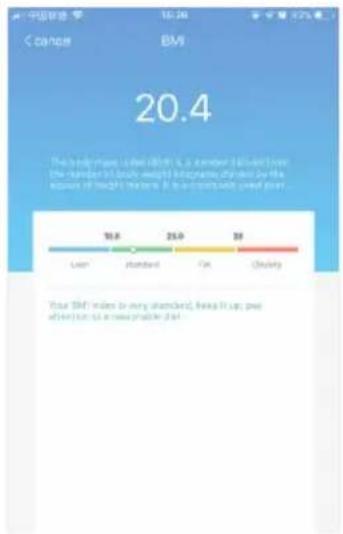
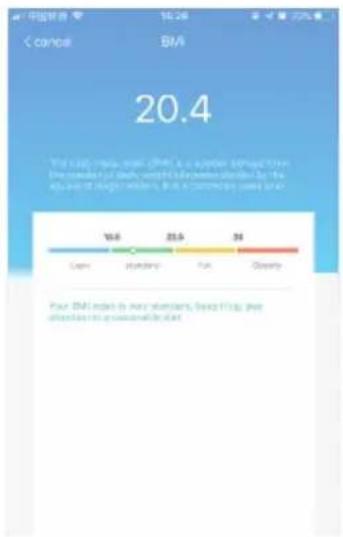
Click right arrow can see each value recommendation.
Weight Main page Analyze value details page Each value recommendation
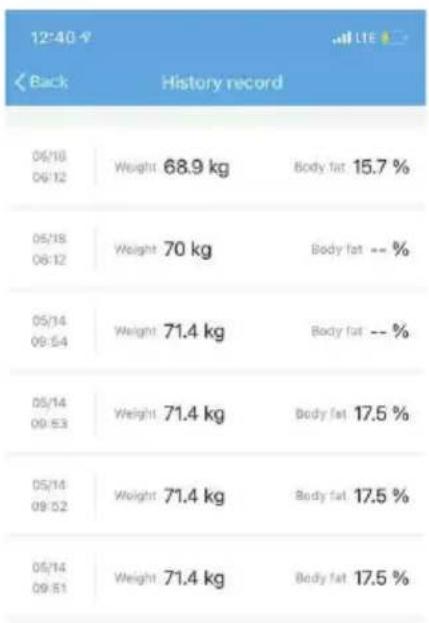
Historical data:
Can see recently measurement records list
other
| Time Period | Weight (kg) | |---|---| | 06/18 06:12 | 68.9 | | 05/18 06:12 | 70 | | 05/14 09:54 | 71.4 | | 05/14 09:53 | 71.4 | | 05/14 09:52 | 71.4 | | 05/14 09:51 | 71.4 |Data trend:
Can see the data trends by week / month / year
Multi-user on same phone:
1, Click at scale main page, enter into "Add new users" to set up the sub-user profile, and "save". then follow step 6.2 take measurements.
Main user page
Add new users
user profile & save
2, The Body values data will be automatically assigned to each user based on similar weight selection if step 6.1 setting Automatic distribution to ON.
Note: The speed of values transferred are based on the strength of the WI-FI signal. And if have not find values in main page, be attention of middle "You need to claim data" - View - Distribution
Allow other phones can connect my smart scale:
1,Click at scale main page, enter into Details of device page.
Choose "Share Device" - Fill in the phone no. of family member you want to invite in, will be an notification to the number host.
Note: if the invited user has an account already, the Smart Scale device will auto be showed in her/ his phone. Then able to use the scale with app.
If the invited user has not registered an account already, should be finish register first.
Main user page
Share device page
Add family member
Important : support one main host of smart scale only . Other sub-user only can be invited by shared device (different iphone) or add users ( same phone).
Cannot directly pair the scale with 2nd phone by add device step 3&4 & 5, otherwise the initial host of smart scale will lost connection.
Device Manage
- If you want to pair another device, delete the current connected device first by click enter into details of device page, and select "Remove Device".
2.If the router has been changed, repeat steps of add device step 1 to 5.
Trouble shooting
-
When the LCD screen displays „LO“, you should install a new battery.
2.When the LCD displays „ERR“ and stays at "ERR" -
it indicates that the maximum weight has been exceeded.
3.When the LCD displays Weight but no analyze data in app or displays"ERR2"
• make sure you are barefoot when standing on the platform
• make sure your foot is touching the electrodes on the right and left side
• make sure you enter your profile parameters is full
• make sure your WELCOME HOME page shows the scale is connected
- make sure the scale under WI-FI and the router have not been changed. Note 1: If the above did not solve the issue, enter into the Device Manage Remove device first and then repeat Add device steps 1-5 to re pair the device.
Note 2: The speed of values transferred are based on the strength of the WI-FI signal. And if have not find values in main page, be attention of middle "You need to claim data" - View - Distribution
Changing the battery
- Open the battery door on the underside of the scale by releasing the clip and lifting off the door.
- Remove the used battery and replace with a new one.
- Replace the battery door.
Battery Safety:
Always:
• Use the recommended batteries
• Make sure the battery compartment is secure
- Fit batteries correctly, observing the plus and minus marks on the battery and compartment.
- Store unused batteries in their packaging and keep away from metal objects which could cause a short circuit.
- Remove dead batteries from the scales.
- Remove batteries from the scales if they will not be used for a prolonged period.
- Keep loose batteries away from young children.
- Seek medical advice if a battery has been swallowed.
Never:
- Dispose of batteries in a fire
- Attempt to recharge ordinary batteries
Use and care:
- Ensure your scales is on a flat, even, and firm surface. Avoid carpet or soft surfaces.
• Always weigh yourself with the same scale placed on the same surface. Uneven floors may affect the reading.
• The surface of the scale can be slippery if wet. Keep it dry! - Weigh yourself without clothing and footwear, before meals and always at the same time of day for most accurate results.
- For better accuracy, it is not advised to take the measurement within 2 hours of waking up.
- Keep the scale in a dry place to protect the electronic components.
- Clean after use with a lightly damp cloth. Do not use solvents or immerse the product in water.
-
Avoid overloading the scale; otherwise, permanent damage may occur.
-
Do not disassemble the scale, other than to replace the battery.
- Do not store the scale in an upright position when not in use as this will drain the battery.
- Avoid excessive impact or vibration to the unit, such as dropping the scale onto the floor, or objects onto the scales.
- A user who has any metal material inserted into his/her body may get differences in measurements of body fat reading.
• Pacemaker users are advised against using this device. - The precision of the data detected by the scale can be altered in the following cases:
- high alcohol levels
• high levels of caffeine or drugs
• after an intense sports activity - during an illness
• during pregnancy
• after heavy meals
• in presence of dehydration problems - your personal data (height, age, gender) have not been input correctly
- if you have wet or dry feet
- persons with swollen leg
In the course of continuous product optimization, we reserve the right to regularly update the Tesla Smart App. May lead user manual handling steps slightly different than real App. The included images serve only as a reference.
INFORMATION ABOUT DISPOSAL AND RECYCLING
This product is marked with the symbol for separate collection. The product must be disposed of in accordance with the regulations for disposal of electrical and electronic equipment (Directive 2012/19/EU on waste electrical and electronic equipment). Disposal together with regular municipal waste is prohibited. Dispose of all electrical and electronic products in accordance with all local and European regu- lations at the designated collection points which hold the appropriate authorisation and certification in line with the local and legislative regulations. Correct disposal and recycling help to minimise impacts on the environment and human health. Further information regarding disposal can be obtained from the vendor, authorised service centre or local authorities.
EU DECLARATION OF CONFORMITY
Hereby, Tesla Global Limited declares that the radio equipment type BF1321-WFLED is in compliance with EU directives. The full text of the EU declaration of conformity is available at the following internet address: tsl.sh/doc
Connectivity: Wi-Fi 2,4 GHz IEEE 802.11b/g/n Frequency band: 2.400 - 2.472 MHz
Max. radio-frequency power (EIRP): < 20 dBm

Manufacturer
Tesla Global Limited
Far East Consortium Building,
121 Des Voeux Road Central
Hong Kong
www.teslasmart.com
TT TESLA
natural_image
White square digital balance scale with '575' and 'TESLA' logo (no additional text or symbols)TESLA SMART COMPOSITION SCALE WI-FI STYLE
BENUTZERHANDBUCH
Device added successfully
natural_image
Illustration of two human feet with footprints and a dot pattern, no text or symbols present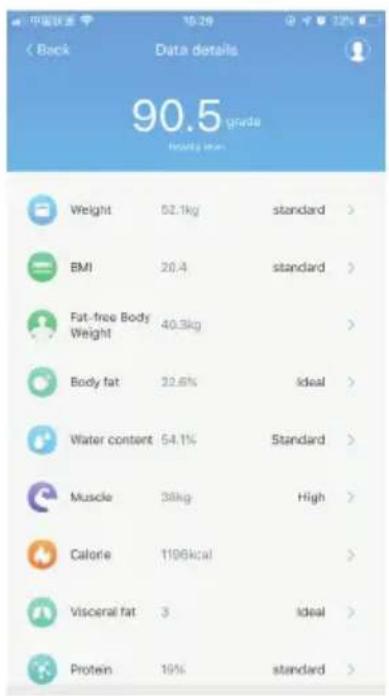
Far East Consortium Building,
121 Des Voeux Road Central
Hong Kong
www.teslasmart.com
TT TESLA
natural_image
White square digital balance scale with '575' and 'TESLA' logo (no additional text or symbols)TESLA SMART COMPOSITION SCALE WI-FI STYLE
UŽIVATELSKÁ PŘÍRUČKA
natural_image
Illustration of two human feet with footprints and a dot symbol, no text or labels present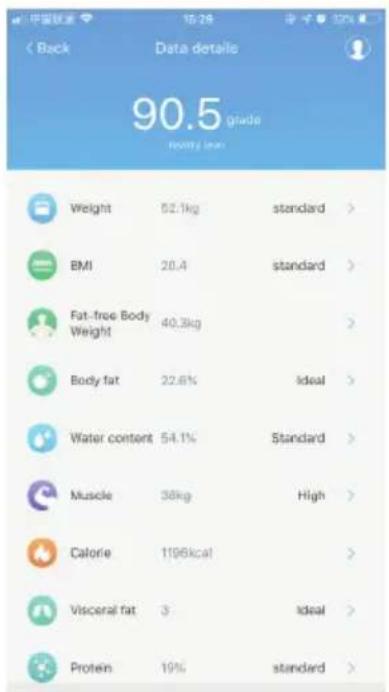
Historie měření:
Far East Consortium Building,
121 Des Voeux Road Central
Hong Kong
www.teslasmart.com
TT TESLA
natural_image
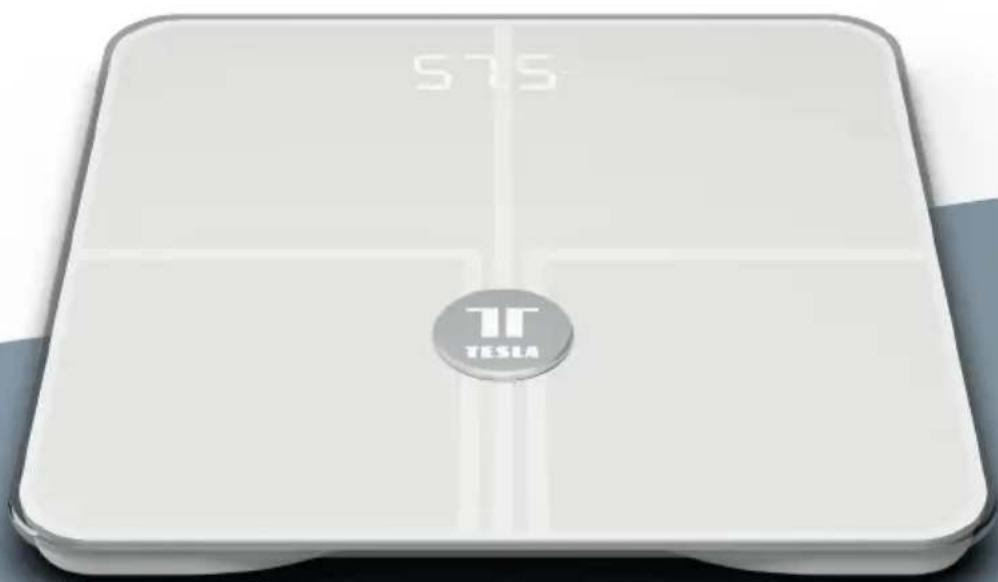
White square digital balance scale with '575' and 'TESLA' logo on front (no additional text or symbols)TESLA SMART COMPOSITION SCALE WI-FI STYLE
POUŽÍVATELŠKÁ PRÍRUČKA
natural_image
Illustration of two human feet with footprints and symbols (no text or labels)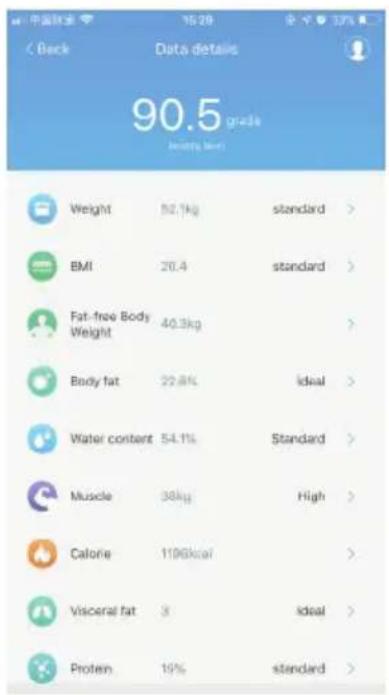

- TESLA SMART COMPOSITION SCALE WI-FI STYLE
- Product Information:
- App "Tesla Smart" Information:
- System requirement for use of the App:
- Operation:
- How to measure Body Weight
- Use with the App
- Register your account:
- Household / Member Management:
- Add Device:
- 6.1, Set up
- 6.2, Take Measurements
- Smart Scale Main Page Records
- Data Details
- Historical data:
- Data trend:
- Multi-user on same phone:
- Main user page
- Add new users
- user profile & save
- Allow other phones can connect my smart scale:
- Share device page
- Add family member
- Device Manage
- Trouble shooting
- Changing the battery
- Battery Safety:
- Always:
- Never:
- Use and care:
- INFORMATION ABOUT DISPOSAL AND RECYCLING
- EU DECLARATION OF CONFORMITY
- Manufacturer
- TT TESLA
- Historie měření:
Brand : TESLA
Model : TSL-HC-BF1321
Category : Scale