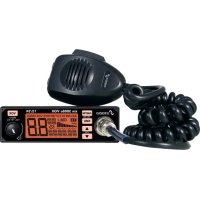
XM 3044 - Radio STABO - Free user manual and instructions
Find the device manual for free XM 3044 STABO in PDF.


Pick your language and provide your email: we'll send you a specifically translated version.
| Product Type | Portable Radio |
| Brand | STABO |
| Model | XM 3044 |
| Dimensions (approx.) | 200 x 130 x 50 mm (7.9 x 5.1 x 2.0 inches) |
| Weight (approx.) | 500 g (1.1 lbs) including batteries |
| Power Source | 4 x AA batteries (not included) or AC adapter (6V DC, center positive) |
| Frequency Bands | AM (520-1710 kHz), FM (87.5-108 MHz), Shortwave (3-30 MHz) |
| Display | Backlit LCD showing frequency, time, and battery level |
| Speaker | Built-in mono speaker, 3 W output |
| Headphone Jack | 3.5 mm stereo jack (earphones not included) |
| Controls | Tuning knob, volume knob, band selector switch, sleep timer button |
| Additional Features | Built-in antenna, telescopic rod antenna for FM/SW, alarm clock, sleep timer |
| Maintenance | Wipe with a soft, dry cloth. Do not use harsh chemicals or water. |
| Safety | Keep away from moisture and extreme temperatures. Do not open the device. |
| Spare Parts & Repairability | Contact STABO customer service or authorized repair centers. |
| General Information | User manual available for download in PDF format from free manuals websites. |
Frequently Asked Questions - XM 3044 STABO
How do I turn on the STABO XM 3044 radio?
Rotate the volume knob clockwise until you feel a click. The radio will power on and display the current frequency.
How can I set the clock on the XM 3044?
Press and hold the 'Time Set' button for 3 seconds until the hour blinks. Use the tuning knob to adjust the hour, then press 'Time Set' again to set minutes. Press once more to confirm.
What type of batteries does the XM 3044 use?
It requires 4 AA batteries (not included). Alternatively, you can use a 6V DC power adapter with center positive plug.
How do I switch between AM, FM, and Shortwave?
Use the band selector switch located on the side of the radio. Slide it to the desired band: MW (AM), FM, or SW (shortwave).
How can I improve radio reception?
For FM and SW, extend the telescopic antenna fully. For AM, rotate the radio to find the best position. Avoid using near large metal objects or electronic interference.
How do I preset favorite stations?
Tune to a station, then press and hold one of the numeric preset buttons (1-5) until you hear a beep. To recall, simply press that button.
How long does the battery last?
With standard alkaline batteries, you can expect approximately 30-40 hours of continuous use at moderate volume.
Can I use headphones with the XM 3044?
Yes, plug headphones into the 3.5 mm jack on the side. The built-in speaker will automatically mute when headphones are connected.
How do I activate the sleep timer?
Press the 'Sleep' button repeatedly to select 15, 30, 60, or 90 minutes. The radio will turn off automatically after the selected time.
What should I do if the radio does not turn on?
Check that batteries are installed correctly (matching polarity) or replace them. If using an AC adapter, ensure the plug is secure. If the problem persists, contact STABO support.
User questions about XM 3044 STABO
0 question about this device. Answer the ones you know or ask your own.
Ask a new question about this device
No questions yet. Be the first to ask one.
Download the instructions for your Radio in PDF format for free! Find your manual XM 3044 - STABO and take your electronic device back in hand. On this page are published all the documents necessary for the use of your device. XM 3044 by STABO.