
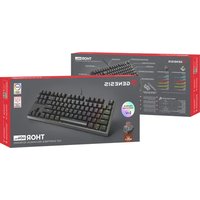
THOR 300 TKL - Keyboard Genesis - Free user manual and instructions
Find the device manual for free THOR 300 TKL Genesis in PDF.


Pick your language and provide your email: we'll send you a specifically translated version.
| Product Type | Tenkeyless Mechanical Keyboard |
| Model | THOR 300 TKL |
| Brand | Genesis |
| Form Factor | Tenkeyless (TKL) |
| Connection | Wired USB-A |
| Cable Length | 1.5 m |
| Dimensions (W x D x H) | 360 x 140 x 30 mm |
| Weight | 800 g |
| Key Switch Type | Mechanical (Outemu or similar) |
| Keycap Material | ABS |
| Backlight | RGB per-key lighting with multiple modes |
| Backlight Modes | Static, breathing, wave, reactive, and more |
| Polling Rate | 1000 Hz |
| Matrix | N-key rollover (NKRO) over USB |
| Operating System | Windows, macOS, Linux (plug and play) |
| Power | USB bus-powered (no battery) |
| Compatible Devices | PC, laptop, PS4, PS5, Xbox One, Xbox Series X|S |
| Cleaning | Use a soft, dry cloth and compressed air for debris |
| Safety | Avoid liquids, do not disassemble, use only included cable |
| Spare Parts / Reparability | Keycaps and switches can be replaced; cable is detachable |
Frequently Asked Questions - THOR 300 TKL Genesis
How do I change the backlight mode on the THOR 300 TKL?
Press the FN key together with the INS key to cycle through backlight modes. Common modes include static, breathing, wave, and reactive.
Is the keyboard compatible with PlayStation 5?
Yes, the THOR 300 TKL works on PS5 via USB. Simply plug it into a USB port and it will be recognized as a keyboard.
Can I replace the keycaps?
Yes, the keyboard uses standard Cherry MX-compatible switches, so you can replace keycaps with any compatible set.
How do I clean my keyboard safely?
Unplug the keyboard, use compressed air to remove debris, and wipe the surface with a soft, slightly damp cloth. Avoid using alcohol or harsh chemicals.
Does the keyboard have N-key rollover?
Yes, the THOR 300 TKL supports full N-key rollover over USB, allowing simultaneous key presses without conflict.
What is the cable length?
The detachable USB cable is approximately 1.5 meters long.
Can I use it with macOS?
Yes, the keyboard is plug and play on macOS. However, the Windows key functions as Command; you may need to swap keycaps for Mac layout.
How to reset the keyboard to factory settings?
Press and hold FN + ESC for 5 seconds until the backlight flashes. This resets all settings.
Is the keyboard mechanical?
Yes, it uses mechanical switches (typically Outemu Blue or Red depending on variant) for tactile feedback and durability.
What should I do if a key stops working?
First, check for debris under the keycap. If the switch is faulty, it can be desoldered and replaced. Contact Genesis support for warranty options.
User questions about THOR 300 TKL Genesis
0 question about this device. Answer the ones you know or ask your own.
Ask a new question about this device
No questions yet. Be the first to ask one.
Download the instructions for your Keyboard in PDF format for free! Find your manual THOR 300 TKL - Genesis and take your electronic device back in hand. On this page are published all the documents necessary for the use of your device. THOR 300 TKL by Genesis.
USER MANUAL THOR 300 TKL Genesis


Manual assistant
Powered by Anthropic
Waiting for your message
Product information
Brand : Genesis
Model : THOR 300 TKL
Category : Keyboard