
BTHP410 - Headphones LEXIBOOK - Free user manual and instructions
Find the device manual for free BTHP410 LEXIBOOK in PDF.
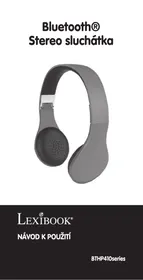


Pick your language and provide your email: we'll send you a specifically translated version.
| Product Type | Wireless Bluetooth Headphones |
| Brand | Lexibook |
| Model | BTHP410 |
| Color | Black (typical) |
| Dimensions (folded) | Approx. 18 x 16 x 6 cm |
| Weight | Approx. 150 g |
| Connectivity | Bluetooth 5.0 |
| Operating Range | Up to 10 meters (30 ft) |
| Battery Type | Rechargeable lithium-ion |
| Battery Life | Up to 15 hours (playback) |
| Charging Time | Approx. 2 hours |
| Charging Port | Micro USB |
| Driver Size | 40 mm |
| Impedance | 32 Ω |
| Frequency Response | 20 Hz - 20 kHz |
| Microphone | Built-in, for hands-free calls |
| Controls | Integrated buttons for volume, playback, and calls |
| Design | Over-ear, foldable, adjustable headband |
| Material | Plastic and foam padding |
| Safety Warning | Not suitable for children under 3 years due to small parts |
| Care Instructions | Clean with a soft, dry cloth. Do not immerse in water. |
| Spare Parts | Ear pads replaceable (contact support for availability) |
Frequently Asked Questions - BTHP410 LEXIBOOK
How do I pair my Lexibook BTHP410 headphones with a device?
Turn on the headphones by pressing the power button until the LED flashes blue and red. Then enable Bluetooth on your device and select 'BTHP410' from the list of available devices.
What should I do if my headphones won't turn on?
First, charge the headphones for at least 2 hours using the included micro USB cable. If they still don't turn on, try resetting by pressing and holding the power button for 10 seconds.
How long does the battery last on a full charge?
The battery life is up to 15 hours of continuous music playback or talk time, depending on the volume level.
Can I use the headphones while charging?
Yes, the headphones can be used while charging, but it is recommended to charge them fully before use for optimal performance.
How do I clean my Lexibook BTHP410 headphones?
Wipe the headphones with a soft, dry cloth. Do not use any liquids or abrasive cleaners, and avoid getting moisture into the charging port.
What is the Bluetooth range of these headphones?
The effective Bluetooth range is up to 10 meters (30 feet) in open space, but walls and obstacles may reduce the range.
Are the headphones foldable for storage?
Yes, the Lexibook BTHP410 features a foldable design, making them compact and easy to carry in a bag.
Can I answer calls with these headphones?
Yes, the headphones have a built-in microphone and a multifunction button to answer, end, or reject calls. Press the button once to answer or end a call.
What should I do if the sound is distorted or skipping?
Ensure the headphones are within range (less than 10 meters) and that there are no obstacles. Also, check that the paired device is not too far away. If the issue persists, try unpairing and re-pairing the headphones.
How do I reset the headphones to factory settings?
With the headphones turned off, press and hold the volume up and power button simultaneously for about 5 seconds until the LED flashes red and blue rapidly. This clears the pairing list.
User questions about BTHP410 LEXIBOOK
0 question about this device. Answer the ones you know or ask your own.
Ask a new question about this device
No questions yet. Be the first to ask one.
Download the instructions for your Headphones in PDF format for free! Find your manual BTHP410 - LEXIBOOK and take your electronic device back in hand. On this page are published all the documents necessary for the use of your device. BTHP410 by LEXIBOOK.
USER MANUAL BTHP410 LEXIBOOK
LEXIBOOK®
INSTRUCTIONS FOR USE
BTHP410 series


KEY LOCATION
© 2017 Bluetooth SIG, Inc.
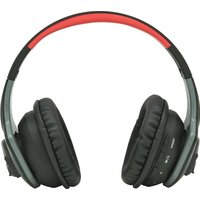
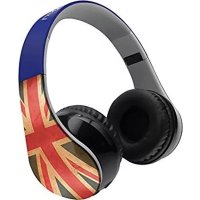
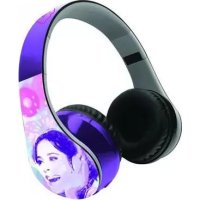
Table of contents
Click a title to access it
Manual assistant
Powered by Anthropic
Waiting for your message
Product information
Brand : LEXIBOOK
Model : BTHP410
Category : Headphones