
DP-2 - Musical instrument Chord - Free user manual and instructions
Find the device manual for free DP-2 Chord in PDF.


| Product Type | Digital Drum Practice Pad |
| Brand | Chord |
| Model | DP-2 |
| Dimensions (W x D x H) | 270 x 240 x 27 mm |
| Weight | 726 g |
| Power Source | Internal rechargeable Li-ion battery, 1300 mAh |
| Charging Input | USB Type-C, 5V DC (2A recommended) |
| Charging Time | Approximately 2 hours |
| Speaker Output | 0.5 W built-in speaker |
| Headphone Output | 3.5 mm stereo jack (mutes speaker) |
| Display | Backlit LCD |
| Tempo Range | 40-208 BPM |
| Time Settings | 1, 2, 3, 4, 5, 6, 7, 8, 9 minutes |
| Modes | Metronome, Counting, Speed Detection |
| Controls | Edge rotary volume, Up/Down keys, MODE, BEAT, Start/Stop, Rhythm buttons |
| Striking Area | Single zone pad with strength indicator |
| Voice Prompts | English and Mandarin (selectable) |
| Accessories Included | USB Type-A to Type-C cable |
| Maintenance | Clean with a soft, dry cloth. Avoid moisture and solvents. |
| Safety | Read manual before use. Do not misuse. Dispose as electronic waste. |
| Spare Parts & Repairability | Internal battery not user-replaceable. No user-serviceable parts. Contact dealer for service. |
Frequently Asked Questions - DP-2 Chord
User questions about DP-2 Chord
0 question about this device. Answer the ones you know or ask your own.
Ask a new question about this device
Download the instructions for your Musical instrument in PDF format for free! Find your manual DP-2 - Chord and take your electronic device back in hand. On this page are published all the documents necessary for the use of your device. DP-2 by Chord.
USER MANUAL DP-2 Chord
Digital Drum Practice Pad
Item ref: 176.212UK
User Manual


Caution: Please read this manual carefully before operating
Damage caused by misuse is not covered by the warranty
Introduction
Thank you for choosing the Chord DP-2 digital drum practice pad. The numerous functions built into this training tool can help bring your playing skills to a higher level. Please read and save the following guide to help get the best from your new product.
Layout

- Edge rotary volume control
- Built-in speaker
- USB type-C 5V charging input
- Backlit LCD display
- Up / down (+/-) value keys
- MODE button
- BEAT (clear) button
- Start/stop (hold for power on/off) button
- Rhythm (voice) button
- Striking area
- 3.5mm headphones output
Setting up
Before using the DP-2 practice pad, ensure that it is charged by pressing and holding the start/stop button to power up the unit – the display will light, showing a battery symbol in the top left corner of the display.
The bars on this symbol show the charge level. If necessary, connect to a 5V USB power supply (2A recommended) using the supplied USB type A to C lead.
Position the DP-2 on a stable surface or drum stand, capable of withstanding the movement caused by striking the pad repeatedly.
If silent practice is preferred, connect stereo headphones to the 3.5mm stereo socket on the lower right edge of the pad, which will defeat the built-in speaker. The output of either the speaker or headphones is governed by the edge rotary volume control on the upper left edge of the pad.
When powered up, the backlit display will light and display one of three different modes, which can be selected by holding down the MODE button.
Metronome mode
Metronome mode shows a metronome symbol in the bottom left corner and a number for the counts (crotchets) per bar, which can be set by pressing the BEAT button.

Press the start/stop button and the inbuilt trainer will play the currently selected rhythm. The click sound has a higher pitch to accent the first beat of the bar. This click track may be accompanied by a human voice count in either English or Mandarin language by holding the Rhythm (voice) button or can be selected without any voice prompt.
The centre of the display shows the tempo in BPM (Beats Per Minute), which can be set using the up/down (▲/▼) keys as required.
To the right of the BPM value is the musical note symbol for the type of rhythm being played, which in turn can be set by short pressing the Rhythm (voice) button.
On the far right is a bar graph indicator showing the power level of the strike on the practice pad. Hit the pad with a stick or beater to see the level indicator respond.
Top-centre, there is a drum symbol with the beat count next to it when playing. Lastly, a clock symbol has either oscillating squares or a time in minutes, which will count down during playback of the beat. This can be set by short pressing the MODE button.
The aim for this metronome mode is to practice keeping along with the beat as closely as possible for the set period of time.
Counting mode
Hold the MODE button to enter counting mode, which is a speed trial to check how many strikes you can hit in a given time.

Set the time by short pressing the MODE button, and the record for that time is displayed next to the drum symbol. Countdown will begin on the first strike of the pad and stop when timed out, showing your score.
Press the start/stop (power on/off) button to reset back to zero.
To clear all records, hold the BEAT (clear) button until "Clr" is displayed.
Speed detection mode
Hold the MODE button to enter speed detection mode, which is a training tool to show the speed or tempo of your strikes in BPM. Again, a training time can be set by short pressing the MODE button. This provides a training mode for tempo stability and can also be used to check how fast you can play a consistent beat.
Press the start/stop (power on/off) button to reset back to zero.

After training, power down the DP-2 by holding the start/stop (power on/off) button to save battery charge. Keep the battery charged if stored for long periods to avoid depletion of the internal battery.
Specifications
| Battery | Internal 1300mA Li-ion rechargeable |
| Power in | USB type-C (for charging) |
| Speaker output | 0.5W |
| Recharge time | 2 hours |
| Tempo range | 40bpm - 208bpm |
| Time setting | 1, 2, 3, 4, 5, 6, 7, 8, 9 |
| Dimensions | 270 x 240 x 27mm |
| Weight | 726g |


Disposal: The "Crossed Wheelie Bin" symbol on the product means that the product is classed as Electrical or Electronic equipment and should not be disposed with other household or commercial waste at the end of its useful life. The goods must be disposed of according to your local council guidelines.
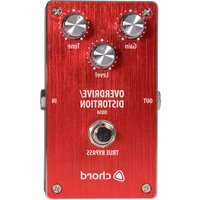
Brand : Chord
Model : DP-2
Category : Musical instrument