
Beachboom - Loudspeaker Boompods - Free user manual and instructions
Find the device manual for free Beachboom Boompods in PDF.


Pick your language and provide your email: we'll send you a specifically translated version.
| Product Type | Portable Bluetooth Speaker |
| Brand | Boompods |
| Model | Beachboom |
| Material | Recycled ocean plastic (may have minor black spots or imperfections) |
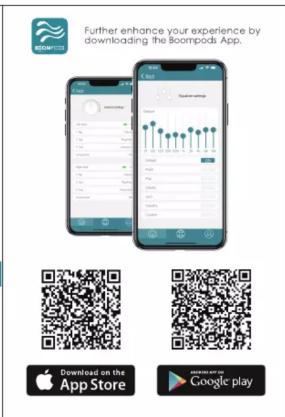
| App Control | Yes, via Boompods App (available on iOS and Android) |
| Automatic Power-Off | After 5 minutes of inactivity (when not connected) |
| Charging Indicators | LED lights indicate charging status (left/right indicators) |
| Reset Function | Via Boompods App (place earbuds in case and click Reset) |
| Connectivity | Bluetooth |
| Customization | Settings configurable via Boompods App |
| Power Source | USB charging (cable not included) |
| Battery Type | Rechargeable lithium-ion |
| Charging Time | Approximately 2-3 hours (estimate) |
| Playback Time | Up to 10 hours (estimate) |
| Water Resistance | Not specified (assume splash-proof based on beach design) |
| Cleaning | Wipe with a soft, dry cloth |
| Storage | Store in a cool, dry place |
| Safety | Do not expose to extreme temperatures or moisture |
| Repairability | Contact Boompods support for service; no user-serviceable parts |
| Additional Features | Recycled ocean plastic construction; auto power-off; app customization |
Frequently Asked Questions - Beachboom Boompods
How do I pair my Boompods Beachboom speaker with my phone?
Turn on the speaker and enable Bluetooth on your phone. Select Boompods Beachboom from the available devices. You can also use the Boompods App for easier pairing.
How do I charge the Beachboom speaker?
Connect the speaker to a USB power source using a USB cable (not included). The LED indicators will light up to show charging status. Fully charged indicators will show steady lights.
Is the Beachboom speaker waterproof?
The manual does not specify an official waterproof rating, but the design suggests it is splash-proof. Avoid submerging in water.
How long does the battery last on a full charge?
Estimated playback time is up to 10 hours, depending on volume and usage. Charging time is approximately 2-3 hours.
How do I reset the Beachboom speaker?
If you experience issues, open the Boompods App and click the Reset option. Ensure the speaker is in the charging case (if applicable) or follow app instructions.
Can I control the speaker with the Boompods App?
Yes, the Boompods App allows you customize settings, check battery status, and access additional features. Download it from the App Store or Google Play.
What materials is the Beachboom made of?
The speaker is made from recycled ocean plastic. This material may have minor black spots or imperfections, which are normal and do not affect performance.
How do I clean the Beachboom speaker?
Use a soft, dry cloth to wipe the exterior. Avoid using liquids or abrasive cleaners.
What do the LED indicators on the speaker mean?
When charging, the left and right indicators light up. Solid lights indicate full charge. For battery status, use the Boompods App.
Where can I download the user manual for the Beachboom?
The user manual is available for free download on notice-facile.com in PDF format. You can also use the AI question feature on the site for specific queries.
User questions about Beachboom Boompods
0 question about this device. Answer the ones you know or ask your own.
Ask a new question about this device
No questions yet. Be the first to ask one.
Download the instructions for your Loudspeaker in PDF format for free! Find your manual Beachboom - Boompods and take your electronic device back in hand. On this page are published all the documents necessary for the use of your device. Beachboom by Boompods.
USER MANUAL Beachboom Boompods


![BOOMPODS® Online manuals: Battery CO2 Battery Charge time Microwave Micronphone Type Sensitely MO Frequency range Cooling temperature Bluetooth IP Rating Play Time 50mAh Boltin lithium Battery 40mAh Boltin battery 1.3 hrs 20Hz - 20kHz MEAS Omni-Directional 10GHz U-199 10GHz U-192 DC-DC V5.3 IP 64 6ns (1 charge) total 25hrs The Declaration of Conformity can be found at: http://www.boompod.org/boompod.com/production Hereby: Sponsors, declares that the radio equipment type [Geophone with BUBODOS] DirectLive 2014/23/EU. FCC ID: 2A360-SP15 CE F C UK CA Post, Phone, and Post are trademarks of Apple Inc. registered in the US and other countries. Android is a registered trademark of Google Inc., registered in the US and other countries. BOOMPODS is a trademark of BOOMPODS LTD. BOOMPODS 2023 All rights. BOOMPODS (EU), Canada, USA, UK. BOOMPODS (EU), Argentina, Chile, Mexico, Brazil. info@boompod.org, Registered No. 88700000, Made in China.](/content/2026/05/851360/images/2315290833b9fe233ec6f403cbea12287dda89a8b1c80b655317732648969ac7.jpg)
Manual assistant
Powered by Anthropic
Waiting for your message
Product information
Brand : Boompods
Model : Beachboom
Category : Loudspeaker