Halo - Loudspeaker Boompods - Free user manual and instructions
Find the device manual for free Halo Boompods in PDF.


Pick your language and provide your email: we'll send you a specifically translated version.
| Product Type | Portable Wireless Speaker |
| Brand | Boompods |
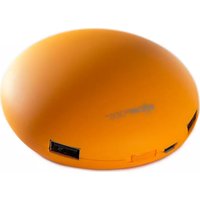
| Model | Halo |
| Connectivity | Bluetooth 5.0 |
| Wireless Range | Up to 10 meters |
| Driver Size | 45 mm |
| Output Power | 5 W |
| Frequency Response | 100 Hz - 20 kHz |
| Battery Capacity | 500 mAh |
| Playback Time | Up to 6 hours |
| Charging Time | Approximately 2 hours |
| Charging Port | USB-C |
| Microphone | Yes, with echo cancellation |
| Controls | Physical buttons |
| Weight | 210 g |
| Dimensions | 8.5 x 8.5 x 4.0 cm |
| Material | Fabric and plastic |
| Power Input | 5V 1A |
Frequently Asked Questions - Halo Boompods
How do I pair the Boompods Halo with my smartphone?
Turn on the speaker by pressing the power button. The LED indicator will flash blue and red. Activate Bluetooth on your smartphone and select Boompods Halo from the available devices list. Once connected, you will hear a confirmation chime.
How do I charge the Boompods Halo?
Connect the included USB-C cable to the charging port on the speaker and plug the other end into a USB power adapter. The LED indicator will turn red while charging and turn off when the battery is full.
How long does the battery last on a full charge?
The built-in battery provides up to 6 hours of playtime at moderate volume levels. Actual battery life may vary depending on volume and music content.
Can I use the Boompods Halo as a speakerphone?
Yes, the speaker has a built-in microphone with echo cancellation. You can answer calls by pressing the multi-function button during an incoming call.
How do I reset the Boompods Halo?
If the speaker is unresponsive, press and hold the power button for 10 seconds to force a reset. You can also clear the pairing record by turning on the speaker and pressing the multi-function button twice.
Is the Boompods Halo waterproof?
The Boompods Halo is not rated as waterproof. It is recommended to avoid exposing the speaker to water or moisture to prevent damage.
How do I clean the Boompods Halo?
Use a soft, dry cloth to wipe the speaker. Do not use abrasive cleaners or immerse the speaker in water. For the fabric surface, gently brush off dust.
What is the wireless range of the Boompods Halo?
The Bluetooth range is approximately 10 meters without obstacles. Walls and other interference can reduce the effective range.
Can I connect two Boompods Halo speakers together?
This model does not support TWS (True Wireless Stereo) pairing. However, you can use a multi-device Bluetooth transmitter to broadcast to multiple speakers via a third-party app.
What to do if the speaker doesn't power on?
First, charge the speaker for at least 30 minutes using the USB-C cable. If it still doesn't turn on, check if the charging cable is connected properly and try a different USB port. If the problem persists, the battery may need replacement.
User questions about Halo Boompods
0 question about this device. Answer the ones you know or ask your own.
Ask a new question about this device
No questions yet. Be the first to ask one.
Download the instructions for your Loudspeaker in PDF format for free! Find your manual Halo - Boompods and take your electronic device back in hand. On this page are published all the documents necessary for the use of your device. Halo by Boompods.
USER MANUAL Halo Boompods

Manual assistant
Powered by Anthropic
Waiting for your message
Product information
Brand : Boompods
Model : Halo
Category : Loudspeaker