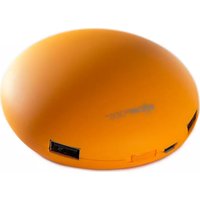
Doubleblaster 2 - Docking Station Boompods - Free user manual and instructions
Find the device manual for free Doubleblaster 2 Boompods in PDF.


Pick your language and provide your email: we'll send you a specifically translated version.
| Product Type | Docking Station / Charging Base |
| Brand | Boompods |
| Model | Doubleblaster 2 |
| Compatible Devices | Smartphones, Tablets, Bluetooth Speakers |
| Charging Ports | 1 x USB-C Input, 2 x USB-A Output |
| Power Input | 5V/3A via USB-C |
| Power Output | 5V/2.4A per USB-A port |
| Dimensions (L x W x H) | 150mm x 80mm x 30mm |
| Weight | 200g |
| Material | ABS Plastic with Non-Slip Silicone Base |
| LED Indicator | Blue LED for Power Status |
| Overcharge Protection | Yes |
| Short Circuit Protection | Yes |
| Key Functions | Charging, Device Organization, Cable Management |
| Compatible Operating Systems | iOS, Android, Windows, MacOS |
| Cleaning Instructions | Wipe with a dry, lint-free cloth. Do not use liquids or abrasives. |
| Storage Conditions | Dry place, temperature between -10°C to 40°C |
| Certifications | CE, FCC, RoHS |
| Warranty | 1 year limited |
| Included Accessories | USB-C Cable, User Manual |
Frequently Asked Questions - Doubleblaster 2 Boompods
What is the Boompods Doubleblaster 2 Docking Station used for?
The Doubleblaster 2 is a docking station designed to charge and organize your devices such as smartphones, tablets, and Bluetooth speakers.
How many devices can I charge at once?
It features two USB-A output ports, allowing you to charge up to two devices simultaneously.
What power adapter do I need?
The docking station uses a USB-C input (5V/3A). You can use a standard USB-C charger or connect it to a computer.
Is the Doubleblaster 2 compatible with my iPhone?
Yes, it is compatible with any device that charges via USB-A, including iPhones with a Lightning cable.
Does it support fast charging?
Each USB-A port provides up to 5V/2.4A, which supports standard fast charging for most devices.
How do I clean the docking station?
Unplug the device and wipe with a dry, lint-free cloth. Avoid using liquids or abrasive cleaners.
Does it have overcharge protection?
Yes, it includes built-in overcharge and short circuit protection to keep your devices safe.
What is the weight and size?
It weighs approximately 200g and measures 150mm x 80mm x 30mm.
Can I use the Doubleblaster 2 while charging?
Yes, you can place devices on the dock and use them normally while they charge.
Where can I download the manual?
The user manual is available for free download on notice-facile.com in PDF format.
User questions about Doubleblaster 2 Boompods
0 question about this device. Answer the ones you know or ask your own.
Ask a new question about this device
No questions yet. Be the first to ask one.
Download the instructions for your Docking Station in PDF format for free! Find your manual Doubleblaster 2 - Boompods and take your electronic device back in hand. On this page are published all the documents necessary for the use of your device. Doubleblaster 2 by Boompods.
USER MANUAL Doubleblaster 2 Boompods

Manual assistant
Powered by Anthropic
Waiting for your message
Product information
Brand : Boompods
Model : Doubleblaster 2
Category : Docking Station