
Flipper RF - Mouse Tracer - Free user manual and instructions
Find the device manual for free Flipper RF Tracer in PDF.


| Product Type | Wireless Optical Mouse |
| Brand | Tracer |
| Model | Flipper RF |
| Connectivity | RF 2.4 GHz via Nano Receiver |
| Receiver Type | Nano USB Receiver (stored in battery compartment) |
| Power Source | 2 AAA Alkaline Batteries (included) |
| Buttons | 6: Left, Right, Scroll/Middle, DPI, Forward, Backward |
| DPI Switch | Yes (DPI Button) |
| Dimensions (Approx.) | 100 x 60 x 35 mm |
| Weight (with batteries) | ~80 g |
| Battery Life | Dependent on usage; replace when cursor erratic |
| Operating System Support | Windows, macOS, Linux (plug and play) |
| Pairing Method | Auto-pairing; manual: press middle+right keys 3 seconds within 10 seconds of plugging receiver |
| Range | Up to 10 m (typical) |
| Maintenance | Clean bottom with damp soft cloth; avoid spills; use only alkaline batteries |
| Safety Warnings | Do not submerge; not for small children; do not use with damaged housing |
| Package Contents | Mouse, Nano Receiver, 2 AAA Batteries, Quick Installation Guide, User Manual, Warranty Card |
| Compliance | CE marked; WEEE compliant |
Frequently Asked Questions - Flipper RF Tracer
User questions about Flipper RF Tracer
0 question about this device. Answer the ones you know or ask your own.
Ask a new question about this device
Download the instructions for your Mouse in PDF format for free! Find your manual Flipper RF - Tracer and take your electronic device back in hand. On this page are published all the documents necessary for the use of your device. Flipper RF by Tracer.
USER MANUAL Flipper RF Tracer
Tracer Flipper RF mouse Instructions for use
CS
Myš Tracer Flipper RF Návod k obsluze
SK
Myš Tracer Flipper RF Návod na obsluhu
RU
natural_image
Blank white image with no visible content, text, or symbols
natural_image
Line drawing of a mechanical component with an arrow indicating direction (no text or symbols)natural_image
Line drawing of a stylized object with internal components and directional arrows (no text or symbols)natural_image
Illustration of a desktop computer setup with a monitor labeled 'PC' and a tower, showing a close-up of a device (no text or symbols on the main image)Tracer Flipper RF mouse ____
Instructions for use
Package Contents
• Wireless Optical Mouse
- Nano Receiver
• 2 AAA Batteries
• Quick Installation Guide
- User's Manual
• Warranty Information
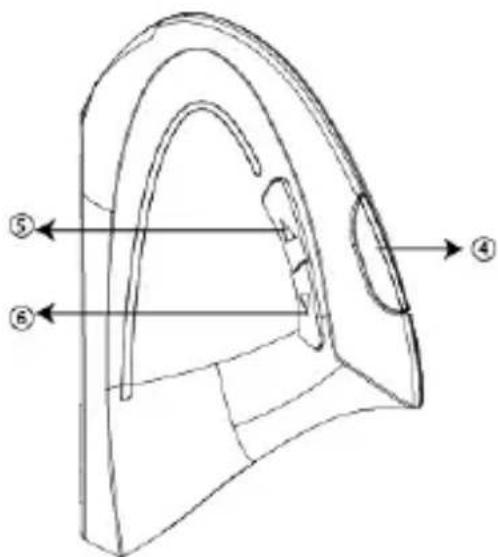
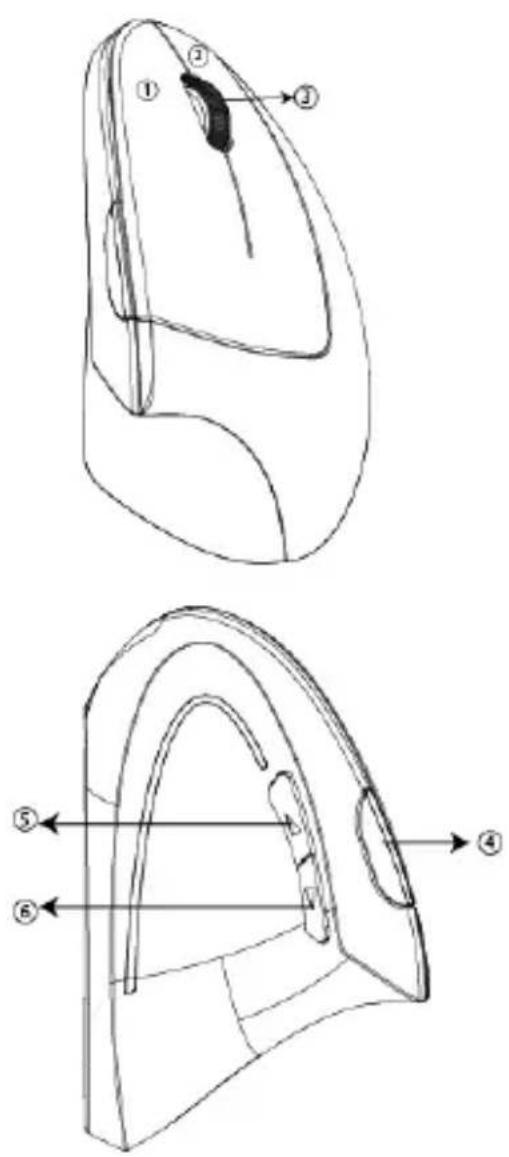
Functions
- Left Button
- Right Button
- Scroll & Middle Button
- DPI Button
- Forward Button
- Backward Button
Safety information
Do not use the device contrary to its intended use. Do not operate the device when the housing is damaged.
Do not submerge the device in water or other liquids.
The device is not intended for small children, it has a receiver - risk of choking.
Quick Installation Guide
1
natural_image
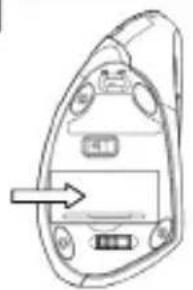
Technical line drawing of a mechanical component with an arrow pointing to a central component (no text or symbols)Open the battery compartment located underneath the mouse and install 2 AAA batteries.
2
natural_image
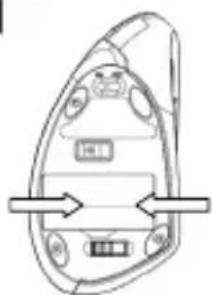
Diagram of a device casing with internal components and directional arrows (no text or symbols)Pull out the Nano receiver out of the compartment.
3
natural_image
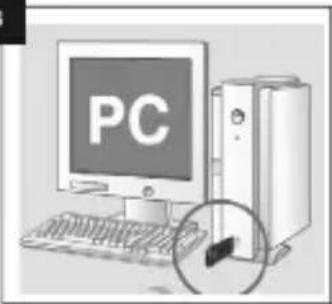
Illustration of a desktop computer with a monitor displaying 'PC' and a tower emitting a circular icon (no text or symbols on the main objects)Turn on your PC and Insert Nano receiver into an available USB port. Your PC will make the proper settings to operate your mouse.
4
When your mouse loses ID code, please pair the ID between mouse and receiver again according to the following
troubleshooting instruction.
EN
Tracer Flipper RF mouse \_\_\_\_
Instructions for use
Troubleshooting
| Problem | Solution |
| Mouse pointer (cursor) moves erratically | The batteries may be in low power. Replace the batteries. |
| Mouse can't work properly | Pairing:1) Plug the nano receiver into the USB port.2) Within 10 seconds,press middle and right keys 3 seconds.3) low voltage flash 3 seconds and then go out, it means paring finished. |
Maintenance
- Maintaining your product will ensure longer life and will minimize the chance of causing damage to your mouse.
- Keep all beverages away from the mouse area and avoid any spills.
- Keep the bottom of the mouse clean and free any dust and film by wiping off the bottom with just a damp soft cloth.
• Note: these devices are dependent on battery current for operation. Only alkaline batteries should be used. - The batteries that ship with these devices are not rechargeable. Do not try to recharge them.
Obsah baleni
natural_image
Line drawing of a device casing with an arrow pointing to a component (no text or symbols)natural_image
Diagram of a device with labeled ports and directional arrows, no readable text or symbols presentnatural_image
Illustration of a desktop computer with a monitor displaying 'PC' and a tower emitting a cable (no text or symbols on the device)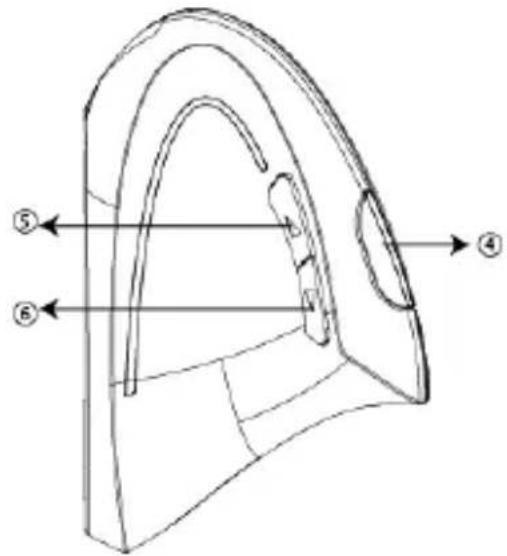
natural_image
Diagram of a device casing with internal components and an arrow indicating direction (no text or symbols)natural_image
Diagram of a device interior with directional arrows indicating movement or flow (no text or symbols)natural_image
Illustration of a desktop computer with a monitor displaying 'PC' and a tower emitting a cable (no text or symbols on the device)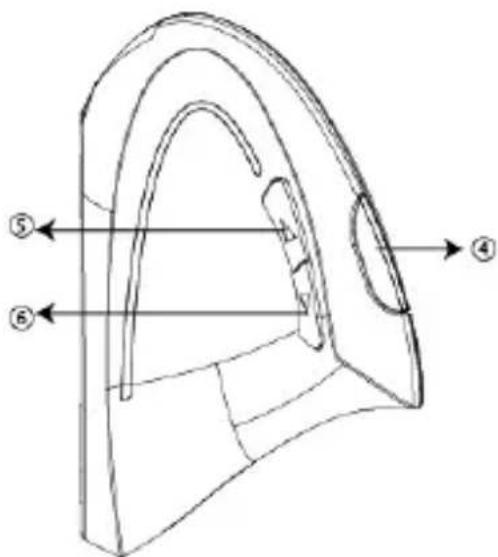
natural_image
Line drawing of a device casing with internal components and an arrow indicating direction (no text or symbols)natural_image
Line drawing of a stylized object resembling a vehicle or device with control buttons and directional arrows (no text or symbols)natural_image
Illustration of a desktop computer with a monitor displaying 'PC' and a tower emitting a USB cable (no text or symbols on the device)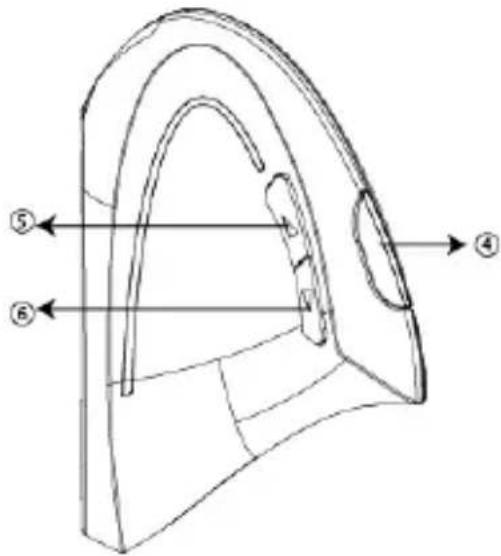
natural_image
Pure diagram of a device component with no text or symbolsnatural_image
Simple line drawing of a device casing with internal components and directional arrows (no text or symbols)natural_image
Illustration of a desktop computer setup with a monitor labeled 'PC' and a tower, showing a close-up of a cable (no text or symbols on the main components)The symbol of a crossed-out wheeled bin placed on electronic or electrical equipment, its packaging or accompanying documents means that the product may not be thrown out together with other waste. Used equipment may contain substances with toxic and carcinogenic properties, hazardous to human health and life, and poisoning the soil and groundwater. It is the user's responsibility to hand over the used equipment to a designated collection point for its proper processing. For more information on recycling of electronic and electrical equipment, please contact your local authorities, waste disposal services and the place where you purchased this product.


Producent:


Brand : Tracer
Model : Flipper RF
Category : Mouse